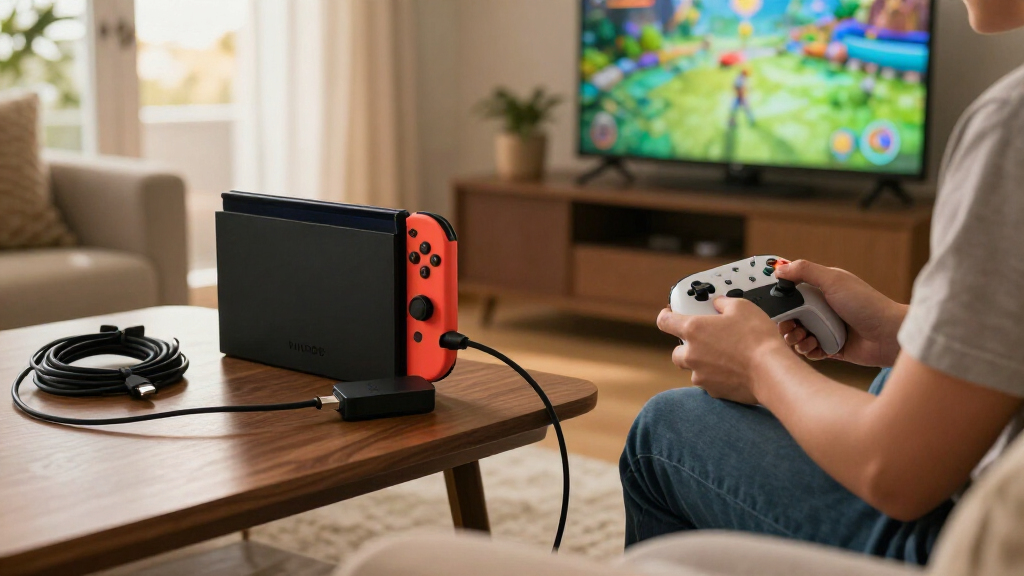

Choosing a USB-C hub for Nintendo Switch 2 starts with deciding what you need the console to do: connect to a TV, power a portable display, or add ports for accessories. My strongest all-in-one candidate is the AVerMedia GC313 CORE GO, since it combines HDMI output with a 100W GaN charger; the TECKNET 5-in-1 offers a more conventional HDMI-and-data-port layout; and the Cbcuyle Dual USB-C Display Hub is aimed at buyers using USB-C displays or AR glasses.

Get the latest gadgets delivered free with Prime
- Fast, free delivery on millions of items
- Prime Video, Amazon Music and more included
- Member-only deals all year
These picks are not interchangeable. The AVerMedia and TECKNET provide HDMI, while the Cbcuyle and Arsandyn focus on USB-C display connections. The SABRENT OmniPort C7, meanwhile, adds seven USB-C data ports but does not list video output, so it is a poor choice if the goal is playing on a TV. I would check video compatibility, power requirements, port types, and the Switch 2 setup you plan to use before choosing.
Complete the kit



Key Takeaways
- For HDMI output plus a charger: AVerMedia GC313 CORE GO combines 4K60 HDMI, USB ports, and a 100W GaN charger, but its listed USB port count is inconsistent.
- For a familiar mix of connections: TECKNET includes HDMI, two USB-A data ports, one USB-C data port, and a separate USB-C PD input.
- For USB-C displays or AR glasses: Cbcuyle lists Switch 2 compatibility and dual-display support, but actual behavior depends on the host and display setup.
- For portable USB-C display connections: Arsandyn is a compact option with up to 4K60 output and PD input, but it has only one USB data port and conflicting data-rate information.
- For many USB-C data connections: SABRENT supplies seven switched USB-C ports, but it does not list HDMI or video output and needs a separate PD charger for powered use.
| AVerMedia GC313 CORE GO 100W GaN USB-C Charger and Docking Hub with 4K60 HDMI |  | Best Overall for HDMI and Charging | Ports: Description lists 2 USB-C, 1 USB-A, and 1 HDMI; specification lists 2 total USB ports | HDMI: Up to 4K at 60Hz | Maximum wattage: 100W | VIEW LATEST PRICE | See Our Full Breakdown |
| TECKNET 5-in-1 USB-C Hub with 4K 60Hz HDMI and 100W PD |  | Best for a Clear Mix of HDMI and Data Ports | Total ports: 5 | HDMI: Up to 4K at 60Hz; host DP Alt Mode required | USB-A data: 2 USB 3.0 ports | VIEW LATEST PRICE | See Our Full Breakdown |
| Cbcuyle Dual USB-C Display Hub for AR Glasses and Switch 2 |  | Best for USB-C Displays and AR Glasses | Total ports: 4 | USB ports: 2 | Display output: Dual displays up to 4K at 60Hz, depending on host and setup | VIEW LATEST PRICE | See Our Full Breakdown |
| 4-in-1 Dual USB-C Display Hub with 4K 60Hz Output |  | Best Compact Option for a Single USB-C Display Setup | Port count: 3 listed | USB data ports: 1 | Data rate: Description: up to 5Gbps; product information: 480Mbps | VIEW LATEST PRICE | See Our Full Breakdown |
| SABRENT OmniPort C7 7-Port USB-C Hub, 10Gbps (HB-CUP7) |  | Best for USB-C Data Expansion, Not TV Output | Ports: 7 USB-C | Data transfer: Up to 10Gbps | Power input: USB-C PD 3.0, up to 100W; adapter sold separately | VIEW LATEST PRICE | See Our Full Breakdown |
| USB-C hubs for Nintendo Switch 2 | Warranty |
|---|---|
| AVerMedia GC313 CORE GO 100W G | 2 years |
| TECKNET 5-in-1 USB-C Hub with | 18 months |
| Cbcuyle Dual USB-C Display Hub | 2 years |
| 4-in-1 Dual USB-C Display Hub | — |
| SABRENT OmniPort C7 7-Port USB | 1 year; extendable to 2 years with free registration |
More Details on Our Top Picks
AVerMedia GC313 CORE GO 100W GaN USB-C Charger and Docking Hub with 4K60 HDMI
The AVerMedia GC313 CORE GO is my most balanced pick for someone who wants one compact unit to handle HDMI, charging, and a few connected devices. Its 4K at 60Hz HDMI output gives it a straightforward path to a TV or monitor, and its 100W GaN charging design makes it a more integrated option than the TECKNET, which expects a separate USB-C PD power source. A 2 m braided USB-C cable and changeable AC plug also make the package more travel-ready on paper.
The tradeoff is that the listing does not give a fully consistent account of its USB ports. The description says two USB-C and one USB-A, while the specifications list two total USB ports. That matters if you plan to connect several accessories at once, so I would verify the exact configuration before relying on it as a multi-device dock. It has only one HDMI port, too, and buyers needing a broader bank of data connections may prefer the TECKNET’s clearly described two USB-A and one USB-C data ports.
Compared with the display-focused Cbcuyle and Arsandyn, the GC313 is the more natural choice for a conventional HDMI screen. It also charges up to three devices according to the description, although the exact port allocation and power sharing are not detailed here. I would choose it for a simple console-to-screen setup with charging built in, but skip it if unambiguous port counts or many data connections matter more than the charger-and-HDMI combination.
Pros:- Combines a 100W GaN charger and hub in one unit.
- Lists 4K at 60Hz HDMI output.
- Includes a 2 m braided USB-C cable and changeable AC plug.
- Description says it can charge up to three devices simultaneously.
Cons:- USB port count is inconsistent between the description and specifications.
- Only one HDMI port is listed.
- Power distribution across connected devices is not fully detailed.
Best for: Switch 2 owners seeking a compact HDMI connection and integrated charging for a TV or monitor setup.
Not ideal for: Buyers who need a precisely documented USB port layout, several accessory ports, or multiple HDMI outputs.
- Ports:Description lists 2 USB-C, 1 USB-A, and 1 HDMI; specification lists 2 total USB ports
- HDMI:Up to 4K at 60Hz
- Maximum wattage:100W
- Charging:Description says up to 3 devices simultaneously
- Cable included:2 m braided USB-C to USB-C
- Weight:1 lb
- Warranty:2 years
Our verdict“I rank the GC313 first for its charger-and-HDMI combination, provided you confirm the USB port layout before buying.”
TECKNET 5-in-1 USB-C Hub with 4K 60Hz HDMI and 100W PD
The TECKNET 5-in-1 is my practical choice when you want HDMI plus a clearly stated assortment of accessory ports. It provides two USB-A 3.0 ports, one USB-C 3.0 data port, HDMI, and a separate USB-C power input. That layout is easier to plan around than the AVerMedia’s conflicting port count: buyers can see which connections are intended for data and which one is for power.
Its HDMI output is listed at up to 4K at 60Hz, but video depends on the host supporting DP Alt Mode. That is a meaningful limitation for Switch 2 buyers: the USB-C shape alone is not proof that a particular console-and-hub arrangement will output video. The charging input accepts a 100W source and passes up to 85W to a host, but the supplied details describe that charging as laptop charging. I would not interpret the 85W figure as a console-specific charging promise.
Unlike the AVerMedia, the TECKNET does not combine the hub with an AC charger, so you need a compatible PD source separately. In return, it offers a more clearly defined spread of data connections. Its USB-C data port carries data only—not charging or video—so it cannot replace the HDMI connection or power input. This is a stronger fit than the USB-C display hubs for buyers who need USB-A accessories and HDMI, but it is less appealing if you want a single charger-and-dock package.
Pros:- Clearly lists HDMI, two USB-A data ports, and one USB-C data port.
- Supports HDMI output up to 4K at 60Hz on compatible hosts.
- Accepts up to 100W PD input and lists up to 85W output to a host.
- Aluminum shell and plug-and-play design suit desk or travel use.
Cons:- A PD charger is not listed as included.
- Video requires host support for DP Alt Mode.
- USB-C data port does not carry charging or video.
Best for: Buyers who want HDMI plus two USB-A and one USB-C data connection in a hub with a separate PD input.
Not ideal for: Anyone seeking an included charger, USB-C video output, or assurance that HDMI works without host DP Alt Mode support.
- Total ports:5
- HDMI:Up to 4K at 60Hz; host DP Alt Mode required
- USB-A data:2 USB 3.0 ports
- USB-C data:1 USB 3.0 port, up to 5Gbps
- PD input:Up to 100W
- Host power output:Up to 85W
- Enclosure:Aluminum
- Warranty:18 months
Our verdict“I recommend the TECKNET over the AVerMedia when a clearly specified set of USB data ports matters more than an integrated charger.”
Cbcuyle Dual USB-C Display Hub for AR Glasses and Switch 2
The Cbcuyle Dual USB-C Display Hub is the most directly Switch 2-oriented display option in this group: its product description names Switch 2 and supports connections to AR glasses, monitors, or projectors. It lists dual displays up to 4K at 60Hz, up to 100W PD charging, and data transfer up to 5Gbps at the same time. For someone building a compact USB-C display setup rather than a standard HDMI TV dock, that combination is more relevant than the HDMI-first TECKNET or AVerMedia.
There are important boundaries. The hub does not support Switch Lite, and the stated dual-display behavior depends on the device and setup. The listing also says macOS and some mobile devices may mirror rather than extend displays, which is a reminder that two display connectors do not guarantee two independent screens. A PD power source is required when connecting handheld consoles or phones to external screens; the hub’s 100W figure is an input ceiling, not a guarantee that the console receives that amount.
Compared with the Arsandyn, Cbcuyle gives a more explicit Switch compatibility claim and specifies dual 4K60 displays, but it also carries more platform caveats. It has only two USB ports and is not a replacement for the TECKNET if you need several USB-A accessories. I would pick it for a USB-C display or AR-glasses arrangement after checking the target setup’s video behavior; I would skip it if HDMI is the connection you need or if your use case depends on Switch Lite.
Pros:- Listing explicitly includes Switch 2 among compatible devices.
- Supports dual USB-C displays up to 4K at 60Hz where the setup allows.
- Combines display, data, and up to 100W PD input.
- Compact 30 g aluminum-alloy design with passive heat dissipation.
Cons:- Does not support Switch Lite.
- macOS and some mobile devices may mirror instead of extend displays.
- An active PD power source is required for handheld-console or phone display setups.
Best for: Switch 2 owners using compatible USB-C displays or AR glasses who want display, data, and PD power in a compact hub.
Not ideal for: Switch Lite users, HDMI-only setups, or buyers who need extended displays on a host that only mirrors them.
- Total ports:4
- USB ports:2
- Display output:Dual displays up to 4K at 60Hz, depending on host and setup
- Power delivery:Up to 100W input
- Data transfer:Up to 5Gbps
- Material and weight:Aluminum alloy; 30 g
- Compatibility notes:Switch 2 listed; Switch Lite unsupported; macOS and some mobile devices may mirror displays
- Warranty:2 years
Our verdict“I place the Cbcuyle ahead of the Arsandyn for buyers who specifically want a Switch 2-listed USB-C display hub and can work within its host limitations.”
4-in-1 Dual USB-C Display Hub with 4K 60Hz Output
The Arsandyn 4-in-1 Dual USB-C Display Hub is a small, aluminum-bodied option for buyers connecting a compatible device to AR glasses, a USB-C monitor, or another USB-C display. It advertises up to 4K at 60Hz video and up to 100W PD input, which makes it relevant when the goal is to keep a compatible host powered while sending video through USB-C. It is more focused than the TECKNET: there is no HDMI port, and the listing specifies just one USB data port.
The product’s own specifications need careful reading. Video output requires DisplayPort Alt Mode on the host, and resolution and multi-display performance depend on the complete setup. Data-rate details also conflict: the description says up to 5Gbps, while the product information lists 480Mbps. I would not choose it on the assumption that its data connection reaches 5Gbps without confirming the exact specification with the seller.
Compared with the Cbcuyle, Arsandyn is a narrower pick with a less explicit Switch-specific case, though its compact aluminum construction and plug-and-play approach may suit a simple portable display kit. Unlike the seven-port SABRENT, it does offer a video path, but it is not a substitute for a USB-C data expansion hub. A compatible PD charger may be separate, and USB-C video support must be present on the host. I would choose it only when its display connection matches the equipment already in hand.
Pros:- Supports video output up to 4K at 60Hz on compatible devices.
- Accepts up to 100W PD input.
- Compact aluminum-alloy housing is suited to portable setups.
- Plug-and-play operation is listed for supported devices.
Cons:- Video requires host support for DisplayPort Alt Mode.
- Data-rate information conflicts between 5Gbps and 480Mbps.
- A compatible PD charger may be sold separately.
Best for: Travelers using a compatible USB-C monitor or AR glasses who need a compact display-and-power adapter with limited data expansion.
Not ideal for: Buyers who need HDMI, many accessory ports, confirmed high-speed data, or a video connection without host DP Alt Mode.
- Port count:3 listed
- USB data ports:1
- Data rate:Description: up to 5Gbps; product information: 480Mbps
- Video output:Up to 4K at 60Hz; host DP Alt Mode required
- Power delivery input:Up to 100W
- Material:Aluminum alloy
- Compatible devices:AR glasses, laptops, Switch 2, tablets, portable monitors
- Operation:Plug and play on supported devices
Our verdict“I consider the Arsandyn a portable USB-C display candidate, but its conflicting data-rate details keep it behind the more explicit Cbcuyle for Switch 2 display use.”
SABRENT OmniPort C7 7-Port USB-C Hub, 10Gbps (HB-CUP7)
The SABRENT OmniPort C7 takes a different approach from the other four: it expands one USB-C connection into seven USB-C data ports, each with its own power switch and blue status light. Those controls are useful when you want to disconnect an accessory without unplugging it, while the stated data rate of up to 10Gbps is the fastest listed in this lineup. Its compact 3.07-ounce body and included 10Gbps USB-C cable also make it a tidy desk or travel accessory hub.
That port count should not be confused with a Switch 2 docking feature. The product details list no HDMI or display output, so I would not select the OmniPort for connecting the console to a TV or monitor. It is also not a replacement for the display-oriented Cbcuyle or Arsandyn. Its place in this roundup is for data expansion, and compatibility with a host does not by itself confirm that every connected accessory will work with the console.
Power is another tradeoff. The hub accepts a separate USB-C PD 3.0 charger up to 100W, but the power adapter is not included; high-draw devices need that external supply. Per-port support is specified as BC1.2 up to 5V/3A, so the 100W input rating should not be read as 100W available to each connected port. Compared with the TECKNET, the SABRENT gives you far more USB-C sockets and individual switches, but loses HDMI, USB-A, and a bundled power solution. I would buy it for USB-C accessory management, not for a Switch 2 living-room dock.
Pros:- Provides seven USB-C ports with data rates up to 10Gbps.
- Individual switches and blue status lights give control over each port.
- Accepts USB-C PD 3.0 input up to 100W.
- Includes a 10Gbps USB-C cable in a lightweight enclosure.
Cons:- No HDMI or video output is listed.
- USB-C PD charger is not included.
- Per-port power support is BC1.2 up to 5V/3A, not 100W per port.
Best for: Buyers who need multiple USB-C data connections, individual port controls, and a compact hub for a compatible host.
Not ideal for: Anyone seeking HDMI or other video output, USB-A ports, or an included PD power adapter for a Switch 2 dock.
- Ports:7 USB-C
- Data transfer:Up to 10Gbps
- Power input:USB-C PD 3.0, up to 100W; adapter sold separately
- Per-port power support:BC1.2, up to 5V/3A
- Port controls:Individual power switch and blue LED per port
- Included cable:10Gbps USB-C cable
- Dimensions and weight:5.02 × 1.71 × 0.75 in; 3.07 oz
- Warranty:1 year; extendable to 2 years with free registration
Our verdict“I recommend the OmniPort only when USB-C data expansion is the priority; its seven ports do not make it a Switch 2 TV dock.”
How We Picked
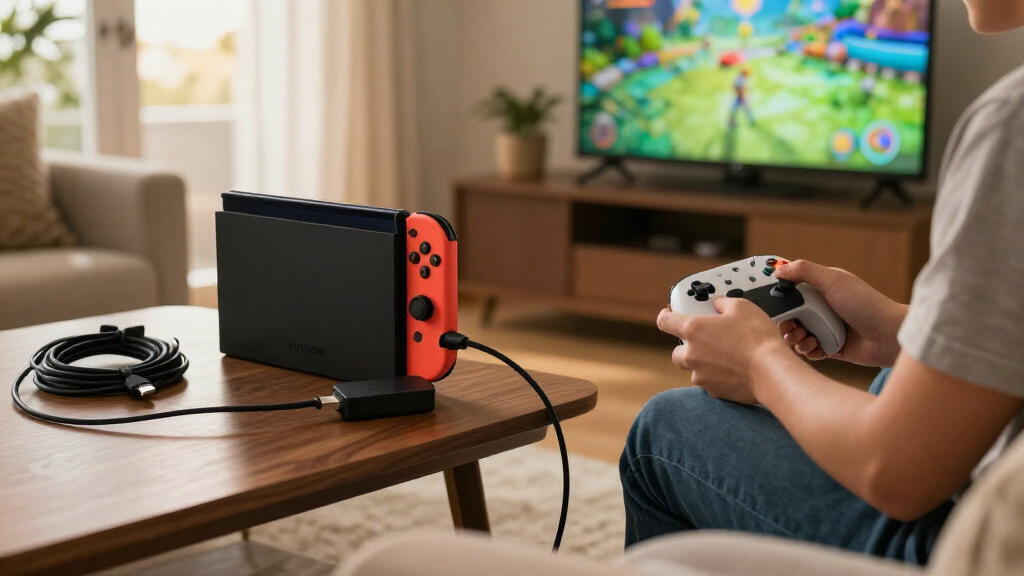
I ranked these hubs by how well their stated connections line up with common Switch 2 needs, rather than by port count alone. For TV play, an HDMI port is a direct advantage; for a portable monitor or AR glasses, a USB-C display path may matter more. I also looked at how each hub handles power, whether its data ports suit accessories, and whether the product details leave buyers with questions.
Compatibility claims deserve caution. A USB-C connector does not guarantee video output: the host and the complete setup need to support the relevant video mode. The display hubs in this lineup specifically depend on host and display support, while the TECKNET requires DP Alt Mode. I have not treated a claimed resolution as a guarantee for every Switch 2 configuration.
I gave weight to clear, useful tradeoffs. The AVerMedia and TECKNET rank ahead for buyers seeking HDMI because they list HDMI output; the AVerMedia combines it with a charger, while the TECKNET gives a clearer spread of data ports. The display-focused Cbcuyle and Arsandyn serve a narrower USB-C monitor use case. SABRENT ranks for USB-C expansion, not video, because its seven ports are specified for data and charging rather than display output. I also call out missing chargers, host restrictions, and conflicting specifications instead of treating them as minor details.
Factors to Consider When Choosing Best USB-C Hubs For Nintendo Switch 2
I would choose a hub by starting with the display connection, then checking power and accessory needs. A port labeled USB-C may carry data, power, video, or some combination; the product details determine which job it can perform. The five options here split into HDMI hubs, USB-C display hubs, and a USB-C data expander.
Decide whether you need HDMI or USB-C video
If your intended screen uses HDMI, the AVerMedia and TECKNET are the direct candidates in this lineup. Both list HDMI output up to 4K at 60Hz, though the TECKNET explicitly requires a host with DP Alt Mode for video. A resolution claim describes the hub’s stated capability; it does not prove every console, cable, display, or operating mode will work together.
The Cbcuyle and Arsandyn instead focus on USB-C displays and AR glasses. Choose one only if your display setup uses that kind of connection and the host supports the required video mode. The SABRENT lists no video output, so its seven ports do not help with HDMI or a USB-C monitor connection.
Treat charging wattage as an input limit, not a console guarantee
PD figures can describe what a hub accepts or passes through, not what every connected device receives. The AVerMedia includes a 100W GaN charger in its combined design; the TECKNET accepts up to 100W input and lists up to 85W to a host. The Cbcuyle, Arsandyn, and SABRENT list PD input up to 100W, but their descriptions do not establish a Switch 2-specific power result.
Check whether a charger is included. The SABRENT expressly needs a separate USB-C PD charger for high-draw devices, while the Arsandyn may also require a separate compatible supply. For a console connected to an external screen, the Cbcuyle description calls for an active PD power source. I would use the power requirements for the exact setup as the deciding reference, not the largest number printed in a hub’s specifications.
Match port types to the accessories you actually use
The TECKNET has a clear mix of two USB-A data ports and one USB-C data port, which suits accessories that still use USB-A. The SABRENT offers the most USB-C sockets, with seven individually switched ports, but no USB-A. A high port count is useful only when it matches your devices and the host can support the connection.
The AVerMedia’s listed USB port count is inconsistent, so confirm its layout before building an accessory plan around it. The Arsandyn has one USB data port, and its published data rate conflicts between 5Gbps and 480Mbps. Cbcuyle lists two USB ports but is mainly differentiated by its dual-display support. Keep data ports, charging inputs, and video outputs separate in your planning; they are not interchangeable just because they share a USB-C connector.
Read display and platform limits before choosing dual screens
Dual-display claims depend on the host, operating system, and display arrangement. Cbcuyle says macOS and some mobile devices may mirror rather than extend screens, and it excludes Switch Lite. Arsandyn also says display behavior depends on the host and setup. A hub advertising two display connections does not promise two independent desktop images in every configuration.
For a single TV connection, an HDMI hub may be simpler than a dual-USB-C display adapter. For AR glasses or a portable USB-C monitor, the display hubs may fit better, but I would confirm the precise console, display, power, and cable combination before purchase. The SABRENT belongs in a different category altogether: it expands USB-C data connections rather than adding a screen output.
Account for what is included and what remains uncertain
The AVerMedia includes a 2 m braided USB-C cable and a changeable AC plug, while the SABRENT includes a 10Gbps USB-C cable but no power adapter. The TECKNET’s listing describes a PD input but not a bundled charger. The display hubs may also need a compatible PD source. If you already own a suitable charger and cables, this may matter less; if not, count the full set of components needed for your planned setup.
I would give extra scrutiny to unresolved listing details. AVerMedia’s USB count differs across its description and specifications; Arsandyn’s data-rate information conflicts; Cbcuyle’s display behavior varies by host. Those issues do not automatically rule out a product, but they affect how confidently you can plan a setup. Where a specific feature is essential, verify it rather than assuming the broadest claim applies to your exact use.
Frequently Asked Questions
Can I use any USB-C hub with Nintendo Switch 2?
No. A USB-C connector alone does not establish video, power, or accessory compatibility. In this group, AVerMedia and TECKNET list HDMI output, Cbcuyle and Arsandyn focus on USB-C displays, and SABRENT lists data expansion without video output. I would match the hub to the connection you need and confirm support for the full Switch 2 setup, including power source, cable, and display.
Which of these hubs is the best choice for connecting Switch 2 to a TV?
The AVerMedia GC313 CORE GO and TECKNET 5-in-1 are the HDMI options here. AVerMedia combines HDMI with a 100W GaN charger, while TECKNET gives a clearly specified set of USB-A and USB-C data ports with a separate PD input. Since AVerMedia’s USB port count is inconsistent in its listing, I would verify its exact layout if accessories matter to your setup.
Do the Cbcuyle and Arsandyn hubs guarantee dual extended displays?
No. Both products describe display capabilities that depend on the host and the complete setup. Cbcuyle specifically says macOS and some mobile devices may mirror rather than extend, and Arsandyn also notes that multi-display performance varies. Before choosing either, check whether the particular device, operating system, and screens support the display behavior you want.
Does a 100W PD rating mean a hub supplies 100W to Switch 2?
No. A 100W figure can describe the maximum power accepted at a hub’s PD input, not the power delivered to each connected device. TECKNET separately lists up to 85W output to a host, while SABRENT gives per-port support of up to 5V/3A and says high-draw devices need a separate charger. Check the power needs and limits for your exact console-and-hub arrangement.
Is the SABRENT OmniPort C7 a docking hub for TV play?
Not according to the provided specifications. It offers seven switched USB-C data ports and PD input, but no HDMI or other display output is listed. I would consider it for managing compatible USB-C data accessories, not for connecting Switch 2 to a TV. For HDMI in this roundup, look at the AVerMedia or TECKNET instead.
Conclusion
For a mostly straightforward HDMI-and-charging setup, I would start with the AVerMedia GC313 CORE GO, then confirm its inconsistent USB port count. If your priority is clearly defined USB-A and USB-C data connections alongside HDMI, the TECKNET is the more predictable layout, provided your host supports DP Alt Mode and you have a suitable PD source.
For USB-C displays or AR glasses, Cbcuyle is my first option when the Switch 2 compatibility claim and stated limits match your setup; Arsandyn is a more compact alternative, but I would verify its conflicting data-rate information. Choose the SABRENT only if your main need is several switched USB-C data ports. It is not the pick for TV output. The best match comes down to the display connection you need, the accessories you plan to attach, and whether your setup already has compatible power and cables.