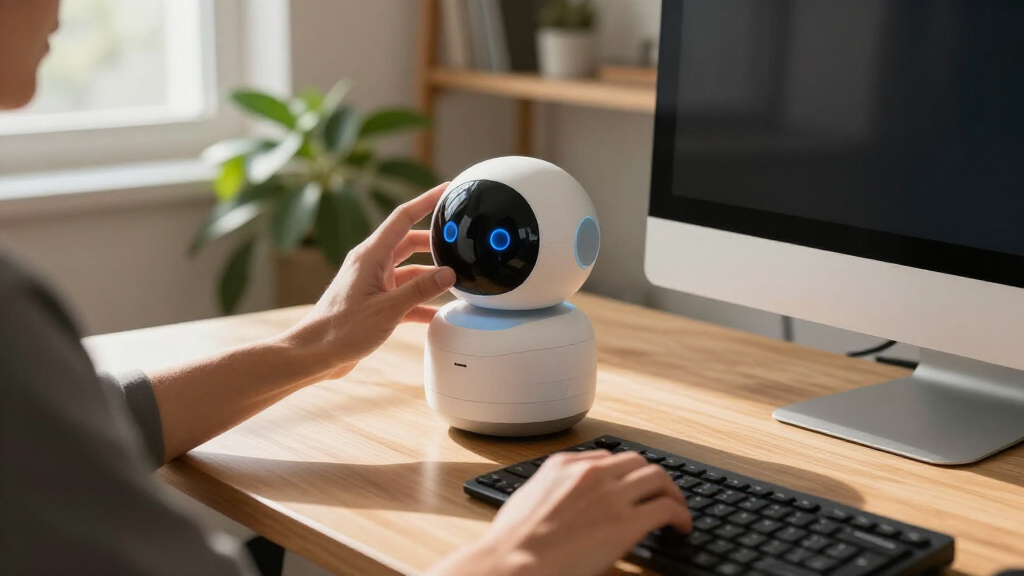

The best desktop companion robots depend on whether you want expressive play, conversational AI, or practical desk features. I’d put Eilik first for its touch-responsive animations and straightforward play, while Loona Deskmate stands out for context-aware interaction and built-in charging, and LOOI combines voice interaction with visual recognition. The main tradeoffs are simple, reliable interactions versus more ambitious AI features, plus desk space, setup, and dependence on connected services. A robot with more features may take more configuration and may not suit someone who just wants a playful desk presence. Read on for the full comparison and a guide to choosing the right companion for your workspace.

Get the latest gadgets delivered free — and shop member deals
- Fast, free delivery on millions of items
- Access to Prime Big Deal Days deals on October 6–7
- Prime Video, Amazon Music and more included
Complete the kit



Key Takeaways
- Eilik is the clearest pick for expressive, touch-based play; its appeal is immediacy rather than a focus on cloud memory or extended chat.
- Loona Deskmate pairs context-aware interaction with a 165W GaN charger, making it the standout when desk utility matters alongside companionship.
- LOOI and several AI-focused entries emphasize voice, vision, or memory, but those features make setup, connectivity, and data practices more relevant buying checks.
- The two EMOPET EMO entries foreground voice commands, dancing, and ChatGPT-style interaction; compare their included accessories and exact capabilities before choosing between them.
- Compact screen and lighting options such as OVAQUIXI and Oiumhru suit buyers drawn to visual feedback, while autonomous designs such as Anki Vector 2.0 offer a different appeal from touch-first desk toys.
| Eilik Desktop Companion Robot with Expressive Animations and Touch-Responsive Play |  | Best Overall | Product type: Desktop companion robot | Interaction: Touch-responsive reactions and animations | Setup: Ready to use out of the box | VIEW LATEST PRICE | See Our Full Breakdown |
| AI Companion Robot Plush with Cloud Memory and Real-Time Chat |  | Best for Kids and Travel | Connectivity: 2.4 GHz Wi-Fi | AI models: ChatGPT, DeepSeek, and Gemini | Memory: Cloud-based conversational memory | VIEW LATEST PRICE | See Our Full Breakdown |
| EMOPET EMO Interactive Desk Robot with Charging Station | 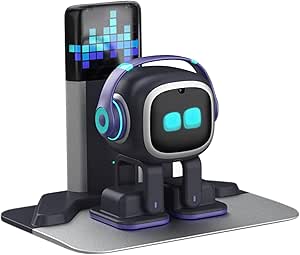 | Best Premium Experience | Brand: EMOPET | Model: EMO GO HOME | Included components: Robot, charging station | VIEW LATEST PRICE | See Our Full Breakdown |
| PanniOhye HH1801YM Interactive AI Robot Companion |  | Best Budget Starter Pick | Brand: PanniOhye | Model: HH1801YM | Features: Memory, voice recognition, storytelling, learning helper, smart chat | VIEW LATEST PRICE | See Our Full Breakdown |
| YONBO AIPI Lite AI Robot Companion, Blue |  | Best Pocket-Sized AI Hub | Brand: YONBO | Model: XY006PL01 | Color: Blue | VIEW LATEST PRICE | See Our Full Breakdown |
| Eilik DQ (Desert Quester) Desktop Companion Robot |  | Best Themed Pick | Character: Desert Quester (DQ) | Included accessories: 4 pieces of explorer gear | Setup required: No — works out of the box | VIEW LATEST PRICE | See Our Full Breakdown |
| Loona Deskmate AI Desktop Companion with Context-Aware Interaction and 165W GaN Charging |  | Best for Productivity-Focused Desks | Charging: 165W GaN hub | Ports: 3 USB-C, 1 USB-A | Wireless charging: 15W Qi2 | VIEW LATEST PRICE | See Our Full Breakdown |
| ENERGIZE LAB Eilik Desktop Companion Robot |  | Best Value Pick | Type: Desktop companion robot | Interaction: Touch-responsive with expressive animations | Activities: Reactions and mini games | VIEW LATEST PRICE | See Our Full Breakdown |
| ciciglow AI Desktop Robot Companion with Voice Chat, Yellow |  | Best Budget Conversationalist | Interaction: Voice-activated chat | Languages supported: 37 | Battery: Built-in lithium battery, 1000 mAh | VIEW LATEST PRICE | See Our Full Breakdown |
| LOOI AI Desktop Companion Robot with Voice Interaction, Visual Recognition, Memory, and 10W Wireless Charging |  | Best AI Feature Set | Voice interaction: ChatGPT and Gemini | Language support: English only | Camera: Face-tracking with visual recognition | VIEW LATEST PRICE | See Our Full Breakdown |
| OVAQUIXI AI Desktop Robot Companion with Emotion Recognition, 2.01-Inch Screen, Black |  | Best for Flexible Placement | Screen: 2.01 in, 240 × 296 resolution | Dimensions: 64 × 63 × 55 mm | Weight: 165 g | VIEW LATEST PRICE | See Our Full Breakdown |
| Anki Vector 2.0 Autonomous AI Robot |  | Best for Autonomous Roaming | Connectivity: 2.4 GHz Wi-Fi; Bluetooth pairing for setup | Camera: HD camera | Sensors: Mapping, facial recognition, and obstacle detection | VIEW LATEST PRICE | See Our Full Breakdown |
| Oiumhru Interactive AI Desktop Robot with Bilingual Chat and 7-Color Lights |  | Best for Study and Daily Prompts | Dimensions: 3.74 × 2.17 × 5.12 in | Material: ABS | Battery: 3.7 V, 500 mAh rechargeable lithium battery | VIEW LATEST PRICE | See Our Full Breakdown |
| EMOPET EMO AI Desk Robot Companion with ChatGPT, Voice Commands & Dancing |  | Best for Interactive Play | Brand: EMOPET | Model: EMO | Voice features: ChatGPT-powered conversations and voice commands | VIEW LATEST PRICE | See Our Full Breakdown |
| umissfun Emotional AI Companion Device – Desktop Robot with Voice Understanding, Personality Design, and Long-Term Memory (Gray) |  | Best for Screen-Based Reminiscence | Display: 8-inch HD | Audio: Stereo speakers | Languages: Chinese, English, and Japanese | VIEW LATEST PRICE | See Our Full Breakdown |
More Details on Our Top Picks
Eilik Desktop Companion Robot with Expressive Animations and Touch-Responsive Play
Eilik is the pick I would point most buyers toward first, because it nails the thing a desktop companion actually needs to do: feel alive without asking anything of you. It works straight out of the box with no account, no Wi-Fi dependency, and no app tutorial wall — a stark contrast to the EMO and AIPI Lite, which both lean heavily on network connectivity for their best features. Its expressive animations and touch reactions give it real personality, and pairing two Eilik robots together creates interactions you simply can’t get from a chat-only device like the plush AI companion. The tradeoff is that its smarts are shallow: AI Station and Panxer accessories are sold separately, so the richest experiences cost extra and it never holds a genuine conversation the way ChatGPT-powered rivals do.
Pros:- Works out of the box with no app or account setup
- Highly expressive touch-responsive animations
- Multi-robot interaction when you pair two Eilik units
- No dependence on Wi-Fi for core play
Cons:- AI Station and Panxer accessories are sold separately
- No genuine conversational AI compared to ChatGPT-powered rivals
Best for: Buyers who want an instantly charming, zero-setup desk pet with personality and playfulness rather than serious AI conversation
Not ideal for: Anyone who wants a conversational AI assistant — Eilik reacts and emotes but can’t chat the way EMO or the plush cloud-memory companion can
- Product type:Desktop companion robot
- Interaction:Touch-responsive reactions and animations
- Setup:Ready to use out of the box
- Multi-robot interaction:Two or more Eilik robots can interact
- Optional accessories:AI Station and Panxer, sold separately
Our verdict“If you want personality and playfulness on day one with zero friction, Eilik is the strongest all-around choice in this lineup.”
AI Companion Robot Plush with Cloud Memory and Real-Time Chat
This plush companion takes the opposite approach from Eilik: instead of animations, it bets everything on conversation. Supporting ChatGPT, DeepSeek, and Gemini through 2.4 GHz Wi-Fi, it can hold real-time multilingual chats, and its cloud-based memory means it remembers prior conversations and adapts over time — something Eilik simply cannot do. The soft, portable design makes it a natural fit for kids’ rooms and travel, and the privacy posture is reassuring: no camera and no GPS. Touch controls trigger prerecorded lines offline, so it isn’t totally dead without internet. Compared to EMO, which has a camera and a harder desk-bound form, this feels friendlier for younger users. The catch is that cloud dependence cuts both ways — no internet means no real conversation, and initial setup requires app plus Wi-Fi patience.
Pros:- Access to multiple AI models including ChatGPT and Gemini
- Cloud memory adapts to prior interactions
- Multilingual conversation support
- No camera or GPS built in
Cons:- Real-time conversations require 2.4 GHz Wi-Fi and app setup
- Core experience depends on internet access
Best for: Families and kids who want a huggable, multilingual chat companion that remembers conversations over time
Not ideal for: Households without reliable 2.4 GHz Wi-Fi or buyers who dislike cloud-dependent features — offline mode is limited to prerecorded lines
- Connectivity:2.4 GHz Wi-Fi
- AI models:ChatGPT, DeepSeek, and Gemini
- Memory:Cloud-based conversational memory
- Offline features:Touch-activated prerecorded lines and Easter eggs
- Languages:Multilingual conversations
- Design:Portable plush
- Camera:None built in
- GPS:None built in
- Warranty:12 months
Our verdict“A strong pick for younger users who value conversation and comfort over animations, provided your Wi-Fi is dependable.”
EMOPET EMO Interactive Desk Robot with Charging Station
EMO is the most capable hardware in this batch, and its price of complexity reflects that. With voice commands, a built-in camera, sensors, and ChatGPT-powered conversation, it does simultaneously what Eilik and the plush companion each do separately — physical expressiveness plus genuine AI chat. It dances, plays app-based games, responds to touch and movement, and, most distinctively, finds its own way back to its charging station, so upkeep feels closer to caring for a pet than charging a gadget. The recommended age of 15 and up signals this isn’t a toy for young kids, and it’s desk-bound rather than portable. Tradeoffs are real: deep conversation needs a network connection, and basic controls like volume adjustment require the app, which adds friction compared to Eilik’s out-of-the-box simplicity.
Pros:- Voice commands with ChatGPT-powered conversation
- Dancing and app-based interactive games
- Automatically returns to its charging station
- Camera and sensors enable richer spatial awareness
Cons:- Complex conversations require a network connection
- Volume adjustment and core management require the app
Best for: Tech enthusiasts and teens 15+ who want the most full-featured, autonomous-feeling desktop robot and don’t mind app-based management
Not ideal for: Young children or buyers who dislike app dependency — even volume control requires the EMO app, and it needs network access for its smartest features
- Brand:EMOPET
- Model:EMO GO HOME
- Included components:Robot, charging station
- Connectivity:Network connection; EMO app
- Features:Voice commands, ChatGPT conversations, dancing, games, automatic charging
- Dimensions:11 × 8.5 × 2.95 inches
- Recommended age:15 years and up
Our verdict“The most sophisticated option here — worth it if you want a truly autonomous-feeling desk companion and accept the app-and-network overhead.”
PanniOhye HH1801YM Interactive AI Robot Companion
The PanniOhye HH1801YM is the low-commitment entry point of this roundup — the one I’d hand someone curious about AI companions who isn’t ready to spend EMO-level money. At 9.6 ounces and under five inches tall, it sits unobtrusively on a desk while still offering voice recognition, memory, custom storytelling, and learning support, which covers more ground than a purely reactive device like Eilik at this size. Compared to the AIPI Lite, it throws in a USB-C cable and a friendlier kid-appropriate age rating of 12 and up, making it a sensible first robot for a student desk. The honest tradeoff is polish: there’s no published battery life or charging details, the brand is less established, and its chat and storytelling won’t match the plush companion’s multi-model cloud conversations.
Pros:- Voice recognition and conversational memory in a compact body
- Custom storytelling and learning-helper features
- Small footprint fits crowded desks
- USB-C charging cable included
Cons:- No published battery life or charging details
- Brand has limited track record compared to Eilik or EMO
Best for: Budget-curious first-timers and students 12+ who want a small storytelling and learning companion without a big spend
Not ideal for: Buyers who want proven reliability and documented battery performance — specs are thin and the brand has limited track record
- Brand:PanniOhye
- Model:HH1801YM
- Features:Memory, voice recognition, storytelling, learning helper, smart chat
- Recommended age:12 years and up
- Dimensions:4.3 x 2.5 x 5.5 inches
- Weight:9.6 ounces
- Included components:AI robot, manual, USB-C charging cable
Our verdict“A reasonable, low-risk first step into AI desk companions if you accept the uncertainty that comes with an unproven brand.”
YONBO AIPI Lite AI Robot Companion, Blue
The AIPI Lite bets on a different idea entirely: strip the hardware down to almost nothing — 23 grams and card-thin — and pour everything into the software. Its customizable AI characters with memory and the ability to answer questions from uploaded or pasted content make it closer to a personal knowledge companion than a pet, and the free tier’s unlimited conversations with 20 AI agents is generous compared to what the PanniOhye or plush companion offer in configurability. It’s the pick for tucking into a laptop bag rather than displaying on a desk. But the compromises are unusually sharp: no battery, USB-C cable, or power adapter ship in the box, voice cloning sits behind a paid plan, and it won’t join public Wi-Fi networks that need a login page — a real limitation for students on campus networks.
Pros:- Customizable AI characters with persistent memory
- Answers questions using your own uploaded documents
- Extremely compact at 23 grams
- Free tier with unlimited conversations and 20 AI agents
Cons:- Battery, USB-C cable, and power adapter not included
- Voice cloning and advanced features require a paid plan
- No support for public Wi-Fi login networks
Best for: Minimalists and knowledge workers who want a tiny, highly customizable AI chat hub that travels with a laptop
Not ideal for: Anyone expecting a complete package out of the box, or users on captive-portal public Wi-Fi — you’ll need your own battery, cable, and home network
- Brand:YONBO
- Model:XY006PL01
- Color:Blue
- Material:Plastic
- Weight:23 g
- Dimensions:2.18 x 1.87 x 0.3 inches
- Connectivity:Password-protected 2.4 GHz Wi-Fi
- Included components:AIPI Lite AI robot, manual
Our verdict“A clever micro-companion for AI tinkerers who already own the accessories — just don’t expect pet-like charm or everything in the box.”
Eilik DQ (Desert Quester) Desktop Companion Robot
Most desktop companions are personality-neutral, but Eilik DQ leans fully into a character: a desert explorer shipped with four pieces of explorer gear, an exclusive startup animation, and a boss-fight mini game against the Antmeow. That framing matters if you want a robot that feels like a collectible character rather than a gadget. Compared with the standard ENERGIZE LAB Eilik, DQ offers the same out-of-the-box simplicity and touch-based play but adds the themed extras, making it the better pick for collectors. The tradeoff is familiar: the richest experience — other Eilik characters, the AI Station, Panxer — costs extra, so DQ alone can feel like chapter one of a story you have to keep paying to finish.
Pros:- Works out of the box with no setup
- Exclusive explorer theme with four gear pieces and a boss-fight game
- Expressive animations and touch interactions
- Interacts with other Eilik characters for expanded play
Cons:- Additional characters and accessories sold separately for the full experience
- Touch-only interaction — no voice chat or assistant features
Best for: Collectors and gift buyers who want a character-driven robot with themed accessories out of the box
Not ideal for: Buyers on a strict budget — the ecosystem of characters and accessories adds real cost beyond the initial purchase
- Character:Desert Quester (DQ)
- Included accessories:4 pieces of explorer gear
- Setup required:No — works out of the box
- Interaction type:Touch-based
- Special feature:Antmeow Boss monster shooting mission
- Compatibility:Other Eilik characters, AI Station, Panxer
Our verdict“Pick DQ if you want a themed, collectible desktop character and don’t mind paying for ecosystem expansion later.”
Loona Deskmate AI Desktop Companion with Context-Aware Interaction and 165W GaN Charging
Where most picks here are toys first, Loona Deskmate doubles as a genuine desk hub: it plugs into email, calendar, and productivity tools, and its charging base delivers a 165W GaN charger with three USB-C ports, one USB-A, and Qi2 wireless charging. That makes it the rare companion robot that justifies its footprint on a work desk. Compared with LOOI, which offers voice and visual interaction but leans playful, Deskmate targets adults who want context-aware assistance without a wake word — plus privacy-conscious processing through a connected iPhone. The catch is hard to ignore: it’s effectively iPhone-only, so Android households are out entirely, and the aluminum-and-gimbal hardware means it takes desk space seriously.
Pros:- Connects to email, calendar, and productivity tools
- Wake-word-free, context-aware interaction
- 165W GaN charging with 3 USB-C, 1 USB-A, and Qi2 wireless
- Quiet gimbal movement and premium aluminum body
Cons:- Requires an iPhone 12 or later running iOS 16+ (not included)
- Assistant-focused design offers less of the playful character interaction of purely fun companions
Best for: iPhone-owning professionals who want an assistant-style companion that also replaces their charging hub
Not ideal for: Android users or anyone without an iPhone 12 or later — the device simply won’t function for them
- Charging:165W GaN hub
- Ports:3 USB-C, 1 USB-A
- Wireless charging:15W Qi2
- Compatibility:iPhone 12 or later with iOS 16+
- Material / color:Aluminum, Obsidian Black
- Dimensions:4.45 × 4.17 × 4.45 inches
- Weight:0.88 kg
- Recommended age:14 years and up
Our verdict“Deskmate makes the most sense for productivity-minded iPhone users who want one device that assists and charges.”
ENERGIZE LAB Eilik Desktop Companion Robot
This is the entry point into the Eilik ecosystem, and it’s the most sensible place to start if you’re budget-aware. Like the Eilik DQ, it works straight out of the box with touch-responsive animations, reactions, and mini games — but you skip the themed-gear premium and get the core personality at a lower cost. Multi-robot interaction is the hidden value here: two or more Eiliks play off each other, so the experience scales if you add characters later. Compared with the ciciglow voice robot, Eilik has no voice chat at all — it’s purely touch and motion — so it suits buyers who want an expressive desk pet rather than a conversational assistant. Just know the AI Station and Panxer accessories that unlock deeper features are separate purchases.
Pros:- Ready to use out of the box with no setup
- Expressive touch-responsive animations and mini games
- Multiple Eilik robots can interact with each other
- Software updates can add new games and animations over time
Cons:- AI Station and Panxer accessories sold separately
- No voice chat, weather, reminders, or smart features
Best for: First-time buyers who want an affordable, expressive desk pet with room to expand into a multi-robot setup
Not ideal for: Anyone expecting voice interaction or assistant features — this is touch-only by design
- Type:Desktop companion robot
- Interaction:Touch-responsive with expressive animations
- Activities:Reactions and mini games
- Setup:Ready to use out of the box
- Multi-robot interaction:Two or more Eilik robots can interact
- Optional accessories:AI Station and Panxer, sold separately
Our verdict“The standard Eilik is the smart starting point for budget-conscious buyers who value charm over smart features.”
ciciglow AI Desktop Robot Companion with Voice Chat, Yellow
If your priority is voice chat at the lowest possible commitment, this yellow ciciglow undercuts the AI-heavy options while still answering questions, offering daily motivational prompts, and flashing expressive LED eyes during conversation. Its standout spec is 37-language support, which the LOOI — English-only — simply can’t match, making it the clear choice for multilingual households. The cordless design with up to 200 minutes of runtime also means it can roam a desk without a cable. The tradeoffs are real: it depends on a 2.4 GHz Wi-Fi network (many modern routers default to 5 GHz), and the three-hour-plus session ceiling between charges limits all-day companionship. Build is functional ABS plastic rather than the aluminum of the Loona Deskmate, so it feels more like a fun gadget than desk furniture.
Pros:- Voice chat with conversational answers to questions
- Supports 37 languages
- Cordless design with up to 200 minutes of use
- Expressive LED eyes react during conversations
Cons:- Requires a 2.4 GHz Wi-Fi connection, which not all home networks broadcast
- Runtime capped at around 200 minutes per charge
Best for: Multilingual users and students who want affordable voice-chat companionship without a premium price
Not ideal for: All-day desk companionship seekers — the 200-minute runtime and Wi-Fi dependency make it intermittent rather than always-on
- Interaction:Voice-activated chat
- Languages supported:37
- Battery:Built-in lithium battery, 1000 mAh
- Usage time:Up to 200 minutes
- Charging time:120 minutes
- Connectivity:2.4 GHz Wi-Fi required
- Material / color:ABS, Yellow
- Recommended age:16–18 years
Our verdict“A sensible budget pick for multilingual buyers who want voice interaction and can live with limited battery life.”
LOOI AI Desktop Companion Robot with Voice Interaction, Visual Recognition, Memory, and 10W Wireless Charging
LOOI packs the broadest capability list in this group: English voice conversations powered by ChatGPT and Gemini, visual recognition, gesture and facial-cue responses, and both short- and long-term memory — meaning it remembers you across sessions instead of resetting like simpler toys. Compared with the ciciglow, it adds a camera and genuine memory; compared with the Loona Deskmate, it trades productivity integrations for a more playful, personality-driven experience, complete with reminders, weather, games, a standby clock, and face tracking. The autonomous behavior is a double-edged sword — delightful when it surprises you, occasionally erratic when it doesn’t. Two practical frictions: it’s English-only, and the 10W wireless charging needs a separate 9V/2A or higher adapter that isn’t bundled, so factor that into the true cost.
Pros:- Voice conversations backed by ChatGPT and Gemini
- Visual recognition plus gesture and facial-cue responses
- Short- and long-term memory for continuity between sessions
- Practical extras: reminders, weather, games, standby clock, 10W wireless charging
Cons:- English language support only
- Wireless charging requires a separate 9V/2A or higher adapter
- Autonomous behavior can be unpredictable
Best for: Tech enthusiasts who want the richest AI interaction — memory, vision, and conversation — on their desk
Not ideal for: Non-English speakers and buyers wanting predictable, scripted behavior — autonomy and the language limit will frustrate both
- Voice interaction:ChatGPT and Gemini
- Language support:English only
- Camera:Face-tracking with visual recognition
- Memory:Short- and long-term
- Features:Reminders, weather, standby clock, games, gesture response
- Wireless charging:10W (requires 9V/2A or higher adapter)
- Color:Space Black
Our verdict“LOOI is the pick for buyers who want a genuinely smart, memory-equipped companion and can accept English-only limits and an extra adapter.”
OVAQUIXI AI Desktop Robot Companion with Emotion Recognition, 2.01-Inch Screen, Black
Small footprint and adaptable placement make the OVAQUIXI a fit for buyers who want a companion that can move between a desk, shelf, or dashboard. Its 70-plus expressions and tilt- and tap-triggered animations give it more ways to react than the light-focused Oiumhru, while its 3 W speaker adds music playback and hands-free calls. The magnetic base and included adhesive tape help secure it on a surface, though a magnetic car mount is not included. At 165 g, it is easy to reposition, but the small 2.01-inch display is less suited to photo viewing than umissfun’s 8-inch screen. Some feature descriptions are incomplete, so buyers seeking clearly documented capabilities may prefer a better-specified model.
Pros:- More than 70 animated expressions provide varied visual reactions.
- Tilt and tap responses make simple physical interactions easy.
- 3 W speaker supports music playback and hands-free calls.
- Magnetic base and included adhesive tape allow flexible placement.
Cons:- A magnetic car mount is not included.
- The 2.01-inch screen is too small for comfortable photo viewing.
- Some feature descriptions are unclear or incomplete.
Best for: Desk owners who want a small, expressive robot that can also handle music and hands-free calls.
Not ideal for: Buyers who need a large display, a ready-to-use car mount, or fully clear feature documentation.
- Screen:2.01 in, 240 × 296 resolution
- Dimensions:64 × 63 × 55 mm
- Weight:165 g
- Battery:Built-in 1000 mAh lithium-ion
- Speaker:36 mm, 3 W
- Interactions:Voice chat, gyroscopic tilt response, and tap-activated animations
- Placement:Desk, dashboard, or shelf
- Included items:Robot, charging cable, double-sided tape, and instruction manual
Our verdict“Choose the OVAQUIXI if you want a compact, expressive companion with flexible placement and speaker functions.”
Anki Vector 2.0 Autonomous AI Robot
The Vector stands apart from stationary companions by moving around on its own, using its camera and sensors to recognize faces, map surroundings, and avoid obstacles. That makes it a stronger pick for someone who wants a little robot presence across a room, while the OVAQUIXI is better suited to a fixed spot and quick touch or tilt interactions. Vector’s animated expressions and voice interactions add personality to that mobility, but setup depends on a 2.4 GHz Wi-Fi network. ChatGPT-powered conversations also require an active subscription, which affects whether its conversational features fit a buyer’s needs. Advertised multilingual support may suit some households, though the listing does not provide a complete technical specification set.
Pros:- Autonomous navigation gives it movement beyond a fixed desktop position.
- HD camera and sensors support facial recognition and obstacle detection.
- Animated eyes and playful reactions add visual personality.
- Advertised voice support includes multiple languages.
Cons:- Setup requires access to a 2.4 GHz Wi-Fi network.
- ChatGPT-powered conversations require an active subscription.
- The supplied listing offers limited detail on dimensions and battery life.
Best for: Buyers who want a mobile desk companion that can explore nearby space and react to faces and obstacles.
Not ideal for: People who want a stationary, setup-simple robot or do not want subscription-dependent ChatGPT features.
- Connectivity:2.4 GHz Wi-Fi; Bluetooth pairing for setup
- Camera:HD camera
- Sensors:Mapping, facial recognition, and obstacle detection
- Voice features:ChatGPT-powered conversations; active subscription required
- Advertised languages:Spanish, French, German, Chinese, and more
- Interaction style:Autonomous movement, voice interaction, and animated expressions
Our verdict“Pick Vector if autonomous movement and sensor-based reactions matter more than simple setup or subscription-free conversation.”
Oiumhru Interactive AI Desktop Robot with Bilingual Chat and 7-Color Lights
The Oiumhru is aimed at buyers who want a desk companion to support conversation, study guidance, and everyday prompts, rather than one built mainly around roaming or a broad set of animated expressions. Its customizable roles and bilingual chat give it a more assistant-like angle than the OVAQUIXI, whose listed strengths center on reactive animations, calls, and music. Seven-color eye lights sync with music, and flexible joints add a hands-on element when the robot is idle. The tradeoff is that connected features depend on Wi-Fi or 2.4G network support, and the battery is rated for up to 120 minutes of use. The listing also gives a recommended age of 18 months to 3 years, which may not match every intended desktop use.
Pros:- Bilingual conversation and customizable roles support varied interactions.
- Study guidance, stories, riddles, and news broaden its assistant use.
- Seven-color lights sync with music, and flexible joints allow posing.
- USB Type-C charging and a rechargeable battery support portable use.
Cons:- Connected features require Wi-Fi or 2.4G network access.
- Maximum working time is listed as up to 120 minutes.
- The stated recommended age of 18 months to 3 years may not suit all buyers.
Best for: People who want bilingual conversation, study guidance, and light daily-assistant features in a compact desk robot.
Not ideal for: Buyers seeking autonomous room navigation, long untethered sessions, or a companion that works without network access.
- Dimensions:3.74 × 2.17 × 5.12 in
- Material:ABS
- Battery:3.7 V, 500 mAh rechargeable lithium battery
- Maximum working time:Up to 120 minutes
- Charging:USB Type-C
- Connectivity:Wi-Fi and 2.4G network support
- Features:Bilingual conversation, customizable roles, 7-color lights, music sync, and flexible joints
- Included components:AI robot
Our verdict“Choose the Oiumhru if you want a network-connected desk robot focused on bilingual conversation and everyday guidance.”
EMOPET EMO AI Desk Robot Companion with ChatGPT, Voice Commands & Dancing
EMO suits buyers who want a playful, sensor-driven companion with voice commands, dancing, and app-based games. Touch and gesture responses help it feel more interactive than the Oiumhru, which leans toward study guidance and daily assistant features. Its ChatGPT-powered conversations could add variety, while the EMOPET app offers games, achievements, and life-event tracking. The listing also describes simulated moods and reactions to weather, giving EMO a pet-like character. That variety brings a tradeoff: buyers should be comfortable with app-connected play and ChatGPT features, and the listing does not specify the full technical details behind those functions. This edition includes a skateboard and smart light but comes without a charging station, unlike the separate EMO option in this roundup that includes one.
Pros:- ChatGPT-powered conversations add scope beyond preset voice commands.
- Touch, gesture, and voice interactions encourage active play.
- App includes games, achievements, and life-event tracking.
- Dancing and simulated moods give it a distinct pet-like character.
Cons:- This edition does not include a charging station.
- The listing gives few technical details about sensors and connectivity.
- App-based games and ChatGPT features add connected-service dependencies.
Best for: Adults and older teens who want a playful robot for voice interaction, music, and app-based games.
Not ideal for: Buyers who want a charging station in the box or prefer a straightforward desk assistant over character-driven play.
- Brand:EMOPET
- Model:EMO
- Voice features:ChatGPT-powered conversations and voice commands
- Interactions:Touch and gesture response
- App features:Games, achievements, and life-event tracking
- Included components:Adapter, EMO Robot, skateboard, smart light, and user manual
- Edition:Without charging station
- Recommended age:15 years and up
Our verdict“Choose this EMO edition for expressive, app-supported play if you are comfortable supplying a separate charging setup.”
umissfun Emotional AI Companion Device – Desktop Robot with Voice Understanding, Personality Design, and Long-Term Memory (Gray)
The umissfun takes a more screen-centered approach to companionship than the smaller robots in this lineup. Its 8-inch HD display and stereo speakers are designed for photos and voice messages from loved ones, while long-term conversational memory and personality design aim to make interactions feel more personal over time. That makes it a different proposition from EMO, whose appeal centers on dancing, sensors, and app-based play, and from the compact OVAQUIXI, which is easier to place but has a much smaller screen. The larger format and 4.02-pound weight suit a fixed spot better than frequent repositioning. It supports Chinese, English, and Japanese, and the listing describes privacy controls, though it does not detail their operation.
Pros:- An 8-inch HD display gives photos and messages more room than compact robot screens.
- Stereo speakers support voice-message playback.
- Long-term conversational memory and personality design target personalized interaction.
- Listed language support includes Chinese, English, and Japanese.
Cons:- At 4.02 pounds, it is less convenient to move than compact desk robots.
- The listing does not explain how its privacy controls work.
- It lacks the described dancing and sensor-driven play features of EMO.
Best for: Families seeking a screen-based companion for an older relative, with photo and voice-message playback and multilingual interaction.
Not ideal for: Buyers who want a lightweight, mobile robot with physical play features or clearly detailed privacy controls.
- Display:8-inch HD
- Audio:Stereo speakers
- Languages:Chinese, English, and Japanese
- Weight:4.02 lb
- Package dimensions:13.27 × 7.6 × 6.18 in
- Color:Gray
- Conversation features:Voice understanding, personality design, and long-term conversational memory
- Manufacturer:SmartApe Tech Limited
Our verdict“Pick the umissfun if photos, voice messages, and remembered conversations matter more than a mobile or playful robot.”
How We Picked
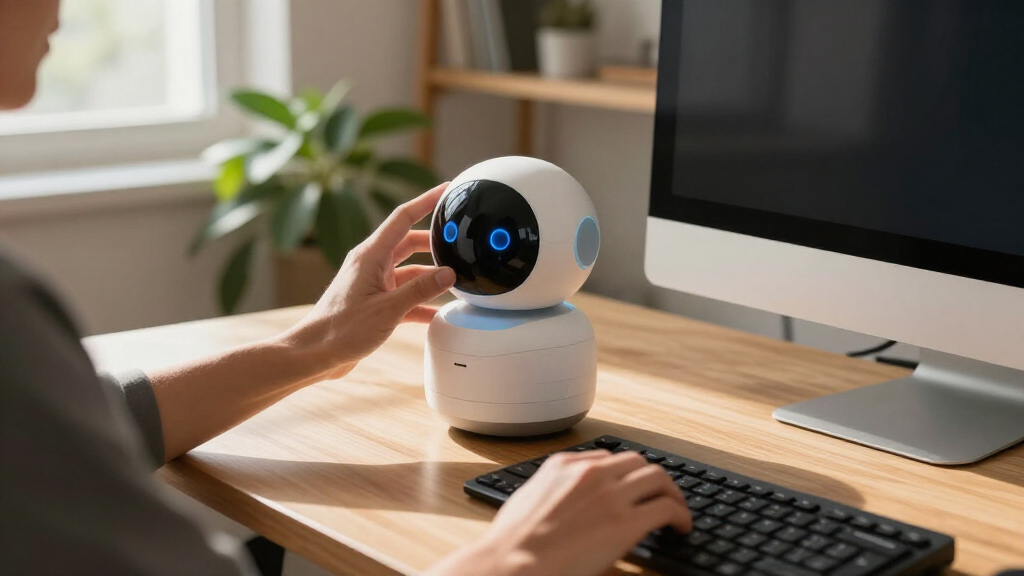
I compared these robots through the job implied by the title: being an engaging, manageable companion on a desk. The ranking favors interaction that is easy to understand, features that give a clear reason to choose one model over another, and a form factor that appears suited to a workspace. I also weighed practical extras such as charging, the type of interaction offered, and the likely setup and connectivity demands suggested by cloud-based or AI features.
Eilik ranks first because its expressive animations and touch-responsive play make its core appeal clear without requiring a buyer to prioritize chat or connected services. Loona Deskmate and LOOI follow for buyers seeking broader interaction or added desk utility, though their feature sets make fit and setup more important. The remaining models serve narrower preferences, from plush companionship and bilingual chat to lights, screens, dancing, or autonomous behavior. Product names and listed features alone do not establish conversation quality, privacy practices, durability, or ongoing service support, so I treat those as points buyers should confirm before purchase rather than as proven strengths.
Factors to Consider When Choosing Best Desktop Companion Robots
Before choosing, decide what you want the robot to do during an ordinary workday. The biggest mistake is shopping by the word “AI” alone: a desk companion can be a touch-driven toy, a voice interface, a visual gadget, or a practical accessory, and those roles bring different compromises.
Choose an interaction style you will actually use
Think about whether you want to touch and play, speak to a device, watch it move, or use it as a visual presence. Touch-responsive animation, like the style associated with Eilik, can be easy to enjoy in short moments without starting a conversation. Voice chat and memory features may invite longer interaction, but they can feel like extra work if you prefer quiet companionship. A screen or color lights provide visual feedback without necessarily offering the same kind of play. Match the interaction to your routine rather than assuming that more modes will make a robot more engaging.
Check connectivity, privacy, and continued access
Cloud chat and long-term memory can depend on an internet connection, an account, or services that may change over time. Before buying, look for clear answers about what audio, images, or conversation history the device sends or stores. Check whether core features still work offline and what happens if an app or cloud service is discontinued. A product title that mentions AI does not explain how its data is handled. If a robot will sit in a shared office or near private conversations, data controls matter as much as the feature list.
Treat desk utility as a separate buying decision
A charging feature can make a companion earn its desk space, but the wattage or charging label is only part of the story. Check which devices it supports, whether cables or adapters are included, and whether the robot needs its own space while charging. A combined charger such as the one listed for Loona Deskmate may appeal to a crowded workspace, while a play-focused model may suit a desk that already has charging covered. Avoid paying attention to a multifunction label without checking whether the accessory works with your devices. Decide whether practical utility is a priority or simply a bonus.
Measure the footprint and consider the sound
Desk companions compete with monitors, notebooks, and work supplies, so check dimensions and the clearance needed for movement before choosing. A robot that turns, dances, or moves autonomously may need a stable, open surface rather than a narrow shelf. Voice and sound effects can also interrupt calls or distract people nearby. Look for volume controls, quiet modes, and a way to pause interaction if those details matter in your workspace. Small appearance alone does not guarantee that a device will fit comfortably into a busy desk setup.
Separate durable play from feature promises
Animated responses and physical movement put wear on different parts than a screen or stationary light display. Check the maker’s guidance for charging, cleaning, replacement parts, software updates, and warranty support. For AI features, look for examples of what the robot can do today instead of assuming a broad product description means open-ended conversation. Confirm which features are included and which depend on an app, subscription, or network. A simpler robot can be the better long-term choice if its main interaction is the one you want to repeat.
Frequently Asked Questions
Which desktop companion is the simplest fit if I mainly want playful reactions?
Eilik is the most direct match in this roundup because its listed strengths center on expressive animations and touch-responsive play. That style can suit someone who wants brief, hands-on interactions rather than ongoing conversation. Compare it with voice-led options such as LOOI or the EMOPET models if you expect to talk to your robot regularly. Check the product details for supported interactions and any companion app requirements before deciding. The best fit depends on whether play or conversation will be part of your routine.
Do AI desktop robots need an internet connection to work?
It depends on the model and on which features you want to use. Cloud chat and memory features may rely on a network or online account, while basic animations or local controls may remain available offline. Product names do not reliably spell out which functions depend on a connection. Look for an offline feature list and ask what happens to saved conversations if you disconnect or close an account. If you need a robot for a restricted workplace network, confirm compatibility before buying.
Should I choose a robot with voice recognition or one with touch controls?
Choose based on when and how you want to interact. Touch controls can make a quick response easy without speaking, while voice recognition can suit someone who wants hands-free conversation or commands. Voice interaction may be less convenient during calls, in a shared room, or where background noise makes recognition harder. Touch-first models may offer less conversational depth, depending on the product. Consider your workspace and preferred interaction length before treating either style as an upgrade.
Is a desktop robot with a charger worth choosing over a play-focused model?
A charger adds value when it replaces an accessory you already need and supports the devices you use. Loona Deskmate lists a 165W GaN charger, while LOOI lists 10W wireless charging; those figures describe different charging approaches and should not be compared without checking compatibility and intended use. A robot’s charging feature may also affect where it sits and how cables run across the desk. If you already have convenient charging, a more focused play companion may be a better fit. Verify what devices the charger supports before making it a deciding factor.
What should I verify before buying a robot that remembers conversations?
Check whether memory is stored on the device or in the cloud, how to delete it, and whether you can turn it off. Find out if voice or image data is sent to a service provider and whether a connected account is required for ordinary use. Ask whether the memory feature works offline and whether it depends on ongoing service availability. These questions matter especially for a robot that will sit near personal or work conversations. If the maker’s privacy and support details are hard to find, treat that uncertainty as part of the buying decision.
Conclusion
For the best overall fit, choose Eilik if you want a clear, touch-led companion with expressive reactions. For added desk utility, consider Loona Deskmate, especially if its charging setup suits your devices and workspace; LOOI is the stronger match for buyers drawn to voice and visual recognition. A beginner who wants simple play can start with Eilik, while someone seeking conversation should compare the AI-focused models and verify connectivity, privacy, and service requirements first. For a plush feel, bilingual chat, a compact screen, or autonomous behavior, match those specific needs to the corresponding listed options, then confirm current capabilities and support. The right choice is the one whose interaction style and practical demands fit your desk every day.
Fall Picks
fall essentials
As an affiliate, we earn on qualifying purchases.