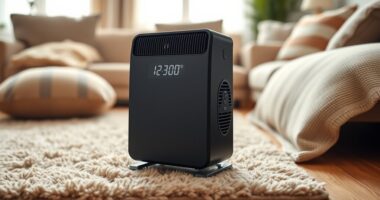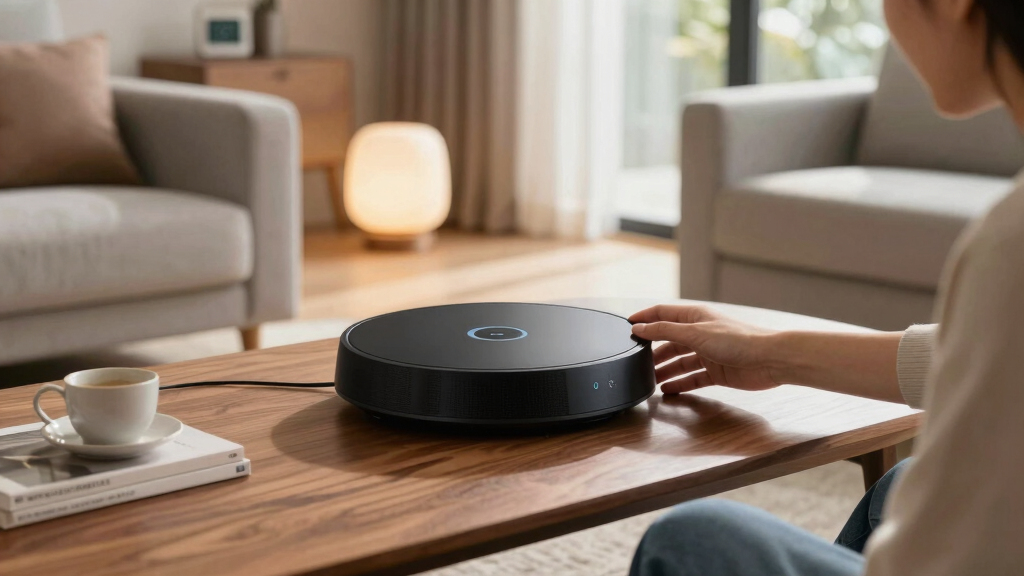

For anyone building or upgrading a smart home, choosing a hub with Matter support is increasingly essential. The Aqara Smart Home Hub M3 stands out as the overall best due to its advanced automation features and comprehensive protocol support. The Hubitat Elevation C-8 Pro offers local control and robust compatibility, making it ideal for privacy-conscious users. Meanwhile, the Flic Hub LR excels in long-range control and integration with a variety of ecosystems. The main tradeoffs involve balancing compatibility, ease of use, local versus cloud control, and whether you prioritize future-proofing or current features. Continue reading for a detailed breakdown of each option to find the best fit for your smart home needs.

Get the latest gadgets delivered free — and shop member deals
- Fast, free delivery on millions of items
- Access to Prime Big Deal Days deals on October 6–7
- Prime Video, Amazon Music and more included
Key Takeaways
- The top picks balance broad protocol support with reliable local control and future-proof features.
- Most hubs with Matter support also support popular ecosystems like Apple HomeKit, Alexa, and Google Assistant, but integration quality varies.
- Some hubs excel in automation and customization, while others focus on simplicity and ease of setup.
- Local control remains a priority for privacy-minded users, influencing the choice of hubs like Hubitat and Home Assistant Green.
- Compatibility with Thread, Zigbee, and Z-Wave differs across models, impacting device integration flexibility.


More Details on Our Top Picks
Aqara Smart Home Hub M3 for Advanced Automation, Matter Controller, Thread Border Router, Features Zigbee, Bluetooth, Wi-Fi, PoE, IR, Supports Apple HomeKit, Alexa, SmartThings, Home Assistant, IFTTT
The Aqara Smart Home Hub M3 stands out for its multi-protocol support, including Zigbee, Thread, and Wi-Fi, making it ideal for users who want a highly integrated smart home with local control. Compared to the Hubitat Elevation C-8 Pro, the M3 offers broader protocol compatibility and an IR blaster that adds remote control capabilities, though it sacrifices some of the advanced automation complexity of Hubitat’s rules engine. The M3’s support for Matter as a bridge enhances ecosystem interoperability, especially for Aqara-exclusive devices, but it limits third-party Zigbee device support to 127 devices, which could be a constraint for larger setups. Its dual wired and wireless connectivity, PoE, and USB-C port provide exceptional stability, though the setup complexity may challenge beginners. The local storage and encrypted data prioritize privacy, making it suitable for privacy-conscious users who prefer local automations over cloud reliance.
Pros:- Supports Zigbee, Thread, Wi-Fi, and IR for broad device compatibility
- Edge automation prioritizes local control and privacy
- Dual wired and wireless connectivity with PoE and USB-C for stability
- Advanced Matter bridging for ecosystem integration
Cons:- Limited to 127 Aqara Zigbee devices, excluding third-party Zigbee devices
- Some cloud-based notifications still require internet
- Setup complexity may be high for non-technical users
Best for: Homeowners seeking a versatile, protocol-rich hub with advanced local automation and IR control.
Not ideal for: Beginners or users with simple smart homes who prefer plug-and-play solutions without complex setup or protocol management.
- Protocols Supported:Zigbee, Thread, Wi-Fi, IR
- Connectivity:Wired PoE, USB-C, Dual-band Wi-Fi
- Automation Type:Local and cloud-based
- Device Capacity:127 Aqara Zigbee, 127 Thread (Repeater needed)
- Privacy Features:Encrypted local storage, no microphone or camera
- Ecosystem Compatibility:Apple HomeKit, Alexa, SmartThings, Home Assistant, IFTTT
Bottom line: Ideal for users who need a highly customizable, protocol-diverse hub with strong local automation capabilities.
Aeotec Smart Home Hub2 – V4, Works as a SmartThings Hub, Zigbee, Matter Gateway, Compatible with Alexa, Google Assistant, WiFi (No Z-Wave)
The Aeotec Smart Home Hub2 V4 offers a compelling balance of compatibility and affordability, supporting Matter, Zigbee, and Wi-Fi, making it a solid choice for users who prioritize platform integration over protocol diversity. Unlike the Aqara M3, it does not support Z-Wave, which limits compatibility with some smart home devices but simplifies setup and reduces potential interference. Its support for the latest Zigbee and Wi-Fi 6 ensures stable, efficient connectivity, while the built-in SmartThings ecosystem provides a familiar interface for many users. The hub’s straightforward setup via Wi-Fi or Ethernet suits apartment dwellers or those expanding existing systems, but the absence of Z-Wave support could be a drawback for users with Z-Wave devices. Its focus on ecosystem reliability makes it ideal for those who want a dependable, easy-to-use hub without the need for extensive protocol management.
Pros:- Supports Matter, Zigbee, and Wi-Fi 6 for broad, efficient connectivity
- Simple setup via Wi-Fi or Ethernet, ideal for quick deployment
- Works seamlessly with Alexa and Google Assistant
- Reliable platform for smart home automation
Cons:- No Z-Wave support limits compatibility with some devices
- Lacks advanced local automation features of more complex hubs
- Restricted device capacity compared to larger hubs
Best for: Consumers looking for a reliable, ecosystem-focused hub with Matter and Zigbee support, especially in environments where Z-Wave isn’t necessary.
Not ideal for: Power users with Z-Wave devices or those needing extensive protocol diversity beyond Zigbee and Wi-Fi.
- Protocols Supported:Zigbee, Matter, Wi-Fi
- Connectivity:Ethernet, Wi-Fi 6
- Device Capacity:Supports multiple Zigbee and Wi-Fi devices
- Automation:Basic automation through SmartThings app
- Security:WPA3 Wi-Fi security
- Range:Approx. 1500 sqft
Bottom line: Perfect for users seeking a dependable, ecosystem-oriented hub with modern wireless standards and simple setup.
Aqara Smart Hub M100 for Home Automation, Matter Controller, Thread Border Router, Features Aqara Zigbee (Not Third-Party), Wi-Fi, Supports Apple HomeKit, Amazon Alexa, IFTTT, Home Assistant
The Aqara Smart Hub M100 is tailored for Aqara users, supporting Aqara Zigbee and Thread protocols, and acting as a Matter bridge, but with device support limited to Aqara-exclusive devices. Compared to the Aqara M3, the M100 offers a smaller footprint and straightforward setup, making it ideal for users who primarily use Aqara sensors, switches, and plugs. Its local automation support ensures responsive operation even during internet outages, though the device capacity is capped at 20 Zigbee and 20 Thread devices, making it less suited for larger, device-dense homes. Its compatibility with Apple HomeKit, Alexa, and Home Assistant makes it versatile within Aqara’s ecosystem, but the lack of third-party Zigbee support could restrict broader device integration for expanded smart homes.
Pros:- Supports Aqara Zigbee and Thread protocols with Matter bridging
- Compact size with simple setup process
- Supports local automations for reliable performance
- Compatible with Apple HomeKit, Alexa, and Home Assistant
Cons:- Limited to 20 Aqara Zigbee and Thread devices, not third-party Zigbee
- No Z-Wave support, restricting device diversity
- Less suitable for larger or more complex smart homes
Best for: Aqara enthusiasts or small homes prioritizing reliable local automations within a compact, easy-to-deploy hub.
Not ideal for: Large households or users wanting extensive third-party device support and broad protocol compatibility.
- Protocols Supported:Aqara Zigbee, Thread
- Device Capacity:20 Zigbee, 20 Thread
- Automation Support:Local automations
- Ecosystem Compatibility:Apple HomeKit, Alexa, Home Assistant
- Size:Compact
- Supports:Matter bridge
Bottom line: Best for small-scale Aqara users seeking a dedicated, reliable, and privacy-focused hub.
arre Smart Button with Matter & Thread Support, Control Smart Home Accessories, Works with Apple Home/HomeKit & Samsung SmartThings
The arre Smart Button excels as a simple, physical control device with Matter and Thread support, perfect for users who want quick, tactile automation triggers. Unlike hubs like the Hubitat Elevation C-8 Pro or Aqara M3, this device does not provide comprehensive hub functionality but complements existing systems by enabling quick presses for automations. Its compatibility with Apple HomeKit and SmartThings ensures broad ecosystem support, while the inclusion of customizable stickers adds a personal touch. The requirement for a Thread border route means it is best suited for homes with compatible Thread routers, limiting its use in older or less integrated setups. It’s ideal for users who want a dedicated, easy-to-activate button for specific tasks but not as a primary hub.
Pros:- Supports Matter and Thread for interoperability
- Works seamlessly with Apple HomeKit and SmartThings
- Includes decorative stickers for customization
- Simple, quick activation for automations
Cons:- Limited to button functions, not a full hub
- Requires a Thread border route for full functionality
- Dependent on existing ecosystem and Thread network
Best for: Homeowners seeking a dedicated, tactile trigger for automations within Apple or SmartThings ecosystems.
Not ideal for: Those needing a full-featured hub or extensive protocol support beyond Thread and Matter.
- Protocols Supported:Matter, Thread
- Functionality:Single press/Double press/Long press
- Compatibility:Apple HomeKit, SmartThings
- Power:Batteries
- Size:Small
- Additional Features:Decorative stickers
Bottom line: Excellent for users who want a tactile, quick-access trigger within a Matter-compatible smart home system.
Hubitat Elevation C-8 Pro Smart Home Automation Hub – Matter 1.5, Z-Wave 800 LR, Zigbee 3.0 & Bluetooth – Works with Ring, Alexa, Apple HomeKit & Google Home – Local Control (No Cloud)
The Hubitat Elevation C-8 Pro offers robust local automation with support for Matter 1.5, Z-Wave 800 LR, Zigbee 3.0, and Bluetooth, making it ideal for users who prefer a highly customizable and private smart home setup. Unlike the Aqara M3 or Aqara M100, the Hubitat focuses on user-defined rules and automation complexity, catering to tech-savvy homeowners who want control without reliance on cloud services. Its strong range, improved antenna design, and support for Ring, Alexa, and Apple HomeKit (via integrations) make it suitable for larger homes or device-dense environments. However, it lacks native Z-Wave support, which could be a limitation for Z-Wave-dependent homes, and the setup process might be intimidating for beginners. Its emphasis on local processing and continuous platform updates make it a compelling choice for power users.
Pros:- Supports Matter 1.5, Z-Wave 800 LR, Zigbee 3.0, and Bluetooth
- Local automation execution for reliability and privacy
- Supports Ring, Alexa, Apple HomeKit, and Google Home
- Regular software updates and platform evolution
Cons:- No native Z-Wave support, requiring workarounds for Z-Wave devices
- Setup may be complex for less technical users
- Limited device support without extensive configuration
Best for: Advanced users and DIY enthusiasts who want extensive local automation and privacy without cloud dependency.
Not ideal for: Beginners or users with Z-Wave-only devices, as it does not support Z-Wave natively.
- Protocols Supported:Z-Wave 800 LR, Zigbee 3.0, Bluetooth, Matter
- Automation:Local rules, AI-enhanced automation
- Connectivity:Ethernet, Wi-Fi
- Device Support:Supports Ring, Alexa, Apple HomeKit, Google Home
- Range:Large coverage, suitable for big homes
- Updates:Regular platform updates
Bottom line: Best suited for tech-savvy homeowners seeking a highly customizable, privacy-focused, and future-proof hub.
Matter Smart Home Hub M6, Matter & Zigbee Gateway with Antenna for Home Automation
This pick stands out for its seamless multi-platform support, integrating Matter (with a border router), Tuya, Google Home, and SmartThings into a unified system. Compared to Flic Hub LR, it offers broader device compatibility but lacks native Bluetooth support for Flic Buttons. Its support for connecting over long-range Zigbee signals makes it ideal for large homes, yet the absence of Alexa support may limit voice control options for some users. The setup process is user-friendly via a dedicated app, and automatic OTA updates keep it current. However, it doesn’t support Z-Wave, which could be a downside for users with Z-Wave devices. This hub makes the most sense for those needing extensive protocol support and reliable coverage in big or multi-story homes.
Pros:- Supports multiple protocols including Matter, Zigbee, and Tuya
- Large coverage with long-range Zigbee support
- Automatic OTA updates simplify maintenance
Cons:- Does not support Alexa voice control
- Lacks Z-Wave compatibility
- Requires border router for Matter support, adding complexity
Best for: Homeowners who want a flexible, future-proof smart home system with broad protocol compatibility.
Not ideal for: Users heavily reliant on Alexa voice commands or Z-Wave device ecosystems, since Alexa isn’t supported and Z-Wave compatibility is lacking.
- Platform Compatibility:Matter (border router required), Tuya, Google Home, SmartThings
- Device Capacity:Connects 125+ devices
- Connectivity Protocols:Zigbee, Matter
- Coverage:Large or multi-story homes
- Setup:Easy app-based setup
- Updates:Automatic OTA
Bottom line: This hub suits tech-savvy users seeking extensive protocol coverage and reliable large-home automation, despite some ecosystem limitations.
Aqara Smart Hub M200, Matter Controller, Thread Border Router, Featuring Aqara Zigbee, Bluetooth, Wi-Fi, PoE, IR, Supports Amazon Alexa, Apple HomeKit, Home Assistant, SmartThings
This model makes a compelling case for users who want a powerful, multi-protocol hub with advanced bridging features, including Thread and Zigbee. Unlike Home Assistant Green, which is more DIY-oriented, the Aqara M200 offers plug-and-play convenience with extensive ecosystem compatibility, supporting Alexa, Apple HomeKit, and SmartThings. Its built-in IR blaster and PoE support add versatility for controlling traditional devices and ensuring reliable power. The local automation capabilities provide fast responses, but its device limit of 40 Zigbee and 40 Thread devices could be restrictive for larger setups. The inclusion of a secure Wi-Fi connection with WPA3 adds to its reliability. Overall, this hub is ideal for tech enthusiasts and smart home fans who desire robust multi-protocol bridging and third-party ecosystem integration.
Pros:- Supports Thread, Zigbee, Wi-Fi, Bluetooth, IR, and PoE
- Acts as a Matter Controller and Border Router
- Built-in IR blaster for traditional device control
Cons:- Device limit of 40 Zigbee and 40 Thread devices
- Complex setup for less experienced users
- Higher price point compared to simpler hubs
Best for: Power users seeking a feature-rich hub for complex automations and multi-platform device integration.
Not ideal for: Casual users or those with smaller setups who won’t need the extensive device limit or advanced features.
- Protocols Supported:Zigbee, Thread, Wi-Fi, Bluetooth, IR
- Device Capacity:Up to 40 Zigbee and 40 Thread devices
- Connectivity:PoE, Wi-Fi, Bluetooth
- Additional Features:IR Blaster, Thread Border Router
- Automation:Supports local automations
- Compatibility:Amazon Alexa, Apple HomeKit, SmartThings, Home Assistant
Bottom line: Best suited for advanced users who want a versatile, multi-protocol hub with robust bridging capabilities and third-party ecosystem support.
This hub is ideal for users who want tactile, instant control using Flic Buttons and Twists, especially in larger spaces, thanks to its long-range Bluetooth (up to 200m line-of-sight). Unlike the Home Assistant Green, which is more of a home automation server, the Flic Hub LR emphasizes physical triggers and direct device control, including IR commands and native support for Matter, Apple HomeKit, and Alexa. Its capacity of up to 63 Flic Buttons makes it perfect for extensive remote control setups, though it requires Flic Buttons to function. The hub’s integration with popular platforms and support for IR and Wi-Fi make it flexible, but the reliance on Flic Buttons and lack of built-in Zigbee or Thread might limit some users. This hub is best for those who prioritize tactile automation and long-range Bluetooth control.
Pros:- Long-range Bluetooth (up to 200m line-of-sight)
- Supports native Matter, Alexa, and HomeKit
- Controls up to 63 Flic Buttons
Cons:- No Zigbee or Thread support built-in
- Requires Flic Buttons for operation
- IR Blaster sold separately, adding extra cost
Best for: Users wanting a reliable, long-range Bluetooth hub with extensive Flic Button control and tactile automation.
Not ideal for: Users who need Zigbee or Thread device support or prefer a more traditional smart home hub without Flic Buttons.
- Protocols Supported:Matter, Alexa, HomeKit
- Bluetooth Range:Up to 200m line-of-sight
- Device Capacity:Supports up to 63 Flic Buttons
- Connectivity:Wi-Fi, IR (separate accessory)
- Automation Focus:Tactile control with Flic Buttons
- Additional Features:IR control, native Matter support
Bottom line: This hub excels for those who want tactile control and long-range Bluetooth, but it may not suit users needing extensive protocol support beyond Bluetooth and IR.
Home Assistant Green | Smart Home hub with Advanced Automation | Official Home Assistant Hardware
This official Home Assistant hub makes a strong choice for users who want a dedicated, local control device for advanced automation, with a straightforward setup—simply plug in and connect via Ethernet. Compared to Matter Smart Home Hub M6, it offers deeper customization but lacks built-in Zigbee or Thread support, relying instead on USB expandability. Its small, silent design is ideal for discreet installation, and the 4GB RAM and 32GB storage support complex automations. However, it may be less suitable for those seeking out-of-the-box multi-protocol support without additional hardware. Its reliance on Home Assistant OS means users must be comfortable with DIY setup and maintenance. This hub is perfect for automation enthusiasts who want full control and local performance, with the flexibility to expand via USB.
Pros:- Official Home Assistant hardware with dedicated support
- Supports local automations for fast responses
- USB expandability for Z-Wave, Zigbee, and Thread devices
Cons:- No built-in Zigbee or Thread support
- Requires familiarity with Home Assistant OS setup
- Less plug-and-play compared to other hubs
Best for: Tech-savvy users who want a customizable, locally controlled smart home hub with advanced automation capabilities.
Not ideal for: Beginners or users seeking an all-in-one out-of-the-box solution without the need for additional hardware or configuration.
- Processor & RAM:Quad-core processor, 4GB RAM
- Storage:32GB
- Connectivity:Ethernet, USB
- Supported Protocols:Expandable via USB, no built-in Zigbee/Thread
- Automation:Local automations
- Design:Small, fanless
Bottom line: Ideal for experienced users who want a powerful, customizable hub that prioritizes local automations and expandability over simplicity.

How We Picked
These products were evaluated based on their overall compatibility with Matter, protocol support (Zigbee, Z-Wave, Thread), ease of setup, automation capabilities, build quality, and the level of local versus cloud control. We prioritized devices that offer reliable performance, future-proof features, and broad ecosystem support, ensuring they meet both casual users and advanced smart home enthusiasts. The ranking reflects a balance between value, versatility, and user control, with higher emphasis on local control and protocol support, as these influence both privacy and device compatibility.Factors to Consider When Choosing Smart Home Hubs With Matter Support
Choosing the right smart home hub with Matter support involves more than just compatibility. Consider your existing ecosystem, the protocols your devices use, and how much control you want locally versus via the cloud. Future expansion plans and ease of use also play a significant role. This guide highlights the key factors to weigh when selecting a hub that will serve as the backbone of your smart home setup.Compatibility and Ecosystem Support
Look for a hub that integrates seamlessly with your existing devices and ecosystems. While Matter compatibility is key, also consider whether the hub supports protocols like Zigbee, Z-Wave, and Thread, which determine device compatibility. Some hubs excel at bridging multiple protocols, reducing the need for multiple controllers and simplifying automation. Be mindful that not all hubs support every ecosystem equally; choose one that aligns with your preferred voice assistants and automation platforms.
Local Control vs Cloud Dependency
Decide whether local control or cloud reliance suits your privacy and reliability preferences. Hubs like Hubitat and Home Assistant Green prioritize local automation, reducing latency and dependency on internet connectivity. Conversely, some hubs leverage cloud services for easier setup and updates but may introduce delays or privacy concerns. Weigh the importance of instant response and data privacy against ease of access and ongoing feature updates.
Protocol Support and Future-Proofing
Ensure the hub supports multiple protocols such as Zigbee, Z-Wave, and Thread, as this determines your ability to add diverse devices later. The emergence of Thread support indicates a focus on low-latency, reliable mesh networking, which is crucial for smart home scalability. Choosing a hub with broad protocol compatibility can protect your investment as your device collection grows and standards evolve.
Ease of Use and Setup
Evaluate how straightforward the hub is to install and configure. Some devices come with intuitive apps and user-friendly interfaces, making setup accessible to beginners. Others may appeal more to tech-savvy users who want deep customization options. Remember that a more complex setup may offer advanced features but could also require a steeper learning curve and ongoing maintenance.
Price and Value
Balance your budget with the features you need. Premium hubs with extensive protocol support and automation capabilities tend to cost more but offer greater flexibility and longevity. Conversely, more affordable options often focus on core functionalities, which suit casual users. Consider whether investing in a higher-end hub aligns with your long-term smart home ambitions or if a budget-friendly model will suffice for now.
Frequently Asked Questions
Will my existing Zigbee or Z-Wave devices work with a Matter-enabled hub?
Many Matter-compatible hubs also support legacy protocols like Zigbee and Z-Wave, allowing you to retain your existing devices. However, compatibility isn’t guaranteed for all devices, especially if they rely on proprietary features. It’s wise to verify each device’s compatibility with the hub before making a purchase, ensuring a smooth transition and integration process.
Is local control possible with all Matter hubs, or do some rely on cloud services?
While some hubs like Hubitat and Home Assistant Green prioritize local control, others may depend on cloud connectivity for certain features or updates. Local control typically offers faster response times and increased privacy, but cloud-based hubs can provide easier setup and access to remote management. Always check the specifications to confirm whether local control is supported for core functions.
How does Thread support impact my smart home setup with Matter?
Thread support enhances mesh networking, leading to more reliable and responsive device communication, especially for battery-powered sensors and devices. It complements Matter by providing a low-latency, resilient backbone. If you plan to expand with Thread-enabled devices, choosing a hub with Thread support makes future upgrades smoother and more integrated.
Can I control my smart home devices through multiple voice assistants with a Matter hub?
Most Matter-compatible hubs are designed to work with popular voice platforms like Alexa, Google Assistant, and Apple HomeKit, often simultaneously. This multi-assistant support allows you to control devices via different voice commands or routines, increasing flexibility. Confirm that the hub explicitly states compatibility with your preferred voice assistant to prevent surprises during setup.
Is it worth paying more for a hub with advanced automation features?
Investing in a hub with robust automation capabilities can pay off if you want a highly customized smart home experience. These hubs often support complex routines, conditional logic, and integration with a wide array of devices. However, if you prefer a simple setup for basic control, a more affordable model might be sufficient. Consider your current needs and future plans before allocating a larger budget.
Conclusion
For most users seeking a reliable, future-proof smart home hub, the Aqara Smart Home Hub M3 offers an excellent blend of advanced automation, protocol support, and ecosystem compatibility, making it the best overall choice. Budget-conscious homeowners or newcomers will appreciate the Hubitat Elevation C-8 Pro for local control and privacy. Tech enthusiasts aiming for maximum customization might lean toward the Home Assistant Green for its open-source flexibility. If long-range control and device diversity matter most, the Flic Hub LR is a compelling premium option. Ultimately, your choice should align with your current device ecosystem, control preferences, and future expansion plans.
Evergreen bestsellers Picks
bestsellers
As an affiliate, we earn on qualifying purchases.