To make guest interviews sound more professional, start with thorough preparation by researching your guest and preparing relevant questions, while staying flexible for interesting tangents. Use quality equipment like a good microphone and headphones, and test everything beforehand in a quiet environment. During recording, monitor audio and maintain a natural, conversational tone. Afterward, edit out awkward pauses and background noise, add professional intro and outro, and guarantee the final product is polished. Keep going to discover more expert tips.

Get the latest gadgets delivered free — and shop member deals
- Fast, free delivery on millions of items
- Access to Prime Big Deal Days deals on October 6–7
- Prime Video, Amazon Music and more included
Key Takeaways
- Invest in high-quality microphones and headphones, and test equipment before recording.
- Create a quiet, well-lit environment with sound-absorbing materials to improve audio clarity.
- Prepare relevant, open-ended questions to guide natural, engaging conversations.
- Use reliable remote platforms, encourage wired connections, and conduct soundchecks for consistency.
- Edit recordings to remove background noise, add professional intros/outros, and ensure smooth flow.
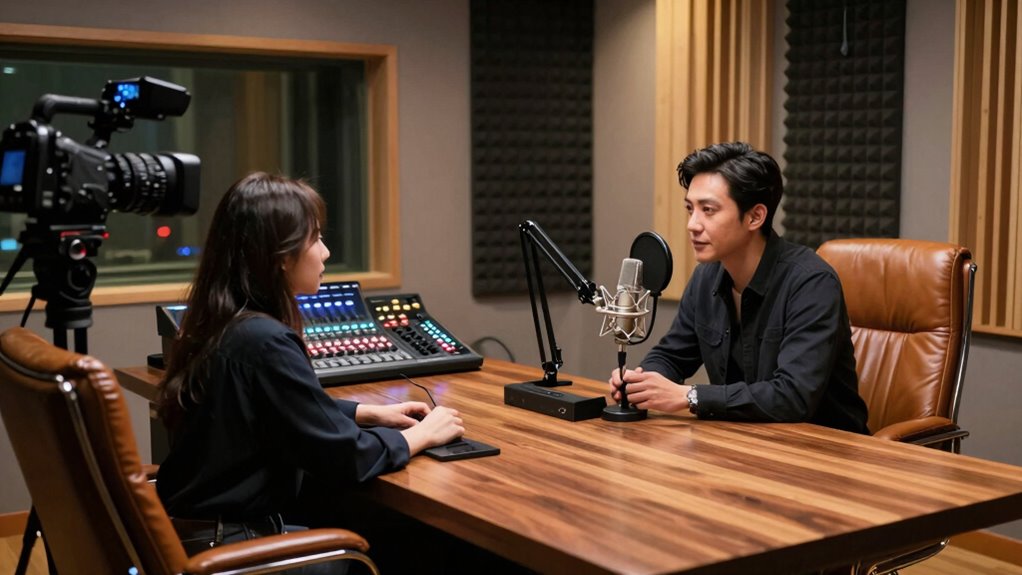
Conducting guest interviews can elevate your content and engage your audience, but to do so effectively, they need to sound professional. The foundation of a smooth, polished interview lies in thorough interview preparation. Before you even hit record, take the time to research your guest. Know their background, achievements, and the topics you want to cover. Prepare a list of questions that are clear, open-ended, and relevant, but also be flexible enough to follow interesting tangents. Reaching out ahead of time to clarify the interview format, time limits, and technical needs sets expectations and reduces surprises during the recording. The more prepared you are, the more confident you’ll feel, and your guest will sense that professionalism, which naturally enhances the conversation’s quality.
Another critical aspect is equipment setup. Good audio quality is non-negotiable if you want your interviews to sound professional. Invest in a decent microphone and headphones, and always test your setup before the recording. Position your microphone correctly—usually about six inches from your mouth—to avoid muffled sound or background noise. Guarantee your recording environment is quiet, free from interruptions, and has minimal echo; soft furnishings like curtains or carpets can help absorb sound. Use headphones to monitor the audio in real-time, catching issues before they make it into the final cut. If you’re recording remotely, choose a reliable platform with good audio quality, and remind your guest to use a wired connection if possible, as Wi-Fi fluctuations can cause disruptions. Also, do a quick soundcheck to confirm levels and clarity. Proper equipment setup not only improves the audio but also demonstrates your professionalism, making your interview more enjoyable and credible for listeners. Paying attention to your audio environment and your own demeanor is equally important. Maintain eye contact if on video, and listen actively, showing genuine interest. Keep your questions conversational and avoid jargon to make the interview accessible. Recording in a quiet, well-lit space, and speaking clearly into the mic, will make your content sound polished. Additionally, being aware of audio quality standards and adjusting your setup accordingly can significantly enhance listener experience. When editing, ensure you cut out awkward pauses, background noise, and add intro and outro segments to give your interview a finished, professional feel. Remember, the goal is to make your guest feel comfortable while ensuring your audience receives high-quality content. Combining meticulous interview preparation with professional audio standards will significantly improve the overall quality of your recordings. When you combine meticulous interview preparation with proper equipment setup, your guest interviews will not only sound professional but also captivate your audience and elevate your overall content.
As an affiliate, we earn on qualifying purchases.
Frequently Asked Questions
How Do I Handle Unexpected Guest Responses Professionally?
When faced with unexpected guest responses, you should stay calm and use guest response strategies like active listening and polite acknowledgment. Maintain professional communication by paraphrasing their points to guarantee understanding, then gently steer the conversation back on track. If needed, ask open-ended questions to clarify their stance. This approach demonstrates respect, keeps the dialogue constructive, and assures your interview remains polished and professional, even amidst surprises.
What Equipment Ensures the Best Audio Quality for Interviews?
To guarantee the best audio quality for interviews, you should invest in good audio equipment like a quality microphone—preferably a condenser or dynamic mic—along with headphones for monitoring sound. Using a portable audio recorder or a professional audio interface can also improve sound quality. Additionally, consider soundproofing your recording space to minimize background noise, ensuring clear, crisp audio that sounds professional and engaging for your audience.
How Can I Politely Steer Difficult or Off-Topic Guests?
To politely steer difficult or off-topic guests, acknowledge their feelings to reduce guest discomfort and gently redirect the conversation. Use phrases like, “That’s interesting, but let’s also explore…” to maintain respectful dialogue. Keep an eye on interview pacing, ensuring the conversation stays engaging without rushing. If needed, subtly steer back on track by summarizing key points before guiding the guest toward relevant topics, maintaining professionalism throughout.
What Are Common Mistakes to Avoid During Guest Interviews?
Did you know 75% of interviewers say poor question phrasing damages interview quality? During guest interviews, avoid common mistakes like neglecting interview etiquette or asking leading questions. Keep your questions clear, open-ended, and respectful. Stay attentive, listen actively, and maintain professionalism. Failing to prepare or interrupt can disrupt flow. By focusing on respectful question phrasing and proper etiquette, you guarantee a smooth, engaging dialogue that enhances your interview’s credibility.
How Do I Prepare Guests for a Smooth Interview Experience?
To prepare guests for a smooth interview experience, you should provide a guest briefing that clearly explains the interview process, topics, and format. Share any interview scripting or questions in advance so they can prepare comfortably. Confirm details like date, time, and technical setup, ensuring they feel confident and relaxed. This proactive approach helps create a professional atmosphere, encouraging authentic and engaging responses during the interview.
noise cancelling headphones for recording
As an affiliate, we earn on qualifying purchases.
As an affiliate, we earn on qualifying purchases.
Conclusion
By applying these tips, your guest interviews will shine like a polished gem, impressing your audience and establishing your credibility. Remember to prepare thoroughly, ask clear questions, and maintain a confident tone. Just as a skilled chef combines ingredients to create a delicious dish, blending professionalism with genuine curiosity will make your interviews stand out. Keep practicing, and you’ll turn every interview into a compelling conversation that resonates with your listeners.
As an affiliate, we earn on qualifying purchases.
USB audio interface for podcasting
As an affiliate, we earn on qualifying purchases.
As an affiliate, we earn on qualifying purchases.
Fall Picks
fall essentials
As an affiliate, we earn on qualifying purchases.