The noise gate setting that can ruin your voice is one that’s set too aggressively, cutting off parts of your vocals or muffling your sound. When the threshold is too high, it silences quieter moments or soft singing, making your recordings sound choppy or unnatural. It can also cause sudden drops or feedback issues, frustrating your performance. If you want to avoid these pitfalls and improve your sound, keep exploring for expert tips.

Get the latest gadgets delivered free with Prime
- Fast, free delivery on millions of items
- Prime Video, Amazon Music and more included
- Member-only deals all year
Key Takeaways
- Setting the noise gate threshold too high can cut off natural vocal moments, making the voice sound choppy or unnatural.
- An overly aggressive noise gate can muffle or distort the voice, reducing clarity and vibrancy.
- Incorrect gate settings may cause abrupt drops or missing parts during dynamic singing or speech.
- Excessively tight thresholds can lead to microphone feedback issues like squeals or howling.
- Improperly adjusted noise gates can complicate editing by creating disconnected or unnatural vocal recordings.
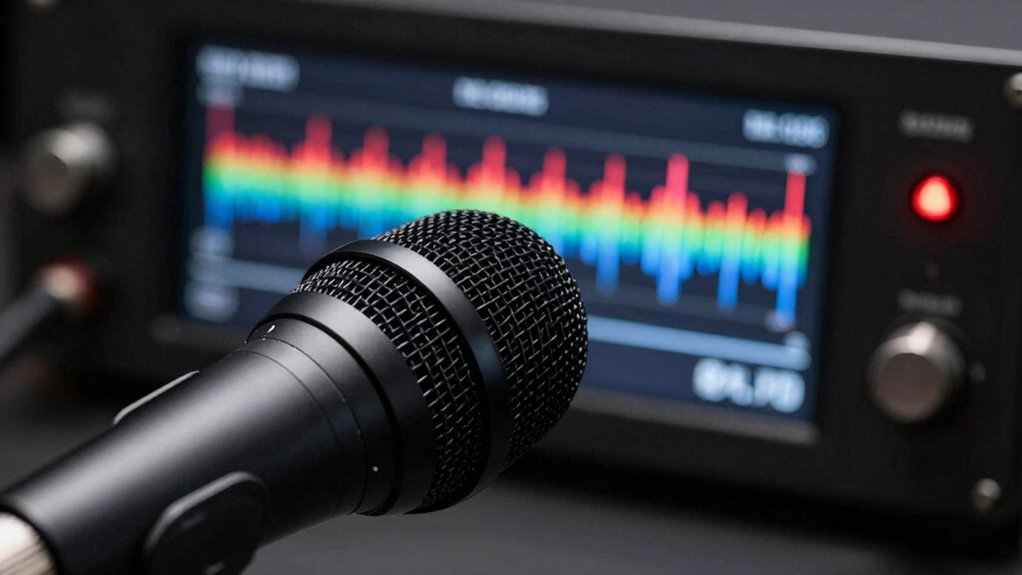
If you’ve been struggling with your vocal recordings sounding dull or cut off unexpectedly, the culprit might be your noise gate settings. Noise gates are designed to eliminate unwanted background noise, but if set improperly, they can do more harm than good. Instead of enhancing your sound, they can rob your recordings of vocal clarity and create frustrating issues like abrupt cuts or muffled voices. When the noise gate is too aggressive, it mutes parts of your voice that fall below a certain threshold, making your recordings sound unnatural or disconnected. This is especially problematic when you’re trying to capture dynamic singing or speech, where slight variations in volume are normal. You may notice your voice suddenly drops out or feels choppy, which distracts from the overall quality.
Another common problem linked to misconfigured noise gates is microphone feedback. When the gate is too tight, it can cause the microphone to cut in and out frequently, leading to unpleasant squeals or howling. This feedback not only disrupts your recording but also decreases your confidence in your setup. It’s vital to find that sweet spot where the gate blocks noise without affecting your vocal signal. Properly adjusting the threshold is key: set it high enough to eliminate background noise but low enough to keep your voice full and natural. If you’re unsure, test by speaking or singing at different volumes to see how the gate reacts.
Your goal should be to preserve vocal clarity—making sure your voice sounds natural, vibrant, and full, without unwanted interruptions. When configured correctly, a noise gate can help you achieve a clean, professional sound by removing ambient noise during pauses or quiet moments. However, if set too aggressively, it can make your voice sound choppy, muffled, or as if it’s cutting out randomly. This diminishes the overall quality of your recordings and makes editing more difficult. Remember, the key is to adjust your gate gradually, listening carefully to how it affects your voice and the overall sound. Proper sound engineering techniques can help you optimize your setup and avoid common pitfalls. A well-balanced noise gate not only enhances clarity but also guarantees your recordings sound natural and engaging. Recognizing the importance of proper equipment setup is essential for achieving the best results. Additionally, understanding how to find the right threshold level can make a significant difference in maintaining vocal integrity. Adjusting your signal processing settings with care ensures your recordings are both clear and dynamic.
As an affiliate, we earn on qualifying purchases.
Frequently Asked Questions
Can Noise Gate Settings Be Adjusted Mid-Performance Without Issues?
Yes, you can adjust noise gate settings mid-performance, but it requires quick feedback adjustment and awareness of hardware compatibility. Make small tweaks carefully to avoid abrupt sound changes or unintended noise. Practice beforehand to understand how adjustments affect your sound, and guarantee your equipment supports real-time changes. This way, you can fine-tune the noise gate without disrupting your performance or risking feedback issues.
What Are Common Signs of a Noise Gate Ruining My Voice?
Did you know that improper noise gate settings cause over 60% of feedback issues in live sound? When your voice sounds muffled or suddenly cuts out, the noise gate might be ruining your sound. Watch for distortion artifacts or abrupt volume drops, which indicate it’s too aggressive. These signs mean the gate is cutting off your natural voice or trapping feedback, so adjusting the threshold or release time can help preserve clarity and avoid audio problems.
How Do I Choose the Right Noise Gate Threshold?
To choose the right noise gate threshold, start by adjusting it while singing or speaking naturally. Aim for a setting that suppresses background noise but keeps your vocal clarity intact. Use noise gate presets as a starting point, then fine-tune until your voice sounds natural without abrupt cuts. Test different levels, listen carefully, and make certain the gate engages only during silence, preserving the smoothness of your performance.
Does Microphone Type Affect Noise Gate Performance?
Sure, your microphone type definitely impacts noise gate performance. Higher-quality mics with better sound consistency let the gate work smoothly without cutting off your voice. Cheap microphones often introduce unwanted noise or uneven sound, making the gate’s job harder and risking unwanted cutouts. So, investing in a good microphone improves your overall audio clarity, ensuring your noise gate functions effectively without ruining your voice or sound quality.
Are There Specific Genres More Prone to Noise Gate Problems?
Certain genres, like metal or rap, pose more noise gate challenges because of their vocal styles and dynamic performances. Genre-specific challenges arise when loud, aggressive vocals trigger unwanted gating or cutoffs. You need to adjust your noise gate settings carefully, considering your vocal style. For example, softer singing styles in ballads might require less aggressive gating, while energetic genres demand precise tuning to avoid cutting off parts of your performance.
As an affiliate, we earn on qualifying purchases.
Conclusion
Think of your voice as a delicate river, flowing smoothly through the landscape. When you set the noise gate too high, it’s like erecting a dam that blocks the gentle currents, silencing your natural tone. Instead, find the right balance—let your voice flow freely without unnecessary barriers. Only then can your sound shine like a clear, unimpeded stream, vibrant and alive, enthralling every listener with its genuine rhythm.
As an affiliate, we earn on qualifying purchases.
As an affiliate, we earn on qualifying purchases.
Fall Picks
fall essentials
As an affiliate, we earn on qualifying purchases.