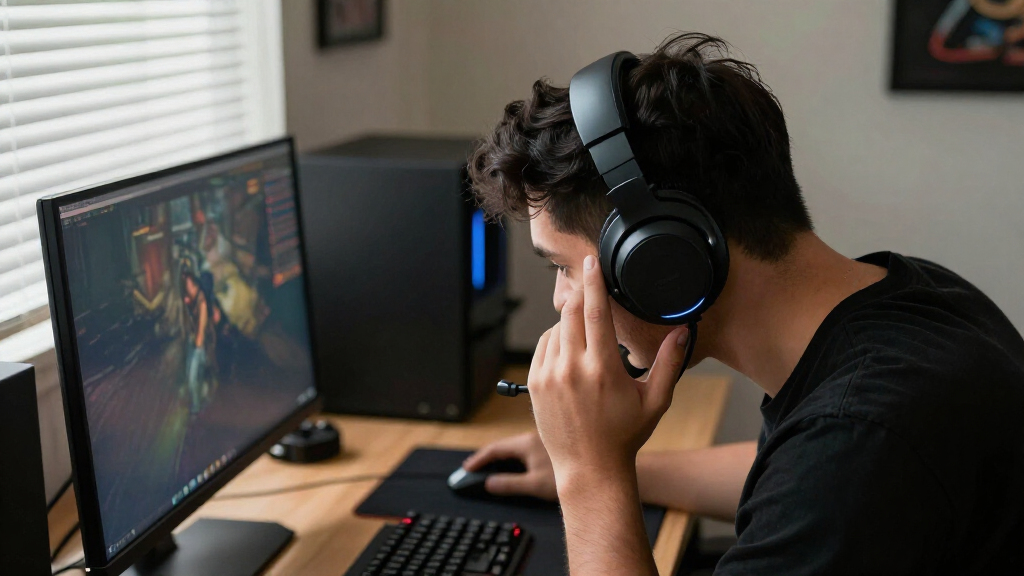

Wireless gaming headsets usually force a choice between two listening styles: closed-back cups that seal around your ears, and open-back cups that let air and sound pass through their outer panels. Both can connect without a cable and handle games, chat, and everyday listening, but they suit different rooms. Closed-back models are the safer pick for shared spaces, noisy homes, and players who want game audio to feel private. Open-back models suit quiet rooms and listeners who value a spacious presentation over isolation. The practical tradeoff is clear: choose closed-back for control and immersion; choose open-back for airflow and a more natural sense of space.

Get the latest gadgets delivered free with Prime
- Fast, free delivery on millions of items
- Prime Video, Amazon Music and more included
- Member-only deals all year

SteelSeries Arctis Nova 7P Wireless Gen 2 Gaming Headset, Black
- ✔ Connectivity: 2.4GHz wireless and Bluetooth
- ✔ Battery life: Up to 50 hours
- ✔ Charging: USB-C fast charge

Acer Tri-Mode Wireless Gaming Headset with Bluetooth 5.4, 50mm Drivers, and Detachable ENC Mic
- ✔ Connection modes: 2.4GHz wireless, Bluetooth 5.4, and 3.5mm wired
- ✔ Drivers: 50mm dynamic
- ✔ Battery life: Up to 45 hours with logo light off; up to 20 hours with it on

Logitech G733 LIGHTSPEED Wireless Gaming Headset, Black
- ✔ Wireless technology: 2.4GHz LIGHTSPEED
- ✔ Wireless range: Up to 20 meters
- ✔ Battery life: Up to 29 hours; may vary with use and lighting
At a Glance
| Criteria | Closed-back wireless gaming headsets | Open-back wireless gaming headsets | Winner |
|---|---|---|---|
| Noise isolation and sound leakage | Strong passive isolation; little sound escapes at normal volume. | Little passive isolation; room sounds remain audible and game sound leaks outward. | A |
| Soundstage and positional cues | More contained presentation; directional cues vary by model. | Often a wider, airier presentation that can make space feel more natural. | B |
| Comfort during long sessions | Warm, enclosed cups can feel hot, though fit and pads matter. | More airflow around the ears can help reduce heat, though open designs are not automatically lighter. | Depends |
| Microphone and chat use | Often the practical choice in shared rooms because game audio is less audible to others. | Can work well in quiet rooms, but leakage may bother people nearby. | A |
| Wireless battery and connectivity | Wireless features and battery life depend on the specific headset, not the cup design. | Wireless options are less common; battery and connection performance remain model-specific. | Tie |
| Value and availability | Broad selection at many price points, including gaming-focused models. | Fewer gaming-specific choices; pricing can be higher for comparable wireless features. | A |
SteelSeries Arctis Nova 7P Wireless Gen 2 Gaming Headset, Black
The Arctis Nova 7P takes our top spot because it solves a common setup problem: staying connected to a game while also hearing audio from a phone. Its 2.4GHz wireless and Bluetooth can play simultaneously, so a player can keep game sound active while using a mobile audio source. Neither the Acer’s three connection modes nor the Logitech’s LIGHTSPEED focus offers that same simultaneous-audio distinction in the supplied details. For people who switch between console play and mobile communication, that can be more useful than another headline feature.Battery life is another reason it leads this particular group. SteelSeries claims up to 50 hours, compared with Acer’s up to 45 hours when its logo light is off and Logitech’s up to 29 hours. USB-C fast charging adds flexibility when we have a short break between sessions. These numbers do not establish how long every player will get in practice, but the stated figures make SteelSeries the strongest pick here for fewer charging interruptions.Its retractable ClearCast Gen 2 microphone has noise rejection, while a steel frame, elastic headband, and AirWeave memory foam cushions are designed for extended wear. The headset also offers 360° Spatial Audio support and over 200 game-specific EQ presets, giving players more ways to shape game sound than the supplied Acer and Logitech feature lists describe. We should keep the software caveat in view: some enhanced microphone noise reduction features require a PC. The wireless connection also relies on a compact USB-C dongle, though an adapter is included for USB-A ports. Compared with Acer, this is the more compelling wireless-first all-rounder; choose Acer instead if a 3.5mm mode is essential, or Logitech if lower weight is the stronger priority.
Pros:
- Simultaneous 2.4GHz and Bluetooth audio supports game sound and mobile audio together.
- Manufacturer-stated battery life is up to 50 hours, with USB-C fast charging.
- Retractable noise-rejecting microphone keeps the mic out of the way when not chatting.
- Steel frame, memory foam cushions, Spatial Audio support, and game-specific EQ presets round out the feature set.
Cons:
- Some enhanced microphone noise reduction features require a PC.
- Wireless play uses a USB-C dongle, so some setups will need the included USB-A adapter.
Best for: Players who want long claimed battery life, simultaneous game and mobile audio, and a multi-platform wireless setup.
Not ideal for: Players who need wireless Xbox compatibility, want to avoid a USB dongle, or expect every enhanced microphone feature to work without a PC.
Bottom line: For the broadest mix of simultaneous audio, battery life, and platform flexibility in this lineup, we would start with the Arctis Nova 7P.
“For the broadest mix of simultaneous audio, battery life, and platform flexibility in this lineup, we would start with the Arctis Nova 7P.”
Acer Tri-Mode Wireless Gaming Headset with Bluetooth 5.4, 50mm Drivers, and Detachable ENC Mic
Acer’s strongest argument is that it gives us three ways to connect: 2.4GHz wireless, Bluetooth 5.4, and 3.5mm wired. That makes it the most adaptable model in this group when a player alternates between devices or wants a cable as a fallback. The wired connection also addresses an important compatibility gap: Xbox Series X|S and Xbox controllers are listed for 3.5mm use, not for the headset’s wireless modes. That distinction makes Acer the practical pick for an Xbox owner who is comfortable playing wired, while the SteelSeries is more attractive for wireless-first play on its listed platforms.The self-adjusting suspension headband and breathable sports mesh cushions are aimed at comfort over longer sessions. Its detachable ENC microphone also suits players who want to remove the mic when listening casually or carrying the headset around. By comparison, the SteelSeries mic retracts into the headset instead of detaching, while Logitech highlights Blue VO!CE filters rather than a detachable mic. Acer lists 50mm dynamic drivers, but driver size alone does not tell us how a headset will sound; its value here is the combination of connection choices and physical controls.Battery claims require a little more attention. Acer says up to 45 hours with the logo light off, dropping to up to 20 hours with it on. That is still a substantial stated runtime without lighting, but it falls short of SteelSeries’ 50-hour claim and varies considerably by setting. USB-C charging and the ability to use the headset while charging can help keep a session going. At 275 g, it is close in stated weight to Logitech’s 278 g, while SteelSeries provides its weight in ounces, so the figures are not directly aligned in units. Choose Acer when wired fallback and broad connection modes matter most; skip it if wireless Xbox play is a requirement or you want lighting without a shorter claimed runtime.
Pros:
- Three connection modes cover wireless, Bluetooth, and 3.5mm wired setups.
- Detachable ENC microphone and physical controls support flexible chat and listening.
- Can be used while charging over USB-C.
- Suspension headband and breathable mesh cushions are designed for extended wear.
Cons:
- Xbox Series X|S and Xbox controller compatibility is via 3.5mm wired connection.
- Claimed battery life falls from up to 45 hours with lighting off to up to 20 hours with it on.
Best for: Players moving between console, computer, and mobile devices who want wireless modes plus a 3.5mm fallback.
Not ideal for: Xbox players seeking wireless connectivity, or players who want the longest claimed battery life with lighting enabled.
Bottom line: We would pick the Acer when connection choice and a wired Xbox fallback matter more than the longest battery claim or wireless Xbox support.
“We would pick the Acer when connection choice and a wired Xbox fallback matter more than the longest battery claim or wireless Xbox support.”
Logitech G733 LIGHTSPEED Wireless Gaming Headset, Black
The G733 has a more focused appeal than the two higher-ranked headsets. Logitech lists it at 278 g and pairs that lightweight design with a reversible suspension headband and dual-layer memory foam earcups. Those details may suit players who want a headset designed to feel less cumbersome over a long session. Acer is listed at 275 g, so the supplied weights do not make Logitech the lightest outright; its role comes from the overall lightweight design and comfort features, alongside the lighting and microphone options.Its other clear point of difference is customization. Dual-zone LIGHTSYNC RGB lets players personalize the headset’s appearance, while Blue VO!CE microphone filters provide voice adjustments. This is a more PC-oriented feature pitch than SteelSeries’ simultaneous Bluetooth audio or Acer’s three connection modes. The G733 uses 2.4GHz LIGHTSPEED wireless and lists a range of up to 20 meters. That can make it a sensible match for a desktop gaming setup where players value a wireless connection, appearance options, and microphone processing. The supplied compatibility list covers PC, PS5, PS4, and Nintendo Switch.Battery life is its clearest compromise: Logitech claims up to 29 hours, below both SteelSeries and Acer under Acer’s lighting-off condition. Logitech also notes that battery life may vary with use and lighting settings, so RGB customization can be part of the runtime decision. Platform details deserve a check before buying: stereo play is specified for PS4, and the list does not include Xbox. Compared with the SteelSeries, the G733 gives up simultaneous game and mobile audio and some stated runtime; compared with Acer, it lacks a wired mode. We would choose it when lightweight design, RGB, and Blue VO!CE matter more than broad connection flexibility or longer battery claims.
Pros:
- LIGHTSPEED 2.4GHz wireless lists a range of up to 20 meters.
- Reversible suspension headband and dual-layer memory foam earcups support a lightweight design.
- Customizable dual-zone RGB lighting and Blue VO!CE microphone filters add personalization.
- Listed compatibility includes PC, PS5, PS4, and Nintendo Switch.
Cons:
- Up to 29 hours of claimed battery life is shorter than the claims for the other two picks.
- Stereo play is specified for PS4, and Xbox is not included in the listed compatibility.
Best for: PC and console players who prioritize a lightweight design, customizable RGB, and Blue VO!CE microphone filters.
Not ideal for: Players seeking the longest stated battery life, Bluetooth audio alongside game sound, wired fallback, or listed Xbox compatibility.
Bottom line: The G733 is the distinctive choice for players who want a lightweight-feeling wireless headset with RGB and microphone filters, and can accept shorter claimed runtime.
“The G733 is the distinctive choice for players who want a lightweight-feeling wireless headset with RGB and microphone filters, and can accept shorter claimed runtime.”
As an Amazon Associate we earn from qualifying purchases.
Key Differences
The largest difference is how each headset handles the room. Closed-back cups block some outside sound and keep more of your game audio to yourself. That makes them easier to use near family, roommates, or a running PC fan, and helps maintain immersion at lower volumes. Open-back cups trade that separation for airflow and a less boxed-in presentation. They make sense when the room is quiet and other people will not be disturbed by sound escaping.
Soundstage is a potential advantage for open-back designs, but it does not automatically make them better for competitive play. Positional accuracy depends on the headset’s tuning, drivers, and game mix, as well as the player’s setup. A well-tuned closed-back headset can place footsteps clearly; an open-back headset can sound spacious but still have weak imaging. Wireless performance, microphone quality, and battery life are also product-specific, so compare those specifications independently of the cup style.
For most players buying one wireless gaming headset, closed-back is the more adaptable choice. It fits more rooms and preserves privacy. Pay extra for an open-back wireless model only if you play in a quiet, private space and prefer its airflow and open presentation enough to accept sound leakage and fewer choices.
Detailed Comparison
Noise isolation and sound leakage (Closed-back wireless gaming headsets wins — major)
Closed-back wins by a major margin. Its sealed cups reduce ordinary room noise and keep more game audio from reaching people nearby. Open-back headphones intentionally allow sound through, so you may hear conversations or household noise, and others may hear your game. Pick closed-back for shared rooms, travel around the home, or late-night play; open-back works best in a quiet room where leakage is harmless.
Soundstage and positional cues (Open-back wireless gaming headsets wins — moderate)
Open-back has a moderate advantage in spaciousness: sound can feel less confined and more like it occupies the room. That can make exploration and music enjoyable. It is not a guaranteed competitive advantage, because imaging and directional cues vary by model and game. Closed-back can still deliver precise placement, while its presentation may feel more intimate. Try to judge reviews of the exact model rather than assuming cup style decides accuracy.
Comfort during long sessions (minor difference)
This is a mild, personal advantage for open-back designs. Their airflow can reduce the warm, sealed feeling that some players notice after hours of play. Closed-back models can feel warmer, especially with thick synthetic pads, but soft materials, low clamping force, and a good fit matter just as much. If heat is your main complaint, open-back is worth trying; if pressure or weight is the issue, compare the actual headset dimensions.
Microphone and chat use (Closed-back wireless gaming headsets wins — moderate)
Closed-back is the more dependable fit for shared spaces, a moderate practical win. It keeps game audio from spilling into the room and being picked up by other microphones. Neither design guarantees a better built-in mic: noise handling, mic placement, and software processing matter more. In a private room, leakage is less of a concern and either style can work well for team chat.
Wireless battery and connectivity (minor difference)
Tie on the design choice. Battery life, wireless range, latency, charging, and multi-device support come from the specific headset and its wireless system, not whether its cups are open or closed. Check independent measurements or manufacturer specifications for the exact model, and look for a suitable low-latency connection for gaming. Open-back wireless models are less common, which can limit the models available to compare.
Value and availability (Closed-back wireless gaming headsets wins — moderate)
Closed-back wins for most shoppers by a moderate margin because gaming-focused wireless options are more widely available across price ranges. That makes it easier to match budget, platform, microphone needs, and battery expectations. Open-back wireless choices are narrower, and a higher price does not guarantee better sound or a better mic. Paying more is worthwhile when a particular open model’s fit and sound suit a quiet-room listener, not simply because it is open-back.
Closed-back wireless gaming headsets: Pros and Cons
Pros:
- Reduces outside noise and keeps game audio more private.
- Works in more environments, including shared rooms.
- More gaming-focused wireless models and price points to compare.
Cons:
- Can feel warm during long sessions, depending on fit and pad material.
- Sound may feel more enclosed than with an open-back design.
- Isolation is passive and does not replace active noise cancellation where that feature is needed.
Open-back wireless gaming headsets: Pros and Cons
Pros:
- Airier presentation can sound spacious and natural.
- More airflow may help listeners whose ears get hot in sealed cups.
- A strong fit for quiet, private rooms and players who prioritize an open presentation.
Cons:
- Provides little isolation and lets game sound leak into the room.
- Room noise can interrupt play, especially at low volumes.
- Wireless gaming choices are fewer, which can narrow options for price, platform, or features.
Who Should Choose What
Choose Closed-back wireless gaming headsets if:
- You play in a shared room, near other people, or late at night.
- You want less household noise and a more immersive, contained presentation.
- You want a wide choice of wireless gaming models and prices.
Choose Open-back wireless gaming headsets if:
- You play in a quiet private room where sound leakage will not bother anyone.
- You prefer a spacious, airy presentation and find sealed cups uncomfortable or hot.
- You have compared the exact models and are willing to pay for the open-back option that fits you.
Skip both if: Skip both if you need strong active noise cancellation, a broadcast-quality microphone, or a particular platform feature that neither model provides; compare headsets on those requirements directly.
Value for Money
Closed-back is better value for most wireless gaming buyers because it offers more choice and suits more rooms. Open-back is worth paying more for only when you have a quiet private space and specifically prefer its airy presentation or ventilation. A higher price alone does not promise more accurate positional sound, longer battery life, or a better microphone; compare those features on the individual headset.
Final Verdict
Choose a closed-back wireless gaming headset if you want one dependable headset for a shared home, late sessions, or noisy surroundings. It is the more versatile purchase for most players because it limits leakage and comes in a wider range of gaming models. Choose open-back if your room is quiet and private, and spacious sound or airflow matters more to you than isolation. The deciding factor is the room: if other people or household noise are part of your gaming setup, closed-back is the clear recommendation.
Frequently Asked Questions
Are open-back wireless headsets better for competitive gaming?
Not by default. Open-back models may sound more spacious, but competitive advantage depends on the exact headset’s imaging and tuning, the game audio, and the player’s preferences. Compare positional performance for the model you plan to buy.
Can people nearby hear an open-back gaming headset?
Usually, yes. Open-back cups let sound escape, with the amount depending on volume and distance. Keep the volume moderate and avoid them where leakage could disturb someone.
Do closed-back headsets always sound bassier?
No. Closed cups can create a more contained presentation, but bass response depends on the headset’s tuning and fit. Open-back models can also have strong bass, so check measurements or model-specific reviews.
Is an open-back wireless headset worth paying more for?
It can be worth the extra cost if you play in a quiet private room and strongly prefer the open sound or airflow. For a shared or noisy space, closed-back is generally the more useful value.