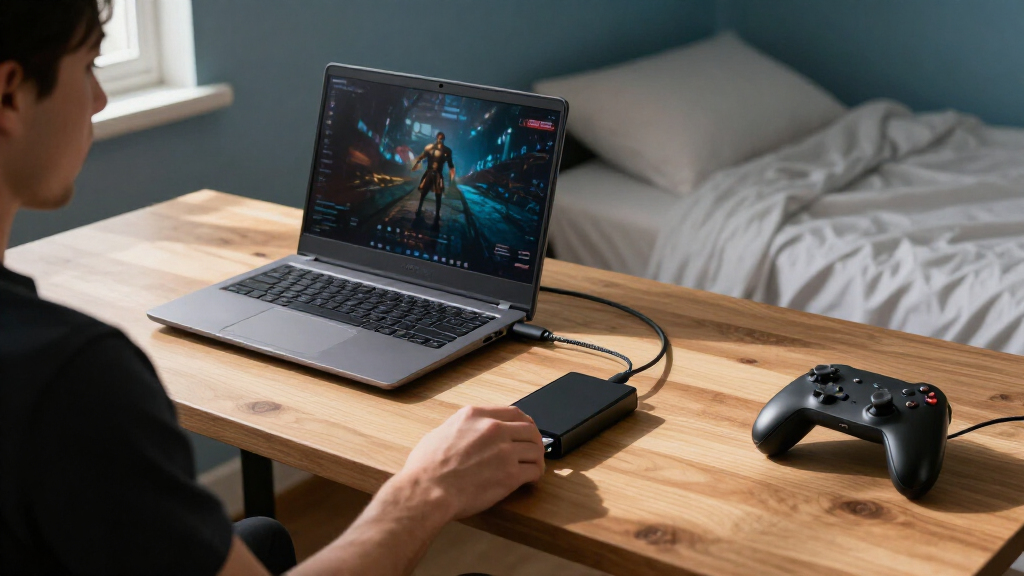
The best portable SSD for most gaming laptop owners in this roundup is the Samsung T7 Shield 2TB, combining useful game-library capacity with a rugged design. For faster transfers on compatible laptops, the Samsung T9 and SanDisk Extreme Portable SSD offer higher advertised speeds, while the BUFFALO 2TB stands out for USB-C and USB-A flexibility. The main tradeoffs are capacity versus transfer speed, laptop port compatibility, and how much protection you want when carrying a drive. An SSD’s advertised speed does not guarantee faster gameplay, since performance also depends on the connection and the game. Read on for the full comparison and help choosing the right drive for your setup.

Get the latest gadgets delivered free with Prime
- Fast, free delivery on millions of items
- Prime Video, Amazon Music and more included
- Member-only deals all year
Complete the kit



Key Takeaways
- The Samsung T7 Shield 2TB is the strongest all-around fit for gaming laptops in this lineup, pairing 2TB of capacity with a rugged design and a widely useful USB 3.2 Gen 2 connection.
- The Samsung T9, SanDisk Extreme Portable SSD, and SSK 2TB advertise up to 2,000 MB/s-class speeds, but their advantage depends on having a laptop port that supports the required high-bandwidth connection.
- Capacity can matter more than headline speed for a growing library: the Samsung T5, BUFFALO, T7 Shield, SSK, and SanDisk Extreme PRO offer 2TB options, reducing how often games need to be moved or reinstalled.
- USB-C and USB-A support gives the BUFFALO 2TB a compatibility advantage for users who connect the drive to a mix of newer laptops and older devices.
- Several SanDisk options serve different priorities: the standard Portable SSD targets everyday carrying, the Extreme models emphasize faster transfers or toughness, and the Fortnite Peely Edition adds a distinctive themed design without changing the basic buying priorities.
| SanDisk 1TB Portable SSD, Up to 1000MB/s Read Speed, Black |  | Best Everyday Carry | Capacity: 1 TB | Maximum read speed: Up to 1000 MB/s | Interface: USB 3.0 | VIEW LATEST PRICE | See Our Full Breakdown |
| BUFFALO 2TB External SSD with USB-C and USB-A |  | Best for Extra Game Storage | Capacity: 2 TB | Drive type: Solid-state drive | Read speed: 340 MB/s | VIEW LATEST PRICE | See Our Full Breakdown |
| OSCOO 1TB Portable External SSD, USB 3.2 Gen 2 |  | Best for High-Speed Connections | Capacity: 1 TB | Drive type: NVMe SSD | Interface: USB 3.2 Gen 2×2 | VIEW LATEST PRICE | See Our Full Breakdown |
| SanDisk 1TB Portable Drive |  | Best for Basic Game Backups | Capacity: 1 TB | Read speed: 600 MB/s | Data transfer rate: 600 MB/s | VIEW LATEST PRICE | See Our Full Breakdown |
| SanDisk Extreme Portable SSD, 1TB, Up to 2000MB/s |  | Best for Fast, Rugged Transfers | Capacity: 1 TB | Maximum read speed: Up to 2000 MB/s | Interface: USB 3.0 | VIEW LATEST PRICE | See Our Full Breakdown |
| Samsung T9 Portable SSD 1TB, USB 3.2 Gen 2×2, Up to 2,000 MB/s | 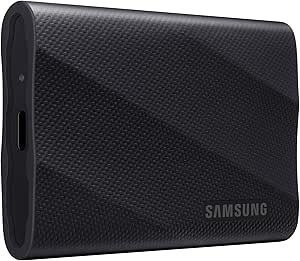 | Best for Fast Transfers | Storage capacity: 1 TB | Interface: USB 3.2 Gen 2×2 | Maximum read speed: Up to 2,000 MB/s | VIEW LATEST PRICE | See Our Full Breakdown |
| Samsung T5 Portable SSD, 2TB, USB 3.1, Black (MU-PA2T0B/AM) | 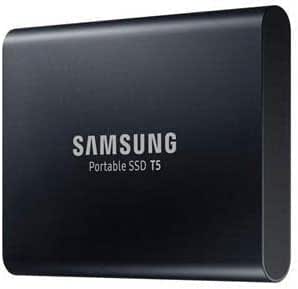 | Best for Extra Game Storage | Storage capacity: 2 TB | Interface: USB 3.1 | Maximum transfer speed: Up to 540 MB/s | VIEW LATEST PRICE | See Our Full Breakdown |
| Samsung T7 Portable SSD, 1TB, Titan Gray, USB 3.2 Gen 2 | 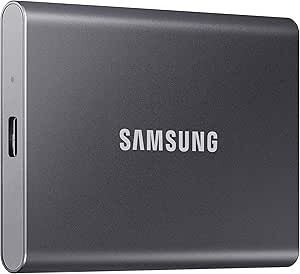 | Best Balanced Pick | Storage capacity: 1 TB | Interface: USB 3.2 Gen 2 | Maximum read speed: Up to 1,050 MB/s | VIEW LATEST PRICE | See Our Full Breakdown |
| SSK 2TB Portable External SSD, USB 3.2 Gen 2×2, 20Gbps |  | Best 2TB High-Speed Pick | Storage capacity: 2 TB | Interface: USB 3.2 Gen 2×2 | Data transfer rate: Up to 20 Gbps | VIEW LATEST PRICE | See Our Full Breakdown |
| SanDisk Extreme PRO Portable SSD, 2TB |  | Best for Rugged High-Performance Use | Storage capacity: 2 TB | Interface: USB 3.0 | Connector: USB Type-C | VIEW LATEST PRICE | See Our Full Breakdown |
| SanDisk 1TB Portable SSD, Fortnite Peely Edition |  | Best for Fortnite Fans | Storage capacity: 1 TB | Read speed: Up to 800 MB/s | Interface: USB 3.2 Gen 2 | VIEW LATEST PRICE | See Our Full Breakdown |
| Samsung T7 Shield Portable SSD, 2TB, USB 3.2 Gen 2 |  | Best Rugged High-Capacity Pick | Storage capacity: 2 TB | Interface: USB 3.2 Gen 2 | Read speed: Up to 1,050 MB/s | VIEW LATEST PRICE | See Our Full Breakdown |
| portable SSDs for gaming laptop | Interface | Storage capacity | Maximum read speed | Drop protection |
|---|---|---|---|---|
| SanDisk 1TB Portable SSD | USB 3.0 | — | Up to 1000 MB/s | Up to 2 meters |
| BUFFALO 2TB External SSD with | — | — | — | — |
| OSCOO 1TB Portable External SS | USB 3.2 Gen 2×2 | — | — | — |
| SanDisk 1TB Portable Drive | — | — | — | Up to 2 meters |
| SanDisk Extreme Portable SSD | USB 3.0 | — | Up to 2000 MB/s | Up to 3 meters |
| Samsung T9 Portable SSD 1TB | USB 3.2 Gen 2×2 | 1 TB | Up to 2,000 MB/s | — |
| Samsung T5 Portable SSD | USB 3.1 | 2 TB | — | — |
| Samsung T7 Portable SSD | USB 3.2 Gen 2 | 1 TB | Up to 1,050 MB/s | Up to 6 feet |
| SSK 2TB Portable External SSD | USB 3.2 Gen 2×2 | 2 TB | Up to 2,000 MB/s | — |
| SanDisk Extreme PRO Portable S | USB 3.0 | 2 TB | Up to 4,000 MB/s | — |
| SanDisk 1TB Portable SSD | USB 3.2 Gen 2 | 1 TB | — | Up to 2 meters |
| Samsung T7 Shield Portable SSD | USB 3.2 Gen 2 | 2 TB | — | Up to 9.8 feet (3 meters) |
More Details on Our Top Picks
SanDisk 1TB Portable SSD, Up to 1000MB/s Read Speed, Black
I’d pick this SanDisk for a gaming laptop owner who wants a lightweight drive for a rotating set of games and regular file transfers. Its 1TB capacity and read speeds up to 1000 MB/s make it a quicker-loading, more portable alternative to a traditional external hard drive, while the 1.12-ounce body is easy to carry between home and campus. It is not the fastest option here: the SanDisk Extreme Portable SSD advertises up to 2000 MB/s and adds IP65-rated protection, so it better suits buyers prioritizing speed and extra environmental protection. This model’s 2-meter drop protection and USB-C plug-and-play setup are practical for everyday use, but the stated figure is a maximum read speed, not a promise of equally fast writes. Actual performance also depends on the laptop and connection.
Pros:- Up to 1000 MB/s read speed for faster file access and transfers than a portable hard drive.
- Lightweight 1.12-ounce design is easy to carry with a gaming laptop.
- Drop protection up to 2 meters adds reassurance during everyday travel.
- USB-C connection supports straightforward plug-and-play use with compatible devices.
Cons:- Write speeds are lower than the maximum advertised read speed.
- Real-world performance varies with the host device and usage conditions.
Best for: Gaming laptop owners who want a pocketable 1TB drive for game storage, backups, and moving files between USB-C devices.
Not ideal for: Players who regularly move very large game libraries and want the highest advertised transfer speeds, or buyers who need stated water and dust resistance.
- Capacity:1 TB
- Maximum read speed:Up to 1000 MB/s
- Interface:USB 3.0
- Connector:USB Type-C
- Drop protection:Up to 2 meters
- Weight:1.12 ounces
- Dimensions:1.77 × 3.35 × 0.39 inches
- Compatible platforms:Mac, PC
Our verdict“Choose this SanDisk for a compact everyday 1TB gaming-laptop drive; choose the SanDisk Extreme Portable SSD if advertised speed and water resistance matter more.”
BUFFALO 2TB External SSD with USB-C and USB-A
The BUFFALO’s strongest case is capacity: 2TB gives a gaming laptop owner more room for a broad game library than the 1TB SanDisk portable models in this group. Its USB-C and USB-A connections also make it easier to use across newer laptops and older devices without relying on a single connector type. The tradeoff is speed. The listed 340 MB/s read speed is well below the SanDisk 1TB Portable SSD’s up-to-1000 MB/s figure, making the BUFFALO a better fit for holding games than for frequent large transfers. A shock-resistant enclosure suits travel, and the listed console compatibility adds flexibility, but the mixed speed figures in the source make performance harder to compare directly. Warranty coverage is three years for registered devices and two years if unregistered.
Pros:- 2TB capacity holds more games and files than the 1TB options in this batch.
- USB-C and USB-A connectivity supports a wider range of devices and ports.
- Shock-resistant enclosure is suited to carrying the drive on the go.
- Listed compatibility includes PS4, PS5, PC, and Mac.
Cons:- Listed 340 MB/s read speed is substantially lower than the SanDisk 1TB Portable SSD’s advertised maximum.
- Source speed specifications use mixed units, making direct performance comparisons less clear.
- Warranty lasts two years for unregistered devices rather than the three years offered to registered devices.
Best for: Gaming laptop owners who prioritize keeping a larger collection of games and files on one portable drive and value both USB-A and USB-C connectivity.
Not ideal for: Players who frequently transfer large game files or want the faster listed read speeds of the SanDisk 1TB Portable SSD.
- Capacity:2 TB
- Drive type:Solid-state drive
- Read speed:340 MB/s
- Connectivity:USB-A, USB-C
- USB standard:USB 3.2
- Form factor:Portable, 2.5 inches
- Compatible consoles:Sony PlayStation 4, Sony PlayStation 5
- Warranty:3 years for registered devices; 2 years if unregistered
Our verdict“Pick the BUFFALO when 2TB capacity and flexible ports matter more than fast transfers; skip it if moving large files quickly is a priority.”
OSCOO 1TB Portable External SSD, USB 3.2 Gen 2
The OSCOO targets buyers whose gaming laptop can take advantage of a faster external connection. Its NVMe drive lists read speeds of 2000 MB/s, with up to 2100 MB/s cited under ideal USB 3.2 Gen 2×2 or Thunderbolt conditions. That gives it a higher advertised ceiling than the SanDisk 1TB Portable SSD, though the exact connection matters: an older or slower port can prevent the OSCOO from reaching that figure. Its aluminum enclosure, very low listed weight, and water- and drop-proof protection make it appealing for a travel kit. Capacity remains 1TB, and the product notes that usable space may be 7–10% below the label. Buyers should also treat direct 4K recording as a feature for compatible devices and apps, not a gaming-laptop speed guarantee.
Pros:- NVMe design and listed speeds up to 2000 MB/s suit compatible high-bandwidth connections.
- Aluminum enclosure is described as water- and drop-proof, with dust resistance also listed.
- Very light 0.03-pound design is easy to carry with a gaming laptop.
- Broad device compatibility includes Windows, Mac, and major gaming consoles.
Cons:- Maximum speed depends on ideal USB 3.2 Gen 2×2 or Thunderbolt conditions and may be lower on other ports.
- Usable capacity may be approximately 7–10% below the labeled 1TB.
- Direct 4K 120fps HDR recording requires compatible devices and apps.
Best for: Gaming laptop owners with a compatible high-bandwidth USB connection who want a lightweight 1TB drive for fast transfers and portable storage.
Not ideal for: Buyers with older USB ports who expect the maximum listed speed, or anyone who needs more than 1TB of labeled capacity.
- Capacity:1 TB
- Drive type:NVMe SSD
- Interface:USB 3.2 Gen 2×2
- Listed read speed:2000 MB/s
- Maximum speed:Up to 2100 MB/s under ideal conditions
- Enclosure material:Aluminum
- Weight:0.03 lb
- Dimensions:2.85 × 1.52 × 0.40 inches
- Usable capacity note:May be approximately 7–10% below labeled capacity
Our verdict“Choose the OSCOO if your laptop has a compatible fast port and portability matters; choose a higher-capacity model if game-library space comes first.”
SanDisk 1TB Portable Drive
This SanDisk is the straightforward pick for a gaming laptop owner who wants portable SSD storage without chasing the fastest figures in the lineup. Its 600 MB/s transfer speed is below the 1000 MB/s advertised by the other SanDisk 1TB Portable SSD, so I’d favor this model for backups, a smaller game rotation, and general file storage rather than frequent transfers of large installs. It keeps the shared practical strengths: USB-C plug-and-play connectivity, a 1.12-ounce body, and drop protection up to 2 meters. Compared with the BUFFALO 2TB, it offers half the labeled capacity but a higher listed transfer rate. The main limit for game libraries is that 1TB fills sooner, and usable capacity will be less than the label after formatting and measurement differences.
Pros:- Listed transfer speed of up to 600 MB/s suits routine backups and file transfers.
- Pocket-sized 1.12-ounce body is convenient to carry.
- Drop protection up to 2 meters helps with everyday travel.
- USB-C supports plug-and-play use with compatible laptops and other devices.
Cons:- Up to 600 MB/s is slower than the other SanDisk 1TB Portable SSD’s stated 1000 MB/s maximum.
- Write speeds are lower than read speeds.
- Usable storage is less than the labeled 1TB.
Best for: Gaming laptop owners who need a lightweight 1TB SSD for backups and a modest selection of games, with simple USB-C setup.
Not ideal for: Players who want room for a large game library or faster transfers closer to the SanDisk 1TB Portable SSD’s 1000 MB/s maximum.
- Capacity:1 TB
- Read speed:600 MB/s
- Data transfer rate:600 MB/s
- Connectivity:USB Type-C
- Weight:1.12 ounces
- Dimensions:2.95 × 1.77 × 0.39 inches
- Drop protection:Up to 2 meters
- Compatible platforms:Mac, PC
Our verdict“Choose this model for basic portable backups and a smaller game collection; spend the extra storage space or speed elsewhere if your library is large or transfers are frequent.”
SanDisk Extreme Portable SSD, 1TB, Up to 2000MB/s
Among the 1TB drives in this batch, the SanDisk Extreme makes the strongest case for buyers who move large files as well as store games. Its up-to-2000 MB/s read speed is twice the stated maximum of the SanDisk 1TB Portable SSD, while its IP65 water and dust resistance and 3-meter drop protection add protection for a drive carried alongside a laptop. Those headline speeds depend on the host connection and conditions, so a gaming laptop with a slower port may not see the full advantage. The OSCOO also advertises speeds around 2000 MB/s and adds an aluminum enclosure, making it a close alternative for compatible setups. SanDisk’s differentiators here are its listed PS5 compatibility and 256-bit AES password protection, though encryption requires software and supported operating systems.
Pros:- Up to 2000 MB/s read speed offers a higher advertised ceiling than the SanDisk 1TB Portable SSD.
- IP65-rated water and dust resistance suits travel and outdoor use.
- Drop protection up to 3 meters exceeds the 2-meter rating listed for the other SanDisk portable models.
- 256-bit AES encryption and password protection add an option for securing stored files.
Cons:- Write speeds are lower than the stated maximum read speed.
- Maximum performance depends on the laptop’s connection and usage conditions.
- Encryption requires a software download and supports Windows 10 or later and macOS 12 or later.
Best for: Gaming laptop owners who transfer large files often and want a compact 1TB SSD with strong listed water, dust, and drop protection.
Not ideal for: Buyers whose laptop connection cannot make use of the higher speed ceiling, or those who prefer security features that work without installing software.
- Capacity:1 TB
- Maximum read speed:Up to 2000 MB/s
- Interface:USB 3.0
- Connector:USB Type-C
- Water and dust resistance:IP65
- Drop protection:Up to 3 meters
- Encryption:256-bit AES
- Weight:1.6 ounces
- Compatible game console:Sony PlayStation 5
Our verdict“Pick the Extreme Portable SSD if you want a fast, more rugged 1TB drive; choose the less speed-focused SanDisk model if your laptop cannot use its higher ceiling.”
Samsung T9 Portable SSD 1TB, USB 3.2 Gen 2×2, Up to 2,000 MB/s
The Samsung T9 makes the most sense for gaming-laptop owners who regularly move large game libraries and have a USB 3.2 Gen 2×2 port to take advantage of its advertised speeds. At up to 2,000 MB/s read and write, it can cut down on copying time compared with the Samsung T7, whose listed maximums are 1,050 MB/s read and 1,000 MB/s write. Dynamic Thermal Guard manages heat during heavier use, while AES 256-bit hardware encryption adds a privacy option. The tradeoff is that the speed advantage depends on the laptop, cable, and UASP support; on a slower connection, it may not outperform less demanding choices by much. Its 1TB capacity also offers less room for a growing game collection than the 2TB T5 or SSK drive.
Pros:- Up to 2,000 MB/s read and write with a compatible host and connection
- Dynamic Thermal Guard manages heat during heavy use
- AES 256-bit hardware encryption and Magician drive-health monitoring
- Designed to withstand drops up to 9.8 feet
Cons:- Maximum speeds require USB 3.2 Gen 2×2, a compatible cable, and UASP mode
- 1TB provides less game-library capacity than the Samsung T5 and SSK 2TB models
- Host compatibility and actual speeds can vary
Best for: Gaming-laptop owners with a USB 3.2 Gen 2×2 port who often transfer large games and want hardware encryption.
Not ideal for: Players with only slower USB ports or large game libraries who would benefit more from a 2TB drive.
- Storage capacity:1 TB
- Interface:USB 3.2 Gen 2×2
- Maximum read speed:Up to 2,000 MB/s
- Maximum write speed:Up to 2,000 MB/s
- Encryption:AES 256-bit hardware encryption
- Drop resistance:Up to 9.8 feet
- Compatible gaming consoles:Xbox Series S/X, PlayStation 4/5
Our verdict“Choose the T9 if your laptop supports USB 3.2 Gen 2×2 and fast game transfers matter more than getting 2TB of capacity.”
Samsung T5 Portable SSD, 2TB, USB 3.1, Black (MU-PA2T0B/AM)
For players who need room for more installed games without prioritizing the shortest transfer times, the Samsung T5’s 2TB capacity is its clearest advantage. Its maximum transfer speed of 540 MB/s is well below the Samsung T7 and T9, so moving a large library will take longer; in return, this model doubles the T7’s listed storage while staying compact at 1.6 ounces. The metal enclosure and shock resistance suit a drive that may travel between a desk and a gaming bag, and both USB-C-to-C and USB-C-to-A cables are included for different laptop ports. Optional password protection and AES 256-bit hardware encryption add privacy, but they need to be enabled. This is a capacity-first pick, not the choice for owners chasing fast transfers.
Pros:- 2TB capacity for keeping more games on the drive
- Compact 1.6-ounce metal enclosure
- Shock-resistant design
- Includes USB-C-to-C and USB-C-to-A cables, plus optional AES 256-bit encryption
Cons:- Maximum transfer speed of 540 MB/s is substantially lower than the Samsung T7 and T9
- Password protection must be enabled to use it
- Actual speeds depend on the connected device and interface
Best for: Gaming-laptop players who want 2TB for a broad installed library and are comfortable with slower transfers.
Not ideal for: Players who frequently copy large games and want transfer speeds closer to the Samsung T7, T9, or SSK 2TB.
- Storage capacity:2 TB
- Interface:USB 3.1
- Maximum transfer speed:Up to 540 MB/s
- Dimensions:3 × 2.3 × 0.4 inches
- Weight:1.6 ounces
- Enclosure:Metal
- Security:Optional password protection and AES 256-bit hardware encryption
- Included cables:USB-C-to-C and USB-C-to-A
Our verdict“Pick the T5 if 2TB of portable game storage matters more to you than fast library transfers.”
Samsung T7 Portable SSD, 1TB, Titan Gray, USB 3.2 Gen 2
The Samsung T7 is a balanced choice for a gaming laptop with USB 3.2 Gen 2: its listed speeds of up to 1,050 MB/s read and 1,000 MB/s write are a clear step up from the Samsung T5, without requiring the T9’s Gen 2×2 connection for its advertised performance. That makes it a practical middle ground for moving games and keeping a portable library, though its 1TB capacity may fill quickly if you install many large titles. The aluminum unibody and drop protection up to 6 feet give it a sturdy, travel-friendly build, and included USB-C-to-C and USB-C-to-A cables suit a range of laptop ports. Its speed still depends on the host, connection, and UASP support, and some operating systems may need the drive reformatted.
Pros:- Up to 1,050 MB/s read and 1,000 MB/s write with compatible USB 3.2 Gen 2 hardware
- Aluminum unibody with drop protection up to 6 feet
- Includes USB-C-to-C and USB-C-to-A cables
- AES 256-bit hardware encryption
Cons:- 1TB may be limiting for a large installed game library
- Maximum speeds depend on the host, connection, and UASP support
- Some operating systems may require reformatting
Best for: Gaming-laptop owners with USB 3.2 Gen 2 who want a portable drive for game transfers without relying on a Gen 2×2 port.
Not ideal for: Players who want 2TB of space or need the T9’s higher advertised speeds for frequent large transfers.
- Storage capacity:1 TB
- Interface:USB 3.2 Gen 2
- Maximum read speed:Up to 1,050 MB/s
- Maximum write speed:Up to 1,000 MB/s
- Construction:Aluminum unibody
- Drop protection:Up to 6 feet
- Encryption:256-bit AES hardware encryption
- Included cables:USB Type-C-to-C and USB Type-C-to-A
Our verdict“Choose the T7 for a good balance of transfer speed and portable protection when 1TB is enough for your game rotation.”
SSK 2TB Portable External SSD, USB 3.2 Gen 2×2, 20Gbps
The SSK 2TB combines more game-library space with a listed read speed of up to 2,000 MB/s, making it a capacity-rich alternative to the Samsung T9, which has the same stated read ceiling but only 1TB here. Its USB 3.2 Gen 2×2 interface is the catch: a gaming laptop without that port will limit transfer speeds, so the headline performance is not a safe assumption for every setup. For day-to-day use, the included USB-C and USB-A cables make it easier to connect to different machines, while S.M.A.R.T. diagnostics and adaptive TRIM support drive maintenance. The plastic-and-zinc-alloy enclosure, activity indicator, and broad listed platform compatibility add utility, but the provided data does not specify drop or water protection. Speed also varies with file sizes and system conditions.
Pros:- 2TB capacity paired with read speeds up to 2,000 MB/s on compatible hardware
- Includes USB-C 20 Gbps and USB-A 10 Gbps cables
- S.M.A.R.T. diagnostics and adaptive TRIM support drive maintenance
- LED activity indicator shows when transfers are underway
Cons:- Full speed requires a USB 3.2 Gen 2×2 connection
- Actual speeds vary with file sizes, capacity, and system conditions
- No drop or water protection rating is specified in the provided product data
Best for: Gaming-laptop owners with USB 3.2 Gen 2×2 who want 2TB and often transfer large game files.
Not ideal for: Players whose laptops lack Gen 2×2 ports or who need stated drop and water protection for frequent travel.
- Storage capacity:2 TB
- Interface:USB 3.2 Gen 2×2
- Data transfer rate:Up to 20 Gbps
- Maximum read speed:Up to 2,000 MB/s
- Media speed:1,800 MB/s
- Enclosure material:Plastic and zinc alloy
- Included cables:USB-C 20 Gbps and USB-A 10 Gbps
- Features:S.M.A.R.T. diagnostics, adaptive TRIM, LED activity indicator
Our verdict“Choose the SSK if you want 2TB and near-2,000 MB/s read performance, and your laptop has the required Gen 2×2 port.”
SanDisk Extreme PRO Portable SSD, 2TB
The SanDisk Extreme PRO Portable SSD pairs 2TB of capacity with the highest stated transfer figures in this group: up to 4,000 MB/s read and an average sustained write speed of 3,100 MB/s. Those specifications make it a standout for moving very large files, but gaming-laptop buyers should check the host connection carefully: the listing identifies a USB Type-C connector and USB 3.0 interface, while actual performance depends on the device and usage conditions. Its IP65 water and dust resistance and protection against drops up to 3 meters set it apart from the Samsung T7’s listed 6-foot drop protection, though the T7’s interface details are more straightforward for ordinary game-drive use. Password protection adds AES encryption but requires a software download. This is a rugged, high-spec option, not a guaranteed speed upgrade on every laptop.
Pros:- 2TB capacity for a substantial game library
- Up to 4,000 MB/s read and 3,100 MB/s average sustained write speeds as listed
- IP65 water and dust resistance
- Drop protection up to 3 meters and AES 256-bit password protection
Cons:- Actual performance depends on the host device, interface, and usage conditions
- Password protection requires a software download
- Listed USB 3.0 interface details may not make the advertised maximum speeds achievable on every gaming laptop
Best for: Gaming-laptop owners who carry a 2TB drive into dusty or wet environments and have a host capable of using its high performance.
Not ideal for: Players who want clearly specified compatibility with their laptop’s USB port or prefer not to install software for password protection.
- Storage capacity:2 TB
- Interface:USB 3.0
- Connector:USB Type-C
- Maximum read speed:Up to 4,000 MB/s
- Maximum write speed:Up to 3,800 MB/s
- Average sustained write speed:3,100 MB/s
- Protection:IP65 water and dust resistance; drop protection up to 3 meters
- Dimensions and weight:4.33 × 2.28 × 0.39 inches; 2.24 ounces
Our verdict“Pick the SanDisk Extreme PRO if rugged protection and 2TB capacity are priorities and your laptop can make use of its stated performance.”
SanDisk 1TB Portable SSD, Fortnite Peely Edition
The Fortnite Peely Edition makes most sense for a gaming-laptop owner who wants a portable game library with a bit of personality. Its 1TB capacity can hold a useful selection of games and clips, while read speeds up to 800 MB/s are suited to adding storage and moving files; it is less speed-focused than the Samsung T7 Shield, which lists up to 1,050 MB/s reads and twice the capacity. SanDisk adds practical touches for travel: drop protection up to 2 meters and a rubber hook for attaching the drive to a backpack. The included in-game pickaxe is a bonus for Fortnite players, but it requires redemption and does not improve storage performance. Choose this edition for its design and carry-friendly details, not for maximum capacity or transfer speed.
Pros:- Up to 800 MB/s read speed for game and file transfers
- Drop protection rated up to 2 meters
- Rubber backpack attachment hook helps keep the drive close at hand
- Includes a redeemable Fortnite in-game pickaxe
Cons:- 1TB leaves less room for a large laptop game library than the 2TB Samsung T7 Shield
- Read speed is lower than the T7 Shield’s listed maximum
- The pickaxe requires in-game redemption and is only a benefit to Fortnite players
Best for: Fortnite players who want a compact-feeling, backpack-attachable drive for a selected set of games, clips, and other files.
Not ideal for: Laptop gamers with large libraries or frequent bulk transfers; its 1TB capacity and 800 MB/s read speed trail the 2TB, faster Samsung T7 Shield.
- Storage capacity:1 TB
- Read speed:Up to 800 MB/s
- Interface:USB 3.2 Gen 2
- Drop protection:Up to 2 meters
- Form factor:2.5 inches
- Compatible platforms:Windows 10 or later, macOS 10.13 or later, PlayStation 4 and 5, Xbox Series X|S
- Design:Fortnite Peely Edition
- Included extra:Redeemable in-game pickaxe
Our verdict“Pick this SanDisk if the Fortnite design and backpack hook matter more to you than maximum capacity or transfer speed.”
Samsung T7 Shield Portable SSD, 2TB, USB 3.2 Gen 2
For a gaming-laptop owner who carries an SSD between home, campus, and gaming sessions, the Samsung T7 Shield combines 2TB of space with stronger stated read and write speeds than the SanDisk Peely Edition. Its up-to-1,050 MB/s read and 1,000 MB/s write figures can help with large transfers, though the laptop, cable, and UASP support affect the speeds you actually get. The extra capacity also gives a growing game library more room before files need to be shuffled. Its IP65 water and dust resistance and drop protection up to 9.8 feet make it a more weather- and impact-conscious choice than the Peely drive, but resistance can vary with conditions. Pick it for capacity and ruggedness; skip it if your laptop cannot take advantage of its interface or you want a character-themed extra.
Pros:- 2TB capacity provides more room for games and captures than the 1TB SanDisk Peely Edition
- Listed sequential speeds reach up to 1,050 MB/s read and 1,000 MB/s write
- IP65-rated water and dust resistance
- Drop protection rated up to 9.8 feet
Cons:- Maximum speeds depend on the host device, cable, and UASP support
- Water, dust, and drop resistance may vary with actual conditions
- Its higher capacity and rugged protection may be unnecessary for gamers with a small portable library
Best for: Gaming-laptop owners who carry a large game library and want a 2TB SSD with stated water, dust, and drop protection.
Not ideal for: Buyers who only need a small set of games, or whose laptop and cable cannot make use of the drive’s listed transfer speeds.
- Storage capacity:2 TB
- Interface:USB 3.2 Gen 2
- Read speed:Up to 1,050 MB/s
- Write speed:Up to 1,000 MB/s
- Water and dust resistance:IP65
- Drop protection:Up to 9.8 feet (3 meters)
- Operating temperature:0°C to 60°C
- Compatible devices:PC, Mac, Android devices, gaming consoles, iPhone 15/16
Our verdict“Choose the T7 Shield if you want more game-library space and rugged protection, provided your laptop setup can support its transfer speeds.”
How We Picked
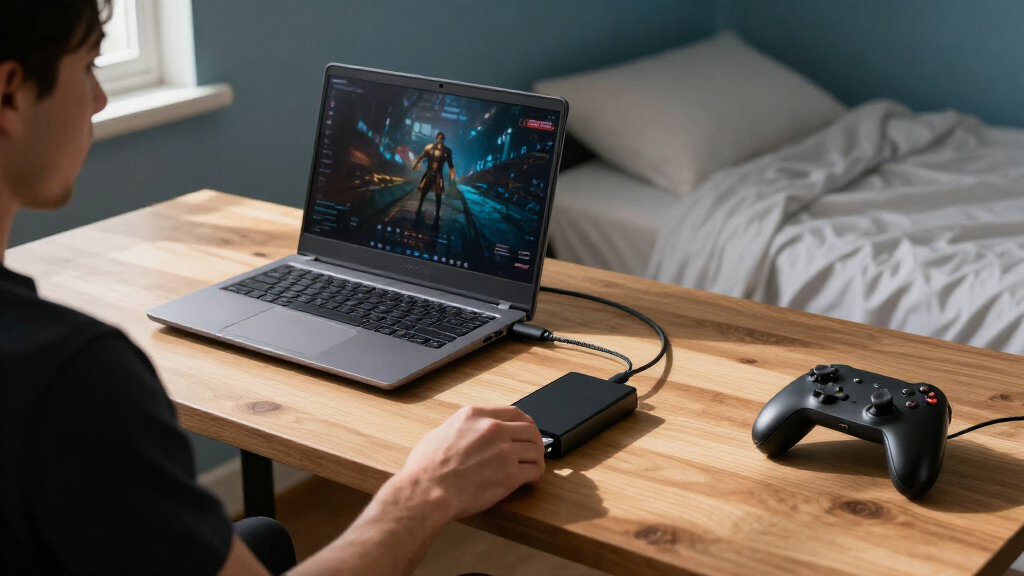
I ranked these portable SSDs for gaming laptops around the needs that shape day-to-day ownership: capacity for installed games, advertised transfer speed, connection compatibility, portability, and protection against travel wear. I also weighed whether a speed advantage is likely to be useful on a laptop that supports the drive’s connection, rather than treating the highest quoted number as a win on its own. Models with 2TB provide more room for a game library, while smaller drives can make sense for a curated set of titles or moving files between systems.
The order reflects overall fit for gaming-laptop use, not a single specification. The T7 Shield ranks first for its combination of capacity, ruggedness, and broadly supported USB 3.2 Gen 2 connectivity. Faster high-bandwidth models rank well for compatible systems, but their appeal narrows when the laptop cannot use that connection. I placed simpler or less differentiated options lower when another drive in the list offers a clearer advantage in capacity, speed, compatibility, or protection. Advertised performance is manufacturer-stated and can vary with the host port, cable, workload, and drive conditions.
| portable SSDs for gaming laptop | Maximum read speed | Interface | Drop protection |
|---|---|---|---|
| SanDisk 1TB Portable SSD | Up to 1000 MB/s | USB 3.0 | Up to 2 meters |
| BUFFALO 2TB External SSD with | — | — | — |
| OSCOO 1TB Portable External SS | — | USB 3.2 Gen 2×2 | — |
| SanDisk 1TB Portable Drive | — | — | Up to 2 meters |
| SanDisk Extreme Portable SSD | Up to 2000 MB/s | USB 3.0 | Up to 3 meters |
| Samsung T9 Portable SSD 1TB | Up to 2,000 MB/s | USB 3.2 Gen 2×2 | — |
| Samsung T5 Portable SSD | — | USB 3.1 | — |
| Samsung T7 Portable SSD | Up to 1,050 MB/s | USB 3.2 Gen 2 | Up to 6 feet |
| SSK 2TB Portable External SSD | Up to 2,000 MB/s | USB 3.2 Gen 2×2 | — |
| SanDisk Extreme PRO Portable S | Up to 4,000 MB/s | USB 3.0 | — |
| SanDisk 1TB Portable SSD | — | USB 3.2 Gen 2 | Up to 2 meters |
| Samsung T7 Shield Portable SSD | — | USB 3.2 Gen 2 | Up to 9.8 feet (3 meters) |
Factors to Consider When Choosing Portable SSDs For Gaming Laptops
Before choosing, match the drive to how you install and move games, not just the largest speed figure on the box. These broader checks can help prevent a mismatch between the SSD, your laptop, and the way you use your library.
Check the Laptop Port Before Paying for Speed
A fast SSD can only take advantage of its advertised bandwidth when the laptop port and cable support the relevant USB standard. USB-C describes the connector shape, not the transfer speed, so two similar-looking ports may perform differently. Check the laptop’s specifications for USB 3.2 Gen 2 or Gen 2×2 support before choosing a drive built around a 20Gbps connection. If the laptop lacks that support, a faster model may still work but will operate within the limits of the connection. For most buyers, reliable compatibility is more useful than paying for speed the laptop cannot access.
Choose Capacity Around Your Installed Library
Estimate the space used by the games you actually keep installed, then leave room for updates, saves, and other files. A 1TB drive may suit someone who rotates through a small group of games, while 2TB offers more breathing room for a varied library. External storage can help move or store games, but a game may need to be copied back to internal storage if its launcher, performance needs, or laptop setup makes that preferable. Avoid buying only for today’s free space: large titles and updates can make a nearly full drive inconvenient quickly. Capacity is often a more practical upgrade than chasing a faster transfer rating.
Separate Game Loading From File Transfer Speed
Advertised sequential read speeds describe a particular kind of data transfer and do not directly predict every game’s loading behavior. Game launches can depend on many factors, including the game engine, laptop, USB connection, and how data is accessed. A higher headline figure is most useful when regularly installing, copying, or backing up large files on a compatible system. If you mainly leave games stored on the drive and play them occasionally, capacity and dependable connectivity may matter more. Treat speed claims as a comparison point, not a promise of shorter load times in every game.
Decide How Much Ruggedness Your Carrying Habits Need
A drive that lives on a desk has different needs from one carried daily in a backpack with a gaming laptop. A more protective enclosure can offer added reassurance against bumps and exposure during travel, while a compact standard drive may be enough for careful, mostly indoor use. Rugged styling does not replace safe handling or a backup of valuable files. Think about where the drive will be used, whether it may be connected while moving, and how often it travels. Paying for extra protection makes the most sense when the drive’s environment creates a real risk.
Plan for Cables, Ports, and Other Devices
Confirm what cable comes with the drive and whether it connects directly to the laptop without an adapter or hub. USB-C is common on newer gaming laptops, but USB-A can still be useful for older computers or shared devices. A hub may add convenience, though it can introduce another link that affects connection speed or stability. If you plan to move games between several machines, broad compatibility can save time and reduce cable clutter. Check the laptop’s available ports and the drive’s supported connections before choosing based on connector names alone.
Keep Backups Separate From Your Game Drive
An external SSD is portable, which makes it convenient for games but also easier to lose, damage, or leave behind. Avoid treating one drive as the only copy of important saves, screenshots, or personal files. Game launchers may let you redownload titles, but that can take time and bandwidth, and personal data may not be recoverable the same way. A separate backup or cloud sync can protect the files that would be difficult to replace. If the drive will travel with you, build a simple backup routine instead of relying on ruggedness alone.
Frequently Asked Questions
Can I play games directly from a portable SSD connected to my gaming laptop?
Many PC games can run from an external SSD, but results depend on the game, launcher, laptop, and USB connection. Confirm that the game platform supports installing or locating games on an external drive, then test a title before moving your whole library. A slower or shared connection can affect loading and file access, even if the SSD advertises high transfer speeds. Keep frequently played games on the laptop’s internal drive if an external setup causes interruptions. An external SSD is particularly useful for adding storage or carrying a library between compatible computers.
Is a 2TB drive a better choice than a faster 1TB SSD for a gaming laptop?
Choose 2TB if your main frustration is running out of room or repeatedly moving large games on and off the drive. A faster 1TB model makes more sense when you often copy large files and your laptop supports its higher-bandwidth connection. The quoted speed difference may be less noticeable during ordinary gameplay than the extra space from a larger drive. Also check how much storage your laptop already has and how many titles you keep installed at once. For a mixed library and travel use, capacity often gives more day-to-day flexibility.
Will a USB 3.2 Gen 2×2 SSD reach its advertised speed on any USB-C laptop?
No. USB-C identifies the connector, while the laptop must also support the drive’s required USB data standard to access its highest advertised speed. A Gen 2×2 model connected to a lower-bandwidth port can still be usable, but transfer rates will be limited by the host connection. Check the laptop maker’s technical specifications and use a suitable cable before paying extra for that speed tier. If the port details are unclear, a broadly compatible Gen 2 drive may be a more predictable choice. The same limitation can apply through hubs and docks.
Should I leave an external SSD plugged into my gaming laptop all the time?
You can keep a drive connected for regular access, but take care not to strain the cable or connector when moving the laptop. Safely eject the drive before unplugging it, especially when games or files are being written. A connected external drive can also be easier to bump or disconnect than internal storage. For a laptop that travels often, disconnecting the SSD before packing reduces stress on the port and drive. Keep separate backups of important files regardless of whether the SSD stays connected.
Does a rugged portable SSD need a separate backup?
Yes. Added resistance to everyday bumps or exposure can reduce some risks, but it cannot prevent loss, theft, electronic failure, or accidental deletion. Game files may be downloadable again, while personal captures, settings, or other documents may not be. Keep irreplaceable data in a second location, such as another drive or a trusted cloud backup. If you carry the SSD with your gaming laptop, back it up on a schedule that reflects how often you add files. Ruggedness is protection for the device, not a substitute for a second copy.
Conclusion
For the best overall fit, choose the Samsung T7 Shield 2TB if you want substantial game storage and a more travel-ready design. The best value-oriented choice is the BUFFALO 2TB for buyers who prioritize capacity and USB-C/USB-A flexibility over headline speed. For a premium speed-focused setup, compare the Samsung T9, SanDisk Extreme Portable SSD, and SanDisk Extreme PRO, but pay for their faster transfer potential only if your laptop connection can support it. Beginners who want a straightforward, familiar option can start with the Samsung T7 1TB or standard SanDisk 1TB Portable SSD, choosing based on their capacity needs. For specific needs, pick the T7 Shield or SanDisk Extreme PRO for a tougher travel-focused option, the SSK 2TB for a high-bandwidth connection, or the Fortnite Peely Edition when the themed design is part of the appeal. The best match is the one whose capacity, connection, and protection fit your laptop and library.