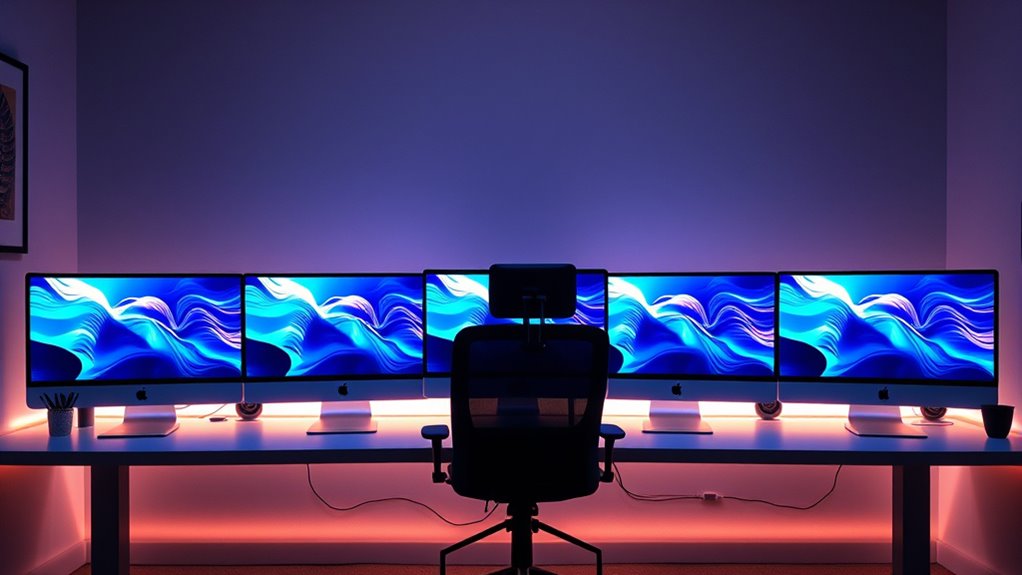

For most home office power users, I’d start with the 2024 iMac with M4, 24GB memory, and a 512GB SSD: it pairs current Apple silicon with the memory and storage that make demanding multitasking easier. The M4 with 16GB memory is a sensible alternative for heavier everyday work on a tighter configuration, while the 2019 27-inch Retina 5K iMac offers a large screen and legacy Intel compatibility. The main tradeoffs are processing headroom and support life versus screen size, memory capacity, and the cost of choosing a newer configuration. Older Intel models may suit specific software or display needs, but their age and slower storage can limit their appeal as a long-term work machine. Read on for how the ten options compare and which one fits your workload.

Get the latest gadgets delivered free — and shop member deals
- Fast, free delivery on millions of items
- Access to Prime Big Deal Days deals on October 6–7
- Prime Video, Amazon Music and more included
Complete the kit



Key Takeaways
- The M4 with 24GB memory and a 512GB SSD is the strongest all-round configuration in this group for demanding multitasking, local files, and keeping more apps open.
- The two listed M4 24GB/512GB models share the core hardware; the AppleCare+ bundle is a support-focused variant, not a performance upgrade.
- The M4 with 16GB memory and a 256GB SSD preserves the current-generation processor but gives up memory and built-in storage headroom.
- The 27-inch Intel iMacs offer larger 5K screens, yet their older processors, limited listed memory, and HDD or Fusion Drive storage make them less compelling for sustained modern workloads.
- The M1 and M3 24-inch models can handle many home office tasks, but their 8GB memory and 256GB SSD configurations leave less room for intensive multitasking than the 24GB M4 picks.
| Apple iMac 27-Inch Desktop with 3.4 GHz Intel Core i7, 16 GB RAM, and 1 TB HDD (Renewed) |  | Best for Intel-Based Multitasking | Display: 27 inches | Processor: 3.4 GHz Intel Core i7, 4 cores | Memory: 16 GB | VIEW ON AMAZON | See Our Full Breakdown |
| Apple iMac 27-Inch Retina 5K All-in-One Desktop, 3.2 GHz Quad-Core Intel Core i5, 8 GB RAM, 1 TB Hard Drive (Renewed) |  | Best for 5K Workspace on a Legacy Intel Mac | Display: 27-inch Retina 5K, 5120 × 2880 | Processor: 3.2 GHz quad-core Intel Core i5, Turbo Boost up to 3.6 GHz | Memory: 8 GB 1867 MHz DDR3 | VIEW ON AMAZON | See Our Full Breakdown |
| Apple 2024 iMac 24-inch All-in-One Desktop, M4 10-core CPU and GPU, 24GB Memory, 512GB SSD, Silver |  | Best Overall for Modern Home-Office Power Users | Processor: Apple M4, 10-core CPU | Graphics: 10-core GPU | Display: 24-inch 4.5K Retina, 500 nits, supports up to 1 billion colors | VIEW ON AMAZON | See Our Full Breakdown |
| Apple 2021 iMac 24-inch with M1 Chip, 8-Core CPU, 8GB RAM, 256GB SSD, Silver (Renewed) |  | Best Compact Renewed Option | Display: 24-inch 4.5K Retina, 4480 × 2520 pixels | Processor: Apple M1, 8-core CPU | Graphics: Integrated 8-core GPU | VIEW ON AMAZON | See Our Full Breakdown |
| Apple 27-inch iMac (Early 2019), 3.0GHz 6-Core Intel Core i5, Retina 5K Display, 8GB RAM, 1TB Fusion Drive (Renewed) |  | Best for a Large 5K Intel Workspace | Display: 27-inch Retina 5K, 5120 × 2880 | Processor: 3.0 GHz 6-core 8th-generation Intel Core i5 | Memory: 8 GB | VIEW ON AMAZON | See Our Full Breakdown |
| Apple 2021 24-inch iMac with M1 chip, 8-core CPU and GPU, 8GB RAM, 256GB SSD, Blue |  | Best for Apple-Device Workflows | Model year: 2021 | Processor: Apple M1, 8-core CPU | Graphics: 8-core GPU | VIEW ON AMAZON | See Our Full Breakdown |
| Apple 2023 iMac 24-inch with M3 Chip, 8-Core CPU, 8-Core GPU, 8GB Memory, 256GB SSD, 4.5K Retina Display, Blue (Renewed) |  | Best Renewed Apple-Silicon Step-Up | Model: 2023 Apple iMac | Chip: Apple M3 | CPU and GPU: 8-core CPU; 8-core GPU | VIEW ON AMAZON | See Our Full Breakdown |
| Apple 2019 iMac 21.5-Inch Retina 4K, Intel Core i5, 8GB RAM, 256GB SSD, Silver (Renewed) |  | Best for Legacy Intel-Mac Needs | Model year: 2019 | Display: 21.5-inch Retina 4K, 3840 × 2160 pixels | Processor: 3GHz quad-core Intel Core i5 | VIEW ON AMAZON | See Our Full Breakdown |
| Apple 2024 iMac 24-inch All-in-One Desktop with M4, 10-Core CPU and GPU, 24GB Memory, 512GB SSD, Silver, and AppleCare+ |  | Best Overall for Home-Office Power Users | Model year: 2024 | Chip: Apple M4 | CPU and GPU: 10-core CPU; 10-core GPU | VIEW ON AMAZON | See Our Full Breakdown |
| Apple 2024 iMac 24-inch All-in-One Desktop with M4 Chip, 16GB Memory, 256GB SSD, Silver |  | Best Balanced M4 Configuration | Processor: Apple M4, 8-core CPU and 8-core GPU | Display: 24-inch 4.5K Retina, 500 nits, supports up to one billion colors | Memory: 16GB unified memory | VIEW ON AMAZON | See Our Full Breakdown |
| imac for home office power user | Display | Memory | Storage | Processor |
|---|---|---|---|---|
| Apple iMac 27-Inch Desktop wit | 27 inches | 16 GB | 1 TB HDD | 3.4 GHz Intel Core i7, 4 cores |
| Apple iMac 27-Inch Retina 5K A | 27-inch Retina 5K, 5120 × 2880 | 8 GB 1867 MHz DDR3 | 1 TB 7200 rpm hard drive | 3.2 GHz quad-core Intel Core i5, Turbo Boost up to 3.6 GHz |
| Apple 2024 iMac 24-inch All-in | 24-inch 4.5K Retina, 500 nits, supports up to 1 billion colors | 24 GB unified memory | 512 GB SSD | Apple M4, 10-core CPU |
| Apple 2021 iMac 24-inch with M | 24-inch 4.5K Retina, 4480 × 2520 pixels | 8 GB | 256 GB SSD | Apple M1, 8-core CPU |
| Apple 27-inch iMac | 27-inch Retina 5K, 5120 × 2880 | 8 GB | 1 TB Fusion Drive | 3.0 GHz 6-core 8th-generation Intel Core i5 |
| Apple 2021 24-inch iMac with M | 24-inch 4.5K Retina, 500 nits, supports one billion colors | 8GB | 256GB SSD | Apple M1, 8-core CPU |
| Apple 2023 iMac 24-inch with M | 24-inch 4.5K Retina (23.5-inch diagonal), 500 nits, one billion colors | 8GB unified memory | 256GB SSD | — |
| Apple 2019 iMac 21.5-Inch Reti | 21.5-inch Retina 4K, 3840 × 2160 pixels | 8GB DDR3 | 256GB SSD | 3GHz quad-core Intel Core i5 |
| Apple 2024 iMac 24-inch All-in | 24-inch 4.5K Retina, 500 nits, supports up to one billion colors | 24GB unified memory | 512GB SSD | — |
| Apple 2024 iMac 24-inch All-in | 24-inch 4.5K Retina, 500 nits, supports up to one billion colors | 16GB unified memory | 256GB SSD | Apple M4, 8-core CPU and 8-core GPU |
More Details on Our Top Picks
Apple iMac 27-Inch Desktop with 3.4 GHz Intel Core i7, 16 GB RAM, and 1 TB HDD (Renewed)
I’d place this renewed 27-inch iMac ahead of the 2019 Core i5 model for buyers who value 16 GB of memory and a higher-tier Intel processor for juggling office apps, browser tabs, and communication tools. Its large screen gives spreadsheets and side-by-side windows more room than the 24-inch M4 iMac, though the newer M4 is a much stronger fit for demanding modern workloads and has faster solid-state storage. The main compromise here is the 1 TB mechanical hard drive, which can make startup and app loading feel slower than on either Apple silicon option. macOS High Sierra also makes this a less reassuring choice for a primary work machine that needs current software support. I’d treat it as a legacy-workflow pick, not a long-term performance investment.
Pros:- 27-inch display provides workspace for documents and side-by-side applications
- 16 GB of memory is more generous than the 8 GB in the renewed 2019 5K iMac
- Quad-core Core i7 processor is suited to everyday multitasking
- Wireless keyboard and mouse are included
Cons:- Traditional 1 TB hard drive is slower than the SSDs in the M1 and M4 iMacs
- macOS High Sierra may limit compatibility with newer software
- Renewed condition means it is not a new machine
Best for: Home-office users who need a large display and 16 GB of memory for lighter multitasking, and whose required software still supports High Sierra.
Not ideal for: Power users who depend on current macOS features, fast file access, or demanding creative and development workloads.
- Display:27 inches
- Processor:3.4 GHz Intel Core i7, 4 cores
- Memory:16 GB
- Storage:1 TB HDD
- Operating system:macOS High Sierra
- Graphics memory:2 GB
- Included accessories:Wireless keyboard, wireless mouse, power cable
- Condition:Renewed
Our verdict“Choose this renewed iMac for a spacious Intel desktop with 16 GB of memory, but skip it if current software support or fast storage matters.”
Apple iMac 27-Inch Retina 5K All-in-One Desktop, 3.2 GHz Quad-Core Intel Core i5, 8 GB RAM, 1 TB Hard Drive (Renewed)
The strongest reason I’d choose this model is its 27-inch Retina 5K display: detailed documents, large timelines, and multiple open windows benefit from the extra screen area and resolution. Compared with the renewed 2019 27-inch iMac, it has an older quad-core processor and only 8 GB of memory, so I’d rank it below that six-core model for sustained multitasking. Its AMD Radeon graphics give it a dedicated graphics option, but the 1 TB mechanical drive can slow everyday launches and file access beside the SSD-equipped M4 iMac. Two Thunderbolt ports and four USB 3 ports also provide useful connections for an office desk. The tradeoff is a renewed, older platform with limited memory and a generic-box shipment; I’d favor it for display space rather than modern compute headroom.
Pros:- 27-inch Retina 5K display offers abundant space and fine detail
- Dedicated AMD Radeon R9 M380 graphics with 2 GB GDDR5
- Four USB 3 ports plus two Thunderbolt ports support a range of desk peripherals
- Keyboard and mouse are included, though they may be generic
Cons:- 8 GB of memory trails the 16 GB Core i7 model and 24 GB M4 iMac
- Mechanical 1 TB hard drive is slower than SSD storage
- Renewed unit ships in a generic box and may include non-Apple input devices
Best for: Intel-dependent office users who prioritize a large, high-resolution built-in display and need a mix of Thunderbolt and USB-A ports.
Not ideal for: Buyers who need responsive SSD storage, ample memory for heavy workloads, or a newer platform for current software.
- Display:27-inch Retina 5K, 5120 × 2880
- Processor:3.2 GHz quad-core Intel Core i5, Turbo Boost up to 3.6 GHz
- Memory:8 GB 1867 MHz DDR3
- Storage:1 TB 7200 rpm hard drive
- Graphics:AMD Radeon R9 M380 with 2 GB GDDR5
- Ports:Two Thunderbolt ports, four USB 3 ports
- Wireless:802.11ac Wi-Fi, Bluetooth 4.0
- Condition:Renewed
Our verdict“Pick this renewed 5K iMac when display area and legacy ports matter more than memory capacity or fast storage.”
Apple 2024 iMac 24-inch All-in-One Desktop, M4 10-core CPU and GPU, 24GB Memory, 512GB SSD, Silver
This is my leading choice for a power user who wants a current all-in-one rather than a larger legacy Intel desktop. The M4 chip and 24 GB unified memory give it a stronger foundation for demanding multitasking than the 8 GB renewed 2019 5K iMac, while its 512 GB SSD avoids that model’s mechanical-drive delays. The 24-inch 4.5K screen is sharp and bright, but it offers less physical workspace than the older 27-inch 5K iMacs; buyers who keep several full-size windows open may prefer their larger panels. For video calls, the 12MP Center Stage camera, three microphones, and six-speaker system make this more complete without extra desk gear. Thunderbolt 4 and support for up to two external 6K displays add flexibility. Its limits are a non-upgradeable all-in-one design and details that do not specify a keyboard or mouse.
Pros:- M4 10-core CPU and 24 GB unified memory support heavier multitasking than the 8 GB renewed models
- 512 GB SSD provides faster file and app access than the renewed iMacs with hard drives or Fusion Drives
- 12MP Center Stage camera, three microphones, and six-speaker Spatial Audio suit video-heavy work
- Thunderbolt 4 and support for up to two external 6K displays expand desk options
Cons:- 24-inch screen has less built-in workspace than the 27-inch 5K iMacs
- All-in-one design limits component upgrades
- Product details do not specify whether a keyboard or mouse is included
Best for: Home-office professionals who run demanding multitasking workloads, rely on frequent video calls, and want a current Mac with room to add external displays.
Not ideal for: Buyers who need a built-in 27-inch-class screen, user-upgradable components, or a stated keyboard and mouse bundle.
- Processor:Apple M4, 10-core CPU
- Graphics:10-core GPU
- Display:24-inch 4.5K Retina, 500 nits, supports up to 1 billion colors
- Memory:24 GB unified memory
- Storage:512 GB SSD
- Camera and audio:12MP Center Stage camera, three microphones, six speakers with Spatial Audio
- Ports:Up to four Thunderbolt 4 ports
- Wireless:Wi-Fi 6E, Bluetooth 5.3
Our verdict“Choose this M4 model for the most capable, modern setup in the group, unless your priority is a larger built-in screen or upgradeable hardware.”
Apple 2021 iMac 24-inch with M1 Chip, 8-Core CPU, 8GB RAM, 256GB SSD, Silver (Renewed)
I’d rank this renewed M1 iMac as the compact, lower-demand alternative to the M4 model: it keeps a crisp 24-inch 4.5K Retina display and a built-in 1080p camera in a light all-in-one package, but its 8 GB of memory and 256 GB SSD leave less room for large projects and heavy multitasking. The M4 iMac’s 24 GB memory and 512 GB SSD make it the clearer choice for power users who expect to keep many demanding apps open. Against the 27-inch renewed Intel models, this one trades screen area and broad legacy connections for a newer Apple silicon platform, Wi-Fi 6, and quick SSD storage. Six-speaker audio is a welcome desk-friendly feature. I’d only choose it for workloads that fit its fixed memory and storage; renewed condition and a 90-day limited warranty are part of the tradeoff.
Pros:- 24-inch 4.5K Retina display provides sharp detail and P3 wide color
- M1 8-core CPU and GPU offer an Apple silicon platform
- 1080p FaceTime HD camera and six-speaker audio suit video calls and desk use
- Professionally inspected and tested renewed unit with a 90-day limited warranty
Cons:- 8 GB of memory is limiting for sustained, demanding multitasking
- 256 GB SSD leaves little room for large projects or local media libraries
- Renewed condition is not equivalent to buying a new computer
Best for: Desk-space-conscious home-office users with light-to-moderate workloads who want an Apple silicon iMac and do not need large local storage.
Not ideal for: Power users handling large media libraries, memory-heavy applications, or multiple intensive tasks at once.
- Display:24-inch 4.5K Retina, 4480 × 2520 pixels
- Processor:Apple M1, 8-core CPU
- Graphics:Integrated 8-core GPU
- Memory:8 GB
- Storage:256 GB SSD
- Camera:1080p FaceTime HD
- Connectivity:Wi-Fi 6, Bluetooth 5.0, two Thunderbolt/USB 4 ports, up to two USB 3 ports
- Warranty and condition:Renewed; professionally inspected and tested; 90-day limited warranty
Our verdict“Choose this renewed M1 iMac for a compact, capable everyday office setup, but select the M4 if your work needs more memory and storage.”
Apple 27-inch iMac (Early 2019), 3.0GHz 6-Core Intel Core i5, Retina 5K Display, 8GB RAM, 1TB Fusion Drive (Renewed)
For buyers who want a large built-in canvas, this renewed 2019 iMac is a more work-oriented fit than the 24-inch M1: its 27-inch Retina 5K display and six-core Core i5 give documents, creative timelines, and multiple windows more room. It also improves on the older 3.2 GHz quad-core 5K model with a six-core processor and two Thunderbolt 3 ports. Still, the M4 iMac is the stronger pick for modern compute-heavy work, and its SSD is a more responsive storage arrangement than this model’s 1 TB Fusion Drive. The 8 GB of memory is a notable constraint for a power-user machine, while the Radeon Pro graphics configuration may vary among three options. I’d choose this only when the 5K screen and Intel compatibility are more important than memory headroom, storage speed, or a current platform.
Pros:- 27-inch Retina 5K panel offers more physical workspace than the 24-inch iMacs
- Six-core 8th-generation Core i5 is a step up from the quad-core processor in the older 5K model
- 1 TB Fusion Drive provides substantial local storage capacity
- Two Thunderbolt 3 ports support modern USB-C and Thunderbolt connections
Cons:- 8 GB of memory can constrain demanding multitasking
- Fusion Drive is less straightforward and responsive than the M4 model’s SSD
- Radeon Pro graphics model may be 570X, 575X, or 580X
Best for: Intel-dependent professionals who want a spacious 27-inch 5K display for office documents or visual work and can manage within 8 GB of memory.
Not ideal for: Users who run memory-intensive applications, want fast SSD-based storage, or need certainty about the exact graphics configuration.
- Display:27-inch Retina 5K, 5120 × 2880
- Processor:3.0 GHz 6-core 8th-generation Intel Core i5
- Memory:8 GB
- Storage:1 TB Fusion Drive
- Graphics:Radeon Pro 570X, 575X, or 580X
- Ports:Two Thunderbolt 3 (USB-C) ports
- Wireless:802.11ac Wi-Fi
- Condition:Renewed; professionally inspected and tested
Our verdict“Pick this renewed iMac for a large 5K Intel workspace, but look to the M4 model for more memory and faster everyday storage.”
Apple 2021 24-inch iMac with M1 chip, 8-core CPU and GPU, 8GB RAM, 256GB SSD, Blue
For a home office built around email, browser research, video calls, and iPhone or iPad apps, this M1 iMac offers a polished all-in-one setup without the complexity of a separate display and computer. Its 24-inch 4.5K Retina screen gives documents and detailed visuals plenty of clarity, while the 1080p camera and six-speaker system suit frequent calls. Compared with the 2023 M3 iMac in this lineup, this older model has less processing headroom, but it still makes more sense for routine office work than the 2019 Intel iMac. The limiting factors for power users are its 8GB of memory, small 256GB SSD, and just two specified Thunderbolt/USB 4 ports. I’d choose it for a tidy, Apple-centered desk, not for memory-heavy multitasking or a large local project archive.
Pros:- 24-inch 4.5K Retina display supports up to one billion colors
- M1 chip is suited to everyday office work and demanding compatible apps
- Includes color-matched Magic Keyboard and Magic Mouse
- 1080p camera and six-speaker Spatial Audio system support calls and media
Cons:- 8GB of memory can constrain heavier multitasking
- 256GB SSD leaves limited room for large work files
- Only two Thunderbolt/USB 4 ports are specified
Best for: Home-office users who rely on everyday productivity apps and want a sharp built-in display, camera, and matched input devices.
Not ideal for: Power users who keep many demanding apps open, store large media libraries locally, or need several fast peripherals connected at once.
- Model year:2021
- Processor:Apple M1, 8-core CPU
- Graphics:8-core GPU
- Display:24-inch 4.5K Retina, 500 nits, supports one billion colors
- Memory:8GB
- Storage:256GB SSD
- Ports:2 Thunderbolt/USB 4 ports; up to 2 USB 3 ports; headphone jack
- Camera and audio:1080p FaceTime HD; three-mic array; six-speaker Spatial Audio
- Wireless:Wi-Fi 6; Bluetooth 5.0
Our verdict“Choose this M1 model for a streamlined Apple-centered office and sharp display, but step up to an M4 iMac for more memory and longer-term power-user headroom.”
Apple 2023 iMac 24-inch with M3 Chip, 8-Core CPU, 8-Core GPU, 8GB Memory, 256GB SSD, 4.5K Retina Display, Blue (Renewed)
The M3 chip makes this renewed iMac a stronger fit for demanding office apps than the 2021 M1 model, while keeping the same compact 24-inch, 4.5K all-in-one format. Its bright, color-rich display and 1080p camera suit desk-based creative work and regular video meetings. Compared with the 2024 M4 iMac with 16GB memory, though, this configuration gives up both newer processing power and the extra memory that can help with large spreadsheets, multiple work apps, and browser-heavy days. The 8GB unified memory and 256GB SSD are the main constraints, not the display or call hardware. Because it is renewed, the included keyboard and mouse may be generic, and packaging may not be original. I’d pick it over the older M1 when the M3 generation matters more than a factory-fresh package, but skip it if you need a known accessory set or more memory.
Pros:- M3 chip offers a newer generation than the 2021 M1 iMac
- 24-inch 4.5K Retina display reaches 500 nits and supports one billion colors
- 1080p camera and six-speaker Spatial Audio system suit video meetings
- Slim all-in-one design keeps the desk setup compact
Cons:- 8GB unified memory can limit intensive multitasking
- 256GB SSD may fill quickly with local work files
- Renewed condition means packaging and keyboard or mouse may be generic
Best for: Buyers seeking a renewed M3 iMac for general productivity and light creative work who can accept potentially generic accessories.
Not ideal for: Home-office power users who need 16GB or more memory, ample built-in storage, or guaranteed original accessories.
- Model:2023 Apple iMac
- Chip:Apple M3
- CPU and GPU:8-core CPU; 8-core GPU
- Display:24-inch 4.5K Retina (23.5-inch diagonal), 500 nits, one billion colors
- Memory:8GB unified memory
- Storage:256GB SSD
- Camera:1080p FaceTime HD
- Audio:Three-mic array; six-speaker Spatial Audio
- Condition and accessories:Renewed; compatible keyboard and mouse may be generic
Our verdict“Choose this renewed M3 for a newer chip at the cost of memory and accessory certainty; the 2024 16GB M4 is the stronger fit for heavier daily workloads.”
Apple 2019 iMac 21.5-Inch Retina 4K, Intel Core i5, 8GB RAM, 256GB SSD, Silver (Renewed)
This renewed 2019 iMac has a smaller 21.5-inch Retina 4K display and an Intel Core i5, making it a niche choice for buyers who specifically need an older Intel Mac rather than the newer Apple-silicon options here. The 4K panel is still sharp for documents and visual work, but the 8GB DDR3 memory and integrated graphics leave less room for heavy multitasking and demanding creative applications than the M1, M3, or M4 models. Its two Thunderbolt 3 ports provide useful USB-C connectivity, yet the listed port selection is sparse beside newer iMac configurations. The 256GB SSD is preferable to a hard drive for everyday responsiveness, but does not solve the capacity limit. I’d consider this mainly for a compatible legacy workflow; most home-office power users are better served by the M4 models, especially the 24GB version.
Pros:- Retina 4K resolution provides a detailed 21.5-inch workspace
- Quad-core Intel Core i5 supports standard office applications
- 256GB SSD offers solid-state storage rather than a hard drive
- Two Thunderbolt 3 USB-C ports support compatible accessories
Cons:- 8GB DDR3 memory is restrictive for demanding multitasking
- Integrated graphics are less suited to graphics-heavy work
- Renewed condition and listed macOS Mojave configuration reflect an older platform
Best for: Users who need a renewed Intel-based Mac for older software or a specific legacy workflow and can work within 8GB of RAM.
Not ideal for: Buyers seeking a long-term power-user workstation, modern Apple-silicon performance, or broad headroom for multitasking and creative workloads.
- Model year:2019
- Display:21.5-inch Retina 4K, 3840 × 2160 pixels
- Processor:3GHz quad-core Intel Core i5
- Memory:8GB DDR3
- Storage:256GB SSD
- Graphics:Integrated
- Ports:Two Thunderbolt 3 USB-C ports
- Operating system:macOS Mojave
- Condition and warranty:Renewed; 90-day warranty
Our verdict“Buy this only when an Intel-based Mac is a specific requirement; for general home-office power use, the M4 iMacs offer far more current hardware headroom.”
Apple 2024 iMac 24-inch All-in-One Desktop with M4, 10-Core CPU and GPU, 24GB Memory, 512GB SSD, Silver, and AppleCare+
This is the strongest match in this batch for a home-office power user: the M4 chip, 24GB unified memory, and 512GB SSD give demanding multitasking more room than the M1, M3, or 16GB M4 configuration. That added memory is particularly useful when large documents, numerous browser tabs, and creative tools stay open together. The 24-inch 4.5K Retina display, 12MP Center Stage camera, and Spatial Audio speakers also make it a capable everyday meeting station without separate display or camera gear. Compared with the 16GB M4 iMac in this lineup, this configuration is better suited to heavier simultaneous workloads and adds twice the listed storage. The tradeoff is still a fixed 512GB SSD, which may not hold a large project archive, and Apple Intelligence features depend on compatible software and availability. AppleCare+ adds coverage, but doesn’t change those hardware limits.
Pros:- M4 with 24GB unified memory gives the lineup’s strongest listed multitasking headroom
- 512GB SSD offers more local capacity than the 256GB configurations
- 12MP Center Stage camera and six-speaker Spatial Audio system support video calls
- Three-year AppleCare+ coverage includes accidental-damage coverage and priority support
Cons:- 512GB SSD may still be limited for large local media or project libraries
- Apple Intelligence features depend on compatible software and availability
- 24-inch screen may feel cramped for extensive side-by-side workspace
Best for: Professionals who routinely multitask across demanding apps, want a high-quality built-in meeting setup, and prefer AppleCare+ coverage.
Not ideal for: Users who need more than 512GB of local storage or a larger display for extensive side-by-side work.
- Model year:2024
- Chip:Apple M4
- CPU and GPU:10-core CPU; 10-core GPU
- Memory:24GB unified memory
- Storage:512GB SSD
- Display:24-inch 4.5K Retina, 500 nits, supports up to one billion colors
- Camera:12MP Center Stage
- Audio:Three microphones; six speakers with Spatial Audio
- Coverage:AppleCare+ for 3 years
Our verdict“Choose this 24GB M4 configuration for the most demanding all-in-one workflow here, provided its 24-inch display and 512GB storage suit your desk and file needs.”
Apple 2024 iMac 24-inch All-in-One Desktop with M4 Chip, 16GB Memory, 256GB SSD, Silver
This M4 iMac is the sensible middle ground for a home office: 16GB unified memory gives demanding multitasking more breathing room than the 8GB M1 and M3 models, while the current-generation chip and 4.5K display make it a more capable desk centerpiece. Its 12MP Center Stage camera and six-speaker Spatial Audio system are useful for frequent calls, and Wi-Fi 6E and Bluetooth 5.3 bring newer wireless connectivity. Compared with the 24GB M4 model, this version gives up memory and half the listed SSD capacity, so it is less appealing for large creative projects or keeping many intensive apps open. The 256GB drive is the bigger practical constraint for users who store work locally. I’d choose it for a balanced modern setup; buyers with heavier workloads should move up to the 24GB, 512GB M4.
Pros:- M4 chip with 16GB unified memory provides a stronger multitasking base than the 8GB models
- 24-inch 4.5K Retina display supports up to one billion colors
- 12MP Center Stage camera and Spatial Audio support a polished video-call setup
- Wi-Fi 6E and Bluetooth 5.3 provide modern wireless connectivity
Cons:- 256GB SSD may be too small for large work files and applications
- Has less memory and storage than the 24GB, 512GB M4 configuration
- Product details do not specify upgrade options
Best for: Home-office professionals who want a current M4 iMac for multitasking and video calls but do not need the 24GB model’s added memory and storage.
Not ideal for: Creative professionals with large local project libraries or power users who regularly run multiple memory-intensive applications.
- Processor:Apple M4, 8-core CPU and 8-core GPU
- Display:24-inch 4.5K Retina, 500 nits, supports up to one billion colors
- Memory:16GB unified memory
- Storage:256GB SSD
- Camera:12MP Center Stage
- Audio:Three microphones; six speakers with Spatial Audio
- Connectivity:Up to four Thunderbolt 4 ports; Wi-Fi 6E; Bluetooth 5.3
- Dimensions:21.54 × 5.79 × 18.15 inches
- Weight and color:9.72 pounds; Silver
Our verdict“Pick this M4 for a well-equipped everyday power-user desk, but choose the 24GB M4 if your work regularly pushes memory or local storage limits.”

How We Picked
I ranked these iMacs for people who run demanding home office workloads: many browser tabs, communication and productivity apps, large files, and occasional creative work. I gave the most weight to processor generation, listed memory, and storage type and capacity, since those factors shape responsiveness, multitasking headroom, and how much work can stay on the machine. I also weighed display size and resolution, all-in-one convenience, and whether the configuration is likely to suit a power user beyond basic office tasks.
The M4 24GB/512GB configurations lead because they combine the newest chip generation in this lineup with the most generous listed memory and solid-state storage. The 16GB M4 follows as a capable current-generation choice with less headroom. I placed M1 and M3 models below those options because their listed 8GB memory and 256GB SSD are more restrictive, while older Intel iMacs rank lower for most buyers because age, HDD or Fusion Drive storage, and potential support limitations offset their larger displays. Renewed condition, included AppleCare+, and configuration differences matter, but none changes the underlying performance tier.
Factors to Consider When Choosing Imac For Home Office Power Users
Choosing an iMac for a home office is less about buying the highest chip name and more about matching the whole configuration to the work you do. I’d look beyond the headline processor to memory, storage, display needs, and how long you expect to keep the computer.
Match Memory to Your Multitasking
Memory affects how comfortably a Mac can keep large projects and many apps active at once. For email, documents, video calls, and moderate browser use, an 8GB configuration may be workable, but power users are more likely to hit limits when adding creative software, large spreadsheets, or many tabs. In this lineup, the 24GB M4 models provide the most breathing room; the 16GB M4 sits between them and the 8GB M1, M3, and Intel configurations. Avoid choosing by chip generation alone: a newer processor does not erase the constraints of a smaller memory allocation. Since memory is not a routine user upgrade on these iMacs, choose for the workload you expect rather than the one you have today.
Choose SSD Capacity for Your Real Workflows
A solid-state drive helps apps and files open quickly, while extra capacity reduces the need to constantly move active projects to external storage. The listed 256GB models can fill fast once macOS, work documents, photos, and creative files accumulate. A 512GB SSD offers more breathing room, though people handling large video libraries or project archives may still want an external drive or network storage. Older 27-inch Intel options with a hard drive or Fusion Drive trade modern SSD responsiveness for storage arrangements that may feel less immediate. I’d estimate the size of your active files and keep archives separate instead of assuming the internal drive will hold everything.
Decide Whether a 24-Inch or 27-Inch Display Fits Your Desk
The 24-inch iMacs save desk space and bring a newer all-in-one design, while the older 27-inch models provide more screen area and a 5K panel. A larger display can help when comparing documents, editing timelines, or keeping reference material visible without rearranging windows. That benefit matters less if your desk is shallow or you already use an external monitor. Before choosing an older 27-inch machine for screen size, check whether its Intel-era performance and storage suit your software and expected ownership period. Screen area is a daily convenience, but it does not compensate for insufficient memory in a demanding workflow.
Treat Intel Compatibility as a Specific Need
Some buyers may need Intel-era software, accessories, or workflows that have not moved cleanly to Apple silicon. For them, a 2019 or earlier Intel iMac can be a purposeful choice rather than simply an older alternative. Check the exact applications and operating system support you require, since compatibility can change and older hardware has a shorter remaining support runway. Buyers without a clear Intel dependency will generally get a more current platform from the M-series choices here. Do not buy an older model just because its processor description includes familiar terms; confirm that your essential tools still support it.
Account for Renewed Condition and Long-Term Support
Several options in this roundup are marked renewed, so the purchase decision includes condition and seller policies as well as hardware. Read the listing details for warranty coverage, return terms, included accessories, and any battery or cosmetic disclosures that apply to the product. AppleCare+ is included with one M4 configuration, but it does not add memory, storage, or processing capability compared with the matching 24GB/512GB M4 model. A newer model may offer a longer practical runway for current software, while a renewed Intel machine may make sense only if its price and specific strengths justify the shorter horizon. Compare the support terms directly rather than treating “renewed” as a uniform standard.
Spend on Headroom, Not Just a Newer Chip
When a configuration upgrade is available, prioritize memory and SSD capacity if your work keeps many apps open or involves bulky active files. The M4 models in this group show why: both 24GB configurations have more listed memory and storage than the 16GB/256GB version, despite sharing the M4 generation. On the other hand, paying for capacity you will never use may be less useful than selecting a display size or support package that suits your setup. Buyers who rely on external storage can accept a smaller internal drive more easily, but memory is harder to compensate for later. Map each upgrade to an actual bottleneck in your work before deciding.
Frequently Asked Questions
Is the M4 iMac with 16GB memory enough for a home office power user?
It can be, especially for office work, frequent video calls, research, and moderate creative tasks. The M4 gives it a newer processor than the M1, M3, and Intel options in this roundup, but 16GB leaves less multitasking headroom than the 24GB configurations. If your day involves large media projects, virtual machines, or unusually heavy app use, I’d favor the 24GB model where available. Also check whether 256GB of storage fits your active files or whether you are comfortable using external storage. The right choice depends on sustained workload, not the “power user” label alone.
Should I choose the M4 with 24GB memory or the older 27-inch 5K iMac?
Choose the M4 with 24GB if current-generation performance, multitasking capacity, and solid-state storage matter most. The 27-inch 5K iMac makes more sense if the larger display is central to your desk setup or you have a verified need for an Intel-based workflow. Its screen advantage does not remove the limits of the listed 8GB memory and older storage configurations. Check software compatibility and the machine’s support horizon before relying on an Intel model for years of work. For most buyers without a specific Intel requirement, the M4 is the more balanced work computer.
Are the two M4 iMacs with 24GB memory and 512GB storage different in performance?
The listed core specifications are the same: an M4 with a 10-core CPU and GPU, 24GB memory, and a 512GB SSD. One listing includes AppleCare+, which changes the support package rather than the computer’s processing capability. Compare the warranty and service terms, seller details, and included items before choosing between them. Do not pay extra expecting a speed increase from the AppleCare+ designation. If coverage matters to you, weigh its terms against any existing protection you have.
Can an 8GB M1 or M3 iMac handle demanding office work?
These configurations can manage common home office tasks such as documents, web apps, messaging, and video meetings. Their 8GB memory and 256GB SSD provide less room for heavy multitasking and large local projects than the M4 models with 16GB or 24GB. The M3 is a newer chip generation than the M1, but both listings here have the same stated memory and storage capacity. Consider how many demanding apps you keep open at once and whether you can store larger files externally. If your workload regularly pushes those limits, the extra memory in the M4 options is a more meaningful fit.
Is a renewed Intel iMac a sensible choice for a power user in 2027?
It can be sensible when a large 5K display or a confirmed Intel-specific software requirement outweighs the benefits of a newer Apple silicon system. These renewed listings span older hardware and storage configurations, so inspect the exact processor, drive, condition notes, warranty, and return policy. The 27-inch models offer more screen space, but their listed 8GB memory and HDD or Fusion Drive options are less suited to demanding modern multitasking than the 24GB M4 choices. Check current macOS and application support for the exact model before buying. For general office power use without an Intel dependency, I’d lean toward an M-series iMac.
Conclusion
Best overall: I’d choose the 2024 M4 iMac with 24GB memory and a 512GB SSD for the strongest balance of current processing, multitasking headroom, and storage. Best premium: the matching 24GB/512GB M4 listing with AppleCare+ suits buyers who value the included support coverage; it is not faster than the standard configuration. Best value: the M4 with 16GB memory and a 256GB SSD is the better fit if you want the newer chip but can work within its lower capacity. Best for beginners: the M1 24-inch iMac can cover everyday home office needs, provided 8GB memory and 256GB storage match your plans. Best for specific needs: select a renewed 27-inch Intel iMac for its 5K display or a verified Intel-dependent workflow, not as the default power-user pick. For most demanding home offices, I’d prioritize the 24GB M4 configuration over an older, larger-screen model.
Fall Picks
fall essentials
As an affiliate, we earn on qualifying purchases.