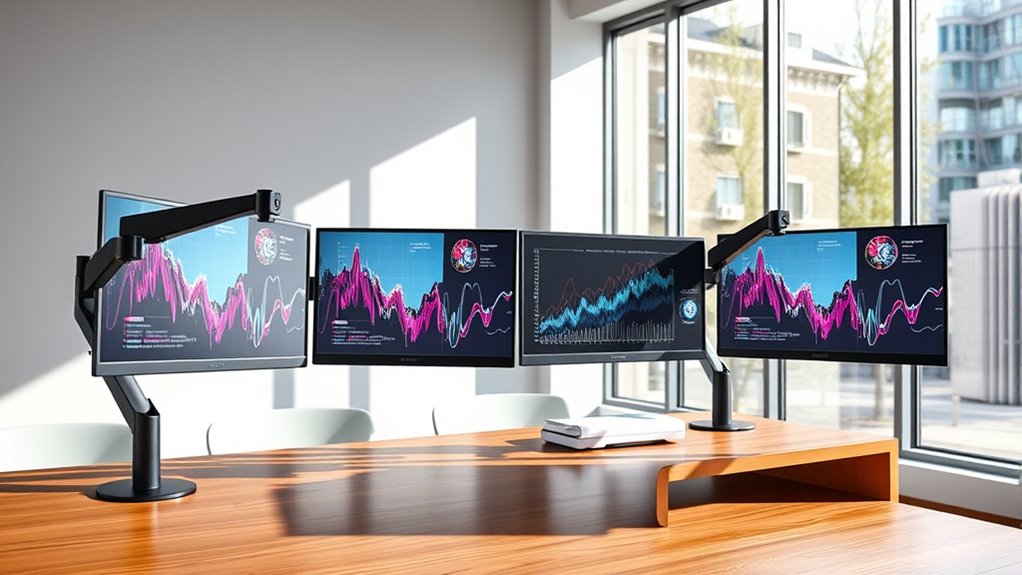
Articulating wall mounts for monitors can free desk space and bring a screen closer, but the right choice depends on your monitor’s VESA pattern, weight, and how far you need it to move. My best overall pick is the monTEK Single Monitor Wall Mount, a spring-arm option for common 17–32-inch screens. The VIVO MOUNT-VW01M stands out for large ultrawides, while the WALI Dual Monitor Wall Mount suits paired compact screens. The main tradeoffs are reach and flexibility versus wall clearance, installation demands, and screen-size limits. Read on for the full comparison and advice on matching a mount to your monitor and wall.

Get the latest gadgets delivered free — and shop member deals
- Fast, free delivery on millions of items
- Access to Prime Big Deal Days deals on October 6–7
- Prime Video, Amazon Music and more included
Complete the kit



Key Takeaways
- The monTEK spring arm is my best overall choice for a typical 17–32-inch single-monitor setup; its main distinction is the spring-arm design rather than a basic TV-style bracket.
- The VIVO MOUNT-VW01M is the lineup’s dedicated ultrawide option, with support listed for screens up to 49 inches; buyers still need to verify monitor weight and VESA compatibility.
- The WALI dual mount is the only listed option built for two monitors, making it a better match for paired screens than buying two single arms without checking wall placement.
- Several mounts cover overlapping 13–32-inch screens, so size range alone does not separate them; movement style, reach, supported weight, and mounting hardware matter more.
- The extra-long single arm and the IWORKBOARD, WALI, and Pipishell TV-style mounts broaden placement choices, but buyers should confirm that the mount’s stated screen and load limits fit their exact display.
| IWORKBOARD 24-inch Full Motion TV Wall Mount (VESA) for 13‑31″ Screens |  | Best for Low-Profile Placement | Screen size range: 13–31 inches; separate specification lists a 20-inch maximum | VESA compatibility: 75 × 75 mm to 100 × 100 mm | Weight capacity: 33 lbs | VIEW ON AMAZON | See Our Full Breakdown |
| monTEK Single Monitor Wall Mount Full Motion Spring Arm for 17-32″ Screens |  | Best for Frequent Repositioning | Screen size: 17–32 inches | VESA compatibility: 75 × 75 mm and 100 × 100 mm | Weight capacity: 4.4–19.8 lbs | VIEW ON AMAZON | See Our Full Breakdown |
| MOUNT PRO Single Monitor Wall Mount for 13 to 32 Inch Screens, Height Adjustable, Full Motion, VESA Compatible, Black |  | Best for Smaller VESA Monitors | Supported screen size: 13–32 inches | VESA compatibility: 75 × 75 mm and 100 × 100 mm | Maximum load: 19.8 lbs | VIEW ON AMAZON | See Our Full Breakdown |
| WALI Single Monitor Wall Mount for 17-34 inch Screens (Up to 22 lbs) |  | Best for Larger Standard Monitors | Compatible screen size: 17–34 inches | Maximum weight: 22 lbs | VESA pattern: 75 × 75 mm and 100 × 100 mm | VIEW ON AMAZON | See Our Full Breakdown |
| VIVO Black Single Ultrawide Wall Mount for Screens up to 49 inches, Model MOUNT-VW01M |  | Best for Ultrawide Displays | Compatible screen size: 13–49 inches | VESA compatibility: 75 × 75 mm and 100 × 100 mm | Maximum load: 44 lbs | VIEW ON AMAZON | See Our Full Breakdown |
| WALI Dual Monitor Wall Mount for 13–27-Inch Screens |  | Best for Dual-Monitor Setups | Screen size: 13–27 inches | Capacity: 22 lbs per arm | VESA compatibility: 75 × 75 mm to 100 × 100 mm | VIEW ON AMAZON | See Our Full Breakdown |
| WALI TV Wall Mount Full Motion for 13-32 inch Monitors (1330LM), Black |  | Best for Simple, Compact Mounting | Screen size: 13–32 inches | Maximum capacity: 33 lbs | VESA compatibility: 75 × 75 mm to 100 × 100 mm | VIEW ON AMAZON | See Our Full Breakdown |
| Pipishell Full Motion TV Wall Mount for 13-43 Inch Flat & Curved Screens |  | Best for Larger Screens and Broad VESA Fit | Screen size: 13–43 inches | Maximum capacity: 44 lbs | VESA compatibility: 75 × 75 mm to 200 × 200 mm | VIEW ON AMAZON | See Our Full Breakdown |
| Monitor Wall Mount for 17-32 inch Screens – Extra Long Single Wall Monitor Arm, Full Motion VESA Bracket, Holds up to 19.8 lbs, Black |  | Best for Deep Desks and Corner Setups | Screen size: 17–32 inches | Maximum load: 19.8 lbs | VESA compatibility: 75 × 75 mm and 100 × 100 mm | VIEW ON AMAZON | See Our Full Breakdown |
| Mount Pro Monitor Wall Mount for 13 to 32 inch Screens, Full Motion VESA Wall Bracket, Holds up to 17.6 lbs, Black |  | Best for High Tilt Range | Screen size: 13–32 inches | Maximum load: 17.6 lbs | VESA compatibility: 75 × 75 mm and 100 × 100 mm | VIEW ON AMAZON | See Our Full Breakdown |
| articulating wall mounts for monitor | VESA compatibility | Tilt | Swivel | Rotation |
|---|---|---|---|---|
| IWORKBOARD 24-inch Full Motion | 75 × 75 mm to 100 × 100 mm | ±15° | 180° | 360° |
| monTEK Single Monitor Wall Mou | 75 × 75 mm and 100 × 100 mm | +90° to -90° | — | — |
| MOUNT PRO Single Monitor Wall | 75 × 75 mm and 100 × 100 mm | +90° to -45° | 180° | 360° |
| WALI Single Monitor Wall Mount | — | +70° to -45° | +90° to -90° | 360° |
| VIVO Black Single Ultrawide Wa | 75 × 75 mm and 100 × 100 mm | +5° to -12° | +45° to -45° | — |
| WALI Dual Monitor Wall Mount f | 75 × 75 mm to 100 × 100 mm | — | — | — |
| WALI TV Wall Mount Full Motion | 75 × 75 mm to 100 × 100 mm | ±15° | 180° | 360° |
| Pipishell Full Motion TV Wall | 75 × 75 mm to 200 × 200 mm | +9°/-11° | Up to 90°; maximum depends on screen size | 360° |
| Monitor Wall Mount for 17-32 i | 75 × 75 mm and 100 × 100 mm | ±35° | ±90° | 180° |
| Mount Pro Monitor Wall Mount f | 75 × 75 mm and 100 × 100 mm | +90°/-45° | ±90° | 360° |
More Details on Our Top Picks
IWORKBOARD 24-inch Full Motion TV Wall Mount (VESA) for 13‑31″ Screens
The IWORKBOARD is a TV-style bracket that can suit a small monitor when compact wall clearance matters more than a long reach. It sits just 2.34 inches from the wall when retracted and extends up to 16.91 inches, with tilt, swivel, and rotation for repositioning. Compared with the monTEK Single Monitor Wall Mount, its reach is shorter and its listed tilt range is narrower, so it is less suited to frequent desk-side adjustments. Its 33-pound capacity is generous for the stated screen range, but the product data conflicts on maximum screen size: the description says up to 31 inches while another specification says 20 inches. I would verify fit before buying. It also needs a wood stud or masonry, not drywall alone.
Pros:- Retracts to a compact 2.34-inch wall clearance
- Offers tilt, swivel, and 360-degree rotation
- 33-pound listed capacity exceeds the needs of many small displays
- Supports wood studs, concrete, and brick
Cons:- Screen-size information conflicts between the 31-inch description and 20-inch specification
- Less extension than the monTEK and MOUNT PRO monitor arms
- Not designed for drywall-only mounting without suitable additional support
Best for: Buyers mounting a small VESA-compatible monitor or compact display close to the wall, with a wood-stud or masonry mounting surface.
Not ideal for: People who need a monitor-first long-reach arm, drywall-only installation, or confidence about fitting a screen near the stated upper size limit.
- Screen size range:13–31 inches; separate specification lists a 20-inch maximum
- VESA compatibility:75 × 75 mm to 100 × 100 mm
- Weight capacity:33 lbs
- Extension range:2.56–16.91 inches
- Tilt:±15°
- Swivel:180°
- Rotation:360°
- Mounting surfaces:Single wood stud, concrete, or brick
- Material and warranty:Heavy-gauge steel; 10-year support guarantee
Our verdict“Choose the IWORKBOARD for a small display that should sit close to the wall, but confirm the supported screen size and mount it to a stud or masonry.”
monTEK Single Monitor Wall Mount Full Motion Spring Arm for 17-32″ Screens
The monTEK is the most adjustment-focused monitor arm in this group: its 21.7-inch extension, 9.84 inches of height adjustment, and full-range tilt make it a strong fit for desks where screen position changes through the day. The quick-release VESA plate can also make attaching a compatible display less fiddly. Compared with the WALI Single Monitor Wall Mount, the monTEK reaches farther and offers a wider stated tilt range, while WALI supports a slightly higher maximum load. Its steel-and-aluminum build and cable management suit a work or gaming setup, but the 4.4-to-19.8-pound limit rules out heavier screens. As with the other articulated arms here, it needs a secure wood-stud or masonry mount rather than unsupported drywall.
Pros:- Extends up to 21.7 inches for flexible desk positioning
- Provides 9.84 inches of height adjustment
- Wide tilt range from +90° to -90°, plus swivel and rotation
- Includes cable management and a quick-release VESA plate
Cons:- Maximum supported weight is 19.8 pounds
- Requires a compatible 75 × 75 mm or 100 × 100 mm VESA pattern
- Needs wood-stud or masonry support rather than drywall alone
Best for: Remote workers and gamers with a 17–32-inch VESA monitor who regularly pull the screen closer, change its height, or rotate it.
Not ideal for: Owners of monitors heavier than 19.8 pounds, screens without standard VESA holes, or anyone mounting to drywall without structural support.
- Screen size:17–32 inches
- VESA compatibility:75 × 75 mm and 100 × 100 mm
- Weight capacity:4.4–19.8 lbs
- Maximum extension:21.7 inches
- Height adjustment:9.84 inches
- Tilt:+90° to -90°
- Swivel and rotation:180° swivel; 360° rotation
- Material:Steel and aluminum
- Mounting and cable management:Wood studs, brick, or concrete; cable management included
Our verdict“Pick the monTEK if you want a long-reaching, frequently adjustable monitor arm and your screen falls within its weight and VESA limits.”
MOUNT PRO Single Monitor Wall Mount for 13 to 32 Inch Screens, Height Adjustable, Full Motion, VESA Compatible, Black
The MOUNT PRO covers a wider size range at the small end than most monitor arms here, supporting screens from 13 to 32 inches while retaining a 21.6-inch reach. That makes it a practical option for a compact home-office monitor that may need to move away from the wall. Its tilt, swivel, and rotation provide the basic positioning flexibility expected from an articulating mount. Compared with the monTEK Single Monitor Wall Mount, it has almost the same extension and a similar 19.8-pound ceiling, but the monTEK adds a stated height-adjustment range and cable management. MOUNT PRO also excludes some strongly curved displays, including 1000R, 1500R, and 1800R models. Material details are not specified, and careful weight calibration may be needed to hold the screen where you want it.
Pros:- Supports monitors as small as 13 inches
- Extends up to 21.6 inches from the wall
- Offers tilt, swivel, and 360-degree rotation
- Fits common 75 × 75 mm and 100 × 100 mm VESA patterns
Cons:- Not compatible with listed 1000R, 1500R, or 1800R curved monitors
- Maximum load is 19.8 pounds
- Material is unspecified, and adjustments may require careful weight calibration
Best for: People with a 13–32-inch standard-curve or flat VESA monitor who want long reach and need support for a smaller screen.
Not ideal for: Owners of 1000R, 1500R, or 1800R curved monitors, screens over 19.8 pounds, or buyers who want documented material and cable-management details.
- Supported screen size:13–32 inches
- VESA compatibility:75 × 75 mm and 100 × 100 mm
- Maximum load:19.8 lbs
- Extension:21.6 inches
- Tilt:+90° to -45°
- Swivel:180°
- Rotation:360°
- Installation surfaces:Wood stud or solid concrete wall
- Curved-screen restriction:Not compatible with 1000R, 1500R, or 1800R monitors
Our verdict“Choose the MOUNT PRO for a smaller standard VESA monitor that needs extended reach, but skip it for the listed strongly curved screens.”
WALI Single Monitor Wall Mount for 17-34 inch Screens (Up to 22 lbs)
For a standard monitor near the upper end of the usual desktop size range, the WALI offers a useful combination of 34-inch screen support and a 22-pound load limit. Its aluminum arm extends 19.3 inches, giving it more reach than the VIVO ultrawide mount, though less than the monTEK and MOUNT PRO. That makes WALI a middle-ground choice: broader screen and weight support than those two arms, without their longer extension. Tilt, swivel, and rotation cover the key viewing adjustments, while the 10-year warranty adds a clear support term. The main omissions are practical: there is no cable-management system listed, and installation is specified for wood or brick walls. Buyers planning a concrete or drywall installation should verify suitable hardware and mounting guidance first.
Pros:- Supports screens up to 34 inches and 22 pounds
- Aluminum arm extends up to 19.3 inches
- Provides tilt, swivel, and 360-degree rotation
- Includes a stated 10-year warranty
Cons:- Less extension than the monTEK and MOUNT PRO arms
- No integrated cable management is listed
- Mounting surfaces are specified as wood and brick, which may not suit every installation
Best for: Desk users with a 17–34-inch standard VESA monitor weighing up to 22 pounds who want a sturdy aluminum arm without needing maximum extension.
Not ideal for: People who need integrated cable routing, a reach beyond 19.3 inches, or a mount clearly specified for their concrete or drywall installation.
- Compatible screen size:17–34 inches
- Maximum weight:22 lbs
- VESA pattern:75 × 75 mm and 100 × 100 mm
- Arm extension:19.3 inches
- Tilt:+70° to -45°
- Swivel:+90° to -90°
- Rotation:360°
- Material:Aluminum
- Warranty:10 years
Our verdict“Choose WALI for a larger standard monitor and a 22-pound capacity, provided its wall-mounting requirements fit your setup.”
VIVO Black Single Ultrawide Wall Mount for Screens up to 49 inches, Model MOUNT-VW01M
The VIVO serves a distinct purpose in this lineup: supporting a large ultrawide monitor rather than maximizing arm travel. Its 44-pound capacity and compatibility with screens up to 49 inches exceed the stated limits of the WALI, monTEK, and MOUNT PRO arms. The tradeoff is reach: at 10.5 inches, it extends much less than those monitor arms, so it suits a screen that mainly stays near the wall rather than one that needs frequent pull-forward adjustments. Tilt, swivel, and leveling adjustments help refine alignment, and integrated cable management keeps a broad display’s wiring tidier. Its VESA support is limited to 75 × 75 mm and 100 × 100 mm, and the stated ±45-degree swivel and modest tilt may be restrictive for wide screens in shared viewing spaces.
Pros:- Supports ultrawide screens up to 49 inches
- 44-pound maximum load is the highest listed in this group
- Low-profile design retracts toward the wall
- Includes leveling adjustments and integrated cable management
Cons:- 10.5-inch extension is substantially shorter than the monTEK and MOUNT PRO arms
- Swivel is limited to +45° to -45°
- Requires a 75 × 75 mm or 100 × 100 mm VESA pattern
Best for: Users mounting a large ultrawide VESA monitor up to 49 inches and 44 pounds who prioritize load capacity and a tidy, low-profile setup.
Not ideal for: People who need a long-reach articulating arm, wide-angle repositioning, or a monitor with a VESA pattern other than 75 × 75 mm or 100 × 100 mm.
- Compatible screen size:13–49 inches
- VESA compatibility:75 × 75 mm and 100 × 100 mm
- Maximum load:44 lbs
- Extension:10.5 inches
- Tilt:+5° to -12°
- Swivel:+45° to -45°
- Material:High-grade steel
- Cable management:Integrated
- Mounting type and color:Wall mount; black
Our verdict“Pick the VIVO for a heavy ultrawide that will stay close to the wall, not for a setup that depends on long arm reach.”
WALI Dual Monitor Wall Mount for 13–27-Inch Screens
When one wall mount needs to support two displays, the WALI Dual Monitor Wall Mount is the purpose-built choice in this group. Each arm supports up to 22 lbs, and the 16–28.5-inch adjustable plate spacing lets you set the screens closer together or farther apart. Its tilt, swivel, and rotation adjustments help align both displays, while integrated cable management keeps the shared setup tidier. Compared with the single-screen WALI TV Wall Mount, this model can clear more desk space at once, but it requires a concrete or brick wall. Wall placement may also restrict how far the arms can tilt and swivel, so it is less flexible than the longer-reaching single arms. I’d choose it for a fixed dual-screen workstation, not a setup that needs frequent repositioning.
Pros:- Supports two monitors, freeing more desk space than the single-screen mounts.
- Holds up to 22 lbs per arm.
- Tilt, swivel, and rotation adjustments help align both screens.
- Includes cable management and supports common VESA patterns.
Cons:- Requires a concrete or brick wall.
- Wall installation can limit tilt and swivel movement.
- Supports screens only up to 27 inches, smaller than several single-arm options here.
Best for: People building a two-monitor workstation on a concrete or brick wall who want both screens off the desk.
Not ideal for: Renters or anyone with drywall-only mounting, or users who need broad, frequent screen movement after installation.
- Screen size:13–27 inches
- Capacity:22 lbs per arm
- VESA compatibility:75 × 75 mm to 100 × 100 mm
- Adjustable plate spacing:16–28.5 inches
- Adjustment:Tilt +45°/-45°; swivel +15°/-15°; rotation +180°/-180°
- Compatible wall types:Concrete or brick
- Material and color:Metal; black
- Warranty:10 years
Our verdict“Choose this WALI when you want two monitors mounted together and have a suitable masonry wall.”
WALI TV Wall Mount Full Motion for 13-32 inch Monitors (1330LM), Black
The WALI 1330LM is the straightforward pick for a modest-size monitor when you want useful movement without a long arm taking up wall space. It extends from 2 to 15 inches, swivels up to 180°, and rotates 360°, giving it more reach and turning range than the dual-screen WALI mount, whose movement can be limited by its wall installation. The 13–32-inch fit and 33-lb capacity also cover a wider size range than that dual-arm option. Its main compromise is articulation: ±15° tilt is less generous than the ±35° offered by the extra-long single monitor arm, and the 15-inch reach is far shorter. Installation is supported on wood, brick, or concrete, but not drywall alone. I’d pick it for basic repositioning rather than deep-desk reach or elaborate ergonomics.
Pros:- Fits screens from 13 to 32 inches and supports up to 33 lbs.
- Swivel and 360° rotation provide flexible screen orientation.
- Extends up to 15 inches and retracts to 2 inches.
- Includes hardware for installation on wood, brick, or concrete walls.
Cons:- Does not support drywall-only mounting.
- ±15° tilt offers less adjustment than the extra-long single monitor arm in this roundup.
- The 15-inch extension falls short of the 25.67- and 30.28-inch-reach alternatives.
Best for: Monitor owners who want a compact, uncomplicated arm with swivel and rotation for a wood, brick, or concrete wall.
Not ideal for: People who need an extra-long reach, generous tilt, or a mount for drywall-only installation.
- Screen size:13–32 inches
- Maximum capacity:33 lbs
- VESA compatibility:75 × 75 mm to 100 × 100 mm
- Tilt:±15°
- Swivel:180°
- Rotation:360°
- Extension:2–15 inches
- Wall plate dimensions:5.9 × 1.6 inches
Our verdict“Choose the WALI 1330LM for a compact, general-purpose mount when moderate reach is enough.”
Pipishell Full Motion TV Wall Mount for 13-43 Inch Flat & Curved Screens
For a monitor or compact display with an uncommon mounting pattern, the Pipishell Full Motion Wall Mount has the broadest stated VESA range among these five, reaching 200 × 200 mm. It also supports screens up to 43 inches and 44 lbs, giving it more size and load headroom than the WALI 1330LM, though it is less monitor-focused than the long-reach arms. Its 14.59-inch extension, 90° swivel, tilt, and 360° rotation offer useful positioning without the 25.67- or 30.28-inch reach of the Mount Pro and extra-long single arm. That shorter reach suits ordinary desk layouts, not deep desks or corner placements. The stated swivel angle can vary with screen size, and buyers need to check their VESA pattern before ordering. I’d favor it for broader fit over maximum arm reach.
Pros:- Supports screens up to 43 inches and 44 lbs.
- VESA compatibility extends up to 200 × 200 mm.
- Offers tilt, 90° swivel, and 360° rotation.
- Steel construction and a five-year warranty are specified.
Cons:- Its 14.59-inch extension is shorter than the long-reach alternatives in this roundup.
- Maximum swivel depends on screen size.
- The screen’s VESA pattern must be checked for compatibility.
Best for: People mounting a larger monitor or compact TV with a VESA pattern up to 200 × 200 mm who need moderate full-motion adjustment.
Not ideal for: Users with deep desks or corner setups that need a long arm, or buyers who cannot confirm their screen’s VESA pattern.
- Screen size:13–43 inches
- Maximum capacity:44 lbs
- VESA compatibility:75 × 75 mm to 200 × 200 mm
- Tilt:+9°/-11°
- Swivel:Up to 90°; maximum depends on screen size
- Rotation:360°
- Extension and retraction:14.59 inches; retracts to 2.7 inches
- Material and warranty:Steel; 5 years
Our verdict“Pick the Pipishell when screen size and broad VESA compatibility matter more than an extra-long reach.”
Monitor Wall Mount for 17-32 inch Screens – Extra Long Single Wall Monitor Arm, Full Motion VESA Bracket, Holds up to 19.8 lbs, Black
The extra-long single monitor arm leads this group for reach: its 30.28-inch extension is the longest stated here, making it a stronger fit for deep desks and corner placements than the Mount Pro’s 25.67-inch arm or the shorter Pipishell. A gas spring mechanism allows smooth height and distance adjustment, so repositioning is less constrained than with the compact WALI 1330LM. The tradeoff is a 19.8-lb capacity and a 17-inch minimum screen size; the WALI 1330LM supports smaller screens and a higher stated load. This arm also needs secure wall support, not drywall alone, and its heavy-duty construction may make installation more demanding. I’d put it first when reach and adjustable positioning are the main priorities, provided the monitor stays within its weight limit.
Pros:- 30.28-inch reach suits deep desks and corner setups.
- Gas spring arm allows smooth height and distance adjustment.
- Tilt, swivel, and rotation support ergonomic repositioning.
- Supports 17–32-inch screens with 75 × 75 mm or 100 × 100 mm VESA patterns.
Cons:- Maximum load is 19.8 lbs, below the capacities of the WALI 1330LM and Pipishell.
- Does not support screens smaller than 17 inches.
- Requires secure wall support, and the steel construction may complicate installation.
Best for: People with deep desks or corner workstations who need a single monitor arm with long reach and gas-spring height adjustment.
Not ideal for: Owners of monitors under 17 inches or over 19.8 lbs, and anyone mounting to drywall without suitable support.
- Screen size:17–32 inches
- Maximum load:19.8 lbs
- VESA compatibility:75 × 75 mm and 100 × 100 mm
- Reach and retracted depth:30.28 inches; 3.6 inches
- Tilt:±35°
- Swivel:±90°
- Rotation:180°
- Material and color:Alloy steel; black
Our verdict“Choose this arm for a deep desk or corner layout if your monitor weighs no more than 19.8 lbs.”
Mount Pro Monitor Wall Mount for 13 to 32 inch Screens, Full Motion VESA Wall Bracket, Holds up to 17.6 lbs, Black
The Mount Pro wall mount suits buyers who want broad screen-angle adjustment in a single-monitor arm without needing the longest reach in the group. Its stated +90°/-45° tilt range is unusually wide compared with the WALI 1330LM’s ±15° and the extra-long arm’s ±35°, while its 25.67-inch extension gives it more placement flexibility than the Pipishell. The arm also retracts to 3.17 inches and offers ±90° swivel and 360° rotation. Its 17.6-lb load limit is the lowest among these five, though, so monitor weight deserves a close check; the extra-long arm allows 19.8 lbs and the Pipishell 44 lbs. It is not compatible with specified 1000R, 1500R, or 1800R curved screens and needs proper wall support. I’d choose it for angle flexibility, not heavier displays.
Pros:- Wide stated tilt range of +90°/-45°.
- Extends 25.67 inches while retracting to 3.17 inches.
- Provides ±90° swivel and 360° rotation.
- Fits 13–32-inch monitors with 75 × 75 mm or 100 × 100 mm VESA patterns.
Cons:- 17.6-lb maximum capacity is lower than the other listed mounts.
- Not compatible with 1000R, 1500R, or 1800R curved screens.
- Requires proper wall support and is not suitable for drywall alone.
Best for: People with a lightweight, flat monitor who need a long extension and unusually broad tilt adjustment for work or gaming.
Not ideal for: Owners of monitors over 17.6 lbs or 1000R, 1500R, or 1800R curved screens, and anyone without suitable wall support.
- Screen size:13–32 inches
- Maximum load:17.6 lbs
- VESA compatibility:75 × 75 mm and 100 × 100 mm
- Extension and retraction:25.67 inches; retracts to 3.17 inches
- Tilt:+90°/-45°
- Swivel:±90°
- Rotation:360°
- Color:Black
Our verdict“Choose the Mount Pro for a lightweight monitor when wide tilt adjustment matters more than load capacity.”
How We Picked
I compared the ten options by the factors that shape everyday monitor placement: stated screen-size range, weight capacity when provided, VESA compatibility, movement style, and whether the design serves one screen, two screens, or an ultrawide. I gave extra weight to clear monitor-specific fit information and useful distinctions such as a spring arm, extended reach, or broad screen support. A mount’s advertised maximum screen size alone was not treated as proof that it fits every display of that size.
The ranking favors options with a clear role and a practical fit for common desk setups. The monTEK leads as a single-monitor spring-arm choice, while the VIVO and WALI dual mount rank highly for their distinct ultrawide and two-screen uses. More general TV-style mounts remain useful for shoppers who prioritize flexible screen coverage, but they rank lower when product details provide less information about monitor-specific movement or load limits. Before buying any pick, I would check the monitor’s weight without its stand, VESA pattern, wall construction, and the included mounting instructions.
Factors to Consider When Choosing Articulating Wall Mounts For Monitors
Choosing between articulating mounts is less about finding the longest feature list and more about avoiding a mismatch between the screen, wall, and way you work. I would check fit and installation requirements before comparing arm styles, then decide how much movement you will actually use.
Match the Mount to the Monitor, Not Just Its Screen Size
Screen-size ranges are useful filters, but they do not tell the whole fit story. Check the monitor’s VESA hole pattern and its weight without the original stand, then compare both with the mount’s stated limits. A large display can still be too heavy for a mount, while a smaller screen may have an unusual mounting pattern. Curved screens also need enough clearance for their shape and ports when the arm swivels. If the product details do not state a weight limit or VESA range clearly, I would verify compatibility with the seller or manufacturer before ordering.
Choose Movement You Will Use
An articulating arm helps only when its movement matches your routine. If you regularly pull a monitor forward, turn it toward another seat, or adjust its position during the day, prioritize arm reach and tilt or swivel range. For a screen that stays in one position, a simpler bracket may take up less space and offer fewer joints to adjust. More articulation can also mean more room for the arm to fold and more leverage on the wall when extended. I would measure the distance from the wall to the preferred screen position instead of relying on a general label such as full motion.
Plan for Wall Type and Installation
A mount’s listed capacity does not replace secure installation into an appropriate wall structure. Check whether the instructions specify stud mounting, masonry anchors, or another approved method, and do not assume supplied hardware suits every wall. For a dual-screen mount, plan the combined screen placement before drilling; the monitors may need to sit off-center to align with studs or avoid shelves. A long arm also puts more leverage on its attachment point when extended. If your wall construction or mounting location is uncertain, get qualified installation advice rather than improvising with unsuitable anchors.
Account for Desk Depth, Wall Clearance, and Cables
Measure the monitor’s full depth and the space available behind it, including cables and connectors. An arm that folds close to the wall can be helpful in a tight room, while an extra-long arm is more useful when the screen must reach over a deep desk or move around an obstacle. Check whether the arm’s joints or cable routing could press against the wall or kink display and power leads. Leave enough slack for the full range of motion, but keep cables secured so they do not snag. A quick paper or tape outline of the screen’s intended positions can reveal clearance problems before installation.
Decide When a Specialized Mount Is Worth It
A dedicated ultrawide mount or dual-monitor bracket can simplify a setup that a standard single-screen arm cannot serve cleanly. The tradeoff is less flexibility if your display arrangement changes, so think about future screen upgrades before committing. Two separate arms allow independent placement but require two suitable wall attachment points and more installation planning. A purpose-built dual mount may keep the screens coordinated, though its arrangement can constrain spacing. I would pay for a specialized design when it solves a real placement problem, not just because the product name promises broader compatibility.
Look Beyond the Word Full Motion
Full motion does not mean every mount offers the same range, ease of adjustment, or stability. Compare the listed articulation details, supported load, arm construction, and adjustment method where available. A spring arm may make frequent repositioning easier, while a more basic articulated bracket may suit a screen that moves only occasionally. Treat missing specifications as unknowns rather than assuming they match a more detailed product. When two mounts cover the same screen size, I would choose based on verified load fit and movement needs before appearance.
Frequently Asked Questions
Can I use a TV wall mount for a computer monitor?
Often, but only when the monitor’s VESA pattern and weight fit the mount’s stated limits. Some products in this roundup are marketed as TV mounts while covering smaller screens, but their screen-size range alone does not confirm compatibility with every monitor. Check whether the bracket allows the tilt and rotation you need at a desk, since TV-oriented designs may position a screen differently from a monitor arm. Also check that the screen can sit close enough to the wall or reach far enough forward for your setup. Confirm the mounting instructions and supported wall type before installation.
How do I know whether a mount can hold my monitor?
Compare the monitor’s weight without its stand with the mount’s maximum load, and verify the VESA pattern matches the bracket. Do not use screen diagonal as a substitute for either check: monitors of the same size can vary in weight and mounting layout. If the monitor is near the stated capacity, allow room for any accessories attached to the display and follow the manufacturer’s guidance. A dual mount may have a limit per arm as well as a total limit, so check both figures. If a listing omits the load limit or pattern details, ask for clarification before buying.
Should I choose a spring arm or a standard articulating bracket?
A spring arm is generally a better fit when you expect to reposition the monitor often and want adjustments to feel more convenient. A standard articulating bracket can be sufficient when you mainly need to set the screen once and occasionally tilt or turn it. The spring mechanism does not remove the need to match the monitor’s weight range, and an arm’s reach may affect how much wall space it needs. Compare the actual movement and adjustment details rather than relying on the product name alone. For a mostly fixed screen, simpler movement may be all you need.
Is a dual-monitor wall mount better than two single mounts?
A dual mount can make sense when you want two screens arranged as one workspace and the listed size and load limits match both displays. Two single mounts offer more independent positioning, which can help with monitors of different sizes or an uneven desk layout. They also require separate wall attachment points, so stud locations and screen spacing may complicate installation. With either approach, check the VESA pattern and weight for each monitor rather than assuming the pair is supported because the total load seems acceptable. Plan the final screen positions before drilling.
How much wall clearance should I leave for an articulating monitor arm?
There is no single clearance figure that fits every mount, because arm length, joint placement, monitor depth, and cable connections all affect movement. Measure from the wall to the back of the screen in both its folded and extended positions, then check for shelves, windows, and nearby furniture. Leave room for cables to bend without being pinched as the screen swivels or tilts. If the monitor has rear-facing ports, account for the connector and cable plug, not only the display casing. Product diagrams or installation instructions are the best source for the mount’s folded depth and reach.
Conclusion
For most single-monitor desks, I would start with the monTEK spring-arm mount as the best overall fit among these picks. The best value-minded choice is a basic option from the overlapping 13–32-inch group, such as the MOUNT PRO, after confirming its weight limit and movement details suit your screen. For a larger display, the VIVO MOUNT-VW01M is the best premium-style specialist in this lineup; for two screens, choose the WALI dual mount if its per-screen limits and arrangement work for your setup. Beginners should favor a clearly documented mount that matches their monitor and wall, rather than choosing by screen-size range alone. For extra reach, compare the long-arm model; for a compact TV-style bracket, look at IWORKBOARD, WALI 1330LM, or Pipishell, checking each product’s exact specifications before purchase.
Fall Picks
fall essentials
As an affiliate, we earn on qualifying purchases.