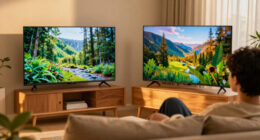
The best RGB LED TVs in this roundup pair Mini-LED or QLED backlighting with 4K resolution, but they differ in screen size, gaming features, smart-TV experience, and how much room they need. I’d choose the Hisense 65-inch U8 Series as the best overall starting point for buyers seeking a versatile Mini-LED set, while the TCL 75-inch QM8L stands out for a large screen and 144Hz gaming support. The Roku Pro Series is a more approachable option for viewers who want a familiar streaming interface. The main tradeoffs are screen size versus room fit, gaming specs versus everyday simplicity, and feature breadth versus ease of use. Read on for the full breakdown and guidance on which type of TV fits your setup.

Get the latest gadgets delivered free with Prime
- Fast, free delivery on millions of items
- Prime Video, Amazon Music and more included
- Member-only deals all year
Complete the kit



Key Takeaways
Screen size changes the shortlist: the TCL QM8L is the largest option at 75 inches, while the 55-inch models suit tighter viewing spaces better.
Gaming priorities point toward the TCL QM8L: its listed 144Hz refresh rate makes it the clearest fit here for buyers seeking high-refresh-rate gaming.
Smart-TV interface is a real separator: the Philips uses Roku TV, while the Hisense and TCL use Google TV; choose around the interface you prefer to use every day.
Model names alone do not settle performance: this lineup spans several Mini-LED and QLED models, so verify the exact panel, local-dimming, and input specifications for the size you plan to buy.
There is no single best fit for every room: 65-inch models offer a middle ground, 55-inch choices favor compact spaces, and the 75-inch TCL needs a room and seating distance that can accommodate it.
| Hisense 65-inch U8 Series Mini-LED 4K UHD Smart Google TV (65U8QG) |  | Best for High-Performance Gaming | Screen size: 65 inches | Resolution: 4K UHD | Display technology: Mini-LED, QLED | VIEW LATEST PRICE | See Our Full Breakdown |
| LG 55-inch QNED73B Mini LED 4K Smart TV (2026) |  | Best for Simple, Everyday Viewing | Screen size: 55 inches | Resolution: 4K UHD | Display technology: Mini LED | VIEW LATEST PRICE | See Our Full Breakdown |
| Philips 55-Inch Class 7985 Series 4K UHD QLED Ambilight Smart Roku TV |  | Best for Ambient Viewing | Screen size: 55 inches | Resolution: 4K UHD (3840 × 2160) | Display technology: QLED | VIEW LATEST PRICE | See Our Full Breakdown |
| Samsung 65-Inch M70H Series Mini LED 4K Smart TV (2026) |  | Best for a Big-Screen Samsung Setup | Screen size: 65 inches | Resolution: 4K | Display technology: Mini LED | VIEW LATEST PRICE | See Our Full Breakdown |
| Samsung 55-Inch M80H Series 4K Mini LED Smart TV (2026) |  | Best for Compatible PC Gaming | Screen size: 55 inches | Resolution: 4K | Display technology: Mini LED | VIEW LATEST PRICE | See Our Full Breakdown |
| Roku 55-Inch Pro Series Smart TV – 4K QLED Mini-LED |  | Best for Simple, Smooth Gaming | Screen size: 55 inches | Display: 4K UHD QLED Mini-LED | Refresh rate: 120Hz | VIEW LATEST PRICE | See Our Full Breakdown |
| LG 65-inch QNED evo AI QNED84B Mini LED 4K Smart TV (2026) |  | Best for 144Hz Gaming in a Mid-Size Room | Screen size: 65 inches | Display: Mini-LED, 4K UHD | Refresh rate: 144Hz | VIEW LATEST PRICE | See Our Full Breakdown |
| TCL 75-Inch QM8L Series 4K QLED Mini-LED Google TV, 144Hz |  | Best for Bright, Big-Screen Viewing | Screen size: 75 inches | Display: 4K QLED Mini-LED | Refresh rate: 144Hz native | VIEW LATEST PRICE | See Our Full Breakdown |
| RGB LED TV | Screen size | Refresh rate | Smart platform | Resolution |
|---|---|---|---|---|
| Hisense 65-inch U8 Series Mini | 65 inches | — | Google TV | 4K UHD |
| LG 55-inch QNED73B Mini LED 4K | 55 inches | 60Hz | webOS | 4K UHD |
| Philips 55-Inch Class 7985 Ser | 55 inches | 60Hz (120 PMR) | Roku OS | 4K UHD (3840 × 2160) |
| Samsung 65-Inch M70H Series Mi | 65 inches | 60Hz; DLG up to 120Hz | — | 4K |
| Samsung 55-Inch M80H Series 4K | 55 inches | 120Hz; up to 144Hz for compatible PC games | — | 4K |
| Roku 55-Inch Pro Series Smart | 55 inches | 120Hz | Roku OS | — |
| LG 65-inch QNED evo AI QNED84B | 65 inches | 144Hz | webOS | — |
| TCL 75-Inch QM8L Series 4K QLE | 75 inches | 144Hz native | Google TV with Gemini | — |
More Details on Our Top Picks
Hisense 65-inch U8 Series Mini-LED 4K UHD Smart Google TV (65U8QG)
The Hisense U8QG is my strongest pick here for buyers who want a large RGB LED TV that can handle both bright-room viewing and demanding games. Its 165Hz panel, variable refresh rate, and FreeSync Premium Pro support give it a motion advantage over the Samsung M70H and the 60Hz LG QNED73B. Up to 5,000 nits of peak brightness and as many as 5,600 dimming zones are listed as maximums, so I would treat those figures as ceilings rather than guaranteed performance in every scene. It also offers Dolby Vision IQ and HDR10+ Adaptive, plus a substantial built-in Atmos speaker system. The tradeoff is that its size and gaming-first spec set may be more than casual viewers need, and its built-in sound may still fall short of a separate home theater setup.
Pros:- 165Hz panel and 48Hz–165Hz variable refresh range suit fast gameplay.
- Mini-LED local dimming and QLED color support vivid highlights and stronger scene contrast.
- Supports Dolby Vision IQ, HDR10+ Adaptive, HDR10, HLG, and Advanced HDR by Technicolor.
- Built-in 4.1.2-channel Dolby Atmos audio system is more substantial than the two-channel setups listed for some rivals.
Cons:- Advertised peak brightness and dimming-zone counts are maximum figures, not guaranteed results in every viewing condition.
- Built-in audio may not provide the impact or separation of a dedicated home theater system.
- Its gaming-focused capabilities may be unnecessary for viewers who mainly watch shows and movies.
Best for: Console and PC gamers who want a 65-inch screen, high refresh-rate support, and extensive HDR format coverage.
Not ideal for: Casual viewers seeking a straightforward, lower-spec 55-inch set, or buyers who expect built-in TV speakers to replace a dedicated surround system.
- Screen size:65 inches
- Resolution:4K UHD
- Display technology:Mini-LED, QLED
- Smart platform:Google TV
- Native refresh rate:165Hz
- Variable refresh rate:48Hz–165Hz
- Peak brightness:Up to 5,000 nits
- HDR formats:Dolby Vision IQ, HDR10+ Adaptive, HDR10, HLG, Advanced HDR by Technicolor
- Audio:4.1.2-channel Dolby Atmos, up to 82W
Our verdict“Choose the U8QG if high-refresh gaming, broad HDR support, and a bright 65-inch Mini-LED picture matter more than keeping the setup simple.”
LG 55-inch QNED73B Mini LED 4K Smart TV (2026)
I’d point everyday streamers toward the LG QNED73B when they want Mini-LED backlighting and an easy-to-use smart platform without paying for gaming specs they may never use. The a7 AI Processor 4K Gen9 handles picture and sound adjustments, while Filmmaker Mode gives movie viewers a way to preserve a more director-led presentation. Its 55-inch size is easier to fit than the 65-inch Hisense U8QG or Samsung M70H, but the 60Hz refresh rate is a clear limit: neither fast-action gaming nor high-frame-rate sports gets the motion headroom available on the Hisense. HDR support is also narrower, with HDR10 and HLG rather than Dolby Vision. I see this as a sensible living-room choice for streaming and casual gaming, not a set for buyers chasing premium motion or the broadest HDR support.
Pros:- 55-inch Mini-LED display provides a more manageable size than the 65-inch Hisense U8QG and Samsung M70H.
- a7 AI Processor 4K Gen9 is designed to enhance picture and sound based on the content.
- Filmmaker Mode offers a viewing option aimed at preserving intended colors and frame rates.
- webOS includes Game Optimizer, ALLM, and cloud gaming support.
Cons:- 60Hz refresh rate is a major limitation for high-frame-rate gaming and motion-focused buyers.
- HDR format support is limited to HDR10 and HLG, without Dolby Vision.
- Full smart features and software updates require an internet connection and LG account.
Best for: Households that mainly stream films and shows, want a 55-inch Mini-LED TV, and value webOS and basic gaming tools over high refresh rates.
Not ideal for: Competitive console or PC gamers who want 120Hz or faster, or movie collectors who specifically need Dolby Vision support.
- Screen size:55 inches
- Resolution:4K UHD
- Display technology:Mini LED
- Refresh rate:60Hz
- Processor:a7 AI Processor 4K Gen9
- HDR formats:HDR10, HLG
- Smart platform:webOS
- Dimensions with stand:48.3 × 30.6 × 9.1 inches
Our verdict“Pick the QNED73B for a straightforward 55-inch streaming TV with Mini-LED and webOS, but choose the Hisense U8QG if gaming motion is a priority.”
Philips 55-Inch Class 7985 Series 4K UHD QLED Ambilight Smart Roku TV
The Philips 7985 is the most distinctive pick for viewers who want the room itself to contribute to the viewing experience. Ambilight casts screen-matched colors onto the wall, adding a glow that the Samsung M80H and LG QNED73B do not offer. Its QLED panel supports Dolby Vision as well as HDR10 and HLG, while Roku OS keeps streaming access familiar and direct. That makes it appealing for films and everyday TV, but the 60Hz panel and edge-lit backlighting are meaningful compromises beside the Mini-LED sets in this roundup. The Hisense U8QG, for example, offers far more gaming headroom and local dimming. I’d choose Philips for its ambient effect and simple Roku interface, not for the deepest blacks, most precise contrast, or high-refresh gaming.
Pros:- Ambilight projects screen-matched colors onto the wall for a more immersive room effect.
- Roku OS provides a straightforward interface for streaming apps and free live channels.
- Dolby Vision, HDR10, and HLG support offer broader HDR coverage than the Samsung M80H’s listed HDR10+ format.
- Four HDMI inputs include eARC for connecting a soundbar or receiver.
Cons:- 60Hz native refresh rate is less suited to high-frame-rate gaming than the Hisense U8QG.
- Edge-lit backlighting lacks the local dimming listed for the Mini-LED competitors.
- One USB port limits how many USB accessories or media devices can stay connected.
Best for: Roku users and film viewers who want screen-synced room lighting, Dolby Vision, and a simple streaming interface in a 55-inch TV.
Not ideal for: Gamers seeking high refresh rates or viewers who prioritize full-array local dimming and stronger dark-scene control.
- Screen size:55 inches
- Resolution:4K UHD (3840 × 2160)
- Display technology:QLED
- Refresh rate:60Hz (120 PMR)
- HDR formats:Dolby Vision, HDR10, HLG
- Smart platform:Roku OS
- HDMI ports:4, including eARC on HDMI 1
- Audio:Dolby Atmos, 2 built-in speakers
Our verdict“Choose the Philips 7985 if Ambilight and Roku simplicity are your priorities, but favor a Mini-LED model for more demanding contrast or gaming needs.”
Samsung 65-Inch M70H Series Mini LED 4K Smart TV (2026)
For buyers set on a 65-inch screen, the Samsung M70H offers Mini-LED backlighting and Samsung’s connected-TV features without the high-refresh emphasis of the Hisense U8QG. Its HDR10+ support, color enhancement, and Samsung TV Plus channels suit everyday viewing, while a listed brightness ceiling of 350 nits signals a more modest brightness profile than the Hisense’s advertised maximum. The headline gaming feature needs careful reading: DLG can reach 120Hz, but the product data warns that this mode may reduce image sharpness. That makes the M70H a less convincing choice for detail-conscious gamers than the Samsung M80H, which lists 120Hz and up to 144Hz for compatible PC games. I’d choose this model for screen size and familiar Samsung features, not for top-tier HDR brightness or uncompromised fast-motion detail.
Pros:- 65-inch Mini-LED screen gives more viewing area than the 55-inch Samsung M80H and LG QNED73B.
- HDR10+ and color enhancement support vivid everyday viewing.
- Samsung TV Plus adds access to free streaming channels.
- Bluetooth, HDMI, USB, and Wi-Fi cover common device and network connections.
Cons:- Maximum listed brightness is 350 nits, below the Hisense U8QG’s advertised peak brightness.
- DLG 120Hz mode can reduce image sharpness, weakening its appeal for detail-focused gaming.
- Dimming is described as software-based rather than full-array hardware-based.
Best for: Samsung TV users who want a 65-inch Mini-LED screen for general streaming, TV Plus channels, and occasional gaming.
Not ideal for: Bright-room viewers seeking high peak brightness, or gamers who want sharp 120Hz gameplay without a resolution tradeoff.
- Screen size:65 inches
- Resolution:4K
- Display technology:Mini LED
- Refresh rate:60Hz; DLG up to 120Hz
- HDR format:HDR10+
- Maximum brightness:350 nits
- Screen finish:Glossy
- Weight:31.7 pounds
Our verdict“Choose the M70H for a 65-inch Samsung smart-TV experience, but look to the Hisense U8QG for stronger listed brightness and more capable gaming specifications.”
Samsung 55-Inch M80H Series 4K Mini LED Smart TV (2026)
The Samsung M80H is the more compelling Samsung choice for buyers with a compatible gaming PC: it lists a 120Hz refresh rate and Motion Xcelerator support up to 144Hz for compatible PC games. That gives it a clearer gaming role than the 65-inch M70H, whose DLG 120Hz mode may reduce sharpness. At 55 inches, it also takes up less room than the M70H or Hisense U8QG. Samsung’s NQ4 AI Gen2 processor handles upscaling and SDR remastering, which may help older or lower-resolution content look more polished on a 4K screen. The tradeoffs are fewer HDR formats—the listing specifies HDR10+—and two-channel, 20-watt audio. I’d favor the Hisense for broader HDR support and more substantial built-in sound, but the M80H makes more sense for PC gamers who can use its higher refresh modes.
Pros:- 120Hz refresh rate with support up to 144Hz for compatible PC games.
- NQ4 AI Gen2 processor is designed to upscale content and remaster SDR for an HDR-like look.
- 55-inch format is easier to place than the 65-inch Samsung M70H or Hisense U8QG.
- Tizen provides access to streaming apps, games, and free channels.
Cons:- 144Hz mode requires a compatible PC game and graphics card.
- The listed HDR format is HDR10+, without Dolby Vision support.
- Two-channel, 20-watt audio is less substantial than the Hisense U8QG’s built-in 4.1.2-channel system.
Best for: PC gamers with compatible hardware who want a 55-inch Mini-LED TV with refresh support up to 144Hz.
Not ideal for: Console-focused buyers who cannot use the 144Hz PC mode, or viewers who want broader HDR format support and stronger built-in audio.
- Screen size:55 inches
- Resolution:4K
- Display technology:Mini LED
- Refresh rate:120Hz; up to 144Hz for compatible PC games
- Processor:NQ4 AI Gen2
- HDR format:HDR10+
- Operating system:Tizen
- Audio output:20 watts, 2 channels
Our verdict“Choose the M80H if your compatible PC can use its high-refresh modes; for broader HDR and stronger built-in sound, the Hisense U8QG is the better fit.”
Roku 55-Inch Pro Series Smart TV – 4K QLED Mini-LED
The 55-inch Roku Pro Series pairs QLED color with Mini-LED local dimming, giving it a stronger contrast-focused picture than a basic 4K set. Its 120Hz panel, VRR, and FreeSync Premium Pro make it a practical choice for console gaming and fast sports, though the TCL QM8L and LG QNED84B offer higher 144Hz refresh rates for compatible setups. Roku OS is the clearer draw for viewers who want straightforward streaming and voice control without spending time sorting through a more feature-dense interface. Dolby Atmos support and side-firing speakers add convenience, but they do not replace a separate sound system for room-filling audio. The glossy screen can reflect windows or lamps, and its 40.9-pound weight calls for sturdy support. I’d rank it for ease of use and gaming balance, not maximum screen size or refresh rate.
Pros:- QLED Mini-LED display with Dolby Vision IQ supports vivid color and stronger contrast.
- 120Hz refresh rate, VRR, ALLM, and FreeSync Premium Pro suit responsive gaming and sports.
- Roku OS offers straightforward streaming access, voice control, and free content options.
- Dolby Atmos support and Bluetooth headphone mode provide flexible listening.
Cons:- Glossy screen can reflect windows and lights in bright rooms.
- At 40.9 pounds, it needs a sturdy stand or wall mount.
- Four HDMI ports may be limiting for setups with several consoles and other devices.
Best for: Console gamers and streaming households who want a manageable 55-inch Mini-LED TV with simple Roku navigation and a 120Hz picture.
Not ideal for: Bright-room viewers with windows opposite the screen, or PC gamers seeking a 144Hz panel and buyers needing more than four HDMI connections.
- Screen size:55 inches
- Display:4K UHD QLED Mini-LED
- Refresh rate:120Hz
- HDR formats:Dolby Vision, HDR10, HDR10+, HLG
- Connectivity:4 HDMI, 3 USB, Ethernet, Wi-Fi, Bluetooth
- Smart platform:Roku OS
- Audio:Dolby Atmos, Roku Soundstage Audio
- Weight:40.9 lbs
Our verdict“Choose the Roku Pro Series for an easy-to-use 55-inch Mini-LED TV with capable 120Hz gaming, but pick the LG QNED84B or TCL QM8L if 144Hz is your priority.”
LG 65-inch QNED evo AI QNED84B Mini LED 4K Smart TV (2026)
The LG QNED84B is the lineup’s gaming-focused 65-inch pick: its 144Hz refresh rate, VRR, FreeSync, and ALLM give compatible gaming PCs and consoles a smooth, responsive display. Compared with the Roku Pro Series, it offers a larger screen and a higher refresh ceiling; compared with the 75-inch TCL QM8L, it takes up less wall space. The α8 AI processor adjusts picture and sound settings around the content, while webOS brings streaming apps and voice control together. There are limits behind the gaming headline: reaching 144Hz depends on a compatible PC, and Motion Booster 288 runs at optimized Full HD rather than native 4K. HDR support is listed as HDR10 and HLG, and the glossy finish can produce distracting reflections. I’d choose it for gaming performance and room-friendly size, not for the broadest HDR format support.
Pros:- 144Hz refresh rate with VRR, FreeSync, and ALLM supports smooth gaming with compatible hardware.
- 65-inch Mini-LED 4K display balances an expansive picture with less wall space than the 75-inch TCL QM8L.
- α8 AI Processor 4K Gen3 adjusts picture and sound processing for different content.
- webOS includes streaming access, voice control, and gaming menus.
Cons:- Full 144Hz performance requires a compatible PC graphics card.
- Motion Booster 288 operates at optimized Full HD rather than native 4K.
- Glossy screen can reflect ambient light, and listed HDR formats exclude Dolby Vision.
Best for: PC and console gamers who want a 65-inch Mini-LED TV with a high refresh rate, VRR, and a smart platform for everyday streaming.
Not ideal for: Buyers who need Dolby Vision support, play mostly in a glare-prone bright room, or expect Motion Booster 288 to retain native 4K resolution.
- Screen size:65 inches
- Display:Mini-LED, 4K UHD
- Refresh rate:144Hz
- Processor:α8 AI Processor 4K Gen3
- HDR formats:HDR10, HLG
- Gaming features:VRR, FreeSync, ALLM, Game Dashboard, Game Optimizer
- Smart platform:webOS
- Dimensions without stand:57.3 × 33.1 × 2.7 inches
Our verdict“Pick the LG QNED84B if a 65-inch screen and 144Hz gaming matter more than Dolby Vision or the TCL QM8L’s larger 75-inch image.”
TCL 75-Inch QM8L Series 4K QLED Mini-LED Google TV, 144Hz
The TCL QM8L makes the strongest case here for a big, vivid picture: its 75-inch QLED Mini-LED screen pairs up to 4,000+ dimming zones and 6,000-nit peak brightness with a native 144Hz refresh rate. That combination is aimed at viewers who want impactful highlights for movies and sports, plus smooth motion for gaming. The LG QNED84B is a more space-conscious 65-inch alternative, while the Roku Pro Series offers a simpler Roku interface in a smaller size. Google TV with Gemini and AI picture features bring content discovery and processing together, and the Bang & Olufsen audio system includes built-in subwoofers and surround channels. Its glossy finish can still reflect room lighting, and the listed HDR format is HDR10, so the feature sheet is less broad than the Roku’s. Optional wireless subwoofer and satellite speakers add-ons are separate.
Pros:- 75-inch QLED Mini-LED screen offers an expansive picture for movies and sports.
- Up to 4,000+ dimming zones and 6,000 nits peak brightness support bright highlights and contrast.
- Native 144Hz refresh rate and AMD FreeSync Premium Pro support smooth gaming.
- Google TV with Gemini pairs content discovery with AI picture features and built-in Bang & Olufsen audio.
Cons:- Large screen needs substantial room and wall space.
- Glossy finish can reflect windows and lights.
- The listed HDR format is HDR10, and wireless subwoofer and satellite speakers are optional.
Best for: Movie and sports viewers who want a large, bright 75-inch screen, plus a native 144Hz panel for gaming.
Not ideal for: Buyers with limited wall or viewing space, those who need a low-reflection screen, or viewers prioritizing a wider listed HDR format selection.
- Screen size:75 inches
- Display:4K QLED Mini-LED
- Refresh rate:144Hz native
- Peak brightness:Up to 6,000 nits
- Dimming zones:Up to 4,000+
- Contrast ratio:7000:1
- HDR format:HDR10
- Smart platform:Google TV with Gemini
- Audio:Bang & Olufsen audio, Dolby Atmos
Our verdict“Choose the TCL QM8L for a bright, expansive 75-inch Mini-LED screen with native 144Hz gaming, but opt for the LG QNED84B if a smaller footprint matters more.”
How We Picked
I ranked these TVs around the decisions that have the biggest effect on ownership: screen-size fit, the listed display and gaming features, smart-TV usability, and how well each model suits a distinct buyer. Because product names and feature sets vary across this group, I treated stated specifications as the basis for comparison and avoided assuming performance details that were not provided. The TCL QM8L earns a distinct place for its 144Hz listing and 75-inch size; the Roku Pro Series and Philips Ambilight model offer different paths for viewers who value a familiar streaming setup.
The order also reflects versatility. I put the Hisense U8 first as the broadest starting recommendation from the information available, then weigh the LG and Samsung models as alternatives for buyers with specific brand, size, or feature preferences. A larger screen or a more elaborate feature list does not automatically make a better pick: room dimensions, connected devices, and the interface you prefer can matter more than a headline specification. Buyers should check the exact model-year specifications and regional variants before choosing.
| RGB LED TV | Display technology | Smart platform | HDR formats |
|---|---|---|---|
| Hisense 65-inch U8 Series Mini | Mini-LED, QLED | Google TV | Dolby Vision IQ, HDR10+ Adaptive, HDR10, HLG, Advanced HDR by Technicolor |
| LG 55-inch QNED73B Mini LED 4K | Mini LED | webOS | HDR10, HLG |
| Philips 55-Inch Class 7985 Ser | QLED | Roku OS | Dolby Vision, HDR10, HLG |
| Samsung 65-Inch M70H Series Mi | Mini LED | — | — |
| Samsung 55-Inch M80H Series 4K | Mini LED | — | — |
| Roku 55-Inch Pro Series Smart | — | Roku OS | Dolby Vision, HDR10, HDR10+, HLG |
| LG 65-inch QNED evo AI QNED84B | — | webOS | HDR10, HLG |
| TCL 75-Inch QM8L Series 4K QLE | — | Google TV with Gemini | — |
Factors to Consider When Choosing Best RGB LED TVs
Before choosing from this lineup, I’d match the TV to the room and the way it will be used rather than treating RGB LED, Mini-LED, and QLED labels as a complete performance ranking. These broader checks can help avoid paying for features that do not fit your space or overlooking details that matter with your devices.
Match Screen Size to Viewing Distance
A larger screen can make films and games feel more immersive, but it can also dominate a small room or make close-up viewing uncomfortable. Measure the space between the TV and your main seat before settling on 55, 65, or 75 inches. The options here make that choice concrete: the TCL is 75 inches, while several LG, Samsung, Philips, and Roku models are 55 inches. Do not assume a bigger set is automatically the better upgrade if it forces an awkward wall placement or blocks furniture. Check the TV’s full width, stand footprint, and mounting pattern, since the screen measurement alone does not tell you whether it will fit. If your seating distance may change, a 65-inch set can be a useful middle ground.
Look Beyond the RGB LED Label
Retail listings can use RGB LED, Mini-LED, and QLED terminology in ways that make different display designs sound interchangeable. Check the manufacturer’s exact description of the panel and backlight for the model and screen size you are buying. The category label alone does not tell you how many dimming zones a TV has, how it handles dark scenes, or whether blooming will be visible around bright objects. Seek out independent measurements for brightness, contrast, and color if those qualities are high on your list. A specification from one size or model year may not apply to another variant with a similar name. That extra check is more useful than choosing based on a badge alone.
Choose Gaming Features Around Your Console or PC
A high refresh rate matters most when your console or PC can send a matching signal and the games you play support it. The TCL QM8L lists 144Hz, but that figure should not be treated as proof that every input or gaming feature works the same way. Check the specific HDMI ports, supported refresh rates at your target resolution, variable refresh rate support, and input lag. Buyers using a standard streaming setup may get more value from convenient controls and a simple interface than from a refresh rate they rarely use. Also check whether the TV’s game mode changes image settings you care about. Match the feature list to your devices before paying for a gaming-focused set.
Prioritize the Smart-TV Interface You Will Use
The operating system affects everyday tasks such as finding apps, switching inputs, and controlling the TV with voice or a phone. The Philips 7985 uses Roku TV, while the Hisense U8 and TCL QM8L list Google TV, giving buyers clear interface options within this group. Do not choose an interface only by its app count; check that your must-have streaming services are available in your region and that the menus suit your household. If you already use a streaming box, the built-in platform may matter less, though you will still use it for setup and updates. Consider who else will operate the TV and whether they prefer a familiar home screen. A straightforward interface can be more useful day to day than a feature you rarely open.
Check Ports, Mounting, and Room Conditions
Installation details can decide whether a TV works smoothly with your equipment. Count the HDMI inputs you need for a console, soundbar, cable box, and streaming device, then confirm which ports support the features those devices require. Check wall-mount compatibility and the stand’s width before delivery, especially for a large screen like the 75-inch TCL. Bright-room viewing also calls for careful comparison of independent brightness and reflection measurements, since model names do not establish how a set will perform beside windows. For dark rooms, look for evidence about black levels and blooming rather than assuming every Mini-LED set behaves alike. Planning around the room and connected gear can prevent an avoidable return.
Decide When a Step Up Is Worth It
Paying for a higher-tier set makes sense when its specific strengths solve a problem you actually have, such as wanting a larger screen or a high refresh rate for compatible games. It is harder to justify a step up when the extra features will go unused or the screen size does not suit your room. Compare model-year and size-specific specifications rather than relying on a family name, because features can vary between versions. Also factor in your sound setup: a TV with the display features you want may still need a separate soundbar for fuller audio. If your main use is streaming shows, prioritize a comfortable size, easy controls, and app support. If gaming is central, verify the input and refresh-rate details first.
Frequently Asked Questions
Does every TV in this roundup use the same RGB LED technology?
No. The lineup includes models described as Mini-LED, QLED, or both, and those labels do not confirm an identical backlight design. Product names may use category terms differently, so check the exact specifications for the precise model and screen size. Look for details on the backlight, local dimming, and panel type rather than treating RGB LED as a guarantee of matching performance. If color or dark-scene handling is a priority, independent measurements can help clarify differences that branding alone leaves unclear. The listed model names are a starting point, not a substitute for checking the spec sheet.
Which option makes the most sense for high-refresh-rate gaming?
The TCL 75-inch QM8L is the clearest starting point in this lineup because its listing specifies a 144Hz refresh rate. That does not by itself confirm every gaming feature or the supported refresh rate on every input. Check HDMI bandwidth, variable refresh rate support, and the resolution your console or PC can output. If you sit close to the TV or have limited wall space, its 75-inch screen may be a poor fit even if the refresh rate appeals. For less demanding gaming, choosing a TV that fits your room and devices can matter more than chasing the highest listed number.
Should I choose a 55-inch, 65-inch, or 75-inch TV?
Start with the distance from your main seat to the screen and the width available for the TV and stand. The 55-inch models in this roundup are easier to fit in smaller rooms, while 65 inches offers a middle option and the TCL QM8L fills more of a larger viewing area at 75 inches. Measure the full cabinet width and check the mount or stand footprint before buying. A larger display can be less comfortable when seating is very close, so do not choose by screen size alone. If the room is shared or furniture placement is fixed, a smaller set may be the more practical choice.
Is Roku TV or Google TV the better choice in this group?
Neither interface is the right fit for everyone; the better choice depends on which one feels easier for your household and supports the services you use. The Philips 7985 lists Roku TV, while the Hisense U8 and TCL QM8L list Google TV. Check app availability in your region and whether you want features such as voice search or integration with devices you already own. If you use an external streaming player, the built-in platform may carry less weight, but input switching and setup still matter. Picking an interface you can operate comfortably can make everyday viewing simpler.
What should I verify before buying a particular model or screen size?
Confirm the full model number, screen size, model year, and regional version, then compare those details with the manufacturer’s current specification page. Check the exact HDMI features, supported refresh rates, dimming information, and smart-TV platform rather than assuming they match another size in the same series. Measure the space for the screen, stand, cables, and wall mount. If viewing in a bright room or at an angle is a priority, look for independent tests that address reflections and off-axis performance. These checks can catch important differences that a shared product-family name may hide.
Conclusion
For the broadest all-around starting point, I’d pick the Hisense 65-inch U8 Series, while treating its exact feature set as something to verify against the model-year listing. For a buyer seeking a value-oriented choice, compare the 55-inch models first and choose the one whose verified specifications and interface match your needs rather than paying for an unused upgrade. The TCL 75-inch QM8L is the premium-style fit for buyers who want a large screen and a listed 144Hz refresh rate, provided their room and devices can make use of both. For beginners, the Philips 7985 with Roku TV offers a familiar streaming platform; for gaming, start with the TCL and confirm its input features. If you need a compact set, focus on the 55-inch LG, Samsung, Philips, or Roku options, then choose by verified port, interface, and display specifications.