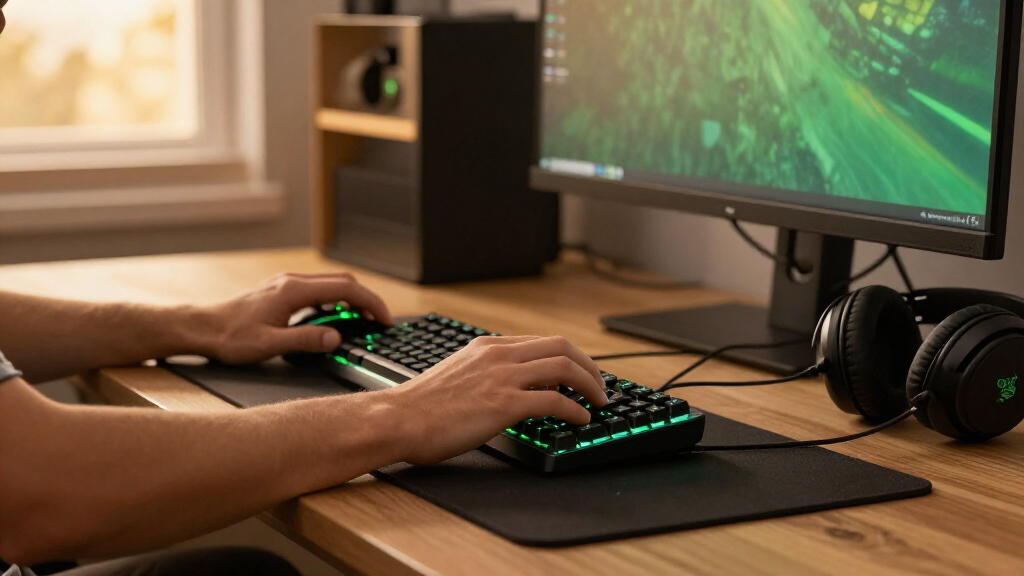
Choosing the best Razer gaming accessories requires balancing performance, comfort, and ecosystem integration. The Razer Basilisk V3 Pro stands out as the overall winner for its unmatched wireless precision and extensive customization options, making it ideal for competitive players who refuse to compromise on latency. For those prioritizing value without sacrificing core functionality, the Razer BlackShark V2 X offers exceptional audio clarity at an accessible price point. Meanwhile, the Razer Tartarus V2 serves as a unique entry point for players seeking to streamline complex MMO or strategy inputs. The primary tradeoff in this category often lies between wireless convenience and battery life, or between premium build materials and entry-level affordability. Continue reading to see how these thirteen other options fit into your specific gaming needs.

Get the latest gadgets delivered free with Prime
- Fast, free delivery on millions of items
- Prime Video, Amazon Music and more included
- Member-only deals all year
Complete the kit



Key Takeaways
- Wireless freedom comes with a premium; the Basilisk V3 Pro justifies its higher tier position through latency performance that rivals wired connections, whereas budget wireless options often suffer from occasional signal drops.
- Ecosystem integration is a hidden feature; accessories with Chroma RGB support sync seamlessly with Razer Synapse software, creating a unified visual experience that standalone peripherals cannot match.
- Form factor dictates utility; the Tartarus keypad is a niche tool that enhances efficiency for specific genres like MMOs but adds clutter and learning curves for FPS players.
- Desk space is a real constraint; extended mouse mats and large headset stands require careful measurement, as smaller setups may feel crowded by full-sized accessories like the Goliathus Extended.
- Wired vs. Wireless reliability; while wireless tech has improved, wired options like the BlackShark V2 X still offer consistent zero-latency audio and no charging interruptions, making them safer for competitive tournaments.
| Razer Tartarus V2 Left-Handed Gaming Keypad with 32 Programmable Keys |  | Best Entry-Level Keypad | Connectivity: USB-A | Key Count: 32 | Switch Type: Mecha-Membrane | VIEW LATEST PRICE | See Our Full Breakdown |
| Razer Laptop Cooling Pad Adaptive Smart |  | Best For Mobile Gamers | Brand: Razer | Fan Size: 140 mm | Fan Speed: Up to 3000 RPM | VIEW LATEST PRICE | See Our Full Breakdown |
| Razer Basilisk V3 X HyperSpeed Wireless Gaming Mouse |  | Best Battery Life | Connectivity: Razer HyperSpeed Wireless, Bluetooth | Sensor: Razer 5G Advanced 18K Optical Sensor | Max DPI: 18,000 | VIEW LATEST PRICE | See Our Full Breakdown |
| Razer Firefly V2 RGB Hard Gaming Mouse Mat |  | Best Surface for Speed | Brand: Razer | Material: Hard micro-textured surface | Dimensions: 15.2 × 12 inches | VIEW LATEST PRICE | See Our Full Breakdown |
| Razer Tartarus Pro Gaming Keypad |  | Best Premium Keypad | Brand: Razer | Model: Tartarus Pro | Switch Type: Razer Analog Optical Switch | VIEW LATEST PRICE | See Our Full Breakdown |
| Razer Base Station V3 Chroma RGB Headset Stand with USB Hub |  | Best Smart Desk Hub | Form Factor: Desk | USB Ports: 2 USB 3.1 ports, up to 5 Gbps | Audio Enhancement: 7.1 surround sound with Synapse 4 | VIEW LATEST PRICE | See Our Full Breakdown |
| Razer Basilisk V3 Pro Wireless Gaming Mouse |  | Best Premium Wireless Mouse | Connectivity: 2.4GHz Wireless, Bluetooth, USB | Sensor: Razer Focus Pro 30K Optical Sensor | Switches: Razer Optical Mouse Switches Gen-3 | VIEW LATEST PRICE | See Our Full Breakdown |
| Razer BlackShark V2 X Wired Gaming Headset with Mic |  | Best Value Wired Headset | Driver Size: 50 mm | Connection: 3.5 mm jack | Microphone: HyperClear cardioid | VIEW LATEST PRICE | See Our Full Breakdown |
| Razer Base Station V2 Chroma Headphone Stand |  | Best Compact Stand | Materials: Aluminum, rubber | Ports: 2 USB 3.1 charging ports; 1 3.5 mm jack | Audio: Built-in 7.1 surround sound DAC | VIEW LATEST PRICE | See Our Full Breakdown |
| Razer Ornata V3 Wired Gaming Keyboard |  | Best Low-Profile Comfort | Switch Type: Clicky mecha-membrane | Layout: 104 Keys | Backlighting: 10-zone RGB | VIEW LATEST PRICE | See Our Full Breakdown |
| Razer Handheld Dock Chroma |  | Best for Handheld Gamers | Ports: 1x HDMI 2.0, 3x USB-A, 1x USB-C, 1x Gigabit Ethernet | Power Delivery: 100W | Material: Aluminum Chassis | VIEW LATEST PRICE | See Our Full Breakdown |
| Razer Goliathus Extended Chroma RGB Gaming Mouse Pad |  | Best Aesthetic Mouse Mat | Surface Material: Micro-textured cloth | Base Material: Natural-foam rubber | Lighting: Customizable Chroma RGB edge lighting | VIEW LATEST PRICE | See Our Full Breakdown |
| Razer Basilisk V3 Wired Ergonomic Gaming Mouse |  | Best Ergonomic Wired Mouse | Connectivity: USB wired | Design: Ergonomic with thumb rest | Buttons: 11 programmable | VIEW LATEST PRICE | See Our Full Breakdown |
| Razer Gaming Mouse Bungee V3 Chroma |  | Best Cable Management Accessory | Weight: 240 g (8.5 oz) | Dimensions: 3.55 × 4.83 in | Cable Compatibility: Rubber, braided, and paracord mouse cables | VIEW LATEST PRICE | See Our Full Breakdown |
| Razer gaming accessorie | Lighting |
|---|---|
| Razer Tartarus V2 Left-Handed | — |
| Razer Laptop Cooling Pad Adapt | Razer Chroma RGB |
| Razer Basilisk V3 X HyperSpeed | — |
| Razer Firefly V2 RGB Hard Gami | Customizable Chroma RGB |
| Razer Tartarus Pro Gaming Keyp | — |
| Razer Base Station V3 Chroma R | 12-zone Chroma RGB; 16.8 million colors |
| Razer Basilisk V3 Pro Wireless | 13-Zone Chroma RGB with Underglow |
| Razer BlackShark V2 X Wired Ga | — |
| Razer Base Station V2 Chroma H | Chroma RGB, 16.8 million colors |
| Razer Ornata V3 Wired Gaming K | — |
| Razer Handheld Dock Chroma | — |
| Razer Goliathus Extended Chrom | Customizable Chroma RGB edge lighting |
| Razer Basilisk V3 Wired Ergono | 11 customizable Chroma RGB zones |
| Razer Gaming Mouse Bungee V3 C | RGB underglow with 16.8 million colors |
More Details on Our Top Picks
Razer Tartarus V2 Left-Handed Gaming Keypad with 32 Programmable Keys
This keypad is the ideal starting point for players who want to offload movement commands from their main keyboard. The Mecha-Membrane switches offer a tactile feel that is quieter and less aggressive than the optical switches found in the Razer Tartarus Pro, making it a safer bet for shared living spaces or those new to thumb-operated controls. While it lacks the advanced analog actuation of its pricier sibling, the core layout remains identical, meaning skills transfer easily if you upgrade later. The adjustable palm rest is a standout comfort feature, reducing wrist strain during long sessions. However, the left-handed-only design is a significant limitation for ambidextrous users or those with limited desk space on the left side. It serves as a reliable, no-nonsense tool rather than a high-performance instrument.
Pros:- Mecha-Membrane switches provide a quiet, tactile typing experience.
- Adjustable palm rest enhances ergonomic comfort during extended use.
- 32 programmable keys allow for extensive macro and command mapping.
- Lower barrier to entry compared to premium analog keypads.
Cons:- Strictly left-handed design limits desk layout flexibility.
- Lacks the rapid-reset and adjustable actuation features of the Pro model.
- Rubberized enclosure may attract dust and wear over time.
Best for: Gamers who want to experiment with a keypad layout without committing to the high cost of analog switches.
Not ideal for: Ambidextrous users or competitive players needing rapid-reset capabilities for FPS titles.
- Connectivity:USB-A
- Key Count:32
- Switch Type:Mecha-Membrane
- Layout:QWERTY
- Hand Orientation:Left
- Thumbpad:8-way directional
- Scroll Wheel:3-way
- Backlighting:RGB, individually backlit
- Dimensions:6.02 x 2.36 x 0.8 in
Our verdict“A solid, ergonomic choice for beginners looking to reduce keyboard reliance without breaking the bank.”
Razer Laptop Cooling Pad Adaptive Smart
Unlike traditional cooling pads that blast air indiscriminately, this unit uses an airtight pressure chamber to force cool air directly into laptop vents. This design makes it significantly more efficient than generic mesh pads, particularly for high-performance gaming laptops that throttle under load. The adaptive smart fan adjusts speed based on thermal needs, preventing the constant drone associated with fixed-speed coolers. It also integrates seamlessly into a Razer ecosystem, syncing Chroma RGB with other peripherals. However, the reliance on Razer Synapse software for full customization is a hurdle for users who prefer hardware-only control. Additionally, the large 140mm fan can become noisy at maximum RPM, which might distract during intense competitive matches. It is a specialized tool for laptop owners rather than a general accessory.
Pros:- Airtight chamber design maximizes cooling efficiency compared to open mesh pads.
- Adaptive fan speed reduces noise and power draw when full cooling isn’t needed.
- Built-in USB hub expands limited laptop port availability.
- Chroma RGB integration allows for unified lighting setups.
Cons:- Fan noise becomes noticeable at high RPM settings.
- Full feature set requires Razer Synapse installation.
- Bulkier than standard flat cooling pads, affecting portability.
Best for: Laptop gamers suffering from thermal throttling who want automated, efficient cooling.
Not ideal for: Desktop users or those who dislike installing proprietary software for hardware control.
- Brand:Razer
- Fan Size:140 mm
- Fan Speed:Up to 3000 RPM
- Compatibility:Laptops 14″ to 18″
- Ports:3-Port USB Type A Hub
- Lighting:Razer Chroma RGB
- Warranty:2 Year Manufacturer
- Control Method:Razer Synapse Software
Our verdict“A high-efficiency cooling solution that prioritizes thermal performance and smart automation over silence.”
Razer Basilisk V3 X HyperSpeed Wireless Gaming Mouse
This mouse dominates its category with an impressive 285-hour battery life on HyperSpeed wireless, far outstripping most rechargeable competitors. It uses a single AA battery, which means you can swap it out in seconds rather than waiting for a recharge—a massive advantage for marathon gamers. The 18,000 DPI sensor is precise enough for competitive play, though it trails the top-tier sensors in the Basilisk V3 Pro in absolute raw tracking speed. The Gen-2 mechanical switches offer a crisp, durable click, rated for 60 million presses. However, the use of disposable batteries adds long-term cost and environmental waste compared to rechargeable models. It is right-handed only, excluding a portion of the market. This is the go-to choice for players who prioritize uninterrupted uptime over wireless charging convenience.
Pros:- Exceptional battery life of up to 535 hours on Bluetooth mode.
- HyperSpeed wireless ensures low-latency performance comparable to wired.
- Durable Gen-2 switches provide consistent tactile feedback.
- Dual connectivity allows easy switching between PC and other devices.
Cons:- Requires AA batteries instead of a built-in rechargeable cell.
- Right-handed ergonomic shape excludes left-handed gamers.
- Lacks the advanced features of the Pro model, such as a tilt wheel.
Best for: Competitive gamers who refuse to plug in during matches and value extreme battery endurance.
Not ideal for: Left-handed users or those who prefer rechargeable batteries to avoid ongoing costs.
- Connectivity:Razer HyperSpeed Wireless, Bluetooth
- Sensor:Razer 5G Advanced 18K Optical Sensor
- Max DPI:18,000
- Tracking Speed:450 IPS
- Battery Life:Up to 285 hours (HyperSpeed)
- Switches:Razer Mechanical Mouse Switches Gen-2
- Buttons:9 Programmable Controls
- Hand Orientation:Right-handed
- Mouse Feet:100% PTFE
Our verdict“The ultimate wireless mouse for endurance, trading rechargeability for unmatched uptime and reliability.”
Razer Firefly V2 RGB Hard Gaming Mouse Mat
For players who find soft cloth mats too slow or prone to wear, this hard micro-textured surface delivers consistent, low-friction tracking. Unlike the Razer Goliathus Extended Chroma, which offers a soft cloth experience, the Firefly V2 maintains its glide properties regardless of humidity or sweat. The built-in cable manager is a thoughtful addition that keeps wired mouse cables from dragging, though it becomes redundant with wireless mice like the Basilisk V3 X. The Chroma RGB lighting is bright and customizable, turning the desk into a visual focal point. However, the hard surface is unforgiving; it will wear down mouse feet faster and offers less cushioning for the wrist. It is a performance-first accessory that sacrifices comfort for speed and durability.
Pros:- Hard surface provides consistent, low-friction tracking unaffected by humidity.
- Durable construction resists wear and tear better than cloth mats.
- Integrated cable manager organizes wired mouse cables effectively.
- Bright Chroma RGB lighting enhances desk aesthetics.
Cons:- Hard surface offers minimal wrist cushioning.
- Accelerates wear on mouse feet compared to soft mats.
- RGB features require software configuration for full effect.
Best for: FPS players who demand consistent glide and durability from their mouse surface.
Not ideal for: Users who prefer a soft, cushioned surface or those sensitive to hard desk edges.
- Brand:Razer
- Material:Hard micro-textured surface
- Dimensions:15.2 × 12 inches
- Thickness:0.14 inches
- Lighting:Customizable Chroma RGB
- Features:Built-in cable manager; nonslip base
- Warranty:1 year
- Base Material:Natural-foam rubber
Our verdict“A precision-focused hard mat for players who prioritize speed and longevity over comfort.”
Razer Tartarus Pro Gaming Keypad
This is the definitive choice for serious sim players and MMO enthusiasts who need granular control. The Razer Analog Optical Switches allow for adjustable actuation points, meaning a key registers based on how far you press it—a feature absent in the Tartarus V2. This enables Rapid Trigger, allowing for instant key resets and faster counter-strafing in FPS games. The ambidextrous design also makes it far more versatile than the left-handed-only V2. However, the plastic enclosure feels less premium than one might expect for its price tier. Additionally, the learning curve for analog keys is steep; casual gamers may never utilize the advanced features. It is a specialized instrument that rewards technical mastery but demands a higher initial investment and skill floor.
Pros:- Analog optical switches enable adjustable actuation and rapid trigger.
- Ambidextrous design accommodates both left and right-hand use.
- Deep customization options via Razer Synapse for pro-level macros.
- Superior responsiveness for repeated keystrokes in high-intensity games.
Cons:- Plastic body feels less robust than metal alternatives.
- High learning curve for analog switch mechanics.
- Premium price point for features only advanced users will exploit.
Best for: Competitive sim racers and FPS players who require analog input and rapid-reset capabilities.
Not ideal for: Casual gamers or beginners who won’t utilize analog features and prefer a lower price.
- Brand:Razer
- Model:Tartarus Pro
- Switch Type:Razer Analog Optical Switch
- Number of Keys:32
- Actuation Range:1.5 to 3.6 mm
- Reset Point:0.1 mm (Rapid Trigger)
- Connectivity:USB
- Hand Orientation:Ambidextrous
- Dimensions:5.95″ L x 7.96″ W x 2.5″ H
Our verdict“The professional-grade keypad for gamers who demand analog precision and ambidextrous flexibility.”
Razer Base Station V3 Chroma RGB Headset Stand with USB Hub
This stand stands out for its automatic headset detection, which triggers Synapse profile switching when you place your gear on it. Unlike the simpler Base Station V2, this model integrates two USB 3.1 ports and 7.1 surround sound enhancement, turning a passive holder into an active audio hub. The 12-zone Chroma RGB lighting syncs with games, adding visual flair that matches other Razer peripherals. However, the heavy reliance on Synapse 4 software on Windows 11 means features are locked behind a specific ecosystem, which may frustrate users on other operating systems or those who prefer hardware-only simplicity.
Pros:- Automatic headset detection triggers custom Synapse profiles
- Includes two high-speed USB 3.1 ports for peripheral connectivity
- 12-zone Chroma RGB lighting syncs with supported games
- Curved rubberized ledge protects headsets from scratches
Cons:- Advanced features require Windows 11 and Synapse 4 software
- 7.1 surround sound enhancement is software-dependent
- Plastic enclosure feels less premium than aluminum alternatives
Best for: PC gamers who want automated software profiles and extra USB ports for controllers or dongles.
Not ideal for: Console players or Linux users who cannot run Razer Synapse 4 software.
- Form Factor:Desk
- USB Ports:2 USB 3.1 ports, up to 5 Gbps
- Audio Enhancement:7.1 surround sound with Synapse 4
- Lighting:12-zone Chroma RGB; 16.8 million colors
- Compatibility:Windows 11 PC with Synapse
- Weight:10.88 ounces
- Material:Plastic
Our verdict“This pick makes the most sense for Windows PC users who value software integration and extra connectivity over standalone simplicity.”
Razer Basilisk V3 Pro Wireless Gaming Mouse
The Focus Pro 30K optical sensor places this mouse at the top tier for precision, tracking reliably even on glass surfaces where other sensors might struggle. With 11 programmable buttons and the versatile HyperScroll tilt wheel, it offers more utility than the Basilisk V3 X HyperSpeed, which lacks the advanced wheel mechanics and optical switches. The Optical Mouse Switches Gen-3 promise durability and eliminate double-click issues, a common failure point in mechanical switch mice. The tradeoff is cost and complexity; achieving the maximum 8000 Hz polling rate requires purchasing a separate HyperPolling Dongle or Dock, and battery life drops significantly when pushing performance limits.
Pros:- Focus Pro 30K sensor tracks on diverse surfaces including glass
- Optical switches offer 90-million click lifecycle durability
- HyperScroll wheel switches between free-spin and tactile modes
- Up to 150 hours battery life in Bluetooth mode
Cons:- 8000 Hz polling rate requires a separately sold dongle or dock
- Battery life drops to 32 hours at maximum polling performance
- Ergonomic design excludes left-handed users
Best for: Competitive FPS players and MMO enthusiasts who need extensive macro mapping and ultra-low latency.
Not ideal for: Left-handed users, as the ergonomic shape is strictly right-handed.
- Connectivity:2.4GHz Wireless, Bluetooth, USB
- Sensor:Razer Focus Pro 30K Optical Sensor
- Switches:Razer Optical Mouse Switches Gen-3
- Buttons:11 Programmable
- Polling Rate:Up to 8000 Hz (with optional dongle)
- Battery Life:Up to 150 hours (Bluetooth)
- Lighting:13-Zone Chroma RGB with Underglow
Our verdict“This model is better suited to right-handed gamers who demand top-tier sensor performance and are willing to invest in accessories for peak speed.”
Razer BlackShark V2 X Wired Gaming Headset with Mic
This headset delivers exceptional comfort at 240 grams, making it ideal for long sessions where weight fatigue is a concern. The 50 mm titanium-coated drivers provide a balanced sound signature that competes with more expensive models, while the closed-back design offers solid passive noise isolation. Compared to wireless alternatives, the 3.5 mm jack ensures universal compatibility with consoles and PCs without charging anxiety. The main limitation is its software dependency; 7.1 surround sound is only available on 64-bit Windows 10, leaving console users with standard stereo audio. Additionally, Xbox users may need a separate adapter for mic functionality.
Pros:- Lightweight 240 g design reduces ear fatigue
- Titanium-coated drivers deliver clear, balanced audio
- Universal 3.5 mm jack works with PC, PS, Xbox, and Switch
- Closed earcups provide effective passive noise isolation
Cons:- 7.1 surround sound requires 64-bit Windows 10
- Xbox One compatibility may require a separate stereo adapter
- Wired connection limits movement compared to wireless options
Best for: Budget-conscious gamers and console players who prioritize lightweight comfort and universal wired connectivity.
Not ideal for: Users who rely on software-enhanced 7.1 surround sound on non-Windows platforms.
- Driver Size:50 mm
- Connection:3.5 mm jack
- Microphone:HyperClear cardioid
- Weight:240 g
- Compatibility:PC, Mac, PS4, Xbox One, Switch
- Surround Sound:Software-enabled 7.1 on Windows 10
- Warranty:2 years
Our verdict“This option stands out for players seeking a comfortable, plug-and-play audio solution without the complexity of wireless pairing.”
Razer Base Station V2 Chroma Headphone Stand
Constructed from aluminum, this stand offers a more premium tactile feel than the plastic-based V3, though it lacks the smart detection features. It serves as a dedicated audio DAC and USB hub, providing two charging ports and a 3.5 mm jack with built-in 7.1 surround sound. The detachable base is a practical feature for LAN parties or travel, reducing the footprint significantly compared to bulkier stands. While it occupies less desk space than some larger hubs, it still requires a USB connection to power the lighting and ports, meaning it is not a purely passive accessory.
Pros:- Aluminum construction feels durable and premium
- Built-in 7.1 surround sound DAC improves audio quality
- Detachable base allows for easier transport and storage
- Non-slip rubber base ensures stability during use
Cons:- Requires USB connectivity for charging and lighting
- Lacks automatic headset detection found in newer models
- Tabletop footprint may clutter smaller desks
Best for: Users who want a sturdy aluminum stand with basic audio enhancement and portability features.
Not ideal for: Gamers seeking automatic software profile switching or advanced Synapse integration.
- Materials:Aluminum, rubber
- Ports:2 USB 3.1 charging ports; 1 3.5 mm jack
- Audio:Built-in 7.1 surround sound DAC
- Lighting:Chroma RGB, 16.8 million colors
- Weight:1 lb (460 g)
- Dimensions:4.72 in base diameter
- Base:Detachable, non-slip rubber
Our verdict“This model is better suited to those who prefer a robust aluminum build and basic audio hub functions over smart software features.”
Razer Ornata V3 Wired Gaming Keyboard
The Ornata V3 distinguishes itself with low-profile mecha-membrane switches, offering a quieter, shorter travel distance than standard mechanical keyboards. This design promotes a natural hand position, reducing wrist strain during extended gaming or typing sessions. The included magnetic soft-touch wrist rest adds immediate ergonomic value without requiring separate accessories. However, the clicky feedback may be too loud for shared spaces compared to linear switches, and the 10-zone RGB lighting is less detailed than per-key illumination found on premium models. The wired connection ensures zero latency but restricts desk layout flexibility.
Pros:- Low-profile keys support natural wrist alignment
- Mecha-membrane switches offer clicky feedback with durability
- UV-coated keycaps resist fading and wear over time
- Magnetic wrist rest provides comfortable support
Cons:- Clicky switches may be too noisy for shared spaces
- 10-zone RGB lacks the granularity of per-key lighting
- Wired USB connection limits placement options
Best for: Gamers with smaller hands or those who prefer low-profile keys for reduced fatigue.
Not ideal for: Users who require per-key RGB customization or silent switches for quiet environments.
- Switch Type:Clicky mecha-membrane
- Layout:104 Keys
- Backlighting:10-zone RGB
- Keycap Coating:UV-coated
- Wrist Rest:Magnetic soft-touch
- Connectivity:Wired USB
- Weight:3.1 lb
Our verdict“This pick makes the most sense for comfort-focused gamers who want a compact, ergonomic typing experience without the height of traditional mechanical boards.”
Razer Handheld Dock Chroma
This docking station is essential for portable gamers who want to transition from handheld play to a desktop setup without buying separate accessories. Unlike the Razer Basilisk V3, which focuses solely on mouse precision, this dock centralizes connectivity by offering 100W power delivery and HDMI 2.0 output, allowing devices like the Steam Deck or ROG Ally to charge while displaying on a monitor. The adjustable hinge provides two viewing angles, though it lacks the infinite adjustability of premium stands. While the aluminum chassis ensures durability and a premium feel, the fixed angles might frustrate users needing precise ergonomic positioning. It is a specialized tool that shines when integrated into a hybrid gaming lifestyle, bridging the gap between console-like portability and PC-like connectivity.
Pros:- 100W passthrough charging keeps high-draw handhelds powered during gameplay
- Collapsible aluminum design offers durability and portability for travel
- Gigabit Ethernet and HDMI 2.0 support stable, high-definition output
- Adjustable hinge provides two ergonomic viewing angles for tabletop use
Cons:- HDMI 2.0 limits maximum resolution and refresh rates compared to HDMI 2.1 docks
- Fixed hinge angles (45/75 degrees) lack the flexibility of fully adjustable stands
- RGB lighting may feel unnecessary for users preferring a minimalist desk aesthetic
Best for: Handheld gamers (Steam Deck, Switch, ROG Ally) who want a single hub for charging, display output, and peripheral connectivity.
Not ideal for: Desktop-only users with standard PC towers who do not own portable gaming devices or tablets.
- Ports:1x HDMI 2.0, 3x USB-A, 1x USB-C, 1x Gigabit Ethernet
- Power Delivery:100W
- Material:Aluminum Chassis
- Adjustable Angles:45° / 75°
- Weight:500 g
- Compatibility:Steam Deck, ROG Ally, Nintendo Switch, Legion Go, iPhone 15/16
- Warranty:2 Years
Our verdict“This dock is the ideal companion for handheld enthusiasts seeking a seamless transition to a big-screen experience.”
Razer Goliathus Extended Chroma RGB Gaming Mouse Pad
The Goliathus Extended Chroma stands out for its micro-textured cloth surface, which offers tactile feedback that differs significantly from the hard glass finish of the Razer Firefly V2. This soft surface is better suited for players who prefer controlled gliding and stopping power rather than the frictionless speed of hard pads. The Chroma RGB edge lighting integrates seamlessly with Razer Synapse, creating an immersive visual environment that syncs with in-game actions. However, the reliance on software for lighting effects means it requires a compatible setup to function at full capacity. While the natural-foam rubber base prevents slipping effectively, the lack of specified dimensions in some listings requires buyers to verify size carefully to ensure desk fit.
Pros:- Micro-textured cloth surface provides precise tracking and tactile feedback
- RGB edge lighting syncs with games and other Chroma devices for immersion
- Natural-foam rubber base ensures the pad stays firmly in place during play
- Extended size accommodates wide mouse movements and keyboard placement
Cons:- RGB features require Razer Synapse software and compatible devices
- Cloth surface may wear or accumulate dust faster than hard pads
- Specific dimensions are not always clear in marketing materials
Best for: Gamers who prefer a soft cloth surface for control and want immersive RGB lighting integration.
Not ideal for: Users with limited desk space or those who prefer the low friction of hard glass pads.
- Surface Material:Micro-textured cloth
- Base Material:Natural-foam rubber
- Lighting:Customizable Chroma RGB edge lighting
- Shape:Rectangular
- Color:Classic Black
- Warranty:1 year
- Model Number:RZ02-02500300-R3U1
Our verdict“Choose this mat if you value a soft, controlled glide and want your desk setup to glow with synchronized lighting.”
Razer Basilisk V3 Wired Ergonomic Gaming Mouse
This mouse is designed for long gaming sessions, featuring a thumb rest that supports the hand in a natural position, unlike the flatter profile of the Razer Basilisk V3 Pro. The dual-mode HyperScroll wheel allows switching between free-spinning for scrolling through long documents and tactile steps for precise weapon selection, a feature rarely found in budget mice. With 26,000 DPI and 11 programmable buttons, it offers extensive customization for MMOs and productivity. The wired connection ensures zero latency and no battery anxiety, which is a trade-off compared to wireless options like the Basilisk V3 X HyperSpeed. While the rubberized finish adds grip, it may collect oils over time, requiring regular cleaning to maintain hygiene.
Pros:- Ergonomic shape with thumb rest reduces strain during extended play
- Dual-mode scroll wheel offers both free-spinning and tactile modes
- 26,000 DPI optical sensor provides high-precision tracking
- 11 programmable buttons support complex macros and secondary functions
Cons:- Wired connectivity restricts movement and adds cable management tasks
- Right-handed only design excludes left-handed users
- Rubberized coating can degrade or collect grime over long-term use
Best for: Right-handed gamers who prioritize ergonomic comfort, extensive button remapping, and zero-latency wired performance.
Not ideal for: Left-handed users or those who prefer wireless freedom and lightweight designs.
- Connectivity:USB wired
- Design:Ergonomic with thumb rest
- Buttons:11 programmable
- Sensor:Optical
- Maximum Sensitivity:26,000 DPI
- Switches:Gen 2 optical mouse switches
- Hand Orientation:Right-handed
- Lighting:11 customizable Chroma RGB zones
Our verdict“This is the top choice for right-handed players who want a feature-rich, comfortable mouse without battery concerns.”
Razer Gaming Mouse Bungee V3 Chroma
The Bungee V3 Chroma is a niche but impactful accessory that eliminates cable drag for wired mice, such as the Razer Basilisk V3. By elevating the cable, it creates a wireless-like feel, allowing for smoother, unrestricted mouse movements. The weighted base and non-slip feet ensure stability even during intense gaming, while the RGB underglow adds a subtle visual flair that matches other Chroma devices. Unlike the Razer Handheld Dock, which is a functional hub, this bungee is purely about enhancing the tactile experience of wired peripherals. Its compact footprint saves desk space, though the spring mechanism may require adjustment to accommodate thicker braided cables, which can feel stiffer than standard rubber cords.
Pros:- Elevates mouse cable to reduce drag and simulate wireless freedom
- Weighted base with non-slip feet ensures stability during vigorous use
- RGB underglow integrates with Razer Chroma for cohesive lighting
- Compact design minimizes desk clutter while maximizing utility
Cons:- Only useful for users with wired mouse cables
- Spring tension may need adjustment for thick braided or paracord cables
- Adds a small but noticeable footprint to the desk surface
Best for: Users of wired gaming mice who want to reduce cable drag and enhance their desk aesthetics.
Not ideal for: Wireless mouse users or those with extremely crowded desks who cannot spare any additional footprint.
- Weight:240 g (8.5 oz)
- Dimensions:3.55 × 4.83 in
- Cable Compatibility:Rubber, braided, and paracord mouse cables
- Lighting:RGB underglow with 16.8 million colors
- Base:Weighted with non-slip feet
- Warranty:1 year manufacturer warranty
- Model:RC21-01520100-R3U1
Our verdict“A simple, effective upgrade for wired mouse owners seeking smoother movement and a cleaner desk look.”
How We Picked
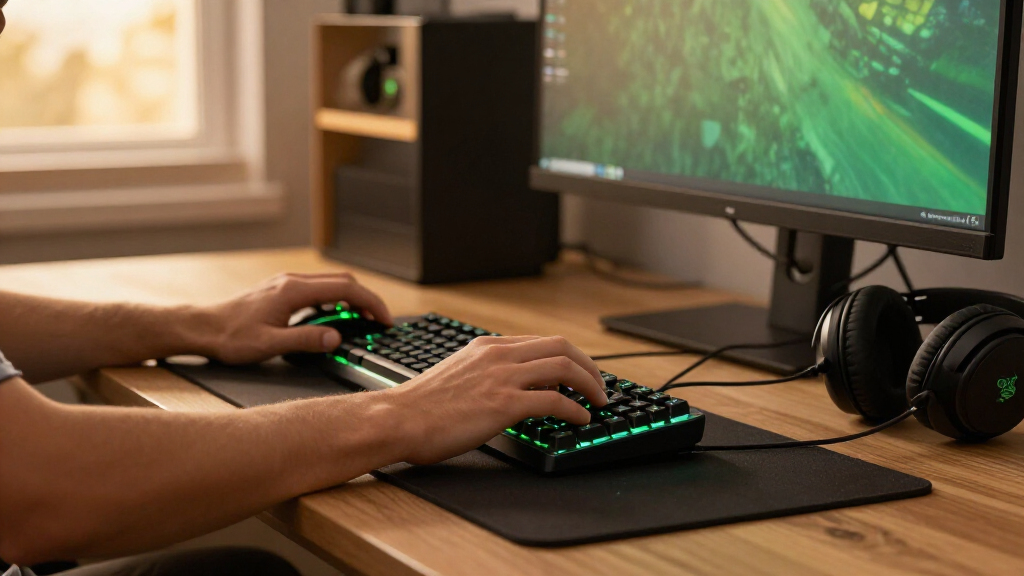
I evaluated these accessories based on their contribution to a cohesive gaming setup, prioritizing build quality, software integration, and distinct utility. Each product was assessed on how well it solved a specific problem, such as hand strain, cable management, or input efficiency, rather than just raw specifications. I looked for items that offered tangible improvements over generic peripherals, specifically focusing on how Razer’s proprietary technologies, like Optical Switches or HyperSpeed Wireless, translated into real-world performance.
The ranking logic favored versatility and ecosystem synergy. Products that allowed for deep customization via Razer Synapse and integrated smoothly with other Razer hardware received higher placements. I also considered long-term durability and maintenance, penalizing designs that are prone to dust accumulation or have difficult-to-replace components. The goal was to identify which accessories genuinely elevate the gaming experience versus those that simply add visual flair.
Factors to Consider When Choosing Best Razer Gaming Accessories
Selecting the right peripheral goes beyond brand loyalty. You need to assess how each tool fits your physical space, gaming genre, and technical preferences.Ecosystem Integration and Software Synergy
Razer’s primary advantage is its unified software platform, Razer Synapse. When choosing accessories, consider whether the device supports Chroma RGB and macro customization within this ecosystem. Devices that lack this integration may require separate software, leading to driver conflicts or a fragmented user experience. For players who value a synchronized visual theme across their mouse, keyboard, and headset, sticking to Synapse-compatible items is beneficial. However, if you prefer lightweight systems without background software running, you might find the resource usage of Synapse frustrating, making standalone devices with onboard memory a better choice.
Wired Versus Wireless Connectivity
The decision between wired and wireless peripherals hinges on your tolerance for maintenance versus your demand for freedom. Wireless options like the Basilisk V3 Pro offer a clean desk and unrestricted movement, but they require regular charging and rely on battery health. Wired accessories, such as the BlackShark V2 X, provide consistent performance without battery anxiety and often cost less. Competitive players might lean toward wireless for the latest tech, but casual gamers or those with limited budgets may find wired connections more reliable and convenient. Consider your play schedule; if you game for long sessions, the weight difference of a wireless mouse with a battery can impact comfort over time.
Desk Footprint and Space Management
Accessories like headset stands and extended mouse pads demand physical space. Before purchasing a large item like the Razer Goliathus Extended, measure your desk to ensure it does not crowd your keyboard or monitor. Small desks benefit from compact solutions like the Base Station V2, which offers vertical storage without a wide base. Overlooking desk dimensions is a common mistake that leads to uncomfortable setups where cables are pinched or movement is restricted. Prioritize accessories that enhance your workflow without creating a cramped environment, especially if you use a multi-monitor setup.
Genre-Specific Utility
Not every accessory suits every game. The Tartarus keypad is a powerful tool for MMOs or strategy games with complex ability rotations, but it is largely unnecessary for first-person shooters where mouse precision is paramount. Similarly, a cooling pad is specific to laptop users and useless for desktop setups. Identify your primary gaming genre before investing in niche peripherals. A high-end mouse might be wasted on a game that relies mostly on keyboard inputs, while a mechanical keyboard might offer diminishing returns if you primarily play controller-based games.
Long-Term Durability and Maintenance
Gaming accessories endure significant wear. Keyboards and mice are subject to constant clicking and typing, while mouse pads accumulate sweat and dust. Look for devices with replaceable parts or easy-clean surfaces. For instance, hard mouse mats like the Firefly V2 are easier to wipe down than cloth mats, which can stain over time. Headsets with ear cushions that are not replaceable may become uncomfortable as the leatherette degrades. Investing in durable materials saves money in the long run, as cheap accessories often fail within months of heavy use.
Frequently Asked Questions
Do I need Razer Synapse to use these accessories?
Most Razer accessories function on a basic plug-and-play level without Razer Synapse installed, allowing you to use core features like movement and sound immediately. However, to unlock the full potential of the devices, such as customizing RGB lighting, remapping buttons, or adjusting DPI stages, the software is necessary. Some users find the background process resource-heavy, so if you have a lower-end PC, you might prefer devices with onboard memory that save settings directly to the hardware. For competitive players who need quick profile switching, Synapse is almost indispensable for its convenience.
Is the Tartarus keypad worth it for FPS games?
The Razer Tartarus keypad is generally not recommended for first-person shooters as a primary input device. FPS games rely heavily on precise mouse movement for aiming, and using a keypad for movement keys (WASD) can interfere with the natural hand positioning needed for mouse control. It is better suited for MMOs, MOBAs, or strategy games where you need to map dozens of abilities to thumb keys. For FPS players, a standard keyboard and mouse setup remains the standard for accuracy and muscle memory, making the Tartarus an unnecessary expense unless you play multiple genres.
How does the Basilisk V3 Pro compare to the V3 X HyperSpeed?
The Basilisk V3 Pro represents the premium tier with its optical mouse switches, which offer faster actuation and greater durability than the mechanical switches in the V3 X HyperSpeed. The Pro model also features a more advanced sensor with higher DPI precision and better battery life, along with a more sophisticated ergonomic design. The V3 X HyperSpeed is a solid mid-range option that cuts costs by using mechanical switches and a slightly simpler body, but it retains the core HyperSpeed wireless technology. If you are a competitive gamer sensitive to latency and click consistency, the Pro is the better investment; for casual play, the X is sufficient.
Can I use any mouse pad with a Razer mouse?
Yes, you can use any standard mouse pad with a Razer mouse, as the optical sensors are compatible with most surfaces. However, Razer designs their mats, like the Goliathus and Firefly, to optimize the tracking performance of their specific sensors. The cloth mats provide more control and friction, which is ideal for tactical shooters, while the hard mats offer speed and glide, preferred for fast-paced arena games. Using a generic pad won’t break your mouse, but you might not experience the precise tracking calibration that Razer’s tuned surfaces provide, potentially affecting your aim consistency.
Are headset stands necessary for gaming setups?
Headset stands are not strictly necessary for functionality, but they significantly improve desk organization and hygiene. Leaving a headset on your desk exposes the ear cushions to dust, food crumbs, and accidental spills, which can degrade the materials over time. A stand keeps the headset off the surface, preserving its condition and keeping your workspace clear for other tasks. Additionally, models with USB hubs or RGB lighting can serve as a charging station or ambient light source, adding utility beyond just storage. If you value a tidy setup, the cost is justified by the improved longevity of your headset.
Conclusion
Choosing the right Razer accessory depends on your specific gaming habits and setup constraints. For the Best Overall performance, the Razer Basilisk V3 Pro delivers the precision and wireless reliability that competitive players demand. If you are on a budget, the Razer BlackShark V2 X offers the Best Value by providing professional-grade audio without the premium price tag. Beginners looking to streamline their inputs should look at the Razer Tartarus V2 as the Best for Beginners to niche gaming, though it requires an adjustment period. For those seeking Best Premium desk aesthetics and functionality, the Razer Base Station V3 Chroma combines storage with hub capabilities seamlessly. Finally, the Razer Ornata V3 serves as the Best Hybrid Keyboard for users who want the feel of mechanical keys with the low profile of a chiclet design. Evaluate your primary genre and desk space to make the final decision.