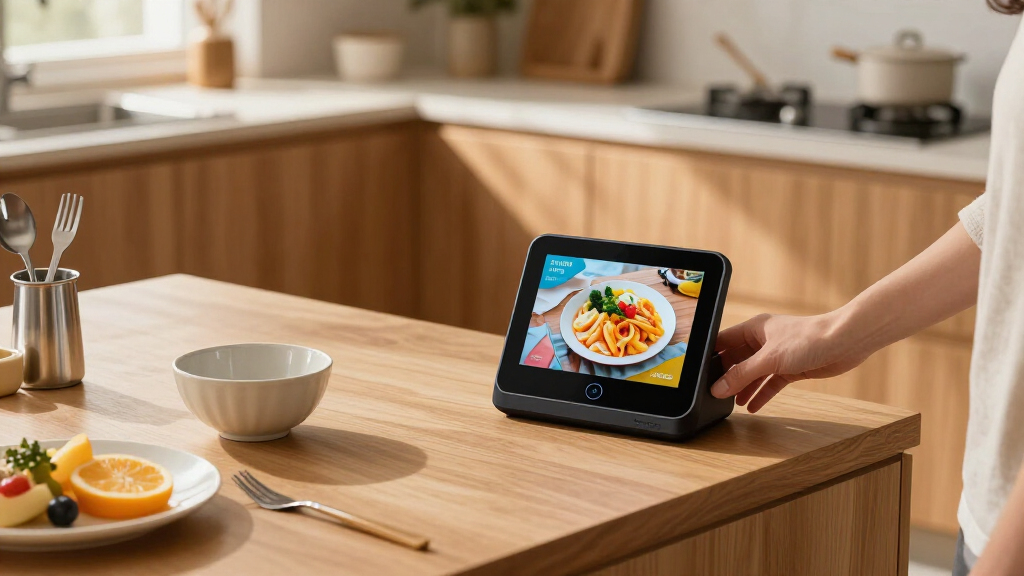

A smart display hub is the closest thing most homes have to a command center: part speaker, part touchscreen, part wall-mounted remote for everything else you own. But the category has split into very different animals, and picking the wrong one usually means paying for screen real estate you never use. A 15.6-inch family dashboard and a 5.5-inch bedside assistant share a product category but almost nothing else.

Get the latest gadgets delivered free with Prime
- Fast, free delivery on millions of items
- Prime Video, Amazon Music and more included
- Member-only deals all year
After comparing the current field, my top pick is the Amazon Echo Show 15 as the best overall smart display hub, because its widget system and built-in Fire TV make it the only option here that genuinely runs a household. The Google Nest Hub Max takes the best premium slot for buyers who prioritize sound quality and the Google ecosystem, while the Amazon Echo Show 5 wins on value and compactness for bedrooms and desks. The main tradeoff you are negotiating throughout this list is size versus utility: bigger screens organize a family, smaller screens serve a person, and specialist displays like the eufy E10 serve a single job extremely well at the cost of flexibility.
Complete the kit



Key Takeaways
- The Echo Show 15 is the best overall pick because its 15.6-inch Full HD screen, widget dashboard, and built-in Fire TV make it a genuine household command center rather than a voice speaker with a screen attached.
- The amazon.com/dp/B0FKD5SVB7?tag=toksickmagazine-20&ascsubtag=dc-1090997″ target=”_blank” rel=”nofollow sponsored noopener”>Google Nest Hub Max stands out for audio quality and Google Photos integration, but it requires wall power and its international listing leaves detailed specs vague.
- The Echo Show 5 is the best value for personal spaces: compact, privacy-forward, and cheap to place in multiple rooms, though its 5.5-inch screen is too small for family dashboards.
- The eufy E10 is a security-first display, not a general assistant hub — it excels at four-camera monitoring but depends on HomeBase 3 for its smartest features.
- Both Google picks here are international-spec models, so expect to change the language to English during setup; that is a one-time inconvenience, not a dealbreaker.
| Amazon Echo Show 15 (Newest Model) – Full HD 15.6″ Smart Display with Built-in Fire TV |  | Best Overall | Display Size: 15.6 inches | Resolution: Full HD 1080p | Voice Assistant: Alexa (designed for Alexa+) | VIEW LATEST PRICE | See Our Full Breakdown |
| Google Nest Hub Max 10-inch Smart Display, Japan Model, Charcoal |  | Best Premium | Screen Size: 10 inches | Color: Charcoal | Model: H2A GA00639-JP | VIEW LATEST PRICE | See Our Full Breakdown |
| Amazon Echo Show 5 Smart Display, Charcoal |  | Best Value | Display: 5.5-inch touchscreen | Camera: 2 MP with built-in shutter | Audio: 1.75-inch full-range speaker | VIEW LATEST PRICE | See Our Full Breakdown |
| eufy Security Smart Display E10 8-Inch Smart Home Hub |  | Best for Security Monitoring | Manufacturer: eufy | Model: T87A0 | Screen Size: 8 inches | VIEW LATEST PRICE | See Our Full Breakdown |
| Google Nest Hub (1st Gen) 7-Inch Smart Display with Google Assistant, Chalk |  | Best Compact Google Option | Manufacturer: Google | Model: H1A | Generation: 1st Gen | VIEW LATEST PRICE | See Our Full Breakdown |
| smart display hub | Color | Model | Weight |
|---|---|---|---|
| Amazon Echo Show 15 | — | — | — |
| Google Nest Hub Max 10-inch Sm | Charcoal | H2A GA00639-JP | — |
| Amazon Echo Show 5 Smart Displ | — | — | 16.1 oz (456 g) |
| eufy Security Smart Display E1 | Black and white | T87A0 | 2.46 pounds |
| Google Nest Hub | Chalk | H1A | 1.8 pounds |
More Details on Our Top Picks
Amazon Echo Show 15 (Newest Model) – Full HD 15.6″ Smart Display with Built-in Fire TV
The Echo Show 15 earns the top spot because it is the only device in this lineup that treats the hub role as its primary job rather than a side effect. The 15.6-inch Full HD 1080p display is large enough to run a genuine family dashboard: calendars, shared to-do lists, weather, and smart home device controls arranged as widgets that household members can read from across a kitchen. Compared with the Nest Hub Max, the difference is philosophical as much as technical — Google’s display is a great assistant with a screen, while the Show 15 is a wall-mounted whiteboard that happens to have Alexa inside it.
The built-in Fire TV functionality is what pushes this pick ahead of every smaller option here. It gives the Show 15 access to streaming apps like Prime Video, Netflix, and YouTube, which means a kitchen TV replacement and a smart home hub collapse into one device. Neither the Echo Show 5 nor the standard Nest Hub can credibly serve as a household video screen. Video calling is also stronger on this model, with an auto-framing camera and 3.3x zoom that keeps people in frame as they move around — a genuine advantage over the Show 5’s fixed 2 MP camera.
The tradeoffs are real, though. The sheer size means it simply does not fit some spaces; it works best wall-mounted or on a large counter, and it is a poor fit for a nightstand. Streaming content often requires subscriptions, so the Fire TV value depends on what you already pay for. And if your household is invested in Google Calendar and Google Photos rather than Alexa’s ecosystem, the Nest Hub Max will feel more natural day to day. For most families choosing one shared hub, though, this model makes the most sense.
Pros:- Large 15.6-inch Full HD display readable from across a room
- Built-in Fire TV turns it into a legitimate kitchen streaming screen
- Customizable widgets make smart home and calendar control genuinely useful
- Strong privacy controls including camera shutter and mic/camera-off button
Cons:- Size demands wall mounting or a large counter space
- Streaming apps may require paid subscriptions
- Overkill for personal rooms where a smaller display would do
Best for: Families who want one wall-mounted command center for schedules, smart home control, and streaming in a shared space
Not ideal for: Anyone wanting a bedside or desk assistant, or households already built around Google services
- Display Size:15.6 inches
- Resolution:Full HD 1080p
- Voice Assistant:Alexa (designed for Alexa+)
- Built-in Features:Fire TV streaming
- Camera:Auto-framing with 3.3x zoom and wide field of view
- Privacy:Mic/camera-off button, built-in camera shutter
- Included Accessories:Fire TV remote
Our verdict“The Echo Show 15 is the closest thing on the market to a true household operating system, and it earns the top spot for families with a wall to spare.”
Google Nest Hub Max 10-inch Smart Display, Japan Model, Charcoal
The Nest Hub Max takes the premium slot on the strength of two things the Alexa lineup here cannot match: 10 inches of well-designed screen space and a speaker tuned to actually fill a room with bright, punchy sound. Where the Echo Show 5 is a personal device and the Show 15 is a family billboard, the Hub Max sits in the middle as a living-room-quality device — one you would legitimately choose to play music through, not just talk to. For buyers whose photos, calendars, and routines live in Google’s ecosystem, this option stands out for how effortlessly it surfaces Google Photos albums and Assistant routines on that larger canvas.
Compared with its smaller Nest Hub sibling, the difference is more than three inches of screen. The Max is the one you buy when the display needs to serve several people at once — a recipe on the counter, a video call from the couch, a camera feed from the front door. The 1st-gen Nest Hub covers the same basics in a compact footprint, but it does them for one person at a time. Against the Echo Show 15, the Hub Max concedes the widget-dashboard battle and Fire TV streaming, but wins on audio and on fitting into rooms where a 15-inch panel would be absurd.
The honest drawbacks: this is a Japan-model listing, and while it supports English alongside Japanese and other languages, the listing itself is thin on technical detail, which makes pre-purchase research harder than it should be. It also requires wall power, with no battery option, so placement is dictated by outlet locations. Buyers should go in knowing they are getting a strong display and excellent sound but a less transparent purchasing experience than the Amazon options in this lineup.
Pros:- Large 10-inch touchscreen balances readability and room fit
- Audio quality clearly above the smaller displays in this lineup
- Multi-language support including English and Japanese
- Universal power adapter included for international use
Cons:- International (Japan) model with a sparsely detailed listing
- Requires wall power, limiting placement options
- No widget system as flexible as the Echo Show 15’s dashboard
Best for: Google-ecosystem households who want a room-filling speaker and a mid-size display for shared spaces
Not ideal for: Buyers who want a transparent, fully documented US retail listing or a battery-powered portable device
- Screen Size:10 inches
- Color:Charcoal
- Model:H2A GA00639-JP
- Languages:English, Spanish, French, Japanese, and others
- Power:Wall power required
- Included Accessories:Universal power adapter, quick start guide, international manual
Our verdict“The best premium pick for Google households that want serious sound and a mid-size screen, provided you accept an international-spec listing.”
Amazon Echo Show 5 Smart Display, Charcoal
The Echo Show 5 is the smart display I would point most first-time buyers toward, because it delivers the core hub experience — voice control, camera feeds, timers, video calls, weather — at a size and price that makes buying two or three of them realistic. The 5.5-inch touchscreen is deliberately personal: it is perfect for a nightstand alarm, a desk assistant, or a bedside video-call screen, and its 5.8 x 3.6 x 3.2 inch footprint disappears into spaces where the Show 15 would dominate. This model makes the most sense for buyers who want Alexa’s hub capabilities distributed across rooms rather than concentrated in one.
Where it falls short of the Show 15 is exactly where you would expect: screen real estate. Reading a recipe, running a family calendar, or streaming a show on 5.5 inches is a compromise, and the single 1.75-inch full-range speaker is serviceable for alarms and calls but will not fill a living room the way the Nest Hub Max does. The 2 MP camera is adequate for video calls and checking compatible security cameras, but it lacks the auto-framing and zoom of the Show 15’s camera. In short, this is a hub for a person, not a household.
Privacy is a quiet strength here. The built-in camera shutter and microphone/camera-off button give you physical control over the sensors, which matters more on a device that lives in a bedroom. The build also deserves a nod: recycled fabric and aluminum and fully recyclable packaging make it the most sustainability-conscious pick in this group. Just note that some Alexa skills and services require subscriptions, and it does not support ad-hoc or peer-to-peer Wi-Fi networks — a niche limitation, but one worth knowing before you buy.
Pros:- Compact footprint fits nightstands, desks, and small counters
- Physical camera shutter and mic/camera-off button for bedroom privacy
- Full Alexa smart home control despite the small size
- Recycled materials and recyclable packaging throughout
Cons:- 5.5-inch screen too small for recipes, family calendars, or serious streaming
- Single small speaker limits audio quality
- Some skills and services require subscriptions; no ad-hoc Wi-Fi support
Best for: First-time buyers and anyone wanting an affordable Alexa hub for a bedroom, desk, or bathroom
Not ideal for: Households looking for a single shared dashboard — the screen is too small for that job
- Display:5.5-inch touchscreen
- Camera:2 MP with built-in shutter
- Audio:1.75-inch full-range speaker
- Dimensions:5.8 x 3.6 x 3.2 in (147 x 91 x 82 mm)
- Weight:16.1 oz (456 g)
- Wi-Fi:Dual-band 802.11a/b/g/n/ac
- Bluetooth:A2DP and AVRCP support
- Sustainability:100% recycled polyester fabric, recycled aluminum, recyclable packaging
Our verdict“The best value in the category and the smart entry point into Alexa hubs — buy it for a room, not for the whole house.”
eufy Security Smart Display E10 8-Inch Smart Home Hub
The eufy E10 plays a different game than everything else in this lineup, and that is exactly why it earns a place. This is a security-first smart display: its 8-inch screen can show up to four live camera feeds simultaneously, and it responds to events rather than commands. When a doorbell rings, a door unlocks, or a camera detects motion, the E10 pushes a live feed to the screen with a voice alert — no one has to ask for it. Compared with the Echo Show 5, which can display a single compatible camera feed on request, the E10 is purpose-built for continuous, passive monitoring of a whole property.
Its second major differentiator is local storage. With 64GB of onboard storage, event history is recorded and replayable without a cloud subscription, which is a genuine advantage over camera ecosystems that charge monthly for footage retention. Daily security summaries round out the picture, though — and here is the catch — those summaries and the recognition features depend on a compatible HomeBase 3. Without that hardware, you are getting an excellent multi-feed monitor but not the full smart layer eufy advertises.
As a general-purpose hub, though, the E10 gives up a lot. There is no Alexa or Google Assistant here, no music streaming, no calendar widgets, no video calling. It cannot replace an Echo Show or Nest Hub in the ways most people use them; it complements one. The listing’s stated dimensions also appear inconsistent with an 8-inch display, so double-check the mounting footprint before committing to a spot. For homeowners with eufy cameras scattered around a property, this pick makes the most sense as the dedicated eyes-on station by the front door or in a hallway.
Pros:- Displays four live security camera feeds at once
- Automatic live feed and voice alert on doorbell, unlock, and motion events
- 64GB of local storage means event history without subscription fees
- Includes charging station, cable, and wall mount
Cons:- Daily summaries and recognition features require HomeBase 3
- No voice assistant, music, or general smart home dashboard features
- Listed dimensions appear inaccurate for an 8-inch display
Best for: Homeowners with eufy security cameras who want a dedicated, always-on monitoring station with local storage
Not ideal for: Anyone expecting a general smart assistant — there is no Alexa, no Google Assistant, and no media streaming
- Manufacturer:eufy
- Model:T87A0
- Screen Size:8 inches
- Storage:64GB local
- Battery:Lithium-ion; 1 AAA battery included
- Weight:2.46 pounds
- Color:Black and white
- Included Components:5V/2A adapter, charging station, Type-C cable, wall mount
Our verdict“A specialist tool rather than an all-rounder — unbeatable for eufy camera owners, irrelevant for everyone else.”
Google Nest Hub (1st Gen) 7-Inch Smart Display with Google Assistant, Chalk
The original Nest Hub occupies a useful middle position: more screen than the Echo Show 5, less commitment than the Nest Hub Max, and the cleanest expression of Google Assistant on a touchscreen in this lineup. The 7-inch display hits a sweet spot for countertops and nightstands — big enough for a recipe step or a video feed, small enough that it never dominates a room. This model is better suited to buyers who want the Google experience at a modest scale, whether as a first hub or as a satellite for a household that already owns a Hub Max.
Functionally it covers the assistant fundamentals well: hands-free help, music and video streaming, Google Photos albums, timers, reminders, and weather, all controllable by voice or touch across compatible smart home devices. Compared with the Echo Show 5, the Nest Hub’s advantages are its slightly larger screen and deeper Google Photos integration; the Show 5 fights back with a built-in camera for video calls, which the Nest Hub lacks entirely. That single difference should drive your choice between them more than any spec sheet.
The complication is provenance. This is a Korean-spec H1A model, which means the device arrives set to Korean and requires switching the language to English through the Google Home app or device settings after setup. It is a one-time, five-minute inconvenience rather than a functional limitation — but it is a real one, and buyers who want a frictionless unboxing should weigh it. The first-generation hardware also lacks the newer features and camera of later Google displays, so it is best understood as a value play within the Google ecosystem rather than a cutting-edge one.
Pros:- 7-inch screen larger and more readable than the Echo Show 5’s display
- Deep Google Assistant and Google Photos integration
- Compact footprint works in kitchens, bedrooms, and desks
- Voice and touch control of compatible smart home devices
Cons:- Korean-spec model requires switching language to English during setup
- No camera, so no video calling or camera monitoring
- First-generation hardware misses newer Google display features
Best for: Google-ecosystem buyers who want an affordable, mid-size assistant display for a kitchen or bedroom
Not ideal for: Anyone who needs a camera for video calls, or buyers unwilling to change the device language after setup
- Manufacturer:Google
- Model:H1A
- Generation:1st Gen
- Display:7 inches
- Color:Chalk
- Weight:1.8 pounds
- Dimensions:7 x 2.65 x 4.65 inches
- Included Components:Cable
- Model Version:Korean spec; language can be changed to English
Our verdict“A sensible, budget-friendly way into the Google ecosystem — as long as you accept a language change at setup and can live without a camera.”
How We Picked
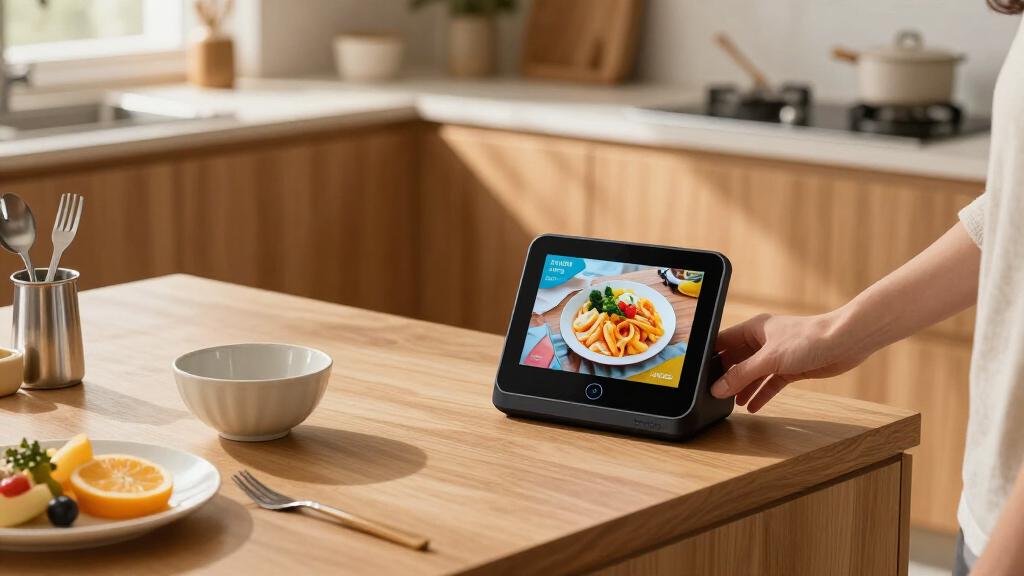
My goal with this comparison was to judge each device strictly as a smart display hub — that is, how well it centralizes control of your home, your schedule, and your media on a screen you actually want to look at. A great smart speaker with a screen bolted on does not qualify, so I weighted each product on dashboard usability, ecosystem flexibility, screen quality for its size, privacy controls, and how sensibly it fits into a specific room.
I also factored in placement flexibility, because a hub only works if it lives where the household passes by it. That meant favoring wall-mountable designs for shared spaces and compact footprints for bedrooms and desks. Audio quality mattered, but only relative to each product’s role — I held the Echo Show 5 to a different standard than the Nest Hub Max. Finally, I penalized hidden dependencies: devices whose best features require extra hardware, subscriptions, or workarounds lost points, because a hub should reduce friction, not add it.
| smart display hub | Color | Model |
|---|---|---|
| Amazon Echo Show 15 | — | — |
| Google Nest Hub Max 10-inch Sm | Charcoal | H2A GA00639-JP |
| Amazon Echo Show 5 Smart Displ | — | — |
| eufy Security Smart Display E1 | Black and white | T87A0 |
| Google Nest Hub | Chalk | H1A |
Factors to Consider When Choosing Smart Display Hubs
Choosing a smart display hub comes down to three questions: where will it live, what ecosystem do you already use, and what job do you actually need it to do. The five options above answer those questions very differently, and the wrong answer to any one of them can leave you with an expensive clock radio.Match the Screen Size to the Room
Screen size is the single biggest predictor of satisfaction here. A 15.6-inch display like the Echo Show 15 belongs on a wall or a large kitchen counter where multiple people read it from a distance; on a nightstand it would be absurd. A 5.5- or 7-inch display is the inverse — perfect within arm’s reach, useless across a room. The 8- to 10-inch middle ground, where the eufy E10 and Nest Hub Max sit, works for single-room monitoring and shared counters. My rule of thumb: if two or more people need to read the screen at once, go 10 inches or larger; if one person will, stay small and save the difference.
Pick Your Ecosystem Before Your Device
A smart display is really a subscription to an ecosystem with a screen attached. If your calendars, photos, and routines live in Google, the Nest Hub and Nest Hub Max will feel seamless and an Echo will feel like a foreign object — and vice versa for Alexa households with the Echo Show line. The eufy E10 sidesteps this question entirely by ignoring general assistants, which is fine if it is your second display and a mistake if it is your only one. Switching ecosystems later means repurchasing hardware, so treat this as the decision you cannot easily undo.
Decide Whether You Need a Camera
Cameras divide this lineup cleanly. The Echo Show 15 and Show 5 both include cameras for video calls and camera-feed viewing, with physical shutters and mic-off buttons to tame them. The Nest Hub (1st Gen) has no camera at all, which many buyers prefer for bedrooms on privacy grounds. If video calling matters to you at all, the Show 15’s auto-framing and zoom are a real step up; if privacy matters more, a camera-free device removes the question entirely rather than relying on you to use the shutter.
Watch for Hidden Dependencies
Several of these devices are less self-sufficient than they first appear. The eufy E10’s smartest features require HomeBase 3, its summaries and recognition simply do not exist without that extra box. Echo devices push some skills and streaming behind subscriptions. And both Google picks here are international-spec models that work fine in English but require a language change during setup. None of these are dealbreakers, but each one is a friction point you should know about before clicking buy rather than after unboxing.
Frequently Asked Questions
Is a bigger smart display always the better choice?
No, and in smaller rooms a large display can be actively worse. Screen size should follow viewing distance and audience size. The Echo Show 15’s 15.6-inch panel is superb when several people need to read a shared dashboard from across a kitchen, but it overwhelms a nightstand and cannot be casually repositioned. Meanwhile, the Echo Show 5 and the 7-inch Nest Hub deliver nearly all the same voice-assistant functionality at arm’s length, often at a fraction of the cost. The better question is how many people need to see the screen at once and from how far away — bigger only wins when the answer is “several people, from across the room.”
Do the international-spec Google models work normally in English?
Generally yes, with a one-time setup step. Both the Korean-spec Nest Hub H1A and the Japan-model Nest Hub Max support English among multiple languages, and you switch the language through the Google Home app or the device’s own settings after setup. Once switched, day-to-day operation — Assistant queries, streaming, smart home control, photo displays — behaves the same as a locally sold unit. The main practical downside is that the listings themselves carry less detailed documentation, so do your spec research before purchasing rather than relying on the product page.
Can a smart display replace a security monitor?
It depends on the device. The eufy E10 is built as a dedicated security station: it shows four live camera feeds at once, pushes alerts automatically when a doorbell rings or a door unlocks, and stores event history locally on 64GB without subscription fees. General assistants can approximate pieces of this — the Echo Show 5 and Show 15 can display compatible camera feeds on request — but they lack multi-feed views, automatic event-triggered displays, and local footage storage. If security monitoring is the primary reason you want a screen, the specialist device wins; if it is one job among many, a general hub covers it adequately.
What are the privacy considerations with camera-equipped displays?
Physical controls matter more than software promises here. The Echo Show 15 and Echo Show 5 both include a built-in camera shutter and a microphone/camera-off button, which lets you mechanically disable the sensors rather than trusting a setting. The auto-framing camera on the Show 15 is genuinely useful for video calls, but it also means more sensor capability in your home, so placement matters — many buyers keep camera-equipped displays out of bedrooms. The camera-free Nest Hub is the simplest privacy answer of all, since there is nothing to shutter. Whatever you choose, use the physical switches when the camera is not needed.
Should I buy one large hub or several small ones?
That depends on how your household actually behaves. A single Echo Show 15 in a high-traffic area works best when family life flows through one room — it becomes the shared calendar, dashboard, and kitchen TV in a single device. But if members scatter across bedrooms and offices, several Echo Show 5s or Nest Hubs often deliver more total value, because a hub nobody walks past gets ignored no matter how good its screen is. Many households land on a hybrid: one large shared display plus one or two small personal units, which is why I treat the large and small options in this guide as complements rather than direct rivals.
Conclusion
After comparing all five, my recommendations break down cleanly by buyer type. Families who want one shared command center should buy the Echo Show 15 — nothing else here combines a household dashboard, streaming, and video calling at that scale, provided you have the wall or counter space for it. Google-ecosystem buyers with a living room to fill should choose the Nest Hub Max, accepting the international listing in exchange for noticeably better sound; budget-conscious Google users can drop down to the 7-inch Nest Hub and accept the language-change step and missing camera.
First-time buyers and anyone furnishing a bedroom or desk get the best entry point with the Echo Show 5, which pairs real Alexa hub capability with bedroom-friendly privacy controls and a footprint that fits anywhere. Finally, the eufy E10 is not competing with the others at all: it is the right purchase only for eufy camera owners who want a dedicated monitoring station, ideally alongside a general-purpose hub rather than instead of one. Whatever you choose, buy for the room it will live in and the ecosystem you already use — those two factors predict satisfaction far better than any spec on the box.
Halloween Picks
halloween
As an affiliate, we earn on qualifying purchases.