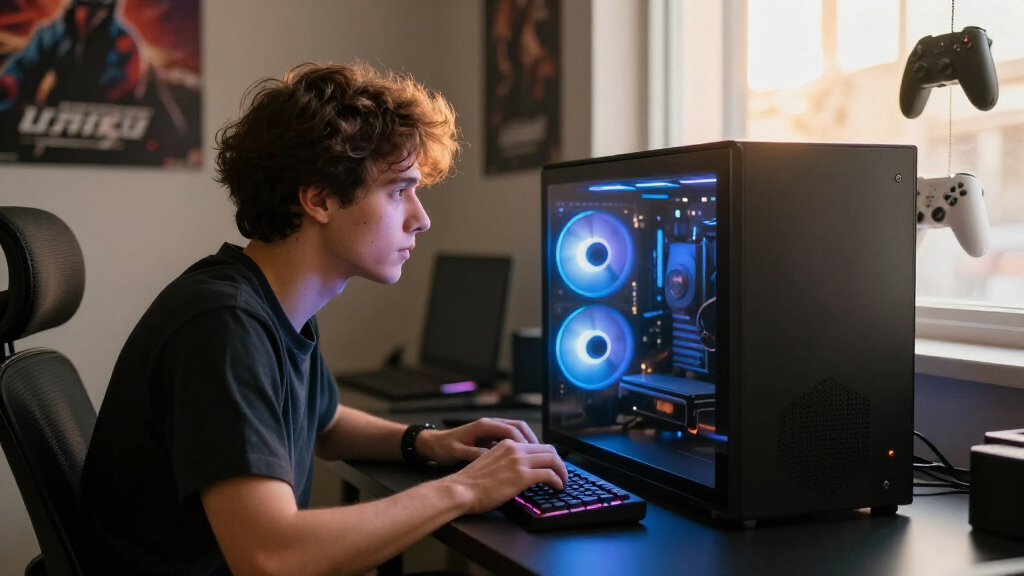

Shopping for the best high-end gaming PCs in 2026 mostly comes down to two questions: how much GPU you’re willing to pay for, and whether you want a polished flagship build or a value-forward configuration. The Corsair Vengeance a5100 stands out as my top pick because it pairs the RTX 5090 with the Ryzen 7 9800X3D, 64GB of premium DDR5, and liquid cooling — the most future-proofed combination in this lineup. The ASUS ROG G1000 is the tighter, more refined alternative with an RTX 5080, while the Skytech King 95 earns the value slot by delivering strong 1440p-to-4K performance for noticeably less. The main tradeoff you’ll face is raw GPU horsepower versus storage capacity, memory headroom, and brand support — not every RTX 5080 machine is built equally. Read on for the full breakdown, including which PCs are worth skipping and why.

Get the latest gadgets delivered free with Prime
- Fast, free delivery on millions of items
- Prime Video, Amazon Music and more included
- Member-only deals all year
Complete the kit



Key Takeaways
- The Corsair Vengeance a5100 is the only RTX 5090 system in the lineup, making it the clear choice for 4K max-settings gaming and long-term upgrade headroom.
- The Ryzen 7 9800X3D appears in eight of the fifteen builds, confirming it as the dominant high-end gaming CPU of 2026 — the X3D cache matters more than core counts for gaming.
- Skytech dominates the value tier: the King 95, O11 Vision, and Azure 3 all pair RTX 5070 Ti or 5080 GPUs with the same CPU as pricier flagships, cutting costs on case quality and memory instead.
- Storage is the hidden weak spot on premium builds — several $2,000-plus machines ship with a single 1TB or 2TB drive, which fills up fast with modern game sizes.
- Twin builds like the STORMCRAFT Valkyrie and Phantom show that boutique RTX 5080 systems are near-interchangeable; brand support and warranty terms, not specs, decide between them.
| ASUS ROG G1000 (2026) Gaming Desktop PC |  | Best Overall | CPU: AMD Ryzen 7 9800X3D | GPU: NVIDIA GeForce RTX 5080 | RAM: 32GB DDR5 | VIEW LATEST PRICE | See Our Full Breakdown |
| Corsair Vengeance a5100 Gaming PC |  | Best No-Compromise Flagship | CPU: AMD Ryzen 7 9800X3D (liquid cooled) | GPU: NVIDIA GeForce RTX 5090 | RAM: 64GB Dominator Titanium RGB DDR5 | VIEW LATEST PRICE | See Our Full Breakdown |
| Alienware Aurora Gaming Desktop (RTX 5080, Intel Core Ultra 9) |  | Best Brand Support | CPU: Intel Core Ultra 9 | GPU: NVIDIA GeForce RTX 5080 (Blackwell) | Cooling: Optional 240mm CPU liquid cooling | VIEW LATEST PRICE | See Our Full Breakdown |
| STORMCRAFT Valkyrie RTX 5080 Gaming PC |  | Best Showpiece Build | CPU: AMD Ryzen 7 9800X3D | GPU: NVIDIA GeForce RTX 5080 | RAM: 32GB DDR5 6000MHz RGB (expandable to 256GB) | VIEW LATEST PRICE | See Our Full Breakdown |
| Skytech King 95 Gaming PC Desktop |  | Best Value High-End Pick | CPU: AMD Ryzen 7 9800X3D (up to 5.2GHz Turbo) | GPU: NVIDIA GeForce RTX 5070 Ti 16GB GDDR7 | RAM: 32GB DDR5 6000 RGB | VIEW LATEST PRICE | See Our Full Breakdown |
| MSI Aegis R2 AI Gaming Desktop (C2NVR9-1452US) |  | Best for Content Creators | Processor: Intel Core Ultra 9 285 | Graphics Card: NVIDIA GeForce RTX 5070 Ti, 16 GB GDDR6 | RAM: 32 GB DDR5 | VIEW LATEST PRICE | See Our Full Breakdown |
| Skytech Gaming O11 Vision Gaming PC |  | Best Showpiece Build | Processor: AMD Ryzen 7 9850X3D (4.7GHz, up to 5.6GHz Turbo) | Graphics Card: NVIDIA GeForce RTX 5070 Ti, 16 GB GDDR7 | RAM: 32 GB DDR5 5600 with heat spreaders | VIEW LATEST PRICE | See Our Full Breakdown |
| STORMCRAFT Phantom Gaming PC |  | Best Warranty and Support | Processor: AMD Ryzen 7 9800X3D (8 cores, 16 threads, up to 5.2 GHz) | Graphics Card: NVIDIA GeForce RTX 5080, 16 GB GDDR7 | RAM: 32 GB DDR5 6000MHz RGB | VIEW LATEST PRICE | See Our Full Breakdown |
| Skytech Gaming Azure 3 Gaming PC |  | Best for 4K Ultra Gaming | Processor: AMD Ryzen 7 9800X3D (4.7GHz, up to 5.2GHz Turbo) | Graphics Card: NVIDIA GeForce RTX 5080, 16 GB GDDR7 | RAM: 32 GB DDR5 6000 RGB with heat spreaders | VIEW LATEST PRICE | See Our Full Breakdown |
| MSI Codex Z2 Gaming Desktop |  | Best Value Entry Point | Processor: AMD Ryzen 7 8700F (8 cores, 16 threads, up to 5.0 GHz) | Graphics Card: NVIDIA GeForce RTX 5070 (Blackwell architecture) | RAM: 32 GB DDR5 | VIEW LATEST PRICE | See Our Full Breakdown |
| Lenovo Legion Tower 5i – Intel Core Ultra 7 265F, RTX 5070 Ti, 32GB, 1TB |  | Best Upgradability Pick | CPU: Intel Core Ultra 7 265F | GPU: NVIDIA GeForce RTX 5070 Ti | RAM: 32GB DDR5 5600MHz (expandable to 128GB) | VIEW LATEST PRICE | See Our Full Breakdown |
| ZOTAC MEK Gaming PC – Ryzen 7 9800X3D, RTX 5080, 32GB, 2TB |  | Best Warranty Coverage | CPU: AMD Ryzen 7 9800X3D (up to 5.2GHz, 96MB L3) | GPU: ZOTAC GAMING GeForce RTX 5080 16GB GDDR7 | RAM: 32GB DDR5 6000MHz | VIEW LATEST PRICE | See Our Full Breakdown |
| Skytech Gaming PC Desktop – Ryzen 7 9850X3D, RTX 5080, 32GB, 2TB |  | Best 4K Performance Value | CPU: AMD Ryzen 7 9850X3D (up to 5.6GHz Turbo) | GPU: NVIDIA GeForce RTX 5080 16GB GDDR7 (brand may vary) | RAM: 32GB DDR5 6000 RGB | VIEW LATEST PRICE | See Our Full Breakdown |
| Horizon Autherium Dragon RGB Gaming PC – Core i9, RTX 5070 OC, 64GB, 5TB |  | Best for Storage-Hungry Power Users | CPU: Intel Core i9 unlocked, up to 5.4GHz | GPU: NVIDIA GeForce RTX 5070 OC 12GB | RAM: 64GB | VIEW LATEST PRICE | See Our Full Breakdown |
| Corsair Vengeance i7500 – i9-14900KF, RTX 5080, 32GB, 2TB |  | Best Big-Brand Flagship Experience | CPU: Intel Core i9-14900KF (liquid cooled) | GPU: NVIDIA GeForce RTX 5080 | RAM: 32GB Corsair Vengeance RGB DDR5 | VIEW LATEST PRICE | See Our Full Breakdown |
| high-end gaming PC | Cooling | RAM | Storage | CPU |
|---|---|---|---|---|
| ASUS ROG G1000 | Tri-fan AIO liquid cooler with tri-zone thermal design | 32GB DDR5 | 2TB PCIe 4.0 M.2 SSD | AMD Ryzen 7 9800X3D |
| Corsair Vengeance a5100 Gaming | iCUE LINK TITAN RX RGB liquid CPU cooler + 9x RX120 RGB fans | 64GB Dominator Titanium RGB DDR5 | 2TB + 2TB M.2 SSD | AMD Ryzen 7 9800X3D (liquid cooled) |
| Alienware Aurora Gaming Deskto | Optional 240mm CPU liquid cooling | — | — | Intel Core Ultra 9 |
| STORMCRAFT Valkyrie RTX 5080 G | 360mm ARGB AIO liquid cooler | 32GB DDR5 6000MHz RGB (expandable to 256GB) | 2TB NVMe SSD | AMD Ryzen 7 9800X3D |
| Skytech King 95 Gaming PC Desk | 360mm AIO liquid cooler with ARGB fans | 32GB DDR5 6000 RGB | 2TB Gen4 NVMe M.2 SSD | AMD Ryzen 7 9800X3D (up to 5.2GHz Turbo) |
| MSI Aegis R2 AI Gaming Desktop | RGB CPU air cooler + 4 system fans | 32 GB DDR5 | 2 TB M.2 NVMe SSD | — |
| Skytech Gaming O11 Vision Gami | 360mm AIO liquid cooler with ARGB fans | 32 GB DDR5 5600 with heat spreaders | 2 TB Gen4 NVMe M.2 SSD | — |
| STORMCRAFT Phantom Gaming PC | 360mm AIO liquid cooling + 7 ARGB fans | 32 GB DDR5 6000MHz RGB | 2 TB NVMe Gen4 SSD | — |
| Skytech Gaming Azure 3 Gaming | 360mm AIO liquid cooler with ARGB fans | 32 GB DDR5 6000 RGB with heat spreaders | 2 TB NVMe M.2 SSD | — |
| MSI Codex Z2 Gaming Desktop | ARGB air cooler + 4 system fans (3 front, 1 rear) | 32 GB DDR5 | 2 TB SSD | — |
| Lenovo Legion Tower 5i | 180W optimized air cooling | 32GB DDR5 5600MHz (expandable to 128GB) | 1TB SSD | Intel Core Ultra 7 265F |
| ZOTAC MEK Gaming PC | 360mm AIO liquid cooler, 6x 120mm ARGB fans | 32GB DDR5 6000MHz | 2TB NVMe M.2 SSD | AMD Ryzen 7 9800X3D (up to 5.2GHz, 96MB L3) |
| Skytech Gaming PC Desktop | 360mm AIO liquid cooler with ARGB fans | 32GB DDR5 6000 RGB | 2TB NVMe M.2 SSD | AMD Ryzen 7 9850X3D (up to 5.6GHz Turbo) |
| Horizon Autherium Dragon RGB G | 360mm AIO with 11 total fans | 64GB | 1TB NVMe SSD (7000MB/s) + 4TB 7200RPM HDD | Intel Core i9 unlocked, up to 5.4GHz |
| Corsair Vengeance i7500 | Corsair Nautilus RS ARGB liquid CPU cooler | 32GB Corsair Vengeance RGB DDR5 | 2TB M.2 NVMe SSD | Intel Core i9-14900KF (liquid cooled) |
More Details on Our Top Picks
ASUS ROG G1000 (2026) Gaming Desktop PC
The ASUS ROG G1000 hits the sweet spot this roundup is built around: an RTX 5080 paired with the Ryzen 7 9800X3D, arguably the best pure gaming CPU you can buy right now. That combination makes it a stronger gaming-first pick than the Alienware Aurora, which trades AMD’s 3D V-Cache advantage for Intel’s Core Ultra 9. Where the G1000 separates itself from builder-brand rivals like the STORMCRAFT Valkyrie is engineering polish: tri-zone thermal design isolates CPU, GPU, and PSU heat, and every unit ships validated by ROG engineers rather than assembled to a parts list. The AniMe Holo fan system is genuinely unique, though it’s a flashy extra some buyers will pay for and never use. My main hesitation is upgradability — boutique chassis like this often use proprietary layouts that limit future swaps.
Pros:- Best-in-class gaming CPU/GPU pairing with Ryzen 7 9800X3D and RTX 5080
- Tri-zone cooling with tri-fan AIO keeps performance stable under long sessions
- Factory-validated and tuned before shipping — no DIY guesswork
- Unique AniMe Holo holographic fan display for showpiece setups
Cons:- Proprietary chassis design likely restricts future component upgrades
- You’re paying a premium for cosmetic features like the holographic fan system
Best for: Enthusiast gamers who want flagship 4K performance with factory tuning and don’t plan to heavily modify the machine later
Not ideal for: Tinkerers who want to swap GPUs and PSUs over time — the custom chassis and integrated fan display limit easy upgrades
- CPU:AMD Ryzen 7 9800X3D
- GPU:NVIDIA GeForce RTX 5080
- RAM:32GB DDR5
- Storage:2TB PCIe 4.0 M.2 SSD
- Cooling:Tri-fan AIO liquid cooler with tri-zone thermal design
- OS:Windows 11 Home
- Special Feature:AniMe Holo holographic fan display (Solo/Sync/Fusion modes)
Our verdict“The most complete high-end gaming package here for buyers who value tuned, turnkey performance over open upgrade paths.”
Corsair Vengeance a5100 Gaming PC
If money is less of an obstacle and you want the fastest hardware available, the Corsair Vengeance a5100 stands alone in this lineup with an RTX 5090 — every other machine here tops out at the RTX 5080. That gap matters for 4K path-traced gaming and heavy creative workloads where the 5080 starts to strain. Corsair also goes beyond spec-sheet stuffing: 64GB of Dominator Titanium DDR5, dual 2TB SSDs, and an iCUE LINK ecosystem with nine RX120 RGB fans and a TITAN RX liquid cooler make the Skytech King 95‘s cooling setup look modest by comparison. The tradeoff is physical size and sensory volume — this is a large dual-chamber case with a lot of glass and lighting, and Corsair’s iCUE software ecosystem divides opinion. Compared with the ROG G1000, you give up the compact showpiece chassis but gain raw horsepower and standard parts that are easier to upgrade.
Pros:- Only RTX 5090 in the roundup — a clear tier above every other pick
- 64GB DDR5 and 4TB total SSD storage ready for创作 and multitasking
- Nine-fan iCUE LINK cooling system with liquid CPU cooler for sustained loads
- Standard components in a dual-chamber case make future upgrades straightforward
Cons:- The most expensive configuration here by a wide margin
- Massive footprint and heavy RGB styling won’t suit minimalists
- iCUE software adds complexity for users who just want to game
Best for: Buyers who want maximum GPU power and cooling headroom for 4K max-settings gaming and content creation
Not ideal for: Anyone sensitive to price, case size, or RGB overload — this is a big, bright, expensive statement machine
- CPU:AMD Ryzen 7 9800X3D (liquid cooled)
- GPU:NVIDIA GeForce RTX 5090
- RAM:64GB Dominator Titanium RGB DDR5
- Storage:2TB + 2TB M.2 SSD
- Cooling:iCUE LINK TITAN RX RGB liquid CPU cooler + 9x RX120 RGB fans
- Case:Corsair iCUE LINK 2500X RGB dual-chamber with tempered glass
Our verdict“The pick when only the fastest GPU and the most headroom will do — if you have the budget and desk space for it.”
Alienware Aurora Gaming Desktop (RTX 5080, Intel Core Ultra 9)
The Alienware Aurora earns its spot not by out-specing rivals but by wrapping solid hardware in the strongest support package here: one year of Dell onsite service, which no boutique builder in this roundup matches. Its Intel Core Ultra 9 is a capable chip with strong multi-threaded throughput, making it a better fit for streamers and hybrid workloads than a pure-frames machine — though for raw gaming FPS, the 9800X3D in the ROG G1000 or Skytech Azure 3 holds the edge. Alienware’s Command Center software keeps lighting and performance profiles in one place, and the matte basalt black chassis with AlienFX zones looks at home in a dual gaming/office setup. The compromises are familiar Alienware ones: the 240mm liquid cooling is optional rather than standard, and the premium you pay over equivalent boutique builds buys the badge and the service, not extra frames.
Pros:- 1 year Dell onsite service — best support coverage in this lineup
- RTX 5080 plus Intel Core Ultra 9 handles gaming, streaming, and productivity in one box
- Unified Alienware Command Center for lighting and performance tuning
- Restrained matte black design fits office-adjacent setups
Cons:- Liquid cooling is optional rather than standard at this price
- Intel CPU gives up gaming frame rates to cheaper 9800X3D rivals
- Premium pricing relative to comparable boutique configurations
Best for: Buyers who want a big-brand machine with onsite warranty service and one-stop software control
Not ideal for: Value-focused gamers chasing maximum frames per dollar — boutique builds with the 9800X3D deliver better gaming performance for less
- CPU:Intel Core Ultra 9
- GPU:NVIDIA GeForce RTX 5080 (Blackwell)
- Cooling:Optional 240mm CPU liquid cooling
- Chassis:Matte basalt black with AlienFX lighting zones
- Software:Alienware Command Center
- Warranty:1 year Dell onsite service
Our verdict“The safest purchase for buyers who prioritize warranty service and brand accountability over squeezing out every last frame.”
STORMCRAFT Valkyrie RTX 5080 Gaming PC
The STORMCRAFT Valkyrie competes directly with the ROG G1000 on specs — same Ryzen 7 9800X3D, same RTX 5080, same 32GB DDR5 and 2TB SSD — but spends its personality budget very differently. Instead of ASUS’s holographic fans, you get a pillarless panoramic glass tower with a spotlighted display stage for action figures, which sounds gimmicky until you see how much of the premium build it showcases. Practical details are stronger than its boutique peers: a 360mm ARGB AIO, an 850W 80 Plus Gold full-modular ATX 3.0 PSU with real upgrade headroom, an adjustable GPU anti-sag bracket, and a hand-assembled, California stress-tested build backed by a 3-year labor warranty. Compared with the Alienware Aurora, the warranty terms alone are more generous, though without onsite service. The risk with any smaller brand is long-term availability and resale recognition.
Pros:- 360mm AIO and 850W Gold full-modular PSU leave thermal and upgrade headroom
- Hand-assembled in California with full stress testing and 3-year labor warranty
- Thoughtful touches like the adjustable GPU anti-sag bracket
- Unique figure-display stage in a pillarless panoramic glass case
Cons:- No onsite service if something goes wrong — support is remote-based
- Boutique brand carries less resale value and name recognition than ASUS or Dell
Best for: Style-driven builders who want a display-case PC with genuine cooling and power-delivery hardware underneath
Not ideal for: Buyers who want an understated desk machine — the panoramic glass and RGB everywhere demand attention
- CPU:AMD Ryzen 7 9800X3D
- GPU:NVIDIA GeForce RTX 5080
- RAM:32GB DDR5 6000MHz RGB (expandable to 256GB)
- Storage:2TB NVMe SSD
- Cooling:360mm ARGB AIO liquid cooler
- Power Supply:850W 80 Plus Gold full-modular ATX 3.0
- Motherboard:B850 with USB-C, Wi-Fi 6, Bluetooth
- Warranty:3-year labor, 2-year parts, lifetime tech support
Our verdict“A genuinely well-engineered RTX 5080 build for buyers who want their PC to be part of the display, not hidden under the desk.”
Skytech King 95 Gaming PC Desktop
The Skytech King 95 is the entry point into genuine high-end gaming here, and it gets the fundamentals right: the same Ryzen 7 9800X3D found in machines costing far more, paired with an RTX 5070 Ti that comfortably handles 1440p Ultra at 60+ FPS. It shares its CPU with the ROG G1000 and STORMCRAFT Valkyrie, so frame rates in CPU-bound titles stay competitive — the GPU is where you save money. The 360mm AIO cooler, 2TB Gen4 SSD, and 32GB DDR5 6000 mean nothing on the spec sheet feels cut-rate, and Windows 11 ships without bloatware. The tradeoffs are honest ones: the GPU brand may vary from listing images, port layouts differ unit to unit, and unlike the Valkyrie there’s no figure-stage theater — this is a straightforward black tower. Compared with the Corsair Vengeance a5100, you’re two GPU tiers down, but you’re also not paying flagship money.
Pros:- Flagship Ryzen 7 9800X3D at a much lower price than RTX 5080 builds
- 360mm AIO liquid cooling prevents throttling in long sessions
- Clean Windows 11 install with no bloatware
- 2TB Gen4 NVMe and 32GB DDR5 6000 — no corner-cutting on core specs
Cons:- Graphics card brand and port configuration may vary between units
- RTX 5070 Ti is a step behind for native 4K ray-traced gaming
- Only 1-year warranty, shorter than boutique rivals like STORMCRAFT
Best for: 1440p gamers who want flagship CPU performance and liquid cooling without flagship GPU pricing
Not ideal for: 4K max-settings players — the RTX 5070 Ti will need upscaling where the 5080/5090 machines don’t
- CPU:AMD Ryzen 7 9800X3D (up to 5.2GHz Turbo)
- GPU:NVIDIA GeForce RTX 5070 Ti 16GB GDDR7
- RAM:32GB DDR5 6000 RGB
- Storage:2TB Gen4 NVMe M.2 SSD
- Cooling:360mm AIO liquid cooler with ARGB fans
- OS:Windows 11 Home (no bloatware)
- Connectivity:802.11 AC Wi-Fi, USB 2.0/3.0/3.2 Gen1
- Warranty:1 year parts and labor, US assembly
Our verdict“The smartest spend in the lineup for 1440p players who’d rather put money into the CPU and cooling than the GPU tier.”
MSI Aegis R2 AI Gaming Desktop (C2NVR9-1452US)
The MSI Aegis R2 stands out for pairing Intel’s Core Ultra 9 285 with an RTX 5070 Ti, which makes this pick better suited to buyers who split their time between gaming and production work than to pure frame-chasers. Compared with the Skytech O11 Vision, which leans on the gaming-optimized Ryzen 9850X3D, the Aegis favors multi-core throughput for video encoding, streaming, and AI-assisted workflows. Its 2TB NVMe SSD and 32GB of DDR5 mean large project files and heavy timelines won’t stall you out. The tradeoff is thermal design: where Skytech and STORMCRAFT fit 360mm liquid coolers, MSI relies on a four-fan air setup. That’s quieter to maintain and has fewer failure points, but sustained all-core loads will run warmer than liquid-cooled rivals.
Pros:- Core Ultra 9 285 excels at gaming plus parallel creative workloads like encoding and streaming
- 2TB NVMe SSD and 32GB DDR5 handle large project files without upgrades
- Four-fan air cooling is simple, reliable, and low-maintenance
- VR-ready with modern connectivity including USB Type C
Cons:- No liquid cooling option, so sustained heavy loads run warmer than AIO-equipped rivals
- At 26.9 pounds it’s one of the heavier towers in this lineup
Best for: Streamers and content creators who need strong multi-core CPU performance alongside high-end gaming
Not ideal for: Enthusiasts chasing maximum sustained clocks under long gaming sessions — air cooling trails the 360mm AIO setups elsewhere in this lineup
- Processor:Intel Core Ultra 9 285
- Graphics Card:NVIDIA GeForce RTX 5070 Ti, 16 GB GDDR6
- RAM:32 GB DDR5
- Storage:2 TB M.2 NVMe SSD
- Cooling:RGB CPU air cooler + 4 system fans
- Operating System:Windows 11 Home
- VR-Ready:Yes
- Weight:26.9 pounds
Our verdict“This is the pick for creators who game, not gamers who occasionally render.”
Skytech Gaming O11 Vision Gaming PC
If the PC itself is part of the aesthetic, the Skytech O11 Vision makes the most sense for you. The Lian Li PC-O11 Vision showcase case in white, paired with a 360mm ARGB AIO, turns the internals into the centerpiece — something the blacked-out STORMCRAFT Phantom can’t match visually. Under the glass sits a Ryzen 7 9850X3D and RTX 5070 Ti, a combination aimed squarely at 1440p ultra settings with high refresh rates. Compared with the MSI Aegis R2, you get liquid cooling headroom that keeps the 3D V-Cache chip running at full boost during marathon sessions. The compromises are real though: Wi-Fi 5 is dated next to modern Wi-Fi 6E systems, the one-year warranty is shorter than STORMCRAFT’s multi-year coverage, and GPU brand may vary between units.
Pros:- Lian Li PC-O11 Vision case is one of the best-looking showcase chassis in any prebuilt
- Ryzen 7 9850X3D is a top-tier gaming CPU with massive 3D V-Cache headroom
- 360mm AIO liquid cooling prevents thermal throttling under sustained loads
- No bloatware and includes a free gaming keyboard and mouse
Cons:- Wi-Fi 5 wireless is a generation behind what comparable systems offer
- Only a one-year parts and labor warranty
- GPU brand may vary, so the exact card you receive isn’t guaranteed
Best for: Buyers who want a display-worthy RGB showcase that still delivers high-refresh 1440p gaming
Not ideal for: Anyone needing long warranty coverage or modern wireless — the one-year parts warranty and Wi-Fi 5 lag behind rivals
- Processor:AMD Ryzen 7 9850X3D (4.7GHz, up to 5.6GHz Turbo)
- Graphics Card:NVIDIA GeForce RTX 5070 Ti, 16 GB GDDR7
- RAM:32 GB DDR5 5600 with heat spreaders
- Storage:2 TB Gen4 NVMe M.2 SSD
- Cooling:360mm AIO liquid cooler with ARGB fans
- Power Supply:850W Gold ATX 3.0
- Operating System:Windows 11 Home
- Case:Lian Li PC-O11 Vision, White
- Warranty:1 year parts and labor, assembled in USA
Our verdict“Buy it if you want your hardware on display and your frames high; skip it if warranty length matters more than looks.”
STORMCRAFT Phantom Gaming PC
What separates the STORMCRAFT Phantom from flashier rivals isn’t the spec sheet — it’s the 2-year parts, 3-year labor warranty with lifetime technical support, the longest coverage in this batch. The internals are serious too: an RTX 5080 puts it a full tier above the RTX 5070 Ti machines like the Skytech O11 Vision, meaning comfortable 4K gaming rather than 1440p-only headroom. The Ryzen 7 9800X3D is arguably the best pure gaming CPU available, and the 360mm AIO plus seven ARGB fans keep it there through long sessions. Compared with the Skytech Azure 3, which shares nearly identical internals, the Phantom trades a tempered-glass showcase design for stronger after-purchase protection — a trade long-term owners should take happily. The single documented HDMI output is a genuine limitation for multi-monitor setups, though the GPU’s own ports likely add more.
Pros:- RTX 5080 delivers a genuine 4K gaming tier above RTX 5070 Ti builds
- Ryzen 7 9800X3D is among the strongest gaming CPUs you can buy
- Industry-leading 2-year parts, 3-year labor warranty plus lifetime tech support
- Assembled in California with 360mm AIO and seven ARGB fans
Cons:- Only one HDMI output is documented, complicating multi-display setups
- Smaller brand means less established track record than MSI or Skytech
Best for: Buyers who plan to keep their PC for years and value long-term parts, labor, and support coverage
Not ideal for: Multi-monitor power users — documented video output is limited, so verify port layout before buying
- Processor:AMD Ryzen 7 9800X3D (8 cores, 16 threads, up to 5.2 GHz)
- Graphics Card:NVIDIA GeForce RTX 5080, 16 GB GDDR7
- RAM:32 GB DDR5 6000MHz RGB
- Storage:2 TB NVMe Gen4 SSD
- Cooling:360mm AIO liquid cooling + 7 ARGB fans
- Power Supply:850W Gold certified
- Motherboard:AMD B850 chipset
- Warranty:2-year parts, 3-year labor, lifetime tech support
Our verdict“The safest long-term ownership play in this batch, with true 4K power to back it up.”
Skytech Gaming Azure 3 Gaming PC
The Skytech Azure 3 is the most direct 4K-focused value play here: an RTX 5080 with 16GB of GDDR7 married to the Ryzen 7 9800X3D, which is precisely the CPU/GPU pairing that high-resolution gaming rewards. Compared with its sibling, the Skytech O11 Vision, the Azure 3 spends your money on a faster GPU rather than a premium showcase case — same 360mm AIO and 850W Gold platform, but built for 4K ultra at 60+ FPS instead of desk-display bragging rights. Against the STORMCRAFT Phantom, the specs nearly mirror each other, so the choice comes down to case aesthetics and support expectations; Skytech offers a broader track record but a shorter one-year warranty. Note the 32GB of DDR5 6000 is a nice step up from the O11 Vision’s slower memory, which matters for CPU-bound titles.
Pros:- RTX 5080 16GB GDDR7 handles 4K ultra gaming with ray tracing
- Ryzen 7 9800X3D eliminates CPU bottlenecks in demanding titles
- Faster DDR5 6000 RGB memory than the O11 Vision’s 5600 kit
- 360mm AIO and 850W Gold PSU give headroom for future GPU upgrades
Cons:- Only a one-year parts and labor warranty
- Wi-Fi 5 connectivity is dated for a system at this tier
- GPU brand may vary between units
Best for: Players who want true 4K ultra settings at 60+ FPS without paying for a showcase case
Not ideal for: Buyers who prioritize long warranty coverage — the one-year plan trails STORMCRAFT’s multi-year package
- Processor:AMD Ryzen 7 9800X3D (4.7GHz, up to 5.2GHz Turbo)
- Graphics Card:NVIDIA GeForce RTX 5080, 16 GB GDDR7
- RAM:32 GB DDR5 6000 RGB with heat spreaders
- Storage:2 TB NVMe M.2 SSD
- Cooling:360mm AIO liquid cooler with ARGB fans
- Power Supply:850W Gold ATX 3.0
- Case:Skytech Azure, tempered glass, white
- Operating System:Windows 11 Home
Our verdict“The most sensible RTX 5080 build for buyers who care about frames per dollar rather than glass and glow.”
MSI Codex Z2 Gaming Desktop
Not everyone in a high-end roundup needs a 5080-class card, and the MSI Codex Z2 is the smartest way into the tier below it. The RTX 5070 on Blackwell architecture delivers strong rasterization and ray tracing for high-refresh 1440p, while the Ryzen 7 8700F holds its own in AAA titles and streaming. Compared with the MSI Aegis R2’s 5070 Ti, you give up some GPU headroom — but you gain a meaningfully lower buy-in for the same 32GB of DDR5 and 2TB of storage, which keeps the system future-proof where it counts. The four-fan air cooling array matches the Aegis approach: dependable and quiet, but not for buyers who plan to push sustained all-core workloads. This model is better suited to first-time prebuilt buyers than to enthusiasts chasing benchmark records.
Pros:- RTX 5070 Blackwell GPU brings current-gen features to a lower tier
- 32GB DDR5 and 2TB SSD match the storage and memory of far pricier builds here
- Four-fan cooling plus ARGB air cooler keeps thermals in check
- MSI Center software makes lighting and tuning approachable for newcomers
Cons:- Air cooling only, with no liquid option for sustained heavy loads
- Windows 11 Home adds upgrade cost for anyone needing Pro for business use
Best for: First-time prebuilt buyers who want modern Blackwell graphics and roomy specs at the most accessible price in this lineup
Not ideal for: 4K ultra purists — the RTX 5070 is a 1440p card, and buyers wanting 4K headroom should step up to the Azure 3 or Phantom
- Processor:AMD Ryzen 7 8700F (8 cores, 16 threads, up to 5.0 GHz)
- Graphics Card:NVIDIA GeForce RTX 5070 (Blackwell architecture)
- RAM:32 GB DDR5
- Storage:2 TB SSD
- Cooling:ARGB air cooler + 4 system fans (3 front, 1 rear)
- Operating System:Windows 11 Home
- Lighting:Customizable RGB via MSI Center
Our verdict“The most rational entry point into high-end gaming in this batch — modern, roomy, and ready to grow with you.”
Lenovo Legion Tower 5i – Intel Core Ultra 7 265F, RTX 5070 Ti, 32GB, 1TB
The Lenovo Legion Tower 5i earns its place as the most upgrade-friendly machine in this lineup. Its tool-less transparent side panel and memory ceiling of 128GB DDR5 mean this is a PC you can grow with for years, unlike the ZOTAC MEK, which arrives highly configured but gives you less reason (and ease) to crack it open. The RTX 5070 Ti paired with Intel’s Core Ultra 7 265F handles 1440p maxed-out and respectable 4K, though buyers chasing true 4K Ultra headroom will prefer the RTX 5080 machines here. The 1TB SSD fills up fast in a modern library, and air cooling, however capable at 180W, trails the 360mm AIOs found on the Corsair Vengeance i7500. The included Game Pass subscription softens the entry for anyone building a library from scratch.
Pros:- Tool-less side panel and 128GB memory ceiling make future upgrades genuinely easy
- 180W optimized air cooling stays quiet under sustained loads
- 3 months of PC Game Pass and EA Play included out of the box
- 2.5G Ethernet and WiFi 6E for lag-free streaming and gaming
Cons:- Only 1TB of storage, the smallest capacity in this lineup
- Air cooling limits overclocking headroom versus liquid-cooled rivals
Best for: Tinkerers and long-haul owners who want a platform they can upgrade piecemeal instead of replacing
Not ideal for: 4K Ultra purists — the RTX 5070 Ti and 1TB of storage will feel limiting next to RTX 5080 rivals
- CPU:Intel Core Ultra 7 265F
- GPU:NVIDIA GeForce RTX 5070 Ti
- RAM:32GB DDR5 5600MHz (expandable to 128GB)
- Storage:1TB SSD
- Cooling:180W optimized air cooling
- Connectivity:2.5G Ethernet, WiFi 6E
- Extras:3 months PC Game Pass + EA Play
Our verdict“Buy this if you see your next PC as a long-term project rather than a finished product.”
ZOTAC MEK Gaming PC – Ryzen 7 9800X3D, RTX 5080, 32GB, 2TB
Where most prebuilts in this guide offer a single year of coverage, the ZOTAC MEK stands out with a 3-year GPU warranty and a no-registration policy — a real differentiator against the Skytech 9850X3D build, which matches its hardware closely but stops at 1 year. The Ryzen 7 9800X3D’s 3D V-Cache remains the best gaming CPU architecture available, and ZOTAC pairs it with a clean Windows 11 Pro install, a 360mm AIO, and 5-Gigabit LAN that outclasses the Wi-Fi 5-only Skytech. The glass-heavy chassis is heavier and flashier than the understated Corsair Vengeance i7500, which may not suit every desk. Warranty shipping to the service center is on you, and only US addresses get return shipping — a caveat for international buyers comparing against Alienware’s broader support network.
Pros:- 3-year GPU warranty with no registration required
- 5-Gigabit LAN and WiFi 6E, the best networking in this batch
- Clean Windows 11 Pro install with no bloatware
- 360mm AIO liquid cooling with tempered glass showcase design
Cons:- Customer pays shipping to the service center for warranty claims
- Boutique brand with a smaller support footprint than Lenovo or Corsair
Best for: Buyers who prioritize long-term protection and clean software on a top-tier gaming rig
Not ideal for: International customers — warranty service and return shipping are US-only
- CPU:AMD Ryzen 7 9800X3D (up to 5.2GHz, 96MB L3)
- GPU:ZOTAC GAMING GeForce RTX 5080 16GB GDDR7
- RAM:32GB DDR5 6000MHz
- Storage:2TB NVMe M.2 SSD
- Power Supply:850W 80+ Gold
- Cooling:360mm AIO liquid cooler, 6x 120mm ARGB fans
- Connectivity:WiFi 6E, Bluetooth 5.3, 5-Gigabit LAN
- Warranty:1-year system, 3-year GPU
Our verdict“The strongest pick here if warranty length and network speed matter as much as frame rates.”
Skytech Gaming PC Desktop – Ryzen 7 9850X3D, RTX 5080, 32GB, 2TB
This Skytech build pairs the Ryzen 7 9850X3D — a step above the 9800X3D in the ZOTAC MEK — with an RTX 5080, delivering genuine 4K Ultra gameplay at 60+ FPS while undercutting rivals like the Corsair Vengeance i7500 on ancillaries. The bundled keyboard and mouse and zero bloatware make it a plug-and-play option, whereas Corsair asks you to supply peripherals. The compromises are real, though: Wi-Fi 5 is a generation or two behind the MEK’s WiFi 6E, and the vague ‘GPU brand may vary’ disclaimer means you cannot guarantee which RTX 5080 cooler design arrives — a roll of the dice that matters for thermals and noise. The King 95 showcase case with 360mm AIO keeps the hardware honest under load, matching the cooling story of pricier machines here.
Pros:- Ryzen 7 9850X3D plus RTX 5080 delivers verified 4K Ultra at 60+ FPS
- No bloatware and free keyboard/mouse bundle
- 360mm AIO in a showcase case prevents thermal throttling
- 1-year warranty with free US-based technical support
Cons:- Wi-Fi 5 only, lagging the WiFi 6E standard elsewhere in this lineup
- GPU brand may vary, so cooler design and noise levels are unpredictable
Best for: Frame-rate-first buyers who want maximum 4K performance per dollar and already own peripherals
Not ideal for: Spec-precise buyers — variable GPU branding and dated Wi-Fi make this a less predictable purchase
- CPU:AMD Ryzen 7 9850X3D (up to 5.6GHz Turbo)
- GPU:NVIDIA GeForce RTX 5080 16GB GDDR7 (brand may vary)
- RAM:32GB DDR5 6000 RGB
- Storage:2TB NVMe M.2 SSD
- Cooling:360mm AIO liquid cooler with ARGB fans
- Connectivity:Wi-Fi 5 802.11ac
- Warranty:1 year parts and labor
Our verdict“The smart choice when raw 4K horsepower matters more than component prestige or modern wireless.”
Horizon Autherium Dragon RGB Gaming PC – Core i9, RTX 5070 OC, 64GB, 5TB
The Horizon Autherium Dragon plays a different game than everything else here: instead of chasing maximum GPU tiers, it stacks 64GB of RAM and 5TB of hybrid storage, making it the only machine in this roundup built for creators and gamers with massive libraries. Where the Lenovo Legion Tower 5i offers just 1TB and the ZOTAC MEK 2TB, Horizon adds a 4TB 7200RPM drive for archived footage and games. The RTX 5070 OC 12GB is a tier below the RTX 5080 rigs, so pure 4K enthusiasts should look elsewhere, but the 3-year parts and 5-year labor warranty doubles the coverage horizon of Skytech’s builds. The catch: this is a boutique brand with limited independent review coverage, and managing 11 fans adds maintenance complexity most mainstream buyers won’t want.
Pros:- 64GB RAM and 5TB hybrid storage unmatched anywhere in this lineup
- 3-year parts and 5-year labor warranty, the longest overall coverage here
- 360mm AIO plus 11 fans keep the Core i9 stable and quiet
- USB-C, 8 USB ports, and quad-display support for multi-monitor setups
Cons:- RTX 5070 OC trails the RTX 5080 machines for 4K gaming
- Boutique build with little independent review information
- 11 fans complicate cleaning and long-term maintenance
Best for: Streamers and content creators who need huge storage and RAM more than a flagship GPU
Not ideal for: Buyers who want brand track records — limited independent reviews make this a trust-based purchase
- CPU:Intel Core i9 unlocked, up to 5.4GHz
- GPU:NVIDIA GeForce RTX 5070 OC 12GB
- RAM:64GB
- Storage:1TB NVMe SSD (7000MB/s) + 4TB 7200RPM HDD
- Cooling:360mm AIO with 11 total fans
- Power Supply:850W 80+ Gold
- OS:Windows 11 Pro
- Warranty:3-year parts, 5-year labor
Our verdict“Pick this for capacity and warranty length over raw GPU muscle — skip it if frame-rate charts are your religion.”
Corsair Vengeance i7500 – i9-14900KF, RTX 5080, 32GB, 2TB
For buyers who want name-brand accountability with every component, the Corsair Vengeance i7500 is the safest flagship play in this batch. Unlike the Skytech builds, where the GPU brand is a lottery, here the CPU cooler, memory, case, and fans all come from one ecosystem with iCUE software controlling lighting in a single place. The i9-14900KF trades blows with the Ryzen 9800X3D in the ZOTAC MEK for gaming but pulls ahead in heavily threaded workloads, which suits hybrid gaming-and-editing setups. The tradeoff is cost: premium branded components push it above similarly specced boutique rigs, and the 3500X mid-tower with wraparound glass is physically larger than compact options like the MEK. It’s the polished, no-surprises choice rather than the value choice.
Pros:- Fully Corsair-branded components with unified iCUE lighting control
- RTX 5080 plus liquid-cooled i9 handles gaming and heavy multitasking
- 2TB NVMe SSD for fast boots and large game libraries
- Premium 3500X tempered glass showcase case
Cons:- More expensive than comparably specced boutique builds
- Large mid-tower footprint demands considerable desk or floor space
Best for: Buyers who want a unified ecosystem, predictable quality, and a major brand behind their RTX 5080 rig
Not ideal for: Value shoppers — boutique builders deliver the same core specs for noticeably less
- CPU:Intel Core i9-14900KF (liquid cooled)
- GPU:NVIDIA GeForce RTX 5080
- RAM:32GB Corsair Vengeance RGB DDR5
- Storage:2TB M.2 NVMe SSD
- Cooling:Corsair Nautilus RS ARGB liquid CPU cooler
- Case:Corsair 3500X ARGB mid-tower, tempered glass
Our verdict“The pick for buyers willing to pay a premium for brand consistency and support peace of mind.”
How We Picked
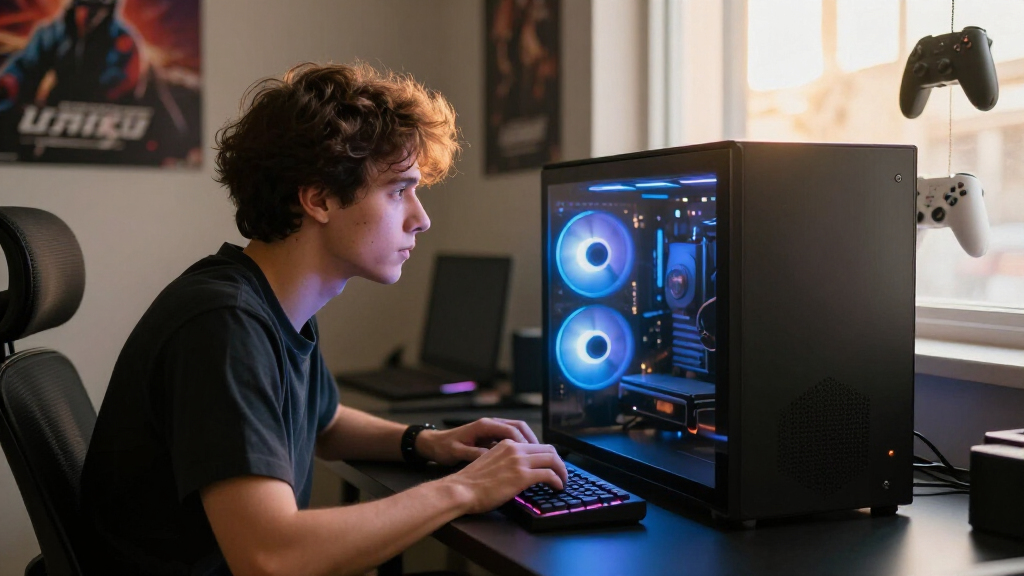
I evaluated these fifteen systems against four criteria that actually separate high-end gaming PCs from each other. GPU tier and pairing came first: an RTX 5090 build is a different class of machine than an RTX 5070 Ti build, and a mismatched CPU can bottleneck even a great graphics card. Thermal design came second — liquid-cooled flagships like the Corsair and Skytech Azure 3 sustain boost clocks far better than air-cooled compact towers. Component quality and headroom was third: 32GB versus 64GB of RAM, single versus dual SSDs, and Gold-rated ATX 3.0 power supplies all affect how long a system stays relevant. Finally, I weighed brand support and upgradability, because boutique builders like STORMCRAFT and Horizon offer aggressive specs but less established service networks than ASUS, Corsair, Alienware, MSI, or Lenovo.
The ranking logic follows value-per-tier rather than raw price. Flagships with the RTX 5090 and RTX 5080 sit at the top only when the rest of the build justifies them; value-oriented RTX 5070 Ti systems rank where they deliver flagship CPUs at mid-range prices; and systems with older CPUs like the Intel Core i9-14900KF or outlier configs like the Horizon’s overclocked RTX 5070 rank lower despite impressive spec sheets, because their internal balance lags the 2026 field.
Factors to Consider When Choosing Best High-end Gaming PCs
Beyond the specific models above, a few category-wide realities shape every high-end gaming PC purchase in 2026. Understanding these before you buy will save you from paying premium prices for mismatched configurations.GPU Tier Is 70% of Your Decision
The graphics card determines your resolution ceiling, ray tracing performance, and how long the system stays viable. The gap between the RTX 5070 Ti, 5080, and 5090 is real: the 5070 Ti comfortably handles 1440p at high refresh rates and does respectable 4K, the 5080 is the true 4K card, and the 5090 exists for uncompromised 4K path tracing and high-refresh 4K OLED displays. What many buyers miss is that VRAM and power delivery matter as much as the chip name — a 16GB card paired with a cheap 750W PSU may throttle under sustained load. If your monitor is 1440p, paying for a 5090 is wasted money; if you own a 4K 240Hz panel, anything below a 5080 will feel like a compromise within a year.
The X3D CPU Tax — When It’s Worth It
AMD’s 3D V-Cache processors, the 9800X3D and 9850X3D, dominate gaming benchmarks not because of core count but because their stacked cache dramatically improves frame rates in simulation-heavy and competitive titles. For pure gaming, a 9800X3D beats far more expensive CPUs with more cores. The catch: if you also stream, edit video, or run heavy multitasking workloads, the extra cores of an Intel Core Ultra 9 or a 9850X3D earn their keep. Buying a high-end gaming PC with a last-generation Intel chip — like the i9-14900KF in the Corsair i7500 — gets you strong performance today but a dead-end upgrade path, since that socket is discontinued. Prefer platforms with a future CPU drop-in path if you keep systems for five-plus years.
Cooling and Case Quality Separate Equal Specs
Two PCs with identical specs can perform 5-10% differently based entirely on thermals, and at this price tier that gap is unacceptable. 360mm AIO liquid coolers, like those in the Skytech Azure 3 and O11 Vision, keep the 9800X3D boosting indefinitely, while small air coolers in compact towers cause thermal throttling during long sessions. Mesh front panels, multiple intake fans, and roomy cases (the O11-style builds) matter more than RGB aesthetics. A common mistake: buying a compact flagship like the ASUS ROG G1000 for its footprint, then discovering GPU temperatures run hot in summer. Check the cooler size and case airflow before the spec that impressed you on paper.
Storage and Memory: The Silent Cheap-Outs
High-end builders cut costs where buyers don’t look, and that means storage and RAM. Modern AAA games regularly exceed 150GB, so a single 1TB drive — as on the Lenovo Legion Tower 5i — fills up within months. Look for 2TB minimum, ideally a 2+2TB dual-SSD setup like the Corsair a5100, which lets you keep the OS drive clean. On memory, 32GB of DDR5 is the sensible floor for 2026 gaming; 64GB only matters for streaming, content creation, or heavy multitasking, so don’t pay flagship premiums for it otherwise. Also check RAM speed — DDR5-5600 versus DDR5-6000 has a small but measurable gaming impact on X3D chips.
Boutique Builders Versus Major Brands
This lineup mixes giants (ASUS, Corsair, Alienware, MSI, Lenovo) with boutique outfits (STORMCRAFT, Skytech, Horizon, ZOTAC). Boutiques typically offer better price-to-spec ratios — you get the flagship CPU and GPU for less — but support quality varies widely, warranty terms can be shorter, and resale value is lower. Major brands bring standardized support, better software ecosystems, and easier service claims, which matters if you’re not comfortable troubleshooting yourself. A reasonable rule: if you’re an experienced enthusiast who will likely upgrade components yourself, boutiques save real money. If this is your first high-end machine or a gift for a family member, the brand support network is worth the premium.
When to Pay More (and When Not To)
Paying more makes sense in exactly two scenarios: stepping up a GPU tier (5070 Ti to 5080, or 5080 to 5090), or buying a build with upgrade headroom — a roomy case, a high-wattage ATX 3.0 PSU, and a current-generation platform. Paying more for cosmetic upgrades, RGB ecosystems, or factory overclocked GPUs rarely improves actual gaming performance. Similarly, skip paying premiums for 64GB RAM or 5TB of storage if you won’t use them; both are cheap to add later. The worst value trap in this category is a system like the Horizon Autherium: enormous RAM and storage numbers wrapped around a mid-tier GPU. In gaming PCs, the graphics card is the asset — fund it first and everything else second.
Frequently Asked Questions
Is the RTX 5090 worth the premium over the RTX 5080 for high-end gaming?
Only if you game at 4K with ray tracing or path tracing enabled, or own a high-refresh 4K OLED monitor. The 5090 delivers a meaningful frame-rate uplift in that scenario, and it’s the only card here that will hold max settings at 4K for several years without compromise. At 1440p, the difference shrinks dramatically and the 5080 — or even the 5070 Ti — delivers nearly identical experiences. The 5090 also carries power and cooling demands that require a robust PSU and case airflow, which is why the Corsair Vengeance a5100’s liquid-cooled, dual-SSD build justifies its position. If you’re unsure, spend the savings on a better monitor instead.
Should I choose the Ryzen 7 9800X3D or the Ryzen 7 9850X3D?
For pure gaming, the 9800X3D is the smarter buy — it matches or beats its bigger sibling in most game benchmarks because games rarely use the extra cores of the 9850X3D. The 9850X3D makes sense if your PC doubles as a workstation: streaming while gaming, video editing, 3D rendering, or heavy multitasking all benefit from the additional cores. In this lineup, the Skytech O11 Vision and the Skytech RTX 5080 build use the 9850X3D, which suits creators who want one machine for everything. Everyone else should treat the 9800X3D as the default high-end gaming CPU of 2026 and put the savings toward the GPU tier.
Are boutique brands like STORMCRAFT and Skytech reliable compared to ASUS or Alienware?
Generally yes for the hardware itself — they use the same off-the-shelf components (AMD CPUs, NVIDIA GPUs, name-brand SSDs and RAM) as the major brands. The differences show up in assembly consistency, bloatware, cable management, and what happens when something fails. Major brands offer standardized warranty processes and phone support, while boutique support quality varies and often involves shipping the whole system back for service. If you buy boutique, register the warranty immediately, document the build with photos on arrival, and test stress components within the return window. Experienced buyers comfortable swapping a part themselves get the best of both worlds; first-time buyers may prefer the safety net of a big brand.
How much storage do I actually need in a high-end gaming PC?
Treat 2TB as the realistic minimum for a high-end gaming machine in 2026, because AAA titles now routinely consume 100-200GB each — five or six modern games can fill a 1TB drive. Systems like the Lenovo Legion Tower 5i with a single 1TB drive will need an upgrade within months, which is an awkward extra step on a new premium purchase. The ideal configuration is a dual-drive setup like the Corsair a5100’s 2+2TB arrangement: one drive for the OS and apps, one for your game library, so a Windows reinstall never touches your installed games. If your budget forces a choice, take a smaller SSD now and add a second one later — NVMe drives are among the cheapest and easiest upgrades in any of these systems.
Is it better to buy a prebuilt high-end PC or build my own?
In 2026’s market, prebuilts have closed most of the traditional price gap because builders get GPU volume pricing individual buyers can’t, and bundled systems often cost less than the sum of their parts. Building your own still wins on exact part selection, no bloatware, and the satisfaction of knowing every cable — plus easier future upgrades since you know the layout. Prebuilts win on convenience, warranty coverage of the whole system (one support call covers everything), and time. If a component fails in a self-build, you diagnose and RMA it yourself; in a prebuilt, the builder handles it. For most buyers at this tier, a well-chosen prebuilt like the ones ranked above is the pragmatic choice, while self-building remains rewarding for enthusiasts who enjoy the process as much as the product.
Conclusion
Mapping these fifteen systems to buyer types closes the decision cleanly. For the best overall, the Corsair Vengeance a5100 stands alone: RTX 5090 power, the 9800X3D, 64GB of RAM, dual 2TB SSDs, and liquid cooling make it the most complete and longest-lasting machine here. The best premium alternative is the ASUS ROG G1000, which trades the 5090 for a 5080 in a more refined, compact flagship package — ideal if desk space and aesthetics matter as much as frames. Best value goes to the Skytech King 95, delivering the flagship CPU with an RTX 5070 Ti for buyers gaming at 1440p, with the Skytech O11 Vision as the pick for creators who need the 9850X3D’s extra cores. For beginners, the Lenovo Legion Tower 5i is the safest entry point — mainstream brand support, balanced specs, and bundled Game Pass — just plan to add storage early. Best for 4K on a tighter budget is the Skytech Azure 3 or STORMCRAFT Valkyrie, both pairing the 9800X3D with an RTX 5080 and strong cooling. Skip systems built on discontinued CPU platforms or mid-tier GPUs dressed up with big RAM numbers — in this category, the graphics card is the investment, and every recommendation above funds it first.
Halloween Picks
halloween
As an affiliate, we earn on qualifying purchases.