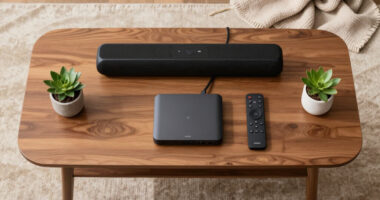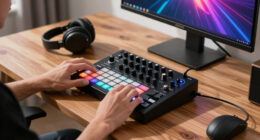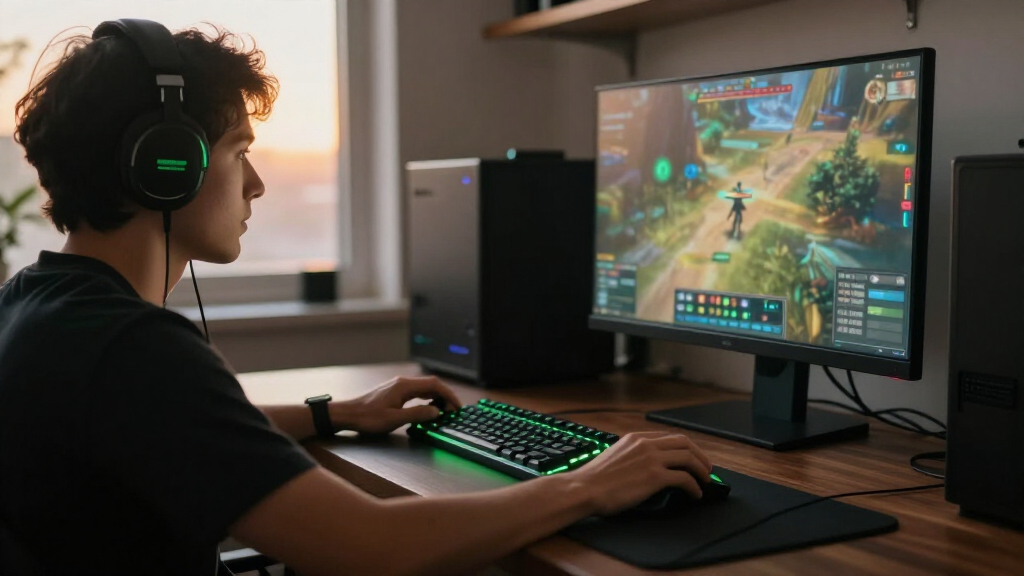
The best Razer gaming setups depend on which part of your play space needs attention: my best overall pick is the BlackWidow V4 Pro 75% for its versatile wireless keyboard format, while the Iskur V2 X stands out for chair-focused comfort and the Leviathan V2 for a compact speaker setup. These products cover separate needs, from headset audio and left-hand controls to seating and a full starter bundle. The main tradeoff is choosing between a focused upgrade that better serves one task and a bundle or multi-use device that covers more of the desk. Fit, connection type, available space, and how much control you want all matter. Read on for the role-by-role breakdown, selection criteria, and advice on matching an upgrade to your setup.

Get the latest gadgets delivered free — and shop member deals
- Fast, free delivery on millions of items
- Access to Prime Big Deal Days deals on October 6–7
- Prime Video, Amazon Music and more included
Complete the kit


Key Takeaways
- The BlackWidow V4 Pro 75% is the roundup’s best overall upgrade because a dedicated wireless keyboard offers more focused daily use than an entry-level bundle, though it does not address audio or seating.
- The Power Up bundle is the clearest starting point for buyers who need a keyboard, mouse, and headset together; individual peripherals offer more specialized choices as needs become clearer.
- Chair comfort is a fit decision, not an RGB decision. The Iskur V2 X and Soma Chroma suit different priorities, while the Freyja cushion changes seating feel without replacing a chair.
- The Leviathan V2 and Nommo Pro solve different audio layouts: a soundbar with subwoofer favors a streamlined desk, while separate PC speakers need more placement room.
- The Ornata V3 and Tartarus V2 Pro target different control habits. A low-profile keyboard is a conventional typing-and-gaming option; a left-hand keypad is a specialized add-on that may take practice.
| Razer Freyja HD Haptic Gaming Chair Cushion |  | Best Haptic Upgrade | Brand: Razer | Model: Freyja | Model number: RC81-04340101-R3U1 | VIEW LATEST PRICE | See Our Full Breakdown |
| Razer Kraken V4 X Wired Gaming Headset, Black | 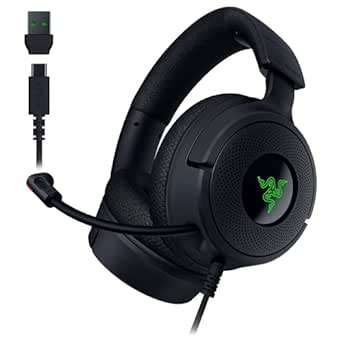 | Best Wired Headset | Driver size: 40 mm | Audio: 7.1 surround sound | Microphone: Retractable HyperClear cardioid | VIEW LATEST PRICE | See Our Full Breakdown |
| Razer Nommo Pro THX-Certified PC Gaming Speakers with Dolby Virtual Surround Sound |  | Best Premium Desktop Audio | Model number: RZ05-02470100-R3U1 | Audio output mode: Surround | Connectivity: USB, Bluetooth 4.2, optical, and 3.5 mm audio jack | VIEW LATEST PRICE | See Our Full Breakdown |
| Razer BlackWidow V4 Pro 75% Wireless Gaming Keyboard with Orange Switches |  | Best Customizable Keyboard | Layout: 75% | Connectivity: Wireless and Bluetooth 5.1 | Switches: Orange switches; hot-swappable sockets compatible with 3-pin and 5-pin switches | VIEW LATEST PRICE | See Our Full Breakdown |
| Razer Soma Chroma Ergonomic Gaming Chair with Reactive RGB Lighting |  | Best RGB Gaming Chair | Lighting: Razer Chroma RGB; syncs with more than 300 games | Power: USB-C | Connectivity: 2.4 GHz and Bluetooth | VIEW LATEST PRICE | See Our Full Breakdown |
| Razer Ornata V3 Low-Profile Gaming Keyboard |  | Best Low-Profile Keyboard | Connectivity: Wired USB | Switch type: Clicky mecha-membrane | Layout: QWERTY, 104 keys | VIEW LATEST PRICE | See Our Full Breakdown |
| Razer Tartarus V2 Pro Left-Handed Analog Optical Gaming Keypad |  | Best for Programmable Controls | Switch type: Gen-2 analog optical | Actuation range: 0.1–4.0 mm | Controls: 31 programmable controls | VIEW LATEST PRICE | See Our Full Breakdown |
| Razer Iskur V2 X Ergonomic Gaming Chair, Black/Green |  | Best for Integrated Lumbar Support | Upholstery: CoolTouch Gen-2 EPU leather | Lumbar support: Integrated | Seat cushion: High-density cold-cured foam | VIEW LATEST PRICE | See Our Full Breakdown |
| Razer Leviathan V2 Multi-Driver PC Gaming Soundbar with Subwoofer |  | Best Compact Desktop Audio | Speaker type: Tabletop soundbar | Audio output mode: Surround | Drivers: 2 full-range drivers | VIEW LATEST PRICE | See Our Full Breakdown |
| Razer Power Up Gaming Bundle: Cynosa Lite Keyboard, Viper Mouse, and Kraken X Lite Headset |  | Best Complete Starter Set | Bundle contents: Cynosa Lite keyboard, Viper wired gaming mouse, Kraken X Lite headset | Connectivity: USB; keyboard and mouse are wired | Keyboard layout and rollover: QWERTY; 10-key rollover | VIEW LATEST PRICE | See Our Full Breakdown |
| Razer gaming setup | Connectivity |
|---|---|
| Razer Freyja HD Haptic Gaming | 2.4 GHz wireless and Bluetooth |
| Razer Kraken V4 X Wired Gaming | Wired USB-C and USB-A |
| Razer Nommo Pro THX-Certified | USB, Bluetooth 4.2, optical, and 3.5 mm audio jack |
| Razer BlackWidow V4 Pro 75% Wi | Wireless and Bluetooth 5.1 |
| Razer Soma Chroma Ergonomic Ga | 2.4 GHz and Bluetooth |
| Razer Ornata V3 Low-Profile Ga | Wired USB |
| Razer Tartarus V2 Pro Left-Han | Wired |
| Razer Iskur V2 X Ergonomic Gam | — |
| Razer Leviathan V2 Multi-Drive | — |
| Razer Power Up Gaming Bundle: | USB; keyboard and mouse are wired |
More Details on Our Top Picks
Razer Freyja HD Haptic Gaming Chair Cushion
The Freyja adds tactile feedback to a setup without replacing its chair, making it a more focused immersion upgrade than the Razer Soma Chroma Ergonomic Gaming Chair. Its multidirectional haptics respond to in-game audio, while adjustable intensity and presets let me tune how much sensation comes through. 2.4 GHz wireless supports PC use, and Bluetooth adds compatibility with Android devices. The tradeoff is that the cushion depends on a chair it can strap onto, so fit and comfort still hinge on the seat underneath. Haptic customization also runs through Razer Synapse, which adds a software step. I’d choose it for feedback during play; the Soma makes more sense for someone who needs a whole chair with integrated lighting and lumbar support.
Pros:- Multidirectional haptics respond to in-game audio
- Adjustable intensity and presets provide control over feedback
- 2.4 GHz wireless and Bluetooth support different devices
- Adjustable straps fit a range of gaming and office chairs
Cons:- Requires a compatible chair for installation
- Haptic customization depends on Razer Synapse
Best for: PC gamers with a compatible chair who want adjustable, audio-reactive feedback without replacing their seat
Not ideal for: Players seeking a standalone chair upgrade or who prefer not to configure effects through Razer Synapse
- Brand:Razer
- Model:Freyja
- Model number:RC81-04340101-R3U1
- Connectivity:2.4 GHz wireless and Bluetooth
- Customization:Haptic EQ through Razer Synapse
- Fit:Adjustable straps for most gaming and office chairs
- Recommended use:Gaming and video games
- Included component:Razer Freyja HD Haptic Gaming Cushion
Our verdict“Choose the Freyja if you already like your chair and want game audio to become adjustable tactile feedback.”
Razer Kraken V4 X Wired Gaming Headset, Black
The Kraken V4 X suits players who want one wired headset for game audio and voice chat. Its 40 mm TriForce drivers are designed to separate highs, mids, and lows, while 7.1 surround sound can help present supported games with a more directional soundstage. Compared with the Razer Nommo Pro, the Kraken keeps sound close and private rather than filling a room, and its retractable microphone is ready for multiplayer chat. Hybrid memory foam cushions add isolation, though long sessions can still feel warm for some players. The USB-C to USB-A cable broadens device compatibility, but the wired connection limits movement, and surround sound or Chroma lighting may depend on platform and software support. It’s a practical headset-first pick, not a wireless option.
Pros:- 40 mm TriForce drivers are designed to deliver distinct highs, mids, and lows
- Retractable HyperClear cardioid microphone keeps the mic out of the way when unused
- Hybrid memory foam cushions provide comfort and sound isolation
- Convertible USB-C and USB-A connection supports multiple platforms
Cons:- Wired connection restricts movement
- 7.1 surround sound and Chroma RGB may depend on device or software support
Best for: Players who want a wired headset with a retractable chat mic for supported PC and console setups
Not ideal for: Gamers who need wireless movement or want room-filling audio from desktop speakers
- Driver size:40 mm
- Audio:7.1 surround sound
- Microphone:Retractable HyperClear cardioid
- Ear cushions:Hybrid fabric and leatherette memory foam
- Connectivity:Wired USB-C and USB-A
- Lighting:Razer Chroma RGB
Our verdict“Pick the Kraken V4 X if you want private game audio and a retractable mic and are comfortable staying tethered.”
Razer Nommo Pro THX-Certified PC Gaming Speakers with Dolby Virtual Surround Sound
The Nommo Pro is the room-audio choice in this lineup: its dedicated downward-firing subwoofer and separate tweeters and drivers offer a fuller speaker setup than the personal listening of the Kraken V4 X. THX certification and Dolby Virtual Surround Sound are aimed at immersive playback, while USB, Bluetooth, optical, and 3.5 mm connections make it easier to include different sources. A control pod provides quick volume and mute access, useful when switching between games and other audio. The tradeoff is substantial desk commitment: the system weighs 27.6 pounds and its tabletop speakers measure over 15 inches tall. Unlike a headset, it also sends sound into the room, which may not suit shared spaces or late-night sessions. I’d choose it for a dedicated desktop setup with room for the subwoofer.
Pros:- THX-certified audio with Dolby Virtual Surround Sound
- Dedicated downward-firing subwoofer supports powerful bass
- USB, Bluetooth 4.2, optical, and 3.5 mm inputs offer flexible connections
- LED control pod provides accessible volume and mute controls
Cons:- At 27.6 pounds, the system is heavy to move
- Large tabletop speakers and subwoofer require substantial space
- Not water resistant
Best for: PC gamers with a dedicated desk and room for a substantial speaker and subwoofer system
Not ideal for: Shared-room or late-night players who need private listening, or anyone short on desk and floor space
- Model number:RZ05-02470100-R3U1
- Audio output mode:Surround
- Connectivity:USB, Bluetooth 4.2, optical, and 3.5 mm audio jack
- Bluetooth range:10 meters
- Tweeter diameter:20 mm
- Driver diameter:3 inches
- Woofer diameter:7 inches
- Dimensions:10.63 × 10.63 × 15.35 inches
- Weight:27.6 pounds
Our verdict“Choose the Nommo Pro if you want immersive room audio and have space for a large desktop speaker system.”
Razer BlackWidow V4 Pro 75% Wireless Gaming Keyboard with Orange Switches
The BlackWidow V4 Pro 75% is the keyboard pick for someone who wants a compact layout with room to personalize switches and controls. Its hot-swappable sockets accept 3-pin and 5-pin switches, giving it a longer path for customization than a simpler board such as the Razer Ornata V3. The OLED display and Command Dial add configurable shortcuts at the keyboard, while wireless connectivity and Bluetooth switching across three devices suit desks shared by a gaming PC and other gear. A gasket-mounted FR4 plate and two layers of foam are designed to soften sound and reduce wobble. The 75% layout saves space but omits keys some workflows rely on, and the supplied details don’t specify battery life. This is a feature-rich board for tinkerers, not a plug-and-play minimalist.
Pros:- Hot-swappable sockets support compatible 3-pin and 5-pin switches
- OLED display and customizable Command Dial add onboard controls
- Can toggle among up to three Bluetooth devices
- Gasket-mounted build and sound-dampening foam are designed to reduce rattling and wobble
Cons:- 75% layout leaves out keys available on a full-size keyboard
- Battery life is not specified in the supplied product details
Best for: PC gamers and keyboard enthusiasts who want a compact wireless board with switch swapping and configurable controls
Not ideal for: Buyers who need a full-size layout, simple controls, or clearly stated battery-life expectations
- Layout:75%
- Connectivity:Wireless and Bluetooth 5.1
- Switches:Orange switches; hot-swappable sockets compatible with 3-pin and 5-pin switches
- Display:OLED
- Controls:Customizable Command Dial with up to 100 modes
- Lighting:Per-key lighting and two-sided underglow
- Construction:Gasket-mounted FR4 plate with two layers of sound-dampening foam
Our verdict“Choose the BlackWidow V4 Pro 75% if switch customization and onboard controls matter more than a full-size layout.”
Razer Soma Chroma Ergonomic Gaming Chair with Reactive RGB Lighting
The Soma Chroma combines seating and reactive lighting in one piece of the setup. Its lighting syncs with more than 300 games, while the dual-density foam seat, built-in lumbar arch, reinforced steel frame, and recline up to 155° address comfort and support alongside appearance. Compared with the Razer Freyja, which adds haptics to a chair you already own, the Soma is a full chair choice with lighting built in. That integration has limits: the lighting needs an external USB-C power source, and the provided details don’t specify adjustable armrests or weight capacity. Buyers who already have a chair they like may get a more targeted immersion upgrade from the Freyja; this model makes more sense when replacing the seat is part of the plan.
Pros:- Chroma RGB lighting syncs with more than 300 games
- Dual-density foam seat and built-in lumbar arch provide integrated support
- Backrest reclines up to 155°
- Reinforced steel frame supports the chair structure
Cons:- Lighting requires an external USB-C power source
- Adjustable armrests and weight capacity are not specified in the supplied details
Best for: Gamers replacing their chair who want integrated Chroma lighting, built-in lumbar support, and a deep recline
Not ideal for: People keeping their current chair, or buyers who need confirmed armrest adjustment and weight-capacity details
- Lighting:Razer Chroma RGB; syncs with more than 300 games
- Power:USB-C
- Connectivity:2.4 GHz and Bluetooth
- Seat cushion:Dual-density foam
- Lumbar support:Built-in lumbar arch
- Frame:Reinforced steel
- Maximum recline:155°
Our verdict“Pick the Soma Chroma when you want a new supportive chair with reactive lighting built into the setup.”
Razer Ornata V3 Low-Profile Gaming Keyboard
The Ornata V3 suits a Razer setup where a lower key profile and clear clicky feedback matter more than wireless freedom. Its mecha-membrane switches offer a distinct typing feel, while the dedicated media keys make playback and volume adjustments easy without leaving a game. Ten-zone RGB gives the keyboard more lighting control than the single-zone keyboard in the Razer Power Up Gaming Bundle, though the Ornata is a standalone keyboard rather than a full set of peripherals. The magnetic wrist rest adds support for longer sessions, but the ABS plastic body and wired USB connection make this a practical, desk-bound choice. I’d pick it over a more specialized keypad when a familiar 104-key layout is the priority; skip it if you want a wireless board or broad operating-system compatibility.
Pros:- Low-profile keys support a more natural hand position
- Clicky mecha-membrane switches offer tactile, audible feedback
- Dedicated media keys provide quick playback and volume control
- Magnetic soft-touch wrist rest is included
Cons:- Wired USB connection limits placement flexibility
- Listed Windows compatibility may not suit users on other operating systems
Best for: PC gamers who want a full-size, low-profile keyboard with clicky feedback, media controls, and a wrist rest
Not ideal for: Gamers who need wireless placement flexibility or want compatibility beyond the listed Windows support
- Connectivity:Wired USB
- Switch type:Clicky mecha-membrane
- Layout:QWERTY, 104 keys
- Backlighting:10-zone RGB
- Additional features:Dedicated media keys, UV-coated keycaps, magnetic wrist rest
- Compatibility:PC; Windows
- Dimensions:17.46 × 5.68 × 1.23 in
- Enclosure material:ABS plastic
Our verdict“Choose the Ornata V3 for a full-size, low-profile Razer keyboard with useful media controls, provided a wired connection fits your desk.”
Razer Tartarus V2 Pro Left-Handed Analog Optical Gaming Keypad
The Tartarus V2 Pro is for players who want a compact bank of programmable controls beside a separate main keyboard. Its 31 controls, thumbstick, and three-profile keymaps give it a different job from the full-size Razer Ornata V3: it prioritizes customized commands and movement options over a conventional typing layout. Adjustable actuation from 0.1–4.0 mm and Rapid Trigger let players tune input behavior, while the 8000 Hz polling rate targets responsive play. Doubleshot PBT keycaps and foam dampening add durability and a quieter feel. The tradeoff is setup effort: configuration requires Razer Synapse, and the left-handed layout may take practice. This is a focused control tool, not a straightforward keyboard replacement.
Pros:- 31 programmable controls support extensive command mapping
- Adjustable actuation and Rapid Trigger allow input tuning
- Full-sized anti-drift TMR thumbstick adds a dedicated movement control
- Three profiles support up to 24 keymaps
Cons:- Razer Synapse is required to configure controls and keymaps
- Specialized left-handed layout can take time to learn
- Wired connection may constrain placement
Best for: PC players who want to map many game commands to a left-handed keypad and tune key actuation
Not ideal for: Buyers seeking a standard keyboard or a plug-and-play device that does not depend on Razer Synapse
- Switch type:Gen-2 analog optical
- Actuation range:0.1–4.0 mm
- Controls:31 programmable controls
- Thumbstick:Full-sized anti-drift TMR
- Polling rate:8000 Hz
- Keymaps:Up to 24 across 3 profiles
- Keycaps:Doubleshot PBT
- Connectivity:Wired
Our verdict“Pick the Tartarus V2 Pro if you want deeply configurable left-handed controls alongside a separate keyboard.”
Razer Iskur V2 X Ergonomic Gaming Chair, Black/Green
The Iskur V2 X is the seating-focused pick in this roundup, built around integrated lumbar support rather than the programmable controls of the Tartarus V2 Pro or the sound system of the Razer Leviathan V2. Its wide seat and adjustable 2D armrests give players room to shift posture, and the recline reaches 152 degrees for breaks between matches. High-density cold-cured foam forms the cushion, while CoolTouch Gen-2 EPU leather is described as cool to the touch and resistant to peeling. Those comfort features make it more purpose-built for long desk sessions than a basic gaming chair, but fit matters: the listed recommended height range is 5.3–6.6 feet and the maximum load is 299 pounds. Buyers outside those limits should look elsewhere.
Pros:- Integrated lumbar support is built into the chair
- Wide seat accommodates different sitting positions
- 2D adjustable armrests and recline offer positioning options
- High-density cold-cured foam provides a substantial seat cushion
Cons:- Recommended height range excludes some users
- 299-pound maximum load may not fit every buyer
- EPU leather upholstery may not suit those who prefer fabric
Best for: Gamers within the listed height and load limits who want integrated lumbar support, a wide seat, and adjustable recline
Not ideal for: Users shorter than 5.3 feet, taller than 6.6 feet, or above the 299-pound maximum load
- Upholstery:CoolTouch Gen-2 EPU leather
- Lumbar support:Integrated
- Seat cushion:High-density cold-cured foam
- Armrests:2D adjustable
- Maximum recline:152 degrees
- Recommended user height:5.3–6.6 ft
- Maximum load:299 lb
- Color:Black/Green
Our verdict“Choose the Iskur V2 X for built-in lumbar support and adjustable seating if your height and weight fit its listed range.”
Razer Leviathan V2 Multi-Driver PC Gaming Soundbar with Subwoofer
The Leviathan V2 adds a speaker-and-subwoofer setup without the separate speaker footprint of a conventional pair. Its down-firing subwoofer and full-range drivers are designed to add weight to desktop audio, while THX Spatial Audio provides a surround sound mode for games. Compared with the included headset in the Razer Power Up Gaming Bundle, this soundbar is better suited to shared, open-room listening; it does not provide the isolation of headphones. Bluetooth 5.2 supports PC and mobile connections, and 18-zone Chroma RGB lets the lighting join a Razer desktop setup. The compact desktop focus is also its limitation: buyers seeking a room-filling speaker arrangement should compare it with the larger Razer Nommo Pro. It is not waterproof, so keep it in a dry indoor setup.
Pros:- THX Spatial Audio provides a surround sound mode
- Down-firing subwoofer adds a dedicated bass component
- Bluetooth 5.2 supports PC and mobile connections
- 18-zone Chroma RGB lighting is customizable
Cons:- Compact desktop design may not suit room-filling audio needs
- Not waterproof
- Soundbar form does not provide the listening privacy of a headset
Best for: PC gamers with limited desk space who want a subwoofer, surround audio mode, and Bluetooth connectivity
Not ideal for: Buyers who need room-filling separate speakers, private listening, or water-resistant audio equipment
- Speaker type:Tabletop soundbar
- Audio output mode:Surround
- Drivers:2 full-range drivers
- Subwoofer:Down-firing, 5.5-inch diameter
- Bluetooth:5.2
- Lighting:Razer Chroma RGB, 18 zones
- Maximum range:10 meters
- Waterproof:No
Our verdict“Choose the Leviathan V2 for space-conscious desktop audio with a subwoofer and Bluetooth, rather than private or room-scale listening.”
Razer Power Up Gaming Bundle: Cynosa Lite Keyboard, Viper Mouse, and Kraken X Lite Headset
The Power Up bundle is the easiest way to fill three core spots in a Razer gaming setup at once: keyboard, mouse, and headset. The ambidextrous Viper mouse has eight programmable buttons, and the Cynosa Lite keyboard adds spill-resistant construction with customizable single-zone Chroma lighting. The Kraken X Lite headset includes 40 mm drivers and an adjustable cardioid noise-cancelling microphone, covering voice chat without a separate mic. This makes the bundle a more complete starting point than the standalone Ornata V3, whose 10-zone RGB and dedicated media keys offer more keyboard-focused control. The tradeoffs are wired connections for the keyboard and mouse, plus single-zone lighting that offers less per-key customization. Choose this set for a coordinated baseline; upgrade individual pieces if specialized control matters more.
Pros:- Includes a keyboard, mouse, and headset
- Spill-resistant keyboard has customizable Chroma lighting
- Ambidextrous mouse includes eight programmable buttons
- Lightweight headset has an adjustable noise-cancelling microphone
Cons:- Keyboard lighting is limited to a single zone
- Keyboard and mouse are wired
- Bundle gives less flexibility to choose each peripheral separately
Best for: New PC or Mac gamers who need a keyboard, ambidextrous mouse, and chat headset in one starter setup
Not ideal for: Players who want wireless peripherals, advanced keyboard lighting zones, or individually specialized equipment
- Bundle contents:Cynosa Lite keyboard, Viper wired gaming mouse, Kraken X Lite headset
- Connectivity:USB; keyboard and mouse are wired
- Keyboard layout and rollover:QWERTY; 10-key rollover
- Keyboard backlighting:Single-zone Razer Chroma
- Mouse sensor:5G optical
- Mouse controls:8 programmable buttons; ambidextrous design
- Headset drivers:40 mm
- Headset microphone:Adjustable cardioid noise-cancelling
- Compatible operating systems:Windows, macOS
Our verdict“Choose the Power Up bundle to equip a new setup with three core peripherals, accepting wired input and simpler keyboard lighting.”
How We Picked
I ranked these products by how directly each one improves a complete gaming setup, how broadly useful it is, and how much space or adjustment it asks of the buyer. I weighed control and connection format for keyboards and keypads, comfort and fit for seating, and desk footprint and listening setup for audio. The ranking gives the broadest everyday upgrade the lead, while more specialized products rise when they solve a distinct need particularly well.
I also treated the bundle, chair cushion, and standalone chair as different kinds of purchase rather than direct substitutes. A bundle can simplify a first setup, but it offers less choice over each peripheral; a cushion can modify a seat, but it cannot provide the fit range of a chair. Product names and listed features define the comparisons here, so buyers should check current compatibility, dimensions, and included components before choosing.
Factors to Consider When Choosing Best Razer Gaming Setups
Before adding another Razer product, decide what is holding your setup back. A useful upgrade should fit your desk, habits, and the devices you already own; matching product categories alone does not guarantee a coherent setup.
Choose One Setup Problem to Solve First
Start by naming the friction you notice most during a session: uncomfortable seating, limited audio, awkward controls, or missing peripherals. Buying several products at once can leave the original problem unresolved if the parts do not fit your space or routines. A keyboard and keypad, for example, can both affect control, but they serve different layouts and habits. If a peripheral still works well, spend your attention on the weakest part of the setup. This approach also makes it easier to judge whether a later upgrade adds a new capability or duplicates one you already have. Prioritize the change you will use every time you sit down.
Plan Your Desk Around Audio
Speaker choice changes more than sound: it affects where your monitor, keyboard, and other desk items can go. A soundbar format can suit a tighter surface, while separate speakers need positions that leave room for their cabinets and listening angle. A subwoofer also needs a practical place where it will not block legroom or cables. Headphones avoid taking up speaker positions, but they require the habit of wearing them and do not serve shared listening in the same way. Measure the usable desk area rather than its full width, since stands and monitor bases claim space too. Pick a format that fits how you listen most often.
Treat Chair Fit as a Personal Measurement
A chair’s feature list cannot tell you whether its seat depth, support shape, or recline will suit your body. Check the maker’s fit guidance and compare it with your own measurements before committing to a full chair. If your current chair is sound and you mainly want a different sitting sensation, a cushion may be a smaller intervention, but it will not correct a poor chair fit. RGB lighting is a visual extra, so weigh it after support and adjustability. Also account for chair width, floor space, and how easily it moves around your desk. Buyers who sit for long sessions should favor fit and support over appearance.
Match Controls to Your Habits
A conventional keyboard is the safer choice if you split time between gaming, typing, and everyday computer use. Low-profile keys can change hand posture and feel, so try the style if possible rather than assuming it will suit you. A dedicated left-hand keypad adds programmable control possibilities, but it also takes desk space and practice to make those inputs natural. It is most useful when you can name specific actions or games that would benefit from a separate control surface. Avoid buying an extra input device just because its feature set sounds flexible. The best layout is the one your hands can use comfortably over time.
Decide Whether a Bundle Saves You Choices
A multi-device bundle can make sense when you are starting from scratch and want the basic roles covered in one purchase. Its tradeoff is that you have less freedom to select each item around your preferred shape, connection, or sound. If you already own one strong peripheral, a bundle may duplicate it and leave the remaining items as the real reason to buy. Compare the included models and connection requirements with the computer and desk you have. Beginners may value a simple starting point, while experienced players often benefit from replacing only the device that limits them. Think of a bundle as a coordinated starting setup, not a guarantee that every part will be your long-term choice.
Frequently Asked Questions
Should I buy the Power Up bundle or choose each peripheral separately?
Choose the Power Up bundle if you need all three listed roles—keyboard, mouse, and headset—and want a straightforward starting point. Pick items separately if you already own a peripheral you like or have specific preferences for headset fit, mouse shape, or keyboard format. The bundle’s included models are entry-level choices, so a focused upgrade can make more sense when one device matters much more to your play. Check the exact included versions and connection needs against your computer before deciding. Your existing gear should shape this choice as much as the bundle contents.
Can the Freyja cushion replace buying a gaming chair?
No, the Freyja cushion is an add-on, so it cannot replace a chair’s frame, dimensions, or support adjustments. It may suit someone whose current chair fits well but who wants to change the feel of the seat. If your chair is uncomfortable because of its shape or fit, a cushion may not address the cause. Check how it attaches and whether its dimensions work with your current seat. Consider it a way to modify a suitable chair, not a remedy for a poor-fitting one.
Which Razer audio option makes more sense for a small desk?
The Leviathan V2 soundbar is the more natural format to investigate when desk width is limited, since it consolidates the main speaker units into a bar. Its included subwoofer still needs a place, so check the floor area and cable route as well as the desktop. The Nommo Pro uses separate speakers, which gives you more flexibility to position them but requires room on both sides of your display. A headset avoids speaker placement altogether, though it changes how you listen. Measure the actual open spaces before settling on a format.
Is a left-hand gaming keypad useful if I already have a gaming keyboard?
It can be, if you want a separate control surface for a particular game or set of actions and can spare the desk space. The Tartarus V2 Pro is more specialized than a keyboard, so its value depends on whether you will use its controls often enough to build muscle memory. It does not automatically replace a full keyboard for typing or general computer work. Try to identify the actions you would move to it before buying. If no repeated task comes to mind, a keyboard upgrade may be more useful.
How should I choose between the Iskur V2 X and Soma Chroma?
Choose by fit and the features you will use, not by treating lighting as a comfort measure. Compare each chair’s dimensions and support details with your body and desk before deciding; the product names alone cannot establish which will fit you better. The Soma Chroma foregrounds reactive RGB lighting, while the Iskur V2 X is the more straightforward chair pick in this roundup. Check adjustment options, room to recline, and the maker’s sizing guidance for both. If possible, try the seating position before purchase, since chair fit is personal.
Conclusion
For the best overall setup upgrade, I’d start with the BlackWidow V4 Pro 75% if a keyboard is the part you want to improve. The best value starting point is the Power Up bundle when you need its keyboard, mouse, and headset together, while the best premium audio direction is the Nommo Pro for buyers who can accommodate separate speakers. Beginners should look at the bundle for its straightforward coverage, then replace individual pieces as preferences emerge. For specific needs, choose the Iskur V2 X or Soma Chroma for seating, the Freyja cushion to modify a fitting chair, the Leviathan V2 for a bar-style audio layout, or the Tartarus V2 Pro for dedicated left-hand controls. Match the product to the problem you actually want solved, and the right setup becomes much easier to choose.
Fall Picks
fall essentials
As an affiliate, we earn on qualifying purchases.