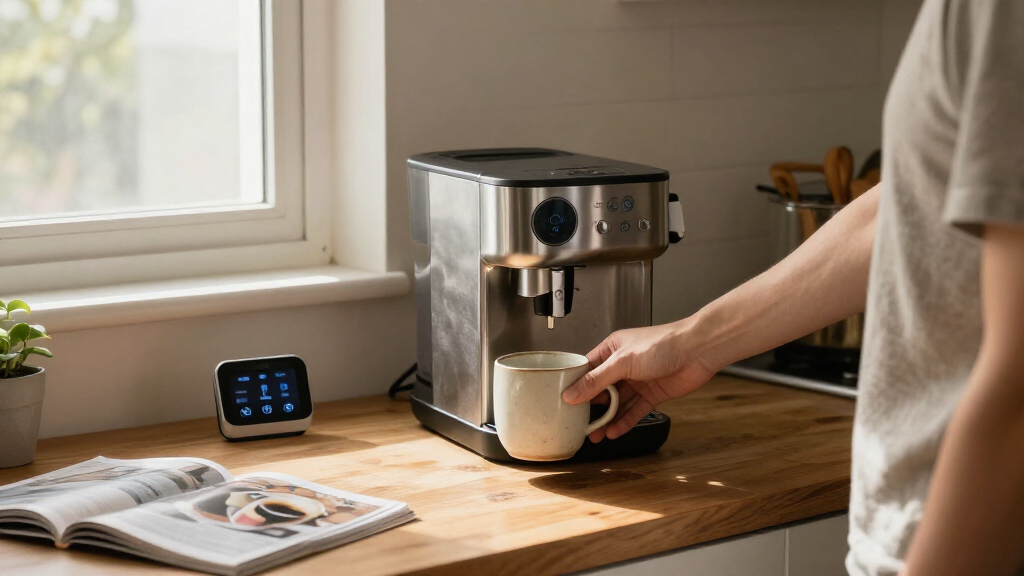

Smart home appliances can mean anything from an HVAC upgrade to a plug-in shortcut or a countertop machine with app controls. For broad home automation, I rank the Amazon Smart Thermostat first: it can shape heating and cooling schedules, but it needs compatible HVAC wiring. The Kasa HS103P4 Smart Wi-Fi Plug 4-Pack is the simplest entry point for automating lamps and fans, while the GoveeLife Smart Countertop Ice Maker adds connected convenience to a specific kitchen task.

Get the latest gadgets delivered free with Prime
- Fast, free delivery on millions of items
- Prime Video, Amazon Music and more included
- Member-only deals all year
These picks solve different problems, so the best choice depends less on which has the longest feature list and more on what you want your home to do automatically. The thermostat affects daily comfort across rooms, the Kasa plugs make ordinary devices easier to schedule and control, and the ice maker produces ice on demand with app and voice features. I compare them by useful automation, compatibility, setup demands, and limitations—including the ice maker’s need for freezer storage and each device’s reliance on 2.4 GHz Wi-Fi.
Complete the kit



Key Takeaways
- The Amazon Smart Thermostat is the strongest whole-home comfort pick here, but it requires a compatible 24V HVAC system and a C-wire or separately sold power adapter.
- The Kasa HS103P4 four-pack is the easiest way to automate existing lamps and fans without adding a hub; it controls power but does not make a basic appliance smarter in every respect.
- The GoveeLife ice maker brings app scheduling, three ice sizes, and voice control to a specific kitchen need, but it does not keep finished ice frozen.
- All three products rely on 2.4 GHz Wi-Fi, so a 5 GHz-only network connection will not meet their stated wireless requirements.
- Choose by the task you want automated: HVAC scheduling for broad comfort, smart plugs for simple on/off routines, or countertop ice production for kitchen convenience.
| Amazon Smart Thermostat with Alexa and Ring Compatibility |  | Best Overall for Connected Home Comfort | HVAC compatibility: Most 24V systems, including conventional forced-air, heat pump, and radiant boiler systems | Power requirement: C-wire or separately sold power adapter kit | Wi-Fi: 2.4 GHz, 802.11 b/g/n; no 5 GHz or ad-hoc network support | VIEW LATEST PRICE | See Our Full Breakdown |
| Kasa HS103P4 Smart Wi-Fi Plug, 4-Pack |  | Best Value for Simple Device Automation | Pack size: 4 smart plugs | Connectivity: 2.4 GHz Wi-Fi | Voice assistants: Amazon Alexa and Google Assistant | VIEW LATEST PRICE | See Our Full Breakdown |
| GoveeLife Smart Countertop Ice Maker with Wi-Fi, Voice Control, and 3 Ice Sizes |  | Best Smart Kitchen Specialty | Ice production: Nine cubes in about six minutes; up to 26 pounds per day | Water tank: 2 liters | Ice options: Small, medium, or large bullet-shaped ice | VIEW LATEST PRICE | See Our Full Breakdown |
| smart home appliance | Dimensions | Connectivity |
|---|---|---|
| Amazon Smart Thermostat with A | 3.56 x 3.56 x 0.84 inches | — |
| Kasa HS103P4 Smart Wi-Fi Plug | 1.57 x 1.5 x 2.62 inches | 2.4 GHz Wi-Fi |
| GoveeLife Smart Countertop Ice | — | 2.4 GHz Wi-Fi; app controls and Alexa and Google Assistant voice control |
More Details on Our Top Picks
Amazon Smart Thermostat with Alexa and Ring Compatibility
The Amazon Smart Thermostat earns my top spot because it applies automation to a system that affects daily comfort throughout the home. Through schedules, comfort zones, vacation mode, and automatic temperature adjustments, it can reduce the need to make repeated manual changes. That makes it a broader smart-home upgrade than the Kasa plugs, which automate power to individual devices, and a more routine-focused choice than the GoveeLife ice maker, whose connected features center on a single kitchen task.
Control options are another strength. The thermostat works through the Alexa app, compatible Echo devices, voice commands, and its own three touch buttons; it is also compatible with the Ring app. On-device controls matter if someone does not want to reach for a phone every time, while the energy dashboard and indoor humidity sensing add context to routine temperature management. Guided installation through the Alexa app may also help buyers work through setup, though it does not remove the need to confirm HVAC and wiring compatibility first.
That compatibility check is the main reason this is not a universal recommendation. It supports most 24V HVAC systems, including conventional forced-air, heat pumps, and radiant boiler systems, but not 110–240V systems such as electric baseboard heat. It also needs a C-wire or separately sold power adapter. Voice control requires a separate Alexa-enabled device, so buyers expecting the thermostat alone to respond to spoken commands should choose another route or plan for that additional hardware. Compared with the no-hub Kasa plugs, installation is more involved; compared with GoveeLife, the reward is home-wide comfort control rather than a specialized appliance feature.
I would choose this thermostat when compatible HVAC equipment and wiring are already in place and the goal is scheduled, app-connected temperature control. I would skip it if the home uses unsupported heating, if wiring changes are unwelcome, or if the priority is an easy smart-home starter device. Its role as best overall comes from the potential reach of its automation, not from having the simplest setup.
Pros:- Supports schedules, comfort zones, vacation mode, and automatic temperature adjustments.
- Can be controlled through the Alexa app, Ring app, compatible Echo devices, and on-device touch buttons.
- Includes indoor humidity sensing and an energy dashboard.
- Guided installation is available through the Alexa app.
Cons:- Requires a C-wire or a separately sold power adapter kit.
- Does not support 110–240V HVAC systems, including electric baseboard heat.
- Voice control requires a separate Alexa-enabled device.
Best for: Households with compatible 24V HVAC systems that want app-based schedules, vacation settings, and Alexa-connected temperature control.
Not ideal for: Homes with electric baseboard or other unsupported 110–240V HVAC systems, buyers without a C-wire who do not want a separate adapter, or anyone seeking plug-and-play automation.
- HVAC compatibility:Most 24V systems, including conventional forced-air, heat pump, and radiant boiler systems
- Power requirement:C-wire or separately sold power adapter kit
- Wi-Fi:2.4 GHz, 802.11 b/g/n; no 5 GHz or ad-hoc network support
- Controls:Three touch buttons, Alexa app, voice control, and compatible Echo devices
- App compatibility:Alexa app and Ring app
- Features:Indoor humidity sensing, schedules, emergency heat mode, vacation mode, energy dashboard, and automatic air filter ordering in the Alexa app
- Dimensions:3.56 x 3.56 x 0.84 inches
- Certifications:ENERGY STAR and ECOLOGO Gold
Our verdict“For compatible HVAC homes, this is the strongest pick for turning everyday heating and cooling into a scheduled smart-home routine.”
Kasa HS103P4 Smart Wi-Fi Plug, 4-Pack
The Kasa HS103P4 is my pick for buyers who want useful smart-home control without replacing an appliance or taking on thermostat installation. Plug in a compatible lamp or fan, then use the Kasa app, Alexa, or Google Assistant to control it remotely or set a schedule. Four plugs make this a more flexible starting point than buying one connected device, while the no-hub setup is simpler than configuring the Amazon thermostat around HVAC wiring.
Its strength is also its boundary: a smart plug switches power, but it does not add features the connected appliance lacks. It is a good fit for a lamp that should turn on at a set time or a fan that should be easy to switch off remotely. It is not a substitute for a thermostat, and it cannot make a basic appliance respond to settings that are not supported by its own controls. Compared with the GoveeLife ice maker, the Kasa set is less specialized and can serve different rooms; compared with the thermostat, it offers a lighter, more limited form of automation.
Setup requires 2.4 GHz Wi-Fi, and the plug is rated for 120V AC with a maximum of 15A and 1800W. Buyers should check the connected device’s electrical requirements rather than assuming every appliance is suitable. The stated phone compatibility begins at Android 5.0 or iOS 10.0, which may exclude older devices. The plugs do not need a hub, but they do depend on Wi-Fi for app and voice control—so they are not the right choice for a household that wants local, network-independent operation.
I rank Kasa second because it is the clearest low-complexity route into automation, but its benefits depend on the appliance being suitable for simple power switching. Choose it to schedule or remotely control several everyday devices. Skip it if the goal is to automate heating and cooling, change an appliance’s internal settings, or use a connected device without a compatible 2.4 GHz network.
Pros:- Four plugs let buyers automate multiple compatible devices.
- Works with Amazon Alexa and Google Assistant voice control.
- Kasa app supports remote control, timers, and schedules.
- No hub is required, and the plugs are UL certified.
Cons:- Requires a 2.4 GHz Wi-Fi connection.
- Only switches power; it does not add controls to an appliance’s own functions.
- Phone compatibility is limited to Android 5.0 or later and iOS 10.0 or later.
Best for: People who want to schedule or remotely control compatible lamps, fans, and other devices that operate appropriately through on/off power.
Not ideal for: Buyers who need temperature control, appliance-specific settings, a connection that works without Wi-Fi, or compatibility with a 5 GHz-only network.
- Pack size:4 smart plugs
- Connectivity:2.4 GHz Wi-Fi
- Voice assistants:Amazon Alexa and Google Assistant
- Control methods:Kasa app, voice control, timers, and schedules
- Dimensions:1.57 x 1.5 x 2.62 inches
- Safety certification:UL certified
- Warranty:2 years
Our verdict“Choose the Kasa four-pack for straightforward schedules and remote on/off control across compatible household devices, not for deeper appliance automation.”
GoveeLife Smart Countertop Ice Maker with Wi-Fi, Voice Control, and 3 Ice Sizes
The GoveeLife countertop ice maker is the most specialized option in this group, and that is exactly why it earns a distinct role. It makes nine bullet-shaped cubes in about six minutes, offers small, medium, and large sizes, and can produce up to 26 pounds per day. App scheduling and monitoring, voice support through Alexa and Google Assistant, and notifications for a full basket or low water connect those capabilities to a daily kitchen routine. For a household that regularly needs extra ice, this is more directly useful than a smart plug or thermostat.
Its connected controls do not change the fundamental nature of an ice maker. The device produces ice, but it does not keep the finished cubes cold. The 1.5-pound basket is a temporary holding place, so users need to transfer ice to a freezer for extended storage or use it promptly. That is the key tradeoff against the Kasa plugs, whose on/off control can be useful across many devices, and the thermostat, which supports recurring home-wide routines. GoveeLife does one kitchen job with more specialized features, rather than acting as a general smart-home control point.
The appliance also needs practical counter space. Its 2-liter tank and portable basket support a convenient countertop workflow, but the manufacturer calls for at least four inches of clearance behind and on both sides for airflow. At 16.8 pounds, it is movable but not a device I would treat as effortless to shift around every time counter space is needed. It uses 2.4 GHz Wi-Fi, like the other products in this roundup, and its 10-minute self-cleaning cycle offers a maintenance aid without removing the need for routine care.
I would choose this model for kitchens, gatherings, or households that value on-demand ice and will use or freeze it after production. I would skip it if counter space is tight, if the home needs ice kept cold in the appliance, or if the goal is broad smart-home automation. Compared with the other two picks, it offers the most immediate, tangible kitchen output but the narrowest everyday purpose.
Pros:- Produces nine bullet-shaped cubes in about six minutes, with up to 26 pounds of ice production per day.
- Offers three ice sizes and app-based scheduling and monitoring.
- Works with Alexa and Google Assistant and sends low-water and full-basket alerts.
- Includes a 10-minute self-cleaning cycle, ice basket, and magnetic scoop.
Cons:- Does not cool or preserve finished ice; transfer it to a freezer for extended storage.
- Requires 2.4 GHz Wi-Fi.
- Needs at least four inches of clearance behind and on both sides for airflow.
Best for: Households that need countertop ice on demand and can transfer finished ice to a freezer or use it soon after production.
Not ideal for: Buyers short on counter space, anyone expecting the machine to preserve ice, or shoppers seeking a general-purpose smart-home controller.
- Ice production:Nine cubes in about six minutes; up to 26 pounds per day
- Water tank:2 liters
- Ice options:Small, medium, or large bullet-shaped ice
- Ice basket capacity:1.5 pounds
- Cleaning:10-minute self-cleaning cycle
- Connectivity:2.4 GHz Wi-Fi; app controls and Alexa and Google Assistant voice control
- Weight:16.8 pounds
- Clearance:At least 4 inches behind and on both sides for airflow
- Certification:ETL
Our verdict“This is the best fit for a specific kitchen need—making ice on demand—provided you have counter clearance and a plan for storing the finished cubes.”
How We Picked
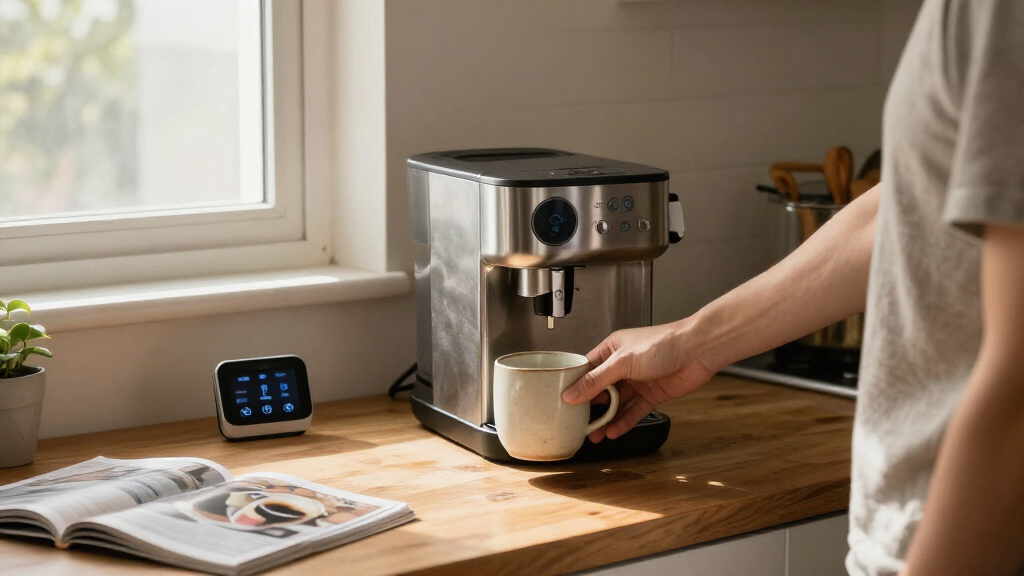
I ranked these three appliances by how well their connected features solve a practical household task, not by treating every smart function as equally useful. A thermostat can influence heating and cooling schedules throughout the home, so I placed it first for buyers who want automation with an everyday comfort impact. Its lead comes with a real compatibility hurdle: it works with most 24V systems, but not 110–240V HVAC systems such as electric baseboard heat, and it needs a C-wire or a separate power adapter.
The Kasa plug pack ranks second because it offers the most approachable way to add remote control and schedules to existing devices. Its four-plug format can cover several lamps or fans, and it works with Alexa and Google Assistant without a hub. It cannot adjust an appliance’s own settings, though; it only switches compatible devices on or off. The GoveeLife ice maker ranks third not because its connected controls are weak, but because its smart features serve a narrower use. It makes ice quickly and can be monitored or scheduled, yet its basket does not preserve ice, so users must move it to a freezer for storage.
I also weighed setup needs, wireless support, control options, and the tradeoffs that may rule a product out. All three specify 2.4 GHz Wi-Fi, while their compatibility requirements differ: HVAC wiring for the thermostat, an appropriate outlet and connected appliance for the plugs, and counter clearance plus freezer access for the ice maker. My order favors broad, repeatable household usefulness first, flexible low-barrier automation second, and specialized kitchen convenience third. A buyer whose main need is fresh ice may reasonably put GoveeLife first for their own home.
Factors to Consider When Choosing Smart Home Appliances
I would start with the household task, then check whether the product’s power, network, and space requirements fit the home. These three options share app-connected convenience, but they are not interchangeable: one controls HVAC, one switches compatible appliances, and one produces ice.Start with the job you want automated
If the goal is to change how heating and cooling run throughout the day, the Amazon Smart Thermostat is the only pick here designed for that job. Schedules, comfort zones, and vacation mode can replace repeated manual adjustments. If you want a lamp or fan to turn on and off at set times, the Kasa plugs offer a narrower but easier route. For regular ice production, GoveeLife makes more sense than either control device. Picking by task prevents a common mismatch: a smart plug cannot take the place of thermostat control, and a thermostat cannot solve a need for extra ice.
I would also separate automation of power from automation of appliance behavior. Kasa can switch a suitable device on or off, but it does not give a basic fan new speed settings or let a lamp dim if the lamp itself lacks that feature. GoveeLife controls its own ice-making functions, while the thermostat adjusts temperature settings. The more specific the desired action, the more important it is to confirm that the product actually supports it.
Check compatibility before buying
The thermostat has the most consequential compatibility check: it supports most 24V HVAC systems, including conventional forced-air, heat pumps, and radiant boiler systems, but not 110–240V systems such as electric baseboard heat. It also needs a C-wire or a separately sold power adapter kit. I would verify both the HVAC type and wiring before choosing it, since a compatible app cannot make unsupported equipment work.
For the Kasa plugs, check the appliance’s electrical needs against the stated 120V AC, 15A maximum, and 1800W maximum. For GoveeLife, confirm available counter space and the requested airflow clearance. These are different forms of fit: wiring and HVAC support for the thermostat, electrical suitability for the plugs, and room to ventilate for the ice maker.
Match the controls to your household
All three products offer app-based control, but they differ in how a person can interact with them. The thermostat has three touch buttons as well as Alexa app, voice, Echo-device, and Ring app compatibility. Kasa supports its own app plus Alexa and Google Assistant voice commands. GoveeLife pairs app control and scheduling with Alexa and Google Assistant, alongside alerts for low water and a full basket. If several people share a home, consider whether they will prefer phone control, voice commands, or a physical control on the device.
Voice features have conditions. The Amazon thermostat needs a separate Alexa-enabled device for voice control; its own touch buttons remain available. Kasa and GoveeLife state compatibility with voice assistants, but each still depends on a suitable connected setup. I would treat voice integration as a convenience layer, not the only control method, especially for devices that may need hands-on operation.
Treat Wi-Fi as part of the fit
Every product in this roundup specifies 2.4 GHz Wi-Fi. The thermostat explicitly does not support 5 GHz or ad-hoc networks, and both Kasa and GoveeLife also require 2.4 GHz connectivity. A home network that uses separate bands or restrictive settings may need a configuration check before setup. The Kasa plugs avoid a dedicated hub, but that does not mean they work without a network connection for app or voice features.
If dependable local operation during internet or network outages is a priority, do not assume these connected features will behave like a standalone control system. Review the functions available on the device itself and the setup requirements before relying on remote access. The thermostat retains physical touch buttons, while the other products’ main smart conveniences center on app and voice use.
Account for installation, space, and upkeep
The Kasa plugs ask the least of the home: a suitable outlet, a compatible appliance, and 2.4 GHz Wi-Fi. The thermostat requires HVAC and wiring checks and may need a separate adapter. GoveeLife needs a countertop location with at least four inches of space behind and on both sides. Its basket holds 1.5 pounds, but the machine does not keep the ice cold; freezer space or prompt use is part of the ownership routine.
Maintenance also differs. The thermostat offers an energy dashboard and automatic air-filter ordering in the Alexa app; the ice maker includes a 10-minute self-cleaning cycle; the Kasa plugs do not claim appliance maintenance features. I would value each feature according to the work it removes: the thermostat supports system management, GoveeLife makes cleaning more convenient, and Kasa concentrates on scheduling power.
Choose breadth or specialization
For broad impact on everyday comfort, I rank the thermostat first, while recognizing that its wiring requirements can exclude some homes. For a low-barrier way to automate several simple devices, Kasa is the most flexible starting point. GoveeLife has the narrowest scope, but it may be the best match for a buyer whose main problem is keeping ice available. The ranking is about general smart-home usefulness; a buyer with a specific kitchen need can reasonably prioritize the ice maker instead.
Before deciding, ask whether the desired result will happen often enough to justify the setup and space. A schedule for a regularly used lamp or thermostat can become part of a household routine. An ice maker is most compelling when its output will be used, since the machine does not serve as long-term cold storage. Matching product scope to actual habits is more useful than counting connected features.
Frequently Asked Questions
Which product is the best starting point for a smart home?
I would choose the Kasa HS103P4 if the goal is to try basic automation with compatible lamps or fans. It offers four plugs, app control, schedules, and Alexa or Google Assistant support without a hub. The Amazon thermostat is a stronger choice for broad comfort automation, but only after confirming compatible 24V HVAC and the required C-wire or separate adapter. GoveeLife is a better starting point only when countertop ice is the main need.
Can I use the Amazon Smart Thermostat with electric baseboard heat?
No. The supplied compatibility information excludes 110–240V HVAC systems, including electric baseboard heat. The thermostat is intended for most 24V systems, such as conventional forced-air, heat pump, and radiant boiler setups. I would confirm the system type and wiring before purchase; it also requires a C-wire or separately sold power adapter kit.
Do these products work on a 5 GHz Wi-Fi network?
All three products specify 2.4 GHz Wi-Fi. The Amazon thermostat explicitly does not support 5 GHz or ad-hoc networks, while the Kasa plugs and GoveeLife ice maker also list 2.4 GHz connectivity. If a router broadcasts both bands, check its setup options and the product instructions for connecting the device to the supported band.
Does the GoveeLife ice maker keep ice frozen?
No. The ice maker produces cubes and places them in a portable basket, but it has no cooling function to preserve them. The product information advises moving ice to a freezer for extended storage or using it promptly. I would make sure there is freezer space and enough counter clearance before choosing it.
Can a Kasa smart plug make any appliance smart?
No. The plug adds remote on/off control and scheduling to a compatible device; it does not add controls for an appliance’s own modes or settings. Check the appliance’s electrical requirements against the plug’s 120V AC rating, 15A maximum, and 1800W maximum. It also needs 2.4 GHz Wi-Fi for the listed app and voice features.
Conclusion
I would choose the Amazon Smart Thermostat for compatible 24V HVAC when the priority is making daily heating and cooling more automatic. Choose the Kasa HS103P4 four-pack if you want a simpler way to schedule or remotely switch suitable lamps, fans, and similar devices without adding a hub. Pick the GoveeLife ice maker when fresh countertop ice is the goal and you have room for airflow plus freezer space for storage. My ranking favors broad household comfort first, versatile basic control second, and a more specialized kitchen task third—but the right choice is the one that fits your home’s wiring, Wi-Fi, and everyday routine.