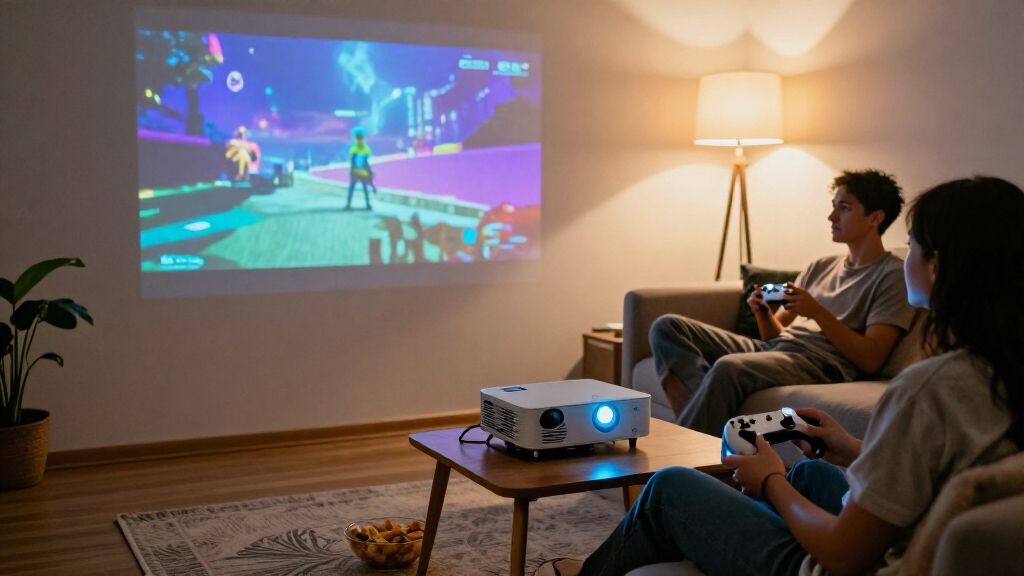

For most players, I’d start with the Hisense M2 Pro, the roundup’s best overall pick for its 4K picture, optical zoom, and screen adjustment features; it is the most capable choice here, though less casual to carry than compact minis. The HP MC400 stands out for USB-C power-bank compatibility, while the HAPPRUN Native 1080P offers a simpler route to a Full HD big-screen setup. The key tradeoffs are portability versus picture capability, built-in streaming convenience versus gaming-device flexibility, and quick setup versus control over placement. Read on for all 15 picks, how they differ, and what to prioritize before choosing a portable gaming projector.

Get the latest gadgets delivered free with Prime
- Fast, free delivery on millions of items
- Prime Video, Amazon Music and more included
- Member-only deals all year
Complete the kit



Key Takeaways
- The Hisense M2 Pro leads on picture and placement flexibility, but its larger premium design is a different kind of portable than pocket-sized minis.
- The HP MC400’s USB-C power-bank compatibility gives it a distinct advantage for gaming away from an outlet; check your power source and session length before relying on it.
- Roku-equipped picks such as the HAPPRUN Roku Mini and Aurzen D1R models simplify streaming, but built-in apps do not replace checking the ports and compatibility your console or handheld needs.
- The HAPPRUN Native 1080P prioritizes a straightforward Full HD setup, while compact models with rotating stands put more emphasis on flexible placement than maximum picture capability.
- Several products advertise 4K support, but that wording does not mean native 4K resolution; compare native resolution and input needs rather than relying on support claims alone.
| ONOAYO ONO3Pro 2.0 Portable Projector with AI Auto Adjustment and Dolby Audio |  | Best for Flexible Setup | Model: ONO3Pro 2.0 | Resolution support: 4K video decoding | Audio: Dolby Audio, dual 50W speakers, eARC | VIEW LATEST PRICE | See Our Full Breakdown |
| HAPPRUN Roku Smart Mini Projector with Wi-Fi and Bluetooth |  | Best for Simple Roku Gaming Setups | Display type: LCD | Maximum resolution: HD; specific pixel resolution not provided | Maximum image size: 120 inches | VIEW LATEST PRICE | See Our Full Breakdown |
| Aurzen Roku TV D1R Portable Smart Projector |  | Best for Confirmed 1080p | Native resolution: 1920 × 1080 | Display type: LCD | Image size: 40–200 inches | VIEW LATEST PRICE | See Our Full Breakdown |
| VOPLLS G3 4K Smart Projector with WiFi, Bluetooth, Dolby Audio and AI Auto Focus – Portable Outdoor Movie & Gaming Projector |  | Best for Google TV and Color Features | Resolution: 4K input support; native 1080p | HDR: HDR10+ | Color coverage: 98% NTSC | VIEW LATEST PRICE | See Our Full Breakdown |
| Mini Projector with WiFi, Bluetooth & Android 12 – Electric Focus 1080P Portable, HDMI/Smartphone/USB Compatible |  | Best for Compact 1080p Placement | Native resolution: 1920 × 1080 (Full HD) | Brightness: 1200 ANSI lumens | Image size: 32–200 inches | VIEW LATEST PRICE | See Our Full Breakdown |
| TMY V08 Portable Projector with 80-Inch Screen |  | Best Starter Bundle | Native resolution: 1280 × 720 | Maximum supported resolution: 1920 × 1080 | Included screen: 80-inch foldable screen | VIEW LATEST PRICE | See Our Full Breakdown |
| Philoent Mini Projector with Wi-Fi 6, Bluetooth 5.4, and Built-In Apps |  | Best for Fast, Simple Setup | Native resolution: 1280 × 720 | Brightness: 200 ANSI lumens | Maximum image size: 86 inches | VIEW LATEST PRICE | See Our Full Breakdown |
| Aurzen Roku TV E1R Smart Portable Mini Projector |  | Best for Roku Households | Native resolution: 1280 × 720 | Maximum image size: 120 inches | Brightness: 160 lm | VIEW LATEST PRICE | See Our Full Breakdown |
| Magcubic Mini Projector with WiFi 6 and Bluetooth 5.4, Portable 4K Support, 5W Soundbase Speaker, Auto Vertical Keystone, 180° Rotatable Smart Projector for Home and Outdoor |  | Best for Flexible Placement | Native resolution: 1280 × 720 | Maximum supported resolution: 4096 × 2160 (4K support) | Brightness: 200 ANSI lumens | VIEW LATEST PRICE | See Our Full Breakdown |
| HAPPRUN Native 1080P Bluetooth Projector – Standard |  | Best for Native 1080p Gaming | Native resolution: 1920 × 1080 | Brightness: 300 ANSI lumens | Contrast ratio: 10000:1 | VIEW LATEST PRICE | See Our Full Breakdown |
| Q100 Portable Mini Projector with 1080p Support and 270° Rotatable Stand |  | Best for Flexible Placement | Resolution support: 1080p input; maximum display resolution 1980 × 1080 | Display type: LCD | Brightness: 1500 lumens | VIEW LATEST PRICE | See Our Full Breakdown |
| Aurzen Roku TV D1R Air Portable Smart Projector |  | Best for Easy Streaming and Setup | Resolution: Native 1080p | Brightness: Up to 300 ANSI lumens | Weight and dimensions: 2.60 lb; 5.35 × 4.33 × 10.12 inches | VIEW LATEST PRICE | See Our Full Breakdown |
| HP Projector with Built-in Apps and USB-C Power Bank Compatibility (MC400) |  | Best for Short-Throw Portable Setups | Native resolution: 1280 × 720 | Maximum supported resolution: 3840 × 2160 input | Brightness: 150 ISO lumens | VIEW LATEST PRICE | See Our Full Breakdown |
| Hisense M2 Pro Triple Laser Smart Portable Lifestyle Projector 4K UHD 65–200 inch 1,300 Lumens Dolby Vision Optical Zoom Intelligent Screen Adjustments Vidaa OS Netflix Included |  | Best Premium Picture for Portable Gaming | Resolution: 4K UHD | Light source: Triple laser (MCL38) | Brightness: 1,300 ANSI lumens | VIEW LATEST PRICE | See Our Full Breakdown |
| YGSKK Mini Projector with Wi-Fi 6, Bluetooth 5.3, Built-In Streaming Apps, and Electric Focus |  | Best Value for Wireless 1080p Gaming | Resolution: Native 1080p; compatible with 4K input | Brightness: Up to 300 ANSI lumens | Image size: 50–200 inches | VIEW LATEST PRICE | See Our Full Breakdown |
| portable gaming projector | Connectivity | Brightness | Native resolution |
|---|---|---|---|
| ONOAYO ONO3Pro 2.0 Portable Pr | Wi-Fi 6, Bluetooth, Chromecast | — | — |
| HAPPRUN Roku Smart Mini Projec | Dual-band Wi-Fi (2.4G/5G), Bluetooth 5.2, HDMI with ARC, USB 2.0, 3.5mm jack | — | — |
| Aurzen Roku TV D1R Portable Sm | Wi-Fi, Bluetooth 5.2, HDMI, USB | — | 1920 × 1080 |
| VOPLLS G3 4K Smart Projector w | — | — | — |
| Mini Projector with WiFi | — | 1200 ANSI lumens | 1920 × 1080 (Full HD) |
| TMY V08 Portable Projector wit | 3.5 mm jack, Bluetooth, HDMI, USB | — | 1280 × 720 |
| Philoent Mini Projector with W | Wi-Fi 6, Bluetooth 5.4, HDMI, USB | 200 ANSI lumens | 1280 × 720 |
| Aurzen Roku TV E1R Smart Porta | Wi-Fi (2.4G/5G), Bluetooth 5.2, HDMI, USB | 160 lm | 1280 × 720 |
| Magcubic Mini Projector with W | Wi-Fi 6, Bluetooth 5.4, HDMI, USB | 200 ANSI lumens | 1280 × 720 |
| HAPPRUN Native 1080P Bluetooth | HDMI, Bluetooth 5.3, USB, 3.5 mm audio jack, IR | 300 ANSI lumens | 1920 × 1080 |
| Q100 Portable Mini Projector w | HDMI, USB, 3.5 mm AUX | 1500 lumens | — |
| Aurzen Roku TV D1R Air Portabl | HDMI, USB, audio out, USB-C | Up to 300 ANSI lumens | — |
| HP Projector with Built-in App | USB-C PD, HDMI, USB-A, 3.5 mm audio, Wi-Fi 6, Bluetooth 5.4 | 150 ISO lumens | 1280 × 720 |
| Hisense M2 Pro Triple Laser Sm | — | 1,300 ANSI lumens | — |
| YGSKK Mini Projector with Wi-F | — | Up to 300 ANSI lumens | — |
More Details on Our Top Picks
ONOAYO ONO3Pro 2.0 Portable Projector with AI Auto Adjustment and Dolby Audio
The ONO3Pro 2.0 suits game nights that move between rooms or out to the yard: it weighs 2.4 lb and can be mounted on a desktop, tripod, wall, or ceiling. Its automatic focus, keystone correction, obstacle avoidance, and screen fit can cut down on repositioning fuss compared with the Aurzen Roku TV D1R, which also offers auto focus and keystone correction but weighs 2.1 kg. Built-in streaming apps, Chromecast, and Wi-Fi 6 make it easy to get video onto the screen without adding a separate streaming device. The dual 50W speakers and Dolby Audio also give it a more ambitious built-in sound setup than the Aurzen’s dual 5W speakers. The tradeoff is that native resolution and brightness are unspecified; 4K decoding does not establish native 4K detail, and there is no stated battery for untethered play.
Pros:- Light 2.4 lb design with desktop, tripod, wall, and ceiling mounting options
- Automatic focus, keystone correction, obstacle avoidance, screen fit, and orientation detection simplify placement
- Built-in streaming apps, Chromecast, and Wi-Fi 6 reduce reliance on extra streaming hardware
- Dolby Audio with dual 50W speakers and eARC offers substantial built-in audio capability
Cons:- Native resolution is not specified, so 4K decoding does not confirm native 4K image detail
- Brightness rating is not provided, making it difficult to judge performance in ambient light
- No built-in battery is listed, limiting portability to locations with power access
Best for: Players who want a light projector with flexible mounting and automatic image setup for casual gaming in different rooms or outdoor locations with access to power.
Not ideal for: Buyers who need a confirmed native resolution, stated brightness, or a built-in battery for gaming away from outlets.
- Model:ONO3Pro 2.0
- Resolution support:4K video decoding
- Audio:Dolby Audio, dual 50W speakers, eARC
- Connectivity:Wi-Fi 6, Bluetooth, Chromecast
- Auto adjustment:Focus, keystone correction, obstacle avoidance, screen fit, orientation detection
- Zoom:50%–100%
- Weight:2.4 lb
- Mounting options:Desktop, tripod, wall, or ceiling
Our verdict“Choose the ONO3Pro 2.0 for adaptable placement and automatic setup, but skip it if verified picture specifications matter more than convenience.”
HAPPRUN Roku Smart Mini Projector with Wi-Fi and Bluetooth
The HAPPRUN Roku Smart Mini Projector is for players who want a straightforward route from projector to streaming content: Roku is built in, so there is no separate stick to connect for supported apps. It also offers dual-band Wi-Fi, Bluetooth 5.2, HDMI with ARC, and several mounting choices, giving it more connection flexibility than the Roku-focused Aurzen D1R’s listed HDMI, USB, Wi-Fi, and Bluetooth setup. For gaming, HDMI provides a direct way to connect a console, while Roku handles video streaming between sessions. Its HD maximum resolution is a meaningful step down from the Aurzen D1R’s stated 1080p native resolution, however, and neither brightness nor a specific pixel resolution is supplied. The 120-inch maximum image size is more restrained than the Aurzen’s 200-inch figure, which may suit a smaller viewing space but gives big-screen buyers less room to grow.
Pros:- Built-in Roku streaming avoids the need for a separate streaming stick
- HDMI with ARC, USB, Bluetooth 5.2, and dual-band Wi-Fi support varied connections
- Multiple mounting options include ceiling, tripod, tabletop, wall, and floor
- Dolby Audio and dual stereo speakers provide built-in sound
Cons:- Maximum resolution is listed as HD without a specific pixel resolution
- Brightness rating is not provided
- Maximum image size of 120 inches is smaller than the Aurzen Roku TV D1R’s listed 200 inches
Best for: Casual gamers who want built-in Roku streaming, HDMI console connection, and multiple placement options for a modest-size projection setup.
Not ideal for: Buyers seeking confirmed 1080p detail, a large 200-inch image, or a published brightness rating for judging room-light performance.
- Display type:LCD
- Maximum resolution:HD; specific pixel resolution not provided
- Maximum image size:120 inches
- Throw distance:3.28–17.43 ft
- Contrast ratio:1800:1
- Connectivity:Dual-band Wi-Fi (2.4G/5G), Bluetooth 5.2, HDMI with ARC, USB 2.0, 3.5mm jack
- Audio:Dolby Audio, built-in dual stereo speakers
- Mounting options:Ceiling, tripod, tabletop, wall, or floor
Our verdict“Pick this HAPPRUN for a Roku-first, smaller-screen setup, but choose the Aurzen D1R if confirmed 1080p resolution and a larger stated image size matter more.”
Aurzen Roku TV D1R Portable Smart Projector
Of these Roku-equipped picks, the Aurzen D1R gives gaming buyers the clearest resolution information: its native resolution is 1920 × 1080, unlike the HAPPRUN Roku Smart Mini Projector, whose listing says HD without a pixel count. That makes the D1R the more reassuring choice for readable game menus and detailed console graphics, while its 40- to 200-inch image range offers more sizing flexibility than HAPPRUN’s 120-inch maximum. Auto focus and keystone correction can simplify setup, and AirPlay mirroring joins Wi-Fi, Bluetooth, HDMI, and USB for versatile connections. The compromises are practical: a Roku account and internet connection are required for activation, its dual 5W speakers are modest beside the ONOAYO ONO3Pro 2.0’s dual 50W setup, and the fan is audible, with a stated maximum of 38.9 dB(A).
Pros:- Native 1920 × 1080 resolution is explicitly stated
- Roku streaming and AirPlay mirroring are built in
- Auto focus and auto keystone correction simplify positioning
- 40- to 200-inch image range and HDMI, USB, Wi-Fi, and Bluetooth connections support flexible setups
Cons:- Roku account and internet connection are required for activation
- Dual 5W speakers are less powerful on paper than the ONOAYO ONO3Pro 2.0’s dual 50W speakers
- Cooling fan produces audible noise, with maximum measured noise of 38.9 dB(A)
Best for: Console and casual PC gamers who want confirmed native 1080p, a flexible projected image size, and built-in Roku streaming.
Not ideal for: Players who need battery-powered operation, strong built-in sound, quiet operation, or activation without a Roku account and internet access.
- Native resolution:1920 × 1080
- Display type:LCD
- Image size:40–200 inches
- Throw distance:3.71–18.58 ft
- Connectivity:Wi-Fi, Bluetooth 5.2, HDMI, USB
- Speaker output:Dual 5W speakers
- Weight:2.1 kg
- Fan noise:Below 40 dB(A); maximum measured 38.9 dB(A)
Our verdict“Choose the Aurzen D1R if confirmed native 1080p and built-in Roku outweigh its activation, fan-noise, and modest-speaker tradeoffs.”
VOPLLS G3 4K Smart Projector with WiFi, Bluetooth, Dolby Audio and AI Auto Focus – Portable Outdoor Movie & Gaming Projector
The VOPLLS G3 is the pick for players who want a Google TV interface and listed picture enhancements without treating “4K” as native resolution: it accepts 4K input, but its native display is 1080p. That distinction puts it closer to the Aurzen Roku TV D1R, which also specifies native 1080p, than to a native-4K projector. The G3 adds HDR10+, 98% NTSC color coverage, Wi-Fi 6, and a stated 30 dB cooling noise level, giving it a richer feature set on paper than the HAPPRUN Roku Smart Mini Projector, whose resolution detail and brightness are both unclear. AI focus, keystone correction, obstacle handling, and a 360° rotating design suit flexible placements. The main portability catch is straightforward: it has no built-in battery, and no brightness rating is supplied.
Pros:- Google TV provides built-in access to thousands of apps and major streaming platforms
- Native 1080p with 4K input support, HDR10+, and 98% NTSC color coverage
- AI auto focus, auto keystone, obstacle handling, and 360° rotation support flexible placement
- Wi-Fi 6 and stated 30 dB cooling noise level support a connected, quieter setup
Cons:- Native display resolution is 1080p, not 4K
- No built-in battery, so portable use still requires external power
- Brightness rating is not provided
Best for: Players who want Google TV, flexible angled or ceiling projection, and stated HDR and color features for gaming and streaming near a power outlet.
Not ideal for: Buyers who need native 4K resolution, battery-powered play, or a published brightness figure to plan gaming in a lit room.
- Resolution:4K input support; native 1080p
- HDR:HDR10+
- Color coverage:98% NTSC
- Operating system:Google TV
- Audio:Dolby Atmos, Bluetooth 5.2
- Wireless:Wi-Fi 6
- Auto adjustment:Auto focus, auto keystone, smart obstacle avoidance
- Cooling noise:30 dB
- Rotation:360° rotating design
Our verdict“Choose the VOPLLS G3 for Google TV, flexible positioning, and listed color features, but not for native 4K or cordless gaming.”
Mini Projector with WiFi, Bluetooth & Android 12 – Electric Focus 1080P Portable, HDMI/Smartphone/USB Compatible
This mini projector makes the most sense for buyers who want native 1080p and a compact, adjustable setup rather than a specified long-throw installation. Its 180° rotating lens and auto keystone correction can help aim the image at a wall or ceiling, while Android 12 apps, Wi-Fi 6, Bluetooth 5.2, HDMI, and USB cover the main routes to games and streaming. The listed 1200 ANSI lumens is more useful planning information than the unstated brightness on the ONOAYO ONO3Pro 2.0, though brightness alone cannot promise a good picture in a lit room. One specification needs caution: the stated 0.5–1.5 ft throw distance is unusually short, and the listing does not clarify the resulting image geometry. Bluetooth is for audio transmission only, so unlike a general wireless display link it cannot carry video from another device.
Pros:- Native 1920 × 1080 resolution is specified
- Listed brightness of 1200 ANSI lumens gives buyers a reference point absent from several other picks
- 180° rotating projection and auto keystone correction offer flexible positioning
- Android 12, Wi-Fi 6, Bluetooth 5.2, HDMI, and USB provide built-in app and device connections
Cons:- Bluetooth supports audio transmission only, not video
- The listed 0.5–1.5 ft throw distance is unusually short and its image geometry is not clarified
- The listing does not establish that the 200-inch maximum image size is practical at the stated throw distance
Best for: Gamers seeking a compact, native-1080p projector with built-in apps and a rotating lens for flexible placement near a suitable projection surface.
Not ideal for: Buyers who need clearly documented long-throw placement, video transmission over Bluetooth, or confirmed 200-inch gaming at a stated throw distance.
- Native resolution:1920 × 1080 (Full HD)
- Brightness:1200 ANSI lumens
- Image size:32–200 inches
- Throw distance:0.5–1.5 ft
- Wireless:Wi-Fi 6 (2.4 GHz), Bluetooth 5.2
- Rotation:180° rotating projection
- Auto adjustment:Auto keystone correction; electric focus
- Ports:HDMI, USB, 3.5 mm audio jack
- Power consumption:45 watts
Our verdict“Pick this mini projector for native 1080p and adjustable placement, but check the throw-distance details before planning a fixed gaming setup.”
TMY V08 Portable Projector with 80-Inch Screen
The TMY V08 is the most ready-to-play pick here: its included 80-inch foldable screen saves you from finding a blank wall or buying a surface separately, while HDMI and USB make connecting a console or streaming stick straightforward. That bundle gives it a practical advantage over the HAPPRUN H1, which has sharper native 1080p resolution but does not include a screen. The tradeoff is that TMY’s native resolution is 720p, so game text and fine detail will look less crisp than on HAPPRUN. Its broad 32- to 220-inch image range also calls for a suitably dark room at larger sizes; no brightness figure is supplied. Bluetooth supports two-way audio, but phone adapters are not included, and some streaming apps need a separate stick or HDMI connection rather than mirroring.
Pros:- Includes an 80-inch foldable screen for a ready-made viewing surface.
- HDMI and USB support connections to consoles and streaming devices.
- Two-way Bluetooth audio offers flexible sound connections.
- Portable design supports image sizes from 32 to 220 inches.
Cons:- Native 720p resolution is less detailed than the HAPPRUN H1’s native 1080p.
- Phone connection adapters are not included.
- Some streaming apps require a streaming stick or HDMI connection instead of screen mirroring.
Best for: Console players starting a portable setup who want an included screen and plan to play in a dark room.
Not ideal for: Players who prioritize crisp small text, bright-room play, or direct access to streaming apps without a separate device.
- Native resolution:1280 × 720
- Maximum supported resolution:1920 × 1080
- Included screen:80-inch foldable screen
- Image size:32–220 inches
- Projection distance:1.5–6 m
- Aspect ratio:16:9
- Connectivity:3.5 mm jack, Bluetooth, HDMI, USB
- Lamp lifetime:10,000 hours
Our verdict“Choose the TMY V08 if an included screen matters more than native 1080p sharpness or app convenience.”
Philoent Mini Projector with Wi-Fi 6, Bluetooth 5.4, and Built-In Apps
For casual gaming in changing locations, the Philoent puts setup convenience ahead of image size: autofocus and automatic vertical keystone correction cut down on manual adjustments, and the projector weighs just 0.85 lb. Built-in streaming apps mean fewer accessories to pack than with the TMY V08, which may need a streaming stick for some services. Its 180-degree rotation also makes unusual placements, including ceiling-facing viewing, easier. The compromises are substantial for gaming: native resolution is 720p, brightness is only 200 ANSI lumens, and the maximum image size is 86 inches. That makes it better suited to a dim room and modest screen than a large group gaming setup. Players after a bigger image can look to the TMY, though it lacks the Philoent’s listed setup automation and built-in apps.
Pros:- Autofocus and automatic vertical keystone correction simplify setup.
- Built-in streaming apps reduce the need to carry a separate streaming stick.
- At 0.85 lb, it is easy to pack and reposition.
- 180-degree rotation supports flexible wall or ceiling-facing placement.
Cons:- Native 720p resolution provides less detail than the HAPPRUN H1’s native 1080p.
- 200 ANSI lumens favors dark rooms over spaces with ambient light.
- Maximum image size is 86 inches, smaller than the TMY V08’s stated 220-inch maximum.
Best for: Casual gamers who move their projector between rooms and want built-in apps with minimal manual setup.
Not ideal for: Players seeking a large, bright image or native Full HD detail for text-heavy games.
- Native resolution:1280 × 720
- Brightness:200 ANSI lumens
- Maximum image size:86 inches
- Throw ratio:0.8:1
- Connectivity:Wi-Fi 6, Bluetooth 5.4, HDMI, USB
- Rotation:Up to 180°
- Weight:0.85 lb (387 g)
- Warranty:2 years
Our verdict“Pick the Philoent for lightweight, low-fuss gaming and streaming in a dim room, not for a large-screen setup.”
Aurzen Roku TV E1R Smart Portable Mini Projector
The Aurzen Roku TV E1R is the easiest fit for players who already use Roku: Roku TV is built in, so streaming does not depend on a separate stick, and its carrying strap and sub-one-pound design suit trips between rooms or outdoor spots. For console play, HDMI provides a direct connection, while the 180-degree stand helps aim the image without repositioning the whole setup. Compared with the Philoent Mini Projector, the Aurzen reaches a larger stated maximum image size of 120 inches, but its brightness is lower at 160 lumens and its native resolution remains 720p. That makes it a dark-room option rather than a bright daytime gaming screen. Activation requires a Roku account and internet access, so it is less convenient when the projector will be used somewhere offline.
Pros:- Built-in Roku TV provides direct access to streaming apps.
- Under-one-pound design and carrying strap support portable use.
- HDMI, two-way Bluetooth, and Apple AirPlay offer multiple connection options.
- 180-degree rotating stand and automatic vertical keystone correction help with placement.
Cons:- Native resolution is limited to 720p, like the Philoent Mini Projector.
- 160-lumen brightness is best suited to dark viewing conditions.
- Activation requires a Roku account and internet connection.
Best for: Roku users who want a light, carryable projector for console gaming and streaming in dark rooms with reliable internet.
Not ideal for: Buyers who need offline activation, brighter-room visibility, or native 1080p game detail.
- Native resolution:1280 × 720
- Maximum image size:120 inches
- Brightness:160 lm
- Maximum throw distance:9.6 feet
- Connectivity:Wi-Fi (2.4G/5G), Bluetooth 5.2, HDMI, USB
- Stand rotation:180°
- Operating system:Roku TV OS
- Light source operating life:30,000 hours
Our verdict“Choose the Aurzen E1R if you want Roku streaming and easy portability for dark-room gaming, and can meet its activation requirements.”
Magcubic Mini Projector with WiFi 6 and Bluetooth 5.4, Portable 4K Support, 5W Soundbase Speaker, Auto Vertical Keystone, 180° Rotatable Smart Projector for Home and Outdoor
Magcubic’s clearest gaming advantage is how easily it can be aimed: the 180-degree rotatable body and automatic vertical keystone correction help when a tabletop, wall, or ceiling-facing position is the only practical option. Its 0.88 lb weight, Air Mouse remote, and built-in 5W soundbase speaker also keep a casual setup relatively self-contained. As with the Aurzen Roku TV E1R, however, “4K support” does not mean a native 4K image: Magcubic’s native resolution is 720p. Its 200 ANSI lumens also make a dark room the sensible setting, and its stated maximum image size is 130 inches. Choose it over the Philoent when you want a larger stated image and a speaker built in; choose a native-1080p option like the HAPPRUN H1 for sharper game visuals.
Pros:- 180-degree rotation and automatic vertical keystone correction allow flexible placement.
- Built-in 5W soundbase speaker avoids requiring a separate speaker for casual play.
- At 0.88 lb, it is easy to carry and reposition.
- Wi-Fi 6, Bluetooth 5.4, HDMI, USB, and an Air Mouse remote support varied control and connections.
Cons:- Native resolution is 720p despite support for higher-resolution content.
- 200 ANSI lumens is better suited to dark rooms than ambient-light gaming.
- The listed 80-inch minimum image size may not suit very small spaces.
Best for: Casual gamers who need a lightweight projector with flexible aiming, built-in audio, and Wi-Fi and Bluetooth connectivity.
Not ideal for: Players who want native Full HD or 4K sharpness, or need an image that holds up in a lit room.
- Native resolution:1280 × 720
- Maximum supported resolution:4096 × 2160 (4K support)
- Brightness:200 ANSI lumens
- Contrast ratio:2000:1
- Image size:80–130 inches
- Throw distance:0.6–2.6 m
- Connectivity:Wi-Fi 6, Bluetooth 5.4, HDMI, USB
- Weight:0.88 lb
Our verdict“Pick Magcubic for flexible placement and onboard audio, but choose the HAPPRUN H1 if native 1080p detail matters more.”
HAPPRUN Native 1080P Bluetooth Projector – Standard
Among these five, the HAPPRUN H1 has the strongest case for players who value image detail: its native 1920 × 1080 resolution renders game interfaces and text more clearly than the 720p TMY, Philoent, Aurzen, and Magcubic models. It also supports images from 40 to 200 inches and accepts an HDMI connection, making it a more direct console-focused choice than projectors centered on built-in streaming apps. Bluetooth 5.3 handles audio, not video casting, and a TV stick or phone-to-HDMI adapter must be supplied separately. Brightness is rated at 300 ANSI lumens, so despite its sharper image it still suits dim spaces better than well-lit gaming areas. Compared with the screen-included TMY, HAPPRUN trades a ready-made viewing surface for higher native resolution and a larger stated image range.
Pros:- Native 1080p resolution provides more game detail than the 720p alternatives in this group.
- HDMI supports a direct connection to a console or external streaming device.
- Image size ranges from 40 to 200 inches.
- Built-in stereo speakers and Bluetooth 5.3 provide audio options.
Cons:- At 300 ANSI lumens, it is better suited to dim rooms than well-lit spaces.
- A TV stick and phone-to-HDMI adapter are sold separately.
- Bluetooth supports audio only, not video casting.
Best for: Console players who want native 1080p detail and have a dark room, screen, or suitable wall ready.
Not ideal for: Buyers who need bright-room gaming, built-in streaming apps, or phone video casting over Bluetooth.
- Native resolution:1920 × 1080
- Brightness:300 ANSI lumens
- Contrast ratio:10000:1
- Image size:40–200 inches
- Throw distance:1.2–7 m
- Connectivity:HDMI, Bluetooth 5.3, USB, 3.5 mm audio jack, IR
- Mounting options:Desktop, tripod, ceiling mount
- Power consumption:70 watts
Our verdict“Choose the HAPPRUN H1 for native 1080p console play in a dark room, and skip it if built-in apps or higher brightness are priorities.”
Q100 Portable Mini Projector with 1080p Support and 270° Rotatable Stand
The Q100 makes the most sense for gamers who already have a console or handheld dock and want a projector they can aim in unusual spaces. Its 270° rotatable stand, electric focus, and electric keystone correction make setup more adaptable than the fixed-angle approach of many mini projectors. HDMI handles a console connection, while USB and AUX offer additional wired options. Unlike the Aurzen Roku TV D1R Air, though, the Q100 has no Wi-Fi, Bluetooth, or built-in apps, so streaming requires a connected device. It supports 1080p input and can project up to 200 inches, but the listed 1,500-lumen brightness does not specify ANSI lumens, so I would favor a dark room rather than assume it suits daylight gaming. Its built-in speaker is convenient, but dedicated audio will better suit group play.
Pros:- 270° adjustable stand offers flexible projection angles
- Electric focus and keystone correction simplify image setup
- HDMI, USB, and AUX support wired gaming and media devices
- Supports 1080p input and image sizes up to 200 inches
Cons:- No Wi-Fi, Bluetooth, or built-in streaming apps
- Phone mirroring requires a wired USB connection
- Brightness is listed in lumens without an ANSI figure, making bright-room performance hard to judge
Best for: Console owners who want an adjustable projector for a bedroom, ceiling projection, or other awkward placement and are comfortable connecting devices by cable
Not ideal for: Buyers seeking a self-contained streaming projector, wireless phone mirroring, or a clearly specified bright-room picture
- Resolution support:1080p input; maximum display resolution 1980 × 1080
- Display type:LCD
- Brightness:1500 lumens
- Image size:30–200 inches
- Throw distance:2.5–16.5 feet
- Connectivity:HDMI, USB, 3.5 mm AUX
- Stand and adjustments:270° rotatable stand; electric focus and keystone correction
- Audio and lamp:Built-in speaker; LED lamp rated up to 50,000 hours
Our verdict“Choose the Q100 for flexible, cable-connected gaming setups, but pick the Aurzen Roku TV D1R Air if built-in streaming and wireless connectivity matter more.”
Aurzen Roku TV D1R Air Portable Smart Projector
For gamers who want streaming ready without carrying a separate stick, the D1R Air pairs native 1080p with built-in Roku TV and automatic focus and keystone correction. Its gimbal stand helps aim the image quickly, while HDMI provides a direct route for a console. Compared with the wired-only Q100, this model is much more convenient for switching between games and streaming; the tradeoff is that its 300 ANSI lumens call for a dark or dim room, not a sunlit living space. At 2.60 pounds, it is portable, and USB-C PD support can help with off-grid use, but it requires a compatible 65W-or-higher power source and specified cable. Dual 5W speakers keep setup simple, although fan noise may be noticeable during quiet scenes.
Pros:- Built-in Roku TV streams without a separate stick
- Native 1080p resolution with automatic focus and keystone correction
- Gimbal stand makes aiming the image easier
- HDMI, Wi-Fi, Bluetooth, USB-C, and dual 5W speakers support a flexible setup
Cons:- 300 ANSI lumens limits use to dark or low-light rooms
- USB-C power requires a compatible 65W-or-higher PD source and specified cable
- Reported fan noise may distract during quiet gameplay
Best for: Gamers and streamers who want a compact, easy-to-set-up projector with Roku built in for dark-room use
Not ideal for: Players who need a bright image in ambient light or want to power a projector from an ordinary low-wattage USB-C charger
- Resolution:Native 1080p
- Brightness:Up to 300 ANSI lumens
- Weight and dimensions:2.60 lb; 5.35 × 4.33 × 10.12 inches
- Streaming and wireless:Roku TV; dual-band Wi-Fi; Bluetooth 5.2; AirPlay support
- Automatic adjustments:TOF autofocus and automatic keystone correction
- Stand:Gimbal stand
- Connectivity:HDMI, USB, audio out, USB-C
- Power and audio:65W+ USB-C PD; dual 5W speakers with Dolby Audio
Our verdict“Pick the D1R Air for convenient streaming and straightforward setup in a dark room, rather than for bright-room gaming.”
HP Projector with Built-in Apps and USB-C Power Bank Compatibility (MC400)
The MC400 suits portable gaming in tight rooms where a projector cannot sit far from the wall. Its 0.9:1 short-throw ratio can produce a 40–100-inch image from as close as 0.6 meters, making it easier to set up in a small bedroom or temporary gaming space than the long-range Q100. Android TV 14 adds streaming apps, and USB-C PD power offers a route to outdoor use with a suitable power bank. The main compromise is picture detail: despite accepting 4K input, its native resolution is 720p, so games are not displayed in native 1080p like the Aurzen Roku TV D1R Air. Its listed 150 ISO lumens also favor dark surroundings. This is a space-saving convenience pick, not the choice for bright rooms or high-resolution gaming.
Pros:- 0.9:1 throw ratio suits tight spaces
- Android TV 14 includes streaming apps without an external stick
- USB-C PD supports use with a compatible 65W-or-higher power bank
- Remote electronic focus and auto keystone correction ease setup
Cons:- Native resolution is 1280 × 720 despite 4K input support
- 150 ISO lumens is best suited to dark viewing conditions
- Portable power requires a 65W-or-higher USB-C PD source
Best for: Gamers in small rooms who need a short-throw projector, built-in streaming apps, and the option to use a high-output USB-C power bank
Not ideal for: Players who prioritize native 1080p or 4K detail, or who expect a usable image in a lit room
- Native resolution:1280 × 720
- Maximum supported resolution:3840 × 2160 input
- Brightness:150 ISO lumens
- Throw ratio:0.9:1
- Image size and distance:40–100 inches; 0.6–3 meters
- Operating system:Android TV 14
- Connectivity:USB-C PD, HDMI, USB-A, 3.5 mm audio, Wi-Fi 6, Bluetooth 5.4
- Power and audio:65W+ USB-C PD power source; dual HiFi stereo speakers
Our verdict“Choose the MC400 when short-throw placement and power-bank use matter more than native 1080p sharpness or bright-room performance.”
Hisense M2 Pro Triple Laser Smart Portable Lifestyle Projector 4K UHD 65–200 inch 1,300 Lumens Dolby Vision Optical Zoom Intelligent Screen Adjustments Vidaa OS Netflix Included
The M2 Pro is the picture-quality pick for gamers willing to carry a more ambitious projector rather than a pocket-sized unit. Its 4K UHD resolution, triple-laser light source, and Dolby Vision support target richer detail and color than the 720p HP MC400 or 1080p Q100. A 1.0–1.3:1 optical zoom changes image size without relying on digital resizing, helping preserve sharpness as the setup changes. Vidaa OS and Netflix reduce the need for an extra streaming device, while the listed low-latency gaming performance suits play as well as films. The tradeoff is portability: the supplied data gives no weight or battery option, so I would not assume it is as grab-and-go as the USB-C-powered HP. Its 1,300 ANSI lumens still favor controlled lighting over a bright room.
Pros:- 4K UHD resolution with triple-laser illumination
- Optical zoom adjusts image size while retaining 4K sharpness
- Dolby Vision and AI picture enhancement support vivid viewing
- Vidaa OS includes streaming apps, with low-latency gaming listed
Cons:- No weight or battery-power details are provided, so portability is harder to judge
- 1,300 ANSI lumens may not overcome bright ambient light
- Active 3D requires separate DLP-Link glasses
Best for: Gamers who want 4K detail, wide screen-size flexibility, and built-in streaming for portable use between controlled-lighting spaces
Not ideal for: Travelers prioritizing minimal weight or battery-powered play, and anyone gaming in a bright room
- Resolution:4K UHD
- Light source:Triple laser (MCL38)
- Brightness:1,300 ANSI lumens
- Projection size:65–200 inches
- Optical zoom:1.0–1.3:1
- Smart platform:Vidaa Smart OS with Netflix included
- Picture features:Dolby Vision and AI picture-quality enhancement
- Gaming and 3D:Low-latency gaming; active 3D with DLP-Link glasses
Our verdict“Choose the M2 Pro for a portable setup built around 4K picture quality and gaming performance, not the lightest carry or bright-room use.”
YGSKK Mini Projector with Wi-Fi 6, Bluetooth 5.3, Built-In Streaming Apps, and Electric Focus
The YGSKK offers a useful middle ground for buyers who want native 1080p and built-in apps without stepping up to the Hisense M2 Pro’s 4K-focused setup. Wi-Fi 6 supports streaming and wireless mirroring, while the 210° rotating base and electric focus help place the image with less manual adjustment. HDMI and USB provide straightforward connections for consoles and media devices. Its 300 ANSI lumens put it in the same dark-room class as the Aurzen Roku TV D1R Air, so neither is a strong choice for daylight gaming; the Aurzen adds Roku TV, while this model lists an app store and native 1080p. There are quirks: Bluetooth is for audio devices, not smartphones, and Android mirroring needs a separate program. Treat 4K as input compatibility, not native 4K display.
Pros:- Native 1080p display with 4K input compatibility
- Wi-Fi 6, built-in streaming apps, and wireless screen mirroring
- Electric focus and 210° rotating base aid placement and setup
- HDMI, USB, audio output, and built-in speakers cover common connections
Cons:- 300 ANSI lumens is best suited to dark or low-light rooms
- Bluetooth does not support smartphone connections
- Android screen mirroring requires a separate program, and 4K playback needs an HDMI-connected source
Best for: Gamers seeking a native 1080p mini projector with built-in apps, wireless streaming, and a rotating base for flexible placement
Not ideal for: Buyers who need bright-room gaming, native 4K, or simple Bluetooth phone connections and Android mirroring
- Resolution:Native 1080p; compatible with 4K input
- Brightness:Up to 300 ANSI lumens
- Image size:50–200 inches
- Wireless networking:Wi-Fi 6; 2.4 GHz and 5 GHz
- Bluetooth:Bluetooth 5.3 for audio devices
- Stand and adjustments:210° rotating base; electric focus and digital keystone correction
- Ports:HDMI, USB, 3.5 mm audio
- Other features:Built-in streaming apps and speakers; three-year warranty
Our verdict“Choose the YGSKK for native 1080p gaming with built-in apps and flexible wireless setup, provided you can play in a dim room.”
How We Picked
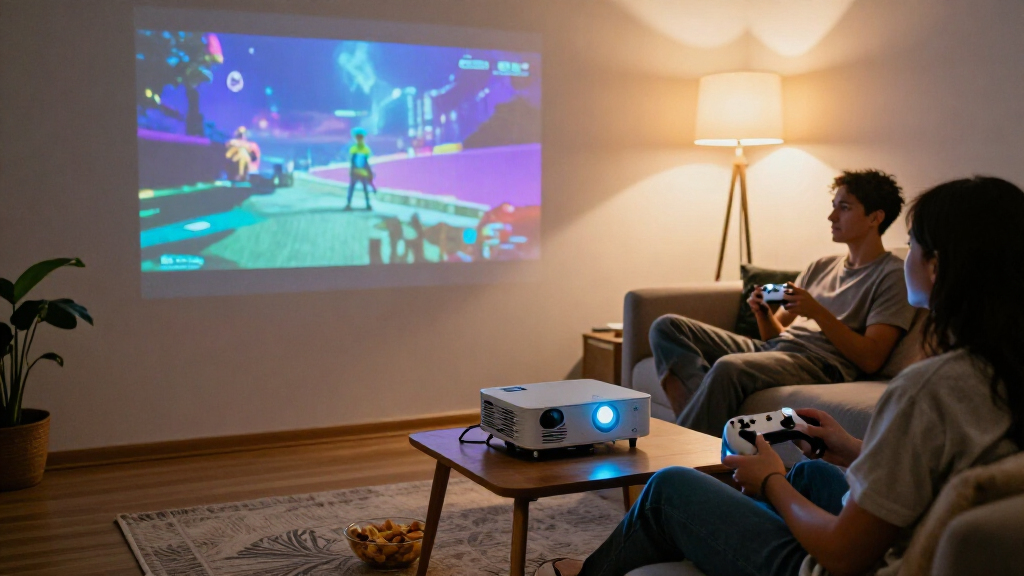
I ranked these portable gaming projectors by the practical balance a player needs: usable picture capability, easy setup, carryability, device connectivity, and flexibility across gaming and streaming. I gave weight to details that can change the buying decision, such as native versus supported resolution, focus and keystone tools, built-in streaming platforms, rotation, and power options. A projector that is convenient for movies may still be a poor fit for a console if its connections or placement do not suit the setup.
The ranking favors models with a clearer combination of gaming usefulness and everyday portability, rather than treating feature counts as a win by themselves. The Hisense M2 Pro leads for its higher-end image and adjustment options, while picks such as the HP MC400 earn distinction for particular portable-use needs. More basic minis remain useful for lighter budgets or simple setups, but I rank them lower when their listed features provide less evidence of gaming-focused flexibility. Product claims alone do not establish input lag, brightness in every room, or console compatibility, so buyers should verify those details for their own setup.
Factors to Consider When Choosing Portable Gaming Projectors
Choosing a portable gaming projector involves more than picking the smallest body or the biggest resolution claim. I’d start with where you play, which devices you connect, and whether you need a projector that runs from a battery or power bank. The factors below help avoid mismatches that product feature lists can obscure.
Match Resolution Claims to Your Source and Screen
Check whether a listing says native 1080p or native 4K, or only says that the projector supports a higher-resolution input. Those claims describe different things: a supported signal may still be displayed at the projector’s native resolution. A large projected image can make limited detail easier to notice, especially when you sit close. At the same time, a console’s output settings, game performance mode, and cable path all affect what reaches the projector. Avoid choosing on a 4K label alone; match the projector’s actual output to your source and preferred screen size. If you mostly play handheld or older games, reliable setup and connection options may matter more than extra pixels.
Treat Input Lag as a Gaming Requirement to Verify
Movies can look good even when a projector responds too slowly for precise play, so gaming suitability depends on input lag as well as picture quality. The product details in this roundup do not establish a comparable lag figure for every model. Look for a measured result from a dependable source, and check whether it applies to the resolution and picture mode you plan to use. Rhythm games, fighters, and competitive shooters make delay easier to notice than turn-based or slower games. A console’s game mode may help, but it cannot make every projector equally responsive. If low delay is a priority, make verified lag information a condition of purchase rather than assuming a gaming label guarantees it.
Plan for Power, Not Just Carryability
A light projector can still be awkward for outdoor gaming if it needs a nearby outlet, so check how it receives power before planning a portable setup. The HP MC400 is notable in this lineup for USB-C power-bank compatibility, but buyers should verify the required power delivery and the bank’s capacity. A power bank’s printed capacity does not tell the whole story; output limits and conversion losses affect runtime. Consoles, streaming sticks, speakers, and controllers may need separate power too. For a backyard session, map the power needs of the complete setup, not only the projector. If you usually play near a wall outlet, a larger projector may be a better trade than planning around battery limitations.
Check Placement, Focus, and Throw Distance at Home
Portable models often promise quick auto adjustment, rotating bodies, or keystone correction, but those features do not remove the need for a suitable projection distance and surface. Measure the room and check the manufacturer’s throw guidance before choosing a screen size. Digital keystone correction can make an image fit at an angle, though heavy correction may affect the displayed image. Auto focus and screen adjustment save setup time, but they cannot fix a blocked lens or an unsuitable wall. For shared rooms, flexible placement can be more useful than maximum image size. For a fixed gaming spot, a stable mount and a clear optical path may matter more than a rotating stand.
Choose Smart Apps or External Gaming Connections Deliberately
Built-in Roku or other streaming apps can simplify movie nights, but they are separate from the projector’s ability to connect to a console, handheld, or PC. Check the available inputs and whether your device needs an adapter before ordering. Wireless casting is convenient for some content, but it may add delay or fail to support a particular app’s protected video. A direct wired connection is usually the safer starting point for gaming, while built-in apps can reduce the number of devices needed for streaming. Also check software support and app availability for your region. Paying extra for a smart platform makes less sense if you already use a console or streaming device for all video.
Think Beyond the Projector: Sound, Light, and Setup
Built-in speakers help keep a portable setup simple, but a small chassis limits how full and loud sound can feel in an open space. For outdoor play, plan for a compatible external speaker or headset and check how it connects. Projected images also depend heavily on ambient light; a bright yard or sunlit room can wash out the picture even when the projector’s listed brightness sounds impressive. A darker room, a suitable screen, and a shorter viewing distance can improve the experience without changing the projector. Check whether brightness figures use a clear, comparable measurement, since product listings may present specifications differently. If you need daytime outdoor gaming, prioritize credible brightness data and light control over a compact design alone.
Frequently Asked Questions
Can I use any of these portable projectors with a PlayStation, Xbox, or Nintendo Switch?
Many projector setups can work with a console, but compatibility depends on the available input, cable, and console output, not just built-in streaming apps. Check the specific model’s ports and confirm whether your console needs an adapter or dock. For Nintendo Switch, the console generally needs its dock for video output; a projector does not replace that requirement. Wireless screen mirroring may be less suitable for games where response time matters. Before buying, verify the connection path for your exact console and any sound equipment you plan to use.
Does a projector that supports 4K display games in native 4K?
No. A 4K support claim can mean the projector accepts a 4K signal, not that its imaging hardware displays native 4K detail. Check the listed native resolution and confirm it against the manufacturer’s specifications. This distinction matters most when you want a large image or sit close to the screen. If the projector displays at a lower native resolution, a 4K console output will not turn it into a native 4K image. Compare native resolution alongside input lag and placement needs rather than treating one label as a complete measure of gaming performance.
Can I play games outdoors without plugging the projector into an outlet?
Only if the projector supports a suitable portable power method, and the entire setup has enough power for the session. In this roundup, the HP MC400 is specifically described as USB-C power-bank compatible, but you should still verify power delivery requirements and expected runtime. A console, dock, or speaker may need its own supply, adding to the load. Outdoor use also brings ambient light, which can make the image harder to see than it would be in a dark room. Plan for power and shade together instead of assuming “portable” means battery-powered.
Should I choose a smart projector or a simpler model for gaming?
Choose based on how you use the projector when you are not gaming. A Roku-equipped model can make streaming simpler, while a direct HDMI connection remains the key path for most console play. If you already use a console or streaming stick for video, built-in apps may add little value and could make a simpler projector a better fit. A smart platform also does not confirm gaming responsiveness or compatibility with every device. Verify the ports and any measured input-lag information before paying extra for software features.
What should I prioritize for competitive games compared with casual gaming?
For competitive play, prioritize verified low input lag, a direct wired connection, and a display mode that avoids extra image processing. Do not assume a high resolution or gaming-oriented description proves a projector is responsive enough. For casual, cooperative, or slower games, easier setup, flexible placement, and streaming features may matter more than the lowest possible delay. Screen size and seating distance also affect comfort, so test the planned layout before settling on a very large image. If a manufacturer does not provide clear lag data, seek reliable independent measurements or favor a display with well-documented gaming performance.
Conclusion
I’d choose the Hisense M2 Pro as the best overall for buyers who want the strongest mix of high-end picture features and placement flexibility, and who can accept a less pocketable setup. For best value, I’d look to the HAPPRUN Native 1080P as a more straightforward Full HD option, while checking its gaming response and connections before purchase. The HP MC400 is best for power-bank-oriented portability, and Roku-equipped HAPPRUN or Aurzen models make more sense for beginners who want streaming apps with minimal extra gear. For a compact setup with unusual placement needs, compare the rotatable Magcubic and Q100 designs; for outdoor gaming, give brightness, power, and shade priority over app features. The right pick depends on whether you value image capability, simple setup, or freedom from an outlet most.
Halloween Picks
halloween
As an affiliate, we earn on qualifying purchases.