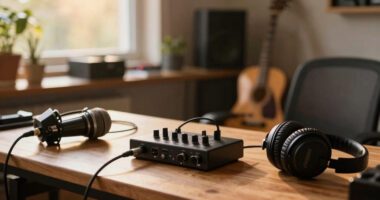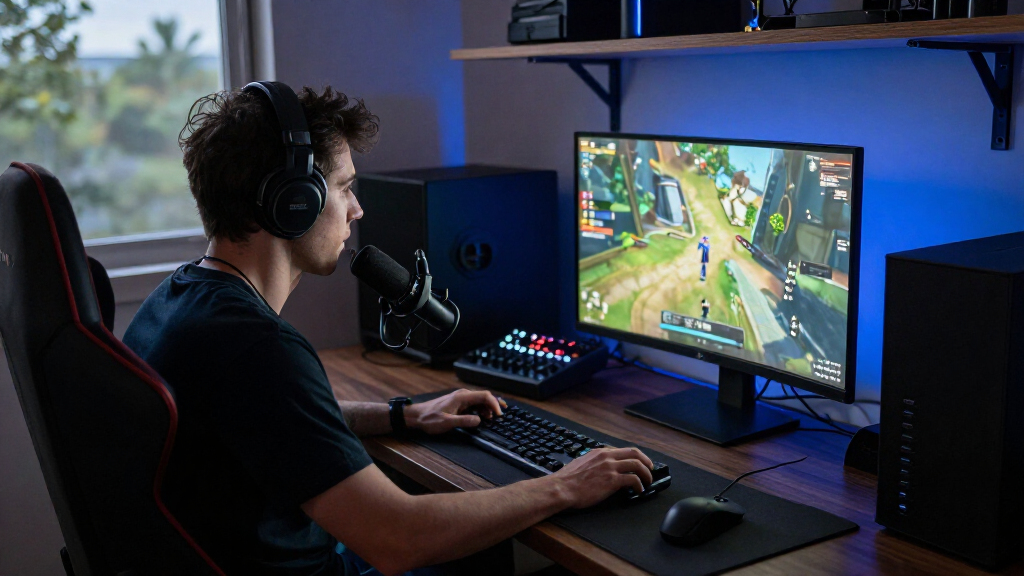

The best gaming streaming equipment depends on what you already own and how far you plan to take your channel. After comparing fifteen microphones, webcams, capture cards, and all-in-one bundles, the FIFINE AmpliTank K688CT stands out as the best overall pick thanks to its dual USB/XLR connectivity and room-friendly dynamic capsule, which means it will still serve you after you upgrade your whole chain. If video quality is your bottleneck, the Acer A640 4K and NexiGo N680E Pro bring strong image quality and built-in lighting without separate gear. The main tradeoff in this category is convenience versus longevity: USB-only starter kits get you live fast, while XLR-capable gear and mixer bundles cost more upfront but grow with you. Console streamers face a different decision entirely, since a capture card like the Rybozen HDMI matters more than any microphone. Keep reading for the full breakdown of who each pick suits and who should skip it.

Get the latest gadgets delivered free with Prime
- Fast, free delivery on millions of items
- Prime Video, Amazon Music and more included
- Member-only deals all year
Complete the kit



Key Takeaways
- USB/XLR hybrid microphones dominated the top of this comparison because they protect your investment — the FIFINE AM8, AM8T, and K688CT all let you start on USB today and move to an audio interface later without replacing the mic.
- Dynamic capsules (AM8, AM8T, K688CT, PD200XS) consistently beat condenser mics for untreated gaming rooms, while the FIFINE T669 and TONOR TC310+ sound great only in quiet, padded spaces.
- Webcam value clustered around lighting and noise handling rather than resolution alone — the NexiGo N680E Pro’s ring light and Acer A640’s AI noise cancellation solved real stream problems that the wegear 4K’s Sony sensor alone could not.
- Mixer bundles (MAONO G1 NEO bundle, FIFINE KS5, two-person podcast kit) only make sense once you’re managing multiple audio sources or a co-host; solo beginners were better served by a standalone mic kit.
- The Rybozen capture card was the only pick that solves a platform problem rather than an audio/video one — it’s essential for console streamers and pointless for PC-only streamers.
| FIFINE AmpliGame A6T USB Gaming Microphone Kit |  | Best for Beginners | Microphone type: USB condenser | Polar pattern: Cardioid | Compatibility: Windows, Mac OS, PS4, PS5 | VIEW LATEST PRICE | See Our Full Breakdown |
| FIFINE AmpliTank K688CT USB/XLR Dynamic Podcast Microphone Kit |  | Best for XLR Upgrades | Microphone type: Dynamic | Connectivity: USB, XLR | Polar pattern: Cardioid (unidirectional) | VIEW LATEST PRICE | See Our Full Breakdown |
| FIFINE AmpliGame AM8 USB/XLR Dynamic Microphone |  | Best Standalone Dynamic Mic | Microphone type: Dynamic | Connectivity: USB, XLR | Polar pattern: Unidirectional cardioid | VIEW LATEST PRICE | See Our Full Breakdown |
| NexiGo N680E Pro 4K Webcam with Ring Light |  | Best Webcam for Face-Cam Streaming | Sensor: Sony 1/2.5-inch 4K CMOS | Video resolution: 4K; 1080p at 60 fps | Autofocus: PDAF | VIEW LATEST PRICE | See Our Full Breakdown |
| FIFINE AmpliGame AM8T Dynamic Gaming Microphone Set with USB/XLR Connectivity |  | Best Complete Dynamic Mic Kit | Microphone type: Dynamic | Connectivity: USB-C, XLR | Polar pattern: Cardioid | VIEW LATEST PRICE | See Our Full Breakdown |
| NBPOWER 1080p 60 FPS Streaming Webcam with Microphone, RGB Fill Light, Autofocus, and Privacy Cover |  | Best Webcam for a Simple Setup | Resolution: 1080p Full HD | Frame rate: 60 FPS | Focus: Autofocus | VIEW LATEST PRICE | See Our Full Breakdown |
| FIFINE T669 USB Condenser Microphone Kit |  | Best for Clear Voice Commentary | Microphone type: USB condenser | Pickup pattern: Cardioid | Compatibility: PC and laptop; incompatible with Xbox | VIEW LATEST PRICE | See Our Full Breakdown |
| Rybozen HDMI Video Capture Card with USB 3.0 |  | Best Compact Capture Card | Capture resolution: Up to 1080p | HDMI input: Up to 4K at 60 Hz | Output: Up to 2K at 30 Hz | VIEW LATEST PRICE | See Our Full Breakdown |
| YoloLiv YoloCam S3 4K Streaming Webcam |  | Best Premium Webcam | Sensor: 1/1.3-inch | Video resolution and frame rate: 4K at 30 fps; 1080p at 60 fps | Field of view: 82° | VIEW LATEST PRICE | See Our Full Breakdown |
| Podcast Equipment Bundle for 2 with Audio Mixer, Voice Changer, and Condenser Microphones |  | Best for Two-Person Streams | Microphones: 2 condenser microphones | Mixer: Audio mixer with 10 sound effects and 4 voice variations | Connectivity: USB, XLR, 3.5 mm audio | VIEW LATEST PRICE | See Our Full Breakdown |
| Acer A640 4K Webcam with AI Noise-Canceling Microphone |  | Best 4K Webcam for Console Streamers | Maximum resolution: 4K at 30 fps | Supported video modes: 2K or 1080p at 60 fps | Autofocus: Phase Detection Autofocus (PDAF) | VIEW LATEST PRICE | See Our Full Breakdown |
| TONOR TC310+ USB Gaming Condenser Microphone Set with Boom Arm |  | Best Budget Starter Mic Kit | Connectivity: USB-A | Compatible devices: Desktop computer, laptop, Mac OS, PS4, PS5 | Polar pattern: Unidirectional | VIEW LATEST PRICE | See Our Full Breakdown |
| wegear 4K USB-A Webcam with Sony Sensor |  | Best Compact 4K Webcam | Sensor: 8MP CMOS Sony 1/2.55 inch | Video resolution: 4K at 30 fps; 1080p at 60 fps | Autofocus: PDAF | VIEW LATEST PRICE | See Our Full Breakdown |
| MAONO G1 NEO Gaming Mixer and PD200XS XLR Dynamic Microphone Bundle |  | Best Premium Streaming Audio Bundle | Channels: 4 | Connectivity: Auxiliary, Bluetooth, USB-C, XLR | Audio inputs: Microphone, Bluetooth, computer, smartphone | VIEW LATEST PRICE | See Our Full Breakdown |
| FIFINE AmpliGame KS5 Gaming Microphone and Audio Mixer Bundle |  | Best Versatile Mic-and-Mixer Value | Microphone type: Dynamic | Microphone connections: XLR and USB | Mixer features: Mute control, headphone monitoring, volume fader, entertainment modes | VIEW LATEST PRICE | See Our Full Breakdown |
| gaming streaming equipment | Connectivity |
|---|---|
| FIFINE AmpliGame A6T USB Gamin | — |
| FIFINE AmpliTank K688CT USB/XL | USB, XLR |
| FIFINE AmpliGame AM8 USB/XLR D | USB, XLR |
| NexiGo N680E Pro 4K Webcam wit | USB-A |
| FIFINE AmpliGame AM8T Dynamic | USB-C, XLR |
| NBPOWER 1080p 60 FPS Streaming | — |
| FIFINE T669 USB Condenser Micr | — |
| Rybozen HDMI Video Capture Car | — |
| YoloLiv YoloCam S3 4K Streamin | — |
| Podcast Equipment Bundle for 2 | USB, XLR, 3.5 mm audio |
| Acer A640 4K Webcam with AI No | USB, with USB-A to USB-C adapter |
| TONOR TC310+ USB Gaming Conden | USB-A |
| wegear 4K USB-A Webcam with So | — |
| MAONO G1 NEO Gaming Mixer and | Auxiliary, Bluetooth, USB-C, XLR |
| FIFINE AmpliGame KS5 Gaming Mi | — |
More Details on Our Top Picks
FIFINE AmpliGame A6T USB Gaming Microphone Kit
The A6T is the most straightforward starting point in this group: connect it by USB, position the included boom arm, and use the onboard touch mute and volume control while streaming. Its condenser capsule and cardioid pattern suit a solo gamer who wants their voice in front of the mic, while the pop filter and shock mount help manage plosives and desk vibration. Compared with the dynamic FIFINE AmpliGame AM8, the A6T is the simpler USB-only choice; it does not offer an XLR path for a later mixer setup. The tradeoff is desk fit: its clamp supports surfaces only up to 2 inches thick, and changing the boom arm position requires loosening the clamp screw. Pick it for an easy first mic, not an upgrade path.
Pros:- USB plug-and-play compatibility with Windows, Mac, PS4, and PS5
- Touch mute and volume control are available at the microphone
- Includes a boom arm, shock mount, and pop filter
- Cardioid pickup focuses on sound from the front
Cons:- USB-only connectivity offers no XLR upgrade path
- C-clamp fits desks up to 2 inches thick
- Boom arm adjustment requires loosening the clamp screw
Best for: First-time PC or console streamers who want a complete USB microphone setup with accessible mute and volume controls.
Not ideal for: Streamers planning to add an XLR mixer, or anyone whose desk is thicker than 2 inches.
- Microphone type:USB condenser
- Polar pattern:Cardioid
- Compatibility:Windows, Mac OS, PS4, PS5
- Connection:USB-C to USB-A/C
- Cable length:8.2 ft (2.5 m)
- Boom arm rotation:Nearly 180° up and down
- Maximum desk thickness:2 in
- Included accessories:Shock mount, pop filter, boom arm stand with adapter, USB cable, C-clamp
- On-mic features:RGB lighting, touch mute, volume control
Our verdict“Choose the A6T for a ready-to-use first streaming mic; choose the AM8 if XLR flexibility matters more than a simple setup.”
FIFINE AmpliTank K688CT USB/XLR Dynamic Podcast Microphone Kit
For a streamer who expects to move from a direct USB setup to an audio interface or mixer, the K688CT makes that change without replacing the microphone. In USB mode, its mute, gain, and headphone monitoring controls keep common adjustments within reach; connected by XLR, those controls are unavailable, so the later setup depends on external gear. Its dynamic capsule and cardioid pattern are a fit for close voice capture, and the included windscreen, shock mount, and metal boom arm make it a more complete mounting kit than the standalone FIFINE AmpliGame AM8. The K688CT’s 130 dB SPL rating supports loud input levels, but strong voice pickup calls for close placement. Its clamp also has the same under-2-inch desk limit. Choose it for connectivity flexibility, with the understanding that XLR adds equipment and changes how you control audio.
Pros:- Supports both USB and XLR connections
- USB mode provides mute, gain, and headphone monitoring controls
- Dynamic cardioid design suits close voice pickup and helps reduce off-axis sound
- Includes a metal boom arm, shock mount, and windscreen
Cons:- On-mic controls are unavailable over XLR
- Best input volume requires close microphone placement
- Clamp fits desks under 2 inches thick
Best for: PC streamers who want convenient USB controls now and plan to connect the same dynamic mic to an XLR interface or mixer later.
Not ideal for: People who want all microphone controls to remain available over XLR, or who cannot place the mic close to their mouth.
- Microphone type:Dynamic
- Connectivity:USB, XLR
- Polar pattern:Cardioid (unidirectional)
- Maximum SPL:130 dB
- Frequency range:50 Hz–16 kHz
- Signal-to-noise ratio:80 dB
- USB controls:Mute, gain, headphone monitoring, volume
- Included accessories:Metal boom arm, shock mount, windscreen
- Desk clamp capacity:Desks under 2 inches thick
Our verdict“Choose the K688CT if you want a supplied boom arm and a practical USB-to-XLR upgrade path in one dynamic mic kit.”
FIFINE AmpliGame AM8 USB/XLR Dynamic Microphone
The AmpliGame AM8 is a flexible choice for streamers who want a dynamic mic with desk-friendly controls but already have a stand or boom arm. USB mode brings tap-to-mute, gain adjustment, headphone monitoring, and RGB lighting together on the mic, so routine changes do not require navigating streaming software. XLR adds a route to an interface or mixer, though the lighting and function keys stop working in that mode. Compared with the FIFINE AmpliTank K688CT, the AM8 has built-in 3/8-inch and 5/8-inch threads for mounting on many stands, but this product listing does not include the K688CT’s boom arm and shock mount kit. Its dynamic cardioid design favors a close speaking position. The XLR cable is also sold separately, so buyers moving to a mixer should account for the extra setup.
Pros:- Supports USB and XLR connections
- USB mode includes tap-to-mute, gain, volume, and headphone monitoring
- Built-in 3/8-inch and 5/8-inch threads fit many microphone stands
- Cardioid pickup helps reject sound arriving from the sides and rear
Cons:- Boom arm and XLR cable are not included
- RGB lighting and function keys are inactive in XLR mode
Best for: Streamers who own a compatible mic stand and want a dynamic microphone with USB controls and an optional XLR connection.
Not ideal for: New creators who need a complete boom arm kit, or XLR users who expect USB lighting and controls to remain active.
- Microphone type:Dynamic
- Connectivity:USB, XLR
- Polar pattern:Unidirectional cardioid
- Frequency response:50 Hz–16 kHz
- Signal-to-noise ratio:80 dB
- USB features:Tap-to-mute, headphone monitoring, gain and volume controls, RGB lighting
- Stand compatibility:Built-in 3/8-inch and 5/8-inch threads
- Enclosure material:ABS plastic and metal
Our verdict“Choose the AM8 if you already have a stand and want a USB-controlled dynamic mic that can later connect by XLR.”
NexiGo N680E Pro 4K Webcam with Ring Light
When the camera view matters as much as the microphone, the N680E Pro gives a streamer a 4K CMOS sensor and video output up to 1080p at 60 fps. PDAF autofocus is useful when you shift in your chair or hold an object up to the camera, while the adjustable tri-tone ring light can help shape a face-cam without adding a separate lamp. Its 80° field of view keeps the frame relatively focused, unlike a wider room-view camera. Compared with the NBPOWER 1080p 60 FPS Streaming Webcam in this roundup, the NexiGo lists a 4K sensor and PDAF autofocus; 4K output, however, depends on camera software. The dual noise-reducing microphones are convenient for calls, but a dedicated mic such as the FIFINE AM8 is a more specialized audio choice for a gaming stream. Switch 2 also needs a separate adapter.
Pros:- 4K CMOS sensor with streaming video up to 1080p at 60 fps
- PDAF autofocus helps keep the image sharp as the streamer moves
- Tri-tone ring light has stepless brightness control
- Includes dual microphones, privacy shutter, and flexible clip
Cons:- 4K output depends on the camera software
- Switch 2 connection requires a separate USB-C to USB-A adapter
- Built-in microphones are less specialized for streaming voice than a dedicated mic
Best for: Face-cam streamers who want autofocus, built-in lighting, and a privacy shutter in one USB webcam.
Not ideal for: Creators prioritizing dedicated broadcast audio, or Switch 2 users who do not have a USB-C to USB-A adapter.
- Sensor:Sony 1/2.5-inch 4K CMOS
- Video resolution:4K; 1080p at 60 fps
- Autofocus:PDAF
- Microphones:Dual noise-reducing microphones
- Lighting:Tri-tone ring light with stepless brightness control
- Field of view:80°
- Connectivity:USB-A
- Privacy:Built-in privacy shutter
- Mount and weight:Flexible clip, 1/4-inch tripod mount; 0.22 kg
Our verdict“Choose the N680E Pro for an autofocus face-cam with integrated light; pair it with a dedicated microphone for stronger stream audio.”
FIFINE AmpliGame AM8T Dynamic Gaming Microphone Set with USB/XLR Connectivity
The AM8T suits a gamer who wants a dynamic mic, boom arm, and on-mic monitoring in a single listed set. USB connection offers plug-and-play use with a PC, while the XLR connection leaves room to use a mixer or sound card later. Mute, gain, and headphone volume controls help with live adjustments, and customizable RGB gives the mic a visible place in a gaming setup. Compared with the standalone FIFINE AmpliGame AM8, this set includes a boom arm and windscreen, which makes it more ready for a desk installation; the XLR cable is still absent. Its cardioid pattern and dynamic capsule favor close voice capture, so it needs sensible placement rather than sitting across the desk. The C-clamp only fits desktops under 2 inches thick, which can rule it out before setup begins.
Pros:- USB plug-and-play plus XLR connectivity
- Includes a boom arm, C-clamp, and windscreen
- On-mic mute, gain, and headphone volume controls
- Cardioid dynamic design supports close voice capture
Cons:- XLR cable is not included
- Clamp only fits desktops less than 2 inches thick
Best for: PC gamers building a desk streaming setup who want a boom arm, headphone monitoring, and both USB and XLR options.
Not ideal for: Users with desks 2 inches thick or more, or buyers who need an XLR cable included for their mixer setup.
- Microphone type:Dynamic
- Connectivity:USB-C, XLR
- Polar pattern:Cardioid
- Sensitivity:-50 dB
- Lighting:Customizable RGB
- Controls:Mute button, gain knob, headphone volume control
- Monitoring:Headphone jack for real-time monitoring
- Included accessories:Boom arm stand, C-clamp, 8.2 ft USB-to-USB-C cable, windscreen
- Desk clamp compatibility:Desktops less than 2 inches thick
Our verdict“Choose the AM8T for a more complete desk-mounted dynamic mic kit with USB convenience and an XLR option for later.”
NBPOWER 1080p 60 FPS Streaming Webcam with Microphone, RGB Fill Light, Autofocus, and Privacy Cover
The NBPOWER combines a webcam, basic lighting, and a microphone in one USB device, which suits streamers who want a quick setup without separate camera and light purchases. Its 1080p at 60 FPS output can keep motion looking smooth, while autofocus helps maintain a clear image as you shift position. Compared with the YoloLiv YoloCam S3, it gives up 4K capture and more advanced imaging controls, but adds an RGB fill light and privacy cover in a straightforward package. The built-in noise-canceling microphone can handle basic commentary, though the listing gives no detail on its audio performance; the FIFINE T669 is a stronger fit if voice capture is your priority. The tradeoff is convenience over dedicated audio quality and camera flexibility.
Pros:- Captures 1080p video at 60 FPS for smooth on-camera motion
- Autofocus helps keep the image clear as the streamer moves
- Built-in RGB fill light and privacy cover reduce the need for extra setup
- Connects by USB and is described as compatible with Windows and Mac
Cons:- Built-in microphone performance is not specified beyond noise cancellation
- USB connection limits placement to the cable’s 1.7-meter reach
- Does not offer the 4K capture or manual controls of the YoloLiv YoloCam S3
Best for: New PC or Mac streamers who want a webcam, basic fill light, and microphone in one plug-and-play device
Not ideal for: Streamers who need high-end image control, 4K video, or dependable standalone microphone performance
- Resolution:1080p Full HD
- Frame rate:60 FPS
- Focus:Autofocus
- Microphone:Built-in noise-canceling
- Lighting:RGB fill light
- Privacy:Privacy cover
- Connection:USB 2.0/3.0
- Cable length:1.7 meters
Our verdict“Choose the NBPOWER if you want a simple, all-in-one 1080p webcam setup and can accept basic onboard audio.”
FIFINE T669 USB Condenser Microphone Kit
The FIFINE T669 prioritizes voice capture and desk positioning over camera features or mixer effects. Its cardioid USB condenser capsule focuses on sound from the front, while the included shock mount and double-layer pop filter help control handling noise and plosive sounds. The steel boom arm reaches up to 30 inches, giving a streamer more freedom to place the mic near their mouth without taking up the main work area. Compared with the Podcast Equipment Bundle for 2, the T669 is a simpler single-speaker setup without a mixer, voice effects, or a second microphone. That simpler design may suit solo gaming commentary, but the kit requires a PC or laptop and does not work with Xbox. Buyers seeking a dynamic mic should also compare it with the FIFINE AmpliGame AM8, which offers USB/XLR connectivity.
Pros:- Cardioid pickup pattern focuses capture toward the speaker
- Adjustable steel boom arm offers up to 30 inches of reach
- Includes shock mount and double-layer pop filter
- Plug-and-play USB setup works with PC and laptop
Cons:- Incompatible with Xbox
- Requires a PC or laptop with USB connectivity
- Single microphone setup lacks the mixer and dual-mic flexibility of the Podcast Equipment Bundle for 2
Best for: Solo PC or laptop streamers who want a boom-mounted microphone and included pop-noise control
Not ideal for: Xbox streamers, two-person shows, or buyers who need a mixer and voice effects in the kit
- Microphone type:USB condenser
- Pickup pattern:Cardioid
- Compatibility:PC and laptop; incompatible with Xbox
- Boom arm reach:Up to 30 inches
- Horizontal arm length:13 inches
- Boom arm movement:180° up and down; 135° forward and backward
- USB cable length:8.2 feet
- Included accessories:Boom arm, C-clamp, desktop mount, shock mount, double pop filter, USB-B to USB-A/C cable, user manual
Our verdict“Pick the T669 for solo PC streaming when a flexible boom arm and voice-focused accessories matter more than mixer features.”
Rybozen HDMI Video Capture Card with USB 3.0
The Rybozen is a compact bridge between an HDMI source and streaming software, with loop-out so gameplay can pass to a display while the computer captures it. That makes it useful for console streamers who want to monitor play without relying on the capture preview. It accepts signals up to 4K at 60 Hz, but capture tops out at 1080p; the YoloLiv YoloCam S3 is the better fit for direct 4K camera output, while this card serves a different role by bringing console or camera HDMI into a streaming setup. A 3.5 mm TRS input supports commentary, though it requires a compatible headset mic. Its small, driver-free USB 3.0 design is convenient, but the 1080p capture ceiling and lack of support for 4K at 120 or 144 Hz make it a poor match for high-refresh passthrough needs.
Pros:- HDMI loop-out supports low-latency gameplay monitoring
- Connects over USB 3.0 without drivers or external power
- Works with Windows, Mac OS, Linux, and common streaming software
- Compact body weighs 0.18 kg and includes a 3.5 mm TRS microphone input
Cons:- Capture resolution is limited to 1080p
- Does not support 4K input at 120 Hz or 144 Hz
- Microphone input requires a 3.5 mm TRS headset
Best for: Console streamers who want a small USB capture device with HDMI loop-out for monitoring gameplay
Not ideal for: Creators who need 4K capture, 4K high-refresh input, or commentary through a USB microphone
- Capture resolution:Up to 1080p
- HDMI input:Up to 4K at 60 Hz
- Output:Up to 2K at 30 Hz
- Video input refresh rates:1080p at 120/144 Hz
- Interface:USB 3.0
- HDMI loop-out:Yes
- Microphone input:3.5 mm TRS
- Dimensions and weight:3 x 2 x 1 inches; 0.18 kg
Our verdict“Choose the Rybozen for compact 1080p capture with HDMI loop-out, provided its capture and refresh limits fit your source.”
YoloLiv YoloCam S3 4K Streaming Webcam
The YoloLiv YoloCam S3 is the image-quality pick for streamers who want more camera control than a basic 1080p webcam provides. Its 1/1.3-inch sensor captures 4K at 30 fps or 1080p at 60 fps, letting buyers choose detail or smoother motion depending on the scene. PDAF autofocus and AI-assisted imaging help keep the picture usable as lighting or position changes, while manual controls and 4x digital zoom at 1080p allow tighter framing without moving the camera. Compared with the NBPOWER 1080p webcam, the S3 offers higher-resolution capture and a tripod interface, but does not list an integrated RGB fill light or privacy cover. It connects over USB 3.0, and Picasso Resolve is currently Windows-only, so Mac users should check whether its available controls meet their workflow.
Pros:- Captures 4K at 30 fps or 1080p at 60 fps
- Large 1/1.3-inch sensor with PDAF autofocus and AI-assisted imaging
- Manual controls and 4x digital zoom at 1080p support flexible framing
- Foldable magnetic mount and tripod interface broaden placement options
Cons:- Picasso Resolve color grading software is currently available only on Windows
- Aluminum body may feel warm during operation
- Does not list the integrated RGB fill light included with the NBPOWER webcam
Best for: PC and Mac streamers who want 4K webcam detail, manual image controls, and flexible mounting
Not ideal for: Buyers seeking an all-in-one webcam with built-in fill lighting, privacy cover, or Windows-independent color grading software
- Sensor:1/1.3-inch
- Video resolution and frame rate:4K at 30 fps; 1080p at 60 fps
- Field of view:82°
- Autofocus:PDAF
- Digital zoom:4x at 1080p
- Connection:USB 3.0
- Mount:Foldable magnetic mount with 1/4-inch-20 tripod interface
- Color grading software:Picasso Resolve; currently available on Windows
Our verdict“Choose the YoloCam S3 if image detail and camera control matter more than built-in lighting and a simple all-in-one design.”
Podcast Equipment Bundle for 2 with Audio Mixer, Voice Changer, and Condenser Microphones
This bundle is built for shared microphones and live audio variety: it includes two condenser mics, boom arms, and a mixer with sound effects, voice variations, and noise reduction. That makes it a better match for co-op streams, interviews, or a host and guest than the single-mic FIFINE T669, which is simpler for solo commentary. Instrument input also gives musicians a way to bring guitar or bass into a session. The broad USB, XLR, and 3.5 mm connectivity and listed compatibility with computers, phones, PS4, and Xbox add flexibility across setups. The tradeoff is a more involved kit with more pieces to arrange, and first use may require a full charge; the driver may also need manual attention if it does not download automatically. Buyers wanting a straightforward solo mic should choose a simpler option.
Pros:- Includes two condenser microphones for shared streams or recordings
- Mixer provides 10 sound effects, four voice variations, and noise reduction
- Comes with two boom arms, shock mounts, pop filters, and foam covers
- Supports USB, XLR, and 3.5 mm audio with listed console and mobile compatibility
Cons:- First use may require fully charging the device
- Driver may not download automatically
- More components to set up than the solo FIFINE T669 kit
Best for: Two-person gaming streamers, interview hosts, or co-op creators who want two microphones and live mixer effects
Not ideal for: Solo streamers seeking a simple USB microphone, or creators who want a minimal setup without charging or driver steps
- Microphones:2 condenser microphones
- Mixer:Audio mixer with 10 sound effects and 4 voice variations
- Connectivity:USB, XLR, 3.5 mm audio
- Included accessories:2 boom arms, 2 shock mounts, 2 pop filters, 2 foam covers, 2 XLR cables, USB cable, 3.5 mm earphone, 2 audio cables, user manual
- Compatibility:Windows, iOS, Android, Mac OS, Chrome OS, PCs, smartphones, PS4, Xbox
- Instrument input:Guitar, bass, and other instruments
Our verdict“Pick this bundle for two-person streams that benefit from mixer effects, and skip it if you only need one uncomplicated microphone.”
Acer A640 4K Webcam with AI Noise-Canceling Microphone
This option stands out for console-facing streamers who need a 4K at 30 fps camera that plays nicely with Twitch and even the Switch 2 — a compatibility profile most webcams in this roundup can’t match. Compared with the wegear 4K webcam, both share PDAF autofocus and 4K capture, but the Acer pairs its Sony 1/2.8-inch sensor with automatic low-light correction that holds up better in dim gaming rooms, and its AI noise-canceling mic does more heavy lifting if you stream without a dedicated microphone like the FIFINE AmpliGame AM8. The physical privacy shutter is a small touch that matters for anyone leaving a camera mounted full-time. The tradeoff: no built-in speakers, and the mic requires manual selection in both system and app settings — plug-and-play video, slightly less plug-and-play audio.
Pros:- 4K at 30 fps with flexible 2K/1080p at 60 fps modes for smoother motion
- PDAF autofocus with automatic low-light correction for dim gaming setups
- AI noise-canceling microphone reduces keyboard and background noise
- Physical privacy shutter and broad platform compatibility including Switch 2
Cons:- No built-in speakers, so it can’t double as an audio output device
- Microphone input must be manually selected in system and app settings for best results
Best for: Console and PC streamers who want a sharp 4K face cam that works across Twitch, Teams, Zoom, and Switch 2
Not ideal for: Streamers who want zero setup friction — the microphone needs manual input selection, and there are no built-in speakers for playback
- Maximum resolution:4K at 30 fps
- Supported video modes:2K or 1080p at 60 fps
- Autofocus:Phase Detection Autofocus (PDAF)
- Image sensor:Sony 1/2.8-inch sensor
- Microphone:AI noise cancellation
- Connectivity:USB, with USB-A to USB-C adapter
- Privacy feature:Physical sliding shutter
Our verdict“Pick this if you stream across consoles and PC and want the sharpest, most platform-flexible face cam in the lineup.”
TONOR TC310+ USB Gaming Condenser Microphone Set with Boom Arm
For someone starting a streaming channel on a tight budget, this kit makes the most sense because it arrives complete: microphone, boom arm, and desk clamp in one box. Compared with the FIFINE T669 USB Condenser Microphone Kit, the TONOR leans harder into gaming identity with customizable RGB lighting and on-body controls — one-tap mute and adjustable gain — that the FIFINE handles less conveniently. It’s also plug-and-play across PC and PlayStation consoles, which the MAONO G1 NEO bundle matches but at a far higher complexity and price point. The tradeoffs are real, though: the unidirectional pickup demands careful positioning, and the desk clamp only fits desks up to 2.36 inches thick, so thicker streaming desks will need an aftermarket mount.
Pros:- Boom arm and desk clamp included, no separate mount purchase needed
- One-tap mute and gain control right on the microphone body
- Customizable RGB lighting with brightness control matches gaming setups
- Plug-and-play USB works with PC, Mac, PS4, and PS5
Cons:- Desk clamp fits desks no thicker than 2.36 inches, limiting mounting options
- USB-A only with no XLR option, so there’s no upgrade path to pro audio gear
Best for: First-time streamers who want a complete, RGB-styled microphone setup with boom arm included from day one
Not ideal for: Owners of thick or irregular desks — the clamp maxes out at 2.36 inches — or anyone planning to upgrade to XLR audio later
- Connectivity:USB-A
- Compatible devices:Desktop computer, laptop, Mac OS, PS4, PS5
- Polar pattern:Unidirectional
- Signal-to-noise ratio:78 dB
- Controls:One-tap mute, gain, RGB effects, brightness
- Boom arm clamp capacity:Desks up to 2.36 inches thick
- Materials:ABS plastic, alloy steel
Our verdict“A complete, plug-and-play starter kit for new streamers who want the desk setup to look and sound the part without buying pieces separately.”
wegear 4K USB-A Webcam with Sony Sensor
This model is better suited to laptop-based streamers who want 4K quality in a 3.5-ounce package. At 2.2 x 3.4 x 2 inches with a foldable clip, it disappears into a backpack in a way the Acer A640 — a fuller-featured but bulkier 4K camera — cannot. Image quality holds its own: an 8MP Sony 1/2.55-inch sensor delivers 4K at 30 fps or 1080p at 60 fps, with PDAF autofocus and automatic light adjustment covering the essentials. The dual noise-canceling microphones give it an edge over basic webcams like the NexiGo N680E Pro if you occasionally stream without a dedicated mic. Two constraints shape the buying decision: USB-A only, which frustrates modern laptop owners, and the built-in 5-foot cable that can’t be extended or swapped, limiting camera placement on larger battlestations.
Pros:- Genuinely compact and lightweight at 3.52 ounces with a foldable clip
- 4K at 30 fps or 1080p at 60 fps from a Sony 1/2.55-inch sensor
- Dual noise-canceling microphones reduce reliance on a separate mic
- Built-in sliding privacy cover and tripod-compatible mounting
Cons:- USB-A only connection, awkward for newer USB-C laptops
- Built-in 5-foot cable cannot be replaced or extended, limiting setup flexibility
Best for: Laptop streamers and hybrid workers who want sharp 4K video in a highly portable, tripod-friendly camera
Not ideal for: Streamers with USB-C-only laptops or large multi-monitor setups — the fixed 5-foot USB-A cable constrains placement
- Sensor:8MP CMOS Sony 1/2.55 inch
- Video resolution:4K at 30 fps; 1080p at 60 fps
- Autofocus:PDAF
- Viewing angle:73 degrees
- Connection:USB-A, 5-foot built-in cable
- Microphones:Dual noise-canceling
- Compatibility:Windows 10/11, macOS 10.14+, ChromeOS
- Weight:3.52 ounces
Our verdict“Choose this over the Acer A640 if portability matters more than platform breadth — it’s the travel-friendly 4K option in this lineup.”
MAONO G1 NEO Gaming Mixer and PD200XS XLR Dynamic Microphone Bundle
This is the pick for streamers ready to graduate from USB convenience to a real production setup. Pairing the PD200XS XLR dynamic microphone with a four-channel mixer gives you sound pads for on-the-fly alerts, voice effects, reverb, sidechain, and Bluetooth accompaniment for background music — creative control the FIFINE AmpliGame KS5 matches only partially, since the FIFINE’s controls go dark in XLR mode while the MAONO keeps them live. Cross-device support spanning computers, phones, tablets, PS4, and PS5, plus direct monitoring and loopback, makes it a genuine command center. The tradeoffs: it’s the most complex setup here, demanding desk space and a learning curve, and it’s not compatible with Xbox or USB microphones — a real limitation if you stream on Microsoft’s console or already own a USB mic you hoped to route through it.
Pros:- Four-channel mixer with customizable sound pads, voice effects, and reverb
- Bluetooth accompaniment input for music and call-in audio
- One-click mute, loopback, and direct monitoring for professional control
- Works with computers, phones, tablets, PS4, and PS5 plus major streaming software
Cons:- Not compatible with Xbox consoles or USB microphones
- Higher complexity and price point than simple USB kits like the TONOR TC310+
Best for: Dedicated streamers and podcasters who want sound pads, voice effects, and full mixer control across PC, mobile, and PlayStation
Not ideal for: Xbox streamers or anyone hoping to keep using a USB microphone — neither is supported by this mixer
- Channels:4
- Connectivity:Auxiliary, Bluetooth, USB-C, XLR
- Audio inputs:Microphone, Bluetooth, computer, smartphone
- Output connectors:3.5 mm, USB-C
- RGB lighting:11 color variations
- Dimensions:6.29 x 2 x 5.19 inches
- Weight:1.2 pounds
Our verdict“The most capable audio bundle in this roundup — buy it if streaming is a serious pursuit and you want live production controls, not just a microphone.”
FIFINE AmpliGame KS5 Gaming Microphone and Audio Mixer Bundle
This bundle occupies a smart middle ground: more capable than a standalone mic kit like the FIFINE AmpliGame A6T, less involved than the MAONO G1 NEO. The dynamic microphone offers both XLR and USB connectivity, meaning you can start in USB mode today with full mute, gain, and real-time monitoring controls, then move to an XLR interface later without replacing the mic. The included mixer adds volume faders, headphone monitoring, and five RGB lighting effects that tie into a gaming aesthetic. The defining tradeoff is that switching to XLR mode disables most controls — mute, gain, monitoring, and RGB all go unavailable — so the mixer’s convenience is really a USB-mode feature. Still, for a streamer who wants one purchase to cover both today’s USB simplicity and tomorrow’s XLR ambitions, this pick makes the most sense.
Pros:- Microphone supports both USB and XLR connections for future upgrades
- USB mode provides mute button, gain knob, and real-time headphone monitoring
- Dedicated mixer with volume faders and entertainment modes
- Five RGB lighting effects in static or flowing modes
Cons:- Mute, gain, monitoring, and RGB controls are unavailable in XLR mode
- Mixer adds desk footprint and cost compared with a standalone USB mic kit
Best for: Growing streamers who want USB simplicity now with an XLR upgrade path built into the same microphone
Not ideal for: Buyers who plan to run XLR immediately — the mixer’s mute, gain, monitoring, and RGB controls stop working in XLR mode
- Microphone type:Dynamic
- Microphone connections:XLR and USB
- Mixer features:Mute control, headphone monitoring, volume fader, entertainment modes
- USB mode controls:Mute button, gain knob, real-time monitoring, headphone volume knob
- RGB lighting:Five effects; static or flowing modes
- Intended uses:Gaming, streaming, and podcasting
Our verdict“A flexible two-mode bundle for streamers who want professional features today and an XLR pathway tomorrow — as long as they accept the controls are USB-only.”
How We Picked
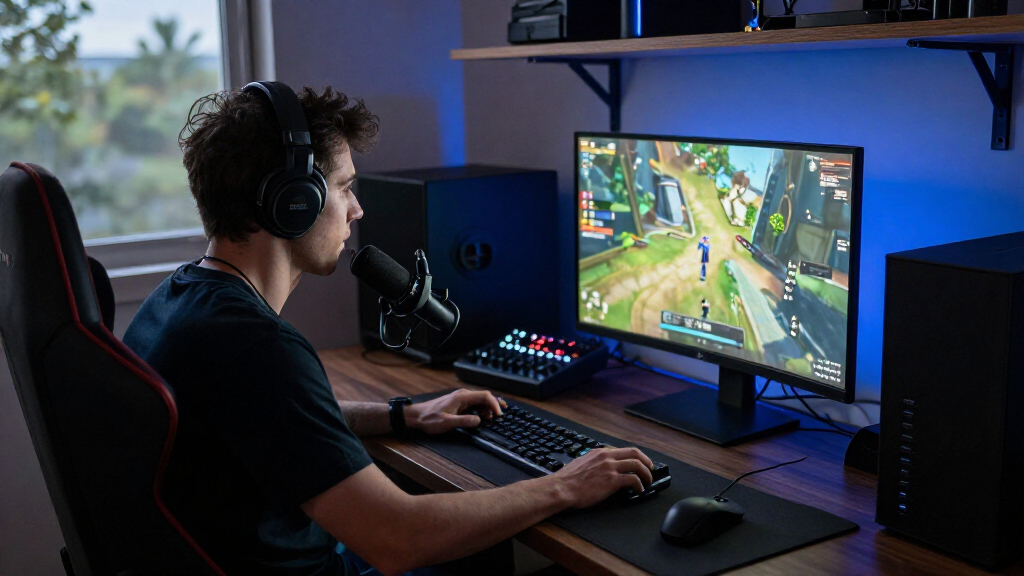
I evaluated every product through one lens: how well it improves a live gaming stream for the money and effort required. That meant judging microphones on capsule type and room rejection rather than raw spec sheets, since a condenser that picks up keyboard clacks and fan noise hurts a stream more than a modest dynamic mic does. Webcams were compared on sensor quality, low-light behavior, built-in lighting, and onboard audio, because most streamers sit in a dim room and never buy a separate mic for their camera. Capture cards and mixers were judged on whether they remove a genuine bottleneck — console ingest, multi-source audio routing — or just add complexity.
The ranking also reflects upgrade path and versatility. Products with USB/XLR dual connectivity ranked above USB-only rivals at similar quality because they survive your first gear upgrade. Bundles ranked highly only when their components were individually defensible, not just convenient. Finally, I penalized gear that demands extra purchases to work well — a mic that needs a shock mount or a webcam that needs a ring light lost ground to options that arrive complete.
| gaming streaming equipment | Connectivity |
|---|---|
| FIFINE AmpliGame A6T USB Gamin | — |
| FIFINE AmpliTank K688CT USB/XL | USB, XLR |
| FIFINE AmpliGame AM8 USB/XLR D | USB, XLR |
| NexiGo N680E Pro 4K Webcam wit | USB-A |
| FIFINE AmpliGame AM8T Dynamic | USB-C, XLR |
| NBPOWER 1080p 60 FPS Streaming | — |
| FIFINE T669 USB Condenser Micr | — |
| Rybozen HDMI Video Capture Car | — |
| YoloLiv YoloCam S3 4K Streamin | — |
| Podcast Equipment Bundle for 2 | USB, XLR, 3.5 mm audio |
| Acer A640 4K Webcam with AI No | USB, with USB-A to USB-C adapter |
| TONOR TC310+ USB Gaming Conden | USB-A |
| wegear 4K USB-A Webcam with So | — |
| MAONO G1 NEO Gaming Mixer and | Auxiliary, Bluetooth, USB-C, XLR |
| FIFINE AmpliGame KS5 Gaming Mi | — |
Factors to Consider When Choosing Best Gaming Streaming Equipment
Choosing streaming equipment is less about buying the best-reviewed item in each category and more about fixing your weakest link in the right order. These are the factors that actually changed the ranking in this comparison.Fix Your Audio Before Your Video
Viewers tolerate average camera quality far longer than they tolerate harsh or echoey audio, which is why microphones take up most of the slots in this roundup. A common mistake is buying a 4K webcam first and assuming its built-in mic will carry you — every camera mic on this list is a fallback, not a primary. Before spending anything, record ten seconds of your current setup and listen with headphones; that will tell you whether your problem is clarity, room echo, or background noise. If your room is untreated and shared with a gaming PC, a dynamic mic is almost always the safer bet than a condenser, regardless of price. Spending your first budget dollars on audio gives the single largest perceived-quality jump per dollar spent.
USB vs. XLR: Buy for the Streamer You’ll Become
USB microphones work the moment you plug them in and are the right call for beginners, but they lock you into the mic’s internal preamp and processing forever. XLR microphones require an interface or mixer — added cost and cables — but let you swap components, add hardware processing, and build a setup that scales to multiple hosts. This is why hybrid USB/XLR models like the FIFINE AM8, AM8T, and AmpliTank K688CT ranked so well here: they cost little more than USB-only versions and give you an exit ramp. The mistake to avoid is buying an XLR mic without budgeting for the interface, leaving you with a mic you can’t use, or buying an expensive mixer bundle when a single USB mic would have done the same job. Match the connectivity to your twelve-month plan, not your day-one needs alone.
Webcam Features That Actually Matter on Stream
Resolution is the spec everyone compares, but low-light performance and lighting integration decide how you actually look on stream, since most gaming rooms are dim by design. A 1080p webcam with a built-in ring light or strong sensor often outperforms a 4K webcam in a dark room. Autofocus speed matters too — a camera that hunts for focus every time you lean back is more distracting than soft detail. Built-in noise-canceling mics, like on the Acer A640, are genuinely useful if you’re running a camera-only setup for a second angle or a console stream. Check mounting compatibility as well: not every monitor edge or tripod thread works with every clip design.
Do You Need a Capture Card at All?
Capture cards exist for one reason: getting a console or second-camera feed into your streaming software. If you stream PC games only, your GPU and OBS already handle everything, and a capture card adds cost and a potential point of failure for zero benefit. Console streamers using the built-in Twitch or YouTube apps get compressed video and limited overlays, so a card like the Rybozen is a real upgrade path to PC-grade production. Pay attention to passthrough specs if you game on a high-refresh monitor — a card that caps passthrough at 1080p60 will make your gameplay feel worse on your own screen. USB 3.0 bandwidth matters here; USB 2.0 cards often introduce lag and compression artifacts that viewers notice.
When a Mixer or Bundle Earns Its Place
Audio mixers and multi-mic bundles look like great value on paper, but they only pay off when you have multiple audio sources to manage — a co-host, a phone call-in, music, and game audio all needing independent faders. A solo streamer with one mic and game audio can do everything in software, so a hardware mixer is a convenience, not a necessity. The bundles in this roundup ranked well because their individual components stand on their own, but plenty of cheap bundles hide weak microphones behind an impressive-looking mixer. Ask yourself whether you’ll actually touch the faders mid-stream; if the answer is no, put that money toward a better single microphone. If you do co-stream or plan to, a bundle like the two-person podcast kit becomes far more sensible than piecing gear together.
Room Treatment Beats Gear Upgrades
The most underappreciated factor in this entire category is your recording environment. A mid-tier dynamic mic in a carpeted room with curtains will outsound a premium condenser in a bare-walled echo chamber every time. Before upgrading any hardware, try cheap fixes: close the door, point the mic off-axis from your keyboard, add a rug, or hang a blanket behind you. This also changes what you should buy — condenser kits like the FIFINE T669 and TONOR TC310+ reward treated rooms with rich detail, while dynamic mics forgive untreated spaces. Buyers who skip this step often blame their gear and churn through upgrades without fixing the real problem.
Frequently Asked Questions
Should I start with a USB microphone or go straight to XLR?
Start with USB unless you already know you’ll co-stream or produce a podcast within the year. USB mics like the FIFINE T669 or AM8 deliver plug-and-play quality that satisfies the vast majority of Twitch and YouTube audiences, and modern USB models include the gain control and monitoring that used to require an interface. Going XLR early means buying an interface, learning signal chain basics, and troubleshooting drivers before you’ve even confirmed you enjoy streaming. The smart middle path is a hybrid USB/XLR mic — you stream over USB today and add an interface later without replacing anything. Pure XLR only becomes worthwhile when you need multiple microphones or hardware processing that software can’t replicate.
Is a 4K webcam worth it for streaming when platforms compress everything anyway?
For live streaming, usually not — Twitch and YouTube compress your feed well below 4K, so extra resolution mostly gives software more pixels to downscale, which can slightly improve sharpness but rarely justifies the price gap. Where 4K sensors do help is image processing: they typically handle color, low light, and cropping (for a face-cam overlay) better than 1080p sensors, which is why picks like the Acer A640 and NexiGo N680E Pro still earn their place. If you also record YouTube content locally, 4K becomes genuinely useful since your uploaded files aren’t compressed the same way. For pure live streamers on a budget, a 1080p60 webcam with good lighting will look better than a 4K webcam in a dark room. Spend the difference on a light source first.
Do I need a capture card to stream console games?
Not strictly — modern consoles have built-in streaming, but the apps are limited: minimal overlay control, compressed video, and no easy way to run alerts or scenes. If you’re casually going live occasionally, the built-in route is fine. A capture card like the Rybozen changes the equation by feeding your console into OBS on a PC, giving you the same production tools PC streamers have: scenes, alerts, chat overlays, and better bitrate control. Check two specs before buying: passthrough resolution and refresh rate for your own display, and USB 3.0 support for clean 1080p60 ingest. If you stream exclusively on PC, skip capture cards entirely — your system already captures natively.
What’s the difference between dynamic and condenser mics for a noisy gaming setup?
Condenser mics are more sensitive and capture a wider frequency range, which sounds rich and detailed — but that sensitivity also grabs mechanical keyboards, PC fans, and room echo. Dynamic mics have a tighter pickup pattern and require you to speak close to the capsule, which naturally rejects background noise. For a typical streamer sitting two feet from a loud tower PC, a dynamic mic like the FIFINE AM8 or MAONO PD200XS produces a cleaner broadcast with less editing. Condensers like the TONOR TC310+ or FIFINE T669 shine in quiet, treated rooms where their detail advantage is audible. If you can’t soundproof anything, choose dynamic; if your room is already quiet and padded, a condenser rewards you.
Are all-in-one podcast/streaming bundles a good deal or a trap?
They’re a good deal only when the bundle’s core component — the microphone or mixer — would be worth buying on its own. The strong bundles here, like the MAONO G1 NEO setup and FIFINE KS5, pair genuinely capable mics with mixers that give you real-time fader control over game chat, music, and mic levels. The trap is bundles that include a mixer, shock mount, and accessories wrapped around a mediocre microphone; you end up paying for knobs instead of sound. Before buying any bundle, price the mic alone and check whether you’d happily buy it standalone. Also confirm the bundle matches your use case: a two-person kit with two mics is wasted money for a solo streamer, while a solo starter kit becomes limiting the moment a friend joins your stream.
Conclusion
After comparing all fifteen options, the right pick comes down to what kind of streamer you are today — and what you plan to be next year. For the best overall choice, the FIFINE AmpliTank K688CT wins on versatility: its dynamic capsule handles noisy rooms, and USB/XLR connectivity means it grows with your setup. The best value pick is the FIFINE T669, which delivers clean, warm audio with a full accessory kit at a price that leaves budget for lighting. Beginners should start with the TONOR TC310+ or the plug-and-play FIFINE AM8 — simple, complete kits that get you live the same day without a learning curve.
For the best premium setup, the MAONO G1 NEO and PD200XS bundle brings hardware fader control and a broadcast-grade dynamic mic for streamers ready to treat audio like a production. Console streamers have one clear addition: the Rybozen HDMI capture card, which unlocks full OBS production from a PlayStation or Xbox. If your problem is video rather than audio, the NexiGo N680E Pro with its built-in ring light is the smart camera pick for dim gaming rooms, while the Acer A640 suits streamers who want 4K flexibility and onboard noise cancellation. Whatever you choose, buy in the right order — audio first, lighting second, camera third — and your stream will outperform setups that cost far more.
Halloween Picks
halloween
As an affiliate, we earn on qualifying purchases.