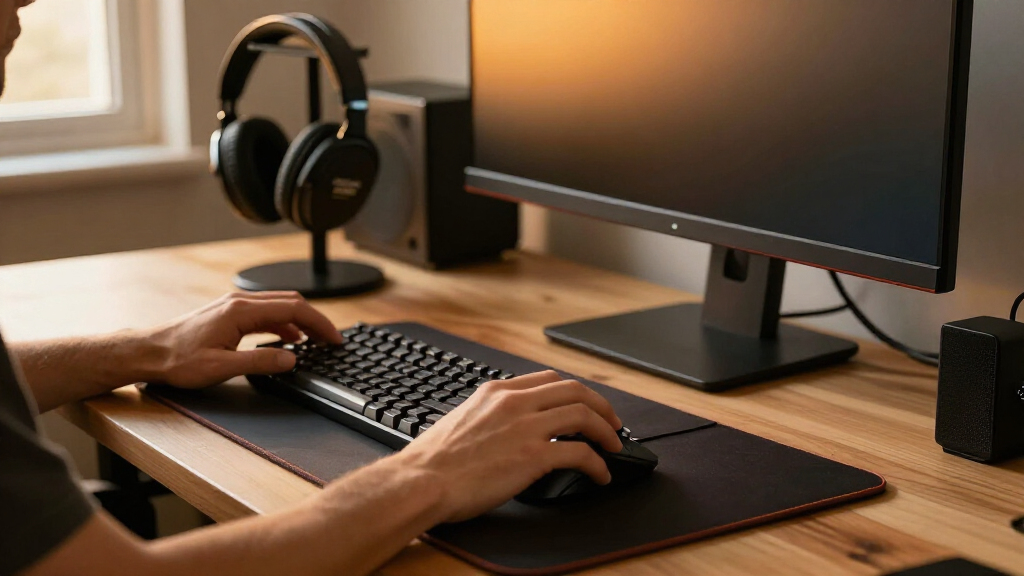

The best gaming desk accessories make a setup easier to use without crowding the surface. My best overall pick is the Anker Nano Desk Clamp Power Strip for its high-output USB-C charging and broad outlet access; the LOVJOYSE Under-Desk Cable Management Tray stands out for clearing cable clutter, while the ARES WING 2-Tier Desk Shelf adds useful storage above the desk. The main tradeoff is choosing between power, organization, comfort, and convenience when desk space and clamp compatibility are limited. I compare all 14 options by their role, fit, and practical compromises so you can find the accessories that suit your setup. Continue reading for the full breakdown and buying advice.

Get the latest gadgets delivered free with Prime
- Fast, free delivery on millions of items
- Prime Video, Amazon Music and more included
- Member-only deals all year
Complete the kit



Key Takeaways
- The Anker Nano is the strongest all-around utility pick because it combines multiple AC outlets with high-output USB-C charging, while the Mifaso offers a simpler power-strip alternative.
- Clamp-on accessories can free up desk surface, but they need a compatible edge and enough clearance; measure before choosing shelves, power strips, holders, or trays.
- Cable control works best as a system: the LOVJOYSE tray hides larger bundles below the desk, while the N NOROCME kit helps route and secure individual cables.
- Mouse-pad choice is a tradeoff between charging and playing area: Gimars adds Qi charging, while BladeHawks gives more room for a keyboard and broad mouse movement.
- Phone stands and comfort accessories solve different problems: LISEN and Lamicall suit desktop viewing, VELENTI mounts to a gaming chair, and MEKASS pads target forearm contact at the desk.
| Mifaso PD30W Desk Clamp Power Strip and Surge Protector |  | Best Value Desk Power Hub | AC outlets: 4 | USB ports: 4 (2 USB-A, 2 USB-C) | USB-C PD output: 30W | VIEW LATEST PRICE | See Our Full Breakdown |
| ARES WING 2-Tier Clamp-On Desk Shelf |  | Best for Expanding Desk Storage | Material: Steel | Number of shelves: 2 | Shelf dimensions: 16.1 × 8.7 inches per tier | VIEW LATEST PRICE | See Our Full Breakdown |
| Gimars RGB Gaming Mouse Pad with 15W Qi Wireless Charging |  | Best All-in-One RGB Mouse Pad | Model: G-RGB-W03 | Wireless charging: 15W Qi | Lighting modes: 10 (7 static, 3 dynamic) | VIEW LATEST PRICE | See Our Full Breakdown |
| Anker Nano Desk Clamp Power Strip, 70W USB-C, 10 Outlets, 1500J Surge Protection |  | Best Premium Desk Power Strip | AC outlets: 6 | USB ports: 4 (2 USB-C, 2 USB-A) | Maximum USB-C output: 70W | VIEW LATEST PRICE | See Our Full Breakdown |
| EURPMASK Rotating Clamp-On Headphone Stand |  | Best Compact Headphone Holder | Model number: EMHPHOOK | Mounting type: Clamp | Desk thickness compatibility: 0.31–1.57 inches | VIEW LATEST PRICE | See Our Full Breakdown |
| BladeHawks RGB Extended Gaming Mouse Pad, 31.5 × 12 in, Black | 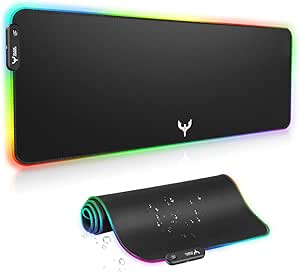 | Best RGB Desk Mat | Dimensions: 31.5 × 12 in (800 × 300 mm) | Thickness: 4 mm | Surface: Micro-textured cloth | VIEW LATEST PRICE | See Our Full Breakdown |
| OOKUU Anti-Spill Metal Desk Cup Holder Clamp, Black |  | Best for Keeping Drinks Off the Desk | Material: Metal | Color: Black | Holder diameter: 3.95 in | VIEW LATEST PRICE | See Our Full Breakdown |
| KDD 7-in-1 Clamp-On Desk Pegboard Organizer |  | Best Gaming Gear Organizer | Mounting: Clamp-on; no drilling required | Maximum desk thickness: Less than 2 in | Color: Black | VIEW LATEST PRICE | See Our Full Breakdown |
| VELENTI Gamer Chair Phone Stand for Smartphones and Kindles |  | Best Decorative Phone Stand | Compatible devices: Smartphones and Kindles | Maximum device height: 19 cm | Mounting type: Tabletop | VIEW LATEST PRICE | See Our Full Breakdown |
| LOVJOYSE 25.3-Inch Under-Desk Cable Management Tray with Clamp |  | Best Under-Desk Cable Tray | Length: 25.3 in | Width: 4.72 in | Material: Stainless steel | VIEW LATEST PRICE | See Our Full Breakdown |
| N NOROCME 192-Piece Cable Management Kit |  | Best for Full-Desk Cable Cleanup | Pieces: 192 | Usage: Indoor | Cable sleeves: 4; 20 in L × 0.4 in W | VIEW LATEST PRICE | See Our Full Breakdown |
| MEKASS L-Shaped Memory Foam Desk Elbow Pads, 2-Piece Set, Diamond Black |  | Best for Elbow Comfort | Quantity: 2 pads | Dimensions per pad: 11.8 × 4.3 × 0.78 in | Weight: 394 g | VIEW LATEST PRICE | See Our Full Breakdown |
| LISEN Adjustable Cell Phone Stand for Desk |  | Best for Simple Phone Positioning | Form factor: Standalone stand | Mounting type: Tabletop | Height adjustment: 7.1–8.5 in | VIEW LATEST PRICE | See Our Full Breakdown |
| Lamicall 360° Rotating Cell Phone Stand for Desk |  | Best for Flexible Phone Viewing | Compatible device size: 4–10 in | Rotation: 360° | Arm adjustment: Two-pivot arm with 180° range | VIEW LATEST PRICE | See Our Full Breakdown |
More Details on Our Top Picks
Mifaso PD30W Desk Clamp Power Strip and Surge Protector
The Mifaso makes the most sense when a gaming desk is short on accessible outlets and USB charging. Its clamp-mounted body provides four AC outlets and four USB ports, including a 30W USB-C PD port, so a headset, controller, phone, and other gear can charge without taking over the desktop. The spaced outlets are more accommodating for bulky adapters than a tightly packed strip, while padded, drill-free mounting keeps installation simple. Compared with the Anker Nano Desk Clamp Power Strip, it offers fewer AC outlets and less USB-C power, but its broader desk-thickness range and lower-profile format may suit more setups. The tradeoff is that the desk edge must measure 0.5–1.96 inches, and the desk needs a small gap from the wall for placement. I’d choose it for everyday peripherals, not as a high-output laptop charger.
Pros:- Combines four AC outlets with four USB ports for charging multiple desk devices.
- 30W USB-C PD port adds a direct charging option without a separate adapter.
- Padded clamp installs without drilling and helps protect the desk edge.
- 1.9-inch outlet spacing accommodates bulkier plugs.
Cons:- 30W USB-C output is less suited to higher-power laptop charging than the Anker Nano’s 70W output.
- Only fits desk edges 0.5–1.96 inches thick.
- Requires 0.4–0.5 inches of clearance between the desk and wall.
Best for: Gamers who need a tidy, clamp-mounted charging point for several peripherals and phones, with moderate USB-C charging needs.
Not ideal for: Laptop-focused setups needing higher-wattage USB-C charging, or desks outside the clamp range or positioned flush against a wall.
- AC outlets:4
- USB ports:4 (2 USB-A, 2 USB-C)
- USB-C PD output:30W
- Surge protection:1080 joules
- Cord length:5 feet
- Clamp compatibility:Desk edges 0.5–1.96 inches thick
- Outlet spacing:1.9 inches
- Dimensions:9.3 × 2.2 × 1.6 inches
Our verdict“Choose the Mifaso for an accessible, multi-device desk charging hub, but pick the Anker Nano if you need more USB-C power and outlets.”
ARES WING 2-Tier Clamp-On Desk Shelf
The ARES WING is the strongest choice here for moving gear off the main work surface without adding a permanent fixture. Its two steel tiers can mount above or below the desk, giving a player room to separate frequently used accessories from items kept in reserve. Each shelf supports up to 33 pounds, and the included headphone hook adds a useful landing spot for a headset. Compared with the KDD 7-in-1 Clamp-On Desk Pegboard Organizer in this roundup, this shelf favors broad, flat storage over hanging and arranging smaller accessories. That makes it better for equipment and supplies that need a stable platform, but less tailored to compact, highly vertical organization. The 8.7-inch depth takes up meaningful space, and the clamp only fits desks 0.47–2.2 inches thick. I’d skip it if a shallow desk is already crowded.
Pros:- Two tiers provide separate storage areas above or below the desk.
- Each shelf supports up to 33 pounds, with 66 pounds of combined stated capacity.
- Includes a headphone hook for keeping a headset off the desktop.
- Clamp mounting avoids permanent desk modifications.
Cons:- The 8.7-inch shelf depth can occupy substantial space around the desk.
- Clamp only fits desk edges 0.47–2.2 inches thick.
- Broad shelves are less suited than the KDD pegboard to hanging and sorting small items.
Best for: Gamers with limited desktop space who want sturdy, tiered storage for peripherals, accessories, or supplies and have a suitable desk edge.
Not ideal for: Players with shallow desks, no clampable edge, or mostly small accessories better suited to a pegboard-style organizer.
- Material:Steel
- Number of shelves:2
- Shelf dimensions:16.1 × 8.7 inches per tier
- Weight capacity:33 pounds per tier; 66 pounds total
- Mounting type:Clamp-on
- Desk thickness compatibility:0.47–2.2 inches
- Overall dimensions:18.1 × 8.7 × 16.9 inches
- Additional feature:Headphone holder hook
Our verdict“Pick the ARES WING if you need sturdy, two-level storage and can spare the shelf depth; choose a pegboard for smaller hanging accessories.”
Gimars RGB Gaming Mouse Pad with 15W Qi Wireless Charging
The Gimars combines a mouse surface, keyboard footprint, RGB lighting, and a Qi charging platform, so it’s aimed at players who want a more unified desktop rather than a simple mat. At 800 × 300 mm, it accommodates a keyboard and mouse while the non-slip rubber base helps keep both in place during play. Ten lighting modes add visual customization, and the raised charging platform gives a compatible phone a dedicated spot. Compared with the BladeHawks RGB Extended Gaming Mouse Pad in this roundup, the Gimars’ clearest distinction is its built-in wireless charging, not its lighting. That convenience comes with a setup caveat: the power adapter is not included, and fast charging depends on using a compatible adapter. Its charging feature also has little value if your phone does not support Qi. I’d pick it for a combined surface and charging station, not for lighting alone.
Pros:- Large surface fits a keyboard and mouse together.
- 15W Qi platform provides a dedicated wireless charging spot for compatible devices.
- Ten lighting modes offer static and dynamic RGB options.
- Water-resistant fabric and non-slip rubber base support everyday desk use.
Cons:- Power adapter is not included.
- Fast charging requires a compatible power adapter.
- The charging platform is of limited use with non-Qi devices.
Best for: Gamers who want an extended keyboard-and-mouse surface with RGB effects and a dedicated Qi charging spot for a compatible device.
Not ideal for: Buyers who only need a basic extended mouse pad, lack a Qi-compatible device, or do not want to source a separate power adapter.
- Model:G-RGB-W03
- Wireless charging:15W Qi
- Lighting modes:10 (7 static, 3 dynamic)
- Dimensions:800 × 300 × 4 mm
- Surface:Micro-textured, water-resistant fabric
- Base:Non-slip natural rubber
- Interface:USB Type-C
- Included accessory:Type-C cable
Our verdict“Choose the Gimars if you want an extended RGB mat that also charges a compatible phone; choose the BladeHawks if charging is not a priority.”
Anker Nano Desk Clamp Power Strip, 70W USB-C, 10 Outlets, 1500J Surge Protection
For a setup that needs both lots of plug-in connections and laptop-capable USB-C charging, the Anker Nano is the most capable power hub in this group. Its six AC outlets and four USB ports are arranged in two zones, helping separate cables, while GaN charging delivers up to 70W over USB-C. That gives it a clear advantage over the Mifaso PD30W Desk Clamp Power Strip for a gaming desk that also powers a laptop or other higher-draw USB-C device. The tradeoff is fit: the Anker’s clamp accepts desk edges only 0.6–1.8 inches thick, and it does not suit curved or steeply sloped edges. Its compact form also means fewer AC outlets than a larger desktop strip might offer, despite the ten total connections. I’d rank it above the Mifaso for charging capability, but not for universal desk compatibility.
Pros:- Six AC outlets and four USB ports provide ten total connections.
- Up to 70W USB-C output supports more demanding charging needs than the Mifaso’s 30W port.
- Two-zone layout helps separate connected cables.
- Includes 1500-joule surge protection.
Cons:- Clamp only fits desk edges 0.6–1.8 inches thick.
- Not compatible with curved edges, edges sloped over 45 degrees, or desks without a clampable edge.
- Its higher USB-C output may be unnecessary for setups charging only small peripherals.
Best for: Gamers who also charge a laptop or other USB-C device and want multiple AC and USB connections mounted within reach.
Not ideal for: Owners of desks with curved, steeply sloped, or out-of-range edges, or players who do not need high-output USB-C charging.
- AC outlets:6
- USB ports:4 (2 USB-C, 2 USB-A)
- Maximum USB-C output:70W
- Surge protection:1500 joules
- Power cord length:5 feet
- Desk edge compatibility:0.6–1.8 inches thick
- Dimensions:6.02 × 2.06 inches
- Weight:1.5 pounds
Our verdict“Choose the Anker Nano for a clamp-mounted hub with strong USB-C output and many connections, provided your desk edge fits its narrower clamp range.”
EURPMASK Rotating Clamp-On Headphone Stand
The EURPMASK is a focused fix for one small but persistent desk problem: where to put a headset when it is not in use. Its 360-degree rotating arm can swing out for access or under the desk to clear the edge, while the cable clip gives a headphone lead a designated place too. Soft rubber pads help protect both the headset and mounting surface. Unlike the ARES WING 2-Tier Clamp-On Desk Shelf, this holder uses very little room and does not add a storage platform; it is a single-purpose accessory for headphones and small everyday items. That compactness is its advantage, but it also means the clamp takes up a spot on the desk edge that might be needed by another accessory. It fits surfaces 0.31–1.57 inches thick, a narrower range than the ARES WING. I’d choose it when headset access matters more than broader storage.
Pros:- 360-degree swivel allows the holder to move out of the way or under the desk.
- Cable clip helps keep a headphone cord organized.
- Soft rubber pads help protect the headset and desk surface.
- Compact clamp-on design uses less space than the ARES WING shelf.
Cons:- Holds a headset rather than providing the broad storage of a shelf.
- Fits desk surfaces only 0.31–1.57 inches thick.
- Occupies a section of desk edge that may be needed for another clamp-mounted accessory.
Best for: Gamers who want a dedicated, movable place for one headset and its cable without adding a shelf to the desktop.
Not ideal for: Players who need storage for multiple accessories, have a desk edge outside the clamp range, or need that edge for another clamp-on device.
- Model number:EMHPHOOK
- Mounting type:Clamp
- Desk thickness compatibility:0.31–1.57 inches
- Arm rotation:360 degrees
- Dimensions:3.94 × 1.57 × 4.33 inches
- Material:ABS plastic and soft rubber pads
- Weight:130 g
- Warranty:1 year
Our verdict“Choose the EURPMASK for compact, swiveling headset storage; pick the ARES WING if you need a shelf for several kinds of gear.”
BladeHawks RGB Extended Gaming Mouse Pad, 31.5 × 12 in, Black
The BladeHawks makes the most sense for gamers who want to unify their keyboard and mouse area under one lit surface. Its 31.5 × 12-inch footprint leaves room for both, while the micro-textured cloth gives the mouse a consistent tracking area. Compared with the Gimars RGB Gaming Mouse Pad, this model prioritizes a broad, straightforward mat rather than adding Qi charging; that means fewer desk functions, but no charging feature to work around. The 14 lighting modes and plug-and-play USB control add visual customization without driver setup. Its waterproof surface and rubber base are practical for daily play, though the lighting needs a USB connection and the extended shape can crowd a compact desk. I’d choose it for a coordinated gaming surface, not for extra desk space or wireless charging.
Pros:- Fits a keyboard and mouse on one 31.5 × 12-inch surface
- Offers 14 static and dynamic RGB lighting modes
- Waterproof cloth surface and non-slip natural-rubber base
- USB lighting works without driver installation
Cons:- Lighting requires a USB connection
- Extended dimensions can take up substantial desk space
Best for: PC gamers who want one illuminated surface under a full-size keyboard and mouse and have enough desk width for an extended mat.
Not ideal for: Gamers with compact desks or anyone who wants a mouse pad with built-in wireless charging rather than RGB lighting.
- Dimensions:31.5 × 12 in (800 × 300 mm)
- Thickness:4 mm
- Surface:Micro-textured cloth
- Base:Non-slip natural rubber
- Lighting modes:14 (7 static and 7 dynamic)
- Power:USB
- Weight:0.1 kg
- Warranty:1 year
Our verdict“Choose the BladeHawks if you want an expansive RGB mat for keyboard-and-mouse play, but pick the Gimars if wireless charging matters more.”
OOKUU Anti-Spill Metal Desk Cup Holder Clamp, Black
The OOKUU gives a drink a dedicated place outside the keyboard and mouse zone, making it a practical accessory for gamers who keep a beverage within reach during long sessions. Its clamp-on metal mount avoids drilling, and protective pads help reduce desk scratches. The 3.95-inch opening and slots for handled cups offer more flexibility than a simple ring-style holder, with stated capacity for many containers up to 40 ounces. Compared with the KDD 7-in-1 Clamp-On Desk Pegboard Organizer, this takes up less of the desk edge and focuses on one job rather than adding broad gear storage. The tradeoff is fit: cup and desk dimensions still matter, and no maximum supported weight is listed. I’d check both before relying on it for a large, full bottle.
Pros:- Clamp installation requires no drilling or adhesive
- Protective pads help stabilize the clamp and guard desk surfaces
- 3.95-inch holder fits many cups and bottles up to 40 ounces
- Slots accommodate handled cups
Cons:- Fit depends on both desk-edge and drinkware dimensions
- No maximum supported weight is specified
Best for: Gamers with crowded desktops who want to move a compatible mug or bottle away from keyboards, controllers, and other electronics.
Not ideal for: Buyers with unusually thick or shaped desk edges, oversized drinkware, or a need for a clearly specified load limit.
- Material:Metal
- Color:Black
- Holder diameter:3.95 in
- Capacity:Fits many cups and bottles up to 40 fl oz
- Dimensions:5.31 × 3.93 × 4.33 in
- Installation:Clamp mount; no drilling required
- Adjustable installation directions:5
- Warranty:90 days
Our verdict“Pick the OOKUU to reclaim desk space for a compatible drink, while the KDD organizer is a better choice if gear storage is the priority.”
KDD 7-in-1 Clamp-On Desk Pegboard Organizer
The KDD is the most storage-focused pick here: its detachable pegboards combine headphone and controller hangers with a phone holder, compartments, cable clips, and hooks. That makes it a stronger choice than the OOKUU cup holder for players whose desk edges collect small accessories, though the OOKUU occupies less space and serves a simpler purpose. Movable pieces let you arrange the organizer around the gear you actually use, and its no-drill clamp avoids committing holes to the desk. The main limitation is compatibility: it only fits desks under 2 inches thick, so buyers should check the edge before choosing it. It also adds a substantial organizer at the desk perimeter, which may be less appealing if you want a clear, minimal setup.
Pros:- Includes storage and hanging options for multiple types of gaming gear
- Clamp-on installation needs no drilling or tools
- Detachable pegboards and movable accessories support custom layouts
- Protective clamp pads help reduce desk scratches
Cons:- Only fits desks under 2 inches thick
- The many accessories may feel excessive for a lightly equipped setup
Best for: PC gamers with several controllers, headphones, cables, and small accessories who want to group storage at the desk edge.
Not ideal for: Owners of desks 2 inches thick or thicker, or players who prefer a minimal setup with only one or two accessories mounted.
- Mounting:Clamp-on; no drilling required
- Maximum desk thickness:Less than 2 in
- Color:Black
- Included hangers:3 headphone and controller hangers
- Storage:2 storage boxes and 1 removable medium compartment
- Other included accessories:Phone holder, 2 cable clips, and 5 hooks
- Design:Detachable pegboards with tool-free assembly
Our verdict“Choose the KDD when you need a configurable home for several gaming accessories; choose the OOKUU if you only need to clear space for a drink.”
VELENTI Gamer Chair Phone Stand for Smartphones and Kindles
The VELENTI is a small, tabletop accessory for keeping a phone or Kindle visible without attaching anything to the desk. Its gaming-chair-shaped design gives it more personality than a plain stand, while its 0.08 kg weight makes it easy to move aside when the desk needs clearing. It supports devices up to 19 cm tall, but the listing does not specify a broad model-by-model compatibility range, so buyers should compare that limit with their device. Unlike the clamp-mounted KDD pegboard organizer, this stand does not add storage or free up desk-edge space; its advantage is a simple placement that needs no installation. I’d choose it for display and reach, not for adjustable viewing angles or a secure mount during frequent desk movement.
Pros:- Keeps a phone or Kindle visible and within reach
- Gaming-chair design adds a themed accent to a gaming desk
- Supports devices up to 19 cm tall
- Lightweight at 0.08 kg and easy to reposition
Cons:- Maximum device height is specified, but compatible models are not listed
- Tabletop placement uses desk space rather than mounting at the edge
Best for: Gamers who want a lightweight, decorative tabletop rest for a phone or Kindle while keeping the device in view.
Not ideal for: Buyers who need an adjustable or clamp-mounted stand, or who want explicit compatibility details for a particular device model.
- Compatible devices:Smartphones and Kindles
- Maximum device height:19 cm
- Mounting type:Tabletop
- Fastening type:Clip
- Style:Gamer chair
- Color:Black
- Item weight:0.08 kg
- Material claim:Eco-friendly and 100% biodegradable
Our verdict“Choose the VELENTI for a simple gaming-themed device rest, but pick the KDD if you need a mounted organizer that also holds other gear.”
LOVJOYSE 25.3-Inch Under-Desk Cable Management Tray with Clamp
The LOVJOYSE tackles the clutter gaming accessories leave behind: power and device cables can sit in a 25.3-inch open-mesh tray beneath the desktop instead of spilling across the floor. Its clamp mount avoids drilling, while rubber pads help protect the desk edge. The tray supports up to 15 pounds, giving buyers a stated capacity that the OOKUU cup holder does not provide, though the two products hold very different loads. Compared with the N NOROCME cable management kit, this is a single, fixed tray rather than a collection of cable-routing pieces; it offers a defined place for loose cords, but less flexibility for routing them around the desk. Check that the desktop is no thicker than 2 inches, and note that the package includes just one tray.
Pros:- Clamp installation requires no drilling or tools
- Rubber pads help protect the desktop
- Supports up to 15 pounds
- Open mesh and two access holes support airflow and cord routing
Cons:- Only fits desks no thicker than 2 inches
- One tray is included, so larger setups may need additional cable-management products
Best for: Gamers who want a dedicated under-desk place for loose power and device cables and whose desktop is 2 inches thick or less.
Not ideal for: Owners of thicker desktops or buyers who need multiple trays or a more customizable set of cable-routing parts.
- Length:25.3 in
- Width:4.72 in
- Material:Stainless steel
- Installation:Clamp mount; no drilling required
- Maximum desk thickness:2 in
- Weight capacity:15 lbs
- Color:Black
- Warranty:3 months
Our verdict“Choose the LOVJOYSE for a sturdy, single under-desk cable home; pick the N NOROCME kit if you need more varied routing options.”
N NOROCME 192-Piece Cable Management Kit
For a gaming desk with cables running to several devices, the N NOROCME 192-Piece Cable Management Kit offers more ways to organize than a single tray: its sleeves bundle wires, while clips, ties, and adhesive mounts handle runs along desk edges and other clean surfaces. The split sleeves load easily, which helps when you need to add or remove a cable later, and the sleeve can also help shield wires from pets. Compared with the LOVJOYSE under-desk cable tray, this kit is better for routing cables across multiple surfaces, but it won’t hide a power strip and a tangle in one contained space. The large assortment is useful for a whole setup, though the listed clip quantities conflict, and adhesive parts are meant for clean surfaces. Choose it for flexible, piece-by-piece cable control—not a single-install concealment solution.
Pros:- Includes several types of organizers for different cable routes
- Split sleeves make it easier to add or remove wires
- Adhesive components install without drilling
- Sleeves can help protect cables from pets
Cons:- Product details give conflicting cable-clip quantities
- Adhesive holders are intended for clean surfaces and may not suit every desk finish
Best for: PC gamers managing cables across a desk, wall, and cabinet who want a mix of sleeves, clips, and ties.
Not ideal for: Gamers who want one large under-desk enclosure for power strips and excess cable, or cannot use adhesive on their surfaces.
- Pieces:192
- Usage:Indoor
- Cable sleeves:4; 20 in L × 0.4 in W
- Reusable wire ties:20
- Cable clips:35 listed; product details also mention 46
- Adhesive tie rolls:2; 118 in each
- Cable zip-tie mounts:20; 3.54 in L × 1.1 in W
- Fastening ties:100; 7.87 in L × 0.12 in W
- Installation:Self-adhesive components
Our verdict“Choose this kit for adaptable cable routing across a whole gaming area; pick the LOVJOYSE tray instead if you mainly want a single under-desk container.”
MEKASS L-Shaped Memory Foam Desk Elbow Pads, 2-Piece Set, Diamond Black
The MEKASS L-shaped elbow pads target a small but persistent gaming discomfort: pressure where forearms meet a hard desk edge. Their slow-rebound memory foam cushions that contact point, while the rubber base helps each pad stay put during keyboard and mouse use. Since this is a two-piece set, I can see it working well for players who want separate coverage for the keyboard and mouse zones rather than one broad mat. Compared with the BladeHawks extended mouse pad, these pads focus on arm support instead of giving the mouse a large tracking surface, so they can complement rather than replace a desk mat. The tradeoff is their edge-wrapping shape: desk thickness and layout can limit where they sit, and they take up space at the front of the desk. Skip them if you prefer a bare edge or frequently reposition your peripherals.
Pros:- Memory foam cushions arm and elbow contact with the desk
- Two pads allow separate placement around keyboard and mouse areas
- Non-slip rubber base helps limit movement
- Breathable Lycra covers wipe clean with a damp cloth
Cons:- L-shaped design depends on a compatible desk edge
- Pads occupy space along the front edge and may restrict placement
Best for: Gamers who rest their forearms on a hard desk edge and want targeted cushioning near the keyboard and mouse.
Not ideal for: Players with an unusually shaped or crowded desk edge, or anyone who prefers a flat, uninterrupted desktop surface.
- Quantity:2 pads
- Dimensions per pad:11.8 × 4.3 × 0.78 in
- Weight:394 g
- Shape:L-shaped
- Cover:Lycra
- Fill:Memory foam
- Base:Non-slip rubber
- Color:Diamond Black
Our verdict“Pick these pads for focused forearm cushioning at a hard desk edge, but choose an extended mouse pad if broader surface coverage matters more.”
LISEN Adjustable Cell Phone Stand for Desk
The LISEN Adjustable Cell Phone Stand is a straightforward way to keep a phone or small tablet visible during a gaming session, whether it’s showing chat, a stream, or a guide. Its 5°–85° viewing range and adjustable height let you change the screen position without dedicating desk space to a clamp-mounted accessory. Silicone contact points help protect both the device and the surface, while the charging opening gives a cable a direct route to the phone. Compared with the Lamicall 360° rotating stand, the LISEN is the simpler choice for basic tabletop viewing, but it offers less articulated positioning; its height tops out at 8.5 inches. The listing also includes a screw and hex screwdriver and mentions tightening during assembly, so it is not quite a tool-free setup. It suits buyers who want a compact phone perch, not those seeking a tall, highly adjustable arm.
Pros:- Adjustable height and viewing angle suit varied seated viewing positions
- Silicone pads help reduce slipping and surface scratches
- Charging opening routes a cable through the stand
- Works with phones and several small-screen devices
Cons:- Maximum listed height is 8.5 inches
- Assembly includes a screw and tightening step
Best for: Gamers who keep a phone or small tablet on the desk for chat, guides, or media and want basic angle and height adjustment.
Not ideal for: Buyers who need a taller stand, frequent wide-range repositioning, or a setup that requires no assembly.
- Form factor:Standalone stand
- Mounting type:Tabletop
- Height adjustment:7.1–8.5 in
- Viewing angle:5°–85°
- Compatible devices:Phones, small tablets, Kindle devices, Nintendo Switch, and small laptops
- Charging feature:Built-in charging hole
- Contact pads:Anti-slip silicone
- Included tools:Screw and hex screwdriver
Our verdict“Choose the LISEN for compact, basic phone or small-tablet viewing; choose the Lamicall if a rotating, two-pivot arm matters more.”
Lamicall 360° Rotating Cell Phone Stand for Desk
For gamers who want to angle a phone toward a chair, a second screen, or a nearby viewer, the Lamicall 360° rotating stand offers more positioning freedom than the simpler LISEN tabletop stand. Its two-pivot arm and rotating joint support portrait or landscape viewing, while the weighted base and silicone pads help keep the phone and stand from sliding during ordinary adjustments. Carbon steel construction gives it a more substantial frame than a lightweight basic perch, and the listed device-size range includes phones and slim-cased models. The tradeoff is that the rotating joint takes two hands to adjust, and the product description cautions that high-angle use may be less stable, recommending an incline of 80° or less. I’d favor it for flexible hands-free viewing, but not for someone who wants quick one-handed changes or a tall, rigidly stable position.
Pros:- 360° rotation supports portrait and landscape orientations
- Two-pivot arm gives more positioning range than a basic stand
- Weighted base and anti-slip pads help resist movement
- Silicone contact pads help protect devices from scratches
Cons:- Rotating joint requires two hands to adjust
- High-angle positioning may be less stable; the description recommends an incline of 80° or less
Best for: Gamers who reposition a phone between portrait and landscape and want an adjustable tabletop arm for hands-free viewing.
Not ideal for: Users who need one-handed angle changes or expect the stand to remain equally stable at steep angles.
- Compatible device size:4–10 in
- Rotation:360°
- Arm adjustment:Two-pivot arm with 180° range
- Hook width:0.59 in (15 mm)
- Material:Carbon steel
- Mounting type:Tabletop
- Base:Weighted, anti-slip
- Color:Black
Our verdict“Choose the Lamicall for flexible phone positioning across viewing angles, but prefer the LISEN for a simpler stand with height adjustment and a charging cable opening.”
How We Picked
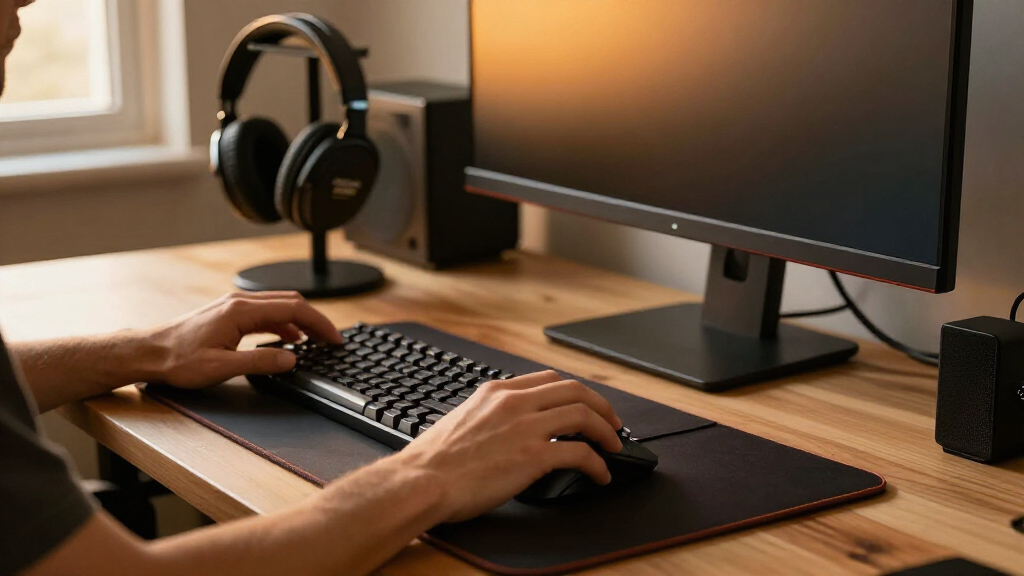
I ranked these accessories by how directly they improve a gaming desk, how easy they are to position and use, and whether their design suits a clear setup need. I also weighed build and mounting considerations, compatibility, upkeep, and versatility: an accessory that saves space or solves a recurring problem has more value than one that adds features without a clear purpose.
The ranking favors broadly useful picks first, then options that are stronger for a narrower need. That puts the Anker power strip ahead for its combination of outlet access and USB-C charging, while the cable tray, shelf, and mouse pads earn their places for distinct workspace benefits. Specialized items such as a chair-mounted phone stand or a cup holder can be worthwhile, but their usefulness depends more on individual habits, desk layout, and available mounting space.
Factors to Consider When Choosing Best Gaming Desk Accessories
I’d choose accessories around the problems that interrupt play or make the desk harder to use, rather than buying a matching set. A few checks can prevent common fit issues and help separate genuinely useful additions from surface clutter.
Measure the desk edge before buying clamp-on gear
Clamp-on shelves, power strips, headphone stands, cup holders, pegboards, and cable trays all depend on the shape and thickness of the desk edge. Check the maker’s fit range and look for braces, drawers, bevels, or a frame that could block the clamp. A rear edge against a wall may also leave too little room to tighten or remove hardware. Avoid assuming that two clamps will share the same usable space; nearby mounts can collide even when each product fits on its own. If your desk has a rounded or fragile edge, a freestanding option may be a safer choice. Measure the intended mounting point, not just the overall desktop.
Plan power and cable routing together
Adding outlets can simplify charging, but it can also create another bundle of cords to manage. Before choosing a desk-mounted power strip, list what you need to plug in and check whether large adapters will block neighboring outlets. A high-output USB-C port can reduce the need for a separate charger, though it does not replace checking the power needs of every device. Decide where the strip’s own cord will run and whether an under-desk tray can hold the resulting bundle. Small clips and ties are useful for routing individual leads; a tray is better for concealing a larger collection. Keep cable paths accessible so you can unplug or replace equipment without dismantling the whole setup.
Choose mouse-pad size around your play space
An extended mat can keep a keyboard and mouse on one surface, but it claims a large share of the desk and may interfere with monitor stands or other accessories. Measure the clear width and depth after accounting for your keyboard, mouse movement, and any desk controls. If wireless charging is appealing, check that the charging area lands where your device can sit without blocking your mouse path. Also think about cleaning: a larger fabric surface collects dust and spills across more area and may need room to dry. A charging feature is most useful when it fits an existing routine, not when it forces a less comfortable layout. Prioritize usable movement space over decorative lighting.
Buy storage for items you reach for often
A shelf, pegboard, or headphone stand can clear the main work area, but storage only helps when its contents stay within easy reach. Sort your gear into items used during play, items used between sessions, and items that can be stored elsewhere. Reserve the most accessible locations for frequently handled equipment, rather than filling every hook or shelf simply because it is available. Check how a raised shelf affects monitor height, sightlines, and access to ports. A pegboard offers flexible placement but needs space to hang objects without making the desk feel busy. For a compact setup, one well-placed organizer can be more useful than several competing mounts.
Separate comfort fixes from posture fixes
Elbow pads can soften contact with a hard desk edge, but they do not correct an uncomfortable chair, poor desk height, or a monitor positioned too low. Identify where discomfort starts before choosing a comfort accessory. A chair-mounted phone holder may keep a device close while reclining, while a desk stand is better when you need a stable screen beside your keyboard. Check whether a stand supports the device’s size and case, and whether its viewing angle suits your seat position. Accessories should fit the way you sit and move, rather than encouraging a fixed posture for long sessions. If discomfort persists, changing the workspace height or chair setup may matter more than adding padding.
Pay for features you will use, not overlap
Several items in this roundup solve adjacent problems, so buying all of them can create redundancy. A desk power strip with USB charging may reduce the need for another charger, while an adjustable phone stand may make a chair-mounted holder unnecessary for someone who stays at the desk. Decide whether a premium feature saves space, reduces setup steps, or improves access in a way you will notice regularly. For beginners, one broad utility item and one targeted fix are often easier to integrate than a full suite of accessories. More specialized choices make sense when a specific habit—such as charging a phone on the mat or keeping a drink off the surface—drives the decision. Compare the accessory’s footprint and mounting demands with the problem it solves.
Frequently Asked Questions
Should I choose the Anker or Mifaso desk power strip?
Choose the Anker Nano if you want a desk-mounted power source that also provides high-output USB-C charging and multiple AC outlets. The Mifaso PD30W is a more straightforward alternative if its charging and outlet layout better matches your devices. Before deciding, count plugs, check adapter sizes, and confirm the clamp fits your desk edge. Also plan where the power strip’s cord will run so it does not undo your cable cleanup. Neither option removes the need to check the power requirements of connected equipment.
Is an under-desk tray better than a cable-management kit?
They handle different parts of the same job. The LOVJOYSE tray is meant to gather and conceal larger cable bundles beneath the desktop, while the N NOROCME kit helps organize and route individual cables. A tray alone may leave loose leads dangling from devices, and clips or ties alone may not hide bulky adapters and excess cord. For a tidy setup, first decide whether the main problem is visible cable slack, then add the other type only if needed. Check access to outlets and power bricks before enclosing them.
Will a clamp-on accessory fit a standing desk?
It may, but compatibility depends on the standing desk’s edge, frame, and movement path rather than its height-adjustable design alone. Measure the desktop thickness at the intended mounting point and check for a crossbar, cable channel, or drawer that could obstruct the clamp. Leave enough room for the accessory to move with the desk without striking a wall or other equipment. For power strips and trays, confirm that the attached cord has enough slack throughout the desk’s full range of motion. When the edge or frame is unusual, a freestanding accessory can be the lower-risk choice.
Which mouse pad is the better fit for a gaming setup?
The BladeHawks extended pad suits players who want a broad shared surface for keyboard placement and mouse movement. The Gimars pad is a better match if Qi charging is a useful part of your desk routine and you can position the charging area without crowding your mouse space. Check your available desk depth as well as width; an extended mat can overhang or compete with stands and controls. Consider whether you prefer a simpler surface or added lighting and charging features. A pad that leaves comfortable room for your usual movements is the better fit, even if it has fewer extras.
Do I need a desk phone stand if I already use a chair-mounted holder?
Not necessarily; the right choice depends on where you use and view your phone. The VELENTI chair stand is aimed at keeping a device close while seated or reclined, whereas the LISEN and Lamicall desk stands place it on the work surface for calls, viewing, or quick access. A desk stand may be more stable and easier to share with other devices, but it uses desktop space. A chair-mounted holder keeps the surface clear, though its position depends on your chair and sitting style. Choose one based on your typical viewing position rather than buying both by default.
Conclusion
For most setups, I’d start with the Anker Nano Desk Clamp Power Strip as the best overall utility pick, particularly when charging and outlet access are the main frustrations. The LOVJOYSE cable tray is my best value for a desk buried in cables, while the ARES WING shelf is the best premium-style choice for adding dedicated storage above the surface. For beginners, I’d pick one easy-to-understand fix first—such as the LISEN phone stand for device viewing or the N NOROCME cable kit for loose leads—rather than mounting several accessories at once. Choose the Gimars pad for Qi charging, the BladeHawks pad for a larger playing surface, the VELENTI holder for chair-side viewing, or the MEKASS pads for softer desk-edge contact. The best choice is the one that solves your biggest setup problem without taking space or adding hardware you will not use.