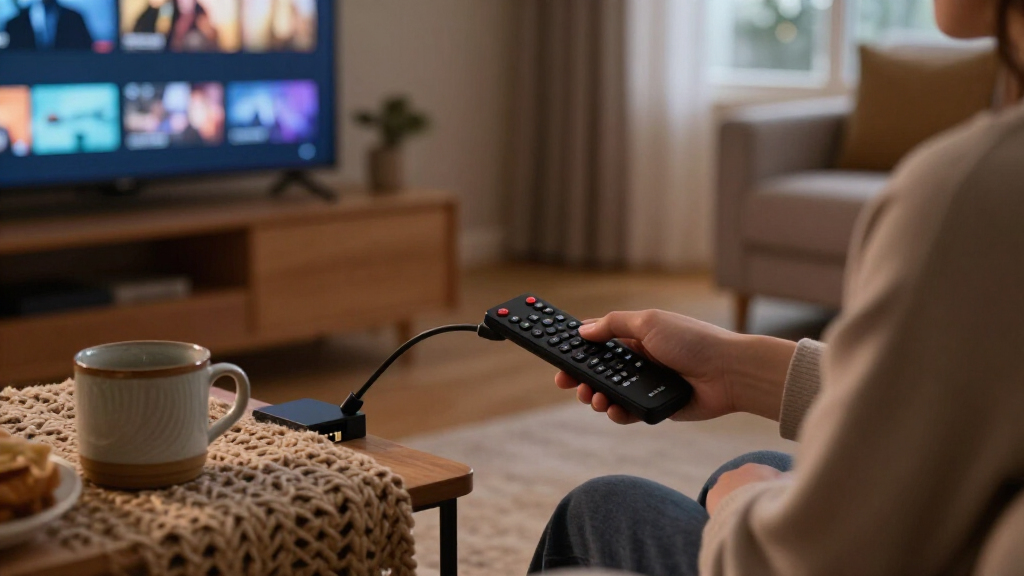

If you’re hunting for the best Fire TV streaming sticks, the Fire TV Stick 4K Max (2nd Gen) is the strongest all-around choice thanks to Wi-Fi 6, a fast processor, and smooth 4K playback that keeps pace with any streaming service. Close behind, the Fire TV Stick 4K Plus delivers nearly the same experience for most viewers, while the Fire TV Stick HD remains the sensible pick for older 1080p TVs. The main tradeoff you’ll face in this lineup is simple: paying more buys faster navigation, better Wi-Fi, and stronger picture processing, but not everyone needs those gains. Bundle variations, like included protection plans and USB power cables, also muddle the decision. Read on for the full breakdown of which stick fits which setup.

Get the latest gadgets delivered free with Prime
- Fast, free delivery on millions of items
- Prime Video, Amazon Music and more included
- Member-only deals all year
Complete the kit



Key Takeaways
- The 4K Max (2nd Gen) leads this roundup because its Wi-Fi 6 support and faster processor reduce buffering and menu lag, not because the picture itself looks different from cheaper 4K models.
- Several listings in this lineup are the same hardware sold with different accessories — protection plans, USB power cables, and remote variations — so the bundle, not the stick, often decides which listing to buy.
- Anyone with a 1080p TV gains nothing from any 4K-capable stick in this comparison; the HD stick covers the basics and spending more is wasted.
- The 4K Select sits awkwardly between the standard 4K stick and the Plus, offering Wi-Fi 6 at a mid-tier position that makes sense mainly when it’s discounted.
- The Like-New 4K stick is the standout value play for budget buyers comfortable with refurbished hardware, since its internals match the standard 4K model.
| Amazon Fire TV Stick HD (2nd Gen) with 2-Year Protection Plan |  | Best for Basic 1080p TVs | Generation: 2nd Gen | Resolution: 1080p and 720p, up to 60 fps | Processor: Quad-core 1.7 GHz | VIEW LATEST PRICE | See Our Full Breakdown |
| Amazon Fire TV Stick 4K Plus with 2-Year Protection Plan |  | Best Overall | Streaming resolution: 4K Ultra HD | HDR formats: Dolby Vision, HDR10+ | Audio: Dolby Atmos | VIEW LATEST PRICE | See Our Full Breakdown |
| Amazon Fire TV Stick 4K Select with Alexa Voice Remote |  | Best Budget 4K | Maximum resolution: 2160p up to 60 fps | Video formats: HDR10, HDR10+, HLG, H.265, H.264, VP9, AV1 | Processor: Quad-core 1.7 GHz | VIEW LATEST PRICE | See Our Full Breakdown |
| Amazon Fire TV Stick 4K Max with Wi-Fi 6 and Alexa Voice Remote |  | Best Performance | Resolution: Up to 2160p at 60 fps | Processor: Quad-core 1.8 GHz MT8696 | GPU: IMG GE9215, 750 MHz | VIEW LATEST PRICE | See Our Full Breakdown |
| Amazon Fire TV Stick 4K (Like-New, Latest Model) |  | Best Value | Condition: Refurbished, certified like-new | Warranty: Same limited warranty as new device | Resolution: 4K Ultra HD | VIEW LATEST PRICE | See Our Full Breakdown |
| Amazon Fire TV Stick 4K Select with 2-Year Protection Plan |  | Best for Worry-Free Setup | Output Resolution: Up to 2160p at 60 fps | HDR Support: HDR10, HDR10+, HLG | Processor: Quad-core 1.7 GHz | VIEW LATEST PRICE | See Our Full Breakdown |
| Amazon Fire TV Stick 4K with Alexa+ and Wi-Fi 6 |  | Best Cord-Free Power Option | Resolution: 4K Ultra HD | HDR: HDR10+ | Wi-Fi: Wi-Fi 6 | VIEW LATEST PRICE | See Our Full Breakdown |
| Amazon Fire TV Stick 4K Max Streaming Device with USB Power Cable |  | Best for Gamers and Home Theaters | Resolution: 4K Ultra HD | HDR Formats: Dolby Vision, HDR10+ | Audio: Dolby Atmos | VIEW LATEST PRICE | See Our Full Breakdown |
| Amazon Fire TV Stick 4K Max (2nd Gen) Streaming Device |  | Best Overall Performance | Processor: Quad-core 2.0 GHz | Storage: 16 GB | Wi-Fi: Wi-Fi 6E tri-band (2.4, 5, 6 GHz) | VIEW LATEST PRICE | See Our Full Breakdown |
| Amazon Fire TV Stick 4K Select Bundle with USB Power Cable |  | Best Value 4K Bundle | Resolution: 4K Ultra HD | HDR: HDR10+ | Voice Assistant: Alexa+ | VIEW LATEST PRICE | See Our Full Breakdown |
| Amazon Fire TV Stick HD with Alexa Voice Remote |  | Best for Full HD TVs | Resolution: Full HD | Connectivity: Wi-Fi 6 and Bluetooth | Connection: HDMI | VIEW LATEST PRICE | See Our Full Breakdown |
| Amazon Fire TV Stick 4K Plus |  | Best for 4K Picture and Sound | Output resolution: Up to 2160p at 60 fps | Video formats: Dolby Vision, HDR10, HDR10+, HLG, H.265, H.264, VP9, AV1 | Audio support: Dolby Atmos, 7.1 surround sound, stereo, HDMI audio pass-through up to 5.1 | VIEW LATEST PRICE | See Our Full Breakdown |
| Fire TV streaming stick | Wi-Fi | Resolution | Storage | Processor |
|---|---|---|---|---|
| Amazon Fire TV Stick HD | Wi-Fi 6 dual-band (2.4 GHz and 5 GHz) | 1080p and 720p, up to 60 fps | 8 GB | Quad-core 1.7 GHz |
| Amazon Fire TV Stick 4K Plus w | Wi-Fi 6 | — | — | — |
| Amazon Fire TV Stick 4K Select | Dual-band MIMO 802.11a/b/g/n/ac | — | 8 GB | Quad-core 1.7 GHz |
| Amazon Fire TV Stick 4K Max wi | 802.11a/b/g/n/ac/ax (Wi-Fi 6) | Up to 2160p at 60 fps | 8 GB | Quad-core 1.8 GHz MT8696 |
| Amazon Fire TV Stick 4K | Wi-Fi 6 | 4K Ultra HD | — | — |
| Amazon Fire TV Stick 4K Select | Dual-band, dual-antenna MIMO (802.11ac) | — | 8 GB | Quad-core 1.7 GHz |
| Amazon Fire TV Stick 4K with A | Wi-Fi 6 | 4K Ultra HD | — | — |
| Amazon Fire TV Stick 4K Max St | Wi-Fi 6E | 4K Ultra HD | 16 GB | — |
| Amazon Fire TV Stick 4K Max | Wi-Fi 6E tri-band (2.4, 5, 6 GHz) | — | 16 GB | Quad-core 2.0 GHz |
| Amazon Fire TV Stick 4K Select | — | 4K Ultra HD | — | — |
| Amazon Fire TV Stick HD with A | — | Full HD | — | — |
| Amazon Fire TV Stick 4K Plus | Wi-Fi 6 dual-band (2.4 GHz and 5 GHz) | — | 8 GB | Quad-core 1.7 GHz |
More Details on Our Top Picks
Amazon Fire TV Stick HD (2nd Gen) with 2-Year Protection Plan
Not every TV needs 4K, and this is where the Fire TV Stick HD earns its spot. If your television tops out at 1080p, paying extra for the Fire TV Stick 4K Plus buys resolution your screen can’t display. What this second-generation model does deliver is Wi-Fi 6, which is unusual at this tier and helps streaming stay smooth even when other devices are hammering your network. Compared with the Fire TV Stick 4K Select, it drops HDR formats and AV1 decoding but keeps the same Alexa Voice Remote and compact stick design. The bundled 2-year protection plan with up to three claims makes this a low-stakes purchase for a spare room or kids’ TV. The tradeoff is simple: no HDR, no Dolby Atmos, and menus feel less snappy than the 4K models.
Pros:- Wi-Fi 6 support is uncommon at the HD tier and keeps streaming stable on busy networks
- Compact stick plugs directly into an HDMI port without clutter
- Alexa Voice Remote handles search and playback out of the box
- Included 2-year protection plan covers up to three claims
- Full access to the Fire TV app library
Cons:- Maxes out at 1080p with no HDR or Dolby Atmos support
- Apps and content still require separate subscriptions
- Feels slower than the 4K models when navigating menus
Best for: Owners of 1080p or 720p TVs who want modern Wi-Fi and voice features without paying for resolution they can’t use
Not ideal for: Anyone with a 4K HDR TV — the missing Dolby Vision and HDR10+ support will noticeably limit picture quality
- Generation:2nd Gen
- Resolution:1080p and 720p, up to 60 fps
- Processor:Quad-core 1.7 GHz
- Storage:8 GB
- Wi-Fi:Wi-Fi 6 dual-band (2.4 GHz and 5 GHz)
- Bluetooth:Bluetooth 5.3 and BLE
- Protection plan:2 years; up to 3 claims
Our verdict“This is the sensible pick for a 1080p TV where 4K hardware would be wasted money.”
Amazon Fire TV Stick 4K Plus with 2-Year Protection Plan
The Fire TV Stick 4K Plus hits the sweet spot that most buyers should aim for. It covers the full premium checklist — 4K Ultra HD, Dolby Vision, HDR10+, and Dolby Atmos — without stepping up to the pricier 4K Max. Compared with the standard Fire TV Stick 4K Max, the Plus leans on Alexa+, a smarter voice assistant that can find content across apps and manage compatible smart home devices conversationally, which makes it the better pick for households already living with Alexa speakers and cameras. Wi-Fi 6 rounds out the package for crowded networks. The 2-year protection plan with no deductibles and two-day replacements adds real peace of mind for a device that lives behind a TV. The honest tradeoffs: the plan arrives by email rather than in the box, and everything worth watching still needs its own subscription.
Pros:- Full support for 4K, Dolby Vision, HDR10+, and Dolby Atmos
- Alexa+ voice control manages content discovery and smart home devices
- Wi-Fi 6 handles busy home networks without buffering
- Protection plan includes 24/7 support, no deductibles, and two-day replacements
Cons:- Streaming services require their own subscription fees
- Protection plan is delivered via email rather than as a physical document
- Slightly less processing headroom than the 4K Max for gaming
Best for: Households with 4K Dolby Vision TVs and Alexa smart homes who want top-tier picture formats with long-term coverage
Not ideal for: Buyers with basic 1080p sets — the Fire TV Stick HD does the same job for less
- Streaming resolution:4K Ultra HD
- HDR formats:Dolby Vision, HDR10+
- Audio:Dolby Atmos
- Wi-Fi:Wi-Fi 6
- Voice assistant:Alexa+
- Streaming library:More than 1.8 million movies and TV episodes
- Protection plan:2 years; mechanical and electrical failures covered
Our verdict“The most complete package for most 4K TV owners, balancing picture formats, smart features, and coverage.”
Amazon Fire TV Stick 4K Select with Alexa Voice Remote
The Fire TV Stick 4K Select proves you can get genuine 4K picture quality without buying the flagship. It streams 2160p with HDR10+, and unlike the Fire TV Stick HD, it decodes the modern AV1 codec, so it’s more future-proofed for newer streams. Where it cuts corners against the Fire TV Stick 4K Max: no Dolby Vision, older Wi-Fi 5 (802.11ac) instead of Wi-Fi 6, Bluetooth 5.0 instead of 5.3, and micro-USB power rather than USB-C. Those differences matter mostly on busy networks and Dolby Vision-calibrated TVs. Its unexpected strength is Xbox cloud gaming via Game Pass — a rarity at this price point and a fun bonus for casual gamers. For a secondary 4K TV where every dollar counts, those compromises are easy to accept.
Pros:- Genuine 4K Ultra HD playback with HDR10+ at an entry-level price
- Supports Xbox cloud gaming with a Game Pass subscription
- Access to free, ad-supported streaming content alongside paid apps
- Alexa Voice Remote controls compatible TVs and devices
Cons:- No Dolby Vision support, unlike the 4K Plus and 4K Max
- Wi-Fi 5 and Bluetooth 5.0 lag behind the newer models
- Only a 90-day limited warranty
Best for: Budget-conscious buyers adding 4K streaming to a secondary TV who can live without Dolby Vision
Not ideal for: Households with crowded Wi-Fi networks — Wi-Fi 5 may struggle where Wi-Fi 6 models stay smooth
- Maximum resolution:2160p up to 60 fps
- Video formats:HDR10, HDR10+, HLG, H.265, H.264, VP9, AV1
- Processor:Quad-core 1.7 GHz
- Storage:8 GB
- Wi-Fi:Dual-band MIMO 802.11a/b/g/n/ac
- Bluetooth:Bluetooth 5.0 and BLE
- Gaming:Xbox cloud gaming via Game Pass
- Warranty:90-day limited warranty
Our verdict“The cheapest legitimate path into 4K Fire TV streaming, provided you can skip Dolby Vision.”
Amazon Fire TV Stick 4K Max with Wi-Fi 6 and Alexa Voice Remote
If the Fire TV Stick 4K Select is the value play, the Fire TV Stick 4K Max is the muscle car. Its quad-core 1.8 GHz processor and dedicated 750 MHz GPU make menus snap open and apps load faster — a difference you notice daily, not just on paper. It matches the 4K Plus on picture specs, with Dolby Vision, HDR10+, and Dolby Atmos, but pushes further on audio with 7.1 surround and HDMI ARC support for soundbar and receiver integration. Wi-Fi 6 keeps 4K streams steady when the whole household is online. This model makes the most sense for a main living-room TV where you game via the cloud, run a surround setup, or simply hate waiting. The catch: all that horsepower only pays off with compatible routers, TVs, and audio gear — on a 1080p set with Wi-Fi 5, you’d never notice the difference.
Pros:- Fastest processor and dedicated GPU in the lineup for snappy navigation and gaming
- Full Dolby Vision, HDR10+, and Dolby Atmos with 7.1 surround and HDMI ARC
- Wi-Fi 6 keeps 4K streams stable on crowded networks
- Alexa Voice Remote controls TV power and volume
Cons:- 4K and Wi-Fi 6 benefits require compatible TV and router equipment
- Commands a premium over the 4K Select for features many buyers won’t use
- Still uses micro-USB for power rather than USB-C
Best for: Enthusiasts with Dolby Vision TVs, soundbars or receivers, and busy networks who want the fastest Fire TV experience
Not ideal for: Owners of older 1080p TVs on basic routers — the extra power and Wi-Fi 6 would be wasted
- Resolution:Up to 2160p at 60 fps
- Processor:Quad-core 1.8 GHz MT8696
- GPU:IMG GE9215, 750 MHz
- Storage:8 GB
- Wi-Fi:802.11a/b/g/n/ac/ax (Wi-Fi 6)
- Audio:Dolby Atmos, 7.1 surround, HDMI ARC pass-through up to 5.1
- Warranty:1-year limited warranty
Our verdict“The pick for a main home-theater setup where speed, audio flexibility, and gaming matter most.”
Amazon Fire TV Stick 4K (Like-New, Latest Model)
Buying refurbished is the smartest way to get flagship-tier streaming on a tight budget, and this like-new Fire TV Stick 4K is the proof. It’s tested and certified to work like new and carries the same limited warranty as a brand-new unit, which takes most of the risk out of the equation. Feature-wise it doesn’t feel like a compromise: you get 4K, Dolby Vision, HDR10+, Dolby Atmos, and Wi-Fi 6 — everything the Fire TV Stick 4K Plus offers minus the Alexa+ assistant and the protection plan. Compared with the 4K Select, it actually wins on specs, adding Dolby Vision and Wi-Fi 6. The tradeoffs are cosmetic and logistical: expect generic Amazon-branded packaging rather than retail boxing, no bundled extended coverage, and the usual pile of subscription requirements. For a guest room, dorm, or gift, those are easy concessions.
Pros:- Full 4K feature set with Dolby Vision, HDR10+, and Dolby Atmos at a reduced cost
- Wi-Fi 6 beats the pricier 4K Select’s Wi-Fi 5
- Certified refurbished with the same warranty as a new device
- Includes Xbox Game Pass cloud gaming support
Cons:- May arrive in generic Amazon-branded packaging
- No bundled protection plan unlike the Plus and HD bundles
- Availability of refurbished stock can be inconsistent
Best for: Deal hunters outfitting secondary TVs who want Dolby Vision and Wi-Fi 6 without paying new-unit prices
Not ideal for: Gift-givers who want pristine retail packaging or buyers who want bundled multi-year protection
- Condition:Refurbished, certified like-new
- Warranty:Same limited warranty as new device
- Resolution:4K Ultra HD
- HDR formats:Dolby Vision, HDR10+
- Audio:Dolby Atmos
- Wi-Fi:Wi-Fi 6
- Gaming:Xbox Game Pass cloud gaming support
Our verdict“The smart money pick — near-flagship 4K streaming with a real warranty for noticeably less.”
Amazon Fire TV Stick 4K Select with 2-Year Protection Plan
This bundle is really about peace of mind rather than raw performance. The hardware is a solid mid-tier 4K streamer with HDR10+ support and a capable quad-core processor, but the 2-year protection plan is what sets it apart from the standard Fire TV Stick 4K Select with Alexa Voice Remote. Compared with the Fire TV Stick 4K Max (2nd Gen), it lacks Dolby Vision, Dolby Atmos, and Wi-Fi 6E, so home theater enthusiasts will notice the gap. The 8 GB of storage also fills up faster if you install many apps or games. For a guest room TV, a vacation home, or a household with kids who rough-handle remotes, this pick makes sense — you’re trading cutting-edge specs for coverage against mishaps.
Pros:- 2-year protection plan covers accidental damage and defects
- 4K Ultra HD with HDR10+ at a mid-tier price point
- Alexa voice remote handles search and smart home control
- Dual-band MIMO Wi-Fi holds a stable connection on busy networks
Cons:- Only 8 GB of storage, which limits how many apps and games you can keep installed
- No Dolby Vision or Dolby Atmos support unlike the Max models
Best for: Households with kids or secondary TVs where accidental damage coverage matters more than flagship specs
Not ideal for: Home theater enthusiasts who want Dolby Vision, Dolby Atmos, and Wi-Fi 6E — the Max models serve them better
- Output Resolution:Up to 2160p at 60 fps
- HDR Support:HDR10, HDR10+, HLG
- Processor:Quad-core 1.7 GHz
- Storage:8 GB
- Wi-Fi:Dual-band, dual-antenna MIMO (802.11ac)
- Bluetooth:Bluetooth 5.0 + LE
- Protection Plan:2 years included
Our verdict“Buy this if you want a dependable 4K streamer with damage coverage for a busy household; skip it if you want the best picture and audio formats.”
Amazon Fire TV Stick 4K with Alexa+ and Wi-Fi 6
The standout trick here is direct power from your TV’s HDMI port — no wall adapter, no cable snaking behind the entertainment center. That alone makes it the cleanest install in this lineup, edging out the Fire TV Stick 4K Select Bundle with USB Power Cable, which still needs a USB run to the TV. Wi-Fi 6 also gives it an advantage over the older dual-band Fire TV Stick 4K Select on congested networks, translating to fewer buffering pauses in apartments full of competing signals. The tradeoff is format support: HDR10+ is here, but Dolby Vision and Dolby Atmos are not, so cinephiles should step up to a Max model. Still, for a wall-mounted TV where visible cables are the enemy, this pick makes a lot of sense.
Pros:- Powers directly from the TV’s HDMI port with no wall adapter needed
- Wi-Fi 6 handles crowded networks with less buffering
- Voice remote controls TV power and volume, replacing multiple remotes
- Bluetooth headphone support enables private late-night listening
Cons:- No Dolby Vision or Dolby Atmos support
- HDMI-powered operation may not work on older TVs with weak ports
Best for: Owners of wall-mounted TVs or minimal setups who want streaming without a visible power cable
Not ideal for: Movie lovers with Dolby Vision TVs — this stick tops out at HDR10+ and lacks Atmos
- Resolution:4K Ultra HD
- HDR:HDR10+
- Wi-Fi:Wi-Fi 6
- Voice Assistant:Alexa+
- Power:Direct from TV HDMI; no wall adapter required
- Remote:Voice remote with TV power and volume controls
Our verdict“This is the pick for clean, cable-free setups on modern Wi-Fi 6 routers; audiophiles and videophiles should look to the Max instead.”
Amazon Fire TV Stick 4K Max Streaming Device with USB Power Cable
This is where the Fire TV lineup starts feeling like an entertainment hub rather than a simple streamer. With Dolby Vision, HDR10+, and Dolby Atmos, it matches the Fire TV Stick 4K Max (2nd Gen) on format support, and the Xbox cloud gaming support plus ambient digital art mode push it toward a do-everything device. The bundled Made for Amazon USB power cable lets it run off your TV’s USB port, which is handy but less elegant than the HDMI-powered Fire TV Stick 4K with Alexa+. The 16 GB of storage is double what the 4K Select models offer, which matters if you’re installing games alongside your streaming apps. The catch: cloud gaming only shines with an Xbox Game Pass subscription, and tapping the TV’s USB port can cause instability on some sets.
Pros:- Full format support with Dolby Vision, HDR10+, and Dolby Atmos
- 16 GB storage accommodates games and apps comfortably
- Xbox cloud gaming turns any TV into a console
- Ambient mode displays over 2,000 digital artworks when idle
Cons:- Xbox cloud gaming requires a paid Xbox Game Pass subscription
- USB power from the TV can be unreliable depending on the port
Best for: Gamers with Xbox Game Pass and home theater owners who want Dolby Vision, Atmos, and ambient art in one device
Not ideal for: Casual streamers who just watch Netflix — the gaming and art features add cost with no benefit to them
- Resolution:4K Ultra HD
- HDR Formats:Dolby Vision, HDR10+
- Audio:Dolby Atmos
- Storage:16 GB
- Wi-Fi:Wi-Fi 6E
- Gaming:Xbox cloud gaming via Xbox Game Pass
- Included Accessory:Made for Amazon USB Power Cable
Our verdict“If you already pay for Game Pass or run a Dolby Atmos setup, this bundle justifies itself; otherwise the standard 4K models cover the basics for less.”
Amazon Fire TV Stick 4K Max (2nd Gen) Streaming Device
If raw responsiveness is the priority, this is the stick to beat. The quad-core 2.0 GHz processor makes app launches and menu navigation feel instant where the Fire TV Stick 4K Select can hesitate, and Wi-Fi 6E tri-band keeps 4K streams smooth even when every device in the house is online. Compared with the 4K Max with USB Power Cable bundle, you get the same core format support — Dolby Vision, HDR10+, Atmos — plus an enhanced remote and HDMI 2.1 with ARC. The tradeoff is realism about your gear: Wi-Fi 6E demands a compatible router, and without one you’re paying for bandwidth you can’t use. The 16 GB of storage is generous, though heavy gamers may still fill it. For the buyer who wants the fastest Fire TV experience and has the network to match, nothing else here competes.
Pros:- Fastest processor in the lineup with snappy navigation and app loads
- Wi-Fi 6E tri-band keeps 4K streams stable on busy networks
- 16 GB storage plus HDMI 2.1 with ARC for soundbar integration
- Enhanced Alexa remote controls TV power, volume, and audio devices
Cons:- Wi-Fi 6E speeds require a compatible router to matter
- Full 4K Dolby Vision playback needs a compatible Ultra HD TV
Best for: Enthusiasts with Wi-Fi 6E routers and Dolby Vision TVs who want the fastest, most complete Fire TV experience
Not ideal for: Buyers with older routers or 1080p TVs — the premium hardware goes largely unused
- Processor:Quad-core 2.0 GHz
- Storage:16 GB
- Wi-Fi:Wi-Fi 6E tri-band (2.4, 5, 6 GHz)
- Video Support:Up to 4K Ultra HD; Dolby Vision, HDR10, HDR10+, HLG
- Audio Support:Dolby Atmos, 7.1 surround, HDMI passthrough up to 5.1
- Bluetooth:Bluetooth 5.2 + BLE
- Ports:HDMI 2.1 with ARC input support; micro USB
Our verdict“This is the best-performing Fire TV stick for viewers with modern home network and display gear; everyone else can save money lower in the lineup.”
Amazon Fire TV Stick 4K Select Bundle with USB Power Cable
This bundle’s appeal is practical simplicity: 4K picture, HDR10+, Alexa+ voice search, and a USB power cable that eliminates the hunt for a free wall outlet. It sits below the Fire TV Stick 4K Max (2nd Gen) on performance — no Dolby Vision, Atmos, Wi-Fi 6E, or expanded storage — but for straightforward streaming of Prime Video, Netflix, or Disney+, those omissions barely register. The clever part of the cable is its ability to store excess energy for peak power draws, which helps on TVs with modest USB output, though performance still varies by port. Compared with the Fire TV Stick HD with Alexa Voice Remote, this is the smarter buy for anyone with a 4K panel, since the HD model leaves that resolution on the table. Just don’t expect home theater-grade formats.
Pros:- Genuine 4K Ultra HD with HDR10+ at an accessible price
- USB power cable removes the need for an AC outlet behind the TV
- Alexa+ handles voice search, Amazon Photos, and smart home control
- Access to thousands of apps across every major streaming service
Cons:- No Dolby Vision, Dolby Atmos, or Wi-Fi 6 support
- USB power reliability depends on the TV’s port output
Best for: Budget-conscious buyers with 4K TVs who want dependable HDR streaming without extra accessories to purchase
Not ideal for: Dolby Vision TV owners and audiophiles — the absence of advanced HDR and Atmos formats caps its ceiling
- Resolution:4K Ultra HD
- HDR:HDR10+
- Voice Assistant:Alexa+
- Power:Powered via TV USB port
- Included Accessory:USB power cable with energy buffering
- App Access:Thousands of apps including Prime Video, Netflix, YouTube, Disney+
Our verdict“A sensible value pick for everyday 4K streaming in bedrooms or living rooms where advanced formats aren’t a priority.”
Amazon Fire TV Stick HD with Alexa Voice Remote
The Amazon Fire TV Stick HD makes the most sense for a Full HD television where 4K support would go unused. Its Wi-Fi 6 connection and Alexa remote bring modern streaming and voice search to a compact HDMI stick, while TV and soundbar controls can reduce remote juggling. Compared with the Amazon Fire TV Stick 4K Plus, this model gives up 4K, HDR formats, and Dolby Atmos, so it is a better fit for a simpler screen and setup than for a home theater upgrade. The included USB-C cable can power it from a compatible TV, which helps keep the installation tidy. Its limits are real: picture quality tops out at Full HD, and Bluetooth private listening or streaming apps do not remove the need for compatible devices and subscriptions.
Pros:- Full HD streaming suits televisions without 4K resolution
- Wi-Fi 6 connectivity
- Alexa remote supports voice search and compatible TV and soundbar controls
- Bluetooth support enables private listening with compatible headphones
Cons:- Does not support 4K or the listed HDR and Dolby Atmos formats of the 4K Plus
- Some streaming services require separate subscriptions
- Requires a TV with an HDMI port
Best for: Viewers with a Full HD television who want Alexa voice search, live TV, and a compact streaming setup.
Not ideal for: Owners of a 4K HDR television or Dolby Atmos system who want their stick to make use of those capabilities.
- Resolution:Full HD
- Connectivity:Wi-Fi 6 and Bluetooth
- Connection:HDMI
- Power:TV-powered via included USB-C cable
- Remote:Alexa Voice Remote with power and volume buttons
- Streaming:Live TV and app streaming
- Additional features:Smart home control and Bluetooth private listening
Our verdict“Choose this stick for a Full HD TV and a compact, voice controlled streaming setup; pick the Fire TV Stick 4K Plus for a 4K screen.”
Amazon Fire TV Stick 4K Plus
The Amazon Fire TV Stick 4K Plus is the stronger choice for a 4K television and a setup that can use its picture and sound formats. It supports Dolby Vision, HDR10+, and Dolby Atmos, giving compatible content and equipment room to deliver richer images and immersive audio. Compared with the Amazon Fire TV Stick HD, it costs more in capability: its 2160p output and broader format support matter only when the TV, audio gear, and streaming service also support them. Wi-Fi 6 and Bluetooth 5.2 provide current wireless connections, while Alexa voice search and Xbox cloud gaming access add flexibility beyond video streaming. The tradeoff is that 8 GB of storage is modest, and neither 4K nor HDR content is available across every service or region. Wi-Fi 6 benefits also depend on a compatible router.
Pros:- Outputs up to 2160p at 60 fps
- Supports Dolby Vision, HDR10+, and Dolby Atmos
- Wi-Fi 6 dual-band and Bluetooth 5.2 connectivity
- Alexa Voice Remote and Xbox cloud gaming access with Game Pass
Cons:- 4K and HDR availability depends on the service, region, and compatible television
- Wi-Fi 6 features require a Wi-Fi 6 router
- Some streaming services and Xbox Game Pass require separate subscriptions
Best for: 4K TV owners with compatible HDR or Dolby Atmos equipment who want a streaming stick with broad format support.
Not ideal for: Viewers using a Full HD television or those without compatible 4K content and equipment to benefit from its higher output formats.
- Output resolution:Up to 2160p at 60 fps
- Video formats:Dolby Vision, HDR10, HDR10+, HLG, H.265, H.264, VP9, AV1
- Audio support:Dolby Atmos, 7.1 surround sound, stereo, HDMI audio pass-through up to 5.1
- Wi-Fi:Wi-Fi 6 dual-band (2.4 GHz and 5 GHz)
- Bluetooth:Bluetooth 5.2 + BLE
- Processor:Quad-core 1.7 GHz
- Storage:8 GB
- Voice control:Alexa Voice Remote included
- Dimensions and weight:99 × 30 × 14 mm housing; 108 × 30 × 14 mm including connector; 43.5 g
Our verdict“Choose the 4K Plus for a compatible 4K home theater setup; the Fire TV Stick HD is a better match for Full HD TVs.”

How We Picked
I ranked these Fire TV sticks by matching hardware capability to real viewing situations rather than stacking spec sheets. The main criteria were video output and format support (4K, HDR10+, Dolby Vision), wireless performance (Wi-Fi 6 versus older standards, which matters most in busy households with many connected devices), navigation speed from the processor, and what’s actually in the box for each listing — because identical sticks sold with or without protection plans and power cables are effectively different purchases.
Ranking also reflected durability of the remote, software support longevity, and how well each stick serves its intended TV. A 4K-capable stick paired with a 1080p television scores poorly on value even if the hardware is excellent, while the HD stick scores well precisely because it doesn’t oversell itself. Where two listings share the same stick, the better bundle earned the higher spot.
| Fire TV streaming stick | Processor |
|---|---|
| Amazon Fire TV Stick HD | Quad-core 1.7 GHz |
| Amazon Fire TV Stick 4K Plus w | — |
| Amazon Fire TV Stick 4K Select | Quad-core 1.7 GHz |
| Amazon Fire TV Stick 4K Max wi | Quad-core 1.8 GHz MT8696 |
| Amazon Fire TV Stick 4K | — |
| Amazon Fire TV Stick 4K Select | Quad-core 1.7 GHz |
| Amazon Fire TV Stick 4K with A | — |
| Amazon Fire TV Stick 4K Max St | — |
| Amazon Fire TV Stick 4K Max | Quad-core 2.0 GHz |
| Amazon Fire TV Stick 4K Select | — |
| Amazon Fire TV Stick HD with A | — |
| Amazon Fire TV Stick 4K Plus | Quad-core 1.7 GHz |
Factors to Consider When Choosing Best Fire TV Streaming Sticks
Before picking a specific listing, it helps to understand what actually separates these sticks and where buyers commonly overspend or underspend. These are the factors that shaped my rankings.Match the Stick to Your TV First
The single most common mistake is buying a 4K stick for a television that can’t display 4K. If your TV is 1080p or older, the HD stick renders the same picture the pricier models would, and every extra dollar buys performance you’ll never see. Conversely, if your TV supports HDR10+ or Dolby Vision, a basic stick will bottleneck the panel — check your TV’s spec label before choosing. A 4K stick on a 1080p TV isn’t harmful, just wasteful, and that money is better spent elsewhere.
Wi-Fi 6 Matters More Than You Think
Wi-Fi 6 sounds like marketing, but in a household with a dozen connected devices — phones, laptops, smart home gear — it reduces buffering during peak evening hours. If your router is older than a few years, though, a Wi-Fi 6 stick can’t use its advantage, so check the router before paying for the feature. Apartments with crowded wireless channels benefit the most. This is the main hidden differentiator between the Max and Select models versus the standard 4K stick.
Understand What the Bundles Actually Add
Many listings in this category are identical sticks packaged with a 2-year protection plan, a USB power cable, or a different remote. A protection plan can be worthwhile if the stick lives in a household with kids or travels frequently, but it’s redundant if your card already extends electronics warranties. The USB power cable matters for older TVs whose USB ports can’t deliver enough power — a surprisingly common cause of random reboots and dropped connections. Decide which accessories you need before comparing, because that’s often the only real difference between two listings.
Remote Differences Change Daily Use
The remote is the part you touch every day, and Amazon ships several variants across these listings. Newer remotes with Alexa+ support and better voice control make searching faster and reduce how often you need to type. If you use a soundbar or receiver, check HDMI-CEC and volume control support, since older remote generations handle this less reliably. A cheaper stick with a better remote can feel more pleasant to use than a faster stick with a basic remote.
When Refurbished Makes Sense
The Like-New 4K stick is worth a look for budget-conscious buyers because streaming sticks have few wear-prone parts — no battery beyond the remote, no moving components. The risk is mainly cosmetic and covered by Amazon’s renewed guarantee. I’d avoid refurbished for gift-giving situations where packaging condition matters, but for a bedroom or guest-room TV it’s hard to beat. Match this decision to how visible the setup will be.
Plan for Software Longevity
Amazon supports its sticks with updates for years, but older and cheaper models eventually lose app compatibility before the hardware dies. Buying one tier above the cheapest option usually extends the useful life by a couple of streaming generations. If you upgrade TVs every decade rather than every few years, spending more upfront on a Max or Plus model is the safer long-term bet. The HD stick is the one model where this tradeoff is most pronounced.
Frequently Asked Questions
Is the Fire TV Stick 4K Max worth it over the regular 4K stick?
It depends on two things: your router and your patience. The Max’s Wi-Fi 6 support and faster processor make menus snappier and reduce buffering on congested networks, which you’ll notice most in multi-device households. Picture quality, however, is essentially identical between the two on the same 4K TV — the Max doesn’t make movies look better, it makes the experience around them smoother. If you have an older router, live alone, and don’t mind a half-second of loading when opening apps, the standard 4K stick is the smarter buy. The Max makes sense when your whole setup is modern.
What’s the difference between the 4K, 4K Select, and 4K Plus?
These three form a step ladder, and the differences are mostly about speed and wireless rather than features. The standard 4K stick handles 4K HDR playback well but uses older Wi-Fi and a slower chip. The 4K Select adds Wi-Fi 6, which helps in busy network environments. The 4K Plus sits near the Max with a faster processor that makes navigation and app launches feel quicker. All three output the same formats, so choose based on how much lag annoys you and how crowded your home network is, not on picture expectations.
Do I need a Fire TV Stick if my TV already has smart apps built in?
Often yes, and for reasons that aren’t obvious from the spec sheet. Built-in TV apps are frequently slower to launch, slower to update, and abandoned by the manufacturer sooner than a dedicated streaming stick. A Fire TV stick also gives you a consistent interface if you have multiple TVs from different brands, and Alexa voice search replaces clunky on-screen typing. That said, if your TV’s apps run smoothly and you’re happy with them, a stick adds little — the HD model is the low-risk way to test whether the upgrade is worth it.
Are the bundles with protection plans or USB power cables worth buying?
The protection plan suits households where the stick might get bumped, moved often, or handled by kids — streaming sticks are cheap enough that self-insuring is also reasonable. The USB power cable bundle solves a real technical problem: some TVs have USB ports that can’t supply enough power, causing random restarts or Wi-Fi drops that buyers mistake for a faulty stick. If your TV is older or a budget model, the power cable bundle is genuinely useful. Compare whether buying the bare stick plus accessories separately costs less; sometimes it does.
Will a 4K Fire TV Stick work on a 1080p TV, or should I just buy the HD model?
A 4K stick works fine on a 1080p TV — it simply downscales the output, and compatibility is never an issue. But you’d be paying for resolution your screen can’t display and usually for Wi-Fi and processing power aimed at heavy 4K streams. The HD stick covers 1080p streaming completely, runs all the same apps, and includes a current Alexa voice remote. The one reason to buy 4K anyway is future-proofing for a TV upgrade you know is coming, since the stick moves to the new TV without any loss. Otherwise, save the difference.
Conclusion
For best overall, the Fire TV Stick 4K Max (2nd Gen) earns the top spot with Wi-Fi 6 and the fastest navigation in the lineup — the listing with the USB power cable is my pick among its variants. Best value goes to the Fire TV Stick HD, which handles 1080p TVs perfectly, while the Like-New 4K stick takes the value crown for 4K buyers comfortable with refurbished hardware. Best premium is the 4K Max with Alexa+ and Wi-Fi 6, pairing the top-tier hardware with the most capable remote. Best for beginners is the Fire TV Stick 4K Select, which balances modern wireless features with straightforward setup. And for specific needs: the 4K Plus with the 2-year protection plan suits busy family households, while the plain 4K stick remains the sensible default for a modern 4K TV in a simple network setup.
Halloween Picks
halloween
As an affiliate, we earn on qualifying purchases.