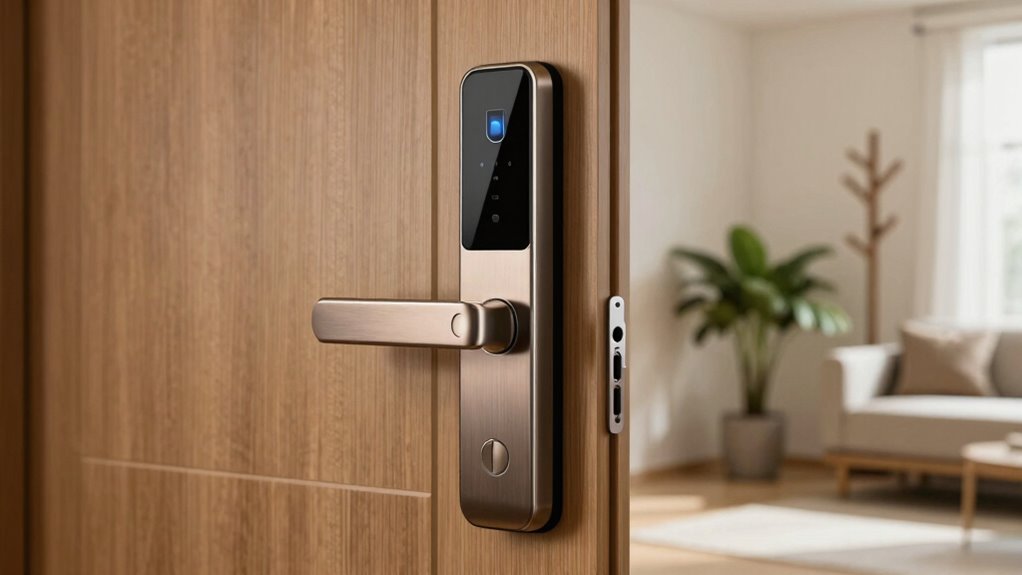

Before buying a smart lock with fingerprint access, ask if it provides reliable security features like advanced encryption, tamper alerts, and backup access methods such as passcodes or physical keys. Check if it’s compatible with your door type and easy to install, preferably with clear instructions. Make sure it has good battery life, weather resistance, and works well in various conditions. To find out more, explore further to verify you choose a trustworthy, durable option.

Get the latest gadgets delivered free with Prime
- Fast, free delivery on millions of items
- Prime Video, Amazon Music and more included
- Member-only deals all year
Key Takeaways
- Verify compatibility with your door type, size, and installation requirements for a seamless fit.
- Ensure the lock offers robust security features like advanced encryption and tamper alerts.
- Check battery life, power options, and ease of maintenance to avoid unexpected lockouts.
- Confirm smart home compatibility, weather resistance, and performance in various environmental conditions.
- Review user feedback on reliability, long-term durability, and data privacy protections.
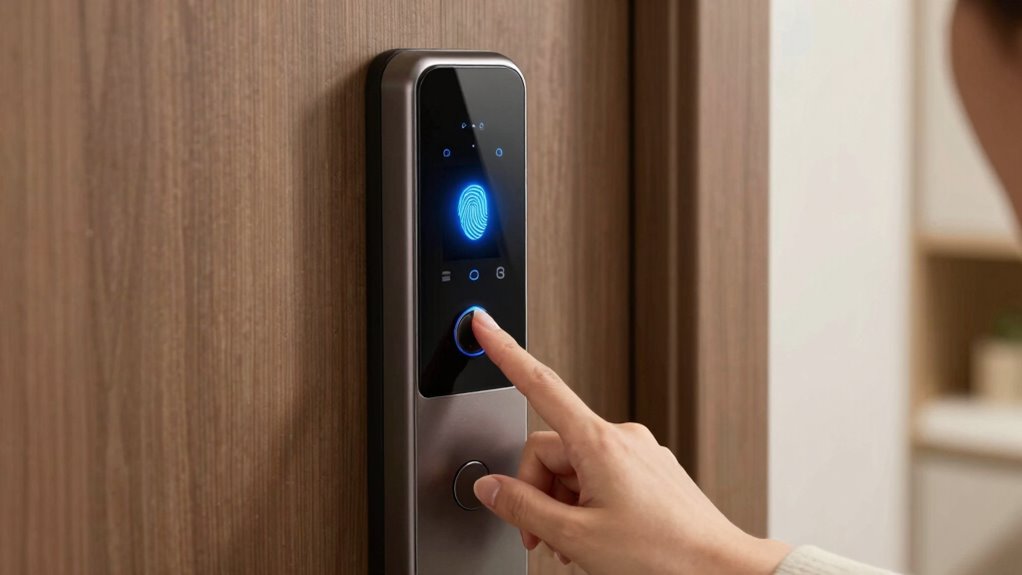
Smart locks with fingerprint access have become a popular choice for enhancing home security, but before you make a purchase, it’s important to understand their features and limitations. One of the first things to think about is the security features they offer. You want a lock that reliably recognizes your fingerprint while resisting tampering and hacking attempts. Look for models with advanced encryption, multi-factor authentication, and backup access methods like passcodes or physical keys. These features guarantee that even if the fingerprint scanner fails or is compromised, you still have other ways to get in. Also, check if the lock logs access attempts, giving you a record of who entered and when—this can be crucial for security and peace of mind.
Choose smart locks with strong encryption, multi-factor authentication, and backup access for reliable, secure home entry.
Another critical aspect is understanding the installation process. Many smart locks are designed for DIY installation, but some may require professional help, especially if your existing door setup is unusual or complex. You should ask whether the lock is compatible with your door type—whether it’s wood, metal, or composite—and if it fits standard hole sizes. Some models come with detailed instructions and tools for easy installation, while others demand more technical expertise. Knowing the installation process beforehand helps you avoid surprises or additional costs. It’s also wise to verify if the lock’s wiring or power source needs special attention, especially if it’s a wired model versus battery-powered. Battery life is another consideration; you want a lock that doesn’t require frequent replacements or recharging, so you won’t find yourself locked out unexpectedly. Additionally, understanding the power supply requirements can help you choose a model that aligns with your home’s electrical setup. Considering the ease of setup and app configuration can also impact how smoothly the lock integrates into your smart home system.
Beyond security features and installation, think about how the smart lock integrates with your existing smart home ecosystem. Does it work with your smartphone, voice assistants, or home automation systems? Compatibility can streamline your access management and allow remote control or monitoring. You should also inquire about the lock’s durability. Weather resistance is essential if your door is exposed to the elements. Check reviews for real-world performance, particularly regarding fingerprint recognition in different conditions. Some models perform poorly in cold or humid environments, so testing or researching specific brands and models can save you headaches later. Additionally, understanding security features such as encryption and tamper alerts ensures the lock offers robust protection against potential threats. A further consideration is how user data is stored and protected, to ensure your privacy isn’t compromised. Furthermore, examining customer reviews can provide valuable insights into the long-term reliability and user satisfaction of a specific model.
smart lock with fingerprint and backup passcode
As an affiliate, we earn on qualifying purchases.
As an affiliate, we earn on qualifying purchases.
Frequently Asked Questions
Are Smart Locks Compatible With My Existing Home Security System?
Yes, smart locks with fingerprint access can be compatible with your existing home security system, enhancing home integration and user convenience. Check if the lock supports your system’s protocols, like Z-Wave or Zigbee, to guarantee seamless integration. Confirm compatibility before purchasing to avoid issues. This way, you enjoy easy access management and a unified security setup, making your home smarter and more secure without hassle.
How Do I Reset or Revoke Fingerprint Access?
Think of fingerprint removal and access revocation as trimming a bonsai tree—you carefully shape and prune. To reset or revoke fingerprint access, open the lock’s app or control panel, navigate to the user management section, and select the fingerprint or user to delete. This process instantly cuts off their access, ensuring your smart lock’s security stays pristine. Always double-check that the revoked fingerprints are no longer recognized before closing the digital gate.
Can Smart Locks Be Hacked or Bypassed Easily?
Smart locks can be vulnerable to cybersecurity risks and physical bypass methods, but they’re not always easy to hack or bypass. Skilled hackers might exploit cybersecurity vulnerabilities, such as weak passwords or software flaws, while physical bypass methods like lock picking or using a shim are possible with some tools. To protect yourself, choose a reputable brand, keep software updated, and consider additional security features like alarm alerts or multi-factor authentication.
What Is the Battery Life and Backup Options?
The battery longevity of smart locks varies, typically lasting several months to a year on a single charge. It’s essential to check the lock’s power indicator. Backup solutions like replaceable batteries, mechanical keys, or external power sources guarantee you won’t get locked out during power failures. Opt for a lock with clear battery status alerts, so you can replace batteries proactively and avoid unexpected downtime.
Are There Additional Costs for App or Cloud Services?
Don’t let hidden costs catch you off guard; some smart locks do have additional app or cloud service fees. You’ll want to check if there are subscription fees for features like remote access or activity logs. Also, consider data security—ensure the manufacturer encrypts your data and protects your privacy. Knowing these costs upfront helps you avoid surprises and keeps your smart lock investment safe and secure.
weatherproof smart door lock with app control
As an affiliate, we earn on qualifying purchases.
As an affiliate, we earn on qualifying purchases.
Conclusion
Before you seal the deal on a smart lock with fingerprint access, remember—it’s the key to your castle, after all. Ask the right questions to guarantee it’s a fortress, not a flimsy gate. Think of it as planting a sturdy oak in your home’s security garden—strong, reliable, and built to stand the test of time. Only then can you rest easy, knowing your digital lock is truly your home’s silent guardian.
easy install smart lock compatible with wooden doors
As an affiliate, we earn on qualifying purchases.
As an affiliate, we earn on qualifying purchases.
smart lock with tamper alerts and encryption
As an affiliate, we earn on qualifying purchases.
As an affiliate, we earn on qualifying purchases.
Evergreen bestsellers Picks
bestsellers
As an affiliate, we earn on qualifying purchases.