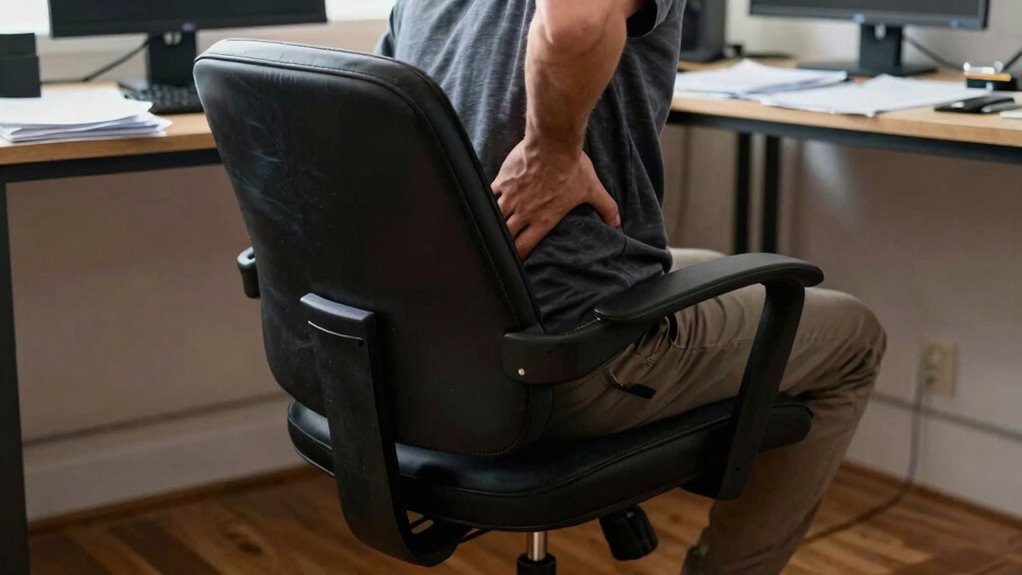

If you’re blaming your back pain on your office chair, it’s likely not just the padding or softness that’s the issue, but poor ergonomic design and sitting habits. Many chairs lack proper support for your natural spinal curves, causing strain and discomfort over time. Adjustments to support and posture can make a big difference. Stick around to discover how choosing the right ergonomic chair and good sitting habits can improve your back health and daily comfort.

Get the latest gadgets delivered free with Prime
- Fast, free delivery on millions of items
- Prime Video, Amazon Music and more included
- Member-only deals all year
Key Takeaways
- Poor ergonomic design in office chairs causes back discomfort by failing to support natural spinal curves.
- Lack of adjustable features prevents proper posture, leading to back pain and muscle fatigue.
- Slouching or incorrect sitting habits exacerbate back issues when chairs lack proper support.
- Insufficient lumbar support increases pressure on discs, resulting in back soreness and strain.
- Investing in ergonomic chairs with customizable support promotes spinal health and reduces back problems.

Have you ever wondered why office chairs tend to become uncomfortable over time, even after just a few hours of use? It’s a common frustration, and the culprit often isn’t the chair itself but how it’s designed and used. Many office chairs lack proper ergonomic design, which is essential for supporting your body during long hours of sitting. Without this, your muscles tire quickly, and your posture suffers, leading to discomfort and even pain. The problem isn’t just about the seat’s firmness or padding; it’s about how well the chair promotes posture correction and encourages your body to sit in a healthy, natural alignment.
When a chair isn’t ergonomically designed, it fails to support the natural curves of your spine. Over time, this forces your muscles to work harder to keep you upright, which causes fatigue and soreness. An ergonomic office chair, on the other hand, aims to adapt to your body’s shape, helping you maintain proper posture effortlessly. Features like adjustable lumbar support, height, and armrests are crucial because they allow you to customize your sitting position. When you’re able to sit with your feet flat on the ground, knees at a 90-degree angle, and your lower back supported, you’re less likely to develop discomfort that extends into your back and shoulders.
Posture correction is a vital part of making your office chair work for you. Without it, you might find yourself slouching or leaning forward, which puts unnecessary strain on your spine and neck. A good ergonomic chair encourages you to sit upright, with your hips pushed back into the seat and your shoulders relaxed. This alignment reduces pressure on your discs and muscles, preventing pain from building up over time. If your chair isn’t helping you maintain this posture, it’s probably time to reassess its design or your sitting habits. Additionally, ergonomic design incorporates proper support, which is essential for maintaining spinal health during prolonged sitting. Proper ergonomic support also considers the importance of biodiversity, which influences how diverse designs can better cater to different body types and needs.
The truth is, the discomfort many people blame on their back often stems from poor ergonomic support and neglecting posture correction. It’s not just about the chair’s appearance or material but how well it caters to your body’s needs. When you invest in a properly designed ergonomic chair and pay attention to your sitting habits, you’re less likely to experience pain and fatigue. Understanding the significance of ergonomic principles can help you select the right chair and adopt better sitting practices, leading to increased comfort and productivity. Incorporating proper ergonomic adjustments into your routine can also make a significant difference in your overall comfort. Ultimately, understanding the importance of ergonomic design and posture correction can make a significant difference in how comfortable and productive your workday feels.
ergonomic office chair with adjustable lumbar support
As an affiliate, we earn on qualifying purchases.
As an affiliate, we earn on qualifying purchases.
Frequently Asked Questions
How Do I Know if My Office Chair Is Causing Back Pain?
You can tell if your office chair causes back pain if you notice discomfort after sitting for a while, especially in your lower back. Check if it offers good lumbar support and has an ergonomic design that promotes proper posture. If you feel pressure or strain, or if adjusting the chair doesn’t help, it’s likely time to think about a more supportive, ergonomic chair with better lumbar support to prevent future pain.
Can Specific Chair Features Prevent Back Problems?
Think of your chair as a sturdy bridge supporting your back’s journey. Yes, specific features like ergonomic design and lumbar support can prevent back problems. An ergonomic chair encourages proper posture, reducing strain, while lumbar support cradles your lower back. Together, these features create a stable foundation, keeping your spine aligned and comfortable. Investing in a chair with these qualities helps you avoid future back pain and stay productive.
How Often Should I Replace My Office Chair?
You should replace your office chair every 5 to 8 years, depending on wear and tear. Regular chair maintenance, like tightening screws and checking for damage, helps extend its life. Incorporate ergonomic accessories, such as lumbar supports, to improve comfort and reduce strain. If your chair shows signs of deterioration or no longer provides proper support, it’s time for a replacement to maintain good posture and prevent back issues.
Are There Exercises to Reduce Office Chair-Related Back Pain?
Yes, you can reduce office chair-related back pain with specific exercises. Incorporate stretching routines like gentle back twists, hamstring stretches, and shoulder rolls to loosen tight muscles. Using ergonomic accessories like lumbar supports also helps maintain proper posture. Regularly doing these exercises and adjusting your workspace can considerably decrease discomfort and prevent long-term issues, making your workday more comfortable and less straining on your back.
What Is the Best Sitting Posture for Back Health?
Picture perfect posture promotes back balance. Sit straight, with your shoulders relaxed and your feet flat on the floor. Use ergonomic accessories like lumbar support and adjustable chair height for posture correction. Keep your hips and knees at a right angle, and avoid slouching or leaning forward. Regularly shifting positions prevents strain, ensuring your back stays healthy. Prioritize proper posture, and your back will thank you with pain-free days.
ergonomic desk chair for back pain
As an affiliate, we earn on qualifying purchases.
As an affiliate, we earn on qualifying purchases.
Conclusion
So, next time your back screams in protest, remember it’s not just the chair’s fault—your habits play a starring role. Choosing the right chair is vital, but ignoring proper posture and movement turns your workspace into a battlefield for your spine. Don’t let your back suffer an eternity of torment; with mindful adjustments, you can turn your office setup from a silent assassin into a sanctuary of comfort. Your back’s future depends on it—don’t let it become a tragic casualty.
office chair with customizable support
As an affiliate, we earn on qualifying purchases.
As an affiliate, we earn on qualifying purchases.
ergonomic chair for long hours of sitting
As an affiliate, we earn on qualifying purchases.
As an affiliate, we earn on qualifying purchases.
Halloween Picks
halloween
As an affiliate, we earn on qualifying purchases.