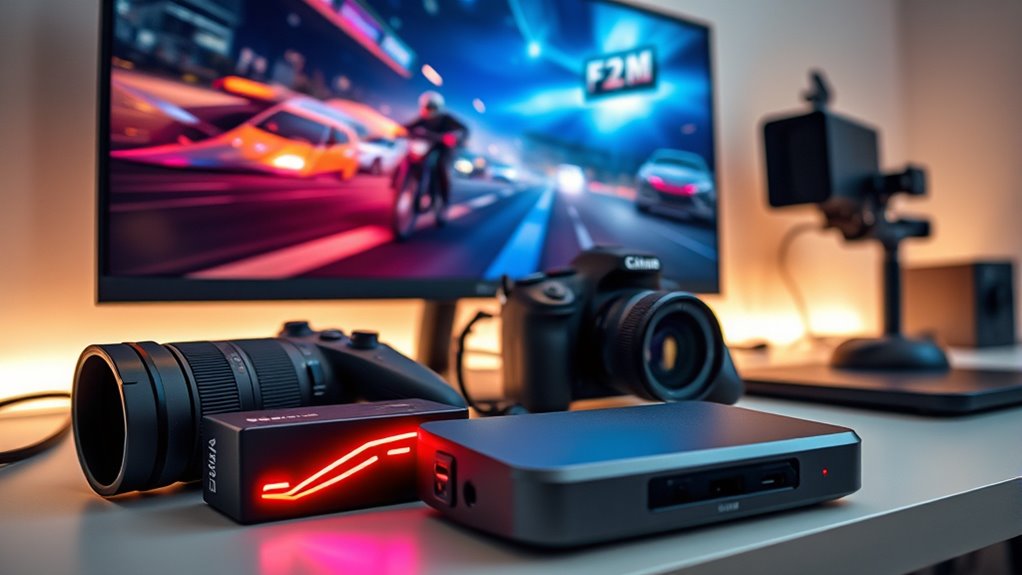

When selecting capture cards for game streaming, the main decision revolves around balancing quality, latency, and compatibility. The Elgato 4K S stands out as the best overall choice, offering 4K passthrough and smooth performance. The Elgato HD60 S provides a reliable, budget-friendly option for 1080p streaming, while the AVerMedia GC573 caters to advanced streamers needing 4K internal capture. These options highlight the tradeoffs involved: higher resolutions and professional features often come with increased cost and complexity. Keep reading to see how these choices compare and find the best fit for your streaming needs.

Get the latest gadgets delivered free with Prime
- Fast, free delivery on millions of items
- Prime Video, Amazon Music and more included
- Member-only deals all year
Complete the kit



Key Takeaways
- High-end options like the Elgato 4K Pro excel in 4K HDR passthrough but come at a premium price.
- External capture cards generally offer easier setup and portability compared to internal cards.
- 4K capture capabilities are increasingly standard, but many streamers still prioritize 1080p for smoother performance.
- Compatibility with multiple consoles and PC is crucial for versatile streaming setups.
- Latency and pass-through quality are key factors for real-time gameplay without delays.
| Fifine AmpliGame Video Capture Card, HD 1080p 60fps, 4K HDMI to USB for Gaming and Streaming |  | Best for Ease of Use and Customizable Streaming Atmosphere | Video Resolution: 1080p/60FPS, 4K/30FPS HDMI pass-through | Connectivity: USB 3.0, HDMI | Compatibility: PS4, PS5, Xbox, Switch, Windows, Mac OS | VIEW ON AMAZON | See Our Full Breakdown |
| Elgato 4K S Capture Card for PS5, Xbox Series X/S, Switch 2 |  | Best for 4K60 Gaming and HDR Content Creation | Capture Resolution: 4K60 | HFR Support: 1440p120 or 1080p240 | HDR10 Support: Yes | VIEW ON AMAZON | See Our Full Breakdown |
| Guermok USB 3.0 HDMI Capture Card, 1080P 60FPS & 2K30 Video Capture Device with 4K HDMI Pass-Through, Mic Input & Audio Output for OBS Streaming, PS5, Switch 2/1, Xbox1, Camera, PC |  | Best for Versatile, Multi-Device Streaming with Flexible Audio Options | Video Capture Resolution: 1080p/60FPS, 2K/30FPS | HDMI Pass-Through: 4K@60Hz | Mic Input: 3.5mm TRS | VIEW ON AMAZON | See Our Full Breakdown |
| Elgato HD60 S External Capture Card for Streaming and Recording in 1080p60 |  | Best for Low-Latency, Reliable HD Streaming | Video Capture Resolution: 1080p60 | Features: True Passthrough, Instant Gameview | Compatibility: PS5, PS4/Pro, Xbox Series X/S, Xbox One X/S, PC, Mac | VIEW ON AMAZON | See Our Full Breakdown |
| XIIXMASK Video Capture Card, 4K HDMI Loop-Out, 1080P 60FPS/2K 30FPS, USB 3.0 for Streaming and Gaming |  | Best for High-Resolution Input and Broad Compatibility | Hardware Interface: USB 3.0 | Video Capture Resolution: 1080p, 1440p | Operating System: Windows 8.1/10/11, macOS, Linux, Android 5.0+ | VIEW ON AMAZON | See Our Full Breakdown |
| Newhope HDMI Capture Card for Streaming, Full HD 1080P 60FPS USB 3.0 Video Capture |  | Best for Budget-Friendly, Easy Setup Streaming | Video Resolution: 1080p 60FPS | Connectivity: USB 3.0 | Input: HDMI | VIEW ON AMAZON | See Our Full Breakdown |
| Acer USB 3.0 Video Capture Card, HDMI Capture Card for Streaming with 4K Loop-Out & USB A/C, 1080P 60Hz HD, Game Capture for PS5/PS4/Switch/Xbox/Camera/PC/Mac |  | Best for Versatile, High-Resolution Streaming on Multiple Platforms | Video Input: 4K | Video Output: 1080P@60Hz | Technology: YUY2 | VIEW ON AMAZON | See Our Full Breakdown |
| 4K HDMI Capture Card USB 3.0 – 1080P 60FPS Gaming & Streaming Video Capture Card with HDMI Loop-Out |  | Best for Compact, High-Quality Gaming and Streaming | Resolution: 1080p 60FPS | Input: HDMI | Output: USB 3.0 | VIEW ON AMAZON | See Our Full Breakdown |
| AVerMedia GC573 Live Gamer 4K Internal Capture Card |  | Best for 4K HDR Gaming and Professional Streaming | Video Resolution: 4K60 HDR10 | Frame Rate: up to 240 fps | Compatibility: PS5, PS4 Pro, Xbox Series X/S, Xbox One X | VIEW ON AMAZON | See Our Full Breakdown |
| 4K HDMI Video Capture Card, 1080P 60FPS Game Capture Device for Streaming |  | Best for Versatile, High-Quality Capture with Microphone Support | Resolution: 1080p 60FPS | Input: HDMI up to 4K30/60Hz | Output: up to 2K30Hz | VIEW ON AMAZON | See Our Full Breakdown |
| Acer HDMI to USB 3.0 Video Capture Card for Streaming and Recording |  | Best Budget-Friendly 1080p Capture Card | Hardware Interface: HDMI, USB 3.0 Type A, USB 3.0 Type C | Video Capture Resolution: 1080p | Operating System: Android 5.0+, Linux, MacOS, Windows 8.1/10/11, iPadOS 17+ | VIEW ON AMAZON | See Our Full Breakdown |
| EVGA XR1 Pro Capture Card, 1440p/4K HDR Capture and Pass-Through, USB 3.1, ARGB, Audio Mixer, Compatible with PC, PS5, PS4, Xbox Series X/S, Xbox One, Nintendo Switch |  | Best for Advanced Gamers Seeking 4K HDR and Customization | Capture Resolution: 1440p at 60fps, 4K at 30fps | HDR Pass-Through: Yes | Connectivity: USB 3.1 | VIEW ON AMAZON | See Our Full Breakdown |
| UGREEN 2K@30Hz HDMI to USB Capture Card for Streaming and Recording |  | Best Versatile 2K/1080p Capture with Low Latency | Resolution Input: 4K@30Hz | Resolution Output: 2K@30Hz, 1080p@60FPS | Data Transfer Speed: 5 Gbps | VIEW ON AMAZON | See Our Full Breakdown |
| Elgato 4K Pro Internal Capture Card, 8K60 Passthrough, 4K60 HDR10, HDMI 2.1, Up to 1080p240 Recording, VRR Support, Ultra-low Latency, Dual PC Setup |  | Best for High-End 4K and 8K Streamers & Content Creators | Resolution: 8K60 passthrough, 4K60 HDR10 | Frame Rate: Up to 1080p240 recording | Connectivity: HDMI 2.1 | VIEW ON AMAZON | See Our Full Breakdown |
| ASUS TUF Gaming Video Capture Card CU4K30 |  | Best for Durable 4K HDR Streaming on a Budget | Video Pass-through: 4K HDR at 60 Hz | Capture Resolution: 4K at 30 Hz, 2K at 60 Hz, Full HD at 120 fps | Connectivity: USB 3.2 Type-C | VIEW ON AMAZON | See Our Full Breakdown |
| capture cards for game streaming | Compatibility |
|---|---|
| Fifine AmpliGame Video Capture | PS4, PS5, Xbox, Switch, Windows, Mac OS |
| Elgato 4K S Capture Card for P | PS5, Xbox Series X/S, Switch 2 |
| Guermok USB 3.0 HDMI Capture C | PS5, Switch, Xbox, PC, Mac |
| Elgato HD60 S External Capture | PS5, PS4/Pro, Xbox Series X/S, Xbox One X/S, PC, Mac |
| XIIXMASK Video Capture Card | — |
| Newhope HDMI Capture Card for | Windows, macOS, Linux, PS4, PS5, Xbox, Switch |
| Acer USB 3.0 Video Capture Car | Switch, PS5, PS4, Xbox, DSLR, PC, macOS, Android |
| 4K HDMI Capture Card USB 3.0 | PS5, Xbox, Switch, DSLR, PC, Mac |
| AVerMedia GC573 Live Gamer 4K | PS5, PS4 Pro, Xbox Series X/S, Xbox One X |
| 4K HDMI Video Capture Card | Windows, Mac OS |
| Acer HDMI to USB 3.0 Video Cap | — |
| EVGA XR1 Pro Capture Card | PC, PS5, PS4, Xbox Series X/S, Xbox One, Nintendo Switch |
| UGREEN 2K@30Hz HDMI to USB Cap | Windows 11/10/8.1/7, MacOS, Linux, iPadOS 17+ |
| Elgato 4K Pro Internal Capture | Dual PC setup |
| ASUS TUF Gaming Video Capture | OBS Studio, PC, PS5, Xbox, Switch |
More Details on Our Top Picks
Fifine AmpliGame Video Capture Card, HD 1080p 60fps, 4K HDMI to USB for Gaming and Streaming
This capture card stands out for its straightforward plug-and-play setup, making it ideal for streamers who want reliable 1080p/60fps performance without fuss. Unlike the Elgato HD60 S, which offers ultra-low latency for seamless gameplay, the Fifine AmpliGame emphasizes ease and aesthetic appeal with customizable RGB lighting, adding personality to streams. Its 4K HDMI pass-through ensures you can enjoy high-quality visuals on your monitor while streaming in full HD. The main tradeoff is that it relies on your own USB cable and doesn’t include built-in storage or advanced streaming features, which some users might miss. Compared to higher-end options, it’s better suited for casual streamers or content creators who prioritize simplicity and visual customization over advanced features.
Pros:- Simple, driver-free setup for quick start
- High-quality 1080p/60fps streaming with 4K HDMI pass-through
- Customizable RGB lighting enhances stream aesthetics
Cons:- Requires your own USB cable for optimal performance
- HDMI cables are not included, adding extra cost
Best for: Beginners or casual streamers who want an easy, attractive setup with solid full HD performance
Not ideal for: Professional streamers or those needing 4K recording and advanced streaming tools
- Video Resolution:1080p/60FPS, 4K/30FPS HDMI pass-through
- Connectivity:USB 3.0, HDMI
- Compatibility:PS4, PS5, Xbox, Switch, Windows, Mac OS
- RGB Lighting:Yes, 9 modes
- Additional Ports:HDMI Output, LINE IN, Headset Port
Our verdict“This pick makes the most sense for newcomers or streamers who value ease and visual flair over advanced features.”
Elgato 4K S Capture Card for PS5, Xbox Series X/S, Switch 2
The Elgato 4K S excels in delivering crisp 4K60 capture with support for HDR10, making it perfect for streamers aiming for vivid, professional-quality visuals. It supports high frame rates up to 1440p120 or 1080p240, surpassing many competitors like the XIIXMASK, which focuses on 4K pass-through but doesn’t emphasize high frame rate capture. However, the Elgato requires a compatible setup with specific hardware and software, and it doesn’t include internal streaming features, requiring external software for live broadcasts. Compared to the Fifine AmpliGame, which is more user-friendly for beginners, the Elgato targets serious content creators who demand high fidelity and color accuracy for their streams.
Pros:- Stunning 4K60 capture with HDR10 support
- Supports high frame rates for smooth gameplay footage
- Cross-platform compatibility for PS5, Xbox Series X/S, Switch 2
Cons:- Requires specific hardware and setup, not plug-and-play
- No built-in streaming or editing features
Best for: Advanced gamers and professional streamers who need 4K HDR recording with high frame rate support
Not ideal for: Casual streamers or those with limited hardware compatibility who only want basic HD recording
- Capture Resolution:4K60
- HFR Support:1440p120 or 1080p240
- HDR10 Support:Yes
- Compatibility:PS5, Xbox Series X/S, Switch 2
- Audio Input:3.5mm analog
Our verdict“Ideal for streamers seeking top-tier 4K quality and HDR support, but less suitable for casual or beginner users.”
Guermok USB 3.0 HDMI Capture Card, 1080P 60FPS & 2K30 Video Capture Device with 4K HDMI Pass-Through, Mic Input & Audio Output for OBS Streaming, PS5, Switch 2/1, Xbox1, Camera, PC
The Guermok capture card shines for its versatility, supporting 1080p/60fps and 2K30 video, with the ability to pass through 4K at 60Hz, making it highly adaptable for different streaming setups. It’s a step up from basic models like the UGREEN but doesn’t reach the high-end 4K HDR capabilities of the Elgato 4K S. Its inclusion of mic input, audio output, and HDMI pass-through makes it a strong choice for streamers who want integrated audio and minimal latency. However, it’s limited to 1080p/60fps or 2K/30fps for recording, lacking true 4K recording support, and the microphone input only supports standard TRS microphones, which may restrict some users. Compared to the XIIXMASK, it offers more flexible audio but less support for high-resolution recording.
Pros:- Supports 1080p/60fps and 2K/30fps recording
- 4K HDMI pass-through at 60Hz ensures smooth gameplay display
- Includes mic input and audio output for commentary
Cons:- Limited to 1080p/60fps or 2K/30fps for recording, no true 4K recording
- Microphone input only supports TRS, not USB or TRRS microphones
Best for: Streamers or content creators seeking flexible software compatibility and multi-device support with integrated audio options
Not ideal for: High-end 4K HDR streamers or professional broadcasters needing 4K recording capabilities
- Video Capture Resolution:1080p/60FPS, 2K/30FPS
- HDMI Pass-Through:4K@60Hz
- Mic Input:3.5mm TRS
- Compatibility:PS5, Switch, Xbox, PC, Mac
Our verdict“A flexible, multi-device streaming option with good audio support, best suited for intermediate streamers needing versatility.”
Elgato HD60 S External Capture Card for Streaming and Recording in 1080p60
The Elgato HD60 S is a staple for many streamers, offering 1080p/60fps recording with true passthrough for lag-free gameplay. It excels in low-latency workflows thanks to its instant Gameview, making it suitable for competitive players. Compared with the XIIXMASK, which supports higher resolutions, the HD60 S focuses on stable, high-quality HD capture with a straightforward design. It does require an external power source, which adds some setup complexity, and its resolution ceiling at 1080p60 means it lacks the 4K support that some creators now prioritize. This makes the HD60 S a solid choice for those who want dependable HD performance without needing the latest resolution capabilities.
Pros:- High-quality 1080p/60fps recording with low latency
- True passthrough supports lag-free gameplay
- Supports multiple platforms including consoles and PC
Cons:- Requires external power source
- Limited to 1080p resolution, no 4K support
Best for: Casual or intermediate streamers who prioritize low latency and reliable HD recording
Not ideal for: Professional 4K content creators or streamers seeking ultra-high resolution capture
- Video Capture Resolution:1080p60
- Features:True Passthrough, Instant Gameview
- Compatibility:PS5, PS4/Pro, Xbox Series X/S, Xbox One X/S, PC, Mac
Our verdict“This model makes the most sense for streamers who want dependable HD capture with minimal latency, without the need for 4K or HDR.”
XIIXMASK Video Capture Card, 4K HDMI Loop-Out, 1080P 60FPS/2K 30FPS, USB 3.0 for Streaming and Gaming
The XIIXMASK captures at 4K HDMI input and supports loop-out at 4K 60Hz, making it appealing for creators who need high-resolution input without necessarily recording in 4K. It supports 1080p60 or 2K30 output, which is suitable for streaming and gaming, but it doesn’t match the 4K recording capabilities of the Elgato 4K S. Its broad OS compatibility, including Linux and Android, along with a lightweight design, makes it versatile. However, it cannot record party chat audio, and its output maxes at 2K or 1080p, limiting its use for 4K recording. Compared with the Guermok, it offers higher resolution input but lacks integrated microphone support and advanced streaming features.
Pros:- Supports 4K HDMI input and loop-out at 4K 60Hz
- Compatible with many operating systems including Linux and Android
- Lightweight and portable design
Cons:- Does not support party chat audio recording
- Limited to 1080p/60fps or 2K/30fps for recordings
Best for: Streamers needing high-quality HDMI pass-through with broad device compatibility and simple 1080p/60fps recording
Not ideal for: Professional content creators requiring 4K recording or integrated audio features
- Hardware Interface:USB 3.0
- Video Capture Resolution:1080p, 1440p
- Operating System:Windows 8.1/10/11, macOS, Linux, Android 5.0+
- Special Features:Mic-in for Commentary
- Platform Compatibility:Windows, Mac, Linux, Android, PS4, PS5, Switch, Camera, TV Box
Our verdict“Best suited for users who need high-resolution input and broad compatibility but don’t require 4K recording or party chat capture.”
Newhope HDMI Capture Card for Streaming, Full HD 1080P 60FPS USB 3.0 Video Capture
This capture card stands out for its straightforward plug-and-play design, delivering full HD 1080p at 60FPS with low latency, making it an excellent choice for those new to streaming or gaming. Compared with the Elgato HD60 S, it offers comparable video quality but without the advanced software features or the sleek external design. The inclusion of a microphone input enhances its appeal for streamers who want quick setup, yet the microphone input only supports 3.5mm TRS headsets, limiting flexibility for higher-quality audio setups. The real tradeoff is that this model doesn’t include external power options or additional features like customizable overlays, which might matter for more serious creators. This pick makes the most sense for casual streamers or gamers seeking reliable 1080p recording without extra bells and whistles.
Pros:- High-quality 1080p 60FPS video with low latency
- Easy to set up with plug-and-play operation
- Supports real-time HDMI loop-out for smooth gameplay
Cons:- Microphone input limited to 3.5mm TRS headsets
- Lacks external power or advanced features
Best for: Beginner streamers and gamers on a budget who want easy, reliable 1080p capture.
Not ideal for: Advanced content creators needing multiple inputs, software customization, or 4K recording options.
- Video Resolution:1080p 60FPS
- Connectivity:USB 3.0
- Input:HDMI
- Microphone Input:3.5mm TRS
- Compatibility:Windows, macOS, Linux, PS4, PS5, Xbox, Switch
- Features:Real-time HDMI loop-out
Our verdict“Ideal for beginners who prioritize simple, reliable 1080p streaming without complex setup or extra features.”
Acer USB 3.0 Video Capture Card, HDMI Capture Card for Streaming with 4K Loop-Out & USB A/C, 1080P 60Hz HD, Game Capture for PS5/PS4/Switch/Xbox/Camera/PC/Mac
This model excels in offering 4K input with 1080p@60Hz output, making it a versatile choice for creators who may want to upgrade later or need broad device compatibility. Compared to the Newhope capture card, it supports higher input resolution (4K) but only outputs 1080p at 60Hz, which might be a limitation for those wanting full 4K live streams. Its plug-and-play design and broad compatibility with devices like DSLRs, consoles, and PCs make it appealing for on-the-go content creation, but it doesn’t specify bundled software or editing tools, which could require additional investment. The 4K loop-out feature provides flexibility for multi-monitor setups, yet the lack of detailed documentation on included accessories might complicate initial setup. This pick suits creators looking for a flexible, high-quality hardware that works across multiple systems and devices.
Pros:- Supports 4K input with smooth 1080p output
- Plug-and-play with no driver installation
- Compatible with a wide range of devices and platforms
Cons:- No detailed info on included accessories or software
- Limited to 1080p output resolution for streaming
Best for: Content creators and streamers needing broad device support with high-quality input options.
Not ideal for: Streamers primarily focused on 4K streaming or those seeking comprehensive bundled software solutions.
- Video Input:4K
- Video Output:1080P@60Hz
- Technology:YUY2
- Microphone-in:Yes
- Compatibility:Switch, PS5, PS4, Xbox, DSLR, PC, macOS, Android
- Loop-Out:4K
Our verdict“Best suited for versatile creators who want high-quality input and broad device compatibility without complex setup.”
4K HDMI Capture Card USB 3.0 – 1080P 60FPS Gaming & Streaming Video Capture Card with HDMI Loop-Out
This capture card offers a solid 1080p 60FPS capture with a focus on portability, thanks to its compact size and simple setup. It’s comparable to the AVerMedia GC573 in terms of high-quality video but is more streamlined for straightforward use, making it ideal for gamers who need a portable solution. The HDMI loop-out minimizes lag during gameplay, and its universal compatibility makes it suitable for consoles, cameras, and PCs. However, its main limitation is that it’s restricted to 1080p recording, unlike other options supporting higher resolutions or HDR. It doesn’t include advanced features like software overlays or editing tools, which might be a drawback for more advanced streamers. This pick is perfect for on-the-go content creators who want reliable 1080p capture without extra complexity.
Pros:- High-quality 1080p 60FPS capture
- Compact and portable design
- HDMI loop-out for smooth gameplay
Cons:- Limited to 1080p recording, no 4K support
- No included editing or overlay features
Best for: Casual gamers and streamers needing a portable, reliable 1080p capture device.
Not ideal for: Streamers seeking 4K recording, advanced features, or professional-grade software integration.
- Resolution:1080p 60FPS
- Input:HDMI
- Output:USB 3.0
- Features:HDMI loop-out, low-latency
- Compatibility:PS5, Xbox, Switch, DSLR, PC, Mac
- Size:Small and lightweight
Our verdict“Ideal for gamers on the move who want a dependable, straightforward 1080p capture solution.”
AVerMedia GC573 Live Gamer 4K Internal Capture Card
The AVerMedia GC573 provides 4K60 HDR10 capture with zero-lag pass-through, making it ideal for high-end streamers and professional gamers aiming for top-tier image quality. It supports up to 240 fps recording, a feature that surpasses most external options like the Newhope, which are limited to 60fps. Its customizable RGB lighting and preset modes add a personal touch to a dedicated streaming setup. However, as an internal card, it requires a compatible PC and some familiarity with installation, which could be a hurdle for beginners. Additionally, it’s primarily designed for specific consoles like PS5 and Xbox Series X/S, limiting flexibility for other devices. This is the choice for serious streamers who demand 4K HDR quality and high-frame-rate recording.
Pros:- Supports 4K60 HDR10 video with zero-lag pass-through
- High-frame recording up to 240 fps
- Customizable RGB lighting and preset modes
Cons:- Requires compatible PC and some installation effort
- Limited to specific gaming consoles
Best for: Advanced streamers and gamers with high-end PCs seeking 4K HDR capture and customizable features.
Not ideal for: Casual streamers or those without a compatible PC or who prefer external plug-and-play devices.
- Video Resolution:4K60 HDR10
- Frame Rate:up to 240 fps
- Compatibility:PS5, PS4 Pro, Xbox Series X/S, Xbox One X
- Features:Zero-lag pass-through, RGB lighting
- Type:Internal PCIe
- Setup:Requires PC installation
Our verdict“Perfect for experienced streamers who need professional-grade 4K HDR capture with high-frame-rate flexibility.”
4K HDMI Video Capture Card, 1080P 60FPS Game Capture Device for Streaming
This capture card offers 1080p 60FPS recording paired with a support for HDMI input up to 4K30/60Hz, making it flexible for a variety of devices. Compared with the Acer USB 3.0 model, it emphasizes microphone input and compatibility, making it well-suited for streamers who want easy setup and good quality. Its plug-and-play design and low-latency HDMI pass-through are beneficial for live gameplay, but it doesn’t support 4K120Hz or higher, limiting future-proofing for high-refresh-rate gaming. The output is capped at 2K30Hz, which might not satisfy users wanting 4K streaming. The lack of built-in editing features means additional software is needed for content creation. This device is ideal for casual to intermediate streamers who prioritize ease of use and decent quality.
Pros:- High-quality 1080p 60FPS capture
- Supports HDMI input up to 4K30/60Hz
- Plug-and-play with low latency
Cons:- Limited to 2K30Hz output resolution
- No included editing software or advanced features
Best for: Streamers and gamers seeking a straightforward, reliable 1080p capture device with microphone support.
Not ideal for: High-end streamers or those needing 4K60 or higher for professional broadcasts.
- Resolution:1080p 60FPS
- Input:HDMI up to 4K30/60Hz
- Output:up to 2K30Hz
- Microphone Input:3.5mm TRS
- Compatibility:Windows, Mac OS
- Features:Plug-and-play, low latency
Our verdict“Great for casual streamers who want versatile, easy setup with decent quality at an affordable price.”
Acer HDMI to USB 3.0 Video Capture Card for Streaming and Recording
The Acer HDMI to USB 3.0 Video Capture Card stands out for its affordability and straightforward 1080P 60FPS streaming, making it a solid choice for newcomers or casual streamers. Compared to the Elgato HD60 S, it offers similar ease of use but at a lower price, though it sacrifices some advanced features like HDR support or 4K passthrough. Its plug-and-play design and broad OS support simplify setup, but it’s limited to HDMI to USB transmission, with no reverse HDMI output or 4K recording capabilities. This makes it less suitable for high-end content creators needing 4K or multi-device setups. If your priority is reliable 1080P streaming without extra bells and whistles, this option delivers.
Pros:- Supports smooth 1080P 60FPS streaming and recording
- Compatible with multiple OS including Windows, Mac, Linux, Android, and iPadOS
- No driver installation needed, plug-and-play simplicity
Cons:- Limited to HDMI to USB transmission; no HDMI output or 4K capture
- Requires USB 3.0 for optimal performance, limiting older hardware
Best for: Beginners or casual streamers seeking an affordable, easy-to-use 1080p capture solution
Not ideal for: Professional streamers or gamers wanting 4K capture or HDR support, as this model doesn’t handle higher resolutions or advanced features
- Hardware Interface:HDMI, USB 3.0 Type A, USB 3.0 Type C
- Video Capture Resolution:1080p
- Operating System:Android 5.0+, Linux, MacOS, Windows 8.1/10/11, iPadOS 17+
- Input:4K@30fps
- Output:1080P@60fps
- Platform Compatibility:Android, Mac, Meta Quest, Windows, Xbox
- AV Output:MJPEG, YUY2
Our verdict“This capture card suits budget-conscious beginners focusing on reliable 1080p streaming without demanding high resolutions or advanced features.”
EVGA XR1 Pro Capture Card, 1440p/4K HDR Capture and Pass-Through, USB 3.1, ARGB, Audio Mixer, Compatible with PC, PS5, PS4, Xbox Series X/S, Xbox One, Nintendo Switch
The EVGA XR1 Pro excels at delivering high-quality 1440p 60FPS or 4K 30FPS HDR pass-through, making it ideal for gamers wanting crisp visuals and versatile device support. Unlike the ASUS CU4K30, which emphasizes 4K HDR passthrough at a more limited resolution, the XR1 Pro offers broader resolution options with customizable RGB lighting and an integrated audio mixer, adding a layer of personalization. However, it caps at 30fps for 4K, which might fall short for fast-paced gameplay demanding higher frame rates at 4K. Its plug-and-play setup simplifies use, but the lack of bundled accessories and a higher price point make it better suited for dedicated streamers or competitive gamers who value HDR and aesthetic features.
Pros:- Supports high-quality 1440p and 4K HDR pass-through and recording
- Customizable RGB lighting and built-in audio mixer
- Simple, driver-free setup with broad console compatibility
Cons:- Limited to 30fps at 4K resolution, restricting fast-action capture
- No included accessories or extra features, requiring additional setup investments
Best for: Serious gamers and streamers who want 1440p/4K HDR capture with customization options and advanced audio features
Not ideal for: Casual streamers or users needing high frame rate 4K capture at 60fps, as this model is limited to 30fps at 4K
- Capture Resolution:1440p at 60fps, 4K at 30fps
- HDR Pass-Through:Yes
- Connectivity:USB 3.1
- Features:ARGB lighting, built-in audio mixer
- Compatibility:PC, PS5, PS4, Xbox Series X/S, Xbox One, Nintendo Switch
- Warranty:2 years
Our verdict“This pick is perfect for gamers who prioritize HDR, customization, and high-quality resolution, accepting some fps limitations at 4K.”
UGREEN 2K@30Hz HDMI to USB Capture Card for Streaming and Recording
The UGREEN 2K@30Hz HDMI to USB Capture Card balances resolution and compatibility, supporting 2K at 30Hz and 1080p at 60FPS, making it suitable for a wide range of streaming setups. Compared with the Elgato HD60 S, which offers 1080p at 60FPS, the UGREEN provides higher resolution input, though at a lower frame rate for 2K. Its low latency and durable aluminum casing make it appealing for mobile and desktop users alike. Still, it only supports HDMI input, not output, and requires disabling HDCP for some consoles like PS4/PS5, which can complicate setup. This device caters well to streamers needing flexible resolutions, but not those wanting full 4K or 120Hz capture at higher resolutions.
Pros:- Supports 2K at 30Hz and 1080p at 60FPS for versatile streaming
- Compatible with a broad range of devices including consoles, PC, and mobile
- Low latency and heat dissipation via durable aluminum casing
Cons:- Only supports HDMI input, no HDMI output for pass-through or multi-device setup
- HDCP must be disabled for some consoles, which might limit usability
Best for: Streamers who need flexible resolution options and reliable performance for a variety of devices
Not ideal for: High-end streamers requiring 4K or 120Hz capture, or those needing HDMI output functionality
- Resolution Input:4K@30Hz
- Resolution Output:2K@30Hz, 1080p@60FPS
- Data Transfer Speed:5 Gbps
- Interfaces:USB-A, USB-C
- Compatibility:Windows 11/10/8.1/7, MacOS, Linux, iPadOS 17+
- HDCP Support:Disable for PS4/PS5
Our verdict“Ideal for streamers seeking flexible resolution support with reliable low-latency performance on multiple devices.”
Elgato 4K Pro Internal Capture Card, 8K60 Passthrough, 4K60 HDR10, HDMI 2.1, Up to 1080p240 Recording, VRR Support, Ultra-low Latency, Dual PC Setup
The Elgato 4K Pro Internal Capture Card redefines high-resolution capturing with support for 8K60 passthrough and 4K60 HDR10 recording, making it the top choice for professionals and enthusiasts seeking maximum quality. Its HDMI 2.1 support enables high frame rates and VRR for smooth gameplay, surpassing the ASUS CU4K30 in raw capabilities. However, this power comes with a steep price and the need for compatible hardware, as well as a more complex setup process. Its ultra-low latency and dual PC support make it a favorite among streamers who demand seamless performance, but it may be overkill for casual users or those not prepared for high-end system requirements.
Pros:- Supports 8K60 passthrough and 4K60 HDR10 recording
- HDMI 2.1 connectivity enables high frame rate capture and VRR
- Ultra-low latency and dual PC setup support for professional workflows
Cons:- High cost and complex setup requiring compatible hardware
- Overkill for those only needing 1080p or 4K at 30-60Hz
Best for: Pro streamers and content creators needing 8K/4K high-fidelity capture with advanced features
Not ideal for: Casual gamers or budget-conscious streamers, as the high price and complexity may be prohibitive
- Resolution:8K60 passthrough, 4K60 HDR10
- Frame Rate:Up to 1080p240 recording
- Connectivity:HDMI 2.1
- VRR Support:Yes
- Latency:Ultra-low
- Compatibility:Dual PC setup
Our verdict“This capture card is suited for high-end streamers and professionals demanding maximum resolution and features at a premium price.”
ASUS TUF Gaming Video Capture Card CU4K30
The ASUS TUF Gaming CU4K30 offers a reliable, plug-and-play experience for high-quality 4K HDR passthrough and recording at 30Hz. Its USB 3.2 Type-C connection ensures fast data transfer, and the certified OBS support guarantees compatibility with popular streaming software. Compared to the Elgato 4K Pro, it’s more budget-friendly but limited to 4K at 30Hz for capture, which may not satisfy those needing higher frame rates. Its durable alloy construction and straightforward setup make it a practical choice for gamers who want solid performance without the complexity or cost of high-end options. It’s ideal for capturing cinematic-quality streams but not for fast-paced gameplay requiring 4K at 60Hz or higher fps.
Pros:- Supports 4K HDR passthrough at 60Hz
- Plug-and-play USB 3.2 Type-C connection
- Certified OBS compatibility for reliable streaming
Cons:- Limited to 4K at 30Hz for capture, not 4K60
- Requires USB 3.2 port for best performance
Best for: Gamers and streamers looking for a durable, affordable 4K HDR capture solution with straightforward setup
Not ideal for: Users seeking 4K at 60Hz or higher frame rates, or professional broadcasters needing higher resolutions at 60Hz
- Video Pass-through:4K HDR at 60 Hz
- Capture Resolution:4K at 30 Hz, 2K at 60 Hz, Full HD at 120 fps
- Connectivity:USB 3.2 Type-C
- Compatibility:OBS Studio, PC, PS5, Xbox, Switch
- Durability:Alloy outer shell
Our verdict“This capture card is a reliable, budget-conscious choice for high-quality 4K HDR streaming at 30Hz with durable build quality.”
How We Picked
I evaluated these capture cards based on performance benchmarks such as resolution support, frame rate, and latency to ensure smooth gameplay and streaming quality. Build quality and ease of setup were also key, as a cluttered or unreliable device can hinder streaming sessions. Value was considered by comparing features against price, ensuring options cater to different budgets without sacrificing core performance. Lastly, versatility across platforms and future-proofing with features like HDMI 2.1 or HDR support influenced the rankings, helping me identify the best overall and specialized options for various users.Factors to Consider When Choosing Capture Cards For Game Streaming
Choosing the right capture card requires considering several factors that influence your streaming experience. Beyond raw specs, practical considerations such as compatibility, ease of use, and future-proofing play a significant role. Understanding these elements helps avoid costly mistakes and ensures your setup can grow with your streaming ambitions.Resolution and Frame Rate Support
Matching your capture card’s resolution and frame rate capabilities to your target streaming quality is essential. While 4K capture offers the clearest image, it demands more powerful hardware and can increase latency. For most streamers, 1080p60 remains the sweet spot, balancing quality and performance. Be wary of models that advertise high resolutions but struggle with consistent frame rates or introduce delay, which can ruin the viewer experience.
Compatibility with Devices and Platforms
Ensure the capture card supports your gaming hardware and streaming setup. Some cards are optimized for consoles like PS5 or Xbox Series X/S, while others excel with PC or Mac. Also, check for compatibility with streaming software such as OBS or Streamlabs. Choosing a versatile device reduces setup headaches and allows easy switching between different gaming systems without needing multiple cards.
Connectivity and Ease of Setup
Look for cards with straightforward connections, preferably USB 3.0/3.1 or HDMI, depending on your needs. External cards tend to be more portable and easier to set up, ideal for streamers who move between locations. Internal cards can offer lower latency but require opening your PC and more technical know-how. Consider your comfort level and whether you prefer a plug-and-play solution or are comfortable with hardware installation.
Latency and Pass-Through Quality
Low latency is critical for real-time gameplay without lag, especially if you’re streaming fast-paced games. Pass-through quality ensures your gameplay remains smooth, with minimal delay, while capturing high-quality footage. Look for cards that specify low-latency operation and support features like HDR or HDMI 2.1 if you want the best visual fidelity. Remember, higher resolutions often introduce more latency if the hardware isn’t capable, so match your choice to your hardware capacity.
Budget vs. Future-Proofing
While budget options are tempting, investing a little more can provide better longevity and features like 4K HDR or VRR support. Consider your growth plans—if you aim to upgrade to 4K streaming or VR content, a higher-end card now might save money and hassle later. Conversely, if you’re just starting, a reliable 1080p60 card can meet your needs without overpaying. Think about how your streaming setup might evolve over the next few years.
Frequently Asked Questions
Is it better to get an internal or external capture card?
Choosing between internal and external capture cards depends on your setup and preferences. External cards are typically easier to install, portable, and compatible with multiple devices, making them ideal for streamers who move around or want a simple setup. Internal cards, on the other hand, often provide lower latency and higher stability, which can benefit high-end gamers and those with custom PC builds. Consider your technical comfort level, mobility needs, and performance expectations when making this choice.
Can I stream in 4K with a capture card and still get smooth gameplay?
Yes, but achieving smooth gameplay at 4K depends heavily on your hardware’s processing power and the capture card’s capabilities. High-end cards like the Elgato 4K Pro support 4K passthrough, allowing you to play games in 4K while streaming at lower resolutions. However, your PC’s CPU, GPU, and bandwidth also need to be capable of handling the increased data load. For most streamers, 1080p60 remains more practical, but 4K streaming is becoming more accessible with top-tier equipment.
What features should I prioritize if I want to stream fast-paced games?
For fast-paced games, prioritize low latency and high frame rate support. A capture card with HDMI pass-through and low delay ensures your gameplay remains responsive. Also, look for models that support 1080p60 or higher, as higher frame rates reduce motion blur and provide a smoother experience. Features like HDR and VRR are less critical but can improve visual quality if your setup supports them. Keep in mind that your PC and internet upload speed also play vital roles in achieving a seamless stream.
Are higher-priced capture cards worth the investment?
Higher-priced capture cards often include features like 4K HDR support, internal capture capabilities, and ultra-low latency pass-through, which can justify the cost for serious streamers or professionals. If you plan to upgrade to 4K gaming or require the best visual fidelity, investing in a premium card can future-proof your setup. However, for casual streaming or beginners, more affordable options like the Elgato HD60 S provide reliable performance without overspending. Consider your current needs and future goals to decide if the extra cost aligns with your streaming ambitions.
How important is compatibility with streaming software?
Compatibility with popular streaming software like OBS, Streamlabs, or XSplit is essential for a hassle-free experience. Most modern capture cards are plug-and-play with these programs, but it’s worth verifying before purchase. Compatibility ensures you can easily configure your stream, add overlays, and manage audio without technical headaches. Some cards come with proprietary software that simplifies setup, which can be a bonus for beginners. Ensuring software compatibility helps streamline your workflow and improves overall streaming quality.
Conclusion
For most users, the Elgato 4K S offers the best blend of quality, features, and ease of use, making it ideal for serious streamers seeking 4K support. Budget-conscious streamers who want reliable 1080p60 performance should consider the Elgato HD60 S for its simplicity and value. If you’re aiming for professional-level quality and future-proofing, the AVerMedia GC573 provides robust 4K internal capture capabilities. Beginners starting out with casual streaming might prefer plug-and-play options like the Fifine or Newhope models. Select based on your current setup, budget, and long-term streaming goals to get the most out of your investment.
As an affiliate, we earn on qualifying purchases.Columbus Day / Indigenous Peoples' Day Picks
long weekend sales