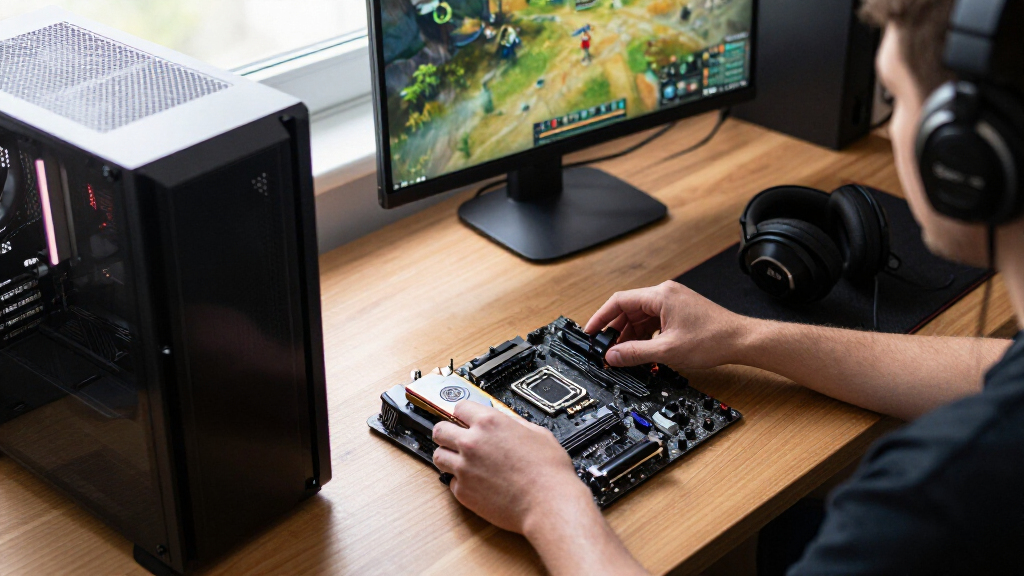

The best gaming CPU overall in this lineup is the AMD Ryzen 7 9800X3D, a gaming-focused eight-core choice that sits ahead of more general-purpose processors for a play-first build. The Ryzen 7 7800X3D is a strong alternative for buyers weighing an earlier X3D model, while the Ryzen 9 9950X3D suits people who also need substantial multicore performance. Your main tradeoffs are gaming speed versus productivity capacity, current-platform upgrade options versus older-platform reuse, and CPU power against the graphics card you plan to buy. A larger core count does not automatically mean better game performance, and the rest of the system can limit what a CPU delivers. Read on for the full breakdown and help matching a processor to your build.

Get the latest gadgets delivered free with Prime
- Fast, free delivery on millions of items
- Prime Video, Amazon Music and more included
- Member-only deals all year
Complete the kit



Key Takeaways
- The Ryzen 7 9800X3D leads this gaming-focused ranking because its eight-core design prioritizes play rather than adding cores mainly for heavier production work.
- The Ryzen 9 9950X3D is the premium mixed-use pick: its 16 cores give demanding multicore workloads a stronger case than they do for a gaming-only system.
- X3D processors form the clearest gaming-first group in this lineup, but choosing among them also depends on platform generation and whether you are building new or upgrading.
- The Ryzen 5 9600X is the sensible entry point for a new build when you want a modern six-core processor without paying for cores your games may not use.
- The Ryzen 7 5800X3D and Core i9-12900KF serve a different decision: they can make sense for a compatible existing system, but platform age and upgrade path matter more than the CPU name alone.
| AMD Ryzen 7 7800X3D 8-Core, 16-Thread Desktop Processor | 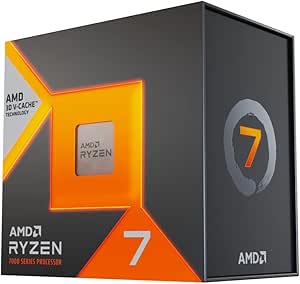 | Best Gaming-Focused Pick | Cores / threads: 8 / 16 | Base clock: 4.2 GHz | L3 cache: 96 MB | VIEW LATEST PRICE | See Our Full Breakdown |
| AMD Ryzen 9 9950X3D 16-Core Desktop Processor |  | Best Premium Gaming and Creation Pick | Architecture: Zen 5 | Cores: 16 | Base clock: 4.3 GHz | VIEW LATEST PRICE | See Our Full Breakdown |
| Intel Core Ultra 9 285K Desktop Processor, 24 Cores, Up to 5.7 GHz |  | Best for Intel 800-Series Enthusiast Builds | Cores: 24 (8 P-cores + 16 E-cores) | Threads: 24 | Maximum frequency: Up to 5.7 GHz | VIEW LATEST PRICE | See Our Full Breakdown |
| AMD Ryzen 5 9600X 6-Core, 12-Thread Unlocked Desktop Processor |  | Best Entry Point for a New AM5 Gaming Build | Architecture: Zen 5 | Cores / threads: 6 / 12 | Base clock: 3.9 GHz | VIEW LATEST PRICE | See Our Full Breakdown |
| Intel Core i7-14700K Desktop Processor, 20 Cores, Unlocked |  | Best for Reusing a Compatible Intel Platform | Cores: 20 (8 P-cores + 12 E-cores) | Threads: 28 | Maximum speed: Up to 5.6 GHz | VIEW LATEST PRICE | See Our Full Breakdown |
| AMD Ryzen 7 9800X3D 8-Core, 16-Thread Desktop Processor |  | Best for High-Frame-Rate Gaming | Architecture: AMD Zen 5 | Cores / threads: 8 / 16 | Maximum clock speed: Up to 5.2 GHz | VIEW LATEST PRICE | See Our Full Breakdown |
| AMD Ryzen 9 9900X 12-Core, 24-Thread Unlocked Desktop Processor |  | Best for Gaming and Content Creation | Architecture: AMD Zen 5 | Cores / threads: 12 / 24 | Maximum boost speed: 5.6 GHz | VIEW LATEST PRICE | See Our Full Breakdown |
| AMD Ryzen 7 5800X3D 8-Core, 16-Thread Desktop Processor |  | Best for AM4 Gaming Upgrades | Cores / threads: 8 / 16 | Maximum boost speed: 4.5 GHz | L3 cache: 96 MB | VIEW LATEST PRICE | See Our Full Breakdown |
| Intel Core i9-12900KF Gaming Desktop Processor |  | Best for Intel Multitasking Builds | Cores / threads: 16 (8 Performance + 8 Efficient) / 24 | Maximum turbo frequency: 5.2 GHz | Base frequency: 3.2 GHz | VIEW LATEST PRICE | See Our Full Breakdown |
| gaming CPU | Socket | Cores / threads | Architecture | Cache |
|---|---|---|---|---|
| AMD Ryzen 7 7800X3D 8-Core | AM5 | 8 / 16 | — | — |
| AMD Ryzen 9 9950X3D 16-Core De | AM5 | — | Zen 5 | 144 MB |
| Intel Core Ultra 9 285K Deskto | LGA 1851 | — | — | 40 MB |
| AMD Ryzen 5 9600X 6-Core | AM5 | 6 / 12 | Zen 5 | 38 MB |
| Intel Core i7-14700K Desktop P | — | — | — | 33 MB |
| AMD Ryzen 7 9800X3D 8-Core | Socket AM5 | 8 / 16 | AMD Zen 5 | — |
| AMD Ryzen 9 9900X 12-Core | Socket AM5 | 12 / 24 | AMD Zen 5 | 76 MB |
| AMD Ryzen 7 5800X3D 8-Core | AM4 | 8 / 16 | — | — |
| Intel Core i9-12900KF Gaming D | LGA1700 | 16 (8 Performance + 8 Efficient) / 24 | Intel 7 (10nm) | — |
More Details on Our Top Picks
AMD Ryzen 7 7800X3D 8-Core, 16-Thread Desktop Processor
I’d shortlist the Ryzen 7 7800X3D for a gaming-first AM5 build where its 96 MB of L3 cache is the main draw. That large cache can help keep game data close to the cores, while eight cores and 16 threads leave room for background apps and everyday creative tasks. Compared with the Ryzen 5 9600X, this model has more cores and substantially more L3 cache, making it the more specialized gaming option; the 9600X is the leaner alternative for buyers prioritizing a newer Zen 5 design and lower stated TDP. The tradeoff is platform and cooling cost: this chip needs an AM5 motherboard, and no stock cooler is included. Its integrated Radeon graphics can provide basic display output, but I wouldn’t choose it as a substitute for a gaming graphics card.
Pros:- 96 MB of L3 cache is a strong fit for cache-sensitive games.
- Eight cores and 16 threads support gaming alongside common background tasks.
- AM5 platform and integrated Radeon graphics provide a basic display option.
- 5 nm process technology pairs its gaming-focused design with a stated 120 W TDP.
Cons:- Requires an AM5 motherboard, adding platform cost for older-system upgraders.
- No stock cooler is included, so cooling must be sourced separately.
- Its gaming specialization is less compelling for buyers focused mainly on heavily threaded workloads.
Best for: PC builders who want a gaming-focused AM5 processor with substantial cache and enough cores for streaming or background workloads.
Not ideal for: Budget-conscious upgraders with an older motherboard, or buyers who need a bundled cooler or a processor centered on heavy multicore production work.
- Cores / threads:8 / 16
- Base clock:4.2 GHz
- L3 cache:96 MB
- Total cache:104 MB
- Socket:AM5
- TDP:120 W
- Process technology:5 nm
- Integrated graphics:AMD Radeon Graphics
Our verdict“Choose the Ryzen 7 7800X3D for an AM5 gaming build where large cache matters more than a bundled cooler or a production-first core count.”
AMD Ryzen 9 9950X3D 16-Core Desktop Processor
The Ryzen 9 9950X3D is the premium choice here for builders who want gaming-focused cache alongside substantial capacity for demanding creative workloads. Its 16 cores, second-generation 3D V-Cache, and boost clock up to 5.7 GHz give it a broader role than the eight-core Ryzen 7 7800X3D: this is the more natural fit when gaming shares the system with intensive multithreaded work. That extra headroom comes with a 170 W power rating and an AM5 motherboard requirement, so cooling and platform planning matter. For a PC used mainly to play games, the 7800X3D may be a more focused match; the 9950X3D makes most sense when the added cores will also earn their place outside games. The supplied details don’t specify integrated graphics, so I wouldn’t count on them for display output.
Pros:- Sixteen cores support demanding work beyond gaming.
- Second-generation 3D V-Cache keeps gaming a central part of its design.
- Boost clock reaches up to 5.7 GHz.
- AM5 socket aligns it with AMD’s current desktop platform.
Cons:- The 170 W power rating calls for careful cooling and system planning.
- Requires an AM5 motherboard.
- Its extra cores make less sense if the PC is used primarily for games.
Best for: Enthusiast builders who game and regularly run demanding multithreaded creative workloads on the same AM5 desktop.
Not ideal for: Gaming-only buyers who would rather avoid the higher 170 W power rating and don’t need 16 cores.
- Architecture:Zen 5
- Cores:16
- Base clock:4.3 GHz
- Max boost clock:Up to 5.7 GHz
- Cache:144 MB
- Secondary cache:16 MB
- Socket:AM5
- Power:170 W
Our verdict“Pick the Ryzen 9 9950X3D if gaming and heavy creative work both need to share one high-end AM5 processor.”
Intel Core Ultra 9 285K Desktop Processor, 24 Cores, Up to 5.7 GHz
I’d put the Core Ultra 9 285K on the shortlist for an enthusiast build already aimed at Intel’s 800-series platform, especially when gaming is only part of the workload. Its 24 cores combine eight P-cores and 16 E-cores, but the listed 24 threads and 40 MB cache don’t tell the same gaming-focused story as the cache-heavy Ryzen 7 7800X3D. Instead, the Intel chip brings an unlocked design, up to 5.7 GHz, DDR5 support, and PCIe 5.0 and 4.0 compatibility for a feature-rich system build. It uses the newer LGA 1851 socket, so buyers need a compatible Intel 800-series motherboard rather than treating it as a drop-in upgrade for older platforms. A thermal solution is not included, adding another part to plan for.
Pros:- 24-core design combines 8 P-cores with 16 E-cores for mixed workloads.
- Unlocked processor with a listed maximum frequency of up to 5.7 GHz.
- Supports DDR5 and PCIe 5.0 and 4.0.
- Integrated Intel Graphics provides display output without a separate graphics card.
Cons:- Requires an Intel 800-series chipset motherboard with the LGA 1851 socket.
- Thermal solution is not included.
- Its 40 MB cache is a less gaming-specialized feature set than the Ryzen 7 7800X3D’s large L3 cache.
Best for: Enthusiast PC builders choosing an Intel 800-series motherboard for gaming alongside content creation and other demanding tasks.
Not ideal for: Buyers upgrading an older Intel platform, or gamers who want a cache-focused CPU and a bundled thermal solution.
- Cores:24 (8 P-cores + 16 E-cores)
- Threads:24
- Maximum frequency:Up to 5.7 GHz
- Cache:40 MB
- Socket:LGA 1851
- Processor base power:125 W
- Memory support:DDR5
- PCIe support:PCIe 5.0 and 4.0
- Motherboard compatibility:Intel 800-series chipset motherboards
Our verdict“Choose the Core Ultra 9 285K for a new Intel 800-series enthusiast system that needs broad workload capacity, not as an older-platform drop-in upgrade.”
AMD Ryzen 5 9600X 6-Core, 12-Thread Unlocked Desktop Processor
For a new AM5 gaming PC, the Ryzen 5 9600X is the straightforward six-core option in this group. Its Zen 5 architecture, boost up to 5.4 GHz, and stated 65 W TDP make it a different proposition from the 120 W Ryzen 7 7800X3D: the 9600X offers fewer cores and lacks the 7800X3D’s large 3D V-Cache, but it has a lower stated power draw and is unlocked for overclocking. That balance suits a gaming build where the graphics card takes priority and workloads are not heavily threaded. The platform still requires an AM5 motherboard, and the included information says a cooler is not included, so it is not a complete low-cost upgrade by itself. Some boards may also need a BIOS update before use.
Pros:- Six cores and 12 threads suit a focused gaming and everyday-use build.
- Boosts up to 5.4 GHz and is unlocked for overclocking.
- Stated 65 W TDP is lower than the 120 W Ryzen 7 7800X3D.
- Supports PCIe 5.0 on select motherboards.
Cons:- No cooler is included, despite the listed air cooling method.
- Requires an AM5 motherboard, and some boards may need a BIOS update.
- Six cores and 38 MB cache make it less specialized for gaming than the Ryzen 7 7800X3D.
Best for: First-time AM5 builders assembling a gaming PC around a dedicated graphics card and moderate multitasking needs.
Not ideal for: Players seeking a cache-specialized gaming processor, or creators whose regular workloads benefit from more than six cores.
- Architecture:Zen 5
- Cores / threads:6 / 12
- Base clock:3.9 GHz
- Max boost clock:5.4 GHz
- Cache:38 MB
- Socket:AM5
- TDP:65 W
- PCIe support:PCIe 5.0 on select motherboards
Our verdict“Pick the Ryzen 5 9600X for a new AM5 gaming build with moderate workloads, and step up to the 7800X3D if gaming-focused cache is the priority.”
Intel Core i7-14700K Desktop Processor, 20 Cores, Unlocked
The Core i7-14700K is the practical choice in this group for builders with a compatible Intel 600- or 700-series motherboard and memory they want to keep using. It pairs eight P-cores with 12 E-cores for 20 cores and 28 threads, reaches up to 5.6 GHz, and supports either DDR4 or DDR5, giving it more platform flexibility than the newer Core Ultra 9 285K, which calls for an Intel 800-series board and DDR5. That flexibility is useful for an upgrade, but it does not make the i7 a gaming-specialized option like the Ryzen 7 7800X3D with its 96 MB of L3 cache. A 600-series board may need a BIOS update, and the supplied data lists its socket as LGA 771; verify the socket with the motherboard before buying, since compatibility depends on accurate platform information.
Pros:- 20 cores and 28 threads support gaming alongside demanding multitasking.
- Unlocked design reaches up to 5.6 GHz.
- Supports both DDR4 and DDR5 memory.
- Intel UHD Graphics 770 provides integrated graphics.
Cons:- The supplied specification lists an LGA 771 socket, which should be verified before purchase.
- A 600-series motherboard may require a BIOS update.
- Its 33 MB cache is less gaming-focused than the Ryzen 7 7800X3D’s 96 MB of L3 cache.
Best for: Owners of a compatible Intel 600- or 700-series desktop who want an unlocked CPU for gaming and multitasking while retaining DDR4 or using DDR5.
Not ideal for: New-build buyers seeking a clearly specified socket, a bundled cooler, or a processor built around large gaming cache.
- Cores:20 (8 P-cores + 12 E-cores)
- Threads:28
- Maximum speed:Up to 5.6 GHz
- Cache:33 MB
- Socket listed:LGA 771
- Processor base power:125 W
- Memory support:DDR4 and DDR5
- Compatible chipsets:Intel 600-series (potential BIOS update required) and 700-series
- Integrated graphics:Intel UHD Graphics 770
Our verdict“Consider the Core i7-14700K for a compatible Intel 600- or 700-series upgrade, but verify the listed socket before committing to a motherboard.”
AMD Ryzen 7 9800X3D 8-Core, 16-Thread Desktop Processor
I’d put the Ryzen 7 9800X3D near the top for a gaming-first build: its 96 MB of L3 cache and Zen 5 design make it a stronger fit for pushing high frame rates than the more productivity-focused Ryzen 9 9900X. Its 8 cores and 16 threads also leave room for streaming and everyday creative work, though buyers focused on heavily threaded workloads get more cores from that Ryzen 9. Compared with the older Ryzen 7 5800X3D, this is the AM5 option, but it calls for a compatible platform rather than reusing an AM4 setup. The main catch is practical: no cooler is included, so I’d budget for suitable cooling and check the full system cost before choosing it.
Pros:- 96 MB of L3 cache is a strong fit for gaming workloads.
- Eight cores and 16 threads support gaming alongside streaming and general multitasking.
- Up to 5.2 GHz maximum clock speed.
- Uses the Socket AM5 platform.
Cons:- A cooler is not included, adding a separate component to the build.
- Requires an AM5-compatible motherboard, unlike the AM4 Ryzen 7 5800X3D.
- Its 8-core design is less suited to heavily threaded work than the 12-core Ryzen 9 9900X.
Best for: PC builders prioritizing high gaming frame rates who are ready to use an AM5 motherboard and buy a separate cooler.
Not ideal for: AM4 owners looking to keep their existing motherboard, or creators who need more than 8 cores for sustained threaded workloads.
- Architecture:AMD Zen 5
- Cores / threads:8 / 16
- Maximum clock speed:Up to 5.2 GHz
- L3 cache:96 MB
- Socket:Socket AM5
- Wattage:140 watts
- Cooler included:No
Our verdict“Choose the Ryzen 7 9800X3D for an AM5 gaming build where gaming performance matters more than having the extra cores of the Ryzen 9 9900X.”
AMD Ryzen 9 9900X 12-Core, 24-Thread Unlocked Desktop Processor
The Ryzen 9 9900X is the better match when a gaming PC also has to handle demanding creative workloads. Its 12 cores and 24 threads give it more room for rendering and other parallel tasks than the 8-core Ryzen 7 9800X3D, while a boost speed up to 5.6 GHz keeps it suited to games that favor fast cores. The tradeoff is that it isn’t the cache-focused gaming pick: the 9800X3D has 96 MB of L3 cache, compared with 76 MB total cache listed here. I’d also factor in the separate cooler and motherboard choice; PCIe 5.0 support depends on the board. The unlocked design gives experienced builders scope to tune performance, but it is less compelling if gaming is the only workload.
Pros:- 12 cores and 24 threads suit parallel creative and multitasking workloads.
- Maximum boost speed reaches 5.6 GHz.
- Unlocked for overclocking.
- Supports DDR5-5600 memory.
Cons:- A cooler is not included.
- Its 76 MB of cache is less than the 96 MB L3 cache on the Ryzen 7 9800X3D.
- PCIe 5.0 support depends on the motherboard.
Best for: AM5 builders who play games but also regularly render, edit, or run other CPU-heavy multitasking workloads.
Not ideal for: Gaming-only buyers focused on cache-heavy performance, or builders who want a boxed processor with a cooler included.
- Architecture:AMD Zen 5
- Cores / threads:12 / 24
- Maximum boost speed:5.6 GHz
- Cache:76 MB
- Memory support:DDR5-5600
- Socket:Socket AM5
- Wattage:120 watts
- Overclocking:Unlocked
Our verdict“Pick the Ryzen 9 9900X if your gaming system also needs 12 cores for regular creative work, rather than prioritizing the 9800X3D’s larger L3 cache.”
AMD Ryzen 7 5800X3D 8-Core, 16-Thread Desktop Processor
For someone keeping an existing AM4 system, the Ryzen 7 5800X3D offers a gaming-focused upgrade without moving to the AM5 platform. Its 96 MB of L3 cache and 8-core, 16-thread layout are aimed at games that benefit from extra cache, while support for DDR4-3200 lets compatible builds retain their memory. Compared with the newer Ryzen 7 9800X3D, it has a lower listed maximum boost of 4.5 GHz and belongs to an older socket, so it is not the pick for a new AM5 build. Motherboard compatibility also matters: PCIe 4.0 support is listed for compatible X570 and B550 boards. No cooler comes in the box, making this an upgrade for builders who already have a capable cooling solution or plan to add one.
Pros:- 96 MB of L3 cache targets gaming workloads.
- Eight cores and 16 threads support gaming and everyday multitasking.
- Supports DDR4-3200 memory, which can suit an existing AM4 build.
- PCIe 4.0 support is available on compatible X570 and B550 motherboards.
Cons:- Maximum boost speed is 4.5 GHz, below the Ryzen 7 9800X3D’s listed 5.2 GHz.
- Requires an AM4 motherboard and is not the fit for a new Socket AM5 system.
- A cooler is not included, and PCIe 4.0 support depends on the motherboard.
Best for: AM4 owners with a compatible motherboard and DDR4 memory who want a gaming-focused CPU upgrade without changing platforms.
Not ideal for: Anyone building a new AM5 system, or users who need a cooler included and do not already have a compatible option.
- Cores / threads:8 / 16
- Maximum boost speed:4.5 GHz
- L3 cache:96 MB
- Memory support:DDR4-3200
- Socket:AM4
- PCIe support:PCIe 4.0 on compatible X570 and B550 motherboards
- Wattage:105 watts
- Cooler included:No
Our verdict“Choose the Ryzen 7 5800X3D when you want to extend a compatible AM4 gaming PC, not when you’re assembling a new AM5 build.”
Intel Core i9-12900KF Gaming Desktop Processor
The Core i9-12900KF earns its place for buyers who want a high core count for gaming alongside heavy multitasking. Its hybrid layout combines 8 Performance cores and 8 Efficient cores, with 24 threads, so background tasks can run alongside demanding foreground work. That makes it a different proposition from the cache-focused Ryzen 7 9800X3D, which has fewer cores and is more directly aimed at gaming. The Intel chip is unlocked, but its 125W TDP and lack of included graphics call for planning: pair it with robust cooling and a discrete graphics card. It also needs an LGA1700 motherboard, so it makes the most sense for a compatible Intel build rather than someone upgrading an older platform without checking the socket.
Pros:- 16-core hybrid design combines 8 Performance cores and 8 Efficient cores.
- 24 threads suit gaming with substantial multitasking.
- Unlocked multiplier allows overclocking.
- 30 MB of L3 cache.
Cons:- No integrated graphics, so a discrete graphics card is required.
- 125W TDP calls for robust cooling.
- Requires an LGA1700 motherboard, limiting compatibility with other platforms.
Best for: Builders using an LGA1700 motherboard who game while running demanding background tasks and already plan to use a discrete graphics card.
Not ideal for: Buyers who need integrated graphics for troubleshooting or a display output without a graphics card, or those seeking a cooler-running, cache-focused gaming option.
- Cores / threads:16 (8 Performance + 8 Efficient) / 24
- Maximum turbo frequency:5.2 GHz
- Base frequency:3.2 GHz
- L3 cache:30 MB
- Socket:LGA1700
- TDP:125W
- Architecture:Intel 7 (10nm)
- Integrated graphics:None; discrete graphics card required
Our verdict“Choose the Core i9-12900KF for an LGA1700 gaming system that also needs substantial multitasking capacity, provided you have a discrete GPU and strong cooling.”
How We Picked
I ranked these processors for gaming first, while accounting for the different jobs buyers expect a desktop CPU to handle. The comparison weighs gaming-focused design, core and thread capacity for background tasks, platform generation, unlocked tuning, and how well each processor suits a new build versus a targeted upgrade. I also considered the practical cost of choosing a platform: a processor that looks appealing on its own may call for a new motherboard, memory, or cooling setup.
The order favors clear gaming fit and balanced system choices over maximum core count. That puts the Ryzen 7 9800X3D ahead as the leading play-first option, with the 9950X3D next for buyers who need both games and heavy multicore work. The 7800X3D and 5800X3D remain distinct alternatives rather than interchangeable picks: generation and platform compatibility change their appeal. General-purpose Intel and AMD chips rank by versatility, while entry-level and older-platform options are better matches for specific budgets or upgrade situations.
| gaming CPU | Socket | Architecture |
|---|---|---|
| AMD Ryzen 7 7800X3D 8-Core | AM5 | — |
| AMD Ryzen 9 9950X3D 16-Core De | AM5 | Zen 5 |
| Intel Core Ultra 9 285K Deskto | LGA 1851 | — |
| AMD Ryzen 5 9600X 6-Core | AM5 | Zen 5 |
| Intel Core i7-14700K Desktop P | — | — |
| AMD Ryzen 7 9800X3D 8-Core | Socket AM5 | AMD Zen 5 |
| AMD Ryzen 9 9900X 12-Core | Socket AM5 | AMD Zen 5 |
| AMD Ryzen 7 5800X3D 8-Core | AM4 | — |
| Intel Core i9-12900KF Gaming D | LGA1700 | Intel 7 (10nm) |
Factors to Consider When Choosing Best Gaming CPUs
Choosing a gaming CPU is not just a contest between core counts. I would start with the games you play, the graphics card and display you plan to pair with it, and whether you are building from scratch or reusing parts. These broader checks can prevent paying for performance your system cannot use.
Match the CPU to Your Resolution and Graphics Card
At lower resolutions and high refresh rates, the processor can have more influence on how quickly frames are prepared. At higher resolutions, the graphics card often becomes the limiting part, so a top-tier CPU may produce little visible change in many games. Decide on the GPU and monitor target before selecting the processor, rather than choosing a CPU in isolation. A strong gaming chip paired with a modest graphics card can leave part of the CPU’s capability unused. Conversely, competitive players targeting very high frame rates may benefit more from a gaming-focused processor than a player prioritizing visual settings. The right balance depends on the games and settings you actually use.
Choose Between Gaming Focus and Multicore Work
More cores can help when gaming is only one part of the workload, such as when you render, encode video, or run demanding applications alongside a game. They do not guarantee higher frame rates in titles that rely more on a smaller number of fast, well-fed cores. This is why the Ryzen 9 9950X3D has a different rationale from the eight-core Ryzen 7 9800X3D: one leans toward mixed workloads, the other toward a play-first system. Avoid paying for a high core count solely because it sounds more future-proof. If your demanding work is occasional, a balanced CPU may leave more room in the build for the graphics card.
Check the Whole Platform Before Buying
A CPU choice also determines which motherboard and memory options are available, and those parts affect the total build. Confirm the exact motherboard socket and chipset support before ordering; similar product names do not mean processors share a platform. For an existing PC, check the board maker’s CPU support list and firmware requirements rather than assuming a drop-in upgrade will work. New-build buyers should compare the cost and availability of the full platform, not just the processor. A newer socket may offer a clearer future upgrade route, while an older compatible platform can be attractive if it avoids replacing working components. That distinction can matter more than a small change in processor performance.
Plan for Cooling, Power, and Case Space
Cooling needs depend on the particular CPU, the motherboard’s power behavior, and the workload, so do not choose a cooler from core count alone. Check the processor’s thermal guidance and cooler compatibility, then consider your case airflow and room temperature. High-performance CPUs can draw more power under sustained workloads than a light gaming session suggests, which affects cooler choice and system noise. A small case or quiet-PC goal may favor a less demanding configuration over a chip whose full performance requires substantial cooling. Also verify that the cooler fits the case and does not conflict with memory or other components. A planned cooling budget is better than discovering after assembly that the system runs louder than you want.
Set Priorities for Upgrades and Long-Term Use
For a new build, weigh the platform’s upgrade options against how long you expect to keep the motherboard and memory. For an existing system, a compatible CPU upgrade can be more practical than replacing several components, but only if the board, firmware, and cooler support it. Older processors such as the Ryzen 7 5800X3D may appeal to owners of a compatible platform; they are a different proposition for someone starting from zero. Avoid assuming that an older high-end chip is automatically a better purchase than a newer midrange part. Write down which parts you can reuse and which must change before comparing options. That makes the real upgrade tradeoff visible.
Frequently Asked Questions
Should I choose the Ryzen 7 9800X3D or Ryzen 9 9950X3D for a gaming PC?
I would choose the Ryzen 7 9800X3D if gaming is the main purpose and the extra cores of the Ryzen 9 would sit idle. The 9950X3D makes more sense when you also run demanding multicore tasks, such as production workloads, and want one system for both. A larger core count alone is not a reason to expect better results in every game. Consider what software runs when you are not gaming, then balance the CPU choice against your graphics card and platform budget. If those extra workloads are rare, the gaming-focused option is the clearer fit.
Is it worth upgrading to an X3D processor if I already own a gaming CPU?
It depends on whether your current processor is limiting the games and frame rates you care about. Check performance while playing: if the graphics card is consistently the bottleneck, replacing the CPU may bring little practical change. A CPU-bound situation is more likely at lower resolutions, very high frame-rate targets, or in games that lean heavily on processor performance. Also compare the upgrade’s full platform requirements, including motherboard and memory, rather than treating the CPU as the only expense. If the system needs several new parts, putting that money toward a graphics card or a complete platform refresh may make more sense.
Can I use the Ryzen 7 5800X3D in a new gaming PC?
You can build around it if you source a compatible motherboard and memory, but it belongs to an older platform than the newer Ryzen options in this roundup. Its strongest case is often for a compatible existing system where a processor upgrade can extend the life of the current build. For a new PC, compare the complete platform cost and future upgrade options before committing. Do not assume its gaming-focused design makes it the best choice regardless of platform age. Check motherboard CPU support and firmware requirements before buying.
Do I need a Ryzen 9 or Core i9 for modern games?
Most gaming-focused buyers do not need a high core-count Ryzen 9 or Core i9 simply to play games. Those processors are easier to justify when the PC also handles demanding production work, heavy multitasking, or other workloads that use many cores. A focused eight-core or entry-level modern processor may be a better-balanced choice if gaming is the main task. The graphics card and target frame rate can also matter more than moving up a CPU tier. Compare your actual applications rather than treating the highest model name as a gaming requirement.
Should I buy a new-platform CPU or keep my current motherboard?
Start by checking whether your current motherboard supports the candidate CPU and whether it needs a firmware update. Keeping a compatible board can make an upgrade simpler, but an older platform may limit later CPU choices and memory options. A new platform can cost more up front while offering a different upgrade path and newer component support. Compare the total cost of the processor, board, memory, and any cooler changes, not just the CPU alone. If several existing parts need replacement, a new build may be a cleaner choice; if most parts remain usable, a targeted upgrade can be the more practical route.
Conclusion
For a play-first new build, I recommend the AMD Ryzen 7 9800X3D as best overall; it is the clearest fit when gaming performance leads your priorities. The Ryzen 5 9600X is my best value and beginner-friendly pick for a straightforward modern gaming system that does not need a large core count. Choose the Ryzen 9 9950X3D as best premium if demanding multicore work shares time with gaming. For a specific upgrade need, the Ryzen 7 5800X3D is worth checking when you already own a compatible platform, while the Core i7-14700K and Ryzen 9 9900X suit buyers seeking broader CPU workloads. Match your shortlist to your platform, cooling, and graphics card before committing; those system choices shape whether a higher-tier processor is a good fit.