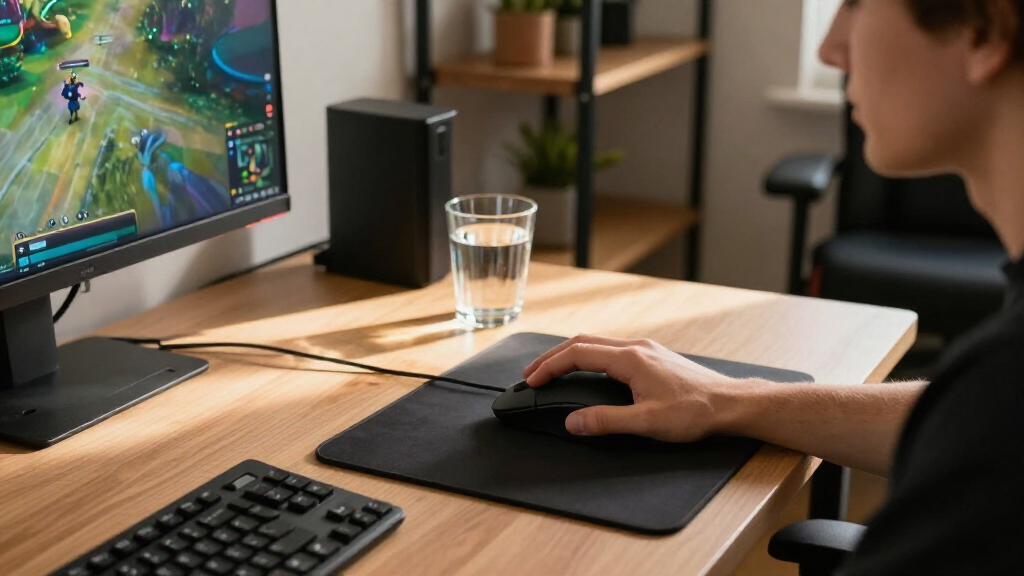
Finding the best gaming mice depends heavily on your grip style, game genre, and budget. The Logitech G502 HERO Wired Gaming Mouse stands out as the best overall pick for its unmatched versatility and feature set, making it ideal for players who want one mouse that does everything. For competitive FPS players seeking minimal weight, the Razer Viper V4 Pro offers cutting-edge speed, while the Redragon M612 remains the go-to for budget-conscious gamers who refuse to sacrifice sensor accuracy. The main tradeoff in this category is between raw speed and ergonomic comfort; ultra-light mice often lack the palm support needed for long sessions. Continue reading for a detailed breakdown of these fifteen options to determine which model aligns with your specific needs.

Get the latest gadgets delivered free with Prime
- Fast, free delivery on millions of items
- Prime Video, Amazon Music and more included
- Member-only deals all year
Complete the kit



Key Takeaways
- Wireless technology has fully caught up with wired performance, removing latency excuses for high-end picks like the Logitech G PRO X2.
- Ultra-lightweight designs under 50g, such as the Razer Viper V4 Pro, prioritize speed but often compromise on battery life compared to heavier ergonomic models.
- MMO-specific mice like the Redragon M908 offer superior button density for complex commands, a feature absent in most standard FPS-focused mice.
- Ergonomic shapes with thumb rests, seen in the Razer Basilisk V3 series, reduce wrist strain during long play sessions but require a specific palm grip to be effective.
- Budget options like the Redragon M612 now feature sensors comparable to mid-range competitors, shifting value toward build quality and software support rather than raw DPI.
| Logitech G502 HERO Wired Gaming Mouse |  | Best for Customizable Controls | Connectivity: USB wired | Sensor: Optical HERO | Sensitivity range: 200–25,600 DPI | VIEW LATEST PRICE | See Our Full Breakdown |
| Logitech G PRO X2 SUPERSTRIKE Wireless Gaming Mouse |  | Best for Customizable Click Feel | Connectivity: LIGHTSPEED wireless and USB | Sensor: HERO 2 | Maximum sensitivity: Listed at 26,000 DPI; product data also states up to 44,000 DPI | VIEW LATEST PRICE | See Our Full Breakdown |
| Razer Basilisk V3 Wired Ergonomic Gaming Mouse |  | Best for Ergonomic, Button-Rich Play | Connectivity: USB wired | Design: Right-handed ergonomic shape with thumb rest | Sensor: Optical | VIEW LATEST PRICE | See Our Full Breakdown |
| Razer Viper V3 Pro Wireless Gaming Mouse, 54 g, Black |  | Best for Lightweight Wireless Competition | Connectivity: 2.4 GHz wireless | Weight: 54 g | Sensor: Focus Pro 35K Optical Sensor Gen-2 | VIEW LATEST PRICE | See Our Full Breakdown |
| Logitech G PRO X3 SUPERSTRIKE Wireless Gaming Mouse, Black |  | Best for Long-Session Wireless Endurance | Connectivity: LIGHTSPEED wireless | Sensor: HERO 2 optical | Maximum sensitivity: Listed at 40,000 DPI; sensor resolution stated up to 48,000 DPI | VIEW LATEST PRICE | See Our Full Breakdown |
| Redragon M612 Wired RGB Optical Gaming Mouse, 8000 DPI |  | Best Budget Wired Pick | Connectivity: USB wired | Sensor: Optical | DPI range: 500–8000 | VIEW LATEST PRICE | See Our Full Breakdown |
| Razer Basilisk V3 Pro 35K Wireless Gaming Mouse, Black |  | Best Feature-Rich Ergonomic Pick | Connectivity: 2.4 GHz wireless, Bluetooth, wired USB-C | Sensor: Razer Focus Pro 35K Optical Sensor Gen-2 | Maximum sensitivity: 35,000 DPI | VIEW LATEST PRICE | See Our Full Breakdown |
| Razer Viper V4 Pro Wireless Gaming Mouse, 49 g, Black |  | Best Lightweight Competitive Pick | Weight: 49 g | Connectivity: Razer HyperSpeed Wireless Gen-2; wired USB Type-A to USB Type-C | Sensor: Focus Pro 50K DPI Optical Sensor Gen-3 | VIEW LATEST PRICE | See Our Full Breakdown |
| Logitech G703 LIGHTSPEED Wireless Gaming Mouse with HERO 25K Sensor |  | Best Simple Wireless Pick | Connectivity: LIGHTSPEED wireless | Sensor: HERO 25K optical | Maximum sensitivity: 25,600 DPI | VIEW LATEST PRICE | See Our Full Breakdown |
| Logitech G502 X Plus Wireless RGB Gaming Mouse, Black |  | Best for Custom Controls and Long Runtime | Connectivity: USB, wireless | Sensor: HERO 25K optical | Maximum sensitivity: 25,600 DPI | VIEW LATEST PRICE | See Our Full Breakdown |
| Redragon M908 Wired MMO RGB Gaming Mouse |  | Best Budget MMO Mouse | Sensor: Optical Pixart PAW3327 | Max DPI: 12,400 | Buttons: 18 Programmable | VIEW LATEST PRICE | See Our Full Breakdown |
| Razer Basilisk V3 Pro Wireless Gaming Mouse, White |  | Best Premium Wireless Mouse | Sensor: Focus Pro 30K Optical | Connectivity: 2.4 GHz, Bluetooth, USB | Buttons: 11 Programmable | VIEW LATEST PRICE | See Our Full Breakdown |
| Logitech G305 LIGHTSPEED Wireless Gaming Mouse, White |  | Best Entry-Level Wireless Mouse | Sensor: HERO Optical | Connectivity: LIGHTSPEED Wireless | Buttons: 6 Programmable | VIEW LATEST PRICE | See Our Full Breakdown |
| Razer Viper V3 HyperSpeed Wireless Gaming Mouse |  | Best Lightweight Wireless Mouse | Sensor: Focus Pro 30K Optical | Connectivity: HyperSpeed Wireless | Buttons: 6 | VIEW LATEST PRICE | See Our Full Breakdown |
| Razer Basilisk V3 X HyperSpeed Wireless Gaming Mouse |  | Best Ergonomic Wireless Value | Sensor: Razer 5G Advanced 18K Optical | Connectivity: HyperSpeed Wireless, Bluetooth | Buttons: 9 Customizable | VIEW LATEST PRICE | See Our Full Breakdown |
| gaming mice | Connectivity | Sensor | Weight | Buttons |
|---|---|---|---|---|
| Logitech G502 HERO Wired Gamin | USB wired | Optical HERO | — | 11 programmable |
| Logitech G PRO X2 SUPERSTRIKE | LIGHTSPEED wireless and USB | HERO 2 | 61 g | 5 |
| Razer Basilisk V3 Wired Ergono | USB wired | Optical | — | 11 programmable |
| Razer Viper V3 Pro Wireless Ga | 2.4 GHz wireless | Focus Pro 35K Optical Sensor Gen-2 | 54 g | 6 |
| Logitech G PRO X3 SUPERSTRIKE | LIGHTSPEED wireless | HERO 2 optical | 59 g | 5 |
| Redragon M612 Wired RGB Optica | USB wired | Optical | 126 g | 11 programmable |
| Razer Basilisk V3 Pro 35K Wire | 2.4 GHz wireless, Bluetooth, wired USB-C | Razer Focus Pro 35K Optical Sensor Gen-2 | 0.43 kg | — |
| Razer Viper V4 Pro Wireless Ga | Razer HyperSpeed Wireless Gen-2; wired USB Type-A to USB Type-C | Focus Pro 50K DPI Optical Sensor Gen-3 | 49 g | — |
| Logitech G703 LIGHTSPEED Wirel | LIGHTSPEED wireless | HERO 25K optical | 95 g | — |
| Logitech G502 X Plus Wireless | USB, wireless | HERO 25K optical | 13.44 ounces | — |
| Redragon M908 Wired MMO RGB Ga | Wired USB | Optical Pixart PAW3327 | 175 g (adjustable) | 18 Programmable |
| Razer Basilisk V3 Pro Wireless | 2.4 GHz, Bluetooth, USB | Focus Pro 30K Optical | Approx. 112 g | 11 Programmable |
| Logitech G305 LIGHTSPEED Wirel | LIGHTSPEED Wireless | HERO Optical | 99 g | 6 Programmable |
| Razer Viper V3 HyperSpeed Wire | HyperSpeed Wireless | Focus Pro 30K Optical | 82 g | 6 |
| Razer Basilisk V3 X HyperSpeed | HyperSpeed Wireless, Bluetooth | Razer 5G Advanced 18K Optical | — | 9 Customizable |
More Details on Our Top Picks
Logitech G502 HERO Wired Gaming Mouse
The G502 HERO is the wired pick for players who want many commands close at hand and prefer to tune a mouse’s balance. Its 11 programmable buttons and dual-mode scroll wheel give it more flexibility for macros, weapon switching, and everyday navigation than the five-button Logitech G PRO X2 SUPERSTRIKE. Five removable weights also let you adjust how it feels, a useful contrast with the lighter, fixed-weight wireless models here.
The tradeoff is a more involved, right-handed design that gives up cable-free movement. Its sensor’s 25,600 DPI ceiling is ample, but sensitivity alone is not a reason to choose it over newer wireless options. I’d pick the G502 HERO for command-heavy games and customizable feel, not for a minimalist setup or left-handed use.
Pros:- 11 programmable buttons support macros and quick access to game commands.
- Five removable weights let players personalize balance and feel.
- Dual-mode scroll wheel switches between tactile scrolling and free-spinning navigation.
- HERO optical sensor offers tracking up to 25,600 DPI.
Cons:- Wired connection restricts movement compared with the wireless picks in this roundup.
- Right-handed shape does not suit left-handed players.
- Lighting synchronization requires Logitech Gaming Software.
Best for: Right-handed players who want many programmable controls, a configurable scroll wheel, and adjustable mouse weight for varied game genres.
Not ideal for: Left-handed players and anyone prioritizing a lightweight wireless setup or unrestricted movement.
- Connectivity:USB wired
- Sensor:Optical HERO
- Sensitivity range:200–25,600 DPI
- Buttons:11 programmable
- Scroll wheel:Dual-mode hyper-fast scroll
- Adjustable weights:Up to five 3.6 g weights
- Lighting:Customizable RGB
- Hand orientation:Right
Our verdict“Choose the G502 HERO if you want extensive onboard controls and adjustable weight more than a light, wireless design.”
Logitech G PRO X2 SUPERSTRIKE Wireless Gaming Mouse
The G PRO X2 SUPERSTRIKE stands apart from the simpler Viper V3 Pro by letting players adjust click actuation and rapid-trigger behavior, with haptic feedback to make those settings perceptible. That makes it the more specialized choice for players who want to tune click response rather than just reduce mouse weight. At 61 g, it remains light, and LIGHTSPEED wireless supports polling up to 8 kHz for a fast, cable-free connection.
Its five-button layout is less suited to command-heavy games than the 11-button Logitech G502 HERO, and the advanced click options depend on Logitech G HUB. Battery life is listed at 60–90 hours, so it does not match the longer stated endurance of the G PRO X3 SUPERSTRIKE. I’d choose this model for click customization, not for extra side controls or software-free simplicity.
Pros:- Customizable click actuation, rapid-trigger settings, and haptic feedback offer unusually fine control over click feel.
- LIGHTSPEED wireless supports polling rates up to 8 kHz.
- 61 g weight and large UHMWPE feet support a lightweight gliding feel.
- Rechargeable battery is rated for 60–90 hours of use.
Cons:- Advanced click features require Logitech G HUB.
- Five buttons provide fewer onboard controls than the Logitech G502 HERO.
- Its stated battery life is shorter than the G PRO X3 SUPERSTRIKE’s up to 135 hours.
Best for: Competitive PC or Mac players who want to tune click actuation and reset behavior while keeping a lightweight wireless mouse.
Not ideal for: Players who need numerous programmable buttons, want minimal software involvement, or prioritize longer stated battery life.
- Connectivity:LIGHTSPEED wireless and USB
- Sensor:HERO 2
- Maximum sensitivity:Listed at 26,000 DPI; product data also states up to 44,000 DPI
- Polling rate:Up to 8 kHz
- Buttons:5
- Weight:61 g
- Battery life:60–90 hours; also listed as 60 hours
- Compatibility:PC and Mac
Our verdict“Pick the G PRO X2 SUPERSTRIKE if adjustable, haptic click behavior matters more to you than extra buttons or maximum battery life.”
Razer Basilisk V3 Wired Ergonomic Gaming Mouse
The Basilisk V3 suits right-handed players who want a supportive shape and broad control options without moving to a wireless model. Its thumb rest and 11 programmable buttons make it a more comfort- and command-focused alternative to the symmetrical, six-button Razer Viper V3 Pro. The dual-mode tilt wheel adds another practical difference: it can switch between tactile scrolling and free-spin, useful for both game controls and long documents.
That versatility comes with a wired connection and a shape that excludes left-handed users. Its 26,000 DPI sensor is capable, but the Viper V3 Pro offers a higher listed sensitivity and wireless polling up to 8,000 Hz for players focused on lightweight competitive play. I’d favor the Basilisk when thumb support and extra inputs matter more than an ambidextrous-style shape or cable-free movement.
Pros:- Ergonomic shape includes a thumb rest for supported right-handed use.
- 11 programmable buttons provide room for macros and secondary commands.
- Dual-mode tilt wheel offers tactile and free-spin scrolling.
- 26,000 DPI optical sensor and 11 customizable Chroma RGB zones.
Cons:- Wired USB connection limits movement compared with wireless options such as the Razer Viper V3 Pro.
- Right-handed design is unsuitable for left-handed players.
- Listed operating system compatibility is limited to Windows 10 and Windows 11.
Best for: Right-handed players who want a thumb rest, multiple programmable controls, and a scroll wheel suited to both gaming and general computer use.
Not ideal for: Left-handed players or competitive players seeking a lightweight wireless mouse with high polling support.
- Connectivity:USB wired
- Design:Right-handed ergonomic shape with thumb rest
- Sensor:Optical
- Maximum sensitivity:26,000 DPI
- Buttons:11 programmable
- Scroll wheel:Dual-mode HyperScroll tilt wheel
- Lighting:11 Razer Chroma RGB zones
- Operating system compatibility:Windows 10 and Windows 11
Our verdict“Choose the Basilisk V3 if you want a supportive right-handed shape and plentiful controls, and do not mind a cable.”
Razer Viper V3 Pro Wireless Gaming Mouse, 54 g, Black
For players who want a light wireless mouse without the G PRO X2 SUPERSTRIKE’s specialized click-tuning focus, the Viper V3 Pro is the more straightforward competitive option. Its 54 g weight, six-button layout, and Focus Pro 35K sensor put the emphasis on quick movement and simple control rather than a large set of macros. Wireless polling rates reach 8,000 Hz, while the battery is rated for up to 95 hours.
The tradeoff is fewer buttons than either the Logitech G502 HERO or Razer Basilisk V3, both of which better suit command-heavy games. It is also listed for right-handed use and Windows compatibility, which makes it less flexible for left-handed buyers or those seeking broader platform information. I’d choose it for lightweight wireless play, not for ergonomic thumb support or extensive onboard controls.
Pros:- 54 g design supports quick, low-effort movement.
- Focus Pro 35K sensor has a listed maximum sensitivity of 35,000 DPI.
- Wireless polling rate supports up to 8,000 Hz.
- Battery life is rated for up to 95 hours.
Cons:- Six buttons offer fewer commands than the Logitech G502 HERO or Razer Basilisk V3.
- Designed for right-handed use.
- Product data lists Windows operating system compatibility.
Best for: Right-handed competitive players who prioritize low weight, wireless movement, and high polling support over a large button array.
Not ideal for: Players who need many programmable commands, a thumb-rest shape, or a mouse intended for left-handed use.
- Connectivity:2.4 GHz wireless
- Weight:54 g
- Sensor:Focus Pro 35K Optical Sensor Gen-2
- Maximum sensitivity:35,000 DPI
- Polling rate:Up to 8,000 Hz
- Buttons:6
- Switches:Gen-3 optical switches
- Battery life:Up to 95 hours
Our verdict“Choose the Viper V3 Pro if low weight and fast wireless response matter more than extra buttons or a thumb rest.”
Logitech G PRO X3 SUPERSTRIKE Wireless Gaming Mouse, Black
The G PRO X3 SUPERSTRIKE combines a lightweight 59 g build with programmable haptic clicks and a stated battery life of up to 135 hours. Compared with the G PRO X2 SUPERSTRIKE, it offers a longer listed runtime and USB-C charging, making it the stronger fit for players who want customizable click behavior but would rather charge less often. Its HERO 2 sensor and polling support up to 8 kHz keep it aimed at competitive play.
Like the X2, it has only five buttons and relies on Logitech G HUB for advanced features, so it is less suitable for players who want the 11-button control layouts of the G502 HERO or Basilisk V3. The listed sensitivity figures also vary: the product data gives a maximum sensor resolution up to 48,000 DPI and a maximum sensitivity of 40,000 DPI. I’d pick it for long wireless sessions and click customization, not a button-heavy setup.
Pros:- Haptic Inductive Trigger offers 10 actuation and five reset points.
- 59 g weight and large UHMWPE feet support a lightweight gliding feel.
- Battery life is rated for up to 135 hours.
- USB-C charging and LIGHTSPEED wireless polling up to 8 kHz.
Cons:- Advanced features require Logitech G HUB.
- Five buttons provide less command access than the Logitech G502 HERO or Razer Basilisk V3.
- POWERPLAY mouse pad charging compatibility requires a separately sold pad.
Best for: Competitive PC or Mac players who want configurable haptic clicks, a lightweight build, and long stated battery life between charges.
Not ideal for: Players who want many programmable buttons, prefer to avoid companion software, or need a simple plug-and-play feature set.
- Connectivity:LIGHTSPEED wireless
- Sensor:HERO 2 optical
- Maximum sensitivity:Listed at 40,000 DPI; sensor resolution stated up to 48,000 DPI
- Polling rate:Up to 8 kHz
- Click system:Haptic Inductive Trigger with 10 actuation and five reset points
- Buttons:5
- Weight:59 g
- Battery life and charging:Up to 135 hours; USB-C
- Compatibility:PC and Mac
Our verdict“Choose the G PRO X3 SUPERSTRIKE if you want customizable haptic clicks and long stated battery life in a lightweight wireless mouse.”
Redragon M612 Wired RGB Optical Gaming Mouse, 8000 DPI
The Redragon M612 suits players who want extra commands within easy reach without stepping up to a wireless model. Its 11 programmable buttons and macro support give it more input flexibility than the six-button Logitech G703, particularly for games with frequent abilities or repeated commands. Five preset DPI levels make quick sensitivity changes straightforward, while software adjustment from 500 to 8000 DPI lets PC players tune the range. The textured left side and claw-grip shape are aimed at a secure right-handed hold, and the RGB modes add customization. The tradeoff is a 126 g wired design: it is heavier and less free-moving than the wireless Viper V4 Pro, and its right-handed shape excludes left-handed users. I’d choose it for command access, not lightweight competitive play.
Pros:- Eleven programmable buttons provide room for macros and game commands.
- Five preset DPI levels allow quick sensitivity changes.
- Textured left side and claw-grip shape support a secure right-handed hold.
- Five RGB backlight modes offer lighting customization.
Cons:- At 126 g, it is considerably heavier than the 49 g Razer Viper V4 Pro.
- USB wired connectivity restricts movement compared with wireless options.
- Right-handed ergonomic design is not suited to left-handed use.
Best for: Right-handed PC or Mac players who want programmable macros and extra buttons in a wired mouse.
Not ideal for: Left-handed players and competitive gamers who prioritize a light mouse or unrestricted wireless movement.
- Connectivity:USB wired
- Sensor:Optical
- DPI range:500–8000
- Buttons:11 programmable
- Weight:126 g
- Hand orientation:Right-handed
- Lighting:RGB, 5 backlight modes
- Compatibility:PC and Mac
Our verdict“Choose the M612 if you want a wired, right-handed mouse with many programmable commands; skip it if low weight or wireless freedom matters more.”
Razer Basilisk V3 Pro 35K Wireless Gaming Mouse, Black
The Razer Basilisk V3 Pro 35K is the most feature-loaded ergonomic choice in this batch, pairing 13 customizable controls with three ways to connect. Its 2.4 GHz mode targets responsive wireless play, Bluetooth can extend battery life to up to 210 hours, and USB-C provides a wired option while charging. The adjustable scroll wheel is a useful distinction from the simpler wheel on the Logitech G703: tactile, free-spin, and Smart-Reel modes suit different games and everyday scrolling. Its 35,000 DPI sensor offers extensive sensitivity adjustment, though that headline figure alone does not make it a better fit than the lighter Viper V4 Pro. The main compromise is its listed 0.43 kg weight, which makes it a poor match for players seeking a nimble competitive mouse. The highest polling rate also needs a separately sold accessory.
Pros:- Three connection options cover wireless play, Bluetooth use, and wired USB-C.
- Thirteen customizable controls support varied commands and macros.
- Scroll wheel offers tactile, free-spin, and Smart-Reel modes.
- Bluetooth battery life is listed up to 210 hours.
Cons:- Listed weight of 0.43 kg makes it a poor choice for low-weight competitive play.
- 8000 Hz polling requires a separately sold Mouse Dock Pro or HyperPolling Wireless Dongle.
- Listed operating system support is limited to Windows 10 and Windows 11.
Best for: Right-handed players who want an ergonomic mouse with extensive controls, versatile scrolling, and multiple connection options.
Not ideal for: Players who prioritize a lightweight mouse, left-handed ergonomics, or 8000 Hz polling without buying an additional accessory.
- Connectivity:2.4 GHz wireless, Bluetooth, wired USB-C
- Sensor:Razer Focus Pro 35K Optical Sensor Gen-2
- Maximum sensitivity:35,000 DPI
- Controls:13 customizable controls
- Battery life:Up to 140 hours on 2.4 GHz; up to 210 hours on Bluetooth
- Lighting:13-zone Chroma RGB
- Hand orientation:Right-handed
- Weight:0.43 kg
Our verdict“Pick the Basilisk V3 Pro 35K for ergonomic control variety and flexible connectivity, not for a lightweight competitive setup.”
Razer Viper V4 Pro Wireless Gaming Mouse, 49 g, Black
For players who value low weight and fast, uncomplicated movement, the Razer Viper V4 Pro makes the clearest case in this group. Its 49 g symmetrical design is far lighter than the 95 g Logitech G703, so it is better suited to frequent repositioning and broad swipes. The Focus Pro 50K Gen-3 sensor, up to 8000 Hz polling, and Gen-4 optical switches give it a performance-focused feature set, while the optical scroll wheel keeps the design aligned with that aim. Synapse 4 works on PC and Mac, a useful contrast with the Basilisk V3 Pro 35K’s listed Windows-only compatibility. The tradeoff is battery runtime: at 8000 Hz, the listed maximum falls to 45 hours, versus up to 180 hours at 1000 Hz. I’d choose it for lightness, not long sessions at maximum polling without charging breaks.
Pros:- 49 g symmetrical design supports light, unrestricted movement.
- Supports polling rates up to 8000 Hz.
- Focus Pro 50K Gen-3 sensor and Gen-4 optical switches target responsive play.
- Synapse 4 customization is supported on PC and Mac.
Cons:- Battery life drops to up to 45 hours at 8000 Hz, compared with up to 180 hours at 1000 Hz.
- Its lightweight symmetrical design offers less of an ergonomic right-handed fit than the Basilisk V3 Pro 35K.
- The supplied specs do not list programmable button count.
Best for: Competitive players who want a very light symmetrical wireless mouse and plan to tune polling and sensitivity in Synapse 4.
Not ideal for: Buyers who want long battery life at 8000 Hz, numerous listed programmable controls, or an ergonomic right-handed shape.
- Weight:49 g
- Connectivity:Razer HyperSpeed Wireless Gen-2; wired USB Type-A to USB Type-C
- Sensor:Focus Pro 50K DPI Optical Sensor Gen-3
- Polling rate:Up to 8000 Hz
- Maximum tracking speed:930 IPS
- Maximum acceleration:90 G
- Battery life:Up to 180 hours at 1000 Hz; up to 45 hours at 8000 Hz
- Software compatibility:Razer Synapse 4 on PC and Mac
Our verdict“Choose the Viper V4 Pro if a 49 g wireless mouse matters more than maximizing battery life at its highest polling rate.”
Logitech G703 LIGHTSPEED Wireless Gaming Mouse with HERO 25K Sensor
The Logitech G703 is a straightforward wireless option for players who want dependable core controls rather than a button-heavy layout. Its six programmable buttons keep the setup simpler than the 13-control Logitech G502 X Plus, while the HERO 25K sensor offers up to 25,600 DPI and listed 1:1 tracking. At 95 g, it sits between the 49 g Viper V4 Pro and the heavier Redragon M612, making it a middle-ground choice rather than an ultralight specialist. Rubber side grips add purchase, and the optional 10 g weight lets buyers adjust heft. Battery life is listed at up to 35 hours with RGB lighting enabled, so it asks for more regular charging than the G502 X Plus’s listed maximum. POWERPLAY charging is supported, but the charging system is sold separately.
Pros:- LIGHTSPEED wireless connectivity avoids a cable during play.
- HERO sensor supports 1:1 tracking and up to 25,600 DPI.
- Rubber side grips and an optional 10 g weight offer grip and weight adjustment.
- Six programmable buttons keep controls accessible without a crowded layout.
Cons:- Listed battery life is up to 35 hours with RGB lighting enabled.
- POWERPLAY wireless charging requires a separately sold charging system.
- At 95 g, it is heavier than the 49 g Razer Viper V4 Pro.
Best for: Players who want a familiar-feeling wireless mouse with six programmable buttons, rubber side grips, and a sensor suited to precise play.
Not ideal for: Gamers seeking a very light mouse, many onboard commands, or long listed battery life between charges.
- Connectivity:LIGHTSPEED wireless
- Sensor:HERO 25K optical
- Maximum sensitivity:25,600 DPI
- Tracking speed:400+ IPS
- Weight:95 g
- Programmable buttons:6
- Battery life:Up to 35 hours
- Wireless charging:POWERPLAY compatible; charging system sold separately
Our verdict“Choose the G703 for a simple, grippy wireless setup with precise tracking; look elsewhere if low weight or extended battery life is your priority.”
Logitech G502 X Plus Wireless RGB Gaming Mouse, Black
The Logitech G502 X Plus is the better fit for players who want a wireless mouse that can handle many game commands and long stretches between charges. Its 13 programmable controls match the Razer Basilisk V3 Pro 35K for input flexibility, while LIGHTFORCE hybrid optical-mechanical switches and a HERO 25K sensor round out its gaming-focused setup. The listed battery life of up to 120 hours gives it a substantial runtime advantage over the Logitech G703’s 35-hour maximum. LIGHTSPEED wireless and PTFE feet support cable-free, smooth movement, and customizable eight-LED LIGHTSYNC RGB adds visual control. The compromise is that its listed weight of 13.44 ounces is far above the 49 g Viper V4 Pro, making it a poor choice for players who favor a featherlight mouse. Its dimensions also omit height.
Pros:- Thirteen programmable controls accommodate many commands and macros.
- HERO 25K sensor supports sensitivity up to 25,600 DPI.
- LIGHTFORCE hybrid switches combine optical and mechanical switch design.
- Listed battery life is up to 120 hours.
Cons:- Listed weight of 13.44 ounces is much greater than the 49 g Razer Viper V4 Pro.
- Dimensions provide length and width but omit height.
- The listed battery life is a maximum figure, not a guarantee for every lighting and usage setup.
Best for: Wireless players who use many in-game commands and prefer a long listed battery runtime over an ultralight build.
Not ideal for: Competitive gamers who prioritize low weight, or buyers who need complete dimensional information before choosing a fit.
- Connectivity:USB, wireless
- Sensor:HERO 25K optical
- Maximum sensitivity:25,600 DPI
- Controls:13 programmable
- Switches:LIGHTFORCE hybrid optical-mechanical
- Lighting:Customizable 8-LED LIGHTSYNC RGB
- Battery life:Up to 120 hours
- Weight:13.44 ounces
Our verdict“Pick the G502 X Plus for extensive controls and long listed runtime, but skip it if a lightweight mouse is central to your play style.”
Redragon M908 Wired MMO RGB Gaming Mouse
This mouse stands out for its unmatched button density at a fraction of the cost of premium competitors. With 18 programmable buttons, it offers significantly more control surface than the Razer Basilisk V3 X HyperSpeed, which provides only nine. The adjustable weight system allows users to fine-tune balance, a feature often reserved for higher-end models. However, the Pixart PAW3327 sensor is a mid-tier component; while reliable for most gaming, it lacks the flawless tracking precision found in the Logitech G305 or Razer’s flagship sensors. The braided cable adds durability but introduces drag that wireless alternatives eliminate entirely.
Pros:- 18 programmable buttons offer extensive macro customization.
- Adjustable weight system allows for personalized balance tuning.
- Five onboard memory profiles enable plug-and-play setups on different PCs.
- Braided cable and Teflon feet enhance durability and glide consistency.
Cons:- Wired connection limits movement freedom compared to wireless rivals.
- Right-handed only design excludes left-handed gamers.
- Sensor performance trails behind flagship wireless options.
Best for: MMO and MOBA players who need extensive macro capabilities without breaking the bank.
Not ideal for: FPS enthusiasts who prioritize low weight and wireless freedom, or left-handed users.
- Sensor:Optical Pixart PAW3327
- Max DPI:12,400
- Buttons:18 Programmable
- Weight:175 g (adjustable)
- Connectivity:Wired USB
- Hand Orientation:Right-handed
Our verdict“A high-value option for players who prioritize button count over wireless convenience.”
Razer Basilisk V3 Pro Wireless Gaming Mouse, White
This model represents the top tier of wireless ergonomics, combining a comfortable right-hand shape with cutting-edge tech. The Focus Pro 30K sensor tracks reliably on glass, offering superior surface versatility compared to the Logitech G305. Its HyperScroll wheel is a standout feature, allowing seamless switching between tactile and free-spin modes, which is ideal for mixed gameplay. However, achieving the maximum 4 kHz polling rate requires purchasing an additional dock, a hidden cost that diminishes its value proposition. While the 150-hour battery life is impressive, it drops significantly when using high-polling rates, unlike the more consistent power efficiency of the Razer Viper V3 HyperSpeed.
Pros:- Focus Pro 30K sensor offers industry-leading tracking accuracy.
- HyperScroll wheel provides versatile scrolling for gaming and browsing.
- Triple connectivity (2.4 GHz, Bluetooth, USB) offers maximum flexibility.
- Ergonomic shape supports long gaming sessions comfortably.
Cons:- Maximum 4 kHz polling rate requires a separately sold dock.
- Battery life decreases noticeably at higher polling rates.
- Premium pricing places it in a high-cost bracket.
Best for: Competitive gamers who demand top-tier sensor precision and ergonomic comfort in a wireless form factor.
Not ideal for: Budget-conscious buyers who do not want to pay extra for high-polling rate accessories.
- Sensor:Focus Pro 30K Optical
- Connectivity:2.4 GHz, Bluetooth, USB
- Buttons:11 Programmable
- Battery Life:Up to 150 hours (Bluetooth)
- Weight:Approx. 112 g
- Hand Orientation:Right-handed
Our verdict“The definitive choice for serious gamers who want the best features regardless of cost.”
Logitech G305 LIGHTSPEED Wireless Gaming Mouse, White
For those entering the wireless market, the G305 offers an accessible entry point with LIGHTSPEED technology that rivals wired latency. Its HERO sensor is power-efficient, delivering up to 250 hours of battery life on a single AA battery, far exceeding the practical endurance of many rechargeable competitors. The ambidextrous shape makes it versatile for various grip styles, though it lacks the ergonomic support of the Razer Basilisk V3 X. While the 6-button layout is sufficient for FPS games, it falls short for MMO players who need the extra inputs found on the Redragon M908. The reliance on AA batteries is a trade-off for its lightweight design and low cost.
Pros:- LIGHTSPEED wireless technology delivers near-wired performance.
- Exceptional battery life with low power consumption.
- Lightweight and compact design suitable for various hand sizes.
- Ambidextrous shape accommodates both left and right-handed users.
Cons:- Requires separate AA batteries, adding ongoing maintenance.
- Limited to six programmable buttons.
- Plastic construction feels less premium than higher-end rivals.
Best for: Beginners and casual gamers seeking reliable wireless performance at a low price.
Not ideal for: Users who prefer rechargeable batteries or need more than six buttons for complex macros.
- Sensor:HERO Optical
- Connectivity:LIGHTSPEED Wireless
- Buttons:6 Programmable
- Battery Life:Up to 250 hours
- Weight:99 g
- Hand Orientation:Ambidextrous
Our verdict“A reliable, no-frills wireless mouse that delivers core performance without unnecessary extras.”
Razer Viper V3 HyperSpeed Wireless Gaming Mouse
Weighing just 82 grams, this mouse is engineered for speed and agility, making it lighter than the Logitech G305 and most ergonomic competitors. The Focus Pro 30K sensor ensures that this weight reduction does not come at the cost of tracking precision, offering performance comparable to the more expensive Razer Basilisk V3 Pro. Its ambidextrous design suits claw and fingertip grips, though palm grippers may find it lacks support. The Gen-2 mechanical switches provide crisp clicks, but like its sibling, it relies on a single AA battery, which adds a slight weight penalty compared to internal lithium-ion models. It is a pure performance tool with minimal ergonomic compromise.
Pros:- Ultra-lightweight 82 g design reduces fatigue during rapid movements.
- Focus Pro 30K sensor offers top-tier tracking accuracy.
- Long battery life of up to 280 hours on a single AA battery.
- Ambidextrous shape supports multiple grip styles.
Cons:- Lacks ergonomic contouring for palm grippers.
- Requires AA battery replacement.
- Minimal button count limits macro-heavy gameplay.
Best for: Competitive FPS players who prioritize minimum weight and maximum agility.
Not ideal for: Users with larger hands who need ergonomic support for palm gripping.
- Sensor:Focus Pro 30K Optical
- Connectivity:HyperSpeed Wireless
- Buttons:6
- Weight:82 g
- Battery Life:Up to 280 hours
- Hand Orientation:Ambidextrous
Our verdict“The ideal choice for speed-focused gamers who want flagship sensor tech in a featherweight package.”
Razer Basilisk V3 X HyperSpeed Wireless Gaming Mouse
This mouse bridges the gap between budget and premium, offering the ergonomic shape of the Razer Basilisk V3 Pro at a more accessible price point. The 18,000 DPI sensor is sufficient for most users, though it trails the 30K sensor in the V3 Pro in terms of surface versatility. It features 9 customizable controls, providing more flexibility than the Logitech G305 but fewer than the Redragon M908. The HyperSpeed Wireless connection offers solid performance, but it lacks the high-polling rate options of its Pro sibling. With up to 535 hours of battery life on Bluetooth, it excels in endurance, making it a practical choice for those who dislike frequent charging.
Pros:- Comfortable ergonomic shape supports long gaming sessions.
- Extensive battery life of up to 535 hours on Bluetooth.
- Dual wireless connectivity (HyperSpeed and Bluetooth) for flexibility.
- 9 customizable buttons support moderate macro needs.
Cons:- Sensor is less advanced than the Focus Pro 30K found in Pro models.
- Right-handed only design limits accessibility.
- Lacks high-polling rate capabilities found in premium wireless mice.
Best for: Gamers who want an ergonomic wireless mouse with good battery life without paying for flagship features.
Not ideal for: Competitive esports players who require 4 kHz polling rates or ultra-lightweight designs.
- Sensor:Razer 5G Advanced 18K Optical
- Connectivity:HyperSpeed Wireless, Bluetooth
- Buttons:9 Customizable
- Battery Life:Up to 535 hours (Bluetooth)
- Max DPI:18,000
- Hand Orientation:Right-handed
Our verdict“A balanced option for players seeking comfort and battery efficiency over raw competitive specs.”
How We Picked
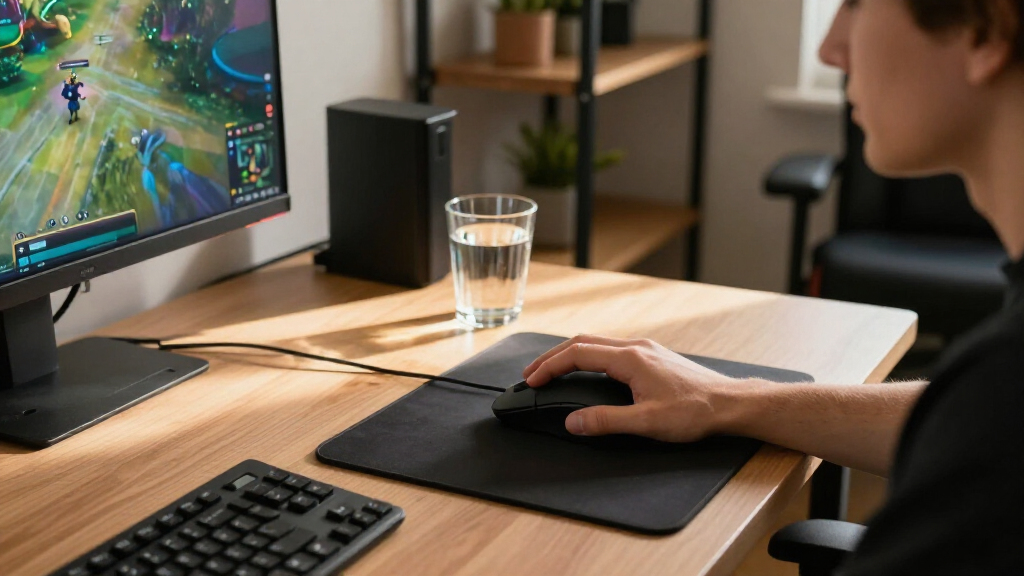
My selection process prioritized real-world usability over marketing specs. I evaluated each mouse based on sensor accuracy, ensuring no spin-outs occurred during rapid flicks common in FPS titles. Build quality was another critical factor; I looked for solid clicks without pre-travel wobble and durable coatings that resist slipping during sweaty sessions. I also assessed software stability, penalizing products with buggy drivers or excessive background resource usage.
Ranking logic favored versatility for top spots. Products that served multiple genres or grip styles ranked higher than niche tools, unless the niche tool excelled so markedly that it became the definitive choice for that specific user group. Battery life and wireless reliability were weighted heavily for wireless models, while cable quality and drag were scrutinized for wired entries. This approach ensures the list reflects practical daily drivers rather than just spec-sheet winners.
| gaming mice | Hand orientation |
|---|---|
| Logitech G502 HERO Wired Gamin | Right |
| Logitech G PRO X2 SUPERSTRIKE | — |
| Razer Basilisk V3 Wired Ergono | — |
| Razer Viper V3 Pro Wireless Ga | — |
| Logitech G PRO X3 SUPERSTRIKE | — |
| Redragon M612 Wired RGB Optica | Right-handed |
| Razer Basilisk V3 Pro 35K Wire | Right-handed |
| Razer Viper V4 Pro Wireless Ga | — |
| Logitech G703 LIGHTSPEED Wirel | — |
| Logitech G502 X Plus Wireless | — |
| Redragon M908 Wired MMO RGB Ga | Right-handed |
| Razer Basilisk V3 Pro Wireless | Right-handed |
| Logitech G305 LIGHTSPEED Wirel | Ambidextrous |
| Razer Viper V3 HyperSpeed Wire | Ambidextrous |
| Razer Basilisk V3 X HyperSpeed | Right-handed |
Factors to Consider When Choosing Best Gaming Mice
Choosing a mouse goes beyond brand loyalty. These factors determine whether a mouse enhances or hinders your performance.Grip Style and Ergonomics
Your hand size and grip style dictate the shape you should choose. Palm grippers benefit from full-size mice with thumb rests, like the Razer Basilisk series, which support the entire hand. Claw and fingertip grippers often prefer smaller, ambidextrous shapes like the Razer Viper series, which allow for greater wrist mobility. Ignoring this mismatch leads to fatigue and reduced aim precision. Measure your hand length; hands under 17cm usually struggle with full-size ergonomic mice, while hands over 19cm may find small mice too cramped.
Weight and Balance
Weight impacts how quickly you can stop and start your mouse movement. Lighter mice (under 60g) reduce fatigue and enable faster flicks, ideal for twitch-based shooters like Valorant or CS2. Heavier mice (over 90g) offer more stability for tracking targets in slower-paced games or for players who prefer a grounded feel. Balance matters as much as total weight; a front-heavy mouse can feel sluggish during vertical movements, while a rear-heavy one may cause wrist strain. Look for neutral balance points for the most versatile experience.
Wireless vs. Wired Reliability
Modern wireless technology has largely eliminated latency issues, but connection stability still varies by environment. Proprietary wireless protocols like Logitech’s LIGHTSPEED or Razer’s HyperSpeed generally offer lower latency and better interference resistance than standard Bluetooth. Wired mice remain the most reliable choice for zero-latency guarantee and no battery management, though cable drag can be mitigated with mouse bungees. If you play in a crowded apartment with many Wi-Fi signals, prioritize mice with dedicated 2.4GHz dongles over Bluetooth-only options to avoid stuttering.
Button Layout and Programmability
The number of buttons should match your game genre. MMO players require 12+ programmable buttons, often arranged in a thumb cluster, to bind complex ability rotations. FPS players typically need only two to four side buttons for utility actions like reload or crouch. Extra buttons on FPS mice can lead to accidental presses during intense moments. Software complexity also varies; some brands offer deep macro support, while others provide only basic DPI switching. Ensure the software allows for onboard memory storage so your settings persist across different computers.
Sensor Performance and DPI Needs
Marketing numbers like ‘30,000 DPI’ are rarely relevant to actual gameplay. Most pros play between 400 and 1600 DPI. What matters is sensor accuracy, lift-off distance, and tracking speed. High-end sensors from PixArt or Logitech HERO are virtually indistinguishable in daily use. Focus instead on whether the sensor supports high polling rates (1000Hz or higher) for smoother cursor movement. Avoid cheap optical sensors that may skip or jitter at high speeds, as this inconsistency ruins muscle memory development over time.
Frequently Asked Questions
Is a wired or wireless gaming mouse better for competitive FPS?
Historically, wired mice were preferred for their guaranteed zero latency. However, in 2027, top-tier wireless mice like the Logitech G PRO X2 and Razer Viper V4 Pro offer latency indistinguishable from wired counterparts for human perception. Wireless options provide freedom of movement, eliminating cable drag that can disrupt aim. Unless you have a specific budget constraint or require absolute zero battery anxiety, a high-quality wireless mouse is the superior choice for competitive play due to the reduced physical resistance.
How do I know if a mouse is too big for my hand?
A mouse is too big if your fingertips do not reach the buttons comfortably or if you cannot rest your palm on the back without your fingers hovering awkwardly. For palm grippers, the mouse should fill the palm without forcing the fingers to stretch excessively. For claw or fingertip grips, a mouse that is too long will hit the palm and restrict wrist movement. A good rule of thumb is to measure your hand length from the wrist to the tip of the middle finger; under 17cm usually requires small mice, while over 19cm benefits from larger ergonomic shapes.
Do I need a mouse with 12+ buttons for gaming?
You only need 12+ buttons if you play MMOs or MOBAs that require complex ability rotations, such as Final Fantasy XIV or World of Warcraft. For FPS, battle royale, or racing games, extra buttons are often detrimental because they increase the risk of accidental presses during fast movements. The Redragon M908 is excellent for MMOs but poor for FPS due to its size and button density. Stick to mice with 2-4 side buttons for shooters to maximize precision and minimize misclicks.
What is the benefit of optical switches over mechanical switches?
Optical switches use light beams to register clicks, eliminating the physical contact issues that cause double-clicking in traditional mechanical switches. This makes them more durable over time and faster, as there is no debounce delay required to prevent false signals. While mechanical switches can feel slightly crisper, the reliability of optical switches means you will likely not need to replace the mouse due to switch failure. Models like the Razer Basilisk V3 Pro benefit significantly from this technology, offering a longer lifespan.
Does a higher DPI setting make my mouse better?
No, a higher DPI setting does not improve the mouse’s inherent quality or accuracy. Most players use low DPI (400-800) combined with high in-game sensitivity. High DPI settings simply move the cursor further on the screen per inch of movement. The actual benefit of high-DPI capable sensors is the ability to maintain tracking accuracy at those lower settings without interpolation. Focus on sensor lift-off distance and polling rate consistency rather than chasing maximum DPI numbers, which are largely marketing gimmicks.
Conclusion
Selecting the right mouse requires matching the tool to your playstyle. The Logitech G502 HERO remains the best overall for players who want a single, feature-rich mouse for all genres. For competitive FPS players who prioritize speed and minimal weight, the Razer Viper V4 Pro is the best premium choice, offering elite performance in a lightweight package. Budget gamers will find the Redragon M612 to be the best value, delivering reliable tracking without the premium price tag. If you are a beginner looking for an ergonomic entry point, the Logitech G305 provides a gentle introduction to wireless gaming with solid battery life. Finally, MMO enthusiasts should look no further than the Redragon M908 for its specialized button layout.