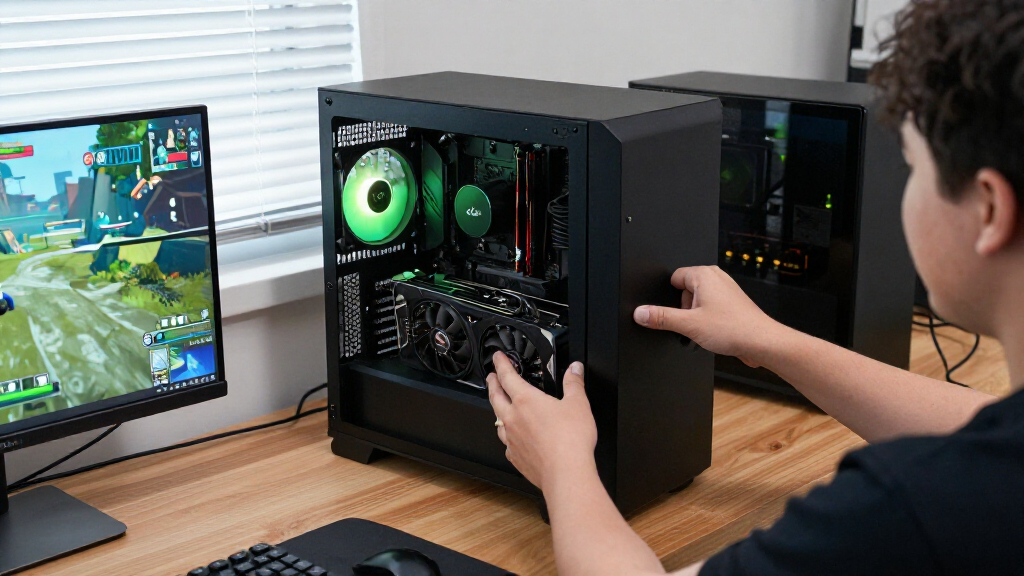

The best NVIDIA RTX graphics cards balance gaming performance, memory, cooling, and fit for your PC; my best overall pick is the ASUS Prime RTX 5070 Ti 16GB, a strong middle ground for demanding play without stepping up to an RTX 5080. For flagship performance, the NVIDIA RTX 5080 Founders Edition offers a straightforward reference design, while the ASUS Dual RTX 5060 Ti 16GB suits buyers who want a more modest card with ample memory for its class. The main tradeoffs are how much performance you need, how much space and power your system can support, and whether extra cooling or a specialized design earns its place. Older RTX 3050 and 3060 options may fit lighter workloads, but they sit far below this lineup’s newer cards in performance tier. Read on for the full breakdown and guidance on choosing the right card for your build.

Get the latest gadgets delivered free with Prime
- Fast, free delivery on millions of items
- Prime Video, Amazon Music and more included
- Member-only deals all year
Complete the kit



Key Takeaways
- The RTX 5070 Ti 16GB is the lineup’s balance point: it offers a more capable tier than the RTX 5070 while avoiding the size, power, and premium-design focus of the RTX 5080 cards.
- RTX 5080 models serve different priorities, not different GPU generations: the Founders Edition favors a reference-style approach, while ASUS, MSI, and PNY variants distinguish themselves through cooling, styling, and form factor.
- Memory capacity changes the value story: the ASUS Dual RTX 5060 Ti has 16GB, while the RTX 5070 has 12GB, so buyers should weigh workload and resolution rather than relying on model number alone.
- Compact and workstation needs call for different choices: ASUS Dual cards favor smaller gaming builds, while the RTX 2000 Ada targets professional workflows rather than mainstream gaming.
- The older RTX 3050 and RTX 3060 are entry-level alternatives, not peers to the newer cards: they make most sense for modest workloads or existing systems, not buyers seeking high-end current-generation performance.





| NVIDIA RTX graphics card | Memory | GPU | Maximum resolution | Cooling |
|---|---|---|---|---|
| ASUS Prime NVIDIA GeForce RTX | 16GB GDDR7 | NVIDIA GeForce RTX 5070 Ti | 7680 × 4320 | 3 fans; 2.5-slot design |
| ASUS Dual GeForce RTX 3050 6GB | 6GB GDDR6 | NVIDIA GeForce RTX 3050 | — | 2 Axial-tech fans |
| MSI Gaming RTX 5080 16G Ventus | 16GB GDDR7 | NVIDIA GeForce RTX 5080 | 7680 × 4320 | — |
| MSI Gaming GeForce RTX 3060 Ve | 12GB GDDR6 | NVIDIA GeForce RTX 3060 | 7680 × 4320 | 2 Torx Twin Fans |
| ASUS ROG Astral GeForce RTX 50 | 16GB GDDR7 | NVIDIA GeForce RTX 5080 | 7680 × 4320 | Vapor chamber; fan count listed as 3 in specs and quad-fan in description |
| NVIDIA GeForce RTX 5080 Founde | 16 GB GDDR7 | NVIDIA GeForce RTX 5080 | 3840 x 2160 | — |
| ASUS TUF Gaming GeForce RTX 50 | 16 GB GDDR7 | NVIDIA GeForce RTX 5080 | 7680 x 4320 pixels | — |
| Nvidia RTX 2000 ADA 16GB Graph | 16 GB GDDR6 | — | 3840 x 2160 | — |
| ASUS Dual GeForce RTX 5060 Ti | 16 GB GDDR7 | — | — | — |
| MSI Gaming RTX 5080 16G SUPRIM | 16 GB GDDR7 | NVIDIA GeForce RTX 5080 | 7680 x 4320 | Liquid cooling |
| ASUS TUF Gaming GeForce RTX 50 | 16GB GDDR7 | — | — | Three Axial-tech fans and fin array |
| PNY NVIDIA GeForce RTX 5080 Ep | 16GB GDDR7; 256-bit | NVIDIA GeForce RTX 5080 | 7680 x 4320 | Three fans |
| ASUS Prime GeForce RTX 5070 12 | 12GB GDDR7 | NVIDIA GeForce RTX 5070 | 3840 x 2160 | Three fans; phase-change thermal pad |
| ASUS ProArt GeForce RTX 5080 1 | 16GB GDDR7 | — | — | MaxContact heatsink with vapor chamber |
More Details on Our Top Picks
ASUS Prime NVIDIA GeForce RTX 5070 Ti 16GB GDDR7 OC Edition Gaming Graphics Card
The ASUS Prime RTX 5070 Ti pairs 16GB of GDDR7 with a 2.5-slot, three-fan design, making it a useful middle ground for buyers who want a current-generation card without the bulk of the ROG Astral RTX 5080. Its memory capacity and advertised high-resolution output suit demanding games and graphics workloads, while the smaller cooler format can help with tighter builds. The tradeoff is that compact dimensions do not make it an easy fit for every case: at 12 inches long, clearance still matters, and the card calls for a 750W PSU with a 16-pin connector. Compared with the ASUS Dual RTX 3050, this is a far more capable class of card, but also requires a more substantial system and budget.
Pros:- 16GB of GDDR7 memory suits demanding games and graphics applications
- 2.5-slot, three-fan cooler is slimmer than many high-performance cards
- Axial-tech fans and a phase-change thermal pad support heat management
- Lists support for displays up to 7680 × 4320
Cons:- Requires a 750W power supply and 16-pin connector
- 12-inch length rules out some compact cases
- More card than budget or entry-level gaming builds need
Best for: Builders seeking a high-performance RTX 5070 Ti with 16GB of memory and a slimmer cooler than the large RTX 5080 options.
Not ideal for: Owners of short or low-power systems that lack 12 inches of clearance, a 750W PSU, or a 16-pin power connector.
- GPU:NVIDIA GeForce RTX 5070 Ti
- Memory:16GB GDDR7
- GPU clock speed:2452 MHz
- Memory clock speed:2527 MHz
- Cooling:3 fans; 2.5-slot design
- Video outputs:3 × DisplayPort 1.4a; 2 × HDMI 2.1b
- Dimensions:12 × 5 inches
- Maximum resolution:7680 × 4320
- Warranty:3 years
Our verdict“Choose the ASUS Prime RTX 5070 Ti if you want 16GB of current-generation graphics performance in a relatively slim card and have the power supply and case clearance to match.”
ASUS Dual GeForce RTX 3050 6GB GDDR6 OC Edition Gaming Graphics Card
The ASUS Dual RTX 3050 6GB is the entry point in this group: its two-slot footprint and 7.9-inch length make it easier to fit in small cases than the 12-inch ASUS Prime RTX 5070 Ti or the much larger ROG Astral RTX 5080. Dual Axial-tech fans and IP5X dust resistance add practical appeal for a compact desktop that sees regular use. The 6GB of GDDR6, however, is a real ceiling for demanding games, high-resolution textures, and heavier creative workloads. Its advertised 4K display support should not be confused with the performance class of the RTX 5080 models. I’d choose this for modest gaming and a space-conscious build, not as a route to high-end ray tracing or long-term headroom.
Pros:- Compact 7.9-inch, two-slot design fits many small chassis
- Dual Axial-tech fans provide active cooling
- IP5X dust resistance adds protection in dusty environments
- Supports NVIDIA ray-tracing and AI graphics features
Cons:- 6GB of GDDR6 limits room for demanding games and high-resolution textures
- Much less headroom than the 12GB RTX 3060 or 16GB RTX 5070 Ti
- Listed video output interface specifies HDMI only
Best for: First-time builders and owners of small desktops who want an NVIDIA RTX card for lighter gaming and everyday graphics tasks.
Not ideal for: Players targeting demanding modern games, high texture settings, or substantial creative workloads that can exceed 6GB of video memory.
- GPU:NVIDIA GeForce RTX 3050
- Memory:6GB GDDR6
- GPU clock speed:1500 MHz
- Memory clock speed:1500 MHz
- Cooling:2 Axial-tech fans
- Dimensions:7.9 × 4.7 inches
- Dust resistance:IP5X
- Display maximum resolution:3840 × 2160
- Warranty:3 years
Our verdict“Pick the ASUS Dual RTX 3050 for a compact, entry-level gaming build, but skip it if you need substantial memory headroom or high-end graphics performance.”
MSI Gaming RTX 5080 16G Ventus 3X OC Black Graphics Card
The MSI RTX 5080 Ventus 3X OC is the straightforward high-performance choice here: it combines the RTX 5080 GPU with 16GB of GDDR7 and a listed 2640 MHz GPU clock, without the elaborate premium styling of the ASUS ROG Astral RTX 5080. That makes it a better fit for buyers prioritizing the GPU tier and core specifications over a showpiece cooler. MSI lists three DisplayPort 2.1a outputs and HDMI 2.1b, plus support for resolutions up to 7680 × 4320. The compromises are familiar for this class: it needs a capable high-power system, and the supplied details do not give dimensions or power requirements, so case and PSU compatibility need extra checking. Compared with the ASUS Prime RTX 5070 Ti, it steps up to RTX 5080 but gives less cooling detail.
Pros:- RTX 5080 GPU paired with 16GB of GDDR7
- Listed 2640 MHz GPU clock
- Three DisplayPort 2.1a outputs plus HDMI 2.1b
- Supports resolutions up to 7680 × 4320
Cons:- Requires a compatible high-power system
- Product details do not specify card dimensions or PSU requirements
- Lacks the stated vapor chamber and premium metal construction of the ASUS ROG Astral RTX 5080
Best for: Gamers and creators who want an RTX 5080 with 16GB of GDDR7 and prefer a conventional triple-fan card over a premium, feature-heavy design.
Not ideal for: Buyers with limited PSU capacity or tight case clearance who need confirmed card dimensions and power requirements before choosing.
- GPU:NVIDIA GeForce RTX 5080
- Memory:16GB GDDR7
- Memory interface:256-bit
- GPU clock speed:2640 MHz
- Video outputs:3 × DisplayPort 2.1a; HDMI 2.1b
- Maximum resolution:7680 × 4320
- Warranty:3 years
Our verdict“Choose the MSI Ventus 3X OC if you want RTX 5080 specifications in a conventional design and can verify its power and case fit.”
MSI Gaming GeForce RTX 3060 Ventus 2X 12G OC V1 Graphics Card
The MSI RTX 3060 Ventus 2X stands apart from the newer RTX 50-series cards through its 12GB of GDDR6 on an Ampere GPU. That capacity can suit buyers whose games or creative tasks benefit from more memory than the ASUS Dual RTX 3050’s 6GB, without moving to the newer RTX 5070 Ti or RTX 5080 tier. Its 1807 MHz boost clock, PCIe 4.0 x16 interface, and dual Torx Twin Fans make for a conventional two-fan setup, though the product details do not give dimensions for case planning. The tradeoff is generation: it lacks the newer GDDR7 memory used by the MSI Ventus RTX 5080 and ASUS Prime RTX 5070 Ti. I’d favor it for a build centered on 12GB capacity, not for buyers seeking the latest RTX generation.
Pros:- 12GB of GDDR6 offers more memory capacity than the RTX 3050 6GB
- Dual Torx Twin Fans provide active cooling
- Includes DisplayPort and HDMI 2.1 outputs
- Ampere architecture includes Ray Tracing and Tensor Cores
Cons:- Older RTX 30-series generation than the RTX 5070 Ti and RTX 5080 options
- Uses GDDR6 rather than the GDDR7 listed on newer cards
- Product details do not provide card dimensions for case-fit checks
Best for: Gamers and creators who want a 12GB NVIDIA card for a more modest system and do not require an RTX 50-series GPU.
Not ideal for: Buyers seeking the latest RTX generation, GDDR7 memory, or a clearly documented fit for a small-form-factor case.
- GPU:NVIDIA GeForce RTX 3060
- Memory:12GB GDDR6
- Memory interface:192-bit
- Boost clock:1807 MHz
- Cooling:2 Torx Twin Fans
- Interface:PCIe 4.0 x16
- Video outputs:3 × DisplayPort 1.4a; 1 × HDMI 2.1
- Maximum resolution:7680 × 4320
- Warranty:3 years
Our verdict“Choose the MSI RTX 3060 Ventus 2X if 12GB of memory matters more to your build than having a newer RTX generation.”
ASUS ROG Astral GeForce RTX 5080 16GB GDDR7 White OC Edition Graphics Card
The ASUS ROG Astral RTX 5080 White OC is the premium pick for buyers who want a heavily equipped RTX 5080 rather than a basic implementation. Its listed 2790 MHz clock, 16GB of GDDR7, vapor-chamber cooling, and metal shroud and backplate set it apart from the MSI Ventus 3X OC, which lists a lower clock and fewer cooling details. The product description advertises a quad-fan design, while the spec list says three fans, so I would confirm the exact configuration before buying. Either way, its 14.1-inch length and listed 6.3-pound weight call for a spacious, well-supported build. It also offers a broad display connection set. Compared with the smaller ASUS Prime RTX 5070 Ti, this prioritizes premium cooling and an RTX 5080 GPU over easier fit.
Pros:- 16GB of GDDR7 paired with an RTX 5080 GPU
- Listed 2790 MHz GPU clock
- Vapor chamber and metal shroud and backplate are specified
- Two HDMI 2.1b and three DisplayPort 2.1b outputs
Cons:- At 14.1 inches long and 6.3 pounds, it needs substantial case space and support
- Product description and specification list disagree on the fan count
- A more elaborate cooler may be unnecessary for buyers who would be served by the MSI Ventus RTX 5080
Best for: Enthusiasts building a spacious desktop who want an overclocked RTX 5080, premium materials, and advanced cooling features.
Not ideal for: Compact-case builders or buyers who prefer a lighter, simpler card and do not need premium cooling or an overclocked RTX 5080.
- GPU:NVIDIA GeForce RTX 5080
- Memory:16GB GDDR7
- GPU clock speed:2790 MHz
- Cooling:Vapor chamber; fan count listed as 3 in specs and quad-fan in description
- Video outputs:2 × HDMI 2.1b; 3 × DisplayPort 2.1b
- Dimensions:14.1 × 5.9 inches
- Weight:6.3 pounds
- Maximum resolution:7680 × 4320
- Warranty:3 years
Our verdict“Choose the ROG Astral RTX 5080 if premium cooling and construction matter more than compact fit, and verify the listed fan configuration before purchase.”
NVIDIA GeForce RTX 5080 Founders Edition
I’d make the RTX 5080 Founders Edition the most balanced high-end pick here: its Blackwell GPU, 16 GB of GDDR7, and 2806 MHz boost clock suit demanding 4K gaming and creative workloads, while DLSS 4 and full ray tracing support advanced visual features. Compared with the ASUS TUF RTX 5080 BTF OC, this card has a higher listed boost clock, while the TUF adds more detailed output options and a stated 850W PSU recommendation. The Founders Edition’s appeal is a straightforward combination of flagship-tier capabilities without the TUF’s BTF-specific adapter emphasis or the MSI SUPRIM’s liquid-cooling setup. The tradeoffs are substantial power and cooling demands, a potentially difficult fit in smaller cases, and no listed PSU guidance in the supplied specs. I’d choose it for a powerful general-purpose RTX build, not a compact or low-power system.
Pros:- 16 GB GDDR7 memory supports demanding games and creative applications.
- 2806 MHz boost clock is higher than the listed 2730 MHz on the ASUS TUF RTX 5080 BTF OC.
- Supports full ray tracing and DLSS 4.
- Includes HDMI and DisplayPort outputs.
Cons:- High power consumption calls for robust system cooling.
- Large size may rule it out for smaller cases.
- Its high-end positioning may not suit buyers prioritizing a lower-cost build.
Best for: 4K gamers and creators seeking a high-end Blackwell card with 16 GB of memory and DLSS 4 support.
Not ideal for: Small-form-factor builders or buyers with limited power and cooling capacity, since the card is described as large and power-hungry.
- GPU:NVIDIA GeForce RTX 5080
- Architecture:Blackwell
- Memory:16 GB GDDR7
- Boost clock:2806 MHz
- Interface:PCI Express 4.0
- Video outputs:HDMI, DisplayPort
- Maximum resolution:3840 x 2160
- Compatible device:Desktop
Our verdict“Choose the Founders Edition for a balanced high-end RTX 5080 build, provided your case and cooling can handle it.”
ASUS TUF Gaming GeForce RTX 5080 16GB GDDR7 BTF OC Edition Graphics Card
I’d pick the ASUS TUF RTX 5080 BTF OC for builders who want its detachable GC-HPWR adapter to work with either a compatible BTF motherboard or a standard setup. Its three fans, rugged component design, and stated 850W PSU recommendation make its substantial system requirements clearer than those listed for the RTX 5080 Founders Edition. The TUF’s 2730 MHz boost clock is lower than the Founders Edition’s listed 2806 MHz, so its case is less about the highest stated clock and more about connectivity, cooling design, and installation flexibility. It offers two HDMI 2.1b and three DisplayPort 2.1b outputs, plus support for resolutions up to 7680 x 4320. The 13.7-inch length and 5.7-inch width, however, demand a roomy case; the adapter and high power requirement also make it a poor match for a simple, compact upgrade.
Pros:- Detachable GC-HPWR adapter supports BTF and standard motherboard configurations.
- Three-fan cooling design and rugged components suit sustained high-performance use.
- Two HDMI 2.1b and three DisplayPort 2.1b outputs provide flexible display connections.
- Listed maximum resolution reaches 7680 x 4320.
Cons:- The stated 850W PSU recommendation raises system power requirements.
- 13.7-inch length and 5.7-inch width make case fit a serious check.
- Its listed 2730 MHz boost clock is lower than the RTX 5080 Founders Edition’s 2806 MHz.
Best for: Enthusiast PC builders with a spacious case who want BTF motherboard compatibility, three fans, and multiple modern display outputs.
Not ideal for: Compact-case builders or anyone without an 850W PSU and the room to accommodate a 13.7-inch card.
- GPU:NVIDIA GeForce RTX 5080
- Memory:16 GB GDDR7
- Boost clock:2730 MHz
- Video outputs:2 x HDMI 2.1b, 3 x DisplayPort 2.1b
- Interface:PCI-Express x16
- Recommended PSU:850W
- Fans:3
- Dimensions:13.7 x 5.7 inches
- Maximum resolution:7680 x 4320 pixels
Our verdict“Choose the TUF BTF OC if you want its adaptable power connection and have the space and PSU for a large RTX 5080.”
Nvidia RTX 2000 ADA 16GB Graphics Card
The Nvidia RTX 2000 Ada fills a different role from the gaming-focused RTX 5080 cards: it pairs 16 GB of GDDR6 with a half-height, dual-slot design that can fit workstations where full-size gaming cards cannot. That compact format and blower cooling suit space-limited professional systems for rendering and other accelerated creative work, and the supplied data lists 4K output support. Compared with the ASUS Dual RTX 5060 Ti, this is the more space-conscious professional option, but it has only one fan and Mini DisplayPort output rather than the gaming card’s axial-tech cooling and Blackwell architecture. It is also identified as an NVIDIA Quadro-series product, so I wouldn’t choose it as a substitute for an RTX 5080 aimed at demanding gaming. Its limited output selection and single-fan thermal setup are meaningful compromises for users who need broad display connectivity or sustained heavy workloads.
Pros:- Half-height, dual-slot form factor fits more space-constrained workstations than the RTX 5080 options.
- 16 GB GDDR6 memory suits memory-intensive creative tasks.
- Blower active cooling moves air through a compact card design.
- Supports a maximum resolution of 3840 x 2160.
Cons:- Professional Quadro-series positioning makes it less suited to buyers focused on gaming.
- Single-fan cooling can be a limitation under sustained load.
- Mini DisplayPort is the only listed video output interface.
Best for: Creative professionals building a compact workstation who need 16 GB of graphics memory and a half-height card.
Not ideal for: Gamers seeking RTX 5080-class performance or users who need standard HDMI and DisplayPort connections.
- GPU series:NVIDIA Quadro
- Memory:16 GB GDDR6
- Form factor:Half height, dual slot
- Dimensions:2.7 inches high x 6.6 inches long
- Thermal solution:Blower active fan
- Fans:1
- Video output interface:Mini DisplayPort
- Memory clock:1250 MHz
- Maximum resolution:3840 x 2160
Our verdict“Choose the RTX 2000 Ada for compact professional workstations, not as a gaming-focused alternative to the RTX 5080 cards.”
ASUS Dual GeForce RTX 5060 Ti 16GB GDDR7 OC Edition Gaming Graphics Card
I’d steer buyers toward the ASUS Dual RTX 5060 Ti when an RTX 5080’s high-end focus is more than their gaming build needs. It combines 16 GB of GDDR7 and Blackwell architecture with a 2.5-slot design, while axial-tech fans and 0dB technology are intended to keep the card quiet when fan cooling is not needed. Dual BIOS gives builders a choice between quiet and performance modes, a useful distinction the supplied RTX 5080 Founders Edition details do not specify. In return for its more restrained class and dual-fan format, it does not carry the RTX 5080 designation or the same stated high-end feature set. ASUS gives no clock speed, output list, or dimensions in the supplied data, so buyers should verify those details against their system needs. Its 2.5-slot profile also means it is not a truly small card.
Pros:- 16 GB GDDR7 memory offers generous capacity for games and other graphics workloads.
- Blackwell architecture brings the card into NVIDIA’s newer generation.
- Dual BIOS allows a choice of quiet or performance settings.
- 0dB technology and axial-tech fans are designed to reduce cooling noise when conditions allow.
Cons:- Its RTX 5060 Ti designation makes it a different performance tier from the RTX 5080 models in this lineup.
- The 2.5-slot design may not fit narrower cases.
- The supplied product data does not specify clock speed, video outputs, or card dimensions.
Best for: Gamers who want a Blackwell card with 16 GB of GDDR7 and quiet-mode flexibility without stepping up to an RTX 5080.
Not ideal for: Buyers seeking RTX 5080-class performance, or small-case builders who need a verified compact card and exact dimensions.
- Architecture:NVIDIA Blackwell
- Memory:16 GB GDDR7
- Design:2.5-slot
- Fan design:Axial-tech
- Cooling technology:0dB technology
- Fan bearings:Dual ball bearings
- BIOS options:Dual BIOS
Our verdict“Choose the ASUS Dual RTX 5060 Ti for a quieter, less high-end Blackwell gaming build with 16 GB of memory.”
MSI Gaming RTX 5080 16G SUPRIM Liquid SOC Graphics Card
The MSI RTX 5080 SUPRIM Liquid SOC is the specialist choice for buyers who prefer liquid cooling on a high-end Blackwell card. Its 16 GB GDDR7, 256-bit memory interface, and 2760 MHz GPU clock place it in the same broad RTX 5080 class as the Founders Edition, whose listed boost clock is higher at 2806 MHz. The MSI’s distinguishing feature is its liquid-cooling system, which may appeal to builders planning a carefully arranged cooling setup rather than relying on the ASUS TUF BTF OC’s three-fan card design. It also lists three DisplayPort 2.1a outputs, HDMI 2.1b, and support up to 7680 x 4320. The supplied data lists one fan but does not give radiator dimensions or installation requirements, so I’d check cooling-system fit before buying. This premium approach brings extra build complexity and may be unnecessary for buyers who prefer a simpler air-cooled card.
Pros:- Liquid cooling distinguishes it from the air-cooled ASUS TUF RTX 5080 BTF OC.
- 16 GB GDDR7 memory and a 256-bit interface suit demanding graphics workloads.
- Includes three DisplayPort 2.1a outputs and one HDMI 2.1b output.
- Supports maximum resolutions up to 7680 x 4320.
Cons:- Liquid cooling adds installation and component-fit considerations absent from a conventional air-cooled card.
- The supplied specifications do not state radiator dimensions or detailed cooling-system requirements.
- Its listed 2760 MHz GPU clock is below the Founders Edition’s 2806 MHz boost clock.
Best for: Enthusiast gamers and visualization users building a high-end system around a liquid-cooled RTX 5080.
Not ideal for: Builders who want a simple air-cooled installation, have limited cooling-system space, or need confirmed radiator measurements before purchase.
- GPU:NVIDIA GeForce RTX 5080
- Memory:16 GB GDDR7
- Memory interface:256-bit
- GPU clock:2760 MHz
- Video outputs:3 x DisplayPort 2.1a, HDMI 2.1b
- Maximum resolution:7680 x 4320
- Memory clock:30 GHz
- Cooling:Liquid cooling
- Warranty:3 years
Our verdict“Choose the SUPRIM Liquid SOC if liquid cooling is a priority for your RTX 5080 build and you can accommodate its cooling hardware.”
ASUS TUF Gaming GeForce RTX 5080 16GB GDDR7 OC Edition Graphics Card
The ASUS TUF Gaming RTX 5080 pairs Blackwell performance and DLSS 4 support with a build focused on long-term resilience. Its military-grade components, protective PCB coating, and phase-change thermal pad set it apart from the more style-focused PNY Epic-X RGB OC, while the three Axial-tech fans and fin array are designed to manage heat under sustained loads. GPU Tweak III also gives builders a way to adjust performance without relying on a separate tuning utility. The tradeoff is substantial: at 348mm long and 3.6 slots thick, this is a poor fit for many compact cases, and its 850W PSU requirement adds build constraints. Choose it over the ASUS ProArt RTX 5080 if rugged construction matters more than a slimmer profile and USB-C connectivity.
Pros:- Blackwell architecture, 16GB GDDR7, and DLSS 4 support demanding gaming and creative workloads.
- Protective PCB coating, military-grade components, and a phase-change thermal pad emphasize durability.
- Three Axial-tech fans and a fin array provide a substantial cooling setup.
- GPU Tweak III offers performance tuning, and the included bracket helps support the card.
Cons:- 348mm length and 3.6-slot thickness limit case compatibility.
- Requires an 850W PSU and a 16-pin 12V-2×6 connector.
- Its durability-focused extras may not appeal to buyers seeking a slimmer or simpler RTX 5080.
Best for: Gaming PC builders with a spacious case who prioritize reinforced construction and onboard performance tuning for demanding, sustained workloads.
Not ideal for: Small-form-factor builders or anyone using a power supply below the stated 850W requirement; its length and 3.6-slot thickness can rule out tight builds.
- GPU architecture:NVIDIA Blackwell
- Memory:16GB GDDR7
- Boost clock:2730 MHz
- Power requirement:850W PSU; 16-pin 12V-2×6 connector
- Dimensions:348mm long; 3.6 slots
- Weight:4.3 lbs
- Cooling:Three Axial-tech fans and fin array
- Additional features:GPU bracket, protective PCB coating, phase-change thermal pad, Auto-Extreme manufacturing, GPU Tweak III
Our verdict“Pick the TUF RTX 5080 if your case and power supply can accommodate it and durability matters more than a compact design.”
PNY NVIDIA GeForce RTX 5080 Epic-X RGB OC Triple-Fan Graphics Card
The PNY Epic-X RGB OC makes the RTX 5080 a more expressive centerpiece for a gaming PC. Its customizable ARGB lighting is the clearest distinction from the understated ASUS ProArt RTX 5080, while both offer 16GB of GDDR7 and Blackwell-based RTX 5080 performance. Three axial fans provide the cooling capacity expected for demanding gaming and creative tasks, and HDMI 2.1 and DisplayPort 2.1 support high-resolution displays. PNY lists a 2775 MHz boost speed, but the supplied clock details also give 2295 MHz for GPU and memory clocks, so compare specifications carefully rather than treating those figures as interchangeable. At 2.99 slots and nearly 13 inches long, it still needs room; buyers who do not want lighting can choose a less show-oriented card instead.
Pros:- 16GB GDDR7 and NVIDIA Blackwell architecture support demanding gaming and creative workloads.
- Customizable ARGB lighting gives it a distinct visual role compared with the minimalist ASUS ProArt RTX 5080.
- Triple axial fans provide a dedicated cooling arrangement.
- HDMI 2.1 and DisplayPort 2.1 support high-resolution display setups.
Cons:- Nearly 13-inch length and 2.99-slot thickness call for careful case-clearance checks.
- RGB features add little value to buyers building without a visible side panel or who prefer minimal lighting.
- The supplied clock listings include multiple figures, which can make direct clock comparisons less clear.
Best for: Builders creating a windowed gaming PC who want an RTX 5080 with customizable lighting, triple-fan cooling, and modern display connections.
Not ideal for: Compact-case builders or buyers who prefer a restrained, lighting-free appearance; the card is nearly 13 inches long and 2.99 slots thick.
- GPU:NVIDIA GeForce RTX 5080
- Architecture:NVIDIA Blackwell
- Memory:16GB GDDR7; 256-bit
- Listed boost speed:2775 MHz
- Interface:PCIe 5.0; PCI-Express x16
- Dimensions:12.94 x 5.42 inches; 2.99-slot
- Cooling:Three fans
- Video outputs:DisplayPort 2.1 and HDMI 2.1
- Maximum resolution:7680 x 4320
Our verdict“Choose the PNY Epic-X RGB OC if you want RTX 5080 performance with customizable lighting and have a case spacious enough for it.”
ASUS Prime GeForce RTX 5070 12GB GDDR7 OC Edition Gaming Graphics Card
The ASUS Prime RTX 5070 is the lineup’s step-down choice for gamers who want a current RTX card without moving up to an RTX 5080. Its 12GB of GDDR7 and 2587 MHz listed boost clock give it a different brief from the 16GB ASUS TUF RTX 5080: the Prime is aimed at a more mainstream gaming build, while the TUF offers a higher-tier GPU and more memory for heavier workloads. A 2.5-slot design, three fans, and dual BIOS make the Prime easier to fit and tune than the much thicker TUF, though its 12-inch length still deserves a clearance check. The dual BIOS lets builders choose between performance and quieter operation. Buyers targeting the most demanding workloads should look at the RTX 5080 options instead.
Pros:- 12GB of GDDR7 provides current-generation memory for a mainstream RTX gaming build.
- The 2.5-slot profile is slimmer than the ASUS TUF RTX 5080’s 3.6-slot design.
- Dual BIOS offers performance and quieter operating modes.
- Three fans and a phase-change thermal pad support heat management.
Cons:- 12GB of memory is less than the 16GB offered by the RTX 5080 models in this roundup.
- At 12 inches long, it can still be a tight fit in especially compact cases.
- Its RTX 5070 tier is a less suitable match for buyers seeking the highest performance in this group.
Best for: Mainstream gamers building a desktop for high-resolution play who want an RTX 5070 with GDDR7, dual BIOS, and a less bulky profile than the RTX 5080 cards.
Not ideal for: Buyers who need 16GB of graphics memory or want an RTX 5080-class card for especially demanding gaming and creative workloads.
- GPU:NVIDIA GeForce RTX 5070
- Memory:12GB GDDR7
- Boost clock:2587 MHz
- Dimensions:12 x 5 inches
- Slot thickness:2.5 slots
- Cooling:Three fans; phase-change thermal pad
- Video outputs:DisplayPort and HDMI
- Maximum resolution:3840 x 2160
- Warranty:3 years
Our verdict“Choose the Prime RTX 5070 for a current-generation gaming build that values a slimmer card and dual BIOS over RTX 5080-class performance and 16GB memory.”
ASUS ProArt GeForce RTX 5080 16GB GDDR7 OC Edition Graphics Card
The ASUS ProArt RTX 5080 suits buyers who want high-end Blackwell graphics in a more restrained, creator-oriented design. Like the ASUS TUF RTX 5080, it pairs 16GB GDDR7 with a 2730 MHz boost clock, but its 2.5-slot layout is notably slimmer than the TUF’s 3.6-slot build. A vapor-chamber heatsink and MaxContact design manage heat within that profile, while USB Type-C connectivity gives it a useful distinction from the PNY Epic-X RGB OC, which lists HDMI and DisplayPort outputs. Its minimalist styling may also fit a workstation more naturally than the PNY’s customizable lighting. The tradeoff is that the available specifications do not list its full output selection or power requirements, so creators should check system compatibility before buying. It remains a large, high-end card rather than a compact option.
Pros:- Blackwell architecture and 16GB GDDR7 target demanding gaming and creative workloads.
- The 2.5-slot profile is slimmer than the ASUS TUF RTX 5080’s 3.6-slot design.
- USB Type-C adds connectivity not listed for the PNY Epic-X RGB OC.
- MaxContact heatsink, vapor chamber, and phase-change thermal pad form an advanced cooling setup.
Cons:- Its high-end RTX 5080 class and premium design may be more than mainstream gaming builds need.
- The 2.5-slot card is still not a compact option for tight cases.
- The supplied product data does not specify power requirements or a complete set of video outputs.
Best for: Content creators and hybrid gaming-workstation builders who want RTX 5080 performance, a slimmer 2.5-slot profile, and USB Type-C connectivity.
Not ideal for: Buyers who want detailed power and output specifications before choosing, or small-case builders who need a genuinely compact graphics card.
- GPU architecture:NVIDIA Blackwell
- Memory:16GB GDDR7
- Boost clock:2730 MHz
- Default clock:2700 MHz
- Size:2.5 slots
- Connectivity:USB Type-C
- Cooling:MaxContact heatsink with vapor chamber
- Thermal pad:Phase-change GPU thermal pad
Our verdict“Pick the ProArt RTX 5080 for a creator-focused build that benefits from USB Type-C and a slimmer design than the TUF, after confirming system connectivity and power needs.”
How We Picked
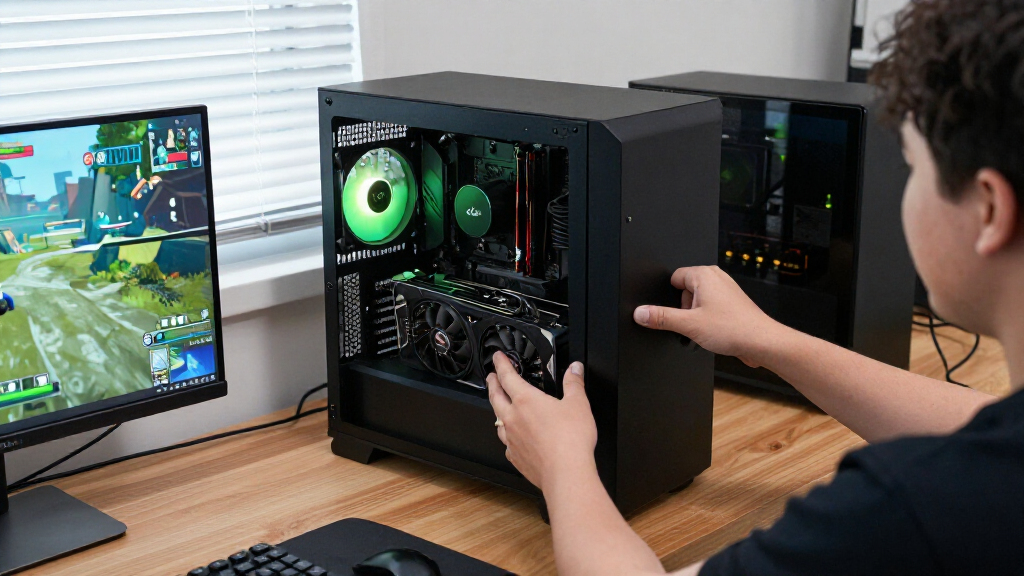
I ranked these cards by how well their GPU tier, memory, cooling design, and intended use match real buyer needs. Performance class matters first: an RTX 5080 is a higher-tier choice than an RTX 5070 or RTX 5060 Ti, but that does not make every 5080 board the right fit for every PC. I also weighed capacity, card size, cooling approach, and whether a model is aimed at gaming, compact builds, or professional workloads.
Within a GPU tier, I gave priority to practical differences rather than treating factory overclocks or styling as proof of a large performance gap. The ranking favors versatile choices near the top, then separates specialized premium, compact, and workstation options from lower-cost or older-generation alternatives. Since the listed products do not include independent benchmark results, I avoid claiming exact frame-rate gaps; buyers should check current performance tests, dimensions, and power requirements for the specific card and system they plan to use.
| NVIDIA RTX graphics card | GPU |
|---|---|
| ASUS Prime NVIDIA GeForce RTX | NVIDIA GeForce RTX 5070 Ti |
| ASUS Dual GeForce RTX 3050 6GB | NVIDIA GeForce RTX 3050 |
| MSI Gaming RTX 5080 16G Ventus | NVIDIA GeForce RTX 5080 |
| MSI Gaming GeForce RTX 3060 Ve | NVIDIA GeForce RTX 3060 |
| ASUS ROG Astral GeForce RTX 50 | NVIDIA GeForce RTX 5080 |
| NVIDIA GeForce RTX 5080 Founde | NVIDIA GeForce RTX 5080 |
| ASUS TUF Gaming GeForce RTX 50 | NVIDIA GeForce RTX 5080 |
| Nvidia RTX 2000 ADA 16GB Graph | — |
| ASUS Dual GeForce RTX 5060 Ti | — |
| MSI Gaming RTX 5080 16G SUPRIM | NVIDIA GeForce RTX 5080 |
| ASUS TUF Gaming GeForce RTX 50 | — |
| PNY NVIDIA GeForce RTX 5080 Ep | NVIDIA GeForce RTX 5080 |
| ASUS Prime GeForce RTX 5070 12 | NVIDIA GeForce RTX 5070 |
| ASUS ProArt GeForce RTX 5080 1 | — |
Factors to Consider When Choosing Best NVIDIA RTX Graphics Cards
Choosing among these cards starts with the job your PC must do and the limits of the rest of your build. I would settle the following points before choosing a GPU tier or board design.
Match the GPU tier to your resolution and workload
Choose based on the games and applications you actually run, not on a model number alone. Higher resolutions and demanding graphics settings can make a stronger GPU useful, while lighter games or everyday desktop work may not benefit from an RTX 5080-class card. For creation work, check whether your software benefits from GPU acceleration and how much memory its projects use. A powerful card paired with a lower-resolution display may be an unbalanced use of your system budget. Look up performance in the specific games or software you care about, using settings close to your own. This helps prevent both overspending and the frustration of choosing a card that cannot meet your target experience.
Treat VRAM as a workload requirement, not a ranking
More video memory can help with large textures, high-resolution assets, and demanding creative projects, but it does not replace GPU processing power. This roundup includes a 16GB RTX 5060 Ti and a 12GB RTX 5070, a useful reminder that capacity and overall performance tier answer different questions. Check the memory demands of your applications and the settings you expect to use before choosing between them. Buyers often focus only on capacity and overlook whether the card can process the workload quickly enough. On the other hand, paying for a faster GPU with less memory may be a poor fit for projects that routinely exceed its capacity. Let your heaviest recurring task set the memory requirement.
Check card dimensions, power, and airflow together
A card that fits the motherboard may still conflict with the case, radiator, drive cage, or power cables. Compare the exact card length, thickness, slot occupancy, and connector location with your case specifications before ordering. Also check the manufacturer’s power-supply guidance and confirm that your PSU has the required connectors; do not assume an older unit is suitable just because its wattage seems high. A larger cooler can support heat management, but it may block adjacent slots or restrict airflow to other components. Compact cards can simplify small builds, though a smaller cooler may leave less thermal headroom under sustained loads. Plan the whole layout rather than treating GPU fit as a length-only check.
Pay for cooling features only when your build benefits
Board partners can change cooler size, fan behavior, factory tuning, lighting, and appearance while using the same GPU class. Those differences may matter if your PC runs demanding workloads for long sessions, sits near you, or has a particular visual theme. A liquid-cooled model also adds a radiator and pump that need a suitable mounting location and more installation planning. An elaborate cooler can be wasted in a case with poor ventilation, since case airflow affects the entire system. For a straightforward build, a simpler design may be easier to accommodate and maintain. Compare warranty terms and support alongside cooler features, especially when a model adds components such as a pump.
Decide whether you need a gaming or workstation card
RTX branding spans products aimed at different types of work, and a professional card is not automatically the best choice for a gaming PC. A workstation model such as the RTX 2000 Ada may suit specific professional applications, drivers, or compact business systems, but gaming buyers should compare its real game performance and software support with GeForce alternatives. Check the certification and driver requirements of the applications you use before paying for a workstation-oriented design. Conversely, a GeForce card may be a strong general-purpose tool but may not meet a workplace’s validated hardware requirements. Confirm software compatibility with the application vendor, especially for production-critical work. The right choice depends on your workflow, not just the RTX name.
Think about upgrade timing and the rest of the PC
A graphics card upgrade can expose limits elsewhere in a system, including an older processor, insufficient power supply, or a display that cannot show the benefits of the new GPU. Before moving from an RTX 3050 or 3060 to a much higher tier, check whether your CPU and monitor can make use of the added capability. A monitor upgrade may produce a more noticeable improvement than buying a flagship card for a display that does not support your target resolution or refresh rate. Buyers replacing a functioning card should also compare current benchmarks and software features against their actual games and tasks. Avoid choosing purely around the newest generation if the gain does not address a real limitation. A balanced upgrade plan can prevent extra spending on parts that do not improve your day-to-day use.
Frequently Asked Questions
Should I choose the RTX 5070 Ti or an RTX 5080 for a gaming PC?
I would choose between them based on your target resolution, game settings, and the rest of your build rather than on the flagship label alone. The RTX 5070 Ti 16GB is the more balanced route in this lineup for buyers seeking a strong gaming card without moving into the RTX 5080 tier. An RTX 5080 makes more sense when your games, display, or demanding creative work can use the extra performance class. Check independent benchmarks for the titles you play and confirm that your power supply and case can support the exact model. If those checks show little practical gain for your setup, the 5070 Ti is the more sensible fit.
Is the 16GB RTX 5060 Ti a better choice than the 12GB RTX 5070?
Not automatically: memory capacity and GPU performance are separate factors. The RTX 5060 Ti’s 16GB may appeal if your applications or projects need more memory, while the RTX 5070 is a higher GPU tier for workloads that benefit from more processing capability. Check your game settings, target resolution, and creative software’s memory use before deciding. Look for tests that cover the specific task where you expect memory pressure, rather than choosing from capacity figures alone. If you mainly play games that do not approach the 5060 Ti’s memory limit, the 5070’s higher tier may be a better match.
Will an RTX 5080 fit in my current PC without other upgrades?
You need to check more than the card’s length. Compare the exact model’s length, thickness, and slot use with your case, then verify clearance around radiators, cables, and nearby expansion cards. Review the card maker’s power-supply recommendations and connector requirements, and check that your PSU can provide stable power with the right connections. Case airflow and processor pairing also affect whether an upgrade works well under sustained gaming loads. Because RTX 5080 designs vary across the Founders Edition, air-cooled partner cards, and the liquid-cooled MSI model, use the specifications for the exact version you plan to buy.
Should I buy an older RTX 3050 or RTX 3060 instead of a newer card?
An older card can still suit a modest gaming PC, an upgrade with limited power or space, or a system whose owner does not need high-end performance. The RTX 3050 and RTX 3060 sit below the newer RTX 50-series options in this lineup, so they are not direct substitutes for buyers seeking current high-tier gaming. Compare current benchmarks for your games and check memory needs, supported features, and the card’s condition if purchasing used. Also account for the cost of replacing the card sooner if your workload is growing. If you already own a recent card, upgrading to an older tier may not solve a performance limitation.
Is the RTX 2000 Ada a good choice for gaming and professional work?
It may suit a professional system that needs a workstation-oriented card, but I would not choose it for gaming based on its RTX branding alone. Confirm that your design, engineering, or production applications support the card and its driver features, and check any hardware certification requirements from your workplace. For gaming, compare actual results with GeForce models at the same resolution and settings before making a decision. A workstation card can be a better fit when validated application behavior matters more than gaming performance. If gaming is your main use, the GeForce options in this roundup are the more natural starting point.
Conclusion
For most buyers seeking one capable card for gaming and general creative work, I recommend the ASUS Prime RTX 5070 Ti 16GB as the best overall balance in this lineup. The ASUS Dual RTX 5060 Ti 16GB is my best value-oriented pick for buyers who want a newer-generation card and generous memory without stepping into the higher tiers; the ASUS Dual RTX 3050 6GB is the more approachable option for modest gaming needs, provided expectations stay realistic. For a flagship system, choose among the RTX 5080 models by case fit, cooling, appearance, and installation needs: the Founders Edition keeps things straightforward, while the MSI SUPRIM Liquid suits buyers prepared for a radiator-based setup. The RTX 2000 Ada is the pick for specific professional workflows that require workstation hardware. If none of those use cases matches yours, step back and confirm your display, power supply, case, and software demands before choosing a GPU tier.