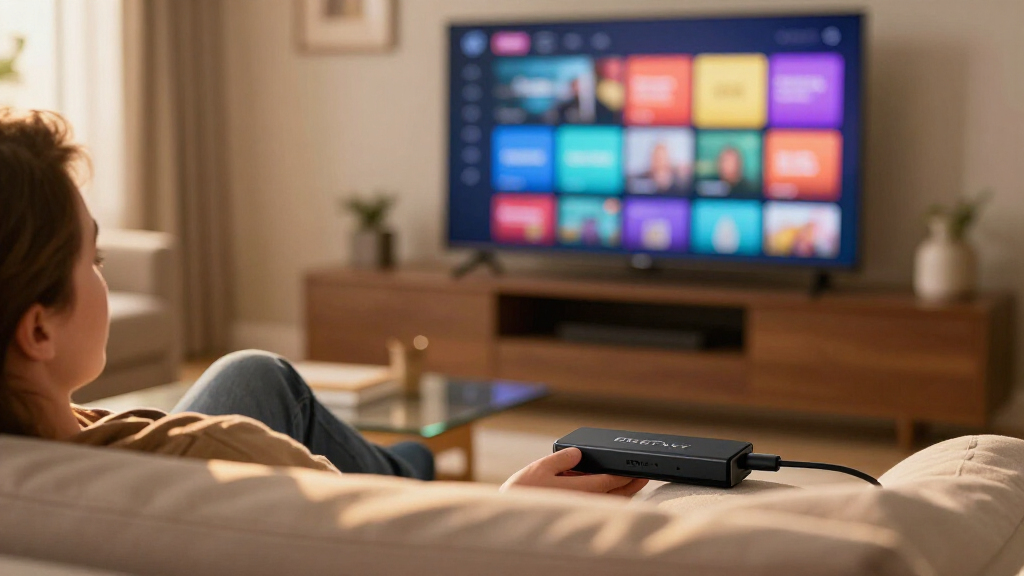

When it comes to the best Fire TV streaming sticks, the Fire TV Stick 4K Max (2nd Gen) stands out as the best overall pick, thanks to its faster processor, Wi-Fi 6E support, and smooth performance across every major streaming app. If you want near-identical speed with added peace of mind, the Fire TV Stick 4K Plus with 2-Year Protection Plan is a smart alternative, while the Fire TV Stick HD with Alexa Voice Remote covers the basics for older 1080p TVs. The main tradeoff in this category is between raw performance and value: 4K Max models handle demanding apps and large libraries effortlessly, while HD and standard 4K models cost less but feel slower and skip advanced networking. Bundles with power cables or protection plans also shift the value equation depending on how your TV’s ports are arranged. Continue reading for the full breakdown of all 12 options.

Get the latest gadgets delivered free — and shop member deals
- Fast, free delivery on millions of items
- Access to Prime Big Deal Days deals on October 6–7
- Prime Video, Amazon Music and more included
Complete the kit



Key Takeaways
- The 4K Max (2nd Gen) earned the top spot because it is the only model in this lineup with Wi-Fi 6E, making it the clear choice for busy households with many connected devices.
- Three of the 12 products are bundle variants of the same sticks, which means the real decision is often about accessories and protection plans, not hardware differences.
- The HD models only make sense for 1080p TVs — pairing them with a 4K display wastes picture quality, and the price gap to 4K models is smaller than most buyers expect.
- The refurbished Fire TV Stick 4K is the value play of the roundup, offering core 4K streaming at a lower cost if cosmetic condition matters less to you than functionality.
- Bundles with a USB power cable solve a real problem: many TVs underpower streaming sticks through their HDMI ports, causing lag and random reboots.
| Amazon Fire TV Stick 4K Max (2nd Gen) Streaming Device |  | Best Overall | Model: 2nd Gen | Processor: Quad-core 2.0 GHz | Storage: 16 GB | VIEW LATEST PRICE | See Our Full Breakdown |
| Amazon Fire TV Stick 4K Select Bundle with 2-Year Protection Plan |  | Best Value Bundle | Processor: Quad-core 1.7 GHz | Storage: 8 GB internal | Wi-Fi: Dual-band, dual-antenna (MIMO), 802.11a/b/g/n/ac | VIEW LATEST PRICE | See Our Full Breakdown |
| Amazon Fire TV Stick 4K Max with USB Power Cable |  | Best for Clean Home Theater Setups | Release: 2026 | Resolution: 4K Ultra HD | HDR: Dolby Vision, HDR10+ | VIEW LATEST PRICE | See Our Full Breakdown |
| Amazon Fire TV Stick 4K Select Bundle with USB Power Cable |  | Best Budget 4K Pick for Simple Setups | Resolution: 4K Ultra HD | HDR: HDR10+ | Voice assistant: Alexa+ | VIEW LATEST PRICE | See Our Full Breakdown |
| Amazon Fire TV Stick 4K Plus with 2-Year Protection Plan |  | Best Warranty Coverage for Families | Video resolution: 4K Ultra HD | HDR formats: Dolby Vision, HDR10+ | Audio: Dolby Atmos | VIEW LATEST PRICE | See Our Full Breakdown |
| Amazon Fire TV Stick HD (2nd Gen) with 2-Year Protection Plan |  | Best for Households That Are Hard on Remotes | Output resolution: 1080p / 720p up to 60 fps | Processor: Quad-core 1.7 GHz | Storage: 8 GB internal | VIEW LATEST PRICE | See Our Full Breakdown |
| Amazon Fire TV Stick 4K Plus |  | Best Overall 4K Pick | Output resolution: Up to 2160p at 60 fps | Processor: Quad-core 1.7 GHz | GPU: 650 MHz | VIEW LATEST PRICE | See Our Full Breakdown |
| Amazon Fire TV Stick HD with Alexa Voice Remote |  | Best Budget Starter Stick | Resolution: Full HD | Wi-Fi: Wi-Fi 6 | Connectivity: HDMI, Bluetooth | VIEW LATEST PRICE | See Our Full Breakdown |
| Amazon Fire TV Stick 4K Max with Wi-Fi 6 and Alexa Voice Remote |  | Best for Gamers and Power Users | Resolution: Up to 2160p at 60 fps | Processor: Quad-core 1.8 GHz MT8696 | GPU: IMG GE9215, 750 MHz | VIEW LATEST PRICE | See Our Full Breakdown |
| Amazon Fire TV Stick 4K with Alexa+ and Wi-Fi 6 |  | Best for Alexa-Centric Smart Homes | Resolution: 4K | HDR: HDR10+ | Wi-Fi: Wi-Fi 6 | VIEW LATEST PRICE | See Our Full Breakdown |
| Amazon Fire TV Stick 4K (Like-New, Refurbished) |  | Smartest Refurbished Pick | Condition: Refurbished, tested and certified to look and work like new | Video: 4K Ultra HD, Dolby Vision, HDR10+ | Audio: Dolby Atmos | VIEW LATEST PRICE | See Our Full Breakdown |
| Amazon Fire TV Stick 4K Select with Alexa Voice Remote |  | Best Entry-Level 4K | Dimensions: 3.9 × 1.2 × 0.6 in (99 × 30 × 14 mm) | Weight: 1.5 oz (42 g) | Processor: Quad-core 1.7 GHz | VIEW LATEST PRICE | See Our Full Breakdown |
| Fire TV streaming stick | Wi-Fi | Storage | Audio | Processor |
|---|---|---|---|---|
| Amazon Fire TV Stick 4K Max | Wi-Fi 6E tri-band (2.4, 5, and 6 GHz) | 16 GB | Dolby Atmos, 7.1 surround, HDMI audio passthrough up to 5.1 | Quad-core 2.0 GHz |
| Amazon Fire TV Stick 4K Select | Dual-band, dual-antenna (MIMO), 802.11a/b/g/n/ac | 8 GB internal | Dolby-encoded audio (AC-3, E-AC-3, E-AC3_JOC) | Quad-core 1.7 GHz |
| Amazon Fire TV Stick 4K Max wi | — | 16 GB | Dolby Atmos | — |
| Amazon Fire TV Stick 4K Select | — | — | — | — |
| Amazon Fire TV Stick 4K Plus w | Wi-Fi 6 | — | Dolby Atmos | — |
| Amazon Fire TV Stick HD | Wi-Fi 6 dual-band | 8 GB internal | — | Quad-core 1.7 GHz |
| Amazon Fire TV Stick 4K Plus | Wi-Fi 6 dual-band | 8 GB | Dolby Atmos, 7.1 surround, 5.1 pass-through | Quad-core 1.7 GHz |
| Amazon Fire TV Stick HD with A | Wi-Fi 6 | — | — | — |
| Amazon Fire TV Stick 4K Max wi | Wi-Fi 6 (802.11a/b/g/n/ac/ax) | 8 GB | Dolby Atmos, 7.1 surround, 5.1 pass-through | Quad-core 1.8 GHz MT8696 |
| Amazon Fire TV Stick 4K with A | Wi-Fi 6 | — | — | — |
| Amazon Fire TV Stick 4K | Wi-Fi 6 | — | Dolby Atmos | — |
| Amazon Fire TV Stick 4K Select | Dual-band, dual-antenna MIMO; 802.11a/b/g/n/ac | 8 GB internal | — | Quad-core 1.7 GHz |
More Details on Our Top Picks
Amazon Fire TV Stick 4K Max (2nd Gen) Streaming Device
This is the stick I would point most people toward first. Compared with the Fire TV Stick 4K Select, the 4K Max justifies its place at the top of this list with a faster quad-core 2.0 GHz processor, double the storage at 16 GB, and Wi-Fi 6E, which means apps open faster, navigation feels snappier, and streaming stays stable even on crowded home networks. The Dolby Vision and Dolby Atmos support is the most complete in this lineup, making it the strongest match for a proper home theater setup. The tradeoffs are real but manageable: Wi-Fi 6E only pays off with a compatible router, 4K playback needs an Ultra HD TV, and some features lean on separate subscriptions. Compared with the 4K Plus bundle below, it skips the protection plan but delivers better raw performance.
Pros:- Fastest processor in this lineup for quick app launches and smooth navigation
- 16 GB of storage handles plenty of apps, games, and downloads
- Full HDR support including Dolby Vision, HDR10+, and Dolby Atmos
- Wi-Fi 6E keeps streaming stable on congested networks
Cons:- Wi-Fi 6E requires a compatible router to deliver its full benefit
- Many features and services require separate subscriptions
Best for: Buyers with a 4K Dolby Vision TV and a busy Wi-Fi household who want the fastest, most future-proof Fire TV Stick
Not ideal for: Owners of 1080p TVs or older routers — most of the Max’s advantages in resolution and Wi-Fi 6E would go unused
- Model:2nd Gen
- Processor:Quad-core 2.0 GHz
- Storage:16 GB
- Wi-Fi:Wi-Fi 6E tri-band (2.4, 5, and 6 GHz)
- Video support:Up to 4K Ultra HD; Dolby Vision, HDR10, HDR10+, HLG
- Audio:Dolby Atmos, 7.1 surround, HDMI audio passthrough up to 5.1
- Remote:Alexa Voice Remote Enhanced with TV power and volume control
- Weight:43.5 g
Our verdict“If you want one Fire TV Stick that covers performance, storage, and home theater formats without compromise, this is the one to buy.”
Amazon Fire TV Stick 4K Select Bundle with 2-Year Protection Plan
This bundle makes the most sense for buyers who want 4K picture quality on a tighter budget with the safety net of a warranty. Picture-wise, the 4K Select delivers 4K Ultra HD with HDR10+, though it lacks the Dolby Vision and Dolby Atmos support you get on the Fire TV Stick 4K Max (2nd Gen). Where it holds its own is the Alexa+ integration for recommendations and smart home control, plus dual-band MIMO Wi-Fi that keeps streaming dependable in smaller homes. The compromises show up under the hood: a slower 1.7 GHz processor and only 8 GB of storage, which fills up quickly if you install many apps or games. The included 2-Year Protection Plan covers mechanical and electrical failures, adding peace of mind the standalone 4K Max doesn’t include.
Pros:- 4K Ultra HD with HDR10+ at a lower tier than the Max models
- Alexa+ voice remote for search, recommendations, and smart home control
- 2-Year Protection Plan covers breakdowns beyond the standard 90-day warranty
- Dual-band MIMO Wi-Fi keeps streams stable
Cons:- Only 8 GB of internal storage limits how many apps you can install
- No Dolby Vision or Dolby Atmos support unlike the 4K Max
- Protection Plan only applies when purchased within the eligible window
Best for: Budget-conscious streamers who want 4K HDR10+ picture and warranty coverage without paying for flagship features
Not ideal for: Heavy app installers and gamers — the 8 GB of storage and slower processor will feel limiting quickly
- Processor:Quad-core 1.7 GHz
- Storage:8 GB internal
- Wi-Fi:Dual-band, dual-antenna (MIMO), 802.11a/b/g/n/ac
- Output resolution:2160p, 1080p, 720p up to 60 fps
- HDR formats:HDR10, HDR10+, HLG
- Audio:Dolby-encoded audio (AC-3, E-AC-3, E-AC3_JOC)
- Warranty:90-day limited warranty plus 2-Year Protection Plan
- Weight:1.5 oz (42 g)
Our verdict“A sensible pick if you value warranty coverage and 4K picture over cutting-edge formats and storage headroom.”
Amazon Fire TV Stick 4K Max with USB Power Cable
This version of the Fire TV Stick 4K Max targets a specific frustration: the wall outlet behind the TV. The included USB power cable lets the stick draw power directly from your TV’s USB port, so there’s no AC adapter dangling behind the entertainment center. Performance matches what makes the Max the top pick elsewhere in this guide — 4K Dolby Vision, HDR10+, Dolby Atmos, Wi-Fi 6E, and 16 GB of storage — plus Xbox cloud gaming support for casual gamers. Compared with the 4K Select bundle with USB power cable, you’re stepping up to the faster processor, double the storage, and fuller HDR support. The catch is that USB power depends entirely on your TV’s port output; some TVs supply insufficient power or cut USB power when off, which can force a fallback to an outlet anyway.
Pros:- Flagship specs including Dolby Vision, HDR10+, Dolby Atmos, and Wi-Fi 6E
- 16 GB of storage for apps and cloud gaming
- USB power cable eliminates the need for an AC outlet in most setups
- Xbox cloud gaming support for big-screen gaming without a console
Cons:- USB power depends on the TV’s port output and behavior
- Cloud gaming requires a separate Xbox Game Pass subscription
Best for: Home theater owners who want flagship Fire TV performance without an extra wall outlet behind the TV
Not ideal for: Households with older TVs whose USB ports may not supply reliable power for sustained 4K streaming
- Release:2026
- Resolution:4K Ultra HD
- HDR:Dolby Vision, HDR10+
- Audio:Dolby Atmos
- Connectivity:Wi-Fi 6E
- Storage:16 GB
- Power:USB cable powers device from TV USB port
- Gaming:Xbox cloud gaming via Xbox Game Pass
Our verdict“The best choice if you want top-tier Fire TV performance and a cable-free power setup behind your TV.”
Amazon Fire TV Stick 4K Select Bundle with USB Power Cable
For straightforward streaming in a bedroom or guest room, this 4K Select bundle covers the basics well. You get 4K Ultra HD with HDR10+, access to all the major apps, and the same USB power cable convenience as the pricier Max version — with power management circuitry that handles peak power draws from a TV port. Where it differs from the 4K Max with USB Power Cable is in the details: no Dolby Vision or Dolby Atmos, less storage, and a less powerful chipset, so navigation is a touch slower and the picture is slightly less refined on premium TVs. Alexa+ handles search, Amazon Photos, and smart home control capably. If your TV is a mid-range HDR10+ set rather than a Dolby Vision flagship, those gaps will barely register.
Pros:- 4K Ultra HD with HDR10+ for a sharp, colorful picture on mid-range TVs
- USB power cable removes the need for a wall outlet
- Alexa+ voice search plus smart home and Amazon Photos integration
- Access to thousands of streaming apps including Prime Video, Netflix, and Disney+
Cons:- No Dolby Vision or Dolby Atmos support unlike the Max models
- Requires a compatible 4K HDR TV to reach its highest video quality
Best for: Anyone setting up 4K streaming in a bedroom, guest room, or rental where simplicity and TV-powered setup matter most
Not ideal for: Dolby Vision TV owners and serious cinephiles who will notice the missing premium HDR and Atmos formats
- Resolution:4K Ultra HD
- HDR:HDR10+
- Voice assistant:Alexa+
- Power:TV USB port with power management circuitry
- Included accessory:USB power cable
- Streaming apps:Prime Video, Netflix, YouTube, Disney+, and thousands more
Our verdict“A practical, low-friction 4K stick for secondary TVs where ease of setup beats having every premium format.”
Amazon Fire TV Stick 4K Plus with 2-Year Protection Plan
Sitting neatly between the 4K Select and the 4K Max, this 4K Plus bundle hits a sweet spot for households that put devices through heavy use. It delivers the premium formats the Select lacks — Dolby Vision, HDR10+, and Dolby Atmos — while adding Wi-Fi 6 for smoother streams when phones, laptops, and tablets are competing for bandwidth. It falls short of the 4K Max (2nd Gen) on storage and the 6 GHz band of Wi-Fi 6E, but most families won’t notice that gap day to day. The standout here is the 2-Year Protection Plan with 24/7 support and two-day replacements, which matters when kids, pets, and constant remotes are involved. The main drawback is the usual one: most content still requires separate subscriptions, so the streaming library breadth comes with ongoing costs.
Pros:- Full premium format support with Dolby Vision, HDR10+, and Dolby Atmos
- Wi-Fi 6 handles congested networks better than dual-band Wi-Fi 5 sticks
- 2-Year Protection Plan with 24/7 support and two-day replacements
- Voice remote with Alexa+ for search, recommendations, and smart home control
Cons:- Streaming subscriptions require additional ongoing fees
- Less storage and slower connectivity than the 4K Max lineup
Best for: Busy families who want Dolby Vision and Atmos quality plus fast replacement coverage for a heavily used TV
Not ideal for: Enthusiasts who want maximum storage and Wi-Fi 6E — the 4K Max is the better fit despite lacking the plan
- Video resolution:4K Ultra HD
- HDR formats:Dolby Vision, HDR10+
- Audio:Dolby Atmos
- Wi-Fi:Wi-Fi 6
- Voice assistant:Alexa+
- Streaming library:More than 1.8 million movies and TV episodes
- Protection plan:2 years covering breakdowns and mechanical or electrical failures
- Support:24/7 support with two-day replacements
Our verdict“A smart middle-ground pick for families that want near-flagship picture quality with the strongest support safety net in this roundup.”
Amazon Fire TV Stick HD (2nd Gen) with 2-Year Protection Plan
Most HD sticks are bought and forgotten — until a remote gets lost or a stick gets knocked behind the TV. This bundle stands out for pairing the Full HD streaming basics with a 2-year protection plan covering up to three claims, which makes sense for families with kids, renters who move often, or anyone who has replaced a streaming device before. Compared with the Fire TV Stick HD with Alexa Voice Remote, the hardware is nearly identical: Wi-Fi 6, 1080p output, and the same compact form factor. What differs is the safety net. That coverage does come with a tradeoff — this is still a 1080p-only stick, so anyone with a 4K panel will be leaving resolution on the table versus the Fire TV Stick 4K Plus. For 1080p households, though, this is the low-risk way in.
Pros:- 2-year protection plan with up to three claims included
- Wi-Fi 6 holds up on busy home networks
- Compact design hides behind the TV
- Alexa Voice Remote handles search and playback
Cons:- Caps out at 1080p with no HDR picture upgrade path
- Separate subscriptions still required for most services
Best for: Families, students, and renters with 1080p TVs who want accident coverage included from day one
Not ideal for: Owners of 4K TVs — the resolution ceiling wastes the panel and the coverage doesn’t change that
- Output resolution:1080p / 720p up to 60 fps
- Processor:Quad-core 1.7 GHz
- Storage:8 GB internal
- Wi-Fi:Wi-Fi 6 dual-band
- Bluetooth:Bluetooth 5.3 + BLE
- Video formats:HDR10, HDR10+, HLG, H.265, VP9, AV1
- Protection plan:2 years, up to 3 claims
Our verdict“The sensible pick for Full HD households that tend to break or lose gear and want coverage built into the purchase.”
Amazon Fire TV Stick 4K Plus
This is the model I’d point most 4K TV owners toward, because it nails the balance between price-tier features and real-world performance. Dolby Vision and HDR10+ support mean the stick adapts to whatever HDR format your TV prefers, and Dolby Atmos rounds out a genuinely cinematic package for anyone with a soundbar or receiver. Compared with the Fire TV Stick 4K Max, the 4K Plus runs a slightly slower 650 MHz GPU, so hardcore gamers may notice the difference in cloud gaming — but for movies and shows the gap is barely perceptible. The HDMI 2.1 port with ARC support is another quiet advantage, simplifying audio wiring on compatible setups. Just know that Wi-Fi 6 speeds require a Wi-Fi 6 router, and 4K content still depends on each service offering it.
Pros:- Full 4K Ultra HD with Dolby Vision, HDR10+, and Dolby Atmos
- HDMI 2.1 with ARC simplifies soundbar connections
- Xbox Game Pass cloud gaming supported
- Alexa remote controls compatible TV power and volume
Cons:- Wi-Fi 6 benefits only materialize with a Wi-Fi 6 router
- 4K and HDR availability varies by service and region
Best for: Owners of 4K Dolby Vision TVs and Atmos soundbars who want premium formats without paying Max-tier prices
Not ideal for: Serious cloud gamers — the 4K Max’s faster GPU is the better fit for responsive gameplay
- Output resolution:Up to 2160p at 60 fps
- Processor:Quad-core 1.7 GHz
- GPU:650 MHz
- Storage:8 GB
- Wi-Fi:Wi-Fi 6 dual-band
- Video formats:Dolby Vision, HDR10, HDR10+, HLG, AV1
- Audio:Dolby Atmos, 7.1 surround, 5.1 pass-through
- Ports:HDMI 2.1 with ARC; micro USB power
Our verdict“The best all-around choice for a modern 4K home theater, sitting just below the Max in performance and price.”
Amazon Fire TV Stick HD with Alexa Voice Remote
For a first streaming device on a bedroom or spare-room 1080p TV, this is the pick that keeps things simple. It streams Full HD over Wi-Fi 6, draws power from the TV itself via USB-C, and its remote can replace a pile of controllers by handling TV power, volume, and soundbar commands. Unlike the Fire TV Stick HD (2nd Gen) with 2-Year Protection Plan, there’s no extended coverage here — you’re trading that safety net for a lower barrier to entry. Bluetooth private listening is a nice touch the spec sheet undersells: plug in headphones and watch late at night without waking anyone. The obvious ceiling is resolution. Next to the Fire TV Stick 4K with Alexa+, HDR and 4K are simply off the table, so this belongs in 1080p households only.
Pros:- TV-powered USB-C design eliminates an outlet dependency
- Voice remote consolidates TV, soundbar, and smart home control
- Bluetooth headphone listening for private viewing
- Wi-Fi 6 keeps streaming stable on shared networks
Cons:- Limited to 1080p with no HDR formats
- TV-powered setup requires a compatible USB port on the television
Best for: First-time cord-cutters adding streaming to a secondary 1080p TV
Not ideal for: Home theater setups — no 4K, no HDR, and no Atmos support worth mentioning
- Resolution:Full HD
- Wi-Fi:Wi-Fi 6
- Connectivity:HDMI, Bluetooth
- Power:TV-powered via included USB-C cable
- Remote:Alexa Voice Remote with power and volume buttons
- Features:Live TV, app streaming, smart home control, Bluetooth private listening
Our verdict“The easiest, least complicated way to smarten up an older HD television.”
Amazon Fire TV Stick 4K Max with Wi-Fi 6 and Alexa Voice Remote
The 4K Max earns its place as the performance tier of this lineup. Its 1.8 GHz quad-core processor and 750 MHz GPU outpace the Fire TV Stick 4K Plus‘s 650 MHz graphics, which translates to snappier menu navigation and smoother cloud gaming sessions — the difference is small for Netflix, but real for anyone playing through a game-streaming service. Format support is the full package: Dolby Vision, HDR10+, HLG, and Dolby Atmos. One caveat worth flagging is Bluetooth: this model runs 5.0, while both HD sticks in this roundup ship with newer 5.2+ chips, so early-adopter accessories pair more cleanly elsewhere. There’s also no extended protection plan bundled here, unlike the Fire TV Stick HD with 2-Year Protection Plan. Still, for the household that streams constantly and games on top, this is the one that keeps up.
Pros:- Fastest processor and GPU combination in this batch
- Full Dolby Vision, HDR10+, and Dolby Atmos support
- Cloud gaming runs noticeably smoother than on lesser models
- Alexa remote controls TV and audio device power and volume
Cons:- Older Bluetooth 5.0 versus 5.2+ on newer sticks
- 4K and Wi-Fi 6 features demand compatible TV and router hardware
Best for: Cloud gamers and heavy streamers who want the fastest interface response in the lineup
Not ideal for: Casual viewers with modest 4K needs — the 4K Plus covers the same formats for less
- Resolution:Up to 2160p at 60 fps
- Processor:Quad-core 1.8 GHz MT8696
- GPU:IMG GE9215, 750 MHz
- Storage:8 GB
- Wi-Fi:Wi-Fi 6 (802.11a/b/g/n/ac/ax)
- Bluetooth:Bluetooth 5.0 + LE
- Audio:Dolby Atmos, 7.1 surround, 5.1 pass-through
- Ports:HDMI ARC; micro USB power
Our verdict“The performance-first choice for gamers and power users who feel every millisecond of lag.”
Amazon Fire TV Stick 4K with Alexa+ and Wi-Fi 6
This model’s calling card is Alexa+, the upgraded voice assistant that makes the remote feel more conversational and better at juggling smart home routines than the standard Alexa found on the Fire TV Stick 4K Max. Picture quality lands in a middle lane: you get 4K with HDR10+, which produces vivid color and strong contrast on compatible panels, but Dolby Vision is absent — a format the Fire TV Stick 4K Plus does carry. For TVs from brands that lean on HDR10+, that gap won’t matter at all. The direct-power design is convenient when it works, drawing juice straight from the TV, though older HDMI ports may not supply enough current. Throw in Bluetooth headphone listening and a remote loaded with shortcut and Live TV buttons, and this is a well-rounded pick for voice-first households.
Pros:- Alexa+ delivers the lineup’s most advanced voice experience
- 4K streaming with HDR10+ for vivid color
- Remote includes dedicated Live TV and shortcut buttons
- Bluetooth headphone support for quiet viewing
Cons:- No Dolby Vision support unlike the 4K Plus and 4K Max
- Direct Power requires a compatible TV power connection
Best for: Smart-home enthusiasts who want the most capable Alexa experience built into their streaming stick
Not ideal for: Dolby Vision TV owners — the missing format support makes the 4K Plus a better match
- Resolution:4K
- HDR:HDR10+
- Wi-Fi:Wi-Fi 6
- Connectivity:HDMI, Bluetooth
- Power:Direct Power via TV
- Voice assistant:Alexa+
- Remote features:Voice control, TV power/volume, navigation ring, Live TV shortcuts
Our verdict“The right pick if Alexa runs your home and HDR10+ covers your TV’s HDR needs.”
Amazon Fire TV Stick 4K (Like-New, Refurbished)
For buyers who want full 4K HDR streaming without paying new-unit pricing, this certified refurbished option stands out. It carries the same core hardware as the standard Fire TV Stick 4K, including Wi-Fi 6 — something the Fire TV Stick 4K Select lacks — plus Dolby Vision, HDR10+, and Dolby Atmos support. That makes it better suited to busy households where multiple devices share the network. Compared with buying a new Fire TV Stick HD at a similar outlay, this refurb gets you 4K picture quality instead of capping out at 1080p. The tradeoff is mostly psychological and cosmetic: it may arrive in generic packaging, and some buyers simply prefer shrink-wrapped new gear. Functionally, though, Amazon backs it with the same limited warranty as a new device, which takes most of the risk out of the equation.
Pros:- Full 4K Ultra HD with Dolby Vision, HDR10+, and Dolby Atmos at a refurbished price
- Wi-Fi 6 support keeps streams steady on crowded home networks
- Alexa Voice Remote controls TV power, volume, and compatible smart home devices
- Same limited warranty coverage as a new device
- Access to a large library of free ad-supported movies and episodes
Cons:- Some streaming services and Xbox cloud gaming require paid subscriptions
- May arrive in a generic Amazon-branded box rather than retail packaging
Best for: Budget-conscious streamers with a 4K TV who want premium formats like Dolby Vision and Wi-Fi 6 at a reduced cost
Not ideal for: Gift-givers and anyone who wants factory-sealed packaging — the generic box undercuts the unboxing appeal
- Condition:Refurbished, tested and certified to look and work like new
- Video:4K Ultra HD, Dolby Vision, HDR10+
- Audio:Dolby Atmos
- Wi-Fi:Wi-Fi 6
- Remote:Alexa Voice Remote with TV power and volume controls
- Cloud gaming:Xbox Game Pass supported; subscription may be required
- Content library:More than 1.8 million movies and TV episodes
- Packaging:May arrive in a generic Amazon-branded box
Our verdict“If you’re comfortable with certified refurbished gear, this is the cheapest route to flagship-tier 4K features including Wi-Fi 6 and Dolby Vision.”
Amazon Fire TV Stick 4K Select with Alexa Voice Remote
The 4K Select makes the most sense as a first 4K streaming stick for someone upgrading from a basic HD model like the Fire TV Stick HD. It delivers 2160p output with HDR10+ and handles modern codecs including AV1, so it plays nicely with the way most services encode their streams today. Where it falls short of the Fire TV Stick 4K Max and the refurbished Fire TV Stick 4K is networking: dual-band 802.11ac Wi-Fi instead of Wi-Fi 6, which matters most in apartments crowded with competing networks. The compact 1.5-ounce body hides neatly behind wall-mounted TVs, and the included Alexa remote handles voice search plus power and volume. Just note the shorter 90-day warranty and that cloud gaming only works with a separate Game Pass subscription and controller.
Pros:- 4K Ultra HD output with HDR10+ and broad codec support including AV1
- Compact, lightweight design that tucks behind the TV
- Alexa Voice Remote with voice search and device controls included
- Access to thousands of apps plus free ad-supported content
Cons:- Dual-band 802.11ac Wi-Fi only — no Wi-Fi 6 for crowded networks
- 4K playback requires a compatible TV and depends on the service
- Shorter 90-day limited warranty versus other Fire TV models
Best for: First-time cord-cutters with a 4K TV who want a simple, app-rich stick for one or two sets
Not ideal for: Power users or households with congested Wi-Fi — no Wi-Fi 6 means less headroom than the 4K Max or standard 4K models
- Dimensions:3.9 × 1.2 × 0.6 in (99 × 30 × 14 mm)
- Weight:1.5 oz (42 g)
- Processor:Quad-core 1.7 GHz
- Storage:8 GB internal
- Wi-Fi:Dual-band, dual-antenna MIMO; 802.11a/b/g/n/ac
- Bluetooth:Bluetooth 5.0 and Bluetooth Low Energy
- Output resolution:2160p, 1080p, 720p up to 60 fps
- Video formats:HDR10, HDR10+, HLG, H.265, H.264, VP9, AV1
- Warranty:90-day limited warranty
Our verdict“A solid, no-frills 4K stick for a secondary TV or a first streaming device, as long as heavy network traffic isn’t a concern.”

How We Picked
I evaluated each Fire TV streaming stick against the factors that actually affect daily use: streaming performance (app load times, menu responsiveness, codec support), network capability (Wi-Fi 6 versus 6E), picture quality support (4K, HDR formats, Dolby Vision), and remote quality. Because this lineup includes several bundles, I also judged bundle value — whether the added power cable or protection plan justified choosing a bundle over the standalone stick. Accessories that fix real problems, like USB power cables for underpowered HDMI ports, ranked higher than generic add-ons.
The ranking follows a simple logic: flagship hardware sits at the top, mid-tier 4K models fill the middle, and HD models plus the refurbished option anchor the value end. Where two products share identical hardware, the one with the more useful bundle or better warranty coverage ranks ahead. Every pick has a defined buyer in mind, and I flag who should skip each one rather than praising everything equally.
| Fire TV streaming stick | Processor | Wi-Fi | Audio |
|---|---|---|---|
| Amazon Fire TV Stick 4K Max | Quad-core 2.0 GHz | Wi-Fi 6E tri-band (2.4, 5, and 6 GHz) | Dolby Atmos, 7.1 surround, HDMI audio passthrough up to 5.1 |
| Amazon Fire TV Stick 4K Select | Quad-core 1.7 GHz | Dual-band, dual-antenna (MIMO), 802.11a/b/g/n/ac | Dolby-encoded audio (AC-3, E-AC-3, E-AC3_JOC) |
| Amazon Fire TV Stick 4K Max wi | — | — | Dolby Atmos |
| Amazon Fire TV Stick 4K Select | — | — | — |
| Amazon Fire TV Stick 4K Plus w | — | Wi-Fi 6 | Dolby Atmos |
| Amazon Fire TV Stick HD | Quad-core 1.7 GHz | Wi-Fi 6 dual-band | — |
| Amazon Fire TV Stick 4K Plus | Quad-core 1.7 GHz | Wi-Fi 6 dual-band | Dolby Atmos, 7.1 surround, 5.1 pass-through |
| Amazon Fire TV Stick HD with A | — | Wi-Fi 6 | — |
| Amazon Fire TV Stick 4K Max wi | Quad-core 1.8 GHz MT8696 | Wi-Fi 6 (802.11a/b/g/n/ac/ax) | Dolby Atmos, 7.1 surround, 5.1 pass-through |
| Amazon Fire TV Stick 4K with A | — | Wi-Fi 6 | — |
| Amazon Fire TV Stick 4K | — | Wi-Fi 6 | Dolby Atmos |
| Amazon Fire TV Stick 4K Select | Quad-core 1.7 GHz | Dual-band, dual-antenna MIMO; 802.11a/b/g/n/ac | — |
Factors to Consider When Choosing Best Fire TV Streaming Sticks
Choosing between Fire TV sticks comes down to matching the hardware to your TV, your network, and how you actually stream. These are the factors that separate a satisfying purchase from a frustrating one.Match the Stick to Your TV’s Resolution
The most common mistake buyers make is overpaying for a 4K stick on a 1080p TV, or the reverse — saving money on an HD stick and losing picture quality on a 4K panel. If your TV is 1080p, an HD model streams everything it can display, and no upgrade will improve the picture. If your TV is 4K, you need a 4K-capable stick to access HDR and Dolby Vision content, which is where most modern streaming quality gains come from. Check your TV’s specifications before buying, not after. The gap between a good HD stick and a good 4K stick is smaller than the gap between a 4K TV running HD content and one running true 4K HDR. Resolving this question first narrows the entire lineup down to two or three candidates.
Wi-Fi 6 and 6E Matter More Than You Think
Streaming quality problems are usually network problems in disguise. Sticks with Wi-Fi 6 or 6E hold steady bitrates in homes with dozens of connected devices, smart appliances, and neighbors’ networks crowding the same channels. Wi-Fi 6E adds access to the less congested 6GHz band, which is the single biggest hardware difference between the 4K Max and everything else here. If your router is older than four or five years, though, a Wi-Fi 6E stick cannot use that band, and the advantage disappears — put the savings toward a newer standard model instead. Buyers in apartments with dense wireless interference benefit most from the premium networking. Buyers in houses with a single router and few devices will not notice the difference.
Understand What Bundles Actually Solve
Several products in this category are the same stick sold with a USB power cable or a two-year protection plan, and the value depends on your setup. Many TVs supply insufficient power through HDMI, causing sticks to lag, freeze, or reboot mid-movie — a USB power cable that plugs into a wall adapter eliminates this entirely, so it is worth having if your TV’s USB ports are weak or occupied. Protection plans make more sense for households with kids, frequent HDMI port swapping, or power fluctuations. If your TV powers the stick reliably and you treat your hardware gently, a standalone stick is the cleaner purchase. Decide based on your living situation, not on the bundle’s existence.
HDR and Dolby Vision Support
Not all 4K sticks handle HDR the same way. Full support for Dolby Vision and HDR10+ changes how streaming content looks on compatible TVs, unlocking the picture quality you paid for when you bought the panel. Cheaper 4K models sometimes support HDR10 but skip Dolby Vision, which matters if you subscribe to services that stream in it. Check which HDR formats your TV supports first — buying Dolby Vision capability for a TV that cannot display it is wasted spend. This is also where the gap between HD and 4K models is widest, beyond raw resolution alone. Streamers who watch a lot of cinematic content should treat HDR support as a requirement, not a bonus.
Remote Features and Voice Control
The remote is the part of the stick you touch every single day, and the differences between models add up. Newer Alexa remotes include TV power and volume buttons, eliminating the need to juggle two controllers, and some models support the upgraded Alexa+ experience with more natural voice requests. If you have a soundbar or AV receiver, check whether the remote can control its volume — older basic remotes cannot. Voice search is genuinely useful for finding content across apps quickly, especially for households with kids or anyone who dislikes typing with a directional pad. A stick with a lesser remote can still be paired with a better one later, but buying the right remote upfront avoids that hassle.
When Refurbished Makes Sense
A refurbished 4K stick can be the smartest purchase in this lineup for the right buyer. Amazon’s renewed devices are tested and functionally equivalent to new units, with the tradeoff being possible cosmetic wear on a device that hides behind your TV anyway. The money saved can be substantial enough to jump you up a performance tier — effectively getting 4K Max-class value at a standard 4K price, or 4K capability at HD pricing. The main caveat is warranty length, which is typically shorter than a new unit’s coverage. If you are outfitting a guest room, a rental property, or a second TV, refurbished is hard to argue against. For your primary living-room setup, new hardware with full coverage may be worth the premium.
Frequently Asked Questions
Is the Fire TV Stick 4K Max worth it over the regular 4K model?
The 4K Max justifies itself if you care about speed and network reliability. It loads apps faster, navigates menus with less hesitation, and includes Wi-Fi 6E support that keeps streams stable in crowded wireless environments. The regular 4K stick still streams the same resolutions and HDR formats, so picture quality alone does not justify the upgrade. Where you will feel the difference is day-to-day responsiveness — heavy app switchers and large households with many devices benefit most. If you stream occasionally on a single TV with a simple network, the standard 4K model delivers nearly the same experience for less.
Do I need the bundle with the USB power cable?
It depends entirely on your TV’s HDMI ports. Many TVs supply weak or inconsistent power through HDMI, which causes sticks to run slowly, drop connections, or reboot during playback. A dedicated USB power cable drawing from a wall outlet removes that variable completely. If your current stick has ever frozen or lagged for no apparent reason, weak HDMI power is a likely culprit and the bundle solves it. If your TV has reliably powered streaming devices before, the standalone stick is fine. Households with older TVs generally benefit most from the cable inclusion.
Can I use a 4K Fire TV Stick on a 1080p TV?
Yes, it will work — 4K sticks are fully backward compatible with 1080p and even 720p displays. The stick simply outputs at whatever resolution the TV supports. However, paying for 4K and Dolby Vision capability you cannot display is wasted spend, and the HD models handle 1080p streaming just as smoothly for most users. The one argument for a 4K stick on an HD TV is future-proofing: if you plan to upgrade the TV within a year or two, buying the 4K stick now avoids a second purchase. Otherwise, match the stick to the screen you own today.
What is the difference between the 4K Plus and the 4K Select models?
The two sit in different performance tiers despite similar names. The 4K Plus is positioned as a near-flagship option with a faster processor and better responsiveness for demanding apps, while the Select models trim costs by using more modest internals and, in some cases, a simpler remote. For casual streamers who open one or two apps and watch, the Select’s differences are barely noticeable. Buyers who bounce between many apps, use voice search constantly, or want the snappiest experience should step up to the Plus or Max. The Select line is best understood as the value entry point to 4K streaming rather than a performance pick.
Are the two-year protection plan bundles a good deal?
They make sense for specific situations rather than as a default choice. Households with kids who handle remotes, frequent travelers who move devices between TVs, or homes with unreliable power benefit from the coverage. For a stick that sits permanently behind one TV in a careful household, Fire TV sticks are reliable enough that many owners never need a claim. Weigh the bundle’s added cost against how you treat electronics generally. If the price difference is small and the coverage includes replacement rather than repair, the peace of mind is reasonable. If it approaches the cost of simply buying a replacement stick, skip it.
Conclusion
The right pick depends on who you are as a viewer. For the best overall experience, the Fire TV Stick 4K Max (2nd Gen) is the clear leader — its processor and Wi-Fi 6E support make it the most future-proof and responsive option in the lineup. The best value goes to the refurbished Fire TV Stick 4K, which delivers genuine 4K streaming at the lowest entry point, with the 4K Select with Alexa Voice Remote as the best new-hardware value alternative. For premium buyers who want coverage included, the 4K Max with Wi-Fi 6 and Alexa Voice Remote paired with protection is the strongest package. Beginners and casual streamers with 1080p TVs should start with the Fire TV Stick HD with Alexa Voice Remote — simple, capable, and matched to what their screen can display. Finally, for specific needs: choose a USB power cable bundle if your TV underpowers HDMI devices, and the 4K Plus with 2-Year Protection Plan if you want near-Max performance with warranty coverage built in. Match the stick to your TV, your network, and your habits, and the decision makes itself.
Fall Picks
fall essentials
As an affiliate, we earn on qualifying purchases.