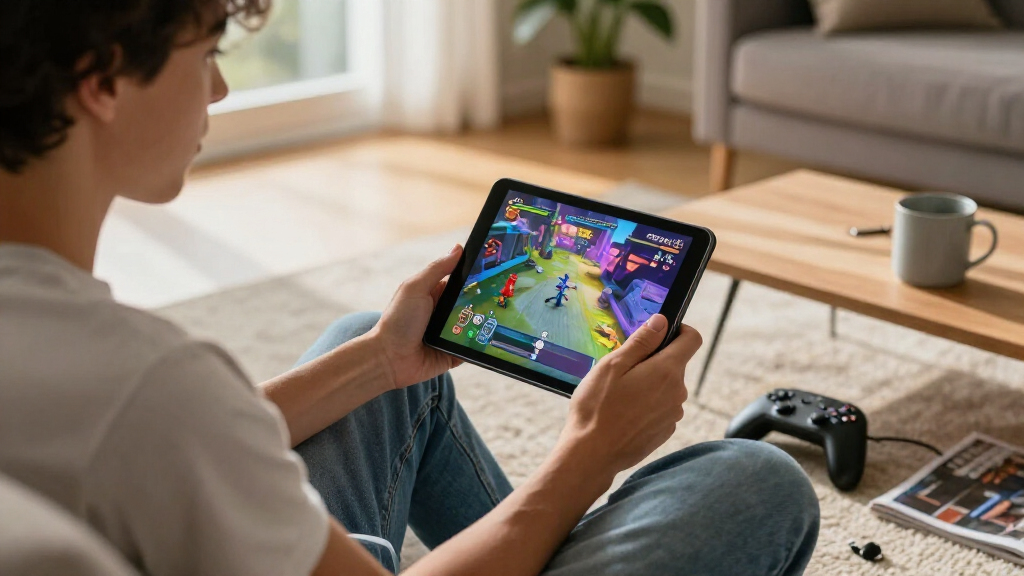
The best gaming tablet overall in this lineup is the Lenovo Idea Tab Pro with its Dimensity 8300 chip, 3K 144Hz display, and included pen and folio case. For a focused handheld experience, the Razer Edge pairs a 144Hz AMOLED screen with a physical controller, while the ASUS ROG Flow Z13 is the premium choice for Windows gaming and far greater performance headroom. The main tradeoffs are gaming power versus portability, screen size versus comfortable controls, and dedicated gaming hardware versus general-purpose tablets. Several larger Android models offer appealing displays, but screen refresh rate alone does not guarantee smooth performance in demanding games. Continue reading for the full breakdown and help choosing the right fit for how you play.

Get the latest gadgets delivered free with Prime
- Fast, free delivery on millions of items
- Prime Video, Amazon Music and more included
- Member-only deals all year
Complete the kit



Key Takeaways
- The Lenovo Idea Tab Pro with Dimensity 8300 is the strongest all-round Android pick: it combines a fast 3K 144Hz display with a capable processor and useful included accessories.
- The Razer Edge is the clearest choice for handheld play because its compact 6.8-inch AMOLED screen and included Kishi controller suit games built around touch or gamepad controls.
- The ASUS ROG Flow Z13 is in a different performance class: Windows, a Ryzen AI MAX+ 395 processor, 64GB RAM, and an SSD favor PC games, but its premium hardware and larger format are not for every buyer.
- Several 120Hz and 90Hz Android tablets prioritize screen size over gaming power; buyers should check the processor and the games they play rather than treating refresh rate as a performance guarantee.
- Accessories change the value equation: the Razer includes a controller, while some Lenovo and bundle-style options add a pen, folio, keyboard, or mouse that may be useful outside gaming.
| TABWEE T60 12.2-Inch Android 16 Tablet with Keyboard Bundle |  | Best Gaming Tablet Bundle for Big-Screen Casual Play | Operating system: Android 16 | Display: 12.2-inch 2.5K QHD CSOT LCD, 99% sRGB | Processor: Unisoc octa-core | VIEW LATEST PRICE | See Our Full Breakdown |
| Razer Edge Wi-Fi Gaming Tablet with Razer Kishi V2 Pro (Renewed) |  | Best Compact Dedicated Gaming Pick | Processor: Snapdragon G3X Gen 1 | Display: 6.8-inch FHD+ AMOLED touchscreen, 144Hz | Connectivity: Wi-Fi | VIEW LATEST PRICE | See Our Full Breakdown |
| BESTTAB T60 12.2-Inch Android 16 Tablet with Keyboard, Mouse, and Stylus |  | Best for Casual Play and Expandable Storage | Operating system: Android 16 | Display: 12.2-inch, 2400 × 1600, 90Hz | Processor: Unisoc T7280 octa-core, up to 2.2GHz | VIEW LATEST PRICE | See Our Full Breakdown |
| COTGOD M70 11-Inch Android 16 Tablet, 256GB Storage, 90Hz FHD Display |  | Best Mid-Size Everyday Gaming Option | Operating system: Android 16 | Display: 11-inch FHD IPS, 1920 × 1200, 90Hz | Processor: Octa-core, up to 1.8GHz | VIEW LATEST PRICE | See Our Full Breakdown |
| Lenovo Idea Tab Pro 12.7-Inch 3K 144Hz Tablet with Tab Pen Plus |  | Best Premium Large-Screen Android Gaming Tablet | Display: 12.7-inch 3K LTPS IPS touchscreen, 2944 × 1840, up to 144Hz | Processor and graphics: MediaTek Dimensity 8300; integrated ARM G615 MC5 | Memory: 8GB LPDDR5X | VIEW LATEST PRICE | See Our Full Breakdown |
| Lenovo Idea Tab – 11″ 2.5K IPS Tablet with Tab Pen and Folio Case | 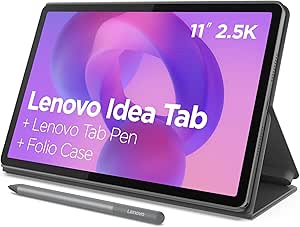 | Best for Casual Gaming and Study | Display: 11-inch 2.5K IPS touchscreen | Refresh rate: 90Hz | Processor: MediaTek Dimensity 6300 | VIEW LATEST PRICE | See Our Full Breakdown |
| ASUS ROG Flow Z13 2-in-1 Gaming Tablet 13.4-inch 2.5K 180Hz Touchscreen AMD Ryzen AI MAX+ 395 64GB RAM 1TB SSD Wi‑Fi 7 Bluetooth Backlit Keyboard Windows 11 with USB Hub |  | Best Premium Gaming Tablet | Display: 13.4-inch 2560 × 1600 IPS touchscreen | Refresh rate: 180Hz | Processor: AMD Ryzen AI MAX+ 395, 16 cores / 32 threads | VIEW LATEST PRICE | See Our Full Breakdown |
| Lenovo Idea Tab Pro with Google Gemini – 12.7” 3K Tablet, 8 GB RAM, 128 GB Storage, MediaTek Dimensity 8300, Includes Pen & Folio Case | 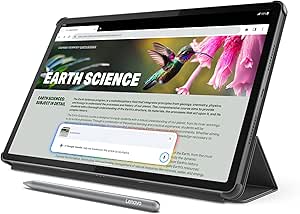 | Best Large-Screen Android Gaming Tablet | Display: 12.7-inch 3K LCD, low-blue-light certified | Refresh rate: 90Hz | Processor: MediaTek Dimensity 8300 | VIEW LATEST PRICE | See Our Full Breakdown |
| TECLAST T65 Android 16 Tablet, 13.4-Inch, 128GB Storage, 120Hz Display, 4G LTE |  | Best for Gaming on the Go | Display: 13.4-inch 1920 × 1200 IPS touchscreen | Refresh rate: 120Hz | Processor: T7280 A75-based octa-core, up to 2.2GHz | VIEW LATEST PRICE | See Our Full Breakdown |
| 2K 11‑Inch Android 16 Tablet with 24GB RAM, 256GB ROM, 1TB Expandable Storage, TUV Certified 1920×1200 FHD Screen, 8000mAh Battery, Octa‑Core Processor and SIM Card Slot |  | Best Expandable-Storage Pick | Display: 11-inch 1920 × 1200, 380 nits | Processor: Intel T615 octa-core, 2GHz | RAM: 24GB listed; physical versus extended memory not specified | VIEW LATEST PRICE | See Our Full Breakdown |
| Samsung Galaxy Tab A11+ 8GB RAM, 256GB Storage, Gray |  | Best for Everyday Gaming | Memory: Up to 8GB | Storage: Up to 256GB | Display: 11 inches | VIEW LATEST PRICE | See Our Full Breakdown |
| gaming tablet | Display | Processor | Storage | Operating system |
|---|---|---|---|---|
| TABWEE T60 12.2-Inch Android 1 | 12.2-inch 2.5K QHD CSOT LCD, 99% sRGB | Unisoc octa-core | 256GB UFS; microSD expansion supported, capacity limit varies in listing | Android 16 |
| Razer Edge Wi-Fi Gaming Tablet | 6.8-inch FHD+ AMOLED touchscreen, 144Hz | Snapdragon G3X Gen 1 | — | — |
| BESTTAB T60 12.2-Inch Android | 12.2-inch, 2400 × 1600, 90Hz | Unisoc T7280 octa-core, up to 2.2GHz | 256GB; expandable up to 2TB via microSD | Android 16 |
| COTGOD M70 11-Inch Android 16 | 11-inch FHD IPS, 1920 × 1200, 90Hz | Octa-core, up to 1.8GHz | 256GB internal; expandable up to 1TB via microSD | Android 16 |
| Lenovo Idea Tab Pro 12.7-Inch | 12.7-inch 3K LTPS IPS touchscreen, 2944 × 1840, up to 144Hz | — | 256GB UFS; expandable via microSD | — |
| Lenovo Idea Tab | 11-inch 2.5K IPS touchscreen | MediaTek Dimensity 6300 | 256GB | — |
| ASUS ROG Flow Z13 2-in-1 Gamin | 13.4-inch 2560 × 1600 IPS touchscreen | AMD Ryzen AI MAX+ 395, 16 cores / 32 threads | 1TB PCIe NVMe SSD | Windows 11 |
| Lenovo Idea Tab Pro with Googl | 12.7-inch 3K LCD, low-blue-light certified | MediaTek Dimensity 8300 | 128GB, expandable via MicroSD | — |
| TECLAST T65 Android 16 Tablet | 13.4-inch 1920 × 1200 IPS touchscreen | T7280 A75-based octa-core, up to 2.2GHz | 128GB, expandable up to 2TB via microSD | Android 16 |
| 2K 11‑Inch Android 16 Tablet w | 11-inch 1920 × 1200, 380 nits | Intel T615 octa-core, 2GHz | — | Android 16 |
| Samsung Galaxy Tab A11+ 8GB RA | 11 inches | — | Up to 256GB | — |
More Details on Our Top Picks
TABWEE T60 12.2-Inch Android 16 Tablet with Keyboard Bundle
The TABWEE T60 is better suited to casual Android games, streaming, and everyday multitasking than to demanding titles where processing power is the main concern. Its 12.2-inch 2.5K display offers a larger, sharper play area than the compact Razer Edge, but the listing identifies only a Unisoc octa-core processor, so I would not choose it for performance-first gaming. The included keyboard, mouse, stylus, and case make it a more complete home-use package than the Lenovo Idea Tab Pro, which focuses more on its faster processor and 144Hz screen. A 10,000mAh battery and four-year warranty add practical appeal, though the 48GB memory claim includes 36GB of virtual expansion, not physical RAM. Its large size also makes handheld play less convenient.
Pros:- 12.2-inch 2.5K display with 99% sRGB coverage gives games and media a spacious, detailed image.
- Keyboard, mouse, stylus, and protective case are included.
- 10,000mAh battery supports extended use between charges.
- Four-year warranty is longer than the listed coverage for the Razer Edge and Lenovo Idea Tab Pro.
Cons:- Unisoc octa-core processor is a weaker gaming signal than the Lenovo Idea Tab Pro’s Dimensity 8300.
- Only 12GB of the stated 48GB memory is physical RAM.
- MicroSD expansion limit is inconsistent between the product title and description.
Best for: Casual Android players who want a large screen, long battery capacity, and accessories for school or home use.
Not ideal for: Players focused on demanding games, high frame rates, or comfortable one-handed gaming; its processor is not specified as a gaming-focused chip and the 12.2-inch body is bulky to hold.
- Operating system:Android 16
- Display:12.2-inch 2.5K QHD CSOT LCD, 99% sRGB
- Processor:Unisoc octa-core
- Memory:12GB physical RAM + 36GB virtual RAM
- Storage:256GB UFS; microSD expansion supported, capacity limit varies in listing
- Battery:10,000mAh lithium polymer
- Included accessories:Magnetic keyboard, mouse, stylus pen, protective case
- Connectivity and media:GPS, Widevine L1, GMS
- Warranty:Four years
Our verdict“Choose the TABWEE T60 for casual big-screen gaming and a generous accessory bundle, not for demanding games or compact handheld play.”
Razer Edge Wi-Fi Gaming Tablet with Razer Kishi V2 Pro (Renewed)
The Razer Edge is the clearest gaming-first choice here: its Snapdragon G3X Gen 1, 144Hz AMOLED screen, and included Kishi V2 Pro controller are built around play rather than general tablet work. The controller gives handheld games physical controls, a useful contrast with the Lenovo Idea Tab Pro, which has a much larger display but relies on touch or a separately chosen controller. Its 6.8-inch screen is also easier to carry and hold than the 12-inch-plus tablets in this group. The tradeoffs are real: it is Wi-Fi only, so it cannot use cellular data away from a hotspot, and this listing is renewed with a 90-day limited warranty. Buyers should also confirm that the renewed condition fits their expectations.
Pros:- Snapdragon G3X Gen 1 is a gaming-focused processor compared with the general-purpose chips listed for the other Android tablets.
- 144Hz AMOLED FHD+ display combines smooth motion with high-contrast image quality.
- Razer Kishi V2 Pro controller is included for tactile handheld play.
- Supports Android, PC, Xbox, and cloud gaming services over Wi-Fi.
Cons:- Wi-Fi-only connectivity limits play when a reliable hotspot is unavailable.
- Renewed condition may not suit buyers seeking a new device.
- 90-day limited warranty is shorter than the coverage listed for the TABWEE T60.
Best for: Android and cloud-gaming players who want a portable handheld setup with physical controls included.
Not ideal for: Buyers who need cellular connectivity, a large screen for shared play, or the assurance of a new device with longer warranty coverage.
- Processor:Snapdragon G3X Gen 1
- Display:6.8-inch FHD+ AMOLED touchscreen, 144Hz
- Connectivity:Wi-Fi
- Controller:Razer Kishi V2 Pro
- Compatible gaming platforms:Android, PC, Xbox, and cloud gaming services
- Included components:Razer Edge Wi-Fi, Kishi V2 Pro, charging cable, product information guide
- Condition:Renewed
- Warranty:90-day limited warranty
Our verdict“Pick the Razer Edge for portable gaming with built-in physical controls, provided Wi-Fi-only use and renewed condition work for you.”
BESTTAB T60 12.2-Inch Android 16 Tablet with Keyboard, Mouse, and Stylus
The BESTTAB T60 makes most sense for players who want a roomy Android screen for casual games and media, plus substantial local storage for downloads. Its 90Hz 2400 × 1600 display should look smoother than a standard-refresh screen, while the microSD slot is listed as supporting up to 2TB—more clearly specified than the expansion limit on the similar TABWEE T60. Neither listing, however, identifies a gaming-focused processor, so the Razer Edge is a stronger fit for demanding handheld play. The BESTTAB’s 10,000mAh battery and included keyboard, mouse, stylus, case, and screen protector make it more versatile beyond gaming. One caveat: the advertised 48GB memory total includes 36GB of virtual memory, and cellular connectivity is absent.
Pros:- 12.2-inch 90Hz display offers more screen space and smoother motion than the COTGOD M70’s 11-inch panel.
- MicroSD expansion is listed up to 2TB, giving downloads room to grow.
- 10,000mAh battery and 18W fast charging support longer sessions and quicker top-ups.
- Includes keyboard, wireless mouse, stylus, case, and screen protector.
Cons:- 36GB of the advertised 48GB memory is virtual expansion rather than physical RAM.
- No cellular connectivity is listed.
- Unisoc T7280 is not positioned as a gaming-specific processor, unlike the Razer Edge’s Snapdragon G3X Gen 1.
Best for: Casual gamers who download many games or media files and want a large tablet that also serves as a study or productivity device.
Not ideal for: Competitive or performance-focused players who want a gaming-specific processor, physical gaming controls, or cellular data on the go.
- Operating system:Android 16
- Display:12.2-inch, 2400 × 1600, 90Hz
- Processor:Unisoc T7280 octa-core, up to 2.2GHz
- Memory:12GB physical RAM + 36GB virtual memory
- Storage:256GB; expandable up to 2TB via microSD
- Battery and charging:10,000mAh; 18W fast charging
- Wireless connectivity:Wi-Fi, Bluetooth 5.0, GPS
- Included components:Keyboard, wireless mouse, stylus, case, screen protector
Our verdict“Choose the BESTTAB T60 for casual gaming with expandable storage and useful bundled accessories, rather than for high-performance play.”
COTGOD M70 11-Inch Android 16 Tablet, 256GB Storage, 90Hz FHD Display
The COTGOD M70 is a straightforward choice for casual gaming when a 12-inch screen feels oversized. Its 11-inch 90Hz display gives motion a smoother feel than a conventional 60Hz panel, while remaining more manageable than the BESTTAB T60 or Lenovo Idea Tab Pro. The tradeoff is resolution: the M70’s 1920 × 1200 screen is less detailed than those larger, higher-resolution alternatives. Its octa-core processor is listed at up to 1.8GHz, so I would place it below the Razer Edge for demanding games; this is better treated as an everyday tablet that can handle casual play. The 3.5mm audio jack is handy for wired headphones, but no cellular connection is listed, and the 32GB memory figure includes 24GB of virtual memory.
Pros:- 11-inch 90Hz IPS screen balances play area with easier handling than the 12.2-inch BESTTAB T60.
- 256GB internal storage with microSD expansion up to 1TB supports a sizable game library.
- USB-C charging and a 3.5mm audio port provide familiar connection options.
- 8,000mAh battery offers substantial capacity for everyday use.
Cons:- Octa-core processor is listed at up to 1.8GHz, making it a less compelling pick for demanding games than the Razer Edge.
- The 32GB memory claim includes 24GB of virtual memory, leaving 8GB physical RAM.
- Cellular connectivity is not listed.
Best for: Casual players who want an 11-inch Android tablet for games, video, and wired-headphone use without stepping up to a larger display.
Not ideal for: Players seeking demanding-game performance, a sharper high-resolution screen, or mobile gaming without Wi-Fi.
- Operating system:Android 16
- Display:11-inch FHD IPS, 1920 × 1200, 90Hz
- Processor:Octa-core, up to 1.8GHz
- Memory:8GB physical RAM + 24GB virtual memory
- Storage:256GB internal; expandable up to 1TB via microSD
- Battery:8,000mAh lithium polymer
- Connectivity:Dual-band 2.4GHz/5GHz Wi-Fi, Bluetooth 5.0
- Ports:USB-C charging, 3.5mm audio
- Warranty:One year
Our verdict“Pick the COTGOD M70 for casual games on a manageable 11-inch screen, not for demanding titles or offline-from-Wi-Fi portability.”
Lenovo Idea Tab Pro 12.7-Inch 3K 144Hz Tablet with Tab Pen Plus
The Lenovo Idea Tab Pro is the strongest large-screen Android gaming option in this group on paper. Its Dimensity 8300 processor and 144Hz 3K display give it a more performance-oriented foundation than the Unisoc-powered TABWEE and BESTTAB T60 models, while the 12.7-inch screen suits games where more visual space matters. Four JBL speakers also make it a better fit for audio-led play without headphones. Unlike the Razer Edge, it does not include a dedicated handheld controller, and its 1.37-pound weight is less comfortable for long sessions held in the hands. The 10,200mAh battery, microSD expansion, and included pen broaden its usefulness beyond gaming, but battery runtime and charging speed are not specified.
Pros:- Dimensity 8300 processor is a stronger gaming-oriented specification than the Unisoc chips listed for the TABWEE and BESTTAB tablets.
- 12.7-inch 3K display supports detailed visuals and refresh rates up to 144Hz.
- Four JBL speakers with Dolby Atmos provide a more immersive audio setup than the listed rivals.
- 10,200mAh battery, expandable storage, and included Tab Pen Plus add flexibility beyond gaming.
Cons:- At 1.37 pounds, it is less comfortable for extended handheld sessions than the Razer Edge.
- No gaming controller is included, unlike the Razer Edge with its Kishi V2 Pro.
- Battery runtime and charging speed are not specified.
Best for: Android gamers who want a large, high-refresh display, stronger listed processing hardware, and a tablet that also supports media and note-taking.
Not ideal for: Players who prioritize a compact handheld setup with physical controls, or who expect confirmed battery runtime and charging details before buying.
- Display:12.7-inch 3K LTPS IPS touchscreen, 2944 × 1840, up to 144Hz
- Processor and graphics:MediaTek Dimensity 8300; integrated ARM G615 MC5
- Memory:8GB LPDDR5X
- Storage:256GB UFS; expandable via microSD
- Battery:10,200mAh
- Audio:Four JBL speakers with Dolby Atmos
- Wireless connectivity:Wi-Fi 6E, Bluetooth 5.3
- Included accessory:Lenovo Tab Pen Plus
- Weight:1.37 lbs
Our verdict“Choose the Lenovo Idea Tab Pro for powerful-feeling Android gaming on a large 144Hz screen, provided you are comfortable holding a heavier tablet or using a stand.”
Lenovo Idea Tab – 11″ 2.5K IPS Tablet with Tab Pen and Folio Case
The Lenovo Idea Tab is a better fit for casual games, streaming, and study breaks than demanding gaming sessions. Its 11-inch 2.5K display and 90Hz refresh rate make scrolling and supported games look smoother than on basic 60Hz tablets, while the included pen and folio add practical value beyond gaming. Compared with the larger Lenovo Idea Tab Pro, this model is easier to carry, but its Dimensity 6300 processor is less suited to graphically intensive titles. The 8GB of RAM and 256GB of storage provide room for everyday apps and a game library, though demanding games may require lower settings. I’d choose it for versatility rather than peak frame rates; the plastic construction also feels less premium than costlier metal-bodied options.
Pros:- Sharp 2.5K IPS display with a 90Hz refresh rate
- Tab Pen and folio case are included
- 256GB storage and 8GB RAM suit everyday multitasking
- Up to 12 hours of video playback
Cons:- Dimensity 6300 may struggle with demanding games and intensive creative apps
- Plastic build feels less premium than metal-bodied alternatives
- USB-C 2.0 cable limits data transfer speeds
Best for: Students and casual players who want one portable tablet for lighter games, note-taking, and video.
Not ideal for: Players focused on demanding 3D games or high frame rates; the Dimensity 6300 is the main limitation.
- Display:11-inch 2.5K IPS touchscreen
- Refresh rate:90Hz
- Processor:MediaTek Dimensity 6300
- RAM:8GB
- Storage:256GB
- Battery capacity:7216mAh
- Battery life:Up to 12 hours
- Included accessories:Lenovo Tab Pen, folio case, USB-C cable
Our verdict“Choose the Idea Tab if casual gaming, study tools, and included accessories matter more than high-end gaming performance.”
ASUS ROG Flow Z13 2-in-1 Gaming Tablet 13.4-inch 2.5K 180Hz Touchscreen AMD Ryzen AI MAX+ 395 64GB RAM 1TB SSD Wi‑Fi 7 Bluetooth Backlit Keyboard Windows 11 with USB Hub
The ASUS ROG Flow Z13 is the clear performance leader in this group for players who want a Windows gaming PC in tablet form. Its 180Hz 2.5K screen, Ryzen AI MAX+ 395 processor, and 64GB of memory give it far more headroom for demanding games and multitasking than Android models such as the Lenovo Idea Tab Pro. The detachable keyboard and broad selection of ports also make it useful as a compact work machine, while the 1TB SSD leaves room for larger installs. The tradeoff is that its Radeon 8060S graphics are integrated, so the most demanding AAA games can still fall behind systems with dedicated GPUs. At 2.65 pounds, it is also less convenient to hold for long stretches than a conventional tablet.
Pros:- 180Hz 2.5K touchscreen with 100% DCI-P3 coverage
- Ryzen AI MAX+ 395 processor and 64GB LPDDR5X memory
- 1TB PCIe NVMe SSD
- USB4, HDMI 2.1, Wi-Fi 7, and MicroSD connectivity
Cons:- Integrated graphics may trail dedicated GPUs in demanding AAA games
- At about 2.65 pounds, it is heavy for prolonged handheld play
- Windows gaming and its power requirements are less suited to simple mobile gaming
Best for: PC gamers and creators who want a portable Windows device with a high-refresh screen, strong multitasking capacity, and plentiful ports.
Not ideal for: Buyers who mainly play mobile games, want a light handheld tablet, or expect dedicated-GPU performance in demanding AAA titles.
- Display:13.4-inch 2560 × 1600 IPS touchscreen
- Refresh rate:180Hz
- Processor:AMD Ryzen AI MAX+ 395, 16 cores / 32 threads
- Graphics:Integrated AMD Radeon 8060S
- Memory:64GB LPDDR5X-8000
- Storage:1TB PCIe NVMe SSD
- Operating system:Windows 11
- Weight:2.65 lb (approximately 1.2kg)
Our verdict“Pick the ROG Flow Z13 if you want the strongest PC gaming and multitasking option here and can accept its weight and integrated graphics.”
Lenovo Idea Tab Pro with Google Gemini – 12.7” 3K Tablet, 8 GB RAM, 128 GB Storage, MediaTek Dimensity 8300, Includes Pen & Folio Case
The Lenovo Idea Tab Pro brings a roomy 12.7-inch screen to Android gaming, making it a stronger choice for players who value visibility and immersive media over compact handling. Its MediaTek Dimensity 8300 gives it a more capable foundation for games than the Dimensity 6300 in the smaller Lenovo Idea Tab, while the 3K display and quad JBL speakers suit both play and streaming. The pen and folio case add usefulness for school or work, and MicroSD expansion helps offset the modest 128GB internal storage. It still does not match the Windows gaming reach or 180Hz panel of the ASUS ROG Flow Z13, and its 90Hz display is less fluid than that model’s 180Hz screen. This is a versatile Android pick, not a dedicated high-end gaming machine.
Pros:- Large 12.7-inch 3K LCD with low-blue-light certification
- Dimensity 8300 offers more gaming headroom than the smaller Idea Tab
- Quad JBL speakers tuned with Dolby Atmos
- MicroSD expansion, 45W charging, pen, and folio case
Cons:- 128GB internal storage may fill quickly without a microSD card
- 90Hz display is less fluid than the ROG Flow Z13’s 180Hz panel
- Wi-Fi only, with no cellular connectivity
Best for: Android players who want a large, sharp screen for games and media, plus a pen and case for study or work.
Not ideal for: Competitive players seeking the highest refresh rate, or anyone who needs a compact tablet or cellular connectivity.
- Display:12.7-inch 3K LCD, low-blue-light certified
- Refresh rate:90Hz
- Processor:MediaTek Dimensity 8300
- RAM:8GB
- Storage:128GB, expandable via MicroSD
- Connectivity:Wi-Fi 6E
- Battery life:Up to 11 hours of video playback
- Included accessories:Lenovo Tab Pen Plus and folio case
Our verdict“Choose the Idea Tab Pro for large-screen Android gaming and media, but pick the ROG Flow Z13 for higher refresh rates and PC games.”
TECLAST T65 Android 16 Tablet, 13.4-Inch, 128GB Storage, 120Hz Display, 4G LTE
The TECLAST T65 stands out for its mix of a large screen and 4G LTE, so players can stay connected away from Wi-Fi. The 13.4-inch display runs at 120Hz, a faster refresh rate than the 90Hz Lenovo Idea Tab Pro, though its 1920 × 1200 resolution is less detailed than that tablet’s 3K panel. A microSD slot supporting cards up to 2TB gives this model room for offline games and media, and the headphone jack is useful for private play. Its processor and 6GB of physical RAM make it a more modest gaming choice than either Lenovo tablet, while the advertised 20GB extended memory is virtual rather than additional physical RAM. At 720g, it is also cumbersome for extended handheld sessions.
Pros:- 120Hz display for smoother motion in supported games
- 4G LTE, dual-band Wi-Fi, and GPS for travel use
- MicroSD expansion supports up to 2TB
- 3.5mm headphone jack and parental controls
Cons:- 6GB physical RAM is modest; advertised extended memory is virtual
- Processor is less suited to demanding games than the Lenovo Idea Tab Pro’s Dimensity 8300
- 720g weight makes extended handheld play tiring
Best for: Travelers and casual players who need LTE, a large screen, expandable storage, and a headphone jack.
Not ideal for: Players seeking strong performance in demanding games or a light tablet for long handheld sessions.
- Display:13.4-inch 1920 × 1200 IPS touchscreen
- Refresh rate:120Hz
- Processor:T7280 A75-based octa-core, up to 2.2GHz
- Physical RAM:6GB
- Storage:128GB, expandable up to 2TB via microSD
- Operating system:Android 16
- Connectivity:4G LTE, dual-band Wi-Fi, GPS, OTG
- Weight:720g
Our verdict“Pick the T65 if mobile connectivity and expandable storage matter more than gaming power or a light handheld design.”
2K 11‑Inch Android 16 Tablet with 24GB RAM, 256GB ROM, 1TB Expandable Storage, TUV Certified 1920×1200 FHD Screen, 8000mAh Battery, Octa‑Core Processor and SIM Card Slot
The KINGRID W90 is aimed at casual gamers who want a manageable 11-inch size, a SIM slot, and more storage flexibility than the Lenovo Idea Tab’s fixed 256GB capacity. Its 1920 × 1200 display and 8000mAh battery are practical for everyday gaming and media, while microSD expansion supports up to 1TB. The advertised 24GB RAM figure needs context: the product details do not clarify how much is physical memory, so I would not treat it as evidence of performance on par with the ASUS ROG Flow Z13 and its specified 64GB LPDDR5X. The listing also gives no refresh-rate figure, making it harder to judge motion smoothness for gaming. At 580g, it is heavier than many 11-inch options, and its octa-core T615 is best reserved for lighter games.
Pros:- 11-inch 1920 × 1200 display with 380-nit stated brightness
- 256GB internal storage with support for up to 1TB expansion
- 8000mAh battery
- SIM card slot and Android 16
Cons:- Refresh rate is not specified in the provided product data
- The 24GB RAM claim does not clarify physical versus extended memory
- T615 processor is a modest choice for demanding games
- At 580g, it is heavy for its screen size
Best for: Casual Android players who want an 11-inch screen, SIM connectivity, and expandable room for games and media.
Not ideal for: Competitive or graphics-heavy players who need a confirmed high refresh rate and clearly specified gaming-class hardware.
- Display:11-inch 1920 × 1200, 380 nits
- Processor:Intel T615 octa-core, 2GHz
- RAM:24GB listed; physical versus extended memory not specified
- Internal storage:256GB
- Expandable storage:Up to 1TB
- Operating system:Android 16
- Battery capacity:8000mAh
- Weight:580g
Our verdict“Choose the W90 for casual gaming with SIM and storage flexibility, not for high-frame-rate play or demanding titles.”
Samsung Galaxy Tab A11+ 8GB RAM, 256GB Storage, Gray
I’d place the Galaxy Tab A11+ among the more balanced everyday picks in this group. Its 11-inch display with up to 90Hz refresh rate can make supported games and scrolling look smoother than on a standard-refresh screen, while the quad Dolby Atmos speakers add a more spacious soundstage for games and streaming. The listed 8GB memory and 256GB storage also give it room for multitasking and a larger game library. Compared with the Razer Edge, it favors a larger screen and general tablet use over a dedicated handheld design and 144Hz display. Its tradeoff is that the supplied specs don’t identify the chipset, battery capacity, or charging speed, so I can’t gauge demanding-game performance or endurance as confidently. It’s a sensible fit for casual play, not a clearly established high-performance gaming choice.
Pros:- 11-inch display offers more viewing space than compact handheld-focused options.
- Up to 90Hz refresh rate can make supported games and motion appear smoother.
- Quad speakers with Dolby Atmos provide built-in immersive audio.
- Up to 8GB memory and 256GB storage support multitasking and a sizable game library.
Cons:- The chipset is not specified, making demanding-game performance hard to judge.
- Battery capacity and charging speed are not specified, limiting confidence about long gaming sessions.
- A 90Hz ceiling is below the Razer Edge’s 144Hz display.
Best for: Android tablet buyers who want a roomy screen for casual gaming, streaming, and everyday multitasking in one device.
Not ideal for: Players focused on demanding games, handheld controls, or the highest refresh rates; the provided details don’t establish its gaming performance, and the Razer Edge is more gaming-specific.
- Memory:Up to 8GB
- Storage:Up to 256GB
- Display:11 inches
- Refresh rate:Up to 90Hz
- Speakers:Quad speakers with Dolby Atmos
- Battery:Long-lasting; supports fast charging
- Color:Gray
Our verdict“Choose the Galaxy Tab A11+ for casual gaming and everyday tablet use on a larger screen, but pick a more gaming-focused model if performance details and high refresh rates are priorities.”
How We Picked
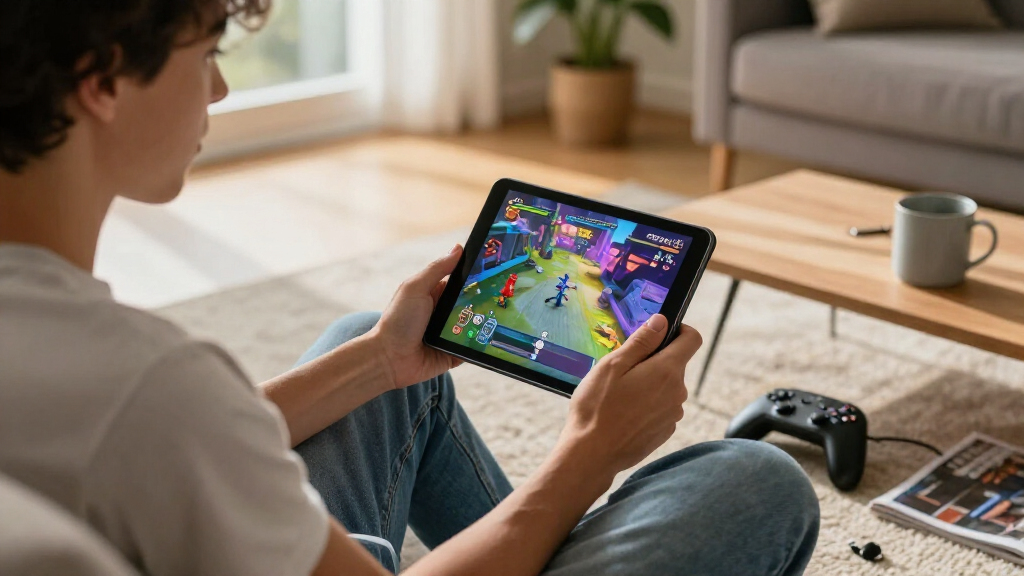
I compared these tablets around the factors that shape actual gaming use: processor capability, display responsiveness, controls, portability, and flexibility. A high refresh rate matters most when a tablet can run a game smoothly and the game supports that rate; screen size and resolution also affect clarity, battery demand, and how easily a device can be held during play. I gave extra weight to dedicated controls for handheld gaming and to the operating system when considering game libraries and compatibility.
The ranking favors products with a clear gaming advantage rather than a long spec list alone. The Lenovo Idea Tab Pro with Dimensity 8300 leads the Android options for its balance of display and processing capability; the Razer Edge earns a distinct place for its integrated handheld approach, and the ROG Flow Z13 leads for PC gaming performance. General-purpose Android tablets rank lower when their gaming performance is less clearly established, even if they offer large screens, high refresh rates, or generous storage. Bundle accessories and connectivity help match a tablet to specific buyers, but do not replace a strong processor or suitable controls.
| gaming tablet | Operating system |
|---|---|
| TABWEE T60 12.2-Inch Android 1 | Android 16 |
| Razer Edge Wi-Fi Gaming Tablet | — |
| BESTTAB T60 12.2-Inch Android | Android 16 |
| COTGOD M70 11-Inch Android 16 | Android 16 |
| Lenovo Idea Tab Pro 12.7-Inch | — |
| Lenovo Idea Tab | — |
| ASUS ROG Flow Z13 2-in-1 Gamin | Windows 11 |
| Lenovo Idea Tab Pro with Googl | — |
| TECLAST T65 Android 16 Tablet | Android 16 |
| 2K 11‑Inch Android 16 Tablet w | Android 16 |
| Samsung Galaxy Tab A11+ 8GB RA | — |
Factors to Consider When Choosing Best Gaming Tablets
Choosing among gaming tablets takes more than comparing screen size or refresh-rate numbers. I would start with the games you plan to play, then match the tablet’s performance, controls, and operating system to those games. These factors can help avoid paying for hardware you will not use—or choosing a screen that looks fast on paper but struggles with demanding titles.
Match Performance to the Games You Play
Casual puzzle games, turn-based titles, and cloud-streamed games need less local processing power than demanding 3D games. For installed games, the processor and graphics capability matter more than a large advertised RAM figure on its own. Check whether the specific games you play run on Android or Windows, and look for independent performance information for those titles when available. A 144Hz panel cannot make a game run at 144 frames per second if the processor cannot keep up or the game caps its frame rate. If you mostly stream games, prioritize a reliable network connection and comfortable controls instead of paying extra for the strongest local graphics hardware.
Treat Refresh Rate as One Part of the Display
A high refresh rate can make supported games and scrolling feel smoother, but it is not a complete measure of display quality. Resolution, brightness, contrast, touch response, and panel type all affect how enjoyable a screen is across long sessions. Higher resolutions can make games look sharper, yet they can also ask more of the processor and battery. Consider whether you mainly play competitive titles, where responsiveness can matter, or story-driven games, where image quality and screen size may matter more. Avoid choosing a tablet on a 120Hz or 144Hz label alone without checking its processor and the display’s other characteristics.
Choose Controls for Your Play Style
Touch controls suit many casual games, but they can cover part of the screen and feel awkward in action games designed around a controller. A bundled or compatible gamepad may make a compact tablet much easier to use for handheld play. Larger tablets are better suited to tabletop gaming, a stand, or a keyboard-and-mouse setup than to being held for long stretches. Before buying, check whether the controller connects directly, whether it fits the tablet’s dimensions, and whether your games support gamepad input. Do not count a keyboard bundle as a gaming advantage unless your preferred games actually work well with keyboard and mouse controls.
Pick the Operating System Around Your Game Library
Android tablets are a natural fit for mobile games and can also support game streaming, while a Windows tablet can run compatible PC games and desktop software. That broader Windows flexibility can come with greater demands on battery life, cooling, storage, and portability. Check game availability and controller support before buying, especially if you rely on a particular storefront, launcher, or subscription service. Cloud gaming can extend a tablet’s reach, but it depends on a strong internet connection and may introduce input lag. Choose the platform that supports the games you already want to play rather than assuming one system offers every title.
Balance Size, Weight, and Session Comfort
A large display can make maps, menus, and streamed games easier to see, but it can become tiring to hold during handheld sessions. Compact tablets are more convenient to carry and pair naturally with controllers, though their smaller screens may feel cramped for split-screen play or detailed interfaces. Think about where you play most often: a desk or table changes the value of a large screen, while travel favors a lighter, easier-to-grip device. Check whether a case, stand, or controller adds bulk to the setup you will actually carry. For long sessions, comfortable positioning may matter more than a small difference in screen size.
Buy Storage and Accessories for Your Actual Setup
Large games can take up substantial storage, and updates may need additional free space, so consider how many titles you keep installed at once. Expandable storage can help with media and some game data, but not every tablet or game supports running applications from a memory card. Bundled pens, keyboards, mice, and folio cases add value when they support school, work, or navigation, but they should not distract from gaming performance. A controller is usually the more relevant accessory for handheld action games. Compare the complete setup you need, including charging, a stand, headphones, and connectivity, rather than assuming every included accessory will be useful.
Frequently Asked Questions
Is a 144Hz gaming tablet automatically faster than a 90Hz model?
No. A 144Hz screen can show more frequent updates, but the tablet’s processor must run a game fast enough to use that advantage, and the game must support higher frame rates. Some games are capped below a tablet’s maximum refresh rate. A capable processor paired with a lower-refresh display may give a steadier experience than a weaker tablet with a bigger refresh-rate number. Check performance for the games you play, not just the display specification.
Should I choose the Razer Edge or a larger Android tablet for handheld gaming?
The Razer Edge is better suited to handheld sessions because its compact size and included Kishi controller put game controls within reach. A larger Android tablet gives games more screen space and may work better on a stand, but holding it and arranging a separate controller can be less convenient. Think about whether you play while traveling or mostly at a desk or couch. Also check which games you play: controller support can change how useful a dedicated gamepad feels. Choose the larger format if display area matters more to you than an integrated handheld setup.
Does a Windows gaming tablet make sense if I mostly play Android games?
Usually, an Android tablet is the simpler match if your library consists mainly of Android mobile games. A Windows tablet such as the ROG Flow Z13 is aimed more at compatible PC games and desktop tasks, bringing a wider PC software environment but also a larger, more involved setup. Android apps do not automatically run as native Windows games, so check each title and service you rely on. If you mainly stream games, compare the apps, controls, and network requirements on both platforms. Pay for Windows hardware when its PC game access or computer functions are part of your plan.
How much storage should I get for a gaming tablet?
The right amount depends on how many large games you keep installed and whether you also store videos, downloads, or work files. A 128GB model can suit a small rotation of games, but it may require more frequent uninstalling as your library grows. A 256GB configuration gives more room, though system files and updates use part of the available capacity. Expandable storage can help with supported files, but it may not replace internal storage for every game. Check the tablet’s expansion options and game installation rules before treating a memory card as a full solution.
Are keyboard-and-mouse bundles useful for gaming, or should I prioritize a controller?
A controller is usually the more versatile choice for handheld action, racing, platform, and many cloud-streamed games. Keyboard and mouse can suit compatible strategy titles, shooters, and desktop games, especially when a tablet is used on a table. Android games do not all support keyboard and mouse input, so an included bundle may be more useful for productivity than for gaming. Check input support for your favorite games before paying extra for accessories. If you want one setup for both gaming and everyday tasks, consider which tasks you will actually use each accessory for.
Conclusion
For most buyers seeking one tablet for mobile gaming and everyday use, I recommend the Lenovo Idea Tab Pro with Dimensity 8300 as the best overall. The Razer Edge is my best pick for handheld gaming, thanks to its compact format and included controller, while the ASUS ROG Flow Z13 is the best premium option for buyers who want Windows PC games and its higher performance ceiling. For a more approachable general-purpose choice, I would start with the Lenovo Idea Tab and its 11-inch display, pen, and folio; it makes more sense for lighter games and everyday use than for demanding titles. Buyers focused on a large Android screen can look at the Lenovo Idea Tab Pro 12.7-inch 144Hz options, while those who need a large display with cellular connectivity may favor the TECLAST T65. I would treat the TABWEE, BESTTAB, COTGOD, generic 11-inch Android, and Samsung Galaxy Tab A11+ as general-purpose contenders unless their specific processor and game performance match your needs. In short: choose the Razer for grab-and-play controls, Lenovo’s Dimensity 8300 model for balanced Android gaming, or the ROG Flow Z13 for PC gaming.