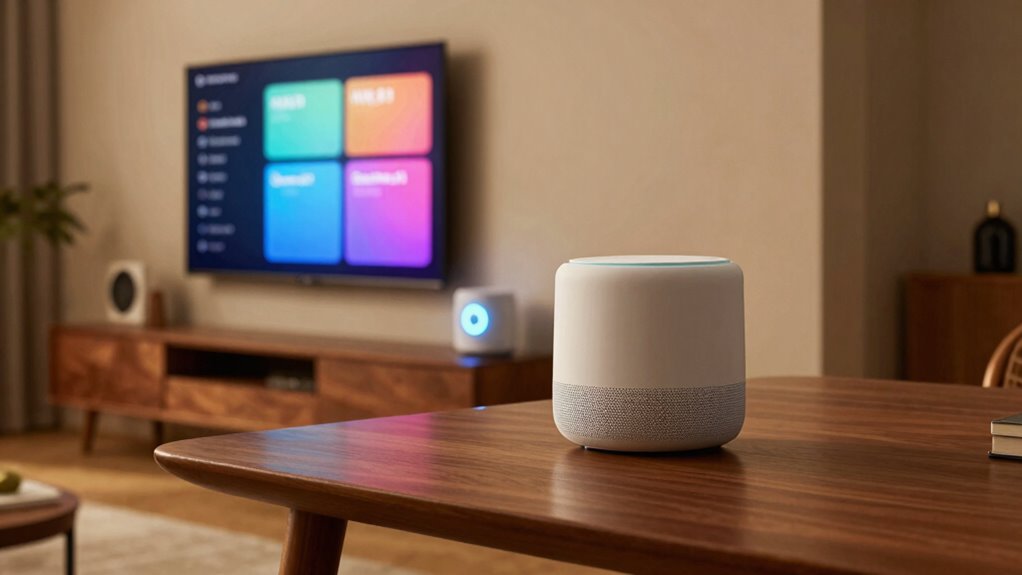

Understanding terms like Matter, hubs, and Wi-Fi names helps you build a secure and efficient smart home. Matter guarantees your devices work smoothly across brands, while hubs organize and control all your smart gadgets in one place. Choosing a unique Wi-Fi name boosts your network’s security and makes device setup easier. Grasping these key terms makes managing your smart home simpler and safer. Keep exploring to discover more ways these terms can enhance your smart home experience.

Get the latest gadgets delivered free with Prime
- Fast, free delivery on millions of items
- Prime Video, Amazon Music and more included
- Member-only deals all year
Key Takeaways
- Matter is a universal smart home standard that enhances device compatibility across different brands and ecosystems.
- Hubs act as central control points, managing multiple smart devices within a home automation system.
- Proper hub setup ensures reliable device integration and seamless communication across smart home products.
- Customizing Wi-Fi names (SSIDs) improves network security and prevents targeted hacking attempts.
- Strong understanding of these terms helps optimize smart home security, compatibility, and overall system performance.

Ever wondered what all those smart home terms mean? If you’re just starting to explore the world of smart homes, it can feel overwhelming trying to understand the jargon. Terms like voice assistants, security protocols, hubs, and Wi-Fi names are thrown around a lot, but knowing what they actually do helps you make better decisions and set up your system confidently.
Voice assistants are the heart of many smart homes. They’re the AI-powered devices—like Amazon Alexa, Google Assistant, or Apple’s Siri—that listen and respond to your commands. When you ask your voice assistant to turn on the lights, play music, or adjust the thermostat, it’s through these tools that your smart home becomes truly interactive. These assistants connect to various devices via Wi-Fi or Bluetooth, allowing you to control your environment hands-free. They also integrate with other smart home products, creating a seamless experience. But keep in mind, security protocols are essential here. Since voice assistants are always listening for commands, manufacturers implement security measures to prevent unauthorized access or accidental activations. Using strong passwords and enabling two-factor authentication helps safeguard your voice data and prevents intruders from taking control. Understanding security measures and how they work can further boost your home’s safety. Additionally, choosing compatible devices ensures smooth integration and reliable operation within your smart home ecosystem.
Voice assistants connect your devices and respond to commands, but security measures protect your home from unauthorized access.
Security protocols are the rules and technologies that protect your smart home. They ensure that your devices communicate securely, preventing hacking or unauthorized control. When you’re setting up a smart home, understanding security protocols like WPA3 for Wi-Fi or end-to-end encryption for data transfer is crucial. These protocols encrypt your data, making it unreadable to outsiders. Also, firmware updates often include security patches that keep your devices safe from new threats. To further enhance your home’s security, it’s helpful to learn about network encryption methods, which play a vital role in protecting your network traffic. Additionally, understanding network hardware can help you choose the right equipment to support your security measures. When it comes to hubs, these are central control points that connect and manage multiple smart devices. Think of them as the command centers of your home automation system. They often require a Wi-Fi network name (SSID) to connect to your home network, and choosing a unique, strong Wi-Fi name adds an extra layer of security. Avoid using default names that could hint at the device brand, as that might make it easier for hackers to target your network. Additionally, understanding smart home terminology can help you better navigate device compatibility and setup options.
Understanding these terms helps you create a smarter, safer home. By knowing how voice assistants work with security protocols, selecting a reliable hub, and managing your Wi-Fi network name wisely, you’re better prepared to enjoy the convenience of a truly connected home. It’s all about making technology work for you, securely and effortlessly.
Products Worth Considering

Logitech MX Keys Combo for Business Keyboard and Mouse – Graphite

Samsung Galaxy Tab A11 Wi-Fi Tablet, 8.7-Inch, 64GB, 4GB RAM, Gray (SM-X133, International Version)

Logitech MX Mechanical Wireless Illuminated Keyboard, Tactile Quiet, Graphite
As an affiliate, we earn on qualifying purchases.
Frequently Asked Questions
How Do I Change My Wi-Fi Network Name?
To change your Wi-Fi network name, log into your router’s settings through a web browser. Find the Wi-Fi or wireless section, then select Wi-Fi name customization. Enter your preferred network name, ensuring it’s unique for better network name security. Save the changes, and your router will restart or update automatically. Remember, updating your Wi-Fi name helps keep your network secure and easily identifiable.
What Is the Difference Between Wi-Fi 5 and Wi-Fi 6?
Think of Wi-Fi 5 and Wi-Fi 6 as different engines in your car. Wi-Fi 5 is a reliable V8, offering solid speed but limited in crowded spots. Wi-Fi 6 is a turbocharged engine, providing better connectivity improvements, especially when multiple devices connect. It handles congestion more efficiently, giving you faster, more stable wireless standards. Upgrading to Wi-Fi 6 means smoother streaming, gaming, and smart home device performance.
Are All Smart Home Hubs Compatible With Every Device?
Not all smart home hubs are compatible with every device. You need to check device compatibility and hub integration before buying. Some hubs only work with specific brands or protocols, while others support multiple standards like Zigbee, Z-Wave, or Wi-Fi. To guarantee smooth operation, choose a hub that matches your device ecosystem. This way, your smart home functions seamlessly, and you avoid frustration with incompatible devices.
How Secure Are Smart Home Networks and Devices?
Think of your smart home network as a fortress; its security depends on strong walls like network encryption and vigilant guards such as device authentication. These measures help protect your devices from intruders and ensure your data stays private. While no system is foolproof, keeping your firmware updated and using strong, unique passwords considerably enhances your security. Stay proactive to keep your smart home safe and sound.
Can I Expand My Smart Home System Easily Later?
Yes, you can expand your smart home system easily later. Many devices support voice control, making integration seamless. Look for products with energy monitoring features to keep track of usage as you add more gadgets. Using a compatible hub or platform ensures smooth expansion, allowing you to control new devices effortlessly through your existing setup. Just guarantee your network can handle additional devices for peak performance.
Conclusion
Now that you’re armed with the language of smart homes, think of yourself as a master navigator in a digital jungle. With every hub, Wi-Fi name, and matter term you understand, you’re planting flags of knowledge, turning chaos into clarity. So, go forth confidently—your smart home universe is your playground. Embrace the jargon, tame the tech, and let your connected world flourish like a well-tended garden, vibrant and thriving under your watchful eye.