To make your smart home safe and convenient for guests and kids, use smart locks with temporary codes and digital keys to control access easily. Install video doorbells for remote monitoring and set routines for safety, like automatic lights and temperature adjustments. Incorporate voice assistants for hands-free control, and use motion sensors or smart plugs to save energy. By integrating these features, you’ll create a secure, efficient environment; keep exploring to discover how to optimize your setup further.

Get the latest gadgets delivered free with Prime
- Fast, free delivery on millions of items
- Prime Video, Amazon Music and more included
- Member-only deals all year
Key Takeaways
- Use smart locks with temporary access codes and digital keys for secure, hassle-free guest entry.
- Install video doorbells and remote monitoring to ensure guest and child safety.
- Deploy smart thermostats and motion sensors to optimize energy use and comfort for children and guests.
- Set up voice assistants with restricted privacy settings for easy control without compromising security.
- Create routines and automation that adapt seamlessly to guests’ and kids’ needs, enhancing convenience and safety.

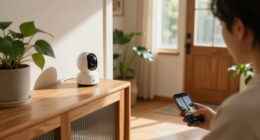
Creating a smart home tailored for guests and kids can substantially enhance safety, convenience, and comfort. When designing your smart environment, you want to focus on security protocols that guarantee everyone’s well-being without making things complicated. Set up smart locks that allow you to generate temporary access codes for guests, so you don’t have to worry about physical keys getting lost or stolen. These digital keys can be programmed to expire after a certain period, giving you peace of mind and maintaining control. For kids, consider installing smart doorbells with video features that notify you when someone arrives, allowing you to monitor visitors remotely. This adds an extra layer of security while keeping things simple for your little ones.
Smart locks with temporary codes and video doorbells enhance safety and simplify monitoring for guests and children.
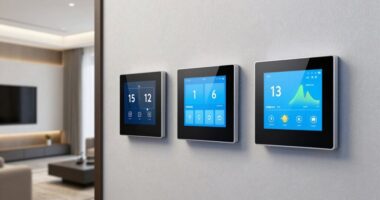
Energy efficiency is also a key aspect when making your smart home suitable for visitors and children. Use smart thermostats to automatically adjust temperatures based on occupancy, saving energy when rooms are empty and providing a cozy environment when needed. Motion sensors can turn off lights in unoccupied rooms, preventing waste and reducing your utility bills. For added convenience, install smart plugs to control devices remotely, making it easier to manage energy use even when you’re not physically present. These features help you create a comfortable space for guests and kids without sacrificing sustainability or increasing your energy costs. Incorporating security protocols ensures your smart home remains safe and manageable for everyone. Additionally, integrating energy-efficient solutions can further optimize your home’s performance and environmental impact. Employing smart home automation systems can streamline daily routines and enhance overall home management. Using smart device integration, you can connect various appliances and systems for a more cohesive and intuitive experience.
To make your home truly functional, integrate voice-controlled assistants that can help manage various tasks hands-free. For example, you can ask your assistant to turn on the lights, play music, or adjust the thermostat, which is especially helpful when you’re busy or need to keep an eye on the kids. Make sure these assistants are set up with privacy in mind, so only authorized users can access sensitive features. Additionally, establish clear routines with your smart system—such as scheduled lighting or temperature adjustments—so your home automatically adapts to different situations, whether you have overnight guests or children’s bedtime. Incorporating smart home integration with other devices can also help create seamless routines and improve overall efficiency. Furthermore, regularly updating your device firmware helps maintain security and ensures your smart home functions optimally.
smart lock with temporary access codes
As an affiliate, we earn on qualifying purchases.
As an affiliate, we earn on qualifying purchases.
Frequently Asked Questions
How Can I Ensure Guest Privacy With Smart Home Devices?
To guarantee guest privacy with smart home devices, you should set up separate networks for guests and your household. Use strong, unique passwords and enable smart device encryption to protect data transmission. Regularly update device firmware, and disable unnecessary features during guest stays. Clear communication about privacy boundaries also helps. This way, you safeguard guest privacy and maintain control over your smart home’s security, giving everyone peace of mind.
What Security Measures Protect Kids From Smart Home Vulnerabilities?
Think of your smart home as a fortress protecting your kids. You shield them with encryption protocols that lock sensitive data behind digital walls. Regular firmware updates act as vigilant guards, patching vulnerabilities before intruders can breach your defenses. By actively managing these measures, you guarantee your children safely enjoy the smart home’s benefits, while you maintain control over their digital environment, keeping their world secure and protected from vulnerabilities.
Are There Voice Control Options Suitable for Children and Guests?
Yes, there are voice control options suited for children and guests. You can customize voice commands and set child-friendly controls to limit access, ensuring safety and privacy. Many smart home systems offer voice customization features, allowing you to create simplified commands for kids and restricted modes for guests. This way, everyone can enjoy voice control without risking accidental changes or security breaches, making your smart home more inclusive and secure.
How Do I Set Temporary Access for Guests?
You can set temporary access for guests by adjusting your smart home app’s guest permissions. Start by creating a unique, time-limited code or permission profile, which automatically expires after their visit. This coincidence of convenience guarantees your home stays secure while offering easy access. Simply navigate to the device or system settings, select “guest access,” and customize the duration—making certain guests enjoy full control without risking your main settings.
Can Smart Devices Be Disabled Easily for Children’s Safety?
Yes, smart devices can be disabled easily for children’s safety using device restrictions and parental controls. You can set up these controls through your device’s app or settings, limiting access to certain features or apps. This way, you maintain control over what your kids can use or see, ensuring their safety without completely turning off the devices. Regularly update and review these restrictions to keep your home secure.
video doorbell with remote monitoring
As an affiliate, we earn on qualifying purchases.
As an affiliate, we earn on qualifying purchases.
Conclusion
With a few clever tweaks, your smart home becomes a welcoming oasis that adapts effortlessly to guests and kids alike. Think of it as a gentle conductor, orchestrating comfort and safety with a tap or voice command. By setting boundaries and shortcuts, you create a harmonious space where everyone feels at home, effortlessly flowing through their day. Embrace these tips, and watch your smart home transform into a nurturing haven—where technology and warmth dance in perfect step.
smart thermostat for energy saving
As an affiliate, we earn on qualifying purchases.
As an affiliate, we earn on qualifying purchases.
As an affiliate, we earn on qualifying purchases.
Fall Picks
fall essentials
As an affiliate, we earn on qualifying purchases.