
Before spending your hard-earned money on an electronic cutting machine, consider your craft goals and skill level. Understand the importance of digital design skills and how they can expand your creative options. Regular maintenance and proper care are key to keeping your machine reliable and efficient long-term. Budget for ongoing software and part updates, and recognize that mastering setup and troubleshooting saves time and money. Keep exploring, and you’ll discover how to choose the best machine for your needs.
Key Takeaways
- Ensure you understand compatible design software and file formats to avoid costly errors and material waste.
- Consider the machine’s maintenance needs and ongoing costs for blades, parts, and software updates.
- Evaluate the machine’s user interface and ease of use, especially if you’re a beginner.
- Research the machine’s precision, reliability, and customer support to ensure long-term satisfaction.
- Factor in your specific crafting needs and project types to choose the right features and capabilities.
Electronic cutting machines have revolutionized the way crafters bring their ideas to life, making precision and efficiency more accessible than ever. Before you delve into the world of these devices, it’s important to understand how your digital design skills and machine maintenance routines will impact your experience. Digital design is the backbone of what makes these machines so powerful. You’ll want to familiarize yourself with design software, whether it’s included in the machine package or third-party programs like Adobe Illustrator or CorelDRAW. The better you get at creating and importing your designs, the more you’ll maximize your machine’s potential. Keep in mind that some machines have more user-friendly interfaces, which can make mastering digital design easier, especially if you’re new to the craft.
Mastering design software enhances your cutting machine’s potential and streamlines your crafting process.
Once you’ve chosen a machine, remember that proper maintenance is key to keeping it running smoothly. Regular cleaning to remove dust and debris from blades, rollers, and sensors prevents malfunctions and extends its lifespan. You should also periodically check for software updates, as manufacturers often release improvements that enhance performance and fix bugs. If your machine has a blade holder or cutting strip, replacing worn parts promptly ensures clean cuts and reduces frustration. The more attentive you are to maintenance, the less likely you are to encounter costly repairs or downtime that could stall your projects. Additionally, developing consistent machine care routines can significantly improve your device’s longevity and reliability. Understanding how to properly diagnose common issues can also help prevent small problems from escalating into major repairs.
Thinking about digital design and machine maintenance together helps you understand what’s required to keep your investment productive. It’s not just about having the latest hardware; it’s about developing skills and habits that maintain your machine’s accuracy and reliability. When you invest time in learning how to design effectively and keep your machine in tip-top shape, you’ll find that your projects become more precise and your workflow more efficient. This also means you’ll spend less time troubleshooting issues, which is essential when you’re working against deadlines or trying to meet craft deadlines. Additionally, understanding digital design software can help you explore new creative possibilities and improve your craft overall. Developing a good understanding of machine troubleshooting can also save you time and frustration if problems do arise, ensuring your projects stay on track.
Furthermore, understanding the importance of digital file formats will help you prepare your designs correctly for cutting, minimizing errors and material waste. Ultimately, knowing what to expect in terms of digital design proficiency and ongoing machine maintenance will help you make smarter decisions before spending money. Recognizing that these aspects are ongoing rather than one-time tasks will help you plan your budget accordingly. With the right mindset and preparation, your electronic cutting machine can become a dependable partner in your creative pursuits, producing professional-quality work that turns your ideas into reality with ease.
![Crafter's Companion Gemini II Eletric Die Cutting & Embossing Machine with Pause and Rewind - 9" x 12.5" Cutting Platform [GEMII-M-USA], White](https://m.media-amazon.com/images/I/312dOgfIDIL._SL500_.jpg)
Crafter's Companion Gemini II Eletric Die Cutting & Embossing Machine with Pause and Rewind – 9" x 12.5" Cutting Platform [GEMII-M-USA], White
- Fast and Quiet Operation: Faster and quieter than original Gemini
- Versatile Crafting Uses: Cuts cardstock, vinyl, foil, fabric, and more
- High Pressure for Precision: Ensures detailed, edge-to-edge cuts
As an affiliate, we earn on qualifying purchases.
As an affiliate, we earn on qualifying purchases.
Frequently Asked Questions
Are Electronic Cutting Machines Suitable for Beginners?
Yes, electronic cutting machines are suitable for beginners. They typically feature user-friendly interfaces and basic functions that make learning easy. Look for machines with clear instructions, simple design, and helpful beginner tips. Focus on machines with versatile features, so you can explore different projects. Starting with a budget-friendly model helps you get comfortable before investing in more advanced options. With patience and practice, you’ll quickly master your new craft tool.
What Safety Precautions Should I Take When Using These Machines?
When using electronic cutting machines, you should always wear safety gear like goggles to protect your eyes from debris. Keep your hands clear of blades and moving parts, and familiarize yourself with the emergency shutdown feature in case of malfunction. Always work in a well-ventilated area, follow manufacturer instructions, and stay attentive while operating the machine to prevent accidents and guarantee safe crafting sessions.
Can I Use Third-Party Materials With My Cutting Machine?
Your cutting machine is like a trusted vehicle—use the right fuel and parts for smooth operation. Material compatibility is key; check your machine’s specifications before using third-party materials. Some brands impose restrictions, so always review your manufacturer’s guidelines to avoid voiding warranties or damaging the device. When in doubt, test a small piece first, ensuring your crafting journey stays safe and successful with compatible materials.
How Noisy Are Electronic Cutting Machines During Operation?
Electronic cutting machines can produce moderate noise during operation, but the sound levels vary depending on the model. You might notice a buzzing or whirring sound as the blade moves and the motor runs. Generally, newer models tend to be quieter, making them suitable for home use without causing much disturbance. If noise is a concern, look for machines with lower decibel ratings or consider placing them on sound-absorbing surfaces.
What Maintenance Is Required to Keep the Machine in Good Condition?
Did you know regular maintenance can extend your machine’s lifespan by up to 50%? To keep it in top shape, you should routinely check and replace blades when dull, ensuring clean cuts. Incorporate cleaning routines, like wiping down the machine and removing debris, to prevent jams. Proper maintenance, including occasional lubrication, keeps the machine running smoothly and saves you money in the long run.
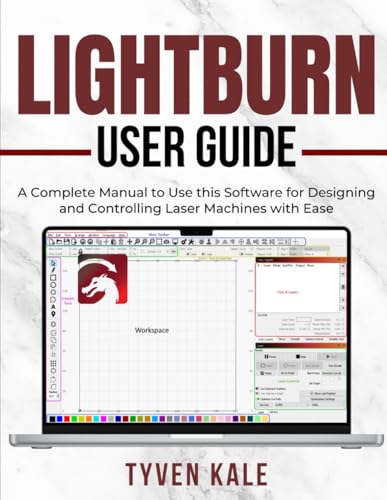
LIGHTBURN USER GUIDE: A Complete Manual to Use this Software for Designing and Controlling Laser Machines with Ease
As an affiliate, we earn on qualifying purchases.
As an affiliate, we earn on qualifying purchases.
Conclusion
So, before you splash out on that shiny electronic cutting machine, remember—you’re not just buying a tool, you’re investing in a possible future of cluttered countertops and unopened mystery blades. Think of it as a ticket to the crafting zoo, where your budget, patience, and space are the real endangered species. But hey, if you’re ready to turn your living room into a glitter-filled workshop, go ahead—just don’t say we didn’t warn you!
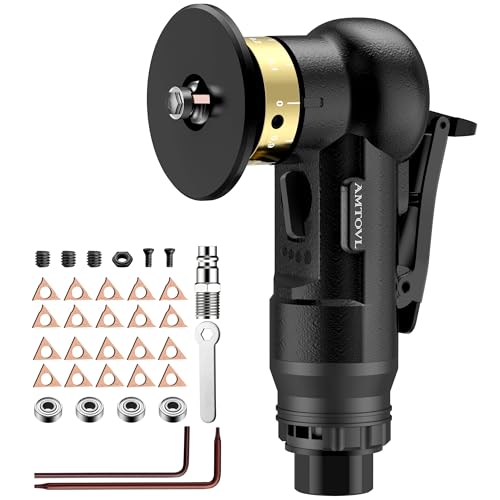
AMTOVL Pneumatic Chamfering Tool, Mini Air Chamfer Tool W/ 10C & 10R Blades
- Dual Blade Types: Includes R and C blades for various chamfers
- Versatile Chamfering: 0.1-0.5mm and 1.5mm edge options
- Multiple Speed Settings: Four adjustable speeds for precision
As an affiliate, we earn on qualifying purchases.
As an affiliate, we earn on qualifying purchases.

5 PCS Replacement Rotary Blades SK5 for Cardboard Box Cutter Electric Scissors Compatible for WorxZipsnip Expedman, Snapfresh LKCTB NoHitu and More (Silver)
- Universal Compatibility: Fits various electric scissors and cutters
- Sharp SK5 Blades: Cuts fabric, leather, PVC, and cardboard easily
- Precise Fit: Exact size and cut-outs for seamless replacement
As an affiliate, we earn on qualifying purchases.
As an affiliate, we earn on qualifying purchases.