
TL;DR
Listen free for 30 days with Audible
Thousands of audiobooks and originals — cancel anytime.
Start your free trialAs an affiliate, we earn on qualifying purchases.
Building your own AI workstation used to be cheaper, but today prebuilt systems often match or beat DIY prices due to component shortages and bulk buying. The decision depends on your need for speed, control, and future-proofing, not just initial costs.
Imagine firing up an AI workstation that’s ready to go—no fuss, no setup. Sounds ideal, right? But is it better to buy a system already built, or to roll up your sleeves and assemble one yourself? This decision shapes your entire AI journey—from how fast you start to how much control you keep.
In 2026, the age-old wisdom that building your own rig is always cheaper no longer holds. Supply chain snarls and bulk buying have turned the tables. Now, the choice hinges on more than just price—it’s about time, control, and future readiness. Let’s unpack what matters most today.
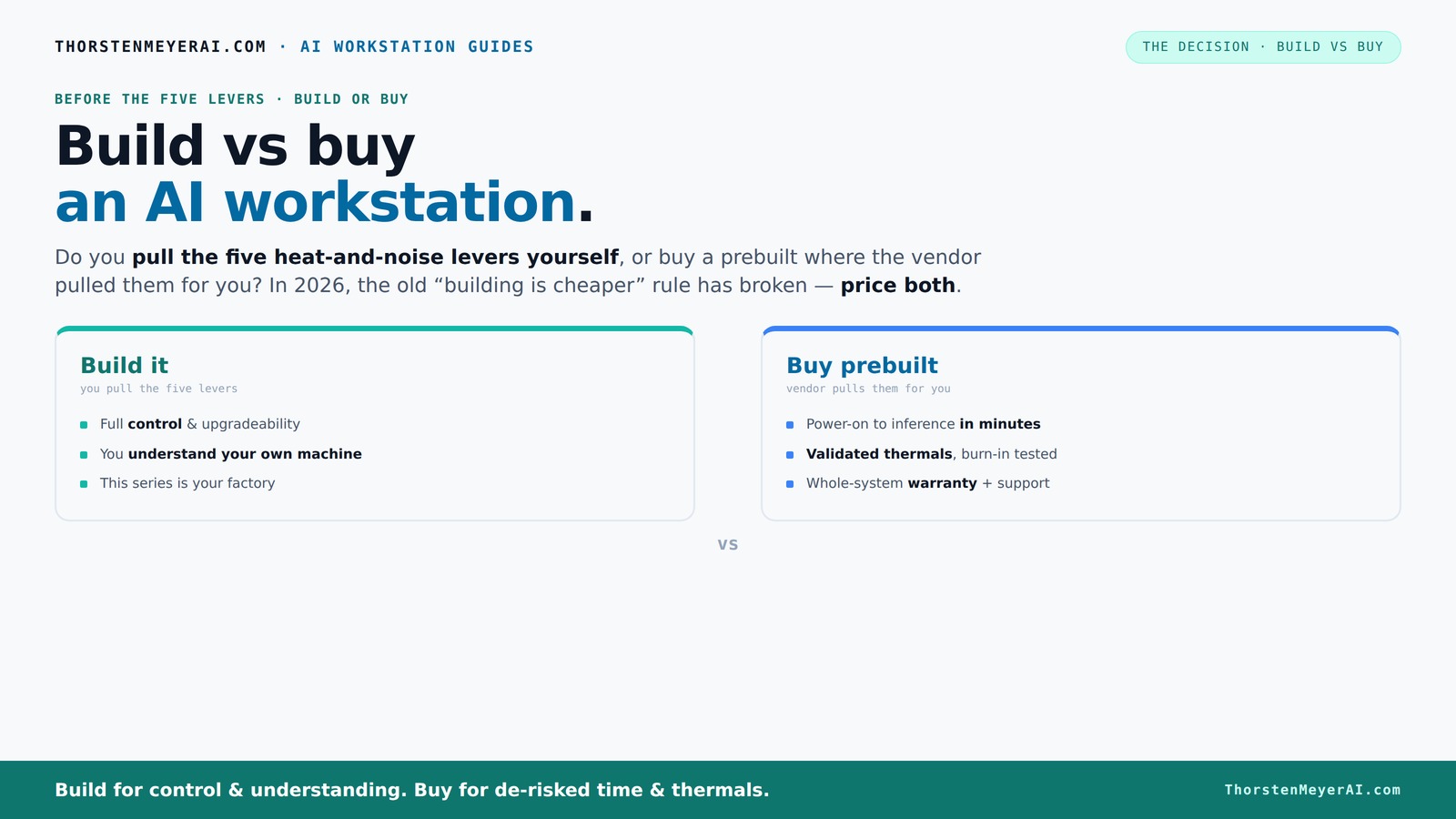
Build vs buy
an AI workstation.
The real question behind this whole series: do you pull the five heat-and-noise levers yourself, or buy a prebuilt where the vendor pulled them for you? And in 2026, the old “building is cheaper” rule has broken. Match your situation in Part 3.
Key Takeaways
- In 2026, component shortages and bulk buying have made prebuilt AI workstations often as affordable as DIY builds—price is no longer the main factor.
- Support, validated thermals, and warranty coverage make prebuilt systems a safer choice for most professional workflows.
- Building your own machine offers unmatched control over cooling, noise, and upgrade paths, ideal for highly customized or sensitive AI work.
- Total cost of ownership includes hidden costs—labor, troubleshooting, downtime—that can outweigh initial savings or expenses.
- Hybrid approaches, like buying a base system and customizing key components, are increasingly popular in AI environments.
As an affiliate, we earn on qualifying purchases.
Why the old rule—building cheaper—no longer applies in 2026
Building your own AI workstation was once a straightforward way to save money. But recent years changed that. Component shortages and skyrocketing prices for GPUs, DDR5 RAM, and SSDs mean DIY parts often cost more now than buying a prebuilt.
For example, a DIY build that used to clock in at $1,000 now easily hits $1,250 or more. Meanwhile, major vendors, leveraging bulk purchasing, offer systems at prices that rival or beat custom parts. This shifts the game from cost dominance to a broader decision involving time, control, and risk.
So, before you start sourcing parts, always price both options today. The old rule is a myth in 2026—cost is only part of the picture.
Beyond raw costs, the implications are significant: with higher prices for individual components, the savings you once enjoyed by building are diminishing. This forces a reevaluation of whether the time and effort spent on sourcing, assembling, and troubleshooting are justified, or if the convenience and reliability of prebuilt systems outweigh the marginal cost difference. It also introduces a tradeoff: investing more money upfront for a guaranteed, tested system versus the potential savings but increased risk and effort of a DIY build.
As an affiliate, we earn on qualifying purchases.
The heat-and-noise control puzzle: who handles the levers?
Cooling and noise are your secret weapons for a high-performance AI workstation. The question is: do you pull the levers yourself or let the vendor do it? A prebuilt vendor validates thermals, tunes fans, and often employs water-cooling for quieter operation. They run tests for hours, ensuring your system won’t throttle under load.
On the flip side, building your own means you get to tune every detail—undervolt the GPU, pick a case with sound-dampening material, and tweak airflow. For example, choosing a low-noise case and setting fan curves precisely can make your rig whisper even under heavy loads.
The decision hinges on whether you want to master thermal control or prefer to buy a system already optimized for silence and temperature. This choice impacts not only system stability and longevity but also your environment—quiet, cool systems reduce noise pollution and heat buildup, which can affect other hardware and workspace comfort. The tradeoff is between the effort and expertise required to achieve optimal thermal performance yourself and the convenience of a vendor-validated solution that minimizes your involvement in these technical details.
As an affiliate, we earn on qualifying purchases.
Performance fit: when a prebuilt cuts it, and when you need custom
AI workloads vary wildly—from inference and fine-tuning to training large models. A prebuilt system can handle most general tasks, especially if it features a high-end GPU like an RTX 4090 or a Quadro RTX 6000. These systems are optimized for sustained workloads and come with validated cooling and power delivery.
But if your AI work involves multi-GPU scaling, custom hardware, or specific configurations—say, a unique PCIe layout for data throughput—you might need to build. For instance, a multi-GPU workstation with quiet GPUs and tailored cooling can outperform a generic system.
This decision is critical because it directly influences your ability to meet specific performance requirements. Prebuilt systems are designed for convenience and broad compatibility, often at the expense of flexibility. In contrast, custom builds allow you to tailor every component to your workload, which can result in better performance, efficiency, and scalability for specialized AI tasks. The key tradeoff is between the time and effort required for customization versus the immediate, plug-and-play convenience of prebuilt options.
As an affiliate, we earn on qualifying purchases.
Total cost of ownership: hidden costs in building and buying
Cost isn’t just about the sticker price. Building your own system involves labor, troubleshooting, warranty gaps, and potential downtime. You might spend extra hours tuning BIOS, fixing driver conflicts, or replacing parts that fail unexpectedly.
Prebuilts, on the other hand, often include support and warranty—sometimes up to 5 years—covering parts and labor. For example, a vendor like Puget offers validated thermals and support, which can save you costly troubleshooting time down the line.
Understanding these hidden costs is crucial because they can significantly impact your total investment. Downtime during hardware failures or troubleshooting can halt your projects, leading to delays and additional expenses. Support and warranty services mitigate these risks, often saving money and time in the long run. In AI environments where uptime is critical, neglecting these support factors can be a costly oversight, making the initial price less relevant than the total cost of reliable operation.
Upgradeability and future-proofing: planning ahead in 2026
Future-proofing is more than just picking the latest GPU. It’s about ensuring you can upgrade RAM, add storage, or swap GPUs without ripping out the whole system. Prebuilt workstations often limit upgrade paths—some have proprietary connectors or tight cases.
Building your own means you can select a case with extra PCIe slots, a PSU with headroom, and motherboard sockets for future upgrades. For example, choosing a case with ample airflow and expansion options means your system can grow with your needs.
This planning is vital because AI workloads evolve rapidly, and hardware that is not upgradeable can become obsolete quickly. A well-planned build allows you to extend your system’s lifespan, saving money and reducing electronic waste over time. The tradeoff lies in the initial effort and cost to select components that support future upgrades, versus the convenience of a prebuilt system that may lock you into a certain configuration.
Support, warranties, and vendor lock-in: what you’re really paying for
Buying a prebuilt often comes with a support plan—onsite repairs, quick replacements, and expert help. That peace of mind can be worth a premium, especially during critical AI training or inference runs. Vendors like Lambda or BIZON back their systems with support SLAs and comprehensive warranties.
This support isn't just about fixing hardware; it’s about minimizing downtime and ensuring your environment remains stable and predictable. For many AI practitioners, especially those working on tight deadlines, the ability to quickly resolve issues can be the difference between a successful project and costly delays. The long-term value of this support often outweighs the initial premium, as it provides peace of mind and operational continuity.
Building your own system means you’re responsible for troubleshooting hardware failures, sourcing parts, and managing warranties. While this offers independence, it can also introduce risks—delays, incompatibilities, or prolonged downtimes—that can be costly in high-stakes AI work. The decision hinges on your tolerance for risk and your capacity to manage support and repairs effectively.
Who should buy prebuilt, and who should build?
If your priority is getting started fast, with proven thermals and support, a prebuilt is your best bet. Especially if you’re working on time-sensitive projects or don’t want to tinker. For example, startups or teams with tight deadlines often choose vendors like Lambda for peace of mind.
But if you crave control, have specific hardware needs, or want to learn how everything works, building your own offers the joy of mastery and customization. Hobbyists and students often find the process rewarding—and often cheaper if you already have some skills.
Hybrid strategies are trending, too. Buy a solid chassis and motherboard, then swap in your preferred GPU, RAM, or cooling system. That way, you get the best of both worlds. This approach allows you to start with a reliable base while maintaining flexibility for future upgrades or customizations, making it an attractive middle ground for many AI enthusiasts.
Frequently Asked Questions
Is a prebuilt AI workstation good enough for training large models?
Most high-end prebuilt workstations with top GPUs like the RTX 4090 or A100 are capable of training large models, especially if they include ample VRAM and robust cooling. For extremely large-scale training, custom builds with multi-GPU setups may still offer better scalability.How much RAM and VRAM do I really need for AI tasks?
For inference and small models, 32GB RAM and 8-12GB VRAM might suffice. Large models or training require 64GB+ RAM and 24-48GB VRAM per GPU. Always match your hardware to your specific workload, and consider future needs.Is building my own AI workstation cheaper than buying prebuilt?
Not always. Supply chain issues and component costs have narrowed or eliminated the price gap. Always price both options for your exact specs before deciding, as in 2026, buying can be just as cost-effective or better.Will a prebuilt limit my GPU upgrades later?
Prebuilts sometimes restrict upgrade paths due to proprietary cases or limited PSU capacity. Building your own allows you to select a case and power supply with future expansion in mind, extending your system’s lifespan.What security advantages come from building versus buying?
Building your own gives you full control over data handling and can keep sensitive data offline, reducing risk. Prebuilt systems may have pre-installed software or vendor access, which might not suit highly sensitive or regulated workflows.Conclusion
Choosing between build and buy isn’t just about dollars—it's about your workflow, control, and how quickly you want to get up and running. In 2026, the best decision balances immediate needs with future plans, factoring in hidden costs and support quality.
Think of your AI workstation as the engine of your work—whether you build it piece by piece or buy a tuned, ready-to-go system. Either way, the right choice accelerates your AI ambitions. So, which lever will you pull today?
Fall yard work Picks
leaf blowers
As an affiliate, we earn on qualifying purchases.