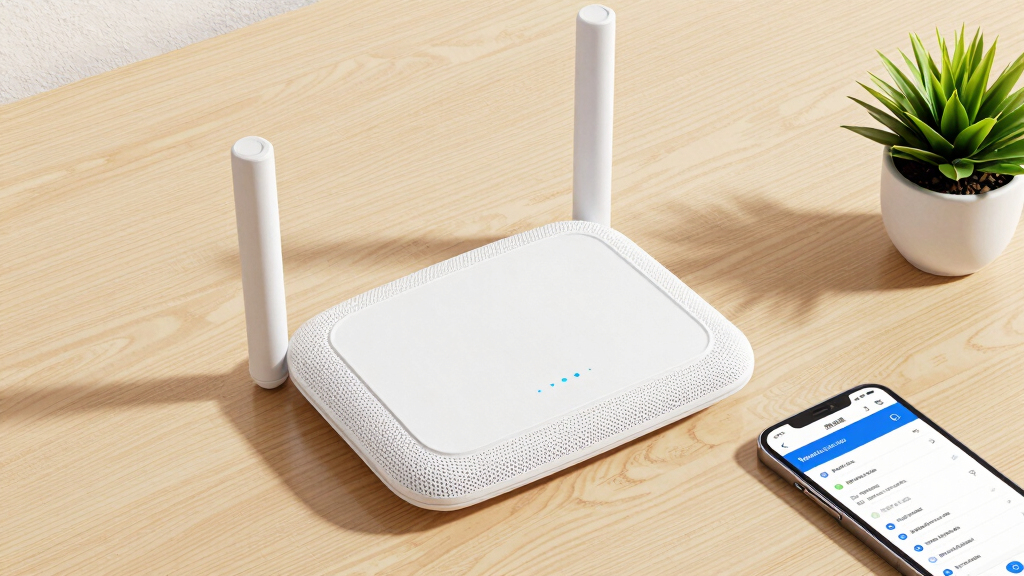
When searching for the best mesh WiFi systems with parental controls, you want a solution that balances strong coverage, easy management, and robust security features. The TP-Link Deco XE75 stands out as the best overall due to its Wi-Fi 6E support and AI-driven features, offering future-proof connectivity. For those prioritizing affordability, the TP-Link Deco S4 models provide reliable coverage with effective parental controls at a lower price point. On the other hand, the Gryphon Guardian emphasizes advanced security and content filtering, making it ideal for families with very young children or high cybersecurity concerns. Readers face tradeoffs between coverage area, ease of setup, security features, and price—continue reading for the full breakdown of these options to find the best fit for your needs.
Key Takeaways
- The top picks balance coverage, security, and ease of setup, with Wi-Fi 6/6E models offering future-proof performance.
- Parental controls are more effective on systems with dedicated app management and customizable filters, such as Gryphon Guardian or TP-Link Deco XE75.
- Price varies widely; budget options like Deco S4 models still offer core parental control features but may lack advanced security or coverage.
- Systems supporting Ethernet backhaul tend to deliver more stable, high-speed connections across larger homes.
- Ease of use is a key factor—models with simple app interfaces and quick setup tend to be better suited for non-technical users.


More Details on Our Top Picks
TP-Link Deco S4 Whole Home Mesh WiFi System – Up to 3,800 Sq.ft. Coverage, AC1900 WiFi Router and Extender Replacement, Parental Controls, Deco S4(2-Pack)
This Deco S4 2-pack stands out for providing reliable coverage up to 3,800 sq.ft., making it a strong all-around choice for families needing seamless WiFi in larger homes. Unlike the Deco S4(3-Pack), which offers even broader coverage, this model is better suited to smaller spaces but still delivers solid performance for typical household needs. Its single network name and seamless roaming create an intuitive experience, and the parental controls are easy to configure, ensuring safe browsing for kids. However, it lacks advanced WiFi 6 features, which could limit future-proofing compared to the Deco XE75. The unit’s Gigabit Ethernet ports support wired backhaul, boosting speeds where needed. Setup via the Deco app is straightforward, and Alexa voice control adds convenience. Tradeoffs include slightly slower speeds and fewer units than higher-end models, but for most users, this delivers strong value and coverage.
Pros:- Reliable coverage up to 3,800 sq.ft. with 2 units
- Simple setup via intuitive app
- Effective parental controls with profile management
- Supports wired Ethernet backhaul for better speeds
Cons:- Limited to WiFi 5 (802.11ac), lacking WiFi 6 features
- Two units may be insufficient for very large or complex spaces
- Speeds max out at AC1900, which may be slower for heavy data users
Best for: Families looking for a dependable, easy-to-set-up mesh system with parental controls for medium-sized homes.
Not ideal for: Tech enthusiasts wanting WiFi 6E or ultra-high-speed networks for gaming or smart home integration.
- Coverage:up to 3,800 sq.ft.
- WiFi Speed:AC1900
- Number of Units:2
- Ethernet Ports:2 per unit
- Setup:Deco app
- Parental Controls:Yes
Bottom line: Ideal for families seeking straightforward coverage and parental controls without the need for the latest WiFi 6E features.
TP-Link Deco S4 Mesh AC1900 WiFi System – Up to 5,500 Sq.ft. Coverage, Replaces WiFi Router and Extender, Gigabit Ports, Works with Alexa, Deco S4(3-Pack)
This 3-pack Deco S4 system excels at covering up to 5,500 sq.ft., making it a top choice for larger households or multi-story homes. Compared to the 2-unit Deco S4, it offers significantly more coverage and device capacity—up to 100 devices simultaneously—ideal for busy households with many smart devices. Its seamless mesh network simplifies management, and parental controls help keep kids safe online. Unlike the Deco XE75, which supports WiFi 6E and higher speeds, this model relies on WiFi 5, limiting peak throughput but providing stable coverage over a vast area. The three units are easy to set up through the Deco app, and Alexa voice control is supported. A key tradeoff is that it doesn’t include WiFi 6 or WiFi 6E, so future device compatibility might be limited, but for large homes, its coverage and simplicity deliver excellent value.
Pros:- Covers up to 5,500 sq.ft. with three units
- Supports up to 100 devices simultaneously
- Seamless mesh with single SSID
- Parental controls with profile management
Cons:- Limited to WiFi 5, missing WiFi 6 benefits
- Larger system may be more expensive and bulky
- Speeds capped at AC1900, not ideal for heavy data use
Best for: Homeowners needing extensive coverage and device capacity for large or multi-story homes with parental controls.
Not ideal for: Users wanting the latest WiFi 6E technology or ultra-fast speeds for gaming or high-bandwidth tasks.
- Coverage:up to 5,500 sq.ft.
- WiFi Speed:AC1900
- Number of Units:3
- Ethernet Ports:2 per unit
- Setup:Deco app
- Parental Controls:Yes
Bottom line: Great for large homes needing broad coverage and family-friendly parental controls without the latest WiFi 6E capabilities.
TP-Link Deco S4 Whole Home Mesh WiFi System – Up to 2,000 Sq.ft. Coverage, AC1900 WiFi Router/Extender Replacement, Gigabit Ports, Deco S4(1-Pack)
This single Deco S4 unit covers approximately 2,000 sq.ft., making it suitable for apartments or small homes. Compared with the 2-pack or 3-pack options, this is a cost-effective way to add reliable WiFi and parental controls without overpaying for excess coverage. Its seamless mesh technology allows it to expand with additional Deco units, unlike traditional range extenders. The parental controls are robust, enabling profile-based limits and website blocking—perfect for small families. However, as a WiFi 5 device, it won’t deliver the high speeds or future compatibility of WiFi 6 systems like the Deco XE75. It’s easy to set up via the Deco app and supports wired backhaul for better speeds if you add more units later. The tradeoff involves limited coverage and slower speeds, but it’s an excellent choice for small spaces or budget-conscious buyers.
Pros:- Covers up to 2,000 sq.ft. with one unit
- Affordable entry point for mesh WiFi
- Easy setup with Deco app
- Supports wired backhaul for future expansion
Cons:- Limited coverage compared to multi-pack systems
- Speeds capped at AC1900, less ideal for high-bandwidth tasks
- WiFi 5 limits future device compatibility
Best for: Individuals or small families living in apartments or small homes seeking reliable WiFi with parental controls on a budget.
Not ideal for: Large households or those requiring high-speed WiFi for gaming or streaming in multiple rooms.
- Coverage:up to 2,000 sq.ft.
- WiFi Speed:AC1900
- Unit Count:1
- Ethernet Ports:2
- Setup:Deco app
- Parental Controls:Yes
Bottom line: Perfect for small living spaces needing parental controls without the cost of larger mesh systems.
TP-Link Deco XE75 AXE5400 Tri-Band WiFi 6E Mesh System – Wi-Fi up to 7200 Sq.Ft, Engadget Rated Best Mesh for Most People, Replaces WiFi Router and Extender, AI-Driven Mesh New 6GHz Band, 3-Pack
The Deco XE75 3-pack is designed for those seeking cutting-edge WiFi 6E technology, covering up to 7,200 sq.ft. with next-gen speeds and minimal interference. Compared to WiFi 5 systems like the Deco S4, it offers a new 6 GHz band for ultra-fast connections, making it ideal for high-bandwidth activities and smart home integration. Its AI-driven mesh adapts to your environment, optimizing network performance and parental controls. It supports WPA3 security and includes advanced features such as Ethernet backhaul for maximum speed. The setup via the Deco app is straightforward, and voice control with Alexa adds convenience. The main tradeoff involves higher cost and complexity, which might not be necessary for users with modest needs. If future-proofing and high speed are priorities, this system is a smart investment.
Pros:- Covers up to 7,200 sq.ft. with 3 units
- Supports WiFi 6E with 6 GHz band
- AI-driven mesh for optimized performance
- Replaces multiple devices with a single system
Cons:- Higher price point than WiFi 5 systems
- Complex features may be overkill for small households
- Requires compatible devices for full WiFi 6E benefits
Best for: Tech-savvy users wanting the latest WiFi 6E benefits and extensive coverage for smart homes and high-data tasks.
Not ideal for: Budget-conscious families or those with smaller homes who do not need WiFi 6E’s advanced features.
- Coverage:up to 7,200 sq.ft.
- WiFi Speed:AXE5400
- Number of Units:3
- WiFi Bands:Tri-Band (including 6 GHz)
- Security:WPA3
- Setup:Deco app
Bottom line: Ideal for users seeking the most advanced WiFi technology with parental controls and large coverage needs.
TP-Link Deco X55 AX3000 WiFi 6 Mesh System – Covers up to 6500 Sq.Ft, Replaces Wireless Router and Extender, 3 Gigabit Ports per Unit, Supports Ethernet Backhaul, Deco X55(3-Pack)
The Deco X55 offers a balanced blend of coverage up to 6,500 sq.ft. and WiFi 6 performance, making it suitable for busy households with many devices. Compared to the Deco XE75, it lacks the 6 GHz band but still delivers fast speeds up to 5400 Mbps across three bands, supporting up to 150 devices. Its parental controls are comprehensive, profile-based, and easy to manage via the Deco app. The inclusion of three Gigabit Ethernet ports per unit allows wired backhaul for optimal speed, and the system’s AI learning ensures stable performance. While it doesn’t feature WiFi 6E, it provides a future-ready network for most smart homes. A tradeoff is slightly less speed than WiFi 6E systems, but for large homes seeking reliable parental controls, it strikes a good balance.
Pros:- Covers up to 6,500 sq.ft. with three units
- Supports WiFi 6 with speeds up to 5400 Mbps
- Supports up to 150 devices simultaneously
- Supports Ethernet backhaul for maximum speed
Cons:- Does not include WiFi 6E or 6 GHz band
- Slightly lower max speed than AXE5400 systems
- Still relies on WiFi 6, not WiFi 6E
Best for: Large households needing extensive coverage and high speeds for multiple devices with parental controls.
Not ideal for: Those wanting the latest WiFi 6E technology or ultra-high-speed gaming setups.
- Coverage:up to 6,500 sq.ft.
- WiFi Speed:AX3000
- Number of Units:3
- Ethernet Ports:3 per unit
- Parental Controls:Yes
- Setup:Deco app
Bottom line: Excellent for large homes needing reliable WiFi 6 coverage and parental controls without the extra cost of WiFi 6E.
WAVLINK AX3000 WiFi 6 Mesh System 2 Pack – 2026 Latest, Up to 3.0 Gbps Speed & 5,000 Sq. Ft. Coverage, Replaces Wireless Router and WiFi Extender Signal Booster, Support Wired Backhaul, App Control
This WAVLINK AX3000 mesh system stands out for its impressive WiFi 6 speeds up to 3.0 Gbps and expansive coverage of 5,000 sq. ft., making it ideal for large homes or offices. Compared to the Gryphon Guardian, it offers higher capacity, supporting 256+ devices simultaneously, and flexible backhaul options—wireless or Ethernet—that maximize performance. However, its setup and management are more complex, and the hardware’s antennas are less powerful, which could require additional units for optimal coverage. The app control is user-friendly, and enterprise-grade WPA3 encryption keeps your network secure. The main tradeoff involves its size and the potential need for extra nodes to cover very large or multi-story homes effectively. This pick is best for tech-savvy buyers seeking robust speed and coverage in sizable spaces.
Pros:- Blazing-fast WiFi 6 speeds up to 3.0 Gbps
- Coverage up to 5,000 sq. ft. with support for 256+ devices
- Flexible wired or wireless backhaul for optimized performance
- Enterprise-grade WPA3 security
Cons:- More complex setup requiring technical knowledge
- Antennas less powerful, possibly needing additional nodes in larger homes
- Larger hardware footprint
Best for: Homeowners with large, multi-story residences seeking high capacity and flexible backhaul options
Not ideal for: Small apartments or users preferring plug-and-play simplicity with minimal setup effort
- Speed:Up to 3.0 Gbps
- Coverage:Up to 5,000 sq. ft.
- Supports Devices:256+
- Number of Units:2
- WiFi Standard:WiFi 6 (802.11ax)
- Encryption:WPA3
Bottom line: This system is best suited for tech-savvy users needing extensive coverage and high device support in large homes.
TP-Link Deco M5 Mesh WiFi Router – Dual Band Gigabit Wireless Router, Quad-core CPU, MU-MIMO, HomeCare, Parental Control, Up to 2,000 sq. ft. Coverage, Works with Alexa, 1-Pack
The TP-Link Deco M5 offers reliable dual-band WiFi with up to 2,000 sq. ft. coverage, making it an excellent choice for small to medium-sized homes. Compared with the Gryphon Guardian, it provides solid parental controls and Alexa compatibility at a significantly lower price point, though it supports fewer devices and has less advanced security features. Its quad-core CPU and MU-MIMO technology help deliver consistent speeds, but the coverage area is limited without additional nodes, and setup can be less intuitive for those unfamiliar with mesh systems. The system’s HomeCare suite includes parental controls, which are easy to configure, making it suitable for families. The main tradeoff involves less coverage and fewer advanced security features than more premium options like the Gryphon, but it offers excellent value for budget-conscious users.
Pros:- Reliable dual-band WiFi with up to 2,000 sq. ft. coverage
- Parental controls and Alexa compatibility included
- Quad-core CPU and MU-MIMO technology for steady speeds
- Affordable price point
Cons:- Limited coverage without additional nodes
- Fewer advanced security features compared to higher-end systems
- Support for fewer devices than larger systems
Best for: Families wanting reliable parental controls and decent coverage in smaller homes or apartments
Not ideal for: Large households or those needing extensive coverage over 3,800 sq. ft., or advanced security features
- Coverage:Up to 2,000 sq. ft.
- Speed:AC1900
- Supports Devices:Fewer than 50
- Number of Units:1
- WiFi Standard:WiFi 5 (802.11ac)
- Security:HomeCare with parental controls
Bottom line: This system is ideal for small to medium homes where parental controls and affordability are priorities.
Gryphon Guardian Mesh WiFi Router and Parental Control System with Content Filters and Advanced Cyber Security
The Gryphon Guardian excels with its focus on security and comprehensive parental controls, making it a top choice for families with high cybersecurity needs. It supports up to 1,500 sq. ft. per unit, so multiple units are needed for larger homes, but its content filters, scheduled access, and real-time monitoring are intuitive and robust—surpassing the basic controls found in lower-end options like the Deco M5. Its dual-band AC1200 radios deliver reliable coverage and speed for typical family usage, though it isn’t designed for very large homes without multiple nodes. The system’s cybersecurity features, including malware and ransomware protection, add peace of mind for tech-aware families. The main tradeoff involves limited coverage per unit and the higher price compared to more basic systems, but it’s a clear winner for those prioritizing online safety alongside parental controls.
Pros:- Advanced parental controls with scheduling and content filtering
- Strong cybersecurity features including malware protection
- User-friendly Gryphon app for device and network management
- Reliable dual-band AC1200 coverage
Cons:- Limited coverage per unit, requiring multiple mesh nodes for large homes
- Higher cost compared to basic mesh systems
- WiFi 5 standard may lag behind WiFi 6 options for future-proofing
Best for: Families with cybersecurity concerns and high demand for content filtering and device monitoring
Not ideal for: Large homes requiring coverage beyond 4,000 sq. ft. or users seeking the fastest WiFi standards like WiFi 6
- Coverage per unit:Up to 1,500 sq. ft.
- Speed:AC1200
- Supports Devices:Moderate
- WiFi Standard:WiFi 5 (802.11ac)
- Security:Advanced malware and ransomware protection
- Content Filtering:Yes
Bottom line: This system is ideal for cybersecurity-focused families wanting extensive parental controls and device monitoring in moderate-sized homes.

How We Picked
I selected these mesh WiFi systems based on a combination of performance, coverage, security, and ease of use. Priority was given to models that include comprehensive parental controls, either built-in or through dedicated apps, with a focus on user-friendly management. I also considered the quality of hardware, support for latest Wi-Fi standards like Wi-Fi 6 or 6E, and overall value for different budgets. Devices that excelled in security features or offered flexible customization earned higher rankings, while those with limited parental controls or complex setups ranked lower. This approach ensures that the list caters to a variety of needs, from basic household setups to more security-conscious families.Factors to Consider When Choosing Best Mesh WiFi Systems With Parental Controls
Choosing the best mesh WiFi system with parental controls involves more than just coverage area. It’s important to consider how easy the system is to manage, the security features available, and how well it integrates into your existing home network. Understanding these factors can help avoid common pitfalls, such as overspending on unnecessary features or selecting a system that’s too complex for your comfort level. Here are key considerations to guide your decision-making process.Coverage and Scalability
Assess your home’s size and layout to determine the necessary coverage. Larger homes benefit from systems with more nodes or support for Ethernet backhaul, which maintains stable speeds across multiple floors and rooms. Keep in mind that adding more units can improve coverage but may increase complexity and cost. Consider starting with a 2-pack if your space is moderate, but plan for future expansion if needed.
Parental Control Features
Look for systems that offer comprehensive parental controls via dedicated apps. Features like content filtering, time scheduling, and usage monitoring are essential for managing your children’s online activities. Some systems, like Gryphon, provide advanced cybersecurity alongside parental controls, which can be a significant advantage for protecting devices and personal data. Avoid systems with limited or hard-to-use controls, especially if managing multiple devices or strict filtering is a priority.
Security and Privacy
Security features such as automatic updates, guest networks, and device-level filtering help protect your network from threats. Some systems include built-in cybersecurity services or integrations with threat detection tools, which add an extra layer of defense. Prioritize systems that regularly update firmware and offer parental controls that can block inappropriate content and monitor activity, especially if you have young children or sensitive data.
Ease of Setup and Management
Simpler systems with intuitive app interfaces reduce setup time and ongoing management. Features like quick start guides, auto-updates, and straightforward parental controls make a big difference, especially for non-technical users. Avoid overly complicated systems that require extensive configuration or frequent technical support, unless you’re comfortable with advanced networking settings.
Price and Value
While premium systems often include more features and better security, budget options still provide essential parental controls and decent coverage. Balance your budget with your needs—if security and future-proofing matter, investing in Wi-Fi 6E or higher-end models makes sense. Conversely, if your primary concern is basic filtering and reliable coverage for a modest home, more affordable models may suffice.
Frequently Asked Questions
Can I use multiple mesh systems with parental controls on the same network?
Using multiple mesh systems together can be complex and is generally not recommended unless they are designed to be compatible, such as systems from the same brand. Most systems with parental controls are optimized for their own ecosystem, so mixing brands may lead to compatibility issues or limited control options. It’s best to choose a single system that meets all your needs to ensure seamless management and security.
Do parental controls on mesh WiFi systems work across all devices?
Typically, parental controls on mesh WiFi systems apply to devices connected through that network, but their effectiveness depends on whether the system supports device-level filtering or app-based controls. Many systems allow you to set profiles for individual devices or user accounts, offering more granular control. Keep in mind that tech-savvy children may find ways around basic filters, so pairing network controls with device-specific apps or settings often yields better results.
Are Wi-Fi 6E mesh systems worth the extra cost for parental controls?
Wi-Fi 6E systems offer higher speeds and less congestion, which can improve overall network performance, especially in busy households. For parental controls, the core features are similar across Wi-Fi 6 and 6E models. If your household has many devices or future-proofing matters, investing in Wi-Fi 6E may be justified. However, if your primary goal is parental control and coverage, a Wi-Fi 6 or even Wi-Fi 5 system may provide better value.
How important is the app interface for managing parental controls?
An intuitive app interface significantly simplifies managing your network and parental controls. A well-designed app allows quick setup, easy scheduling, content filtering, and activity monitoring without technical expertise. Poor app usability can lead to frustration and inconsistent management, reducing the effectiveness of parental controls. Prioritize systems known for user-friendly apps if ease of use is a key factor for you.
Should I consider wired backhaul capabilities when choosing a mesh system?
Wired backhaul enhances network stability and speeds, especially in larger homes or multi-story buildings. It allows nodes to communicate via Ethernet, reducing wireless congestion and improving overall performance. If your home has the infrastructure for wired connections, choosing a system with Ethernet backhaul support can be a smart investment, ensuring your parental controls and network speed stay reliable as your household’s demands grow.
Conclusion
For families seeking a reliable, easy-to-manage solution with strong parental controls, the TP-Link Deco XE75 offers a feature-rich, future-proof choice for tech-savvy households willing to invest more. If budget is a concern, the TP-Link Deco S4 models deliver solid coverage and parental filtering at a lower price point, making them excellent for smaller homes or less demanding setups. Beginners who prioritize simplicity should consider the Gryphon Guardian for its user-friendly interface and security features. For users with larger homes or high cybersecurity needs, systems supporting Ethernet backhaul and Wi-Fi 6E provide the best performance and scalability. Ultimately, your choice depends on your home size, security needs, and comfort with tech setup—this guide helps align those factors with the right product.