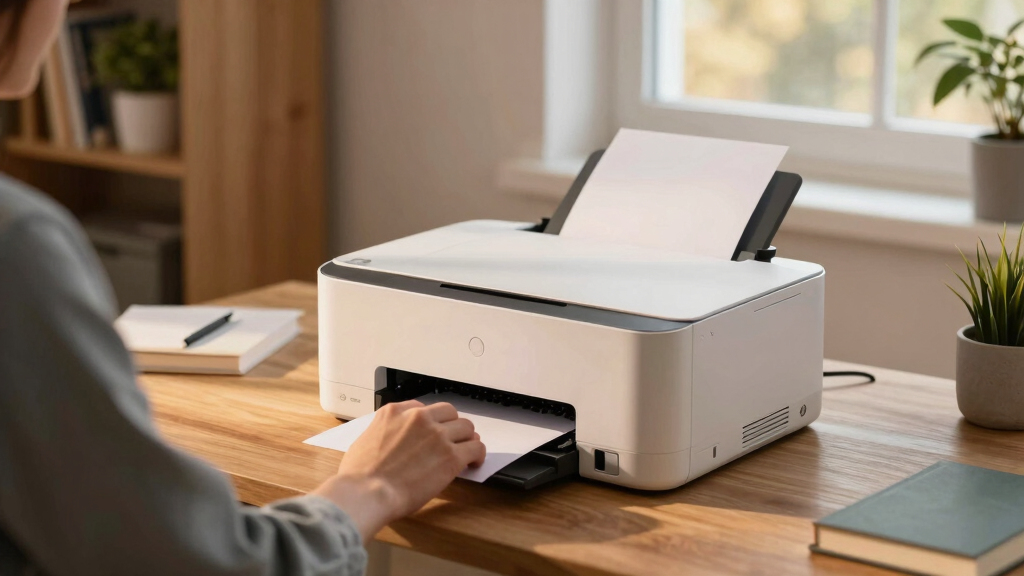
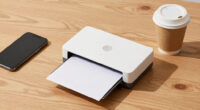
Finding the right laser printer for a home office involves balancing speed, cost, versatility, and ease of use. The HP LaserJet M234dw stands out as the best overall due to its fast speeds, wireless connectivity, and multi-function capabilities suited for small teams. For those prioritizing simplicity and affordability, the HP LaserJet M209d offers reliable monochrome printing with minimal fuss. Meanwhile, the Xerox C235dni appeals to users needing a color all-in-one with automatic duplexing. As options vary from basic models to feature-rich multifunction devices, understanding the tradeoffs in speed, color, connectivity, and cost can be complex. Continue reading for a detailed comparison to make an informed choice for your home office needs.
Listen free for 30 days with Audible
Thousands of audiobooks and originals — cancel anytime.
Start your free trialAs an affiliate, we earn on qualifying purchases.
Key Takeaways
- The best overall laser printer combines speed, multifunction features, and wireless setup, exemplified by the HP LaserJet M234dw.
- Color laser options like the Xerox C235dni are more expensive but offer versatile printing for creative or professional projects.
- Compact monochrome models such as Brother HL-L2405W are ideal for limited space but lack advanced features like color or duplex printing.
- Wireless connectivity and mobile printing are standard in higher-tier models, but some entry-level options still rely on USB or Ethernet only.
- Cost considerations include not just the initial purchase but ongoing expenses like toner, with some models offering subscription trials for savings.


More Details on Our Top Picks
HP LaserJet MFP M234dw Wireless Printer, Print, scan, Copy, Fast speeds, Easy Setup, Mobile Printing, Best-for-Small Teams, Instant Ink Eligible
This model stands out for its combination of fast two-sided printing—up to 30 ppm—and reliable wireless connectivity, making it ideal for small teams that need professional-quality black-and-white documents without hassle. Compared to the HP M209d, it offers faster speeds and better security features, though it involves a slightly larger footprint. The instant setup and mobile printing capabilities streamline workflows, while strong security provides peace of mind. The main tradeoff is its higher price point and slightly bulkier size, which might be less suitable for minimal desk space. Its high-speed duplex printing makes it perfect for busy small offices needing quick, professional output.
Pros:- Fast two-sided printing up to 30 ppm
- Reliable wireless and Ethernet connectivity
- Strong security features for small business protection
- Mobile printing with HP Smart app
Cons:- Relatively larger footprint compared to compact models like the HP M110w
- Higher price than entry-level printers like the HP M209d
- Black & white only, lacks color capabilities
Best for: Small teams of 1-5 people needing fast, reliable monochrome printing with scanning and copying.
Not ideal for: Individuals or households with minimal printing needs, as its size and cost are less justified for light use.
- Printer Type:Laser
- Print Speed:Up to 30 ppm
- Duplex Printing:Auto
- Connectivity:Wi-Fi, Ethernet, USB
- Maximum Paper Size:8.5 x 14 inch
- Print Resolution:600 x 600 dpi
Bottom line: This pick suits small teams that value speed, security, and multi-device connectivity over size and initial cost.
HP LaserJet M209d Laser Printer, Black and White, Automatic Duplex, USB Connection Only (Cable Included), Best for Home Office
This printer excels for its affordability and straightforward USB-only setup, making it suitable for users who print occasionally and prefer simplicity. While it lacks wireless connectivity, it compensates with fast print speeds—up to 21 ppm—and automatic duplexing, which saves paper. Compared to the HP M234dw, it’s less feature-rich, especially in connectivity and security, but its compact size and lower price make it accessible for light home use. The main tradeoff is lack of wireless support, limiting flexibility for users with multiple devices. Its ease of setup and reliable mono output make it ideal for individuals or small households with minimal printing needs.
Pros:- Very affordable and easy to set up
- Automatic duplex printing saves paper
- Compact size suitable for small spaces
- Fast printing up to 21 ppm
Cons:- No wireless or Ethernet connectivity
- Limited to USB connection only
- Black & white only, no color option
Best for: Individuals or small households seeking a budget-friendly, reliable monochrome printer with automatic duplexing and USB connection.
Not ideal for: Users who want wireless printing or faster output, as it only connects via USB and has slower speeds than premium models.
- Printer Type:Laser
- Print Speed:Up to 21 ppm
- Duplex Printing:Automatic
- Connectivity:USB
- Maximum Paper Size:8.5 x 14 inch
- Print Resolution:600 x 600 dpi
Bottom line: Best suited for budget-conscious users with basic monochrome printing needs in a home environment.
HP LaserJet M110w Wireless Black & White Printer, Print, Fast speeds, Easy Setup, Mobile Printing, Best-for-Small Teams
This model earns its spot as the smallest laser printer in its class, making it perfect for crowded desks or small spaces. It offers decent speeds—up to 21 ppm—and easy wireless setup, with mobile printing support via HP Smart app. Compared with the M234dw, it’s less feature-rich, lacking dual-sided printing and security features, but its compact size and straightforward operation make it ideal for small teams of 1-3 people who need reliable, on-demand printing. Its limited paper capacity and lack of duplexing are tradeoffs, but for those prioritizing space efficiency and simplicity, it’s an excellent choice.
Pros:- World’s smallest laser in its class
- Easy wireless setup and mobile printing
- Fast speeds for its size—up to 21 ppm
- Reliable connectivity from mobile devices and PC
Cons:- Limited paper capacity (150 sheets)
- No duplex printing option
- Basic monochrome only, no color functions
Best for: Small teams or individuals needing a space-saving, wireless monochrome printer with quick setup and reliable performance.
Not ideal for: Larger teams or users who need duplexing or more extensive paper handling, as its capacity and features are minimal.
- Printer Type:Laser
- Print Speed:Up to 21 ppm
- Duplex Printing:None
- Connectivity:Wi-Fi, Mobile
- Maximum Paper Size:8.5 x 14 inch
- Print Resolution:600 x 600 dpi
Bottom line: Ideal for small, space-constrained environments that need quick, wireless monochrome printing without extra bells and whistles.
Xerox C235dni Wireless Printer – 24ppm Color Laser All in One Multifunction Printer with Automatic 2-Sided Printing, Home, Office or Small Business Use – Copy/Print/Scan/Fax – Color Touchscreen
This all-in-one color laser printer delivers impressive speeds—up to 24 ppm—and features a color touchscreen for intuitive operation, making it well-suited for home or small business use. Its automatic duplex printing and 250-sheet capacity support larger workloads, and the built-in Wi-Fi supports mobile and cloud printing. Compared to monochrome models like the HP M110w, it provides full-color output and multifunction capabilities including fax, scan, and copy. The downside is its higher cost and larger footprint, which might be less suitable for very tight spaces. For users needing vibrant color output and multi-functionality, this printer offers a significant advantage.
Pros:- Fast color and black-and-white speeds—up to 24 ppm
- All-in-one multifunctionality including fax
- Automatic duplex and 250-sheet tray
- Intuitive color touchscreen interface
Cons:- Higher purchase price compared to monochrome printers
- Larger size, less suitable for very small spaces
- Higher running costs with color toner
Best for: Small businesses or home offices that require color printing, scanning, copying, and faxing with high speed and ease of use.
Not ideal for: Those with tight space constraints or primarily black-and-white printing needs, since it’s larger and more expensive than monochrome-only models.
- Printer Type:Color Laser
- Print Speed:Up to 24 ppm
- Duplex Printing:Automatic
- Connectivity:Wi-Fi, Ethernet
- Maximum Paper Size:8.5 x 14 inch
- Print Resolution:1200 dpi
Bottom line: This multifunction color laser is best for small offices needing versatile, high-speed color output with multiple functions.
HP LaserJet Pro MFP 3101fdw Wireless Black & White All-in-One Laser Printer, Scanner, Copier, Fax, Best-for-Office
This model is designed for busy office settings, offering a high speed of up to 35 ppm and full multifunction capabilities—print, scan, copy, and fax—plus automatic duplexing. Compared to the M234dw, it emphasizes higher speed and volume, with a maximum of 5000 copies per run, and includes advanced security features. Its wireless and Ethernet support streamline management, while the large paper capacity suits demanding workloads. The main tradeoff is its larger size and higher cost, which may be less suitable for small or home offices. If your team needs rapid, reliable, multi-function monochrome printing for larger volumes, this is an excellent choice.
Pros:- High speed—up to 35 ppm
- Full multifunction—print, scan, copy, fax
- Automatic duplexing and large paper capacity
- Enhanced security features
Cons:- Larger footprint than compact models
- Higher price point
- Black & white only, no color option
Best for: Small to medium-sized offices or teams needing high-volume monochrome printing and multifunction features.
Not ideal for: Home users or very small teams with limited space and lower volume needs, due to size and cost.
- Printer Type:Laser Multifunction
- Print Speed:Up to 35 ppm
- Duplex Printing:Auto
- Connectivity:Wireless, Ethernet
- Maximum Paper Size:8.5 x 14 inch
- Maximum Copies Per Run:5000
Bottom line: Ideal for office environments that demand high-volume, fast monochrome multifunction printing with security features.
Brother DCP-L2640DW Wireless Compact Monochrome Multi-Function Laser Printer with Copy and Scan, Duplex, Mobile, Black & White | Includes Refresh Subscription Trial(1), Works with Alexa
The Brother DCP-L2640DW stands out for its all-in-one functionality packed into a compact design, making it ideal for small business environments where space is limited. Compared to the HP LaserJet M209d, it offers a faster scan speed and a higher paper capacity, but the HP may be more straightforward for basic home use. This model excels with its versatile connectivity options—Wi-Fi, Ethernet, and USB—allowing flexible device sharing. The 50-page auto document feeder streamlines multi-page copying and scanning, saving time in busy settings. However, its print speed maxes out at 36 ppm, which, while quick, might lag behind larger office setups. The Refresh subscription makes toner management easier, though ongoing costs can add up. Overall, this printer makes the most sense for small offices needing multifunction capabilities without extra bulk. Tradeoffs include higher ongoing toner costs and slightly bulkier size than simple single-function models.Pros:- All-in-one design with print, scan, and copy functions
- Fast print and scan speeds for a compact device
- Flexible connectivity via wireless, Ethernet, and USB
- Includes auto document feeder for multi-page scanning and copying
Cons:- Toner subscription can become costly over time
- Bulkier footprint might be an issue in very tight spaces
Best for: Small business owners or micro-enterprises needing reliable multi-function printing with limited space.
Not ideal for: Home users seeking the simplest, budget-friendly monochrome printer, as the multifunction aspect adds complexity and cost.
- Print Speed:36 ppm
- Scan Speed:23.6/7.9 ipm
- Connectivity:Wi-Fi, Ethernet, USB
- Auto Document Feeder:50 pages
- Print Resolution:600×600 dpi
- Paper Capacity:250 sheets
Bottom line: This pick is best for small businesses that need a space-efficient, multifunction laser printer with reliable performance.
HP Color LaserJet Pro MFP 3301sdw Wireless All-in-One Color Laser Printer, Office Printer, Scanner, Copier, ADF, Duplex, Best-for-Office (499Q3F)
The HP Color LaserJet Pro 3301sdw is a standout for delivering vivid, professional-quality color prints alongside robust office features. Unlike the monochrome Brother DCP-L2640DW, it offers high-quality color output, making it ideal for marketing materials and presentations. Its 26 ppm speed is slightly slower than the Brother but still sufficient for small teams, especially with its automatic duplex and 250-sheet tray boosting productivity. The built-in Wi-Fi and HP Wolf Pro security suite add to its enterprise-ready appeal. However, the higher cost per page due to color toner makes it less attractive for heavy-duty printing, and the initial investment is steeper. Firmware updates ensure compatibility but can sometimes cause minor disruptions. This printer makes perfect sense for offices that need vibrant color and high reliability, accepting the tradeoff of higher ongoing toner expenses. Tradeoffs involve higher toner costs and slightly slower speed than monochrome counterparts.Pros:- Vivid, high-quality color printing
- Automatic duplex and large paper capacity
- Reliable wireless connectivity and security features
- All-in-one functions include scanning and copying
Cons:- Higher cost per page with color toner
- Slightly slower print speed compared to monochrome models
Best for: Small teams or creative offices prioritizing vibrant color output for reports and marketing materials.
Not ideal for: Home users or small businesses with primarily black-and-white printing needs, due to the premium cost of color toner.
- Print Speed:26 ppm
- Max Print Resolution:600×600 dpi
- Connectivity:Wi-Fi, Ethernet
- Input Tray Capacity:250 sheets
- Auto Duplex:Yes
- Color Output:Vivid laser-quality
Bottom line: This printer is ideal for small office environments that need professional color output and reliable multifunction features, accepting the ongoing toner costs.
Brother HL-L2405W Wireless Compact Monochrome Laser Printer with Mobile Printing, Black & White Output | Includes Refresh Subscription Trial(1), Works with Alexa
The Brother HL-L2405W is a straightforward, reliable monochrome laser printer that excels in simplicity and affordability for home or small personal offices. Its 30 ppm speed is quite adequate for typical home printing tasks, and the compact size allows it to fit comfortably on a desk or shelf. Compared with the HP LaserJet M209d, it offers a higher paper capacity with 250 sheets, reducing refills during busy periods. Its wireless connectivity via dual-band Wi-Fi makes it easy to manage from smartphones or laptops, and the Brother Mobile Connect app adds convenience for remote printing and toner management. However, it lacks duplex printing, which could increase paper costs over time. The print resolution of 1200×1200 dpi ensures crisp black-and-white documents, but it doesn’t support color or multi-function features, limiting its use to basic printing. This model is perfect for users needing a dependable, no-frills printer with low ongoing costs. Tradeoffs include no duplex printing and monochrome only, which may limit versatility.Pros:- Compact, space-saving design
- Fast printing at 30 ppm
- Wireless dual-band connectivity and mobile printing
- Includes refresh toner subscription trial
Cons:- No duplex (double-sided) printing
- Limited to monochrome output
Best for: Home users or students needing a reliable printer for black-and-white documents with minimal fuss.
Not ideal for: Small offices requiring color output or multifunction capabilities, as this model is focused solely on printing.
- Print Speed:30 ppm
- Print Resolution:1200×1200 dpi
- Connectivity:Wi-Fi, USB
- Paper Capacity:250 sheets
- Mobile Printing:Yes
- Duplex Printing:No
Bottom line: This pick is best for home users or individuals needing a dependable monochrome printer with straightforward setup and low costs.

How We Picked
These products were evaluated based on their performance, ease of setup, connectivity options, multifunction capabilities, and overall value for home office users. Priority was given to models that balance speed and print quality with affordability and simplicity, especially for users with limited technical expertise. We also considered ongoing costs like toner replacement and the availability of features such as duplex printing and mobile compatibility. The ranking reflects how well each printer meets the typical needs of home office workers, from casual printing to small business demands. Models that excel across these criteria are placed higher, while those with limited features or higher costs are positioned lower.Factors to Consider When Choosing Laser Printers For Home Offices
Choosing the right laser printer for a home office involves considering several key factors beyond price. Understanding these factors helps avoid common pitfalls like overspending on unnecessary features or buying a model that doesn’t support your workflow. The ideal printer should match your printing volume, whether occasional or frequent, and support the types of documents you produce most often. Consider connectivity options—wireless, Ethernet, or USB—and how easily the device integrates into your existing setup. Additionally, think about future needs, such as color printing or scanning, to avoid costly upgrades soon after purchase. Balancing these considerations ensures your printer remains a reliable, cost-effective tool for years to come.Performance and Speed
Speed matters more when your workload increases, but for typical home office use, a printer that can handle a few pages per minute is sufficient. Faster models, like the HP LaserJet M234dw, provide quick printing when needed, reducing wait times. However, if your printing volume is low, investing in a high-speed model may not be justified. Instead, focus on reliability and ease of use to keep your workflow smooth without unnecessary complexity or expense.
Color vs. Monochrome
Deciding between color and monochrome depends on your typical document needs. Color laser printers like the Xerox C235dni add versatility for presentations, marketing materials, or creative projects but come with higher purchase and toner costs. Monochrome models are more affordable and have lower ongoing expenses, making them ideal for text-heavy documents. Consider your typical output to choose wisely—paying extra for color is worthwhile only if you regularly produce colorful content.
Connectivity and Compatibility
Wireless connectivity is a major convenience, allowing printing from multiple devices without cables. Most modern models support Wi-Fi and mobile printing, but some cheaper options rely solely on USB or Ethernet. Assess your device ecosystem—if you use smartphones or tablets frequently, ensure your printer supports your preferred mobile platforms. Compatibility with cloud services like Google Drive or Dropbox can also streamline your workflow, especially for shared or remote work environments.
Multifunction Features
Many home office printers now combine printing, scanning, copying, and sometimes faxing into a single device. While these features add convenience, they also increase upfront cost and complexity. For occasional scanning or copying, a dedicated all-in-one is convenient but may be more than you need. If your work involves frequent document handling, investing in a multifunction model like the HP LaserJet M234dw or Xerox C235dni can save space and improve efficiency.
Ongoing Costs and Maintenance
Toner cartridges significantly impact long-term costs. Look for models with high-yield toner options or subscription programs that lower per-page expenses. Also, consider ease of toner replacement—some printers feature front-access toner slots, making refills less messy. Budget-conscious buyers should weigh initial costs against ongoing expenses to avoid surprises, especially if printing volume increases over time.
Frequently Asked Questions
How do I decide between color and monochrome laser printers?
If your typical documents are text-based with occasional color graphics, a monochrome laser printer will likely meet your needs at a lower cost. Color laser printers are better suited for presentations, marketing materials, or creative projects, but they come with higher upfront and toner expenses. Consider how often you’ll produce color content and whether the added versatility justifies the investment for your specific work. For most home offices, monochrome models are sufficient unless color is a core requirement.
Are multifunction laser printers worth the extra cost for home use?
Multifunction laser printers offer the convenience of printing, scanning, copying, and sometimes faxing in one device, saving space and reducing clutter. For users who frequently handle these tasks, investing in an all-in-one can streamline workflows. However, if your needs are limited to occasional printing, a simpler single-function model might be more cost-effective. Keep in mind that multifunction units tend to be more complex and may require more maintenance, so assess your actual usage before choosing.
How important is wireless connectivity for a home office printer?
Wireless connectivity provides significant flexibility, enabling printing from multiple devices without the need for cables. For busy households or shared spaces, this feature simplifies workflow and reduces clutter. However, if your setup is static or your devices are primarily connected via Ethernet or USB, a wired model might suffice and potentially offer more stable performance. Consider your device ecosystem and whether mobile printing features are essential to your daily routine.
What should I consider regarding ongoing toner costs?
Ongoing toner expenses can quickly surpass initial purchase costs, especially with high-volume printing. Look for models that support high-yield toner cartridges, which reduce per-page costs. Some printers also offer subscription programs that deliver toner automatically, saving time and money. Remember that toner prices vary by brand and model, so factoring in these costs during purchase decision-making helps avoid surprises later on.
Is it better to buy a compact printer or a larger, more feature-rich model?
Compact printers are ideal for limited spaces and light printing needs but often lack advanced features like duplexing or color printing. Larger models with multifunction capabilities are better suited for users with higher volume or diverse document requirements. If space is a concern, prioritize models that balance size with essential features. Conversely, if your workload demands more versatility, investing in a bigger device pays off in productivity and convenience.
Conclusion
For home office users prioritizing all-in-one functionality and speed, the HP LaserJet M234dw remains the best overall choice. Those seeking affordability and simplicity will find the HP LaserJet M209d to be a reliable monochrome option. Creative professionals or those needing color output should consider the Xerox C235dni for its vibrant printing capabilities. Beginners and infrequent users may prefer compact models like the Brother HL-L2405W, which focus on essential functions without overwhelming features. Ultimately, selecting the right laser printer depends on your specific workload, space, and budget, but understanding these distinctions ensures a smart investment.Fall Picks
fall essentials
As an affiliate, we earn on qualifying purchases.