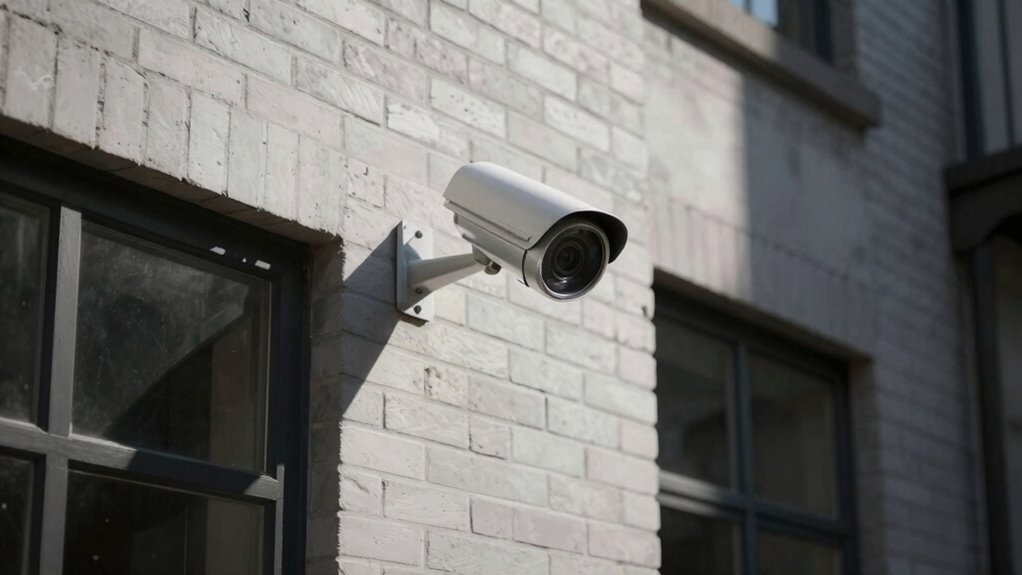
The biggest mistake that leaves blind spots everywhere is improper camera placement. If you install cameras too high, too low, or in corners, you risk missing critical activity. Obstructions like objects or trees, poor lighting, or failing to regularly test and adjust your cameras only make matters worse. Small positioning and lighting tweaks can greatly improve coverage. Keep an eye on how your cameras perform and refine their placement—they play an essential role in your security. Want to learn more?

Get the latest gadgets delivered free — and shop member deals
- Fast, free delivery on millions of items
- Access to Prime Big Deal Days deals on October 6–7
- Prime Video, Amazon Music and more included
Key Takeaways
- Installing cameras too high, low, or in corners creates blind spots and misses critical activity.
- Poor camera angles that do not capture faces or license plates hinder identification.
- Overlooking access points and pathways reduces overall coverage and security effectiveness.
- Obstructions like objects or trees block views, leaving areas unmonitored.
- Inadequate lighting causes grainy footage and obscures details, increasing blind spots at night.

Have you ever overlooked a simple security camera mistake that could compromise your safety? It’s easy to assume that setting up cameras is a straightforward task, but small errors can create blind spots that leave your property vulnerable. One of the most common and overlooked issues is poor camera placement. If you don’t position your cameras correctly, they won’t capture the areas you care about most. For instance, installing a camera too high or too low, or in a corner that doesn’t cover the main entry points, means you could miss critical activity. You need to think like an intruder or a visitor: where might they approach from? Position cameras to cover all access points, pathways, and potential hiding spots. Avoid placing cameras where objects or trees block the view, and ensure they’re angled to capture faces and license plates clearly. Proper camera placement is crucial for comprehensive security coverage. Lighting conditions also play a huge role in the effectiveness of your security cameras. Cameras operate best in well-lit environments, but poor lighting can turn your footage into a grainy, unusable mess. If your cameras are facing direct sunlight or bright lights, they might experience glare or overexposure, obscuring details. Conversely, placing cameras in dark, shadowy areas makes it difficult for them to pick up clear images. To prevent this, consider installing cameras with infrared or night vision capabilities, and adjust their placement to avoid glaring lights. If you can, add outdoor lighting around your property, especially near entry points, to improve visibility at night. Proper lighting conditions not only enhance image quality but also serve as a deterrent for potential intruders. Regularly testing your camera angles after installation is essential, as camera positioning can shift over time due to weather or accidental bumps. Even if you think you’ve found the perfect spot, it’s essential to review footage and make adjustments. Sometimes, what looks good on the monitor isn’t ideal in real life—obstructed views, poor focus, or misaligned angles can all cause blind spots. Conducting periodic camera maintenance and inspections can help identify and correct these issues before they become security risks. Making these small tweaks can markedly improve coverage and reduce the chances of missing suspicious activity. Additionally, understanding and applying proper lighting techniques can significantly enhance camera performance in various conditions. In short, the security camera mistake that leaves blind spots everywhere often boils down to poor camera placement and neglecting lighting conditions. Focusing on strategic positioning and ensuring proper lighting can dramatically increase your security’s effectiveness. Don’t overlook these simple but indispensable details, because the difference between catching a threat and missing it can be just a matter of a few inches or a change in lighting.
outdoor security camera with night vision
As an affiliate, we earn on qualifying purchases.
As an affiliate, we earn on qualifying purchases.
Frequently Asked Questions
How Often Should Security Cameras Be Maintained or Cleaned?
You should clean your security camera lenses and check camera calibration at least once a month. Regular lens cleaning removes dust and smudges that can obscure footage, while recalibrating cameras ensures they cover the intended areas accurately. If you notice poor image quality or blind spots, clean the lens immediately and verify calibration. Consistent maintenance keeps your cameras functioning properly, reducing blind spots and enhancing overall security effectiveness.
Can Camera Placement Affect Emergency Response Times?
Yes, camera placement can considerably impact emergency response times. Poorly chosen camera angles might hide critical areas, causing response delays when seconds matter. If your cameras aren’t strategically positioned, emergency responders could miss essential clues or delay action, risking safety. To prevent this, guarantee your cameras cover key zones from multiple angles, reducing response delays and keeping everyone safer. Proper placement isn’t just about security; it’s about swift, effective responses when it counts most.
Are There Legal Restrictions on Camera Angles and Coverage?
Yes, there are legal restrictions on camera angles and coverage. You must respect privacy laws, which typically prevent cameras from capturing private areas like bathrooms or bedrooms. Local regulations may also limit how and where you can install cameras, especially in public spaces. Always check your jurisdiction’s rules before placing cameras, ensuring your angles and coverage stay within legal boundaries to avoid privacy violations and potential fines.
How Do Weather Conditions Impact Camera Effectiveness?
Weather effects can profoundly impact your camera’s effectiveness, causing blind spots or blurred images during rain, snow, fog, or extreme heat. Harsh conditions may reduce visibility or damage the camera if it lacks proper weatherproofing. To guarantee ideal performance, choose cameras with high durability and weather-resistant features. Regular maintenance and protective enclosures can also help your security system withstand weather effects, maintaining clear coverage and preventing blind spots.
What Are the Signs of a Compromised Security Camera System?
If your security camera system shows unusual activity, such as unexplained footage or access logs, you might have a compromised system. Look out for signs like camera hacking, where footage gets altered or deleted, and privacy concerns, such as unauthorized access to your feed. These issues suggest someone might be tampering with your cameras, so act quickly to reset passwords, update firmware, and enhance security measures.
adjustable security camera mount
As an affiliate, we earn on qualifying purchases.
As an affiliate, we earn on qualifying purchases.
Conclusion
If you overlook proper placement, your security camera setup could leave critical blind spots that burglars exploit. Studies show that 60% of break-ins occur in areas with poor camera coverage, highlighting how easily these vulnerabilities can be overlooked. By carefully planning your camera angles and avoiding common mistakes, you can considerably improve your home’s security. Don’t let a simple mistake compromise your safety—review your camera placement today to ensure complete coverage and peace of mind.
wireless HD security camera system
As an affiliate, we earn on qualifying purchases.
As an affiliate, we earn on qualifying purchases.
infrared night vision security camera
As an affiliate, we earn on qualifying purchases.
As an affiliate, we earn on qualifying purchases.
Halloween Picks
halloween
As an affiliate, we earn on qualifying purchases.