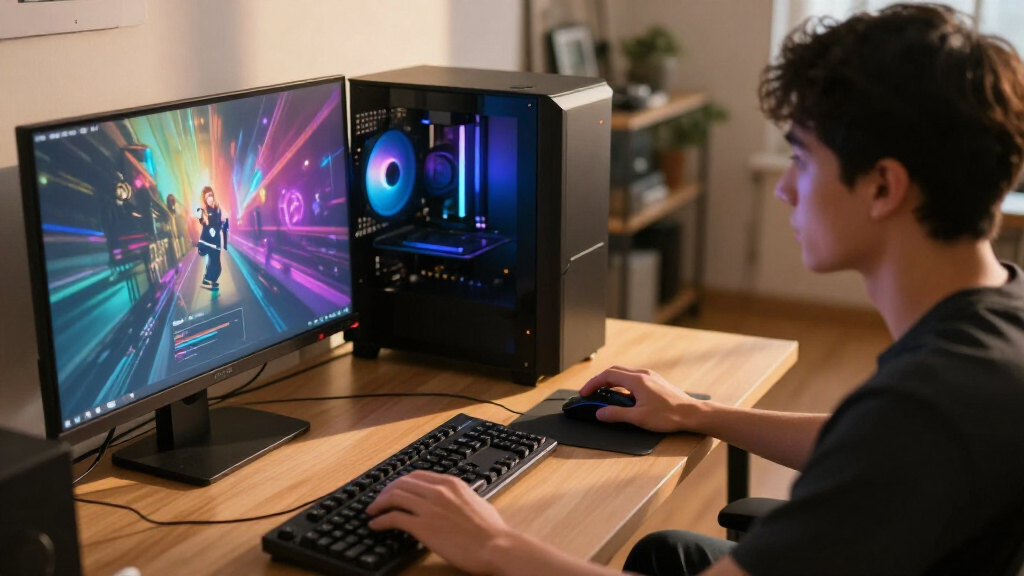

My pick for the best overall gaming PC is the Skytech King 95 with Ryzen 7 9800X3D and RTX 5070 Ti, a strong balance of gaming-focused processing power, graphics performance, and 2TB of storage. For higher-end play, the STORMCRAFT Phantom pairs a Ryzen 7 9800X3D with an RTX 5080, while the Skytech Azure stands out for its RX 9070 XT and 2TB SSD. The main tradeoffs are graphics capability versus the workload you actually play, and premium hardware versus the value of a more modest system. I compare all 15 options by their listed components, intended fit, and practical limitations. Read on for the full breakdown and advice on choosing a PC that suits your games and display.

Get the latest gadgets delivered free with Prime
- Fast, free delivery on millions of items
- Prime Video, Amazon Music and more included
- Member-only deals all year
Complete the kit



Key Takeaways
- The Skytech King 95 with the Ryzen 7 9800X3D and RTX 5070 Ti is my best overall pick: it pairs a gaming-oriented processor with a capable graphics card and 2TB SSD, without stepping up to an RTX 5080 system.
- The RTX 5080 models sit at the premium end of this lineup: the STORMCRAFT Phantom and Skytech King 95 with Ryzen 7 9850X3D are the picks for buyers prioritizing graphics headroom, not restrained builds.
- The Skytech Azure and KOTIN Ryzen 7 9700X desktop both use an RX 9070 XT, but the Azure lists 2TB of storage while the KOTIN listing does not specify its memory or storage, making the Azure’s configuration clearer.
- RTX 5060 and RTX 5060 Ti systems form the more modest tier: the YAWYORE uses an RTX 5060, while the KOTIN and CyberPowerPC Gamer Master use an RTX 5060 Ti; the latter’s listed 8GB VRAM is a relevant limit for demanding games.
- Component balance matters more than oversized headline numbers: the Horizon’s 64GB RAM and 5TB storage may suit multitasking and a large game library, but buyers should verify the exact Core i9 model and how the build handles cooling and upgrades.
| Skytech Azure Gaming Desktop with Ryzen 7 9850X3D, Radeon RX 9070 XT, 32GB DDR5 RAM, and 2TB NVMe SSD |  | Best for High-Frame-Rate AMD Gaming | Processor: AMD Ryzen 7 9850X3D, 4.7GHz base, up to 5.6GHz turbo | Graphics: AMD Radeon RX 9070 XT, 16GB GDDR6; brand may vary | Memory: 32GB DDR5 5600 | VIEW LATEST PRICE | See Our Full Breakdown |
| KOTIN Gaming Desktop PC with Ryzen 7 9700X and Radeon RX 9070 XT |  | Best for a Feature-Rich AMD Setup | Processor: AMD Ryzen 7 9700X, 3.8GHz base, up to 5.5GHz | Graphics: Radeon RX 9070 XT, 16GB GDDR6 | Memory: 32GB DDR5 | VIEW LATEST PRICE | See Our Full Breakdown |
| iBUYPOWER Element Gaming Desktop, AMD Ryzen 9 7900X, GeForce RTX 5070 12GB, 32GB DDR5, 1TB NVMe SSD |  | Best Starter Gaming Bundle | Processor: AMD Ryzen 9 7900X, 4.7GHz base, up to 5.6GHz | Graphics: NVIDIA GeForce RTX 5070, 12GB | Memory: 32GB DDR5 RGB, 4800MHz; maximum 128GB | VIEW LATEST PRICE | See Our Full Breakdown |
| Alienware Aurora Gaming Desktop with RTX 5070 and Intel Core Ultra 7 265F |  | Best for a Polished, Connected Setup | Processor: Intel Core Ultra 7 265F | Graphics: NVIDIA GeForce RTX 5070, 12GB GDDR7 | Memory: 32GB DDR5 | VIEW LATEST PRICE | See Our Full Breakdown |
| CyberPowerPC Gamer Xtreme Gaming Desktop, Ryzen 9 9900X, GeForce RTX 5070, 32GB DDR5, 1TB SSD |  | Best for Gaming and Heavy Multitasking | Processor: AMD Ryzen 9 9900X, 4.4GHz, 12 cores | Graphics: NVIDIA GeForce RTX 5070, 12GB | Memory: 32GB DDR5, 4800 MT/s; maximum 192GB | VIEW LATEST PRICE | See Our Full Breakdown |
| Skytech King 95 Gaming Desktop PC, Ryzen 7 9800X3D, RTX 5070 Ti, 32GB DDR5, 2TB NVMe SSD |  | Best for High-Refresh 1440p Gaming | Processor: AMD Ryzen 7 9800X3D, 4.7 GHz base, up to 5.2 GHz turbo | Graphics: NVIDIA GeForce RTX 5070 Ti, 16GB GDDR7; brand may vary | Memory: 32GB DDR5 6000 RGB | VIEW LATEST PRICE | See Our Full Breakdown |
| KOTIN Gaming Desktop with Ryzen 7 8700F and GeForce RTX 5060 Ti |  | Best for Connectivity and Upgrades | Processor: AMD Ryzen 7 8700F, 4.1 GHz base, up to 5 GHz | Graphics: GeForce RTX 5060 Ti, 8GB GDDR7 | Memory: 16GB DDR5 | VIEW LATEST PRICE | See Our Full Breakdown |
| CyberPowerPC Gamer Master Gaming Desktop, Ryzen 7 8700F, GeForce RTX 5060 Ti 8GB |  | Best for a Straightforward Starter Setup | Processor: AMD Ryzen 7 8700F, 8 cores, 4.1 GHz | Chipset: AMD B850 | Graphics: NVIDIA GeForce RTX 5060 Ti, 8GB | VIEW LATEST PRICE | See Our Full Breakdown |
| STORMCRAFT Phantom Gaming PC with Ryzen 7 9800X3D and RTX 5080 |  | Best for Maximum Graphics Performance | Processor: AMD Ryzen 7 9800X3D, 8 cores, 16 threads, up to 5.2 GHz | Graphics: NVIDIA RTX 5080, 16GB GDDR7, 256-bit | Memory: 32GB DDR5 6000MHz RGB | VIEW LATEST PRICE | See Our Full Breakdown |
| KOTIN Gaming Desktop with RTX 5070, Ryzen 7 9700X, 32GB DDR5, and 1TB SSD |  | Best for a Feature-Rich Gaming Setup | Processor: AMD Ryzen 7 9700X, 8 cores | Graphics: NVIDIA GeForce RTX 5070, 12GB GDDR7 | Memory: 32GB DDR5 6000MHz | VIEW LATEST PRICE | See Our Full Breakdown |
| MSI Codex Z2 Gaming Desktop, Ryzen 7 8700F, GeForce RTX 5070, 32GB DDR5, 2TB SSD |  | Best Balanced RTX 5070 Gaming PC | Processor: AMD Ryzen 7 8700F, 8 cores / 16 threads, up to 5.0 GHz | Graphics: NVIDIA GeForce RTX 5070 | Memory: 32GB DDR5, 6000 MHz | VIEW LATEST PRICE | See Our Full Breakdown |
| Horizon Autherium Dragon RGB Gaming Desktop PC, Intel Core i9, RTX 5070 OC, 64GB RAM, 5TB Storage, Windows 11 Pro |  | Best for Heavy Multitasking and Large Libraries | Processor: Unlocked Intel Core i9, up to 5.4 GHz | Graphics: NVIDIA GeForce RTX 5070 OC, 12GB GDDR7 | Memory: 64GB RAM | VIEW LATEST PRICE | See Our Full Breakdown |
| YAWYORE Gaming Desktop PC with AMD Ryzen 7 5700X and GeForce RTX 5060 |  | Best Entry-Level Dedicated Graphics Pick | Processor: AMD Ryzen 7 5700X, 8 cores / 16 threads, up to 4.6 GHz | Graphics: GeForce RTX 5060, 8GB GDDR7 | Memory: 32GB DDR4 3200MHz (2 x 16GB) | VIEW LATEST PRICE | See Our Full Breakdown |
| Lenovo Legion Tower 5i Gaming Desktop with Intel Core Ultra 7 265F and NVIDIA GeForce RTX 5070 Ti |  | Best for Higher-Tier Graphics and Easy Upgrades | Processor: Intel Core Ultra 7 265F, 2.4 GHz | Graphics: NVIDIA GeForce RTX 5070 Ti | Memory: 32GB DDR5, 5600 MHz | VIEW LATEST PRICE | See Our Full Breakdown |
| Skytech King 95 Gaming Desktop with Ryzen 7 9850X3D, GeForce RTX 5080, 32GB RAM, 2TB SSD |  | Best Premium 4K Gaming Pick | Processor: AMD Ryzen 7 9850X3D, 4.7 GHz, up to 5.6 GHz | Graphics: NVIDIA GeForce RTX 5080, 16GB GDDR7; brand may vary | Memory: 32GB DDR5 6000 RGB | VIEW LATEST PRICE | See Our Full Breakdown |
| gaming PC | Processor | Graphics | Memory | Storage |
|---|---|---|---|---|
| Skytech Azure Gaming Desktop w | AMD Ryzen 7 9850X3D, 4.7GHz base, up to 5.6GHz turbo | AMD Radeon RX 9070 XT, 16GB GDDR6; brand may vary | 32GB DDR5 5600 | 2TB Gen4 NVMe M.2 SSD |
| KOTIN Gaming Desktop PC with R | AMD Ryzen 7 9700X, 3.8GHz base, up to 5.5GHz | Radeon RX 9070 XT, 16GB GDDR6 | 32GB DDR5 | 1TB PCIe 4.0 NVMe SSD |
| iBUYPOWER Element Gaming Deskt | AMD Ryzen 9 7900X, 4.7GHz base, up to 5.6GHz | NVIDIA GeForce RTX 5070, 12GB | 32GB DDR5 RGB, 4800MHz; maximum 128GB | 1TB NVMe SSD |
| Alienware Aurora Gaming Deskto | Intel Core Ultra 7 265F | NVIDIA GeForce RTX 5070, 12GB GDDR7 | 32GB DDR5 | 1TB SSD |
| CyberPowerPC Gamer Xtreme Gami | AMD Ryzen 9 9900X, 4.4GHz, 12 cores | NVIDIA GeForce RTX 5070, 12GB | 32GB DDR5, 4800 MT/s; maximum 192GB | 1TB PCIe 4.0 NVMe SSD |
| Skytech King 95 Gaming Desktop | AMD Ryzen 7 9800X3D, 4.7 GHz base, up to 5.2 GHz turbo | NVIDIA GeForce RTX 5070 Ti, 16GB GDDR7; brand may vary | 32GB DDR5 6000 RGB | 2TB Gen4 NVMe M.2 SSD |
| KOTIN Gaming Desktop with Ryze | AMD Ryzen 7 8700F, 4.1 GHz base, up to 5 GHz | GeForce RTX 5060 Ti, 8GB GDDR7 | 16GB DDR5 | 1TB PCIe Gen4 NVMe SSD |
| CyberPowerPC Gamer Master Gami | AMD Ryzen 7 8700F, 8 cores, 4.1 GHz | NVIDIA GeForce RTX 5060 Ti, 8GB | 16GB DDR5, 4800 MHz; maximum 192GB | 1TB PCIe 4.0 NVMe SSD |
| STORMCRAFT Phantom Gaming PC w | AMD Ryzen 7 9800X3D, 8 cores, 16 threads, up to 5.2 GHz | NVIDIA RTX 5080, 16GB GDDR7, 256-bit | 32GB DDR5 6000MHz RGB | 2TB NVMe Gen4 SSD |
| KOTIN Gaming Desktop with RTX | AMD Ryzen 7 9700X, 8 cores | NVIDIA GeForce RTX 5070, 12GB GDDR7 | 32GB DDR5 6000MHz | 1TB PCIe 4.0 NVMe SSD |
| MSI Codex Z2 Gaming Desktop | AMD Ryzen 7 8700F, 8 cores / 16 threads, up to 5.0 GHz | NVIDIA GeForce RTX 5070 | 32GB DDR5, 6000 MHz | 2TB M.2 NVMe SSD |
| Horizon Autherium Dragon RGB G | Unlocked Intel Core i9, up to 5.4 GHz | NVIDIA GeForce RTX 5070 OC, 12GB GDDR7 | 64GB RAM | 5TB total: 1TB M.2 NVMe SSD and 4TB 7200RPM HDD |
| YAWYORE Gaming Desktop PC with | AMD Ryzen 7 5700X, 8 cores / 16 threads, up to 4.6 GHz | GeForce RTX 5060, 8GB GDDR7 | 32GB DDR4 3200MHz (2 x 16GB) | 1TB M.2 NVMe PCIe SSD |
| Lenovo Legion Tower 5i Gaming | Intel Core Ultra 7 265F, 2.4 GHz | NVIDIA GeForce RTX 5070 Ti | 32GB DDR5, 5600 MHz | 1TB SSD |
| Skytech King 95 Gaming Desktop | AMD Ryzen 7 9850X3D, 4.7 GHz, up to 5.6 GHz | NVIDIA GeForce RTX 5080, 16GB GDDR7; brand may vary | 32GB DDR5 6000 RGB | 2TB NVMe M.2 SSD |
More Details on Our Top Picks
Skytech Azure Gaming Desktop with Ryzen 7 9850X3D, Radeon RX 9070 XT, 32GB DDR5 RAM, and 2TB NVMe SSD
The Ryzen 7 9850X3D and Radeon RX 9070 XT make this a strong fit for gamers who want a high-end AMD platform, while 2TB of Gen4 NVMe storage leaves more room for a large game library than the 1TB drives in the KOTIN and Alienware Aurora systems. Its 360mm liquid cooler and 32GB of DDR5 memory round out a build suited to demanding gaming and multitasking. Compared with the Skytech King 95 with RTX 5070 Ti, this Azure trades Nvidia graphics features for AMD’s 16GB card and substantial onboard storage. The tradeoff is less certainty about the exact components: the graphics card brand and I/O ports may vary. I would choose it for the listed core hardware, not for a guaranteed configuration beyond those specifications.
Pros:- Ryzen 7 9850X3D paired with Radeon RX 9070 XT 16GB graphics
- 2TB Gen4 NVMe SSD provides more listed storage than the 1TB drives in several competing picks
- 32GB DDR5 memory and a 360mm liquid CPU cooler
- Windows 11 Home is included
Cons:- Graphics-card brand and some components may vary
- I/O ports may vary, making exact connectivity harder to confirm
- 802.11ac wireless is specified rather than newer Wi-Fi 7
Best for: PC gamers who want a powerful AMD gaming setup, 16GB of graphics memory, and space for a substantial installed game library.
Not ideal for: Buyers who need a specified graphics-card manufacturer, fixed port selection, or Nvidia-specific features; listed component variations may not meet those needs.
- Processor:AMD Ryzen 7 9850X3D, 4.7GHz base, up to 5.6GHz turbo
- Graphics:AMD Radeon RX 9070 XT, 16GB GDDR6; brand may vary
- Memory:32GB DDR5 5600
- Storage:2TB Gen4 NVMe M.2 SSD
- Cooling:360mm AIO liquid CPU cooler with ARGB fans
- Operating system:Windows 11 Home 64-bit
- Wireless:802.11ac
- Dimensions:17.2 x 9.1 x 17.8 inches
Our verdict“Choose the Azure if you want a high-end AMD gaming PC with 16GB graphics memory and 2TB of storage, and can accept component and port variation.”
KOTIN Gaming Desktop PC with Ryzen 7 9700X and Radeon RX 9070 XT
The KOTIN pairs a Ryzen 7 9700X with Radeon RX 9070 XT 16GB graphics, then adds details that set it apart from a straightforward gaming tower: an 11.3-inch status display, Wi-Fi 7, and an 850W Gold-rated power supply. The screen gives system information a visible home, while the newer wireless standard is a useful fit for buyers whose network supports it. Compared with the Skytech Azure, KOTIN specifies Wi-Fi 7 and the display, but gives you 1TB rather than 2TB of storage. Its 360mm liquid cooler and 32GB of DDR5 memory suit gaming and heavier multitasking; the tradeoff is that the display and lighting are extras around a core setup that is less storage-ready than the Azure. Buyers using older VGA or DVI monitors will also need an adapter.
Pros:- Radeon RX 9070 XT with 16GB GDDR6 and Ryzen 7 9700X
- Built-in 11.3-inch display shows system status
- Wi-Fi 7, Bluetooth, and Ethernet connectivity
- 360mm liquid cooler and 850W 80 PLUS Gold power supply
Cons:- 1TB SSD offers less included space than the Skytech Azure’s 2TB drive
- VGA and DVI monitors require an HDMI or DisplayPort adapter
- Display must connect to the graphics card ports
Best for: Gamers who want a Radeon RX 9070 XT system with a built-in status screen, Wi-Fi 7, and a clearly specified power supply.
Not ideal for: Players with large game libraries who want ample included storage, or users connecting a VGA or DVI monitor without an adapter.
- Processor:AMD Ryzen 7 9700X, 3.8GHz base, up to 5.5GHz
- Graphics:Radeon RX 9070 XT, 16GB GDDR6
- Memory:32GB DDR5
- Storage:1TB PCIe 4.0 NVMe SSD
- Display:Built-in 11.3-inch status display
- Cooling:360mm ARGB liquid CPU cooler
- Power supply:850W, 80 PLUS Gold certified
- Connectivity:Wi-Fi 7, Bluetooth, Ethernet
- Dimensions and weight:16.81 x 8.66 x 14.29 inches; 30 pounds
Our verdict“Pick the KOTIN if its status display and Wi-Fi 7 matter more to you than the Azure’s extra terabyte of storage.”
iBUYPOWER Element Gaming Desktop, AMD Ryzen 9 7900X, GeForce RTX 5070 12GB, 32GB DDR5, 1TB NVMe SSD
The iBUYPOWER Element is the most ready-to-use pick here for someone building a gaming setup from scratch: it includes a keyboard and RGB mouse alongside Windows 11, Wi-Fi, and a liquid-cooled Ryzen 9 7900X and RTX 5070 combination. Its 32GB of DDR5 RGB memory supports gaming alongside streaming or creative applications, though the listed 4800MHz speed is lower than many buyers may expect from a performance-focused DDR5 system. Compared with the Alienware Aurora, it adds peripherals in the box, while the Aurora specifies Wi-Fi 7 and a 1-year onsite service period. The iBUYPOWER’s 1TB SSD also provides less headroom than the Azure’s 2TB drive. Its white, 36-pound tower is a substantial piece of equipment, so it suits a fixed desk better than frequent moves.
Pros:- Ryzen 9 7900X and GeForce RTX 5070 12GB graphics
- Includes a gaming keyboard and RGB gaming mouse
- 32GB DDR5 RGB memory and 240mm liquid CPU cooling
- Windows 11 Home, Wi-Fi, and Bluetooth are included
Cons:- 1TB SSD gives less room for games than the Skytech Azure’s 2TB drive
- Memory is listed at 4800MHz
- Large 36-pound tower is less convenient to move
Best for: First-time PC gamers who need a tower, keyboard, and mouse together and also want a capable system for streaming or creative workloads.
Not ideal for: Buyers who need a compact or lightweight PC, want more than 1TB of included storage, or prioritize faster specified memory.
- Processor:AMD Ryzen 9 7900X, 4.7GHz base, up to 5.6GHz
- Graphics:NVIDIA GeForce RTX 5070, 12GB
- Memory:32GB DDR5 RGB, 4800MHz; maximum 128GB
- Storage:1TB NVMe SSD
- Cooling:240mm liquid CPU cooling
- Operating system:Windows 11 Home
- Connectivity:Wi-Fi and Bluetooth
- Ports:6 x USB 3.1, 1 x Gigabit Ethernet, HDMI, DisplayPort
- Dimensions and weight:20 x 9.1 x 17.4 inches; 36 pounds
Our verdict“Choose the iBUYPOWER Element if you want a capable RTX 5070 PC and included peripherals more than extra storage or a lighter case.”
Alienware Aurora Gaming Desktop with RTX 5070 and Intel Core Ultra 7 265F
The Aurora’s appeal is the combination of RTX 5070 graphics, an Intel Core Ultra 7 265F, and a streamlined chassis with customizable AlienFX lighting. For buyers who want a recognizable, coordinated desktop rather than a tower that calls attention to its components, its matte-black design and Alienware Command Center give this pick a more finished feel than the bundled-accessory approach of the iBUYPOWER Element. It also specifies Wi-Fi 7 and Killer 2.5 Gb Ethernet, useful connectivity options for a modern home network. The tradeoff is a 1TB SSD, half the capacity listed for the Skytech Azure, and no keyboard or mouse is listed. Its one-year onsite service is a concrete support feature, but buyers wanting longer coverage should check whether the available terms suit them.
Pros:- GeForce RTX 5070 12GB GDDR7 and Intel Core Ultra 7 265F
- Wi-Fi 7 and Killer 2.5 Gb Ethernet
- Customizable AlienFX lighting and Alienware Command Center
- One-year onsite service is specified
Cons:- 1TB SSD provides less capacity than the Skytech Azure’s 2TB drive
- Keyboard and mouse are not listed as included
- Specified onsite service period is one year
Best for: Gamers who want an RTX 5070 system with a distinctive, coordinated chassis, customizable lighting, and both Wi-Fi 7 and fast wired networking.
Not ideal for: Buyers who want 2TB of included storage, bundled keyboard and mouse, or a longer stated service period.
- Processor:Intel Core Ultra 7 265F
- Graphics:NVIDIA GeForce RTX 5070, 12GB GDDR7
- Memory:32GB DDR5
- Storage:1TB SSD
- Operating system:Windows 11 Home
- Connectivity:Wi-Fi 7, Bluetooth, Killer 2.5 Gb Ethernet
- Power consumption:450 watts
- Dimensions and weight:18.05 x 7.76 x 16.46 inches; 33.9 pounds
- Warranty:1-year onsite service
Our verdict“Choose the Aurora if its Alienware design, lighting controls, and network options are a better fit than bundled accessories or expanded storage.”
CyberPowerPC Gamer Xtreme Gaming Desktop, Ryzen 9 9900X, GeForce RTX 5070, 32GB DDR5, 1TB SSD
The Gamer Xtreme stands out for buyers who want 12-core processing alongside RTX 5070 graphics: its Ryzen 9 9900X is a strong match for gaming plus demanding background work, such as streaming or content creation. It also lists a broad port selection, Wi-Fi 6, liquid CPU cooling, and included keyboard and mouse, making it more flexible as a general-use setup than the Alienware Aurora, which emphasizes its chassis and Wi-Fi 7 instead. Against the iBUYPOWER Element, CyberPowerPC specifies a newer, higher-core-count Ryzen 9, but both have 1TB of storage and 32GB of memory listed at 4800 speed. That leaves storage expansion as a likely need for a large game collection. Its 1-year parts-and-labor coverage and lifetime technical support add support options, though those are different kinds of service.
Pros:- 12-core Ryzen 9 9900X paired with GeForce RTX 5070 12GB
- 32GB DDR5 memory and liquid CPU cooling
- Includes keyboard and mouse
- Wi-Fi 6, Bluetooth 5.3, multiple USB-C and USB-A ports, and lifetime technical support
Cons:- 1TB SSD may be limiting for a large game library
- Memory is listed at 4800 MT/s
- Wi-Fi 6 is specified, while the Alienware Aurora lists Wi-Fi 7
Best for: Gamers who stream, create content, or run demanding applications alongside games and want a 12-core CPU with an RTX 5070.
Not ideal for: Buyers whose priority is maximum included game storage, Wi-Fi 7, or memory specified above 4800 MT/s.
- Processor:AMD Ryzen 9 9900X, 4.4GHz, 12 cores
- Graphics:NVIDIA GeForce RTX 5070, 12GB
- Memory:32GB DDR5, 4800 MT/s; maximum 192GB
- Storage:1TB PCIe 4.0 NVMe SSD
- Chipset:AMD B850
- Cooling:Liquid CPU cooling
- Connectivity:Wi-Fi 6, Bluetooth 5.3
- Ports:2 USB-C 3.2, 4 USB-A 3.2, 2 USB-A 2.0, HDMI, 3 DisplayPort, LAN
- Warranty and support:1 year parts and labor; lifetime technical support
Our verdict“Pick the Gamer Xtreme if multitasking and a 12-core processor matter more than Wi-Fi 7 or extra storage out of the box.”
Skytech King 95 Gaming Desktop PC, Ryzen 7 9800X3D, RTX 5070 Ti, 32GB DDR5, 2TB NVMe SSD
The Ryzen 7 9800X3D and RTX 5070 Ti make this King 95 a strong fit for players who want a fast gaming-focused processor alongside capable 1440p graphics. Its 32GB of DDR5 and 2TB SSD also give more room for games and multitasking than the 16GB, 1TB KOTIN and CyberPowerPC Gamer Master options in this group. A 360mm liquid cooler is included, but adds cooling hardware that may matter less to buyers focused on a simpler, quieter-looking setup. The graphics card brand and additional ports may vary, so the exact configuration is less predictable than the listed core components suggest. I’d rank it below RTX 5080 systems for buyers chasing the highest graphics performance, but its storage and memory make it a more complete 1440p-oriented choice than the entry configurations.
Pros:- Ryzen 7 9800X3D paired with an RTX 5070 Ti
- 32GB DDR5 memory suits gaming and background applications
- 2TB Gen4 NVMe SSD provides generous game storage
- 360mm liquid cooler and Windows 11 Home included
Cons:- Graphics card brand may vary between systems
- Additional video and system ports may vary
- The RTX 5080 STORMCRAFT offers a higher graphics tier
Best for: Players who want a gaming-focused Ryzen processor, an RTX 5070 Ti, and enough memory and SSD space for a large game library.
Not ideal for: Buyers seeking the highest graphics tier in this roundup or those who need a guaranteed graphics card brand and fixed port layout.
- Processor:AMD Ryzen 7 9800X3D, 4.7 GHz base, up to 5.2 GHz turbo
- Graphics:NVIDIA GeForce RTX 5070 Ti, 16GB GDDR7; brand may vary
- Memory:32GB DDR5 6000 RGB
- Storage:2TB Gen4 NVMe M.2 SSD
- Cooling:360mm AIO liquid CPU cooler with ARGB fans
- Operating system:Windows 11 Home 64-bit
- Wireless:802.11ac Wi-Fi
- Warranty:1 year parts and labor
Our verdict“Choose this King 95 for a well-equipped 1440p gaming PC with a large SSD, but look to the STORMCRAFT Phantom if graphics performance takes priority.”
KOTIN Gaming Desktop with Ryzen 7 8700F and GeForce RTX 5060 Ti
This KOTIN is a practical starting point for PC gaming: the Ryzen 7 8700F and RTX 5060 Ti provide dedicated graphics, while Wi-Fi 7 and Bluetooth arrive built in. Its small listed footprint and five ARGB fans may suit buyers who want a compact-looking desktop without giving up internal expansion. Compared with the CyberPowerPC Gamer Master, it adds newer wireless connectivity and describes four memory slots plus three M.2 slots, giving owners clear room to expand. The tradeoff is its 16GB of DDR5 and 1TB SSD, which leave less headroom for demanding multitasking and a growing library than the 32GB, 2TB Skytech King 95. I’d pick it for an upgrade-friendly midrange setup, not for buyers who want to avoid future memory or storage additions.
Pros:- RTX 5060 Ti graphics with 8GB GDDR7
- Wi-Fi 7 and Bluetooth included
- Four DDR5 DIMM slots and three M.2 SSD slots
- 650W 80 PLUS Gold power supply
Cons:- 16GB of DDR5 may constrain demanding multitasking
- 1TB SSD offers less room than the 2TB Skytech King 95
- VGA and DVI displays need an HDMI or DisplayPort adapter
Best for: First-time PC gamers who want Wi-Fi 7, a modest-sized tower, and open memory and SSD slots for later upgrades.
Not ideal for: Players who keep many demanding apps open or install a large game library and want 32GB of memory and 2TB storage from the outset.
- Processor:AMD Ryzen 7 8700F, 4.1 GHz base, up to 5 GHz
- Graphics:GeForce RTX 5060 Ti, 8GB GDDR7
- Memory:16GB DDR5
- Storage:1TB PCIe Gen4 NVMe SSD
- Wireless:Wi-Fi 7 and Bluetooth
- Power supply:650W 80 PLUS Gold
- Cooling:Air cooler with six copper heat pipes and five 120mm ARGB fans
- Dimensions:12.36 × 8.5 × 15.59 inches
Our verdict“Pick this KOTIN if modern wireless and straightforward expansion matter more than having extra memory and storage immediately.”
CyberPowerPC Gamer Master Gaming Desktop, Ryzen 7 8700F, GeForce RTX 5060 Ti 8GB
The Gamer Master keeps the core setup uncomplicated: an 8-core Ryzen 7, RTX 5060 Ti, Windows 11, and keyboard and mouse are included. Its port selection is a useful distinction from the KOTIN RTX 5060 Ti system: the supplied details list two USB-C ports, multiple USB-A connections, and two DisplayPort outputs, making it easier to connect a mix of peripherals and displays. Wi-Fi 6 is less current than the KOTIN’s Wi-Fi 7, and the installed 16GB of DDR5 and 1TB SSD give it less out-of-box capacity than the 32GB, 2TB Skytech King 95. Memory can be expanded substantially, but buyers should treat that ceiling as future flexibility rather than an included benefit. It suits a new gamer who values useful connections and included peripherals over generous starting capacity.
Pros:- Eight-core Ryzen 7 8700F and RTX 5060 Ti graphics
- USB-C, multiple USB-A, HDMI, and two DisplayPort outputs listed
- Memory can be expanded up to 192GB
- Keyboard, mouse, and Windows 11 Home included
Cons:- 16GB DDR5 may be limiting for demanding games and multitasking
- 1TB SSD is less generous than the 2TB Skytech King 95
- Wi-Fi 6 is a step behind the Wi-Fi 7 KOTIN option
Best for: New PC gamers who need an included keyboard and mouse, a broad set of wired connections, and room to add memory later.
Not ideal for: Players who want Wi-Fi 7, 32GB of installed memory, or enough SSD capacity for a large library without upgrades.
- Processor:AMD Ryzen 7 8700F, 8 cores, 4.1 GHz
- Chipset:AMD B850
- Graphics:NVIDIA GeForce RTX 5060 Ti, 8GB
- Memory:16GB DDR5, 4800 MHz; maximum 192GB
- Storage:1TB PCIe 4.0 NVMe SSD
- Wireless:Wi-Fi 6 and Bluetooth 5.3
- Ports:USB-C 3.2 ×2, USB-A 3.2 ×4, USB-A 2.0 ×2, HDMI ×1, DisplayPort ×2, LAN ×1
- Warranty and support:1-year limited parts and labor warranty; lifetime technical support
Our verdict“Choose the Gamer Master for its included peripherals and listed port selection, provided you are comfortable starting with 16GB of memory.”
STORMCRAFT Phantom Gaming PC with Ryzen 7 9800X3D and RTX 5080
The STORMCRAFT Phantom is the performance-led choice here, pairing the Ryzen 7 9800X3D with an RTX 5080 and 32GB of DDR5. That graphics tier sets it apart from the RTX 5070 Ti Skytech King 95 and RTX 5070 KOTIN: it is the pick for buyers who want to prioritize demanding games and higher graphics settings. The 2TB NVMe SSD matches the King 95’s storage capacity, while its 360mm liquid cooler and seven adjustable ARGB fans make cooling and airflow a prominent part of the build. The tradeoff is that this is a more performance-focused system than many gamers need, and its 17-inch case depth calls for adequate desk or floor space. The listed warranty covers parts and labor for different terms, so read those details carefully.
Pros:- RTX 5080 with 16GB GDDR7 and Ryzen 7 9800X3D
- 32GB DDR5 6000MHz memory and 2TB Gen4 SSD
- 360mm AIO cooler and seven adjustable ARGB fans
- Lifetime technical support listed
Cons:- Its high-end graphics configuration may exceed the needs of casual gamers
- 17-inch case depth requires room for a substantial tower
- Parts, labor, and shipping warranty periods differ
Best for: Enthusiasts who want an RTX 5080 gaming system, 32GB of memory, and 2TB of fast storage in one prebuilt.
Not ideal for: Casual or space-constrained buyers who do not need RTX 5080 graphics or a relatively large tower.
- Processor:AMD Ryzen 7 9800X3D, 8 cores, 16 threads, up to 5.2 GHz
- Graphics:NVIDIA RTX 5080, 16GB GDDR7, 256-bit
- Memory:32GB DDR5 6000MHz RGB
- Storage:2TB NVMe Gen4 SSD
- Cooling:360mm AIO liquid cooler
- Power supply:850W, Gold certified
- Case dimensions:17 × 9.25 × 17 inches
- Warranty and support:2 years parts, 3 years labor, 1 year shipping; lifetime technical support
Our verdict“Choose the STORMCRAFT Phantom when RTX 5080 performance is your priority and you have room for its larger case.”
KOTIN Gaming Desktop with RTX 5070, Ryzen 7 9700X, 32GB DDR5, and 1TB SSD
This KOTIN balances a capable gaming core with extras that make the desktop feel more like a finished workstation: an RTX 5070, Ryzen 7 9700X, 32GB of memory, and an 11.3-inch secondary display for system information. Its 360mm liquid cooler and 850W Gold power supply also give it a more elaborate cooling and power setup than the 16GB RTX 5060 Ti KOTIN and CyberPowerPC Gamer Master. Against the Skytech King 95, it has the same 32GB memory class but half the listed SSD capacity and a lower graphics tier than that model’s RTX 5070 Ti. The Wi-Fi 7 support and lifetime technical support add appeal, though the display and cooling hardware will not matter to every buyer. Choose it for a feature-rich build, not for maximum storage or the strongest GPU here.
Pros:- Ryzen 7 9700X and RTX 5070 12GB graphics
- 32GB DDR5 6000MHz memory
- 11.3-inch secondary status display and 360mm liquid cooler
- Wi-Fi 7 and 850W 80 Plus Gold power supply
Cons:- 1TB SSD offers less capacity than the 2TB Skytech King 95 and STORMCRAFT Phantom
- RTX 5070 sits below the RTX 5070 Ti and RTX 5080 options in this group
- VGA and DVI monitors require an HDMI or DisplayPort adapter
Best for: Gamers who want an RTX 5070, 32GB of memory, Wi-Fi 7, and a built-in secondary display for system information.
Not ideal for: Buyers who prioritize a 2TB game drive, a higher-tier RTX 5070 Ti or RTX 5080, or a display-free simpler build.
- Processor:AMD Ryzen 7 9700X, 8 cores
- Graphics:NVIDIA GeForce RTX 5070, 12GB GDDR7
- Memory:32GB DDR5 6000MHz
- Storage:1TB PCIe 4.0 NVMe SSD
- Secondary display:11.3-inch LED
- Cooling:360mm liquid cooler
- Power supply:850W, 80 Plus Gold certified
- Wireless and operating system:Wi-Fi 7, Bluetooth, Windows 11 Home
Our verdict“Pick this KOTIN for its display, Wi-Fi 7, and balanced RTX 5070 hardware, but choose a 2TB system if you need more game storage.”
MSI Codex Z2 Gaming Desktop, Ryzen 7 8700F, GeForce RTX 5070, 32GB DDR5, 2TB SSD
The MSI Codex Z2 is a balanced pick for buyers who want a capable graphics card without stepping up to a more elaborate system. Its RTX 5070, Ryzen 7 8700F, and 32GB of DDR5 suit demanding games alongside streaming or everyday multitasking, while the 2TB NVMe SSD leaves more room for a game library than the Lenovo Legion Tower 5i’s 1TB drive. Four system fans provide active airflow, and Wi-Fi 6 and Bluetooth keep connectivity straightforward. The tradeoff is that it lacks the RTX 5070 Ti graphics in the Lenovo, so it is less compelling for shoppers prioritizing the strongest graphics option here. Its 96GB memory ceiling is useful, but only two slots are available for expansion, and Windows 11 Home is less suited to buyers who specifically need Pro features.
Pros:- RTX 5070 graphics paired with an 8-core Ryzen 7 processor
- 32GB DDR5 memory supports gaming and multitasking
- 2TB NVMe SSD provides generous fast storage
- Wi-Fi 6, Bluetooth, and four system fans are included
Cons:- RTX 5070 sits below the Lenovo Legion Tower 5i’s RTX 5070 Ti
- Only two memory slots are available for upgrades
- Ships with Windows 11 Home rather than Pro
Best for: PC gamers who want an RTX 5070 system with 32GB of memory and ample fast storage for a broad game library.
Not ideal for: Buyers focused on higher-tier graphics performance or Windows 11 Pro features; the Lenovo Legion Tower 5i has an RTX 5070 Ti, while this MSI ships with Windows 11 Home.
- Processor:AMD Ryzen 7 8700F, 8 cores / 16 threads, up to 5.0 GHz
- Graphics:NVIDIA GeForce RTX 5070
- Memory:32GB DDR5, 6000 MHz
- Maximum memory:96GB
- Storage:2TB M.2 NVMe SSD
- Operating system:Windows 11 Home
- Wireless:Wi-Fi 6 and Bluetooth
- Cooling:Air cooler with four system fans
Our verdict“Choose the MSI Codex Z2 for a well-rounded RTX 5070 setup with more SSD capacity than the Lenovo Legion Tower 5i, not for the lineup’s highest graphics tier.”
Horizon Autherium Dragon RGB Gaming Desktop PC, Intel Core i9, RTX 5070 OC, 64GB RAM, 5TB Storage, Windows 11 Pro
The Horizon Autherium Dragon is the capacity-focused option in this group: 64GB RAM and 5TB of combined storage give it room for demanding multitasking and a large collection of games and media. Its overclocked RTX 5070 and unlocked Core i9 make it more workstation-like on paper than the MSI Codex Z2, which has 32GB of memory and a 2TB SSD. The Horizon also adds Windows 11 Pro, 360mm liquid cooling, and a stated 850W Gold power supply. The storage split matters, though: only 1TB is NVMe SSD, while the 4TB HDD is slower, so games placed there may not load as quickly. Buyers seeking a faster graphics tier should compare it with the Lenovo Legion Tower 5i and its RTX 5070 Ti.
Pros:- 64GB RAM offers generous capacity for multitasking and demanding applications
- 5TB combined storage includes a 1TB NVMe SSD and 4TB HDD
- 360mm liquid cooling and 11 total fans are specified
- Windows 11 Pro and stated parts and labor warranties are included
Cons:- Most storage is on a slower 7200RPM HDD rather than an SSD
- RTX 5070 OC is below the Lenovo Legion Tower 5i’s RTX 5070 Ti tier
- North American Type B power plug may not suit every region
Best for: Gamers who also run memory-heavy creative apps or keep a large game and media library across SSD and HDD storage.
Not ideal for: Players who want all their games on fast solid-state storage or prioritize a higher graphics tier; the 4TB HDD is slower and the Lenovo Legion Tower 5i has an RTX 5070 Ti.
- Processor:Unlocked Intel Core i9, up to 5.4 GHz
- Graphics:NVIDIA GeForce RTX 5070 OC, 12GB GDDR7
- Memory:64GB RAM
- Storage:5TB total: 1TB M.2 NVMe SSD and 4TB 7200RPM HDD
- Operating system:Windows 11 Pro
- Cooling:360mm liquid cooling
- Power supply:850W 80+ Gold
- Warranty:3 years parts and 5 years labor
Our verdict“Pick the Horizon for its unusually large memory and storage capacity, but choose the Lenovo Legion Tower 5i if graphics performance matters more than capacity.”
YAWYORE Gaming Desktop PC with AMD Ryzen 7 5700X and GeForce RTX 5060
The YAWYORE is the most restrained choice here for buyers who want dedicated NVIDIA graphics and a capable eight-core CPU without moving up to an RTX 5070 system. Its RTX 5060 and 32GB of memory provide a sensible base for gaming and general multitasking, while the 1TB NVMe SSD gives frequently played games fast storage. Compared with the MSI Codex Z2, it steps down in graphics tier and uses older DDR4 memory, but still offers the same 32GB capacity. The MSI also supplies twice the SSD space. YAWYORE lists an MSI B550M-A PRO motherboard, Wi-Fi, and Bluetooth; however, the graphics card’s brand may vary, and its 650W Bronze power supply is a more modest specification than the Horizon Autherium Dragon’s 850W Gold unit. This is a practical fit for buyers who value a straightforward, lower-tier configuration over premium components.
Pros:- Eight-core, 16-thread Ryzen 7 5700X processor
- RTX 5060 graphics with 8GB GDDR7
- 32GB DDR4 memory and a 1TB NVMe SSD
- Wi-Fi and Bluetooth are included
Cons:- RTX 5060 is a lower graphics tier than the MSI Codex Z2’s RTX 5070
- Uses DDR4 rather than the DDR5 memory found in several alternatives
- Graphics card brand may vary and the power supply is rated at 650W
Best for: First-time PC gamers seeking a dedicated RTX graphics card, 32GB of memory, and built-in wireless connectivity.
Not ideal for: Gamers seeking a higher graphics tier, faster DDR5 memory, or a larger SSD; the MSI Codex Z2 offers RTX 5070 graphics, DDR5, and 2TB storage.
- Processor:AMD Ryzen 7 5700X, 8 cores / 16 threads, up to 4.6 GHz
- Graphics:GeForce RTX 5060, 8GB GDDR7
- Memory:32GB DDR4 3200MHz (2 x 16GB)
- Storage:1TB M.2 NVMe PCIe SSD
- Motherboard:MSI B550M-A PRO
- Power supply:650W, 80 Plus Bronze
- Operating system:Windows 11
- Connectivity:Wi-Fi and Bluetooth
Our verdict“Choose the YAWYORE as a straightforward RTX 5060 starter system, but move to the MSI Codex Z2 for stronger graphics, DDR5, and more SSD capacity.”
Lenovo Legion Tower 5i Gaming Desktop with Intel Core Ultra 7 265F and NVIDIA GeForce RTX 5070 Ti
The Legion Tower 5i earns its place through a GeForce RTX 5070 Ti, the highest graphics tier among the RTX 5070 systems in this batch. That makes it a stronger fit for buyers who prioritize graphics headroom over extra storage or memory capacity. Its Core Ultra 7 265F, 32GB DDR5, and tool-less transparent side panel also make the system suitable for gaming, streaming, and hands-on upgrades. Compared with the MSI Codex Z2, Lenovo trades its 2TB SSD for a 1TB drive but steps up from an RTX 5070 to a 5070 Ti. It also has Wi-Fi 6E and 2.5G Ethernet. One specification needs checking before planning an upgrade: the listing gives a 64GB maximum memory figure, despite the description mentioning expandability to 128GB. At 33.1 pounds, it is not a light desktop to move around.
Pros:- RTX 5070 Ti graphics offer a higher tier than the RTX 5070 systems in this batch
- 32GB DDR5 memory and a Core Ultra 7 processor suit gaming and creative workloads
- Tool-less transparent side panel supports easier access for upgrades
- Wi-Fi 6E, Bluetooth 5.2, and 2.5G Ethernet are included
Cons:- 1TB SSD is smaller than the 2TB drives in the MSI Codex Z2 and Skytech King 95
- Listed maximum memory is 64GB, conflicting with the description’s 128GB claim
- Weighs 33.1 pounds
Best for: Gamers and creators who value a higher graphics tier, modern connectivity, and a tool-less case for straightforward upgrades.
Not ideal for: Buyers who need a large SSD out of the box, a lightweight tower, or a clearly documented memory ceiling above 64GB.
- Processor:Intel Core Ultra 7 265F, 2.4 GHz
- Graphics:NVIDIA GeForce RTX 5070 Ti
- Memory:32GB DDR5, 5600 MHz
- Maximum memory:64GB listed
- Storage:1TB SSD
- Operating system:Windows 11 Home
- Connectivity:Wi-Fi 6E, Bluetooth 5.2, 2.5G Ethernet
- Dimensions:19.31 x 8.31 x 16.3 inches
Our verdict“Choose the Legion Tower 5i for its RTX 5070 Ti and accessible case, but favor the MSI Codex Z2 if you want twice the included SSD capacity.”
Skytech King 95 Gaming Desktop with Ryzen 7 9850X3D, GeForce RTX 5080, 32GB RAM, 2TB SSD
The Skytech King 95 is the clear premium-performance choice in this batch, pairing a Ryzen 7 9850X3D with an RTX 5080 and 32GB of DDR5. That graphics tier sits above the RTX 5070 Ti in the Lenovo Legion Tower 5i, making this the better fit for buyers seeking a higher-end gaming system, including the manufacturer’s stated 4K gaming target. A 2TB NVMe SSD gives it more fast storage than Lenovo’s 1TB drive, and the 360mm liquid cooler is suited to a powerful configuration. The compromises are practical: wireless is listed as Wi-Fi 5 rather than newer Wi-Fi 6E, the graphics card brand may vary, and additional ports may vary. Its one-year parts-and-labor warranty is also shorter than the warranty stated for the Horizon Autherium Dragon.
Pros:- RTX 5080 graphics paired with a Ryzen 7 9850X3D processor
- 32GB DDR5 memory and a 2TB NVMe SSD
- 360mm AIO liquid CPU cooler with ARGB fans
- Gaming keyboard and mouse are included
Cons:- Wi-Fi 5 is older than the Wi-Fi 6E listed for the Lenovo Legion Tower 5i
- Graphics card brand and some additional ports may vary
- One-year parts-and-labor warranty is shorter than the Horizon Autherium Dragon’s stated coverage
Best for: Enthusiast gamers seeking an RTX 5080 system for high-resolution play and buyers who also want a large NVMe drive.
Not ideal for: Shoppers prioritizing newer wireless standards, consistent graphics-card branding, or a longer stated warranty; compare the Lenovo Legion Tower 5i for Wi-Fi 6E or the Horizon Autherium Dragon for longer warranty coverage.
- Processor:AMD Ryzen 7 9850X3D, 4.7 GHz, up to 5.6 GHz
- Graphics:NVIDIA GeForce RTX 5080, 16GB GDDR7; brand may vary
- Memory:32GB DDR5 6000 RGB
- Storage:2TB NVMe M.2 SSD
- Cooling:360mm AIO liquid CPU cooler with ARGB fans
- Operating system:Windows 11 Home 64-bit
- Wireless:Wi-Fi 5 (802.11ac)
- Warranty:1 year parts and labor
Our verdict“Choose the Skytech King 95 for the strongest graphics tier in this batch and 2TB of fast storage, provided its variable component details and Wi-Fi 5 meet your needs.”
How We Picked
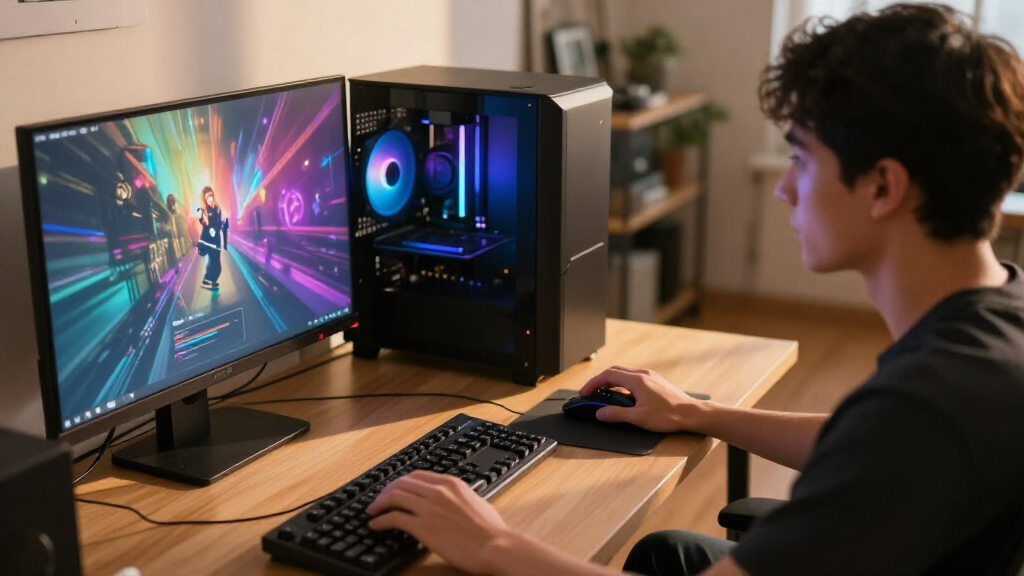
I ranked these desktops around what matters for gaming: the graphics card, processor, memory capacity, storage, and how clearly the listed configuration supports the asking use case. I gave more weight to combinations that make sense together than to a single large specification. Gaming-focused processors such as the Ryzen 7 9800X3D help separate the Skytech King 95 and STORMCRAFT Phantom from systems whose configurations prioritize broader CPU workloads or larger memory and storage totals.
The order also reflects fit and clarity, not just peak hardware. RTX 5080 and RTX 5070 Ti systems rank well for buyers who want more graphics headroom, while RX 9070 XT and RTX 5070 desktops offer alternatives with different component combinations. Lower-tier graphics cards are included for players with less demanding games or displays, but their limits matter. Where details are missing—such as exact CPU variants, memory, storage, or upgrade information—I treat that as a buying uncertainty rather than assuming the best.
| gaming PC | Operating system |
|---|---|
| Skytech Azure Gaming Desktop w | Windows 11 Home 64-bit |
| KOTIN Gaming Desktop PC with R | — |
| iBUYPOWER Element Gaming Deskt | Windows 11 Home |
| Alienware Aurora Gaming Deskto | Windows 11 Home |
| CyberPowerPC Gamer Xtreme Gami | — |
| Skytech King 95 Gaming Desktop | Windows 11 Home 64-bit |
| KOTIN Gaming Desktop with Ryze | — |
| CyberPowerPC Gamer Master Gami | — |
| STORMCRAFT Phantom Gaming PC w | — |
| KOTIN Gaming Desktop with RTX | — |
| MSI Codex Z2 Gaming Desktop | Windows 11 Home |
| Horizon Autherium Dragon RGB G | Windows 11 Pro |
| YAWYORE Gaming Desktop PC with | Windows 11 |
| Lenovo Legion Tower 5i Gaming | Windows 11 Home |
| Skytech King 95 Gaming Desktop | Windows 11 Home 64-bit |
Factors to Consider When Choosing Best Gaming PCs
Choosing among these gaming PCs starts with matching the build to your games, monitor, and plans for the next few years. I would set those needs before comparing impressive-sounding component names: the right balance often beats the biggest number on a product page.
Match the Graphics Card to Your Display
Your monitor determines how much graphics power you can make use of. A high-resolution or high-refresh display can place more demand on the GPU, while a less demanding screen may not benefit much from paying for a top-tier card. Decide whether you value image detail, smooth motion, or a balance between them before settling on a system. Do not assume that a premium GPU makes every game run at the same settings; game engines and visual features vary. Check independent performance data for the specific games and resolution you care about. This can prevent spending on graphics headroom that your setup rarely uses.
Look for a Balanced CPU and GPU Pairing
Gaming performance depends on how the processor and graphics card work together, not on either component in isolation. At lower resolutions and very high frame rates, the CPU can matter more; at higher resolutions, the GPU often carries more of the load. A gaming-focused processor can be a sensible match for a powerful graphics card, but a larger CPU label alone does not promise a better gaming experience. Think about other workloads too, such as video editing, streaming, or running creative software. Compare the full configuration rather than buying based on the processor family or GPU name alone. If a listing omits the exact model, ask for confirmation before committing.
Treat Memory and Storage as Separate Needs
Memory affects how comfortably a system can manage games and background tasks, while storage determines how many large titles and files fit locally. A large storage figure does not make a graphics card faster, and extra RAM may have limited value if your games and applications do not need it. Check whether the listed drive is an SSD and whether the seller specifies its type and capacity clearly. Also confirm how many memory and storage slots remain available if you expect to expand later. A system with a smaller starting drive can still suit you if it has straightforward upgrade options. Avoid paying extra for capacity you will not use before checking the price and compatibility of later upgrades.
Check Cooling, Noise, and Case Access
Powerful components need a case and cooling setup that can move heat out of the system. Product pages may emphasize RGB lighting or a large case, but neither tells you how loud the fans will be or how well temperatures are managed. Search for the exact chassis configuration and ask whether the CPU cooler and case fans are specified. A compact setup can save desk space, but it may restrict airflow or make upgrades harder. Before buying, confirm that the case has room for the graphics card and any future components you plan to add. These details affect daily comfort as much as the component list does.
Verify Upgrade Paths and Warranty Support
A prebuilt PC is easier to live with when its parts can be serviced or replaced without unusual restrictions. Check whether the motherboard, power supply, memory, and storage are standard parts, and confirm the power supply’s capacity before planning a GPU upgrade. Brand-specific cases or connectors can make later changes less convenient, even when the system is fast out of the box. Read the warranty terms and find out who handles support: the PC brand, a system integrator, or a marketplace seller. Keep the original configuration details so you can compare future parts accurately. A clear upgrade path may matter more than a small performance lead if you intend to keep the desktop for years.
Compare the Complete Configuration, Not the Headline
Product titles can leave out details that affect both performance and ownership, including the exact processor variant, power supply, cooling, and storage type. Treat unclear listings as a reason to verify details rather than filling gaps with assumptions. Check whether the operating system is included and whether the stated memory is installed as a balanced kit. Look for a parts list that names the motherboard and power supply, since these shape reliability and future upgrades. If two systems use a similar GPU, the better choice may be the one with clearer specifications and more accessible support. A transparent build is easier to evaluate than one that relies on a long list of headline numbers.
Frequently Asked Questions
Is an RTX 5080 gaming PC worth choosing over an RTX 5070 Ti model?
It depends on your display, games, and how long you plan to keep the PC. The STORMCRAFT Phantom and Skytech King 95 with RTX 5080 are the graphics-first choices here, while the Skytech King 95 with RTX 5070 Ti offers a more restrained high-end configuration. The stronger card is most compelling if you want more graphics headroom for demanding settings or a higher-resolution monitor. If your screen and games do not call for that extra capacity, a 5070 Ti system may be the more sensible fit. Compare performance for your actual games before paying for a tier you may not use.
Should I choose an RX 9070 XT PC or an RTX 5070 PC?
Start with the games and features you use rather than assuming one card is universally better. This lineup includes RX 9070 XT options from Skytech and KOTIN, alongside several RTX 5070 systems, so you have a meaningful choice between graphics platforms. Check current game benchmarks at your target resolution and look at the specific features you care about, such as upscaling or ray tracing. The Skytech Azure also lists 32GB of memory and 2TB storage, while some competing listings provide fewer configuration details. Confirm full specifications before deciding, since the card name alone does not describe the whole PC.
Are the RTX 5060 and RTX 5060 Ti desktops enough for modern games?
They can fit players who prioritize more modest gaming needs, but the right answer depends on your display, settings, and game selection. The YAWYORE uses an RTX 5060, while the KOTIN and CyberPowerPC Gamer Master list an RTX 5060 Ti; the Gamer Master specifies 8GB of VRAM. That VRAM capacity can constrain some demanding games or higher-detail settings, so check benchmarks for the titles you play. These systems are less suited to buyers targeting demanding high-resolution gaming than the RTX 5070 Ti and RTX 5080 picks. Choosing a lower graphics tier can make sense if it better matches your actual use.
What should I verify when a gaming PC listing leaves out key specifications?
Ask for the exact CPU model, memory configuration, storage type, power supply, motherboard, and cooling details. Those omissions can change how a system performs, how easy it is to upgrade, and whether its parts suit a future graphics-card change. The KOTIN Ryzen 7 9700X and RX 9070 XT listing, for example, does not state memory or storage in the supplied title. Do not assume that an unlisted component matches the rest of the build’s quality. Get the details in writing and check the warranty and support process before purchase.
Is 64GB of RAM or 5TB of storage a better reason to choose the Horizon Autherium Dragon?
Neither figure is automatically a gaming advantage; each is useful for a different kind of workload. A large drive can help if you keep a broad game library or work with substantial files, while 64GB of memory may suit heavy multitasking or applications beyond gaming. The Horizon listing also leaves the exact Core i9 model unclear, so verify that detail along with the storage types and cooling setup. For a gaming-only PC, a balanced processor and graphics card may matter more than extra capacity. Choose the larger configuration when you can name a real use for it and confirm the rest of the build is clearly specified.
Conclusion
For most buyers seeking a powerful, balanced build, I recommend the Skytech King 95 with Ryzen 7 9800X3D and RTX 5070 Ti as the best overall. The best value direction is a lower graphics tier that matches your monitor and games, such as an RTX 5060 Ti system, after checking the full parts list and VRAM needs. For a best premium pick, consider the STORMCRAFT Phantom or the Skytech King 95 with RTX 5080 if you want more graphics headroom. The best option for beginners is a clearly specified system from a seller with accessible support; I would favor configuration clarity over a long component list. For specific needs, choose the Skytech Azure for its listed RX 9070 XT, 32GB memory, and 2TB SSD, or the Horizon only if its extra memory and storage suit your workloads and its unspecified details check out. Match the GPU to your display, verify the complete build, and then choose the system whose tradeoffs fit how you play.
Fall Picks
fall essentials
As an affiliate, we earn on qualifying purchases.