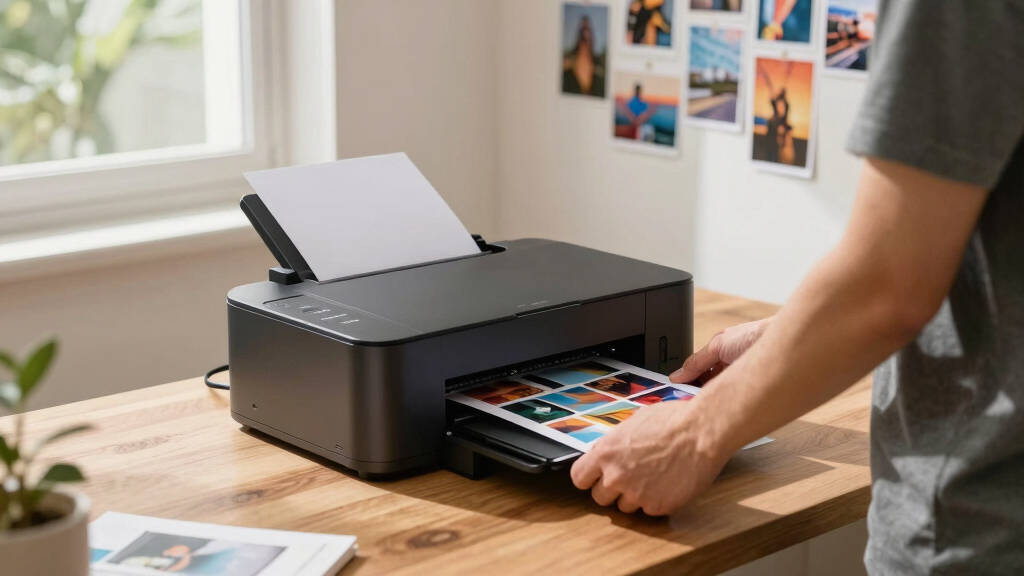

Finding the best dye sublimation photo printer in 2026 involves balancing print quality, speed, portability, and cost. The KODAK Dock Plus stands out as the best overall thanks to its ease of use and reliable color output, making it perfect for casual users and small businesses. For those prioritizing high-volume printing, the DNP RX1 DS-RX1HS offers impressive speed and durability. Meanwhile, the Liene PixCut S1 caters well to DIY enthusiasts seeking multifunctionality with its sticker-making features. However, buyers often face tradeoffs between print quality, speed, and portability—more advanced features usually mean a higher price or larger footprint. Continue reading for a detailed breakdown of each option and what suits your specific needs.
Key Takeaways
- The top-rated models excel in either print quality or speed, but rarely both at the same time.
- Portability is a key factor for mobile photographers and event vendors, making smaller printers more popular in this roundup.
- Dye sublimation printers with multifunction features, like sticker making, tend to come with a higher price tag but add versatility.
- Higher volume models like the DNP RX1 deliver fast output but often require more space and investment.
- Ease of use and connectivity options significantly influence the suitability of a model for beginners versus professionals.


More Details on Our Top Picks
KODAK Dock Plus 4×6” Photo Printer, 50 Sheets, Docking & Bluetooth Smartphone Printer for iPhone & Android, Instant Color Prints, 4PASS Dye Sublimation
The KODAK Dock Plus stands out for its simplicity and versatility, making it an ideal choice for first-time users and families seeking quick, reliable prints. Its integrated docking station allows for easy placement of smartphones, charging while printing, which surpasses many portable options like the KODAK Mini 2 by offering larger 4×6” prints with water and fade resistance thanks to 4PASS dye sublimation technology. Compared to more professional models like the DNP DS620A, it sacrifices some speed and size for user-friendliness and affordability. The Dock Plus is particularly suited for home photo albums, family events, and casual gifting, but its bulk and weight (2 kg) make it less portable for on-the-go use. It produces vibrant, durable photos in about 55 seconds and supports editing via the KODAK app. However, its print speed is slower than high-end commercial units, and it’s limited to 4×6” prints only, which may not suit professional needs.
Pros:- Simple, user-friendly operation with quick setup
- Produces high-quality, durable 4×6” prints with water and fingerprint resistance
- Integrated docking station charges phone during printing
- Supports editing and customization via free app
Cons:- Limited to 4×6” print size only
- Relatively bulky and heavy for portable use
- Slower print speed compared to professional-grade printers
Best for: Families, casual photographers, and beginners wanting high-quality, easy-to-use home photo printing.
Not ideal for: Professional photographers or event planners needing high-speed, large-format, or multi-size printing capabilities.
- Printer Type:4PASS Dye Sublimation
- Output Size:4 x 6 inches
- Max Sheets Capacity:50
- Connectivity:Bluetooth, Wireless
- Weight:2 Kilograms
- Resolution:300 x 300 DPI
- Print Speed:55 seconds per print
- Media Support:Glossy photo paper
Bottom line: This printer makes the most sense for families and beginners seeking straightforward, high-quality home photo printing without professional-level speed or size options.
DNP RX1 DS-RX1HS 6″ Dye Sublimation Printer, 290 4×6 Prints Per Hour
Compared with the KODAK Dock Plus, the DNP DS-RX1HS excels in speed and versatility, delivering up to 290 prints per hour with exceptional resolution and support for multiple print sizes including 2×6”, 4×6”, and 6×8”. Its robust build and high-speed output make it ideal for professional photographers, event booths, or retail environments where efficiency is critical. The printer supports seamless USB iSerial connectivity, simplifying large batch printing and multi-unit setups, which is a significant upgrade over the more home-oriented Kodak. It produces vivid, detailed images with resolutions up to 300×600 dpi, ensuring professional-grade quality. The main tradeoff is its size (weighing 14 kg) and cost, which may be prohibitive for casual users. Also, media rolls support large volume but require more space and maintenance, making it less portable. Nonetheless, its quick turnaround and flexible size support make it perfect for high-volume settings.
Pros:- Incredible print speed of 290 4×6 prints per hour
- Supports multiple print sizes from 2×6” to 6×8”
- High-resolution output with 300×600 dpi for detailed images
- Robust, durable construction suited for professional environments
Cons:- Heavy and large, less portable for mobile use
- Higher cost and maintenance requirements
- Requires more space and media management for high-volume output
Best for: Professional photographers, event organizers, and retail photo booths requiring rapid, high-quality prints at volume.
Not ideal for: Casual home users or small-scale hobbyists who do not need large-format or high-speed production.
- Printer Type:Dye Sublimation
- Print Sizes:2×6”, 4×6”, 6×8”
- Print Speed:290 4×6 prints/hour
- Resolution:300 x 600 DPI
- Media Capacity:Large rolls, up to 400 sheets
- Connectivity:USB iSerial
- Weight:14 kg
- Supported Media:Glossy, matte
Bottom line: This printer is best suited for high-volume professional environments where speed and size flexibility are essential, but less so for casual or home use.
DNP DS620A Dye Sub Professional Photo Printer, Print Sizes: 2×6″ to 6×8″
The DNP DS620A offers a compelling mix of speed, quality, and size versatility, supporting print sizes from 2×6” to 6×8” with impressive output speeds of approximately 8.3 seconds for 4×6” and 15.7 seconds for 6×8”. Its 300 dpi resolution ensures vibrant, sharp images suitable for professional applications, event photography, or retail photo printing. The large media roll capacity (up to 400 sheets for 4×6”) guarantees minimal downtime, making it a reliable workhorse for high-volume environments. Its support for glossy and matte finishes, combined with automatic duplex printing, enhances its flexibility for various client needs. While not as fast as the DNP RX1HS, it balances speed and media capacity efficiently. The main drawback is its weight (around 24.5 pounds), which limits portability, and its higher price point, which may not appeal to casual users. Nonetheless, it is a versatile, high-performance printer for professional settings.
Pros:- Supports a wide range of sizes from 2×6” to 6×8”
- Fast print speeds suitable for high-volume output
- Supports glossy and matte finishes
- Large media roll capacity reduces media changes
Cons:- Heavier and less portable than smaller models
- Higher initial investment and maintenance costs
- Complex setup compared to simpler home printers
Best for: Event photographers, retail photo labs, and professional environments needing reliable, versatile, high-speed printing.
Not ideal for: Casual hobbyists or home users with limited space or lower volume requirements.
- Printer Type:Dye Sublimation
- Supported Sizes:2×6” to 6×8”
- Print Speed:8.3 sec for 4×6”
- Resolution:300 DPI
- Media Capacity:Up to 400 sheets
- Finishes Supported:Glossy, matte
- Connectivity:USB
- Weight:Approximately 24.5 pounds
Bottom line: This printer is tailored for busy professional or event environments requiring flexibility, speed, and large-format options, but may be overkill for casual use.
Liene PixCut S1 Color Sticker Printer & Cutting Machine – All-in-One Sticker Maker for DIY Crafts, Custom Labels & Gifts. Thermal Dye-Sublimation Photo Printer, 300 DPI, Precise AI Auto-Cutting
The Liene PixCut S1 combines printing and cutting into a single device, making it an excellent choice for craft enthusiasts, small business owners, and DIY hobbyists. Its high-resolution 300 DPI thermal dye-sublimation printing delivers vivid, long-lasting stickers and photos, rivaling larger professional printers like the DNP DS620A, but in a compact form factor. The AI-powered auto-cutting and subject extraction features simplify complex projects, enabling precise edges and creative designs with minimal effort. Its versatility extends beyond photos into custom labels, stickers, and gifts, supported by an extensive library of free images and templates. The main tradeoff is its limited media capacity and slower speed compared to dedicated high-volume printers, making it less suitable for commercial-scale production. However, for personal use or small batch projects, it offers unmatched convenience and creative freedom.
Pros:- All-in-one device for printing and auto-cutting
- High-resolution 300 DPI prints with vibrant colors
- AI-powered subject extraction and precise cutting
- Supports custom stickers, labels, and gifts with extensive templates
Cons:- Limited media capacity and slower print speed
- Designed primarily for small-scale projects, not high-volume production
- Requires smartphone app for full functionality
Best for: DIY crafters, small business entrepreneurs, and hobbyists seeking an all-in-one solution for printing and cutting custom stickers and labels.
Not ideal for: High-volume professional print shops or users needing large-format or fast production for commercial purposes.
- Printer Type:Thermal Dye Sublimation
- Print Resolution:300 DPI
- Supported Media:Stickers, labels, small photos
- AI Features:Auto subject extraction and precise cutting
- Connectivity:Bluetooth, Smartphone app
- Weight:Approximately 4-5 kg
- Maximum Print Size:Various small formats
Bottom line: Ideal for creative DIYers and small-scale entrepreneurs looking for a compact, versatile print-and-cut solution for personalized projects.
Epson EcoTank Photo ET-8550 Wireless Wide-format Color All-in-One Supertank Printer with Scanner Copier, Ethernet and 4.3-inch Colorfull Touchscreen
The Epson EcoTank ET-8550 is designed for those who need high-quality, wide-format photo printing at an affordable cost, making it a strong choice for photographers, artists, and small studios. Its refillable ink tanks and six-color Claria ET Premium system deliver vibrant, sharp images comparable to professional labs, surpassing smaller dye sublimation units like the KODAK Dock Plus in size and media versatility. With support for borderless prints up to 13” x 19” and media thicknesses up to 1.3 mm, it accommodates various creative projects. Its wireless, Ethernet, and app controls add convenience, and the low cost per print (around 4 cents for 4×6”) offers significant savings over cartridge-based printers. The main downside is its size (around 24.5 lbs) and initial cost, which may be too large for compact spaces or casual users. Nonetheless, it’s a top choice for those prioritizing quality, flexibility, and cost efficiency for large-format printing.
Pros:- Supports borderless up to 13” x 19”
- Low-cost, refillable ink bottles for high volume
- Vibrant, lab-quality color reproduction
- Supports a wide range of media including thick cardstock
Cons:- Bulkier and heavier than compact dye sublimation printers
- Higher initial purchase price
- Complex setup for beginners
Best for: Photographers, artists, and small studios seeking professional-quality, wide-format photo printing with low ongoing costs.
Not ideal for: Users with limited space or those needing only small, casual photo prints, as the printer’s size and complexity may be excessive.
- Printer Type:Ink Tank, Wide-format
- Maximum Media Size:13” x 19”
- Print Resolution:1440 x 5760 DPI
- Color:Six-color Claria ET Premium
- Supported Media:Glossy, matte, cardstock
- Connectivity:Wi-Fi, Ethernet
- Weight:Approximately 24.5 lbs
- Cost per Page:About 4 cents for 4×6
Bottom line: This wide-format EcoTank is perfect for creatives needing large, vibrant prints with cost savings, but less suitable for tight spaces or casual printing.
HPRT CP4100 4×6 Photo Printer with 108 Sheets & 2 Ribbons, Full-Color Thermal Dye Sublimation Wi-Fi Printing, Portable Instant Picture Printer for iPhone/Android, AR Video, Fun App, Home Use, White
This compact dye sublimation printer excels in producing vivid, waterproof 4×6 photos, making it ideal for home projects, parties, and family memories. Unlike the KODAK Mini 2 Retro, which offers wallet-sized prints, the HPRT CP4100 focuses on larger, high-quality images with long-lasting durability. Its included 108 sheets and dual ribbons support extensive printing without immediate refills. The integrated AR video feature adds a fun, interactive element, perfect for sharing stories in a creative way. However, its somewhat slower print speed—around 2-3 minutes per photo—may be a drawback for high-volume needs. The Wi-Fi connectivity and easy app interface make it accessible for all skill levels. Overall, this model suits users seeking portable, high-quality prints with added multimedia features for special occasions.
Pros:- Vivid, waterproof, scratch-resistant 300 dpi dye-sublimation prints
- Includes 108 sheets and 2 ribbons, ready to use out of the box
- Fun AR video printing adds creative storytelling
Cons:- Slower print speed (around 2-3 minutes per photo), less suited for high-volume needs
- Limited to 4×6 size, not ideal for larger photo formats
Best for: Families and hobbyists wanting durable, vivid prints with interactive features for parties or scrapbooking.
Not ideal for: Professional photographers or event photographers needing rapid, high-volume printing capacity.
- Print Resolution:300×300 dpi
- Print Size:4×6 inches
- Sheets Included:108
- Connectivity:Wi-Fi
- Printer Type:Thermal dye sublimation
- Additional Features:AR video printing
Bottom line: This printer is perfect for casual users seeking portable, durable photos with interactive multimedia features.
KODAK Mini 2 Retro 2×3 Portable Photo Printer, 38 Sheets, Bluetooth Smartphone Printer for iPhone & Android, Instant Color Prints, 4PASS Dye Sublimation, White
The KODAK Mini 2 Retro stands out for its ultra-compact design and quick 55-second prints, making it ideal for spontaneous photo sharing on trips or events. Compared to the Liene Amber M110, which offers larger 4×6 prints, the Mini 2 Retro’s credit-card size (2×3 inches) is perfect for wallets and gift tags, with a straightforward Bluetooth connection and simple app interface. Its 4PASS dye sublimation provides water, fingerprint, and fade resistance, ensuring lasting quality. However, its limited size and lower sheet capacity—38 sheets—mean it’s less suited for bulk printing or larger displays. The focus on portability and ease of use makes it ideal for casual users, students, or anyone who wants quick, durable prints without fuss.
Pros:- Compact, lightweight design fits in a pocket or small bag
- Quick 55-second prints with fade and water resistance
- Easy Bluetooth pairing and user-friendly app
Cons:- Limited to 2×3 inch prints, not suitable for larger photos
- Sheet capacity of only 38 sheets before refill needed
Best for: Travelers, students, or event-goers needing quick, durable wallet-sized prints in a compact device.
Not ideal for: Photographers wanting larger prints or high-volume printing for professional purposes.
- Print Size:2×3 inches
- Sheets Included:38
- Connectivity:Bluetooth
- Print Technology:4PASS dye sublimation
- Print Speed:55 seconds
- Additional Features:Water, fingerprint, fade resistant
Bottom line: Ideal for on-the-go users seeking quick, durable wallet-sized prints with minimal setup.
Liene Amber M110 Bluetooth Photo Printer 80 Sheets, Portable Photo Printer for iPhone, Thermal Dye Sublimation, Picture Printer 60 Sheets 4×6 Paper & 20 Sheets 3″ Square Sticker Paper & 2 Cartridges
The Liene Amber M110 offers a flexible solution with dual trays for 4×6 photos and 3-inch stickers, making it perfect for creative projects, gifting, and personalized crafts. Its thermal dye sublimation technology guarantees vibrant, water-resistant prints similar to the more expensive Liene M100, but with a smaller footprint. The device supports multiple device connections and uses an intuitive app for editing and customization, making it user-friendly for beginners. Compared to the DNP DS620A, which supports larger sizes and higher volumes, the M110 focuses on smaller, versatile prints ideal for personalized items and small batches. Its main tradeoff is a lower maximum sheet capacity (80 sheets total) and slower speed due to the dye sublimation process. This printer is best suited for hobbyists, small business owners, or home crafters.
Pros:- Dual trays for 4×6 photos and 3″ stickers, increasing versatility
- Vibrant, waterproof dye sublimation prints
- Supports multiple device connections and easy app editing
Cons:- Maximum sheet capacity of 80 sheets, limiting volume
- Slower printing speed due to dye sublimation process
Best for: Creative hobbyists, small business owners, and crafters needing versatile, durable prints and stickers.
Not ideal for: Photographers or event professionals requiring rapid, large-format printing.
- Print Size:4×6 inches and 3-inch stickers
- Sheets Capacity:80 sheets
- Connectivity:Bluetooth, Wi-Fi
- Print Technology:Thermal dye sublimation
- Additional Features:Supports stickers and photos
- Power:60 watts
Bottom line: Best for users who want a compact, versatile printer for small photos and stickers with high durability.
Liene M100 4×6” Photo Printer, Phone Printer 100 Sheets & 3 Cartridges, Full-Color Photo, Portable Instant Photo Printer for iPhone Android, Thermal Dye Sublimation, Wi-Fi Picture Printer 100 Papers
The Liene M100 shines for high-capacity printing—up to 100 sheets—with vibrant, water-resistant images thanks to its dye sublimation technology. Compared to the smaller Liene Amber M110, the M100 is better suited for frequent users or small businesses needing larger batches of quality prints. Its Wi-Fi connection supports multiple devices simultaneously, facilitating easy printing from smartphones, tablets, or PCs. The device’s minimalist design and included cartridges make setup and refilling straightforward. Although the print resolution is 300×300 dpi, it’s sufficient for sharp, colorful photos. The main tradeoff is the slightly larger size and higher cost per sheet, which may be less ideal for casual or infrequent users. This printer is perfect for those who prioritize volume and durability in their photo printing.
Pros:- High capacity with 100 sheets and 3 cartridges included
- Vibrant, waterproof dye sublimation prints
- Supports multiple device connections via Wi-Fi
Cons:- Larger footprint compared to smaller portable printers
- Higher cost per sheet for bulk printing
Best for: Small businesses, event organizers, or photo enthusiasts needing high-volume, durable prints.
Not ideal for: Casual users or travelers who prefer a smaller, more portable solution for occasional prints.
- Print Size:4×6 inches
- Sheets Capacity:100
- Connectivity:Wi-Fi
- Print Technology:Thermal dye sublimation
- Resolution:300×300 dpi
- Additional Features:Wi-Fi, multiple device support
Bottom line: Ideal for high-volume, durable photo printing where capacity and color vibrancy are priorities.
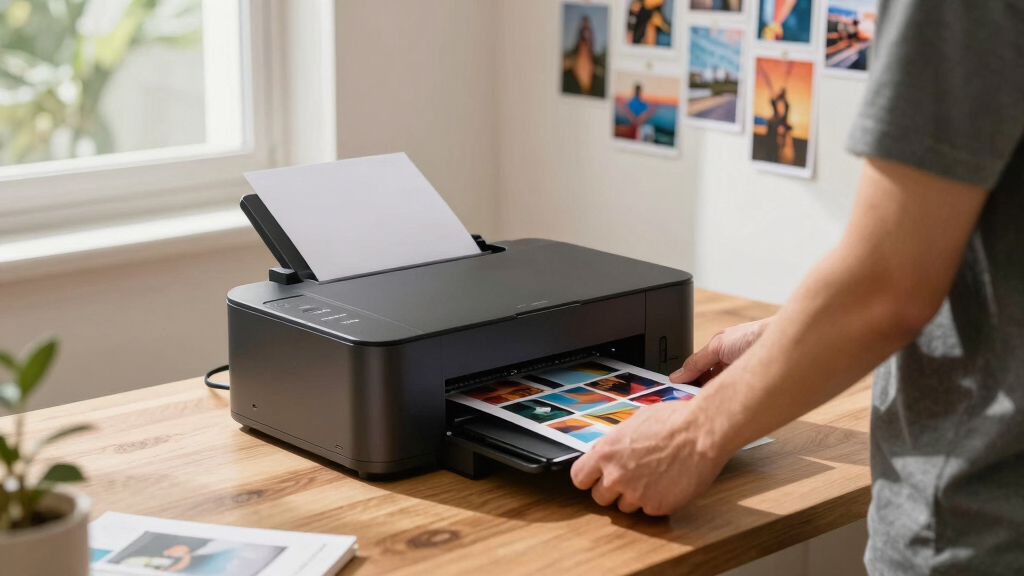
How We Picked
Each printer was evaluated based on performance, ease of use, build quality, maintenance requirements, value for money, and versatility. We prioritized models that deliver consistent dye sublimation quality with straightforward operation, especially for home, small business, or event use. Speed and print volume were key considerations for users needing rapid output, while portability and multifunction features influenced choices for on-the-go printing needs. The ranking reflects a balance between these factors, highlighting models that stand out in their respective categories while considering the typical buyer’s priorities and budget constraints.Factors to Consider When Choosing Best Dye Sublimation Photo Printers
Choosing the best dye sublimation photo printer requires understanding several key factors that impact your daily use and overall satisfaction. Beyond basic print quality, consider how much you print regularly, where you’ll use the printer, and what additional features might be necessary for your projects. Understanding these aspects helps prevent common mistakes like overpaying for unnecessary features or opting for a model that can’t handle your volume. Let’s explore the main considerations to keep in mind before making a purchase.Print Quality and Color Fidelity
High-quality dye sublimation printers should produce vibrant, accurate colors with smooth gradations, especially for photo printing. Look for models with good color calibration and resolution, typically 300 DPI or higher, to ensure your prints are sharp and true to life. Cheaper models might save money upfront but can struggle with color consistency or fade over time, which is critical for professional or gift-quality prints. Balancing quality with your budget helps you avoid disappointment in your final output.
Print Speed and Volume
If you plan to print in large quantities or during events, speed becomes a significant consideration. Some models, like the DNP RX1, excel with high throughput, making them ideal for professional use. Conversely, slower printers might suit hobbyists or occasional users but can cause delays when printing multiple images. Consider your typical print volume and choose a model that can keep pace without sacrificing quality or draining your patience.
Portability and Size
Portability is often overlooked but essential if you need on-the-go printing at events, markets, or for personal projects. Compact, lightweight models like the KODAK Mini 2 or HPRT CP4100 are easy to carry and set up, but they might have limited features or lower capacity. Larger, more robust printers tend to be stationary but offer higher volume and better durability. Match your mobility needs with the size and weight of the printer to avoid inconvenience or the need for additional equipment.
Connectivity and Ease of Use
Wireless connectivity, especially Bluetooth and Wi-Fi, simplifies printing from smartphones, tablets, or laptops. User-friendly interfaces and app support can make setup and operation more straightforward, particularly for beginners. Be cautious of models that require complex configurations or limited compatibility, as these can frustrate less tech-savvy users. A reliable connection reduces downtime and ensures seamless printing experiences.
Additional Features and Versatility
Some printers offer multifunction capabilities like sticker printing, cutting, or even wider format options. While these add versatility, they also increase the cost and complexity. Assess whether extra features align with your needs; for instance, a DIY crafter might benefit from integrated cutting, whereas a simple photo printer might not. Avoid overpaying for features you won’t use regularly, but don’t compromise necessary functions that can streamline your workflow.
Frequently Asked Questions
Can I use regular photo paper with dye sublimation printers?
No, dye sublimation printers require specific sublimation paper designed to work with heat transfer dyes. Regular photo paper won’t withstand the heat process and can result in poor image quality or damage to the printer. Always use the manufacturer’s recommended paper to ensure the best results and longevity of your device.
What is the typical lifespan of dye sublimation prints?
Dye sublimation prints are known for their durability and resistance to fading, often lasting over 100 years if stored properly. The prints are embedded into the surface of the substrate, making them highly resistant to scratches, water, and UV damage. This makes dye sublimation ideal for professional photos, memorabilia, and gifts that need to stand the test of time.
Are dye sublimation printers suitable for professional photography?
While dye sublimation printers excel in producing vibrant, durable images, they are typically more suited for small-scale or on-demand printing rather than high-volume professional photo studios. They are excellent for producing personalized gifts, event photos, and small batches, but large professional labs may prefer inkjet or laser printing for efficiency and larger formats. Consider your volume and quality demands before choosing a dye sublimation model for professional use.
How much maintenance do dye sublimation printers require?
Dye sublimation printers generally require minimal maintenance compared to inkjet or laser printers. Regular cleaning of the print head and ensuring the printer stays dry and dust-free helps maintain print quality. Replacing ribbons and paper is straightforward, but keeping the printer in a controlled environment prolongs its lifespan. Follow the manufacturer’s guidelines to avoid costly repairs or downtime.
Is it cost-effective to buy a dye sublimation printer for home use?
For casual or hobbyist use, dye sublimation printers can be cost-effective, especially considering the durability of prints. However, the initial investment may be higher than standard inkjet printers, and consumables like ribbons and special paper add ongoing costs. If you print frequently or want high-quality, long-lasting photos, a dye sublimation printer offers value, but occasional users might find cheaper alternatives sufficient for their needs.
Conclusion
For casual users and hobbyists who prioritize ease of use and affordability, the KODAK Mini 2 or HPRT CP4100 are excellent choices. Small business owners or event vendors seeking fast, durable prints should consider the DNP RX1. The Liene PixCut S1 suits DIY enthusiasts needing multifunction features. For those investing in quality and longevity, the DNP DS620A or premium models provide professional-grade results. Your ideal choice depends on your volume, portability needs, and desired features—match your priorities to these options to make the best purchase in 2026.