If you’re looking to boost your MacBook workflow in 2025, I recommend exploring the top USB-C hubs designed for creators. These compact, durable options offer high-quality video output, fast data transfer, multiple ports, and powerful charging support, all without blocking your laptop’s ports. From versatile multiport adapters to sleek Thunderbolt hubs, I’ve found choices that fit different needs and budgets. Keep going to discover the best picks tailored for your creative setup.
Key Takeaways
- Prioritize slim, portable hubs with multiple ports, including HDMI, USB-A, SD/TF, and Ethernet, compatible with MacBook models.
- Choose hubs with high-speed data transfer (up to 40 Gb/s) and reliable video output support for professional creative workflows.
- Ensure power delivery (87W–100W) support for simultaneous charging and device operation during intensive tasks.
- Opt for durable, aluminum or reinforced materials to withstand daily travel and long-term use.
- Consider user reviews highlighting stability, heat management, and port wobble to select reliable, user-friendly options.
Anker USB C Hub for MacBook (7-in-2, 4K HDMI, Thunderbolt 4, USB A Ports)
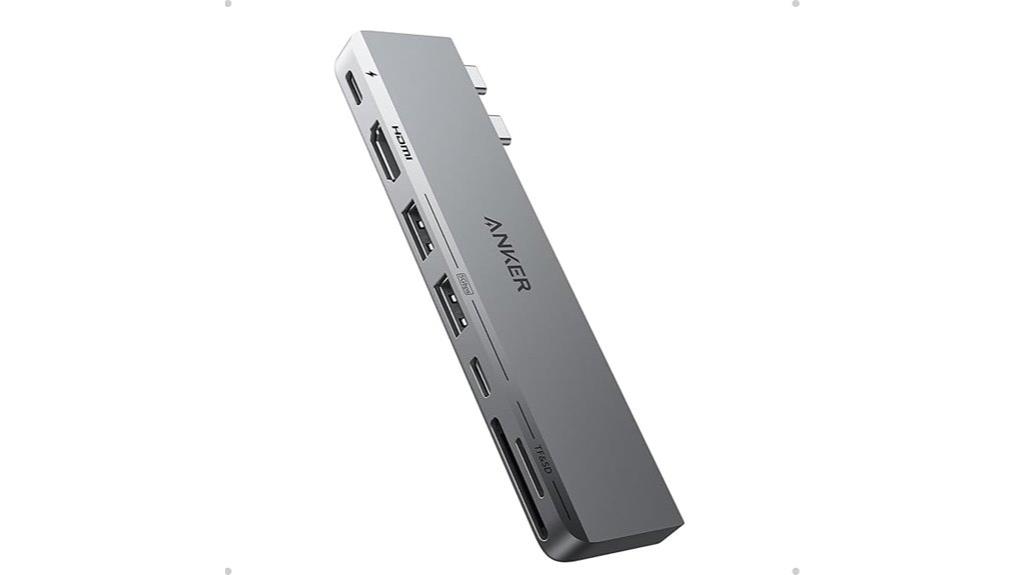
If you’re a MacBook creator who needs reliable, high-speed connectivity without sacrificing portability, the Anker USB C Hub is an excellent choice. Designed specifically for MacBook Pro 13-inch, MacBook Air M1/M2, and recent models, it offers seven versatile ports, including 4K HDMI and Thunderbolt 4. Its sleek, compact design fits seamlessly into your workspace, avoiding obstruction of the MagSafe port. With plug-and-play functionality and support for 100W pass-through charging, this hub guarantees your devices stay powered and connected. Weighing just 1.92 ounces, it’s perfect for on-the-go workflows and delivers stable, high-speed data transfer across multiple devices.
Best For: MacBook users who need reliable, high-speed connectivity and portability for work, travel, and daily tasks.
Pros:
- Supports 4K HDMI and Thunderbolt 4 for versatile display and data options
- Compact, sleek design that seamlessly matches MacBook aesthetics and avoids port obstruction
- High-speed data transfer with 100W pass-through charging ensures device stability and efficiency
Cons:
- Does not include an Ethernet port, requiring separate adapters for wired connections
- Slight separation from MacBook at the far end, which may affect stability during use
- Card reader placement may require tilting for easier access, slightly reducing convenience
USB C Hub HDMI Adapter for MacBook Pro/Air and More
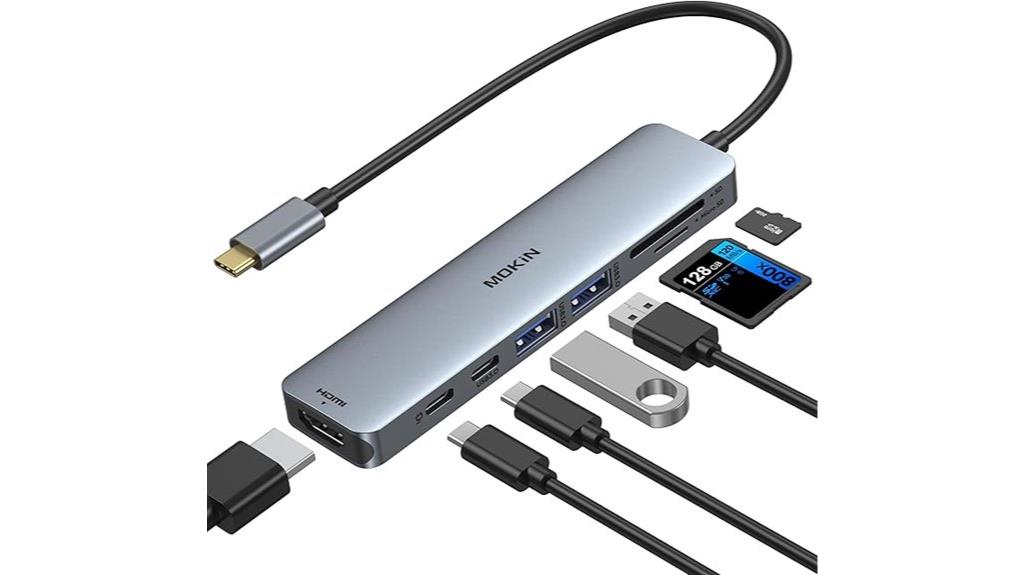
The MOKiN 7-in-1 USB C Hub HDMI Adapter stands out as an ideal choice for MacBook creators who need a compact, versatile solution for expanding their connectivity. It offers a 4K@60Hz HDMI port, perfect for streaming or presentations, along with SD/TF card readers for quick photo transfers. The two USB 3.0 ports enable fast data transfer, while the USB C port supports 100W PD charging, so you can power your devices simultaneously. Its lightweight, aluminum design matches MacBook aesthetics, making it perfect for travel and professional use. Overall, this hub combines high performance with portability, streamlining workflows for creators on the go.
Best For: MacBook users, creators, and professionals who need a compact, versatile hub for high-quality video, data transfer, and device charging on the go.
Pros:
- Supports 4K@60Hz HDMI output for clear, high-resolution streaming and presentations
- Offers multiple ports including SD/TF readers, USB 3.0, and 100W PD charging in a lightweight, durable aluminum design
- Plug-and-play setup with reliable performance, compatible with a wide range of USB-C devices
Cons:
- SD/TF card detection requires prior insertion before connecting to devices
- Power delivery limited to 87W for safety, which may be insufficient for some high-power devices
- Limited compatibility with HDD/SSD power requirements, potentially affecting external drive performance
USB C Hub HDMI Adapter with 7-in-1 Ports for MacBook Pro/Air
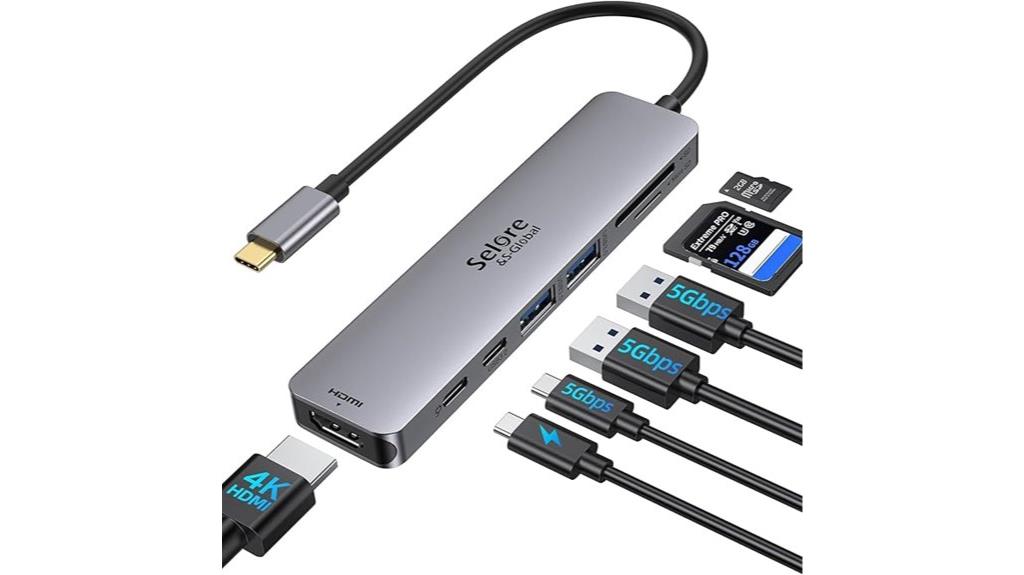
For MacBook creators who need a reliable, all-in-one solution, the USB C Hub HDMI Adapter with 7-in-1 Ports offers an excellent combination of connectivity and convenience. It features a 4K@60Hz HDMI port for crisp video streaming, along with two USB 3.0 ports for fast data transfer. The hub includes a USB C data port, a 100W PD port for charging, and Micro SD/TF card readers for quick media access. Compatible with most USB-C devices like MacBook Pro, Air, iPad Pro, and more, it’s built for seamless multitasking, making it ideal for creative professionals who want a versatile, stable, and portable hub.
Best For: creative professionals and MacBook users who need a reliable, multi-functional hub for seamless video, data transfer, and device charging.
Pros:
- Supports 4K@60Hz HDMI output for high-quality video streaming and presentations
- Multiple ports including USB 3.0, USB C data, and SD card readers for versatile connectivity
- Compact, durable design with stable connections, suitable for travel and professional use
Cons:
- USB ports may be tight, making device connections slightly difficult for some users
- Charging limited to 87W instead of full 100W, which may affect power-hungry devices
- Some limitations with HDD/SSD power requirements during data transfer
USB C Hub Multiport Adapter (7-in-1) for Laptops
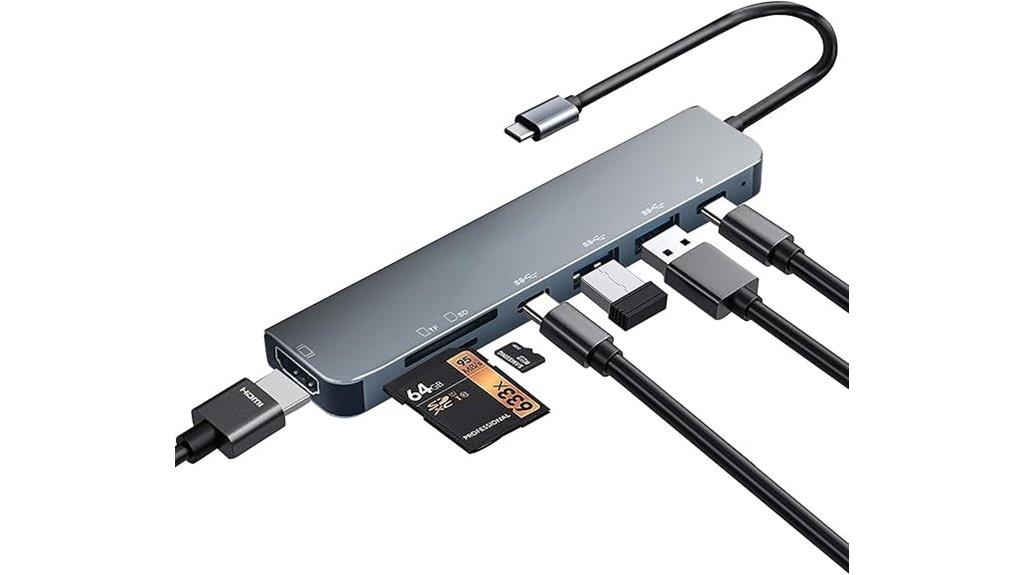
A 7-in-1 USB-C hub multiport adapter is an excellent choice for anyone who needs a versatile, all-in-one connectivity solution for their laptop. It offers a 4K HDMI port for high-quality video output, perfect for extending or mirroring screens. With USB-A ports, SD/TF card slots, and a USB-C port, it handles data transfer and media access efficiently. The 100W PD charging keeps devices powered without interruption. Crafted with durable aluminum, it dissipates heat well and supports a broad range of devices, from MacBooks to Chromebooks. Its plug-and-play design makes setup quick and straightforward, making it ideal for work, entertainment, and creative projects.
Best For: professionals, students, and casual users seeking a versatile, all-in-one connectivity solution for their USB-C laptops and devices.
Pros:
- Supports 4K UHD HDMI output for high-quality video and display extension or mirroring
- Offers fast data transfer with USB 3.0 ports and SD/TF card readers for media and file access
- Equipped with 100W PD charging to keep devices powered during extended use
Cons:
- Occasional audio cutouts reported on devices like Nintendo Switch
- The PD port does not support data transfer, limiting multi-functionality for charging and data simultaneously
- Cable quality is durable but not military-grade, which may affect long-term wear in heavy use scenarios
USB C Hub Multiport Adapter for MacBook Pro/Air
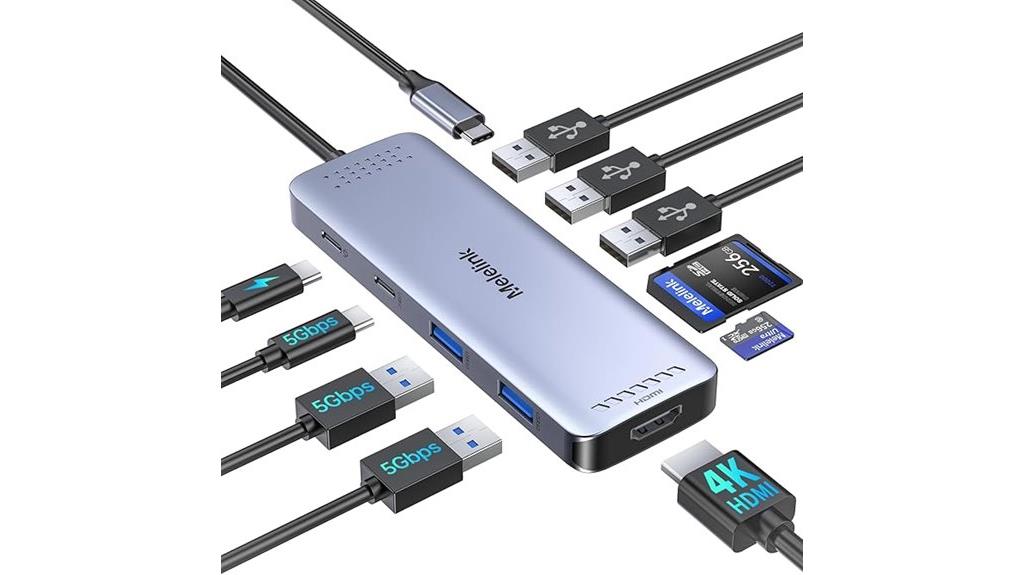
If you’re a MacBook Pro or Air user seeking a reliable way to expand your device’s connectivity, this 10-in-1 USB-C hub is an excellent choice. It’s compatible with models from 2018 to 2025, including M1, M2, M3, and M4 chips, and works seamlessly with iMac, iPad Pro, iPhone 15/16 Pro, and other USB-C devices. The hub offers a 4K@60Hz HDMI port, multiple USB ports, SD/TF card readers, and a 100W Power Delivery port. Its compact, sturdy design makes it perfect for travel and daily use, letting you connect multiple peripherals and charge your device simultaneously.
Best For: MacBook Pro/Air users and professionals seeking a versatile, reliable multiport hub for expanding connectivity, charging, and high-resolution display support.
Pros:
- Supports 4K@60Hz HDMI output for high-quality video and extended display options
- Multiple USB ports (USB 3.0 and USB 2.0) for fast data transfer and peripheral connectivity
- 100W Power Delivery allows simultaneous charging of devices while in use
Cons:
- May experience slight warming during extended use
- Occasional connectivity issues, such as disconnections or setup challenges, especially on macOS systems
- Dual monitor setup might require multiple hubs or specific system configurations
Anker USB-C Hub for MacBook (8-in-2)
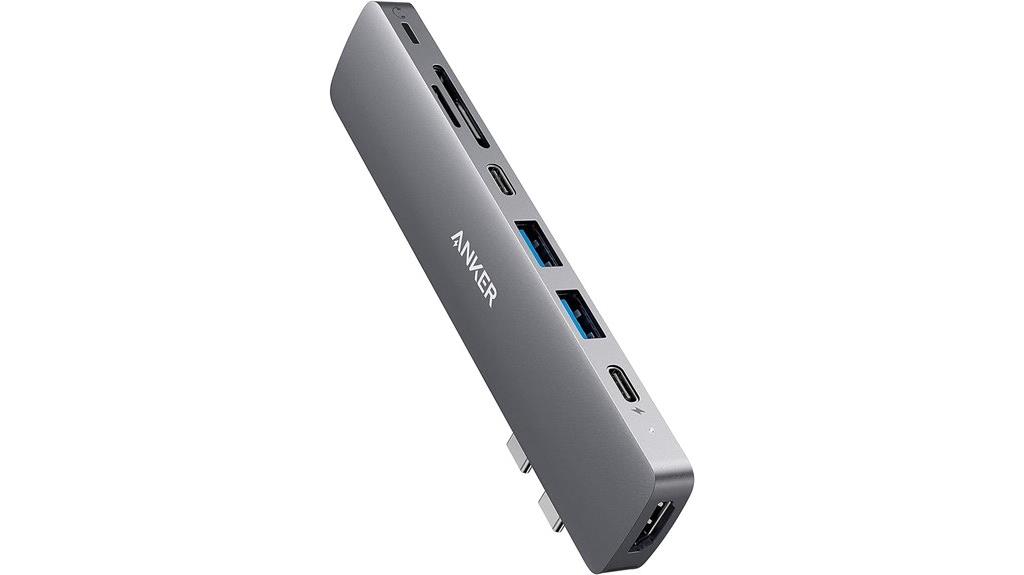
The Anker PowerExpand 8-in-2 USB-C hub stands out because it turns just two USB-C ports into a versatile, multi-function hub capable of supporting dual 4K displays and 100W charging. It consolidates essential ports—USB-C, USB-A, HDMI, SD/microSD, and Lightning audio—into a compact, travel-friendly design. With high-speed data transfer up to 40 Gb/s and 5K media display support, it’s perfect for creators needing reliable, multi-monitor setups. The included travel pouch and 18-month warranty add to its appeal. Overall, this hub offers a powerful, streamlined solution for expanding your MacBook’s capabilities on the go.
Best For: creators and professionals who need reliable dual 4K display support, fast data transfer, and high-wattage charging in a compact, travel-ready hub.
Pros:
- Supports dual 4K displays and 5K media resolution for crystal-clear visuals
- Provides up to 100W power delivery for fast charging of devices
- Compact, lightweight design ideal for travel and on-the-go use
Cons:
- May require compatible USB-C ports to achieve maximum performance
- Limited to two USB-C ports for expansion, which might be restrictive for some users
- No Ethernet port included for wired network connectivity
USB C HDMI Hub Adapter for MacBook Pro/Air with SD & microSD Reader
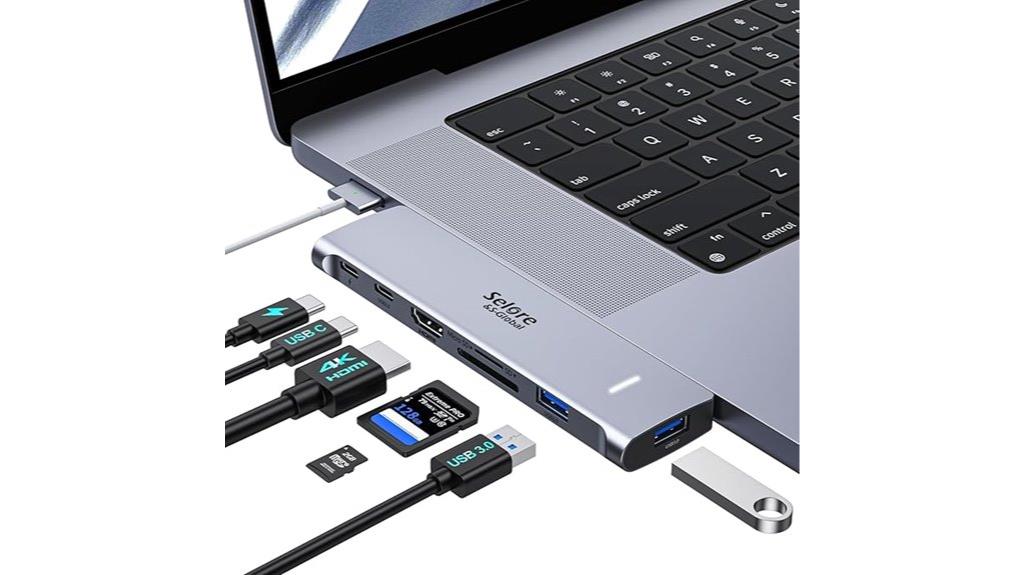
For MacBook creators who need reliable, high-quality video output, the USB C HDMI Hub Adapter with SD and microSD readers stands out as an essential accessory. It offers a 7-in-2 design with 4K HDMI at 60Hz, Thunderbolt 3/4 supporting 6K at 60Hz, plus USB-A and USB-C ports for data, charging, and peripherals. The SD and microSD slots enable quick photo and video transfers, while pass-through charging keeps your MacBook powered. Its sleek, flush design fits neatly without obstructing ports or MagSafe, making it perfect for expanding connectivity and enhancing productivity. Just note, some users report occasional HDMI detection issues or compatibility constraints with certain cases.
Best For: MacBook users seeking a reliable, multi-functional hub to expand connectivity, support high-resolution displays, and transfer files efficiently.
Pros:
- Supports 4K@60Hz HDMI output and 6K@60Hz Thunderbolt display, ideal for high-quality visuals.
- Includes SD and microSD card slots for quick photo and video transfer.
- Pass-through 100W charging maintains MacBook power without disconnecting devices.
Cons:
- Some users experience occasional HDMI detection issues or lag during high loads.
- Compatibility may be limited with certain MacBook cases or covers that obstruct ports.
- Cannot operate all functions simultaneously, as bandwidth is shared among ports.
Hiearcool USB C Hub for MacBook Air/Pro, 7-in-1 USB-C Adapter with 4K HDMI, Multiport Docking Station
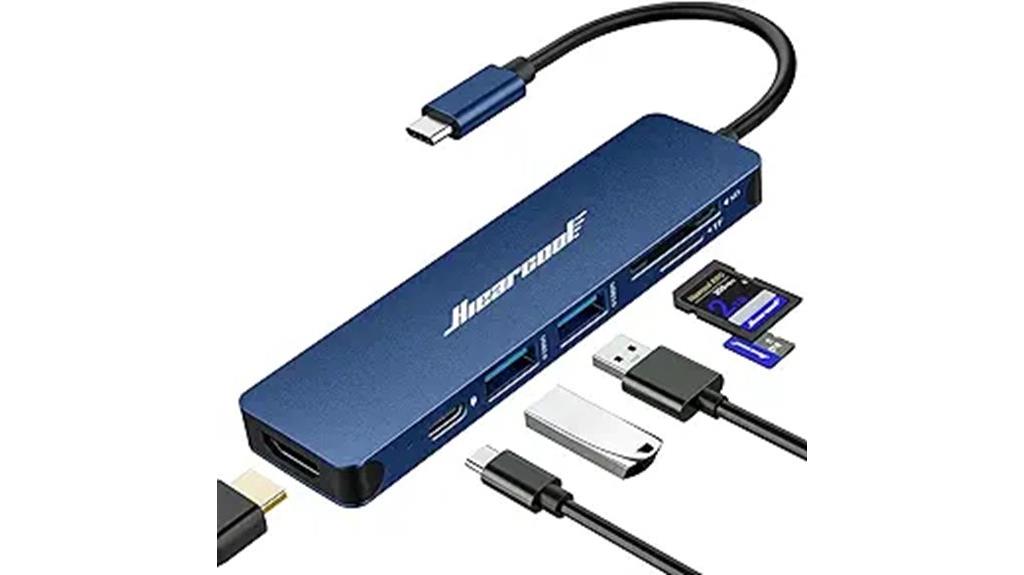
Designed for MacBook users who need reliable expandability without sacrificing portability, the Hiearcool USB C Hub offers a compact 7-in-1 solution that’s perfect for creators on the go. It transforms a single USB-C port into 4K HDMI, two USB-A 3.0 ports, SD/microSD card slots, and USB-C PD pass-through for up to 100W charging. Its slim aluminum design weighs just 1.8 ounces, making it travel-friendly. I’ve found it easy to set up, with reliable data transfer and stable video output. Whether I’m connecting external storage or dual monitors, it delivers solid performance. Plus, its durable build and sleek look make it a versatile addition to any MacBook workflow.
Best For: users seeking a compact, reliable multiport hub to expand their MacBook or USB-C device capabilities with stable video output and fast data transfer.
Pros:
- Compact and lightweight design ideal for travel and on-the-go use
- Supports 4K HDMI output for high-quality video extension or mirroring
- Features USB 3.0 ports and SD/microSD slots for quick data transfer and storage
Cons:
- May not support video output on all USB-C devices lacking DisplayPort Alt Mode
- No additional USB-C ports beyond the main connection, limiting expansion options
- Slightly rough feel of the material may affect the premium feel for some users
Acer USB C Hub for MacBook Pro/Air (6-in-2)

If you need a versatile and portable hub that expands your MacBook Pro or Air’s connectivity without sacrificing style, the Acer USB C Hub for MacBook Pro/Air (6-in-2) is an excellent choice. Its detachable design combines USB-C to HDMI and a 5-in-1 USB-C hub, adding ports without blocking your laptop’s existing ones. Made of sleek anodized aluminum, it matches MacBook aesthetics. It supports 4K HDMI, 100W power delivery, and multiple data ports for external drives and peripherals. Compact and lightweight, it’s perfect for on-the-go use, though it may block the MagSafe port when fully assembled. Overall, a solid, stylish option for expanding your MacBook’s capabilities.
Best For: users seeking a stylish, portable multiport hub to expand their MacBook Pro or Air’s connectivity without blocking ports or sacrificing portability.
Pros:
- Sleek, anodized aluminum design matches MacBook aesthetics and is lightweight for portability
- Supports 4K HDMI, 100W PD charging, and multiple data ports for peripherals and external drives
- Modular design allows easy detachment of HDMI or USB-C hub components for flexibility and reduced port strain
Cons:
- May block the MagSafe port when fully assembled, requiring detachment for charging
- Some users experience port stability issues like wobble or device ejection if not assembled properly
- Compatibility and power delivery can vary depending on charger and peripheral setup, sometimes leading to connection issues
USB C Hub Adapter for MacBook Pro/Air M1 M2 M3 2020-2022
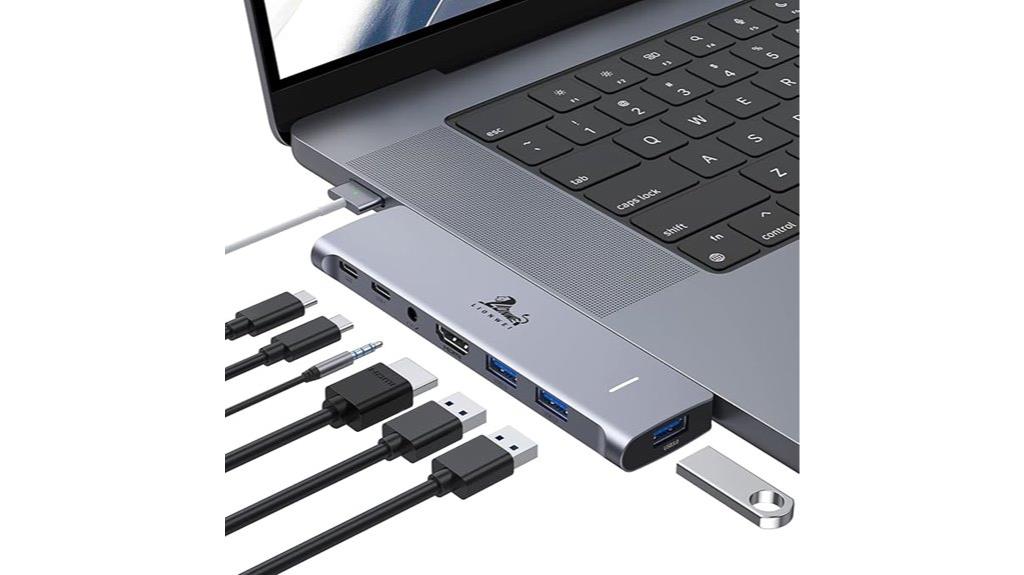
This USB C Hub Adapter offers a versatile 7-in-2 multiport setup that’s perfect for MacBook Pro and Air users with M1, M2, or M3 chips from 2020 to 2022. It supports 4K HDMI, Thunderbolt USB-C with 100W PD charging, and multiple USB 3.0 ports for peripherals. The hub also features audio/mic jacks and additional USB-C ports, with dual monitor support on non-M1/M2/M3 models and single display on M-series devices. Its sturdy aluminum build guarantees reliable performance, and users praise its ease of use, though some note slight heat and tight ports. Overall, it’s an exhaustive docking solution.
Best For: MacBook Pro and Air users with M1, M2, or M3 chips seeking an all-in-one docking solution for high-quality video, extensive peripheral connectivity, and reliable power delivery.
Pros:
- Supports 4K HDMI output and dual monitor setup on compatible MacBooks
- Thunderbolt USB-C port offers 100W power delivery and 40Gbps data transfer
- Multiple USB 3.0 ports and audio/mic jack for versatile peripheral connections
Cons:
- Not suitable for MacBooks with protective cases
- Slight heat generation and tight USB ports reported by some users
- Limited to single display on M1, M2, and M3 MacBooks, dual displays only on non-M-series models
USB C to HDMI & Ethernet Adapter with 3 USB Ports, 100W PD Charging, SD/TF Card Reader (MOKiN 9-in-1)

For creators who need reliable, high-speed connectivity on the go, the MOKiN 9-in-1 USB-C hub stands out with its all-encompassing features. It offers three USB 3.0 ports with fast transfer speeds up to 5Gbps, a 4K HDMI port supporting UHD output, and a Gigabit Ethernet port for stable wired internet. Plus, it includes SD and TF card readers, two PD charging ports supporting 100W power delivery, and broad device compatibility. Its compact design consolidates multiple functions into one unit, allowing me to connect, charge, and transfer files effortlessly, whether I’m working from a café or a client’s office.
Best For: creators, professionals, and students who need reliable high-speed connectivity, device charging, and media transfer in a compact, all-in-one hub.
Pros:
- Supports 4K UHD HDMI output and fast data transfer up to 5Gbps with USB 3.0 ports.
- Provides 100W Power Delivery for simultaneous charging of devices and laptops.
- Offers versatile connectivity with Ethernet, SD/TF card readers, and multiple USB ports.
Cons:
- May generate some heat during extended use due to multiple active ports.
- Compatibility can vary with certain devices lacking DP Alt Mode support.
- The compact design might limit airflow, potentially affecting performance during intensive tasks.
LENTION USB C Hub with 100W Charging and 4K HDMI
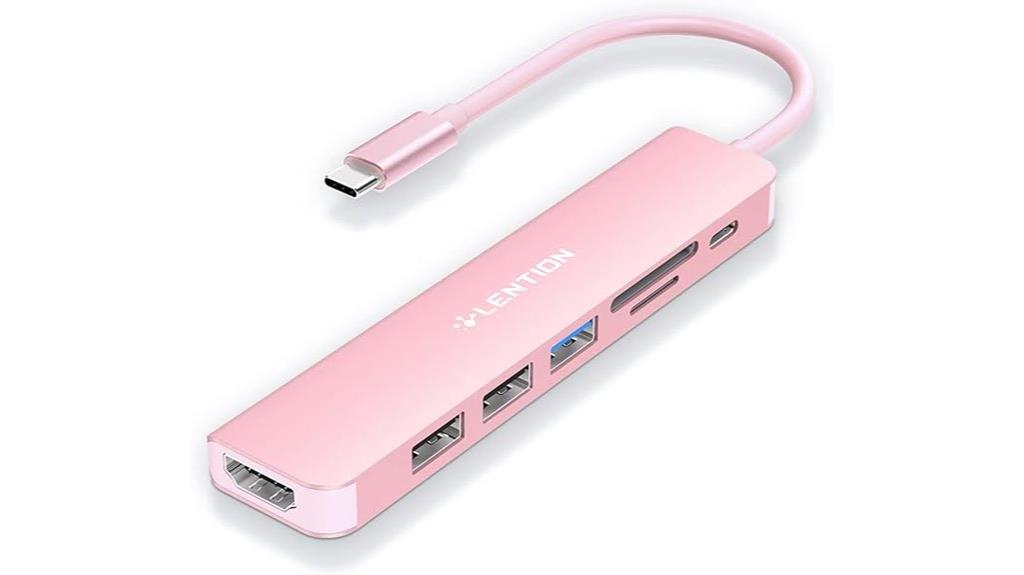
The LENTION USB C Hub with 100W Charging and 4K HDMI stands out as an ideal choice for creators who need seamless power and high-quality video output from their MacBook. It offers a versatile 7-in-1 setup, including a 100W charging port, 4K HDMI with up to 30Hz, USB 3.0, two USB 2.0 ports, and SD/Micro SD card readers supporting 256GB cards. Supports fast pass-through charging and UHD visuals, making it perfect for extending displays or mirroring screens. Compatibility spans MacBook models from 2016 to 2025, plus other USB-C devices. Its Stable Driver 3.0 certification ensures reliable, safe operation without overheating or interference.
Best For: creators, professionals, and users seeking reliable, high-quality connectivity and power delivery for their MacBook or USB-C device.
Pros:
- Supports 100W fast charging pass-through to keep devices powered during use
- Provides 4K HDMI output with UHD visuals up to 30Hz for clear, high-quality video
- Versatile 7-in-1 port configuration including SD/Micro SD card readers and multiple USB ports
Cons:
- Not compatible with Superdrive or certain older peripherals
- HDMI supports only up to 30Hz at 4K, which may be limiting for some high-refresh-rate needs
- Slightly larger form factor may reduce portability for on-the-go use
MOKiN USB C Multiport Adapter Hub for MacBook Pro/Air
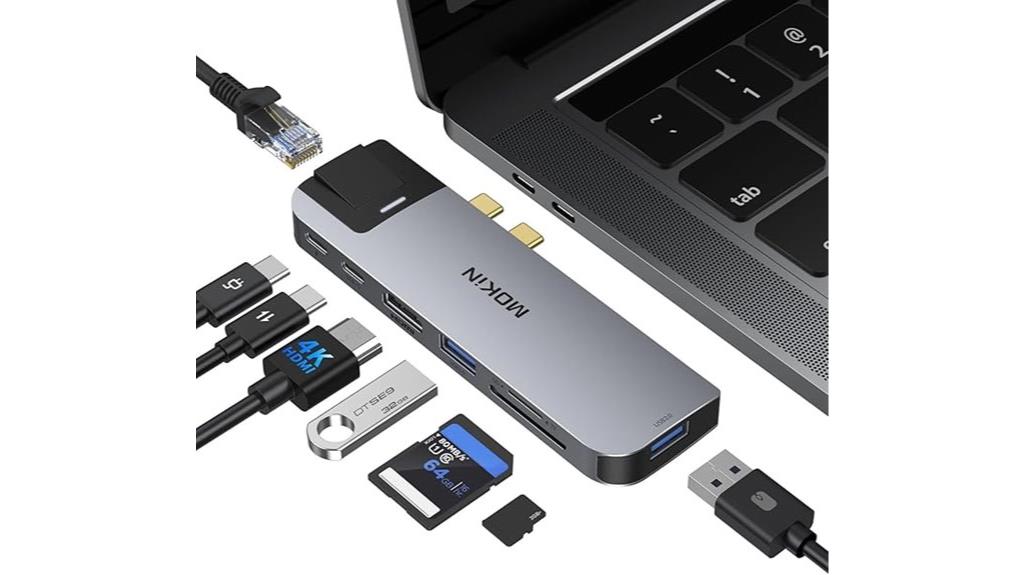
If you’re looking to expand your MacBook Pro or Air’s capabilities without sacrificing portability, the MOKiN USB C Multiport Adapter Hub stands out as an ideal choice. It offers eight versatile ports, including HDMI, Thunderbolt 3, USB 3.0, Ethernet, and SD/TF card readers, making it perfect for photographers, designers, and professionals. With 4K video support, 40Gb/s data transfer, and 100W power delivery, it handles demanding tasks effortlessly. Its sleek, aluminum design is durable and ultra-slim, though it’s not compatible with thick protective cases. Overall, it’s a reliable, compact solution to boost your MacBook’s connectivity in a stylish package.
Best For: professionals, photographers, and designers seeking a compact, versatile port expansion for their MacBook Pro or Air to support high-resolution displays, fast data transfer, and reliable internet connectivity.
Pros:
- Supports 4K UHD @ 30Hz and 5K display output for high-quality visuals
- Multiple ports including HDMI, Thunderbolt 3, USB 3.0, Ethernet, and SD/TF card readers for comprehensive connectivity
- Sleek, durable aluminum design that is portable and stylish
Cons:
- Not compatible with laptops in thick protective cases due to its slim design
- Some users report a tight fit when connecting to certain MacBook models over time
- USB-C data port offers only USB 2.0 speeds, limiting data transfer for some peripherals
MOKiN USB C Hub HDMI Adapter for MacBook Pro/Air
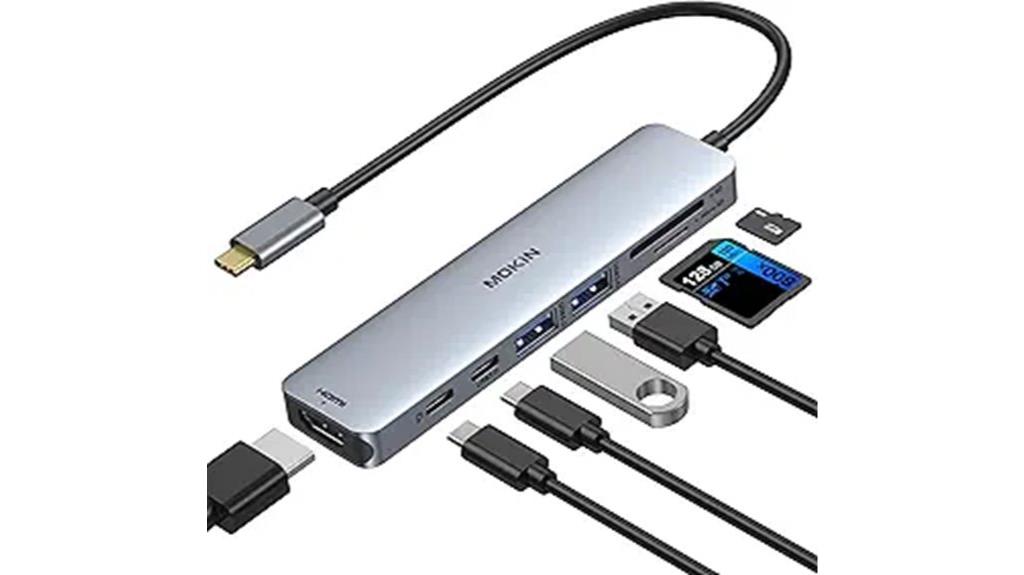
The MOKiN USB C Hub HDMI Adapter stands out as an ideal choice for creative professionals and travelers who need reliable, high-quality connectivity on the go. It offers a 7-in-1 design, compatible with MacBook Pro/Air (2016-2021), M1/M2 Macs, iPad Pro, and other USB-C devices. The 4K HDMI port delivers crisp visuals at 60Hz, perfect for editing or presentations. Two USB 3.0 ports support quick data transfer, while the SD/TF card reader simplifies file access. With 100W Power Delivery, it keeps your laptop charged during use. Compact and durable, it’s a versatile hub that enhances productivity wherever you work.
Best For: creative professionals, travelers, and anyone needing versatile, high-quality connectivity options for their USB-C devices.
Pros:
- Supports 4K@60Hz HDMI output for sharp, high-quality video and multiple display options
- Includes multiple ports (USB 3.0, SD/TF card reader, USB-C data and charging) for comprehensive device connectivity
- Compact, lightweight, and durable design ideal for on-the-go use with laptop compatibility across various models
Cons:
- Limited HDD/SSD connection support (only one device at a time)
- SD card slot visibility issues when using micro SD cards simultaneously
- Only two USB-A ports support peripherals; third port primarily for charging
USB C Adapter HDMI Multiport Hub for MacBook Pro/Air M1-M3
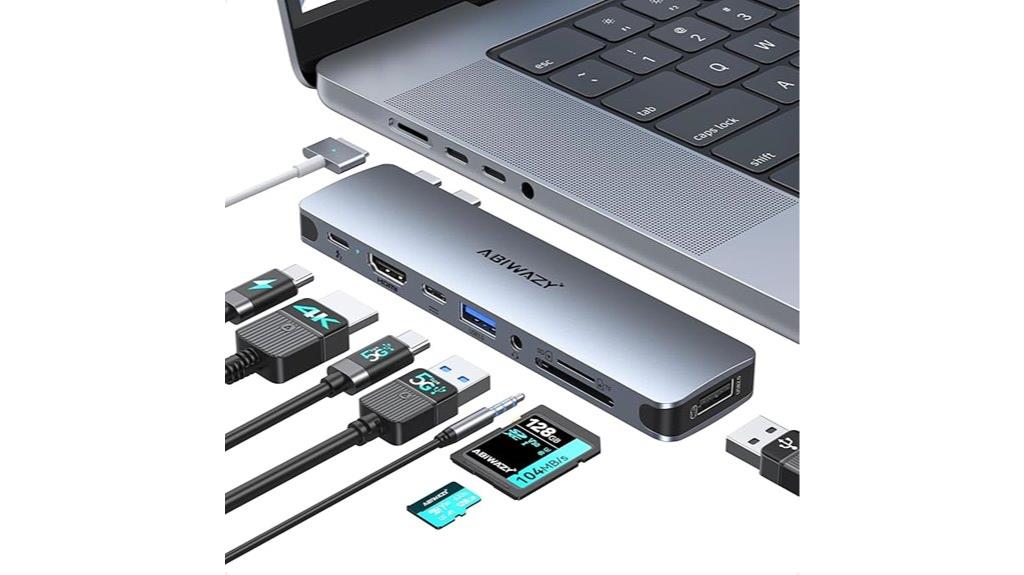
Designed specifically for MacBook Pro and Air models from 2016 to 2024, including M1-M3 chips, this USB C Adapter HDMI Multiport Hub offers seamless compatibility without blocking the magnetic charging port. It fits most models comfortably and features foot pads tailored for stability. The hub provides three USB 3.0 ports, SD and TF card readers, an audio jack, HDMI output supporting 4K at 30Hz, and Thunderbolt 3 capable of 5K at 60Hz. It enables a single external display on M1-M3 Macs, supports fast data transfer up to 40Gbps, and delivers 85W charging. Its lightweight, portable design makes it perfect for creators on the go.
Best For: creators, professionals, and students who need versatile connectivity and high-quality video output for MacBook Pro or Air models from 2016 to 2024, including M1-M3 chips.
Pros:
- Seamless compatibility with most MacBook Pro/Air models without obstructing the magnetic charging port
- Supports high-resolution 4K HDMI output and 5K Thunderbolt display at 60Hz for professional-quality visuals
- Multiple ports including USB 3.0, SD/TF card readers, audio jack, and 85W charging for versatile use
Cons:
- Limited to a single external display on M1-M3 Macs due to hardware restrictions
- Does not support high-power devices like Apple USB Super Drive or multiple hard drives simultaneously
- Occasional port glitches and lack of network (Ethernet) support may affect certain workflows
Factors to Consider When Choosing Usb‑C Hubs for Macbook Creators
When choosing a USB-C hub for your MacBook, I consider compatibility with your device and the types of ports offered. Power delivery capacity and video output quality are also vital to guarantee your workflow remains smooth and reliable. Finally, I look at build quality, size, and portability to find a hub that’s durable yet easy to carry around.
Compatibility and Ports
Choosing the right USB-C hub for your MacBook means ensuring it matches your specific port configuration and system compatibility. I recommend checking if the hub supports your MacBook model, including M1, M2, or M3 chips. Make sure it offers the ports you need, like HDMI for video, USB-A or USB-C for peripherals, and SD or microSD card readers for your workflow. If you use external displays, verify that the hub supports high-resolution output, such as 4K at 60Hz. Also, confirm that the power delivery feature provides enough wattage, typically 87W or higher, to safely charge your MacBook. Lastly, make certain the port layout aligns with your accessories to avoid limited connectivity or incompatibility issues.
Power Delivery Capacity
Ensuring your USB-C hub supports at least 87W to 100W Power Delivery is essential for reliably charging your MacBook while working. This capacity guarantees your laptop stays powered during intensive tasks without draining the battery. It’s also important to confirm that the hub’s PD port matches your MacBook’s original power adapter, ensuring maximum charging speed and efficiency. Keep in mind that some hubs may reduce power output when multiple peripherals are connected, which could slow down charging. Look for hubs that support pass-through charging so you can keep your MacBook and accessories powered simultaneously. Additionally, consider the hub’s power management features to prevent overheating or power surges, both of which can affect charging stability and your device’s safety.
Video Output Quality
A USB-C hub’s video output quality can make or break your experience when connecting external displays to your MacBook. To guarantee crisp, smooth visuals, look for hubs that support 4K or higher resolution at 60Hz. Compatibility with HDMI or DisplayPort Alt Mode is essential for high-quality connections. If you’re using multiple monitors, verify the maximum supported resolution and refresh rate for each display to avoid performance issues. Choose hubs with built-in chips that handle video encoding efficiently — this helps prevent lag, flickering, or image degradation. Finally, confirm that the hub’s video output ports match your display devices for prime clarity and performance. Prioritizing these factors assures a seamless, high-quality visual experience that complements your creative workflow.
Build and Port Durability
Since your MacBook’s creative work depends heavily on reliable connections, selecting a USB-C hub with sturdy build quality is essential. Look for hubs with reinforced or gold-plated port contacts, which can withstand frequent plugging and unplugging without wearing out. Choose models made from high-quality materials like aluminum or reinforced plastic, as they resist cracks and breakage over time. Ensure the ports are rated for high insertion cycles—ideally over 10,000—to maintain long-term functionality. Reinforced or braided cables also help prevent fraying and damage from bending or pulling. Finally, check the manufacturer’s specifications and user reviews for insights into the hub’s durability, ensuring it can handle daily use without compromising performance. A solid build guarantees your workflow remains uninterrupted.
Size and Portability
Choosing a USB-C hub that’s compact and lightweight is key for creators on the move. I look for models that easily fit into my bag or pocket, making it simple to carry around all day. Ideally, the hub should weigh between 1.8 and 2.5 ounces, so it doesn’t add unnecessary bulk. A slim profile—under 0.5 inches thick—is essential to prevent blocking other ports or features like MagSafe. I also prioritize designs that attach and detach smoothly without wobbling or feeling cumbersome. Multiport hubs are my go-to since they pack essential functions into a small footprint, maximizing portability without sacrificing performance. The right size and weight make all the difference when I need reliable connectivity without weighing down my workflow.
Frequently Asked Questions
How Does a USB-C Hub Impact Macbook Performance?
A USB-C hub can boost your MacBook’s performance by expanding connectivity and reducing strain on the port. When you connect multiple devices through a high-quality hub, it helps keep your workflow smooth without overloading the laptop’s internal resources. However, I’ve noticed that a poorly designed or underpowered hub might cause lag or connectivity issues. So, choosing a reliable hub guarantees your MacBook runs efficiently while supporting all your peripherals.
Are There Compatibility Issues With Specific Macbook Models?
Oh, absolutely, your shiny MacBook might just throw a tantrum over certain USB-C hubs. Some models, especially older ones, struggle with compatibility—drivers, power delivery, or even the tiniest firmware glitch. I’ve seen it firsthand. So, if you’re eyeing a hub, check compatibility lists carefully. Better yet, stick to well-reviewed brands, and your MacBook will happily play nice—no drama, just seamless connectivity.
Can a USB-C Hub Support Multiple Displays Simultaneously?
Yes, a USB-C hub can support multiple displays simultaneously. I’ve used hubs with multiple HDMI or DisplayPort outputs, and they work great, especially with newer MacBooks that support extended desktop modes. Just make sure the hub has enough video outputs and supports the resolution and refresh rate you need. I recommend checking the specifications to verify compatibility with your MacBook model and desired display setup.
What Is the Durability Lifespan of USB-C Hubs?
The durability of a USB-C hub really depends on how often and rough you use it, but generally, they last a good 2-3 years with proper care. Think of it as a well-oiled machine—if you treat it kindly, it’ll serve you longer. I’ve found that avoiding excessive bending or pulling the cables helps extend its lifespan. Regularly cleaning and unplugging properly also keeps it in top shape longer.
Do All USB-C Hubs Support Fast Charging for Macbooks?
Not all USB-C hubs support fast charging for MacBooks. I’ve found that many hubs focus on data transfer or additional ports without providing power delivery. If fast charging is essential, look for hubs explicitly labeled with high wattage power delivery, ideally 60W or more. Always check the specifications before buying to guarantee the hub supports fast charging; otherwise, your MacBook might charge slowly or not at all.
Conclusion
So, there you have it—your ultimate toolkit to turn your MacBook into a one-man band of connectivity. Who knew that a tiny USB-C hub could solve all your “I need more ports” crises? Just pick one, and watch your workflow go from chaos to “organized genius” faster than you can say “adapt and conquer.” Because, really, who wants to be tethered by just one port when greatness is just a hub away?