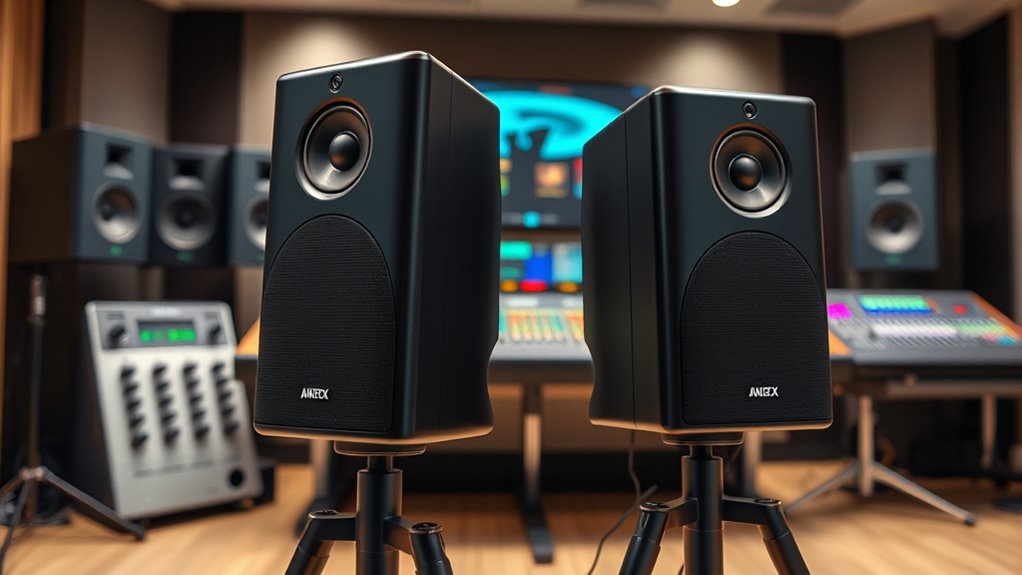

Choosing the right studio monitor speakers for editing is essential for accurate sound reproduction. The Yamaha HS5 stands out as the overall best choice due to its balanced sound and reliable build. For those on a tighter budget, the PreSonus Eris 3.5 offers solid performance at a lower price, making it ideal for home studios. Meanwhile, the JBL 305P MkII impresses with its broad soundstage and punchy bass, suited for more critical listening. All these options involve tradeoffs, like size versus sound quality or price versus features. Continue reading for a detailed breakdown to help you find the perfect match for your editing needs.

Get the latest gadgets delivered free with Prime
- Fast, free delivery on millions of items
- Prime Video, Amazon Music and more included
- Member-only deals all year
Complete the kit



Key Takeaways
- The size of the monitor impacts both placement flexibility and low-end response, with larger speakers generally providing better bass extension.
- Balanced sound accuracy is crucial for editing, and some brands like Yamaha and JBL excel in delivering transparent audio reproduction.
- Budget options like PreSonus Eris 3.5 deliver surprisingly good performance for small setups, but may lack the depth or power of higher-end models.
- Connectivity features, such as Bluetooth or multiple input options, can influence ease of use depending on your setup.
- Build quality and durability vary, with premium picks offering more robust construction suitable for long-term use.
| Mackie CR3.5 3.5-inch Creative Reference Powered Studio Monitors |  | Best Compact Versatility for Desktop and Casual Use | Speaker Size: 3.5 inches | Tweeter: Silk dome | Woofer: Woven | VIEW ON AMAZON | See Our Full Breakdown |
| Yamaha HS3 Powered Studio Monitor (Pair) |  | Best for Precise, Professional Monitoring in Small Spaces | Type: 2-way bass-reflex powered speaker | Woofer: 3.5 inches | Tweeter: 0.75 inches | VIEW ON AMAZON | See Our Full Breakdown |
| PreSonus Eris 3.5 Studio Monitors (White), Pair |  | Best for Accurate, Studio-Grade Sound in Compact Form | Size: 3.5 inches | Power: 50 Watts | Inputs: ¼-inch TRS, RCA, ⅛-inch TRS aux | VIEW ON AMAZON | See Our Full Breakdown |
| Yamaha HS5 Powered Studio Monitor (Pair) |  | Best for Accurate Near-Field Monitoring with High Frequency Range | Number of Monitors: 2 | Type: Bi-amplified | Woofer Size: 5 inches | VIEW ON AMAZON | See Our Full Breakdown |
| Edifier MR3 Powered Studio Monitor Speakers |  | Best Hi-Res Audio Certified for Rich, Full-Range Sound | Power Output: 18W*2 RMS | Peak SPL: 92.5dB | Frequency Response: 52Hz to 40kHz | VIEW ON AMAZON | See Our Full Breakdown |
| PreSonus Eris 3.5 Studio Monitors, Pair — Powered, Active Monitor Speakers for Near Field Music Production, Desktop Computer, Hi-Fi Audio |  | Best Overall for Compact Near-Field Editing | Power: 50 Watts | Woofer Size: 3.5 inches | Tweeter: 1-inch silk-dome | VIEW ON AMAZON | See Our Full Breakdown |
| Edifier MR4 Powered Studio Monitor Speakers, 4-inch Active Near-Field Reference Speakers – Black (Pair) |  | Best for Versatile Professional and Casual Listening | Speaker Size: 4 inches | Tweeter: 1 inch silk dome | Inputs: 1/4″ TRS, RCA, AUX | VIEW ON AMAZON | See Our Full Breakdown |
| Edifier MR3 Powered Studio Monitor Speakers, Hi-Res Audio Certified Bluetooth V5.4 Active Bookshelf Loudspeakers, 2.0 Computer Speaker with Headphone Output RCA AUX Balanced TRS Input – Black (Pair) |  | Best for Wireless and Compact High-Res Listening | Frequency Response: 52Hz to 40kHz | Power Output: 18W*2 RMS | Drivers: 3.5″ mid-low, 1″ tweeters | VIEW ON AMAZON | See Our Full Breakdown |
| M-Audio BX3 Pair 3.5″ Wired Studio Monitors and PC Speakers for Recording and Multimedia |  | Best for Professional-Grade Accuracy and Versatility | Driver Size: 3.5 inches | Woofer Material: Kevlar | Tweeter Type: Silk Dome | VIEW ON AMAZON | See Our Full Breakdown |
| JBL 305P MkII 5″ 2-Way Active Powered Studio Reference Monitors (Pair) |  | Best for Accurate Imaging and Deep Bass | Speaker Size: 5 inches | Number of Speakers: 2 | Power Amplifiers: Dual 41-Watt Class-D | VIEW ON AMAZON | See Our Full Breakdown |
| studio monitor speakers for editing | Inputs | Tweeter |
|---|---|---|
| Mackie CR3.5 3.5-inch Creative | TRS, RCA, 3.5 mm | Silk dome |
| Yamaha HS3 Powered Studio Moni | XLR/TRS combo, RCA, Stereo Mini | 0.75 inches |
| PreSonus Eris 3.5 Studio Monit | ¼-inch TRS, RCA, ⅛-inch TRS aux | 1-inch silk-dome |
| Yamaha HS5 Powered Studio Moni | — | — |
| Edifier MR3 Powered Studio Mon | — | — |
| PreSonus Eris 3.5 Studio Monit | ¼-inch TRS, RCA, ⅛-inch TRS aux | 1-inch silk-dome |
| Edifier MR4 Powered Studio Mon | 1/4" TRS, RCA, AUX | 1 inch silk dome |
| Edifier MR3 Powered Studio Mon | — | — |
| M-Audio BX3 Pair 3.5" Wired St | 1/4-inch, 1/8-inch, RCA | — |
| JBL 305P MkII 5" 2-Way Active | XLR/TRS | — |
More Details on Our Top Picks
Mackie CR3.5 3.5-inch Creative Reference Powered Studio Monitors
The Mackie CR3.5 stands out for offering a surprisingly versatile set of inputs and modes in a compact footprint. Compared to the PreSonus Eris 3.5, it provides more flexible placement options due to its switchable desktop or bookshelf modes, making it ideal for multi-use scenarios. However, its small 3.5-inch drivers limit deep bass, which might frustrate those seeking richer low-end performance without adding a subwoofer. The adjustable tone control enables customization, but bass response may still fall short for critical editing. This pick is best suited for casual editing, gaming, or multimedia playback in smaller spaces.
Pros:- Multiple input options including TRS, RCA, and 3.5 mm for broad device compatibility
- Adjustable tone control for personalized sound tuning
- Switchable modes for desktop or bookshelf placement
Cons:- Limited bass depth without an external subwoofer
- Small 3.5-inch drivers may not satisfy demanding editing needs
Best for: Content creators or hobbyists needing compact, adaptable monitors for limited spaces and casual editing.
Not ideal for: Professional audio engineers requiring deep bass and high-volume accuracy for critical mixing sessions.
- Speaker Size:3.5 inches
- Tweeter:Silk dome
- Woofer:Woven
- Inputs:TRS, RCA, 3.5 mm
- Features:Tone knob, location switch, headphone output
- Power:N/A
Our verdict“This monitor is well-suited for casual editing and multimedia use in small or multi-purpose setups.”
Yamaha HS3 Powered Studio Monitor (Pair)
The Yamaha HS3 excels at delivering clear, detailed sound with high-frequency clarity, thanks to its 0.75-inch dome tweeter and 3.5-inch woofer. It surpasses the Edifier MR3 in transparency and high-frequency response, making it ideal for critical editing tasks. Its room control and high trim response adjustments help tailor sound to specific environments, but its relatively modest 26 W power output limits volume and bass performance in larger rooms. This monitor is best for small, near-field environments where accuracy trumps volume. However, those seeking deep bass or high-volume levels might find it inadequate without additional subs or amplification.
Pros:- High-quality, transparent sound with detailed high and mid frequencies
- Room control and high trim adjustments for tailored sound
- XLR/TRS combo and RCA inputs for flexible connectivity
Cons:- Limited power output restricts volume in larger rooms
- Small woofer size affects bass depth and punch
Best for: Professional editors working in small near-field setups needing precise and flat frequency response.
Not ideal for: Large studios or loud environments that demand higher SPL and bass extension.
- Type:2-way bass-reflex powered speaker
- Woofer:3.5 inches
- Tweeter:0.75 inches
- Frequency Response:70 Hz – 22 kHz
- Power Output:26 W
- Inputs:XLR/TRS combo, RCA, Stereo Mini
Our verdict“This monitor offers professional-level clarity suitable for small editing spaces but falls short for larger or louder environments.”
PreSonus Eris 3.5 Studio Monitors (White), Pair
The PreSonus Eris 3.5 delivers highly accurate sound with a 50W dual amplifier setup, setting it apart from the lower-powered Yamaha HS3. Its adjustable high and low-frequency tuning controls help refine sound for editing or mixing, making it a flexible choice for those wanting control over their monitoring environment. While it offers Bluetooth connectivity and versatile inputs, its 3.5-inch drivers limit deep bass, similar to the Mackie CR3.5. The inclusion of tuning controls makes it suitable for precise editing, but larger spaces or demanding bass-heavy projects may require additional subwoofers or larger monitors. It’s best for desktop editing and multimedia work where accuracy is key.
Pros:- Delivers accurate, studio-quality sound with 50W power
- Versatile connectivity including Bluetooth and multiple inputs
- Adjustable high and low-frequency controls for tailored sound
Cons:- Limited bass depth due to small drivers
- Requires external subwoofer for deep bass extension
Best for: Home studio producers or multimedia editors prioritizing sound accuracy and adjustability in a compact form.
Not ideal for: Large-scale mixing or projects requiring significant bass response and high SPL levels.
- Size:3.5 inches
- Power:50 Watts
- Inputs:¼-inch TRS, RCA, ⅛-inch TRS aux
- Woofer Material:woven-composite
- Tweeter:1-inch silk-dome
- Additional:High- and low-frequency tuning controls, headphone output
Our verdict“This monitor provides excellent accuracy for small-scale editing and multimedia tasks but isn’t designed for high-volume or bass-heavy projects.”
Yamaha HS5 Powered Studio Monitor (Pair)
The Yamaha HS5 offers a more substantial 5-inch woofer and 1-inch tweeter, making it ideal for near-field professionals who need precise, flat response. Its 54 Hz to 30 kHz range surpasses the JBL 305P MkII in high-frequency extension, which makes it a better choice for detailed editing. Its bi-amplified design ensures clarity without coloration, but being a near-field monitor, it’s less suited for large spaces or high SPL requirements. External amplification is necessary for maximum volume, which might add complexity but ensures cleaner sound. It’s perfect for small studio setups demanding accuracy and high-frequency detail.
Pros:- Accurate, flat frequency response for critical editing
- Bi-amplified design for clean, high-performance sound
- Balanced XLR and TRS inputs for flexible connectivity
Cons:- Limited to near-field use; not suitable for large spaces
- Requires external amp for high-volume levels
Best for: Professional editors in small dedicated spaces who prioritize flat response and detailed high-frequency reproduction.
Not ideal for: Larger rooms or live mixing environments where higher SPL and deeper bass are needed without external gear.
- Number of Monitors:2
- Type:Bi-amplified
- Woofer Size:5 inches
- Tweeter Size:1 inch
- Frequency Response:54 Hz – 30 kHz
- Power:70W total
Our verdict“This monitor is a strong choice for near-field editing where precision and clarity are paramount, but it does not replace larger monitors for full-space mixing.”
Edifier MR3 Powered Studio Monitor Speakers
The Edifier MR3 stands out for its high-resolution audio certification and broad frequency response from 52Hz to 40kHz, making it suitable for detailed editing and high-fidelity listening. Its Bluetooth capability and app-based EQ provide added convenience for casual use or flexible setups, but the limited 18W power output constrains volume and bass performance, especially in larger rooms. Compared to the PreSonus Eris 3.5, it offers richer sound modes and a more refined design, but the lower power and smaller drivers mean it’s less capable for demanding professional editing. It’s best for small, personal spaces where high-res audio and versatility are valued.
Pros:- High-res audio certification for detailed sound reproduction
- Multiple connectivity options including Bluetooth and wired inputs
- App-based EQ for customizable sound profiles
Cons:- Limited power output restricts volume and bass in larger spaces
- Requires app for full feature access, adding complexity
Best for: Hobbyist or casual professional editors seeking high-res audio and flexible connectivity within small environments.
Not ideal for: Projects requiring deep bass, high SPL, or large-room monitoring without added amplification.
- Power Output:18W*2 RMS
- Peak SPL:92.5dB
- Frequency Response:52Hz to 40kHz
- Connectivity:Bluetooth V5.4, RCA, AUX, Balanced TRS
- Drivers:3.5-inch mid-low, 1-inch tweeters
- Design:MDF cabinet
Our verdict“This monitor is ideal for high-resolution listening and casual editing in small setups but falls short in power and bass for demanding professional tasks.”
PreSonus Eris 3.5 Studio Monitors, Pair — Powered, Active Monitor Speakers for Near Field Music Production, Desktop Computer, Hi-Fi Audio
The PreSonus Eris 3.5 stands out for its accurate, studio-quality sound in a remarkably compact form, making it ideal for desktop editing setups. Compared with the Edifier MR3, it offers more precise sound reproduction, especially suited for critical listening. However, its lower power output and limited bass response mean it might not fill larger rooms or deliver deep lows without an external subwoofer. The room tuning controls are a welcome feature, giving users the ability to tailor the sound environment, but the small size can limit maximum volume, which could be a drawback in noisy environments. Ideal for near-field editing, desktop music production, and casual listening. It’s less suited for larger spaces or demanding bass-heavy projects.
Pros:- Accurate, studio-quality sound suitable for critical listening
- Versatile connectivity including balanced and unbalanced inputs
- Room tuning controls for customized sound
Cons:- Limited low-end extension without a subwoofer
- Compact size restricts maximum volume for large spaces
Best for: Budget-conscious home studio owners who need accurate sound in a small footprint
Not ideal for: Large room setups or users needing deep bass without additional subwoofers
- Power:50 Watts
- Woofer Size:3.5 inches
- Tweeter:1-inch silk-dome
- Inputs:¼-inch TRS, RCA, ⅛-inch TRS aux
- Additional Features:Room tuning controls, headphone output, power saver mode
Our verdict“This monitor is perfect for desktop editing and small spaces where accuracy outweighs bass extension.”
Edifier MR4 Powered Studio Monitor Speakers, 4-inch Active Near-Field Reference Speakers – Black (Pair)
The Edifier MR4 offers a balanced, high-fidelity sound profile with a 4-inch driver, making it suitable for both professional editing and casual listening. Compared to the JBL 305P MkII, it provides a more refined sound with multiple input options and adjustable controls, though it may lack the deep bass punch of larger monitors. Its user-friendly controls and MDF wood finish give it a premium feel, but its size could overwhelm small desks, and it’s less effective for large-room or high-volume use. The app-based tuning adds a layer of customization that benefits detailed editing but might be unnecessary for straightforward setups. Best for small to medium rooms where versatility and accurate sound matter. It’s less ideal for outdoor use or high-volume environments.
Pros:- High-quality, balanced sound with flat response
- Multiple input options for flexibility
- Customizable controls and app-based tuning
Cons:- Size may be too large for tiny desks
- Limited volume for larger spaces
Best for: Small studio spaces or desktop setups where flexibility and sound quality are priorities
Not ideal for: Outdoor or large-room environments requiring high power output
- Speaker Size:4 inches
- Tweeter:1 inch silk dome
- Inputs:1/4″ TRS, RCA, AUX
- Controls:High/Low freq adjustment, volume, sound modes
- Material:MDF wood texture
Our verdict“This monitor is well-suited for versatile editing and casual listening in small to medium rooms.”
Edifier MR3 Powered Studio Monitor Speakers, Hi-Res Audio Certified Bluetooth V5.4 Active Bookshelf Loudspeakers, 2.0 Computer Speaker with Headphone Output RCA AUX Balanced TRS Input – Black (Pair)
The Edifier MR3 excels in delivering high-resolution audio with a versatile range of connectivity options, including Bluetooth V5.4, making it ideal for users who want both wired and wireless flexibility. Compared with the M-Audio BX3, it offers more modern features like app-based EQ and multi-room capability, though its power output is more limited, restricting suitability for larger spaces or high-volume editing. Its compact bookshelf design suits small desks, but it requires an app for full customization, which might not appeal to all. The Hi-Res Audio certification guarantees accurate, full-range sound, but outdoor or outdoor-like environments are not recommended due to the lack of waterproofing. Best for wireless convenience and detailed sound in compact setups. Not recommended for outdoor or high-demand environments.
Pros:- High-Res Audio certification for accurate sound
- Multiple connectivity options including Bluetooth
- App-based EQ and sound customization
Cons:- Limited power for large or noisy environments
- Not waterproof, unsuitable for outdoor use
Best for: Casual and professional users seeking wireless connectivity and high-fidelity sound in small spaces
Not ideal for: Outdoor use or large studios needing high power and volume
- Frequency Response:52Hz to 40kHz
- Power Output:18W*2 RMS
- Drivers:3.5″ mid-low, 1″ tweeters
- Connectivity:Bluetooth V5.4, AUX, RCA, Balanced TRS
- Additional Features:Multi-room audio, app-based tuning
Our verdict“This speaker set is ideal for wireless, detailed listening in small rooms or offices.”
M-Audio BX3 Pair 3.5″ Wired Studio Monitors and PC Speakers for Recording and Multimedia
The M-Audio BX3 delivers a professional-grade listening experience with its Kevlar woofers and silk dome tweeters, making it suitable for detailed editing, recording, and multimedia tasks. Compared with the PreSonus Eris 3.5, the BX3 offers a more robust construction and additional accessories, including software, which appeals to serious users. Its 3.5-inch drivers are well-balanced for clarity and punch, but the size requires a dedicated spot, and it may be overkill for casual or lightweight setups. The multiple input options and EQ controls make it adaptable, yet placement is critical for optimal sound. Ideal for small studios, multimedia editing, and musicians needing precision. Not suited for large spaces or casual listening environments.
Pros:- High-quality sound with clear highs and punchy bass
- Multiple input options including passive and active components
- Includes software and accessories for comprehensive setup
Cons:- Requires proper placement for best sound
- Size may be cumbersome for limited desk space
Best for: Small professional or project studios requiring accurate, versatile monitors
Not ideal for: Large room environments or users with minimal space
- Driver Size:3.5 inches
- Woofer Material:Kevlar
- Tweeter Type:Silk Dome
- Inputs:1/4-inch, 1/8-inch, RCA
- Included Accessories:Passive/active speakers, foam feet, cables, software
Our verdict“This monitor is a strong choice for professional editing and multimedia work in small studios.”
JBL 305P MkII 5″ 2-Way Active Powered Studio Reference Monitors (Pair)
The JBL 305P MkII excels in delivering precise imaging and deep, punchy bass, making it a favorite for mixing, podcasting, and detailed editing. Its dual 41-watt Class-D amplifiers provide ample power, outperforming smaller monitors like the PreSonus Eris 3.5 in volume and bass extension. The adjustable boundary EQ and HF trim allow for room-specific tuning, but the larger size and power requirements mean it’s less practical for cramped desks or small setups. Compared to the Edifier MR4, it offers a more professional interface and better low-frequency response but at a higher cost and with a bigger footprint. Ideal for users who need detailed stereo imaging and powerful sound in medium to large studios. Not recommended for users with very limited space or those who prefer ultra-compact monitors.
Pros:- Exceptional sound clarity and imaging
- Powerful dual amplifiers with deep bass
- Room tuning features for optimal sound
Cons:- Requires significant space for optimal placement
- Higher price point compared to smaller monitors
Best for: Intermediate to advanced producers seeking accurate mixing and deep bass in medium-sized rooms
Not ideal for: Tiny desks or users prioritizing portability and space savings
- Speaker Size:5 inches
- Number of Speakers:2
- Power Amplifiers:Dual 41-Watt Class-D
- Inputs:XLR/TRS
- Additional Features:Boundary EQ, HF Trim
Our verdict“This monitor is perfect for critical mixing and detailed sound work in medium to large studio environments.”

How We Picked
These monitors were evaluated based on a combination of sound accuracy, build quality, usability, and value. Priority was given to products that offer transparent audio reproduction crucial for editing tasks, along with a balanced price point that suits both hobbyists and professionals. We also considered the versatility of connectivity options and the overall durability of each model. The ranking favors monitors that perform well in near-field environments typical of editing setups, ensuring that the choice reflects real-world editing needs rather than just specifications.Factors to Consider When Choosing Studio Monitor Speakers For Editing
When selecting studio monitor speakers for editing, it’s important to consider several key factors to ensure your setup provides accurate and reliable sound. The right monitors can make a significant difference in your editing precision and workflow. Below are some critical aspects to keep in mind beyond just price and brand reputation, helping you avoid common pitfalls and make a more informed decision.Sound Accuracy and Frequency Response
For editing, monitors must reproduce sound with minimal coloration, offering a flat frequency response that accurately reflects your mix. Be cautious of models that boost bass or treble, as they can distort your perception of the true sound. Investing in monitors with a broad, flat response ensures your mixes translate well across different listening environments. Remember, the goal is transparency, not enhanced audio features.
Size and Power Handling
The physical size of the monitor influences its low-frequency response; larger speakers often provide more substantial bass. However, bigger isn’t always better if your space is limited. Power handling capacity is equally important, especially for louder, more dynamic mixes. Choosing a monitor that matches your room size and volume needs prevents distortion and ensures clarity during critical editing sessions.
Connectivity Options
Look for monitors with versatile input options like balanced TRS, XLR, or RCA, to match your audio interface or mixing console. Some models include Bluetooth or auxiliary inputs, which can add convenience but may compromise audio fidelity. Think about your current setup and future expansion plans—select monitors that won’t limit your connectivity choices or require additional adapters.
Build Quality and Durability
Studio monitors are an investment, so durability matters. Higher-quality materials and robust construction reduce vibrations and unwanted resonance, leading to clearer sound. Cheaper models might feature lightweight materials that degrade over time or in demanding environments. Consider the long-term value of a monitor that can withstand regular use without compromising performance.
Budget and Value
While premium monitors often deliver superior performance, there’s a lot to gain from well-designed budget options for smaller or less critical projects. Balance your budget with the features needed for your editing style. Sometimes, spending a bit more upfront on a better-sounding and more durable model saves money in the long run by avoiding early replacements or upgrades.
Frequently Asked Questions
How do I choose the right size monitor for my editing space?
The size of your monitor should match your room dimensions and your typical viewing distance. Smaller monitors, like 3.5-inch models, are suitable for compact spaces and close listening, but may lack deep bass. Larger monitors, such as 5-inch models, provide better low-end response and a wider soundstage, which can be beneficial for detailed editing. Consider your workspace size and whether you’ll need more accurate bass reproduction or greater placement flexibility.
Is Bluetooth connectivity important for studio monitors used for editing?
Bluetooth can be convenient for casual listening or secondary uses, but it generally isn’t recommended for critical editing. Wireless connections often introduce latency and may reduce audio fidelity compared to wired inputs like XLR or TRS. Prioritize monitors with wired, balanced inputs for the most accurate sound reproduction, and use Bluetooth only if you need quick, casual listening options alongside your editing setup.
Do I need to spend more to get accurate sound for editing?
Spending more can often provide better accuracy, build quality, and features like broader frequency response, but it’s not always necessary for beginners or hobbyists. Many budget monitors deliver surprisingly good performance for small, near-field setups. Focus on models that emphasize flat frequency response and reliable construction first, then consider higher-tier options if your editing demands become more professional or critical.
How important is room treatment when using studio monitors?
Room acoustics significantly influence how monitors sound in your space. Even the best monitors can produce misleading results if your room has reflective surfaces, poor speaker placement, or uneven acoustics. Investing in some basic treatment like bass traps and acoustic panels improves sound clarity, allowing your monitors to perform closer to their true potential. Proper room setup complements your monitor choice for more accurate editing results.
Should I prioritize size or sound quality when choosing monitors?
Sound quality should generally take precedence over size, especially for editing purposes. Larger monitors usually produce better bass and a wider soundstage, but they also require more space and proper placement. Smaller monitors can still deliver accurate sound if they have a flat response, but you might need to compromise on low-end depth. Balance your space constraints with the need for precise, uncolored sound to make the best choice.
Conclusion
For those starting out or working in limited spaces, the PreSonus Eris 3.5 offers excellent value with surprisingly accurate sound. The Yamaha HS5 makes a strong case as the overall best due to its balanced performance and durability, suitable for most editing environments. If you’re a professional or require the highest fidelity, the JBL 305P MkII provides a broader soundstage and more detailed response, justifying a higher price. For budget-conscious hobbyists, the key is to prioritize flat frequency response and proper placement over size or fancy features. Match your choice to your space, workflow, and sound quality needs to get the most satisfying results.
Halloween Picks
halloween
As an affiliate, we earn on qualifying purchases.