If you’re looking for the best 4K webcams for professional streaming in 2025, I recommend models like the EMEET NOVA, S600, and C960, along with options from Logitech such as the Brio and MX Brio. These webcams offer sharp 4K resolution, smooth frame rates, AI-enhanced features, and quality microphones, ensuring crystal-clear visuals and audio. Keep in mind key factors like AI capabilities, flexibility, and compatibility—if you continue, you’ll discover more about these top picks.
Key Takeaways
- Top 4K webcams deliver sharp, detailed images at 30FPS with HDR, ideal for professional streaming in 2025.
- Advanced AI features like auto-framing, auto-tracking, and low-light enhancement ensure optimal visuals in any environment.
- Built-in noise-canceling microphones and multi-mode audio enhance clear communication during live broadcasts.
- Flexible mounting options, sleek designs, and compatibility with major platforms support versatile, professional setups.
- Leading models from brands like Logitech and EMEET combine high resolution, stability, and security features for top-tier streaming quality.
EMEET NOVA 4K Webcam for PC with Auto Focus and Dual Microphones

The EMEET NOVA 4K Webcam stands out as an excellent choice for professionals and educators who need sharp, high-quality video without complicated setup. It delivers stunning 4K resolution at 30FPS, with a CMOS sensor that captures vibrant, detailed images. Autofocus with PDAF ensures quick, precise focus from 7.9 to 118 inches, keeping you clear even during movement. Auto light correction adapts to varying lighting conditions, maintaining a professional look. The dual noise-canceling microphones provide clear sound up to 8 feet away, making it ideal for meetings and streaming. Its plug-and-play USB connection and privacy cover make setup simple and secure.
Best For: professionals, educators, and streamers seeking high-quality 4K video with easy setup and reliable privacy features.
Pros:
- Delivers sharp 4K resolution at 30FPS with autofocus for clear, vibrant images
- Plug-and-play USB connection with a privacy cover for quick, secure setup
- Dual noise-canceling microphones provide clear audio up to 8 feet away
Cons:
- Autofocus may occasionally malfunction or produce blurriness for some users
- Built-in microphones might pick up background noise in noisy environments
- Some users report lower-than-expected resolution or performance variability
EMEET S600 4K Webcam for Streaming
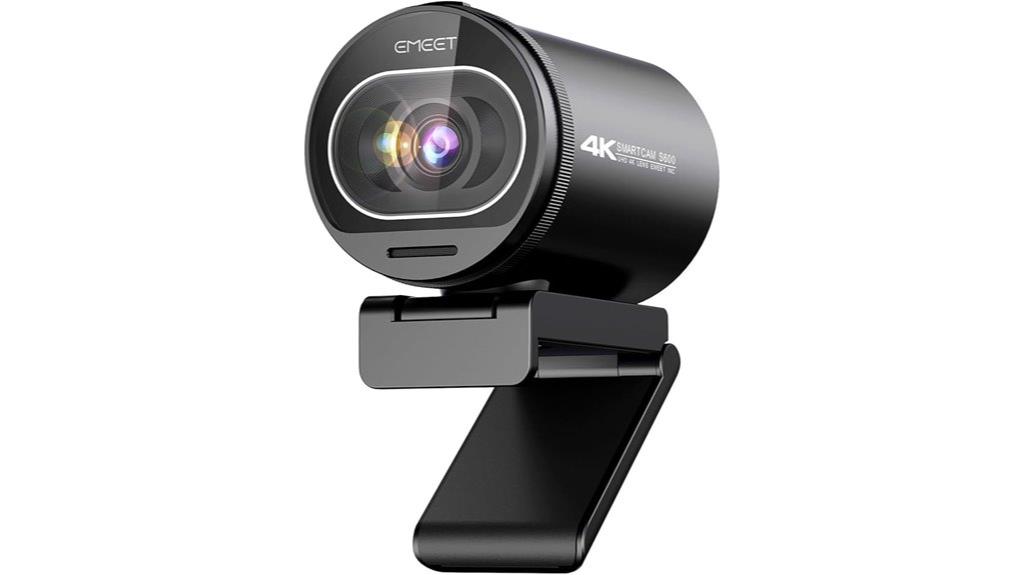
If you’re serious about professional streaming or content creation, the EMEET S600 4K Webcam stands out with its exceptional Sony 1/2.5 sensor that delivers crisp, high-resolution video at 4K 30FPS. It offers versatile resolutions, including 1080P at 60FPS, perfect for streaming, gaming, or live commerce. Its advanced PDAF ensures fast, stable focus, while auto light adjustment maintains clarity in various lighting conditions. The built-in noise-reduction microphone captures clear audio, and the wide 73° field of view provides immersive visuals. Easy to set up and customizable via EMEETLINK software, it’s a reliable choice for professional-quality streaming.
Best For: content creators, professional streamers, and live broadcasters seeking high-quality 4K video with excellent autofocus and audio clarity.
Pros:
- Exceptional 4K video quality with Sony 1/2.5 sensor and versatile resolutions
- Advanced PDAF autofocus and auto light adjustment for sharp, stable images in various lighting conditions
- Built-in noise-reduction microphone and customizable settings via EMEETLINK software
Cons:
- Fixed 73° field of view at 4K may not suit all shooting environments
- Requires compatible software or apps to fully utilize resolution options
- May be more expensive compared to basic webcams with lower resolution
EMEET C960 4K Webcam with Auto Focus and Dual Noise-Cancelling Mics

Designed for professionals who demand crystal-clear video and crisp audio, the EMEET C960 4K Webcam stands out with its true 4K UHD resolution powered by a Sony CMOS sensor, ensuring ultra-sharp visuals without any false upscaling. It defaults to 1080p but can switch to 4K via software or apps like OBS. The PDAF autofocus keeps images stable and clear, while auto light correction adapts to different lighting conditions. Its 73° field of view centers on you, and dual noise-cancelling mics deliver natural, crisp sound. Easy to set up with USB-A, it’s compatible with most systems, and the privacy shutter adds security.
Best For: professionals, content creators, and remote workers seeking high-quality 4K video and clear audio for meetings, streaming, or content production.
Pros:
- True 4K UHD resolution with no false upscaling ensures ultra-sharp and detailed visuals.
- Advanced autofocus and auto light correction provide stable, bright images in various lighting conditions.
- Dual noise-cancelling microphones deliver natural, crisp audio for clear communication.
Cons:
- May require software adjustments to switch between 1080p and 4K, which could be inconvenient for some users.
- Compatibility issues or need for adapters when used with USB-C devices like MacBook Air.
- Packaging and mounting options may vary, and some users have noted concerns over accessory compatibility or security features.
Logitech Brio 4K Webcam with Noise-Cancelling Mic
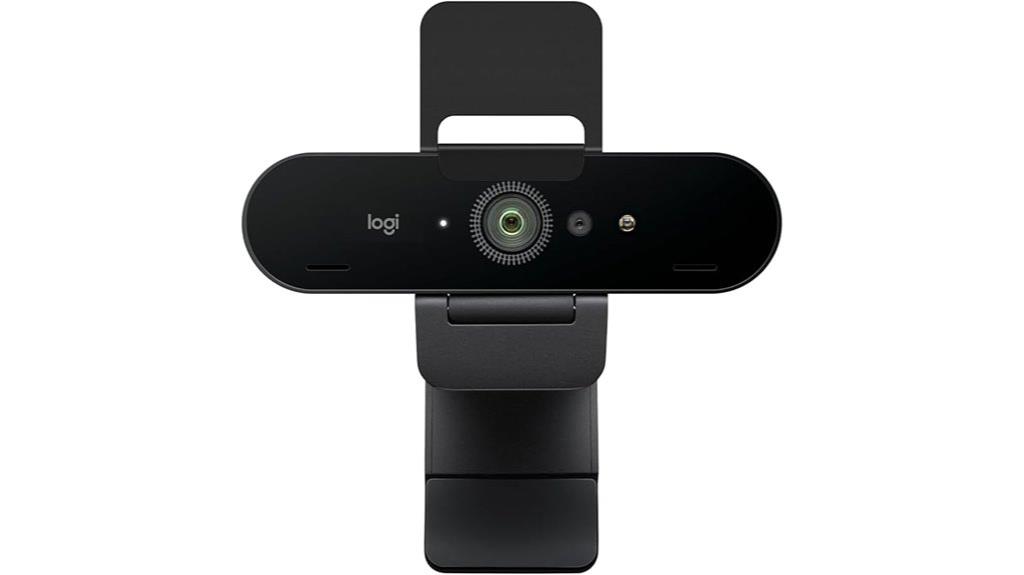
For professional streamers and content creators who demand top-tier video and audio quality, the Logitech Brio 4K Webcam with Noise-Cancelling Mic stands out as an excellent choice. It delivers stunning 4K resolution at 30 fps, with autofocus and 5x digital zoom for sharp, detailed images. Its adjustable field of view lets you choose between 65°, 78°, or 90°, perfect for different setups. Thanks to RightLight 3 technology, your image stays clear in various lighting conditions. The dual microphones reduce background noise, capturing your voice crisply. Compatibility with major platforms and easy control via Logi Options+ make this webcam a versatile, professional-grade option for any streaming setup.
Best For: professional streamers, content creators, and remote workers who require high-quality 4K video and clear audio for streaming, recording, or virtual meetings.
Pros:
- Delivers stunning 4K resolution at 30 fps with autofocus and 5x digital zoom for sharp, detailed images
- Equipped with RightLight 3 technology to optimize image quality in various lighting conditions
- Dual noise-canceling microphones provide clear audio, reducing background noise during calls
Cons:
- Higher price point compared to standard webcams
- Requires a USB 3.0 port for optimal performance, which may not be available on older devices
- Autofocus and digital zoom features may need manual adjustments for perfect framing
Logitech MX Brio Ultra HD 4K Webcam
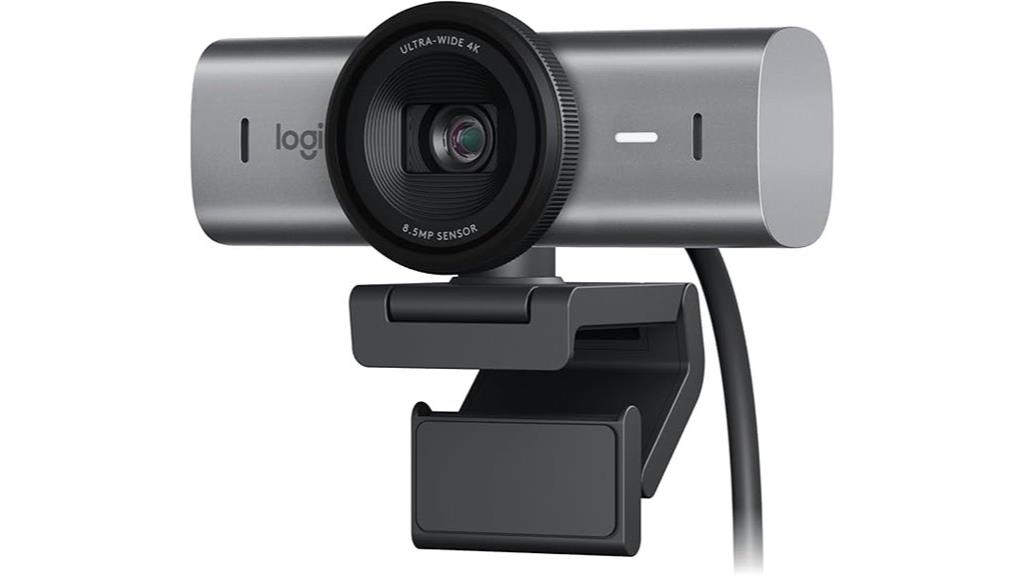
The Logitech MX Brio Ultra HD 4K Webcam stands out as an ideal choice for professional streamers who demand top-tier video quality and versatile features. It delivers stunning 4K resolution at 30fps and smooth 1080p at 60fps, thanks to its advanced sensor and wide-angle lens options. Built-in HDR, RightLight 3, and AI-enhanced face visibility guarantee clear images in challenging lighting. Manual controls for ISO, White Balance, and more give precise customization, while auto white balance and autofocus streamline setup. Its flexible mounting options and dual noise-reducing microphones make it perfect for professional streaming and collaboration on popular platforms.
Best For: professional streamers and remote workers seeking high-quality 4K video and versatile features for streaming, video conferencing, and content creation.
Pros:
- Exceptional 4K video quality at 30fps with HDR and AI-enhanced visibility for clear images in various lighting conditions
- Flexible mounting options including adjustable clip, tripod thread, and magnetic attachment for versatile setup
- Dual noise-reducing microphones with AI noise suppression ensure clear audio during calls and streams
Cons:
- Some users report weak magnetic mounts and adhesive issues affecting stability and positioning
- Limited microphone control options within Logitech software, which may require additional adjustments for optimal sound
- Compatibility issues with certain USB converters or ports, and mixed reviews on software stability and app usability
Logitech Brio 4K Webcam

If you’re looking for a webcam that delivers stunning 4K quality along with advanced features, the Logitech Brio 4K Webcam stands out as an excellent choice. It offers ultra 4K HD resolution, four times sharper than typical webcams, with 5x HD zoom for close-ups. The camera supports up to 90 fps for smooth streaming and auto light adjustment with Logitech RightLight 3 and HDR technology, ensuring clear visuals even in challenging lighting. It features dual noise-canceling microphones, multiple field of view options, and a universal mount. Plus, with Windows Hello compatibility and a privacy cover, it combines security, convenience, and professional-grade quality.
Best For: professionals and content creators seeking high-resolution video quality, advanced features, and reliable security for virtual meetings and streaming.
Pros:
- Ultra 4K HD resolution with 5x zoom for detailed close-ups
- Supports up to 90 fps for smooth streaming and recording
- Auto light adjustment with HDR technology ensures clear visuals in various lighting conditions
Cons:
- Higher price point compared to standard webcams
- Requires compatible hardware and software for full feature utilization
- Might be excessive for casual or infrequent users with basic video needs
EMEET PIXY 4K Dual-Camera AI-Powered PTZ Webcam
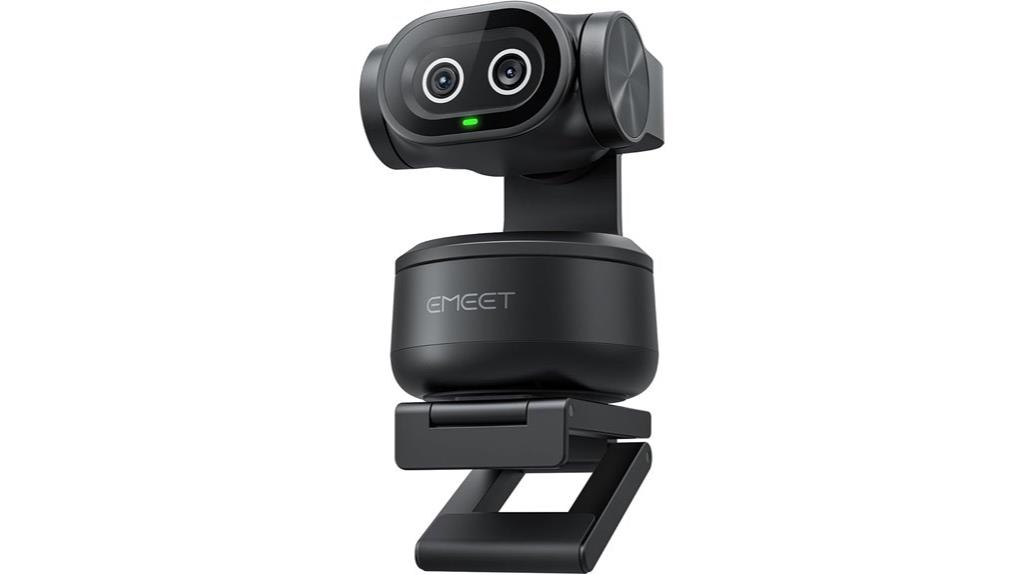
The EMEET PIXY 4K Dual-Camera AI-Powered PTZ Webcam stands out with its innovative dual-camera system, making it an ideal choice for professional streamers and content creators who demand ultra-clear video quality. It features the world’s first dual-camera setup, combining a 4K Sony sensor with PDAF autofocus and an AI face-detection camera that optimizes focus and exposure in real-time. The AI-powered tracking ensures smooth, accurate motion following, while gesture control allows hands-free operation. With versatile control software and multiple video modes, PIXY delivers professional-grade streaming and recording. Its multi-mode audio system and flexible mounting options make it a all-inclusive, all-in-one solution for demanding creators.
Best For: professional streamers, content creators, and online educators seeking ultra-clear 4K video with advanced AI tracking and versatile control features.
Pros:
- Dual-camera setup with a 4K Sony sensor and AI face detection for exceptional image quality and real-time focus optimization
- Intelligent AI tracking with gesture control for smooth, hands-free operation during dynamic scenes
- Comprehensive multi-mode audio system delivering studio-grade sound with noise cancellation and multiple recording modes
Cons:
- Not compatible with PlayStation, limiting gaming console integration
- Requires software installation and setup, which may be complex for some users
- Higher price point compared to basic webcams without AI tracking or dual-camera capabilities
EMEET C950 4K Webcam for PC

For professionals seeking crisp, detailed video quality, the EMEET C950 4K Webcam stands out with its 8-megapixel sensor supporting 4K@30FPS. It delivers sharp images and smooth video, especially with good lighting, and can switch to 1080p@60FPS for faster motion. Its CMOS sensor boosts low-light performance, ensuring clearer images in dim environments. The PDAF autofocus provides quick, accurate focusing, with a 70° field of view that centers on you while minimizing background distractions. The built-in noise-canceling mic and adjustable bracket add versatility, making this webcam ideal for professional streaming and virtual meetings.
Best For: professionals and content creators seeking high-quality, detailed video streaming and conferencing with excellent low-light performance.
Pros:
- Supports 4K@30FPS and 1080p@60FPS for versatile, smooth video quality.
- PDAF autofocus provides fast, precise focus for sharp images.
- Built-in noise-canceling microphone ensures clear audio in noisy environments.
Cons:
- No tripod mounting support limits flexible positioning options.
- Actual resolution may vary depending on the software or platform used.
- Lacks wireless connectivity options such as Bluetooth or WiFi for remote control or streaming.
4K Webcam with Microphone & Privacy Cover for PC and Mac
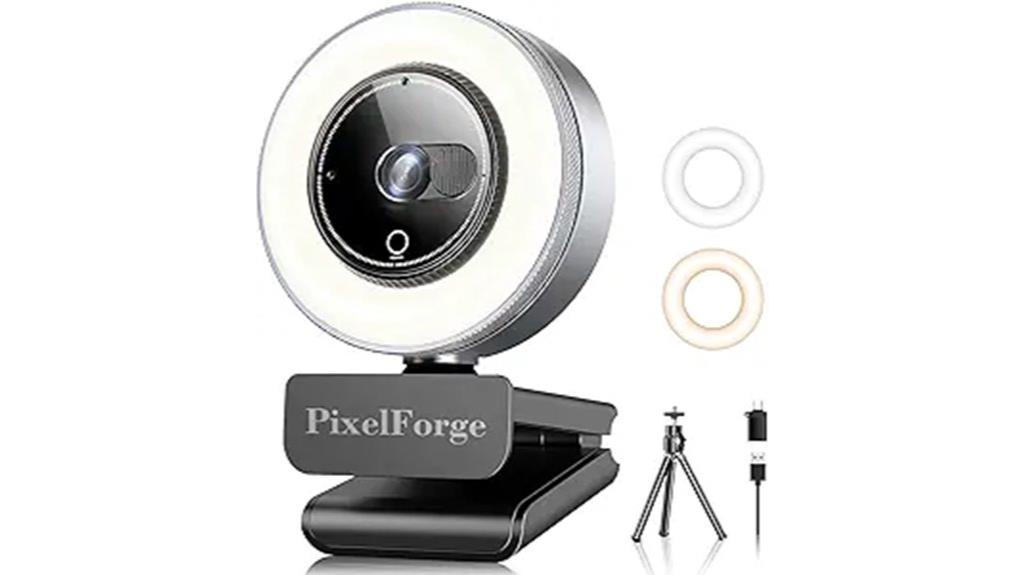
A webcam with a built-in privacy cover and high-quality microphone is essential for anyone seeking secure and clear communication during professional calls or streaming sessions. The K Webcam offers stunning 4K resolution, ensuring crisp, detailed video on both PC and Mac. Its dual AI noise-canceling microphones filter out background noise, delivering clear, natural sound. The sliding privacy cover protects your privacy when not in use, giving peace of mind. With plug-and-play USB setup and universal compatibility with major platforms like Zoom and Skype, it’s easy to install and use. Plus, its sleek, compact design makes it perfect for on-the-go professionals who demand top-quality visuals and audio.
Best For: professionals, streamers, and remote workers seeking high-quality, secure video and audio communication with easy setup and privacy protection.
Pros:
- Delivers stunning 4K resolution with sharp, detailed video quality.
- Equipped with dual AI noise-canceling microphones for clear audio.
- Features a sliding privacy cover for enhanced security and peace of mind.
Cons:
- May require a powerful computer to fully utilize 4K video capabilities.
- Larger size compared to basic webcams, potentially less portable.
- Higher price point compared to standard HD webcams with fewer features.
4K Webcam for PC with Autofocus and Noise Reduction

If you’re seeking a webcam that delivers crisp 4K video with fast, accurate autofocus, this model stands out as an excellent choice. It features a high-performance 1/2.5 Sony sensor, offering stunning visuals at 30FPS or smooth 1080P at 60FPS. The advanced PDAF autofocus locks focus in about a second, ensuring sharp images even in changing lighting. Its auto light correction balances shadows and highlights for clarity. Dual noise reduction microphones capture natural voice up to nearly 10 feet. With a wide 79° field of view, easy plug-and-play setup, and durable build, it’s perfect for professional calls, streaming, and gaming.
Best For: content creators, remote professionals, and gamers seeking high-quality 4K video with fast autofocus and clear audio.
Pros:
- Ultra-clear 4K resolution with vibrant colors and sharp detail.
- Fast PDAF autofocus locks focus in about a second, ensuring consistent image clarity.
- Easy plug-and-play setup with durable construction and built-in privacy cover.
Cons:
- External microphones may be preferred for optimal audio quality in noisy environments.
- Some users might require additional accessories like tripods for optimal positioning.
- Limited to USB-A connection, which may require adapters for USB-C devices.
4K Webcam with Sony Sensor and Privacy Cover
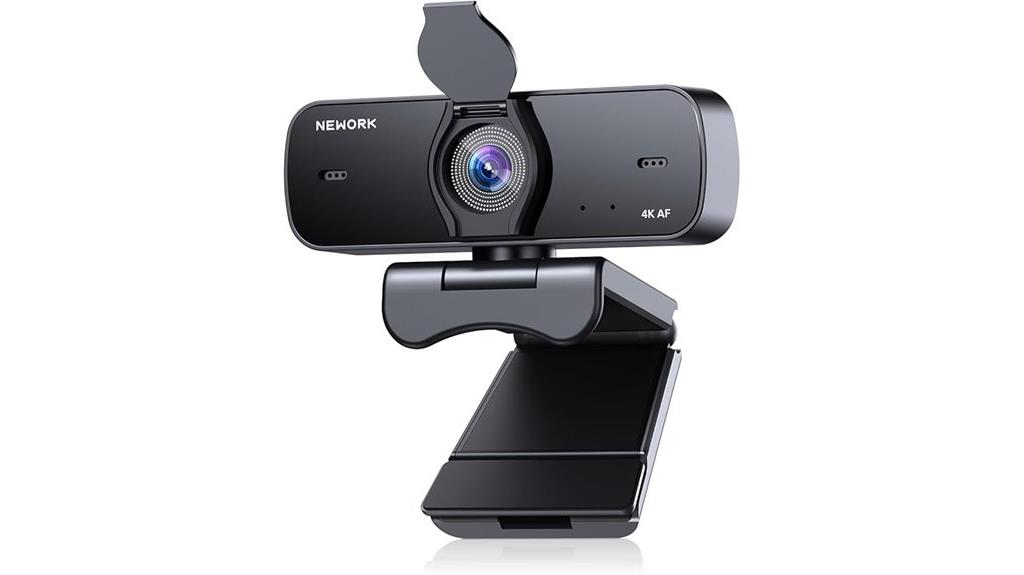
The K webcam with Sony sensor and privacy cover stands out as an excellent choice for privacy-conscious professionals who need top-tier image quality. Its 4K Ultra HD resolution (3840×2160) delivers crystal-clear visuals, while intelligent low-light noise reduction guarantees vibrant colors even in dim environments. The real-time auto-focus keeps images sharp, perfect for online teaching or content creation. A 77° wide-angle lens supports natural framing for small groups. The built-in privacy cover provides instant lens blocking, ensuring security. Made from durable, scratch-resistant materials, it’s compatible with various devices and supports flexible positioning, making it ideal for professional streaming and video calls.
Best For: privacy-conscious professionals and content creators seeking high-quality 4K video with reliable privacy features.
Pros:
- Crystal-clear 4K Ultra HD resolution for sharp, detailed visuals
- Intelligent low-light noise reduction ensures vibrant colors in dim environments
- Built-in privacy cover provides instant lens blocking for security
Cons:
- May require a powerful computer to fully utilize 4K capabilities
- Limited to USB connectivity without additional software for advanced features
- Wide-angle lens might not be ideal for close-up shots or individual-focused tasks
OBSBOT Tiny 2 Lite 4K Webcam for PC with AI Tracking and Microphones

For streamers and content creators seeking professional-quality video with minimal effort, the OBSBOT Tiny 2 Lite 4K Webcam stands out thanks to its advanced AI tracking and gesture control features. It delivers crisp 4K resolution, HDR, and smooth 60 FPS recording, perfect for streaming, calls, and content creation. Its AI-powered tracking keeps you centered, while gesture controls allow easy scene adjustments without manual fiddling. Compatible with Windows, Mac, OBS, Zoom, and more, it’s plug-and-play but also customizable with SDK and hotkeys. Priced around $149, it offers excellent value, combining reliable performance with user-friendly features for professional results.
Best For: streamers, content creators, and professionals seeking high-quality, customizable webcam performance with AI tracking and easy setup.
Pros:
- Excellent 4K resolution with HDR and 60 FPS for sharp, professional-quality video
- Advanced AI tracking and gesture control for effortless scene adjustments
- Compatible with multiple platforms and customizable via SDK, hotkeys, and preset modes
Cons:
- Occasional inconsistencies with gesture control accuracy
- Microphone quality is adequate but not suitable for high-end audio needs
- Some users experience camera reset issues or autofocus limitations when showing close objects
4K Webcam for PC with Dual Autofocus and Noise Reduction Microphones
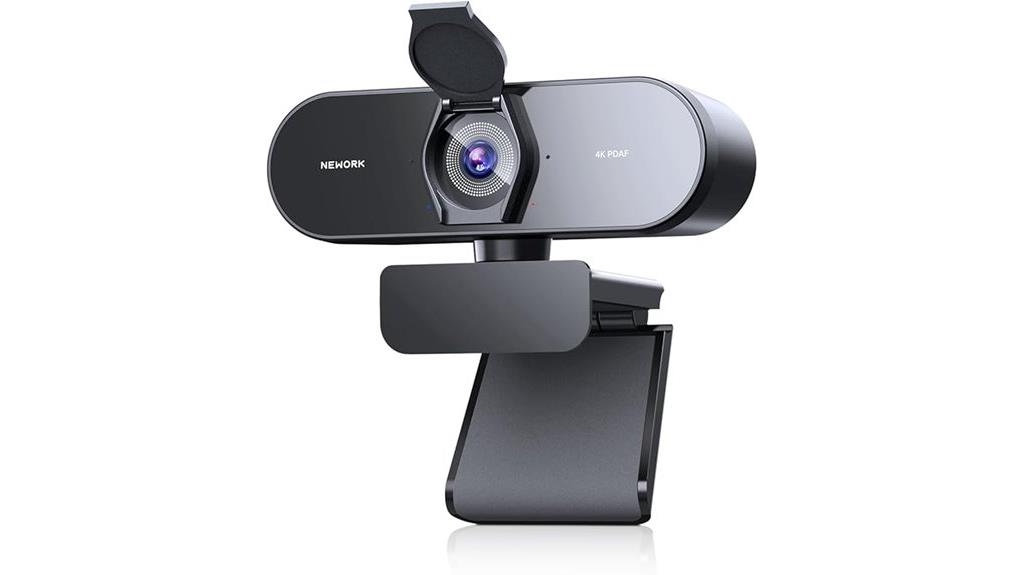
A standout choice for professionals seeking crystal-clear audio and sharp visuals is a webcam equipped with dual autofocus and noise reduction microphones. This 4K webcam delivers ultra HD resolution at 30FPS and supports 1080P at 60FPS for smooth streaming and video calls. Its dual autofocus system—combining PDAF and CDAF—ensures quick, precise focus even during movement. The noise-canceling microphones pick up clear sound within a 3-meter range, making it ideal for meetings, streaming, and online teaching. With features like auto light correction, a wide 79° field of view, and a privacy cover, it’s a versatile, user-friendly option for professional use.
Best For: professionals, content creators, and educators seeking high-quality video and audio for streaming, online meetings, and content production.
Pros:
- Ultra HD 4K resolution with smooth 30FPS streaming and 1080P at 60FPS support for versatile video quality
- Dual autofocus system (PDAF and CDAF) for fast, accurate focus during movement
- Noise-canceling microphones with a 3-meter pickup range ensure clear audio in various environments
Cons:
- Slightly shorter USB cord may require extension for larger setups
- Monitor clip design could be less secure for certain screen types
- Compact size may limit placement options for some users
EMEET Piko 4K Webcam for Streaming

If you’re looking for a webcam that combines stunning 4K visuals with intelligent features, the EMEET Piko 4K Webcam stands out as an excellent choice for professional streaming in 2025. Its dual-camera AI-powered design guarantees ultra-clear images, with rapid autofocus and excellent low-light performance thanks to face and background recognition. The three-mic array offers versatile audio modes, from noise-canceling to ambient sound capture, ensuring crystal-clear audio in any environment. With a sleek, modern design and seamless compatibility with Windows, MacOS, and popular streaming platforms, Piko combines style and functionality to elevate your content. It’s truly a versatile, stylish, high-performance webcam.
Best For: content creators, professionals, educators, and streamers seeking high-quality 4K visuals with intelligent features and versatile audio performance.
Pros:
- Ultra-clear 4K main camera with AI-powered rapid autofocus and low-light enhancement.
- Multiple sound modes including noise canceling, ambient, and live for versatile audio quality.
- Sleek, modern design with matte textured materials and broad device compatibility via USB-C.
Cons:
- May require a powerful computer to fully utilize 4K video capabilities.
- Limited color options initially, with mint green coming soon.
- Some users might find the AI features complex to customize without dedicated software.
Insta360 Link 2C 4K Webcam for PC/Mac

The Insta360 Link 2C 4K Webcam stands out with its AI-powered auto-tracking and auto-framing features, making it an excellent choice for professionals who need seamless movement tracking during live streams or video calls. It delivers stunning 4K resolution with HDR and low-light performance, ensuring sharp, realistic visuals in any lighting. The 1/2 sensor size provides natural blurring and DSLR-like depth, while the wide-angle lens minimizes distortion. Its advanced AI tracks users smoothly, adjusting framing for individuals or groups. Additional modes like Whiteboard and Gesture Control add versatility. Overall, it combines top-tier image quality with intelligent features, making it a reliable, professional-grade webcam.
Best For: professionals, content creators, and streamers seeking high-quality, AI-assisted webcam with seamless auto-tracking and versatile modes.
Pros:
- Exceptionally sharp 4K resolution with HDR and low-light performance for vivid, detailed visuals.
- Advanced AI auto-tracking and auto-framing ensure smooth focus and perfect composition during movement.
- Versatile modes including Whiteboard, Gesture Control, and DeskView enhance functionality for various scenarios.
Cons:
- Compatibility issues may arise with older Mac devices, particularly for features like Bokeh.
- Higher price point reflects its advanced features, which might be a consideration for budget-conscious users.
- Durability concerns if dropped, as with many delicate electronic devices.
Factors to Consider When Choosing 4K Webcams for Professional Streaming

When selecting a 4K webcam for professional streaming, I focus on key factors like resolution clarity, autofocus accuracy, and how well it adapts to different lighting conditions. I also consider audio quality, compatibility with my setup, and how easy it is to mount. These points help guarantee I get the best performance and reliability for my streams.
Video Resolution Clarity
Choosing a webcam with high video resolution is essential for achieving professional streaming quality. 4K resolution, with 3840×2160 pixels, offers vastly more detail and clarity than 1080p or 720p, making your facial features, background, and overall image pop. True 4K webcams feature advanced sensors like Sony CMOS or 1/2.55-inch sensors, which deliver crisp, vibrant images that maintain sharpness even in challenging conditions. Resolution directly affects how clear your video appears, especially during close-ups or detailed scenes. Supporting higher bitrates and frame rates, such as 30FPS for 4K, also enhances smoothness and reduces motion blur. However, ideal resolution clarity depends not just on the sensor but also on good lighting and proper focus adjustments.
Autofocus Precision
Autofocus precision plays a vital role in guaranteeing your 4K webcam captures sharp, professional-quality footage, especially during dynamic movements or changing scenes. Advanced mechanisms like PDAF (phase detection) and CDAF (contrast detection) allow the camera to adjust focus rapidly—often in under 0.2 seconds—keeping your image crisp. The best webcams maintain focus consistently across different lighting conditions and when you’re moving or switching objects in the frame. Dual autofocus systems, combining PDAF with contrast detection, further improve stability and reduce focus hunting. For professional streaming, autofocus accuracy is essential because it keeps you in sharp focus without manual adjustments, even when your position or scene changes. This reliability ensures your content looks polished and consistent, regardless of movement or scene complexity.
Lighting Adaptability
Lighting conditions can dramatically affect your webcam’s image quality, making it essential to select a model that adapts seamlessly to different environments. Good webcams automatically adjust exposure, contrast, and brightness, ensuring consistent video regardless of lighting changes. Features like auto light correction help compensate for backlit or poorly lit setups, reducing the need for extra lighting equipment. High-quality models often incorporate HDR technology, balancing highlights and shadows to produce vibrant, clear visuals even in tricky lighting scenarios. Adjustable manual settings for white balance, ISO, and exposure give you further control to optimize your image. Effective lighting adaptability minimizes the impact of sudden lighting shifts, helping you deliver professional, glare-free videos during live streams and virtual meetings.
Audio Quality Standards
Clear audio is just as critical as sharp video when streaming professionally, so paying attention to a webcam’s microphone quality is essential. High-quality 4K webcams should have dual noise-canceling microphones or AI-powered systems to guarantee natural, crisp sound. Microphone sensitivity and pickup range, typically around 6 to 9 feet, are indispensable for capturing your voice clearly without background noise. Noise reduction technology helps filter out ambient sounds like keyboard clicks, fans, or traffic, maintaining professional audio clarity. Adjustable microphone settings or software controls allow fine-tuning of sound levels and background noise suppression. Compatibility with conferencing platforms is also important, ensuring the microphone is recognized as the default input for seamless communication. Prioritizing these standards guarantees a polished, professional streaming experience.
Compatibility & Mounting
Choosing a 4K webcam that fits your setup starts with guaranteeing it’s compatible with your operating system, whether that’s Windows, macOS, Linux, or Android TV. You’ll want to verify that the webcam supports your OS to ensure seamless functionality without driver issues. Next, check the supported mounting options—whether it’s monitor clips, tripods, or adjustable brackets—so you can customize your workspace. It’s also important to see if the webcam supports universal mounting standards like ¼-inch screw threads or magnetic mounts, offering versatile positioning. Additionally, confirm the connection type—USB-A or USB-C—to match your device’s ports and prevent compatibility problems. Finally, consider the stability and flexibility of the mounting hardware, ensuring your camera stays steady and adjustable during long streaming sessions.
Privacy & Security
When selecting a 4K webcam for professional streaming, prioritizing privacy and security helps protect your content and personal data. A built-in privacy cover or shutter is essential for physically safeguarding the lens when not in use, preventing unauthorized viewing. Secure connection methods, like USB-A or USB-C with proper authentication, help stop remote hacking or data interception during streams or video calls. Choosing webcams with local storage options or no cloud storage reduces the risk of data breaches. Hardware-based security features, such as tamper-proof design or encrypted data transmission, further enhance privacy. Additionally, regularly updating firmware from manufacturers patches security vulnerabilities and defends against cyber threats. These precautions ensure your streaming environment remains safe and your data secure.
Frequently Asked Questions
How Do 4K Webcams Improve Streaming Quality Over 1080P Models?
4K webcams considerably improve streaming quality by providing sharper, more detailed images, making everything look more professional. I notice crisper facial features and clearer backgrounds, which helps engage my audience better. The higher resolution also allows me to crop or zoom without losing quality, giving me more flexibility during streams. Overall, 4K gives my videos a polished, high-end look that 1080p just can’t match.
What Are the Best Lighting Conditions for 4K Webcam Clarity?
Did you know good lighting can boost your webcam clarity by up to 50%? For the best results, I recommend soft, diffused light that evenly illuminates your face without harsh shadows. Natural light works great, especially during the day, but if you’re indoors, use ring lights or softboxes. Avoid backlighting and overly bright or dim settings, as balanced lighting guarantees your 4K webcam captures crisp, vibrant video.
How Does Autofocus Impact Video Quality During Live Streams?
Autofocus really boosts my video quality during live streams by keeping my face sharp and clear, even if I move around. It instantly adjusts to focus on me, preventing blurry shots and maintaining a professional look. Without it, I’d have to manually focus, which can be distracting and time-consuming. Autofocus guarantees my viewers see me clearly at all times, making my streams more engaging and polished.
Are There Specific System Requirements for 4K Webcam Compatibility?
Sure, your system needs to be ready for 4K magic. It’s not just plug-and-play; you’ll want a decent CPU, plenty of RAM, and a USB 3.0 port—because apparently, data transfer isn’t optional. A good graphics card helps too, especially for live streaming. So, before you buy that stunning webcam, make sure your system can handle the high-res goodness without crashing the party.
How Do Noise-Cancelling Microphones Enhance Audio During Professional Streams?
Noise-cancelling microphones boost my audio clarity by filtering out background noise, so my voice comes through crisp and professional. They use advanced algorithms to distinguish between my voice and ambient sounds, which is especially helpful in noisy environments. This means my audience hears only what I want them to—my voice—without distractions. I highly recommend them for anyone serious about maintaining a polished, distraction-free stream.
Conclusion
Choosing the right 4K webcam can elevate your streaming game, just like a recent content creator increased viewer engagement by upgrading to the Logitech Brio. Whether you’re streaming professionally or hosting virtual meetings, investing in a high-quality webcam pays off. Remember, factors like autofocus and noise-canceling mics matter. I’ve seen firsthand how a clear, crisp video can make all the difference—so pick the one that best fits your needs and watch your content shine.