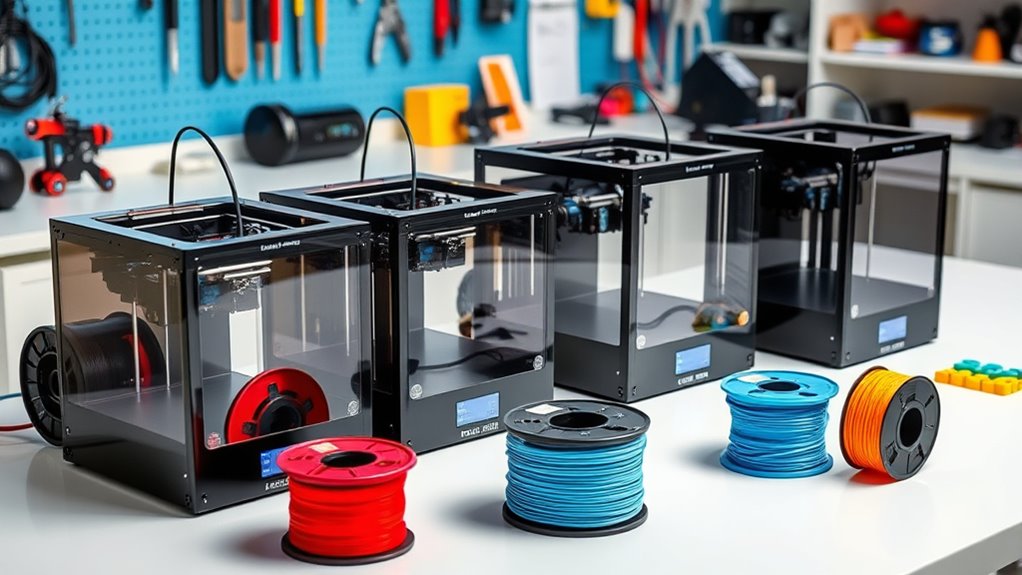

If you’re looking for the best budget 3D printers under $500 that offer great quality and ease of use, I’ve found some excellent options. Models like the ELEGOO Centauri Carbon, Creality Ender 3, and FLASHFORGE Adventurer 5M are fully assembled, feature auto bed leveling, support various filaments, and come with user-friendly interfaces. These printers are perfect for hobbyists, educators, and small businesses. Keep exploring to discover which one might be your ideal fit.
Key Takeaways
- Many budget 3D printers under $500 offer pre-assembled, user-friendly designs with auto bed leveling for hassle-free setup.
- They support a variety of filaments, including flexible, abrasive, and high-temperature materials, enhancing versatility.
- Features like high-speed printing, high resolution, Wi-Fi connectivity, and touchscreen controls improve performance and ease of use.
- Compact, portable models with sizable build volumes are ideal for hobbyists, educators, and small projects.
- Reliable brands provide active support, firmware updates, and community resources, ensuring long-term value and quality.
ELEGOO Centauri Carbon 3D Printer with Auto Calibration
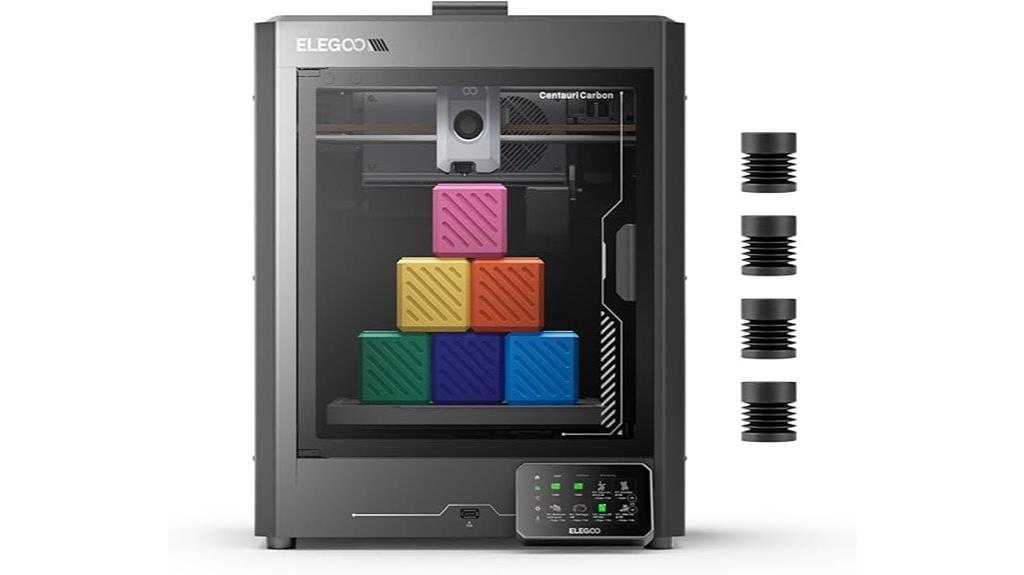
The ELEGOO Centauri Carbon 3D Printer is an excellent choice for beginners and experienced makers alike, thanks to its fully assembled, pre-calibrated design that allows for immediate use. Setup is quick—usually within 30-45 minutes—and features auto bed leveling, making calibration hassle-free. Its sturdy CoreXY structure enables fast printing speeds up to 500 mm/s, with high-quality results. The built-in chamber camera and dual LED lighting let you monitor prints remotely and record time-lapses. Despite its weight, the printer offers durability, a heated bed, and support for advanced filaments like carbon fiber, making it versatile for various projects.
Best For: beginners and experienced makers seeking a fast, reliable 3D printer with easy setup, high-quality results, and support for advanced filaments.
Pros:
- Fully assembled and pre-calibrated for quick, hassle-free setup
- Ultra-fast printing speeds up to 500 mm/s with stable CoreXY design
- Supports advanced filaments like carbon fiber with high-temperature hotend
Cons:
- Heavier weight (~38.5 pounds) requiring assistance during unboxing and setup
- Occasional hardware issues such as noisy fans or loose belts may require manual adjustments
- Software can be prone to crashes on older or less powerful computers, affecting workflow
Creality Ender 3 3D Printer
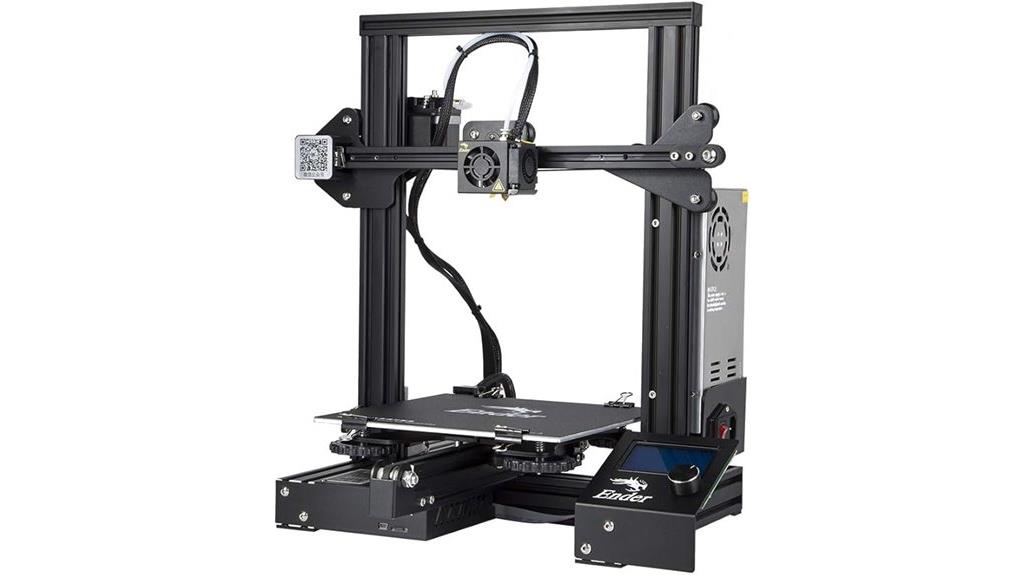
If you’re new to 3D printing and looking for an affordable yet capable machine, the Creality Ender 3 stands out as an excellent choice. It’s a DIY, open-source printer with an 8.66×8.66×9.84-inch build volume, perfect for small to medium projects. Assembly takes about two hours, and online tutorials make setup straightforward. The hot bed heats quickly, and the printer supports filament types like PLA and PETG. Its advanced extruder reduces clogging, and the resume printing feature ensures your job isn’t lost during power outages. With a strong community and solid reviews, the Ender 3 offers great value for beginners and hobbyists alike.
Best For: beginners, hobbyists, and students seeking an affordable, easy-to-assemble 3D printer for small to medium projects.
Pros:
- Affordable and highly capable for new users
- Supports a wide range of filaments like PLA and PETG
- Large active community with extensive tutorials and support
Cons:
- Requires manual bed leveling, which can be time-consuming for beginners
- Periodic maintenance needed, such as tightening belts and replacing springs
- Assembly process, though straightforward, may be daunting for complete novices
FLASHFORGE Adventurer 5M 3D Printer
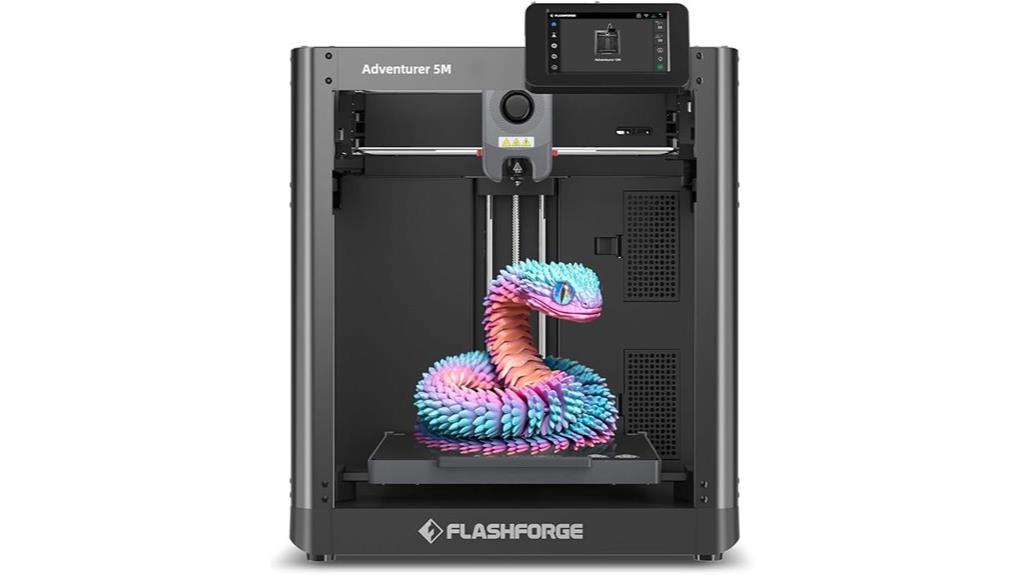
Designed for beginners and hobbyists, the FlashForge Adventurer 5M stands out with its all-metal CoreXY frame and automatic bed leveling system, making setup quick and hassle-free. Its compact design offers a 220x220x220mm print volume, perfect for small projects. The high-speed travel of up to 600mm/s and vibration compensation ensure fast, precise prints. The modular, detachable nozzle supports quick maintenance, and the dual-sided PEI build platform simplifies print removal. With a direct extruder reaching 280°C, it handles various filaments like PLA, PETG, and TPU. Overall, the Adventurer 5M combines speed, versatility, and ease of use at an affordable price point.
Best For: beginners and hobbyists seeking an affordable, reliable, and easy-to-use 3D printer for small to medium projects.
Pros:
- User-friendly setup with automatic bed leveling and touchscreen interface
- High-speed printing capabilities up to 600mm/s with good print quality
- Compact, all-metal design with easy maintenance and readily available parts
Cons:
- Limited build volume (220x220x220mm) may restrict larger projects
- Software setup and compatibility issues, especially with newer MacOS versions
- Occasional temperature fluctuations during extended high-temperature prints
FLASHFORGE AD5X Multi-Material 3D Printer
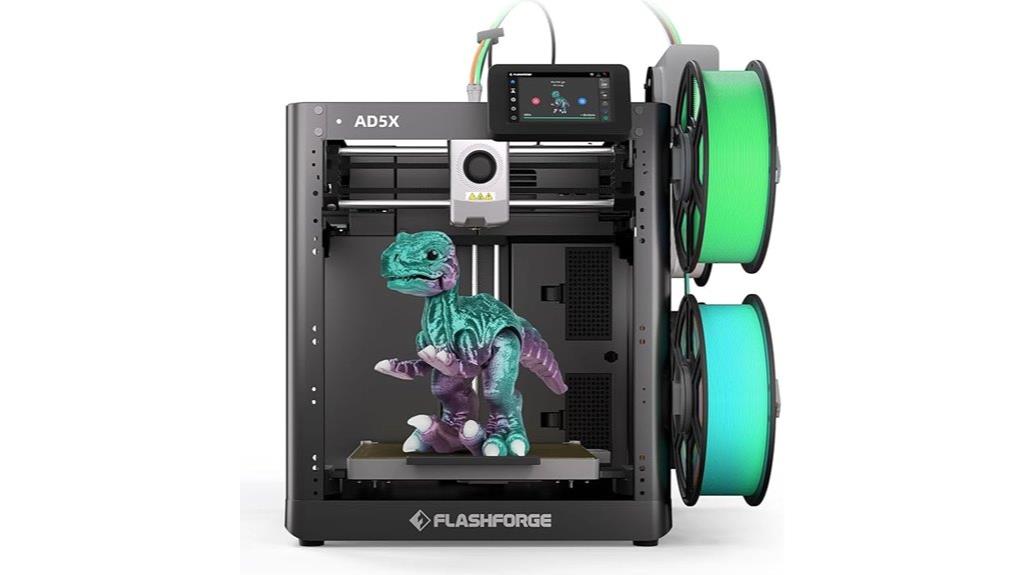
For hobbyists and small-scale makers seeking rapid, multi-color 3D printing, the FlashForge AD5X stands out with its impressive speed and multi-material capabilities. It supports 4-color printing at speeds up to 600mm/s, with acceleration up to 20,000mm/s², enabling fast, vibrant, detailed prints. Its full auto-leveling guarantees consistent bed adhesion, while the CoreXY structure reduces vibration for better quality. Compact and modular, it holds four filament spools, supporting materials like PLA, TPU, PETG, and carbon-fiber composites. Despite some software quirks, users praise its reliability, ease of setup, and ability to produce multi-material prints efficiently at an affordable price point.
Best For: hobbyists, educators, and small-scale makers seeking fast, multi-material, multi-color 3D printing with high precision and reliability.
Pros:
- Supports 4-color printing at speeds up to 600mm/s for vibrant, detailed results
- Full auto-leveling ensures consistent bed adhesion and easy setup
- Compact, modular design with space for four filament spools enhances flexibility and workspace efficiency
Cons:
- Software and firmware can be finicky, limiting customization and causing occasional glitches
- Remote monitoring tools like FlashCloud may lack stability and control
- Support for accessories and firmware updates can be delayed or incompatible, requiring troubleshooting
Tina2S 3D Printer with WiFi and Auto Leveling
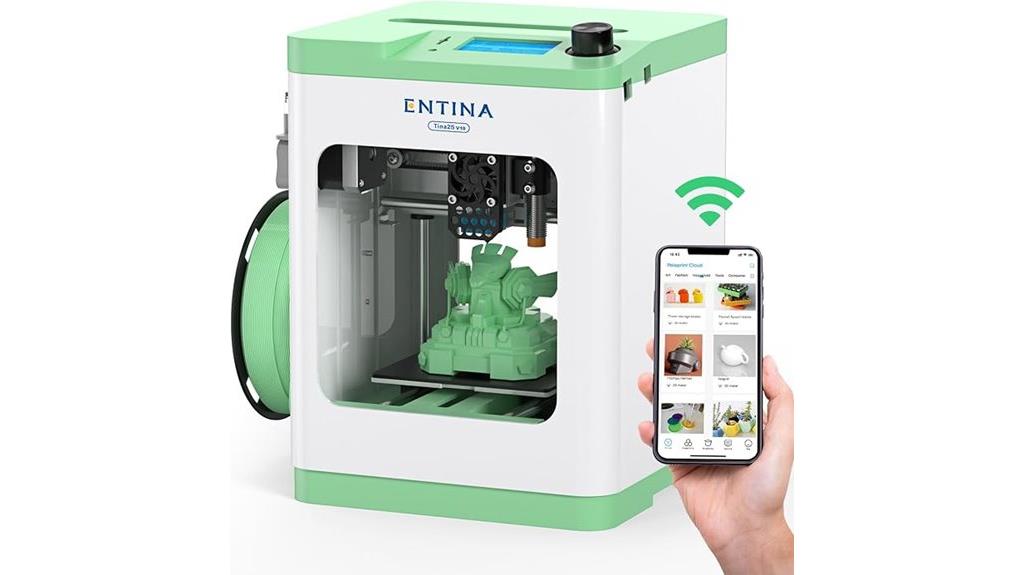
The Tina2S 3D Printer with WiFi and auto leveling stands out as an excellent choice for beginners, educators, and families looking for a user-friendly, all-in-one 3D printing solution. Its compact, fully assembled design makes setup easy, while features like auto leveling and a removable spring steel build plate guarantee stable, high-quality prints with minimal fuss. WiFi cloud printing, combined with an intuitive app and support for popular slicing software, streamlines file management and control. With high precision (0.04mm) and speeds up to 200mm/s, it’s perfect for small projects, educational use, and hobbyists seeking reliable performance at an affordable price.
Best For: beginners, educators, and families seeking an easy-to-use, compact 3D printer for small projects and educational purposes.
Pros:
- User-friendly setup and operation, ideal for beginners and kids
- Auto leveling and flexible build plate ensure high-quality, stable prints
- Supports WiFi cloud printing and multiple control options for convenience
Cons:
- Limited build volume restricts larger or more complex projects
- No heated bed, which may affect print adhesion with certain materials like ABS
- Occasional connectivity issues with WiFi and microSD card read errors
FLASHFORGE AD5X Multi-Color 3D Printer
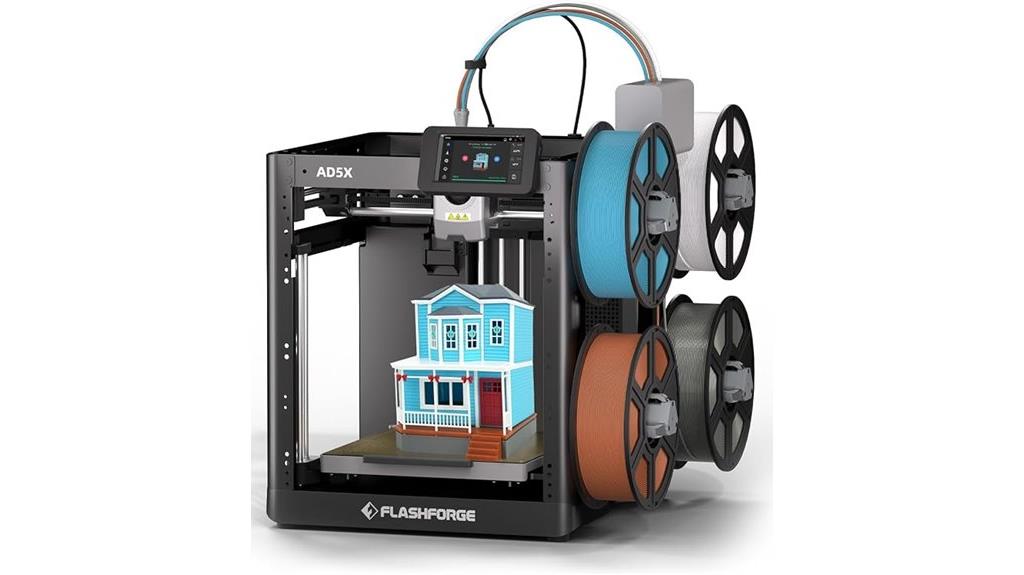
If you’re looking to create vibrant, multi-color 3D prints without breaking the bank, the FLASHFORGE AD5X stands out as an excellent choice. It supports up to four colors simultaneously, allowing for detailed, eye-catching designs. Its advanced multi-color technology, combined with auto-leveling and a sturdy Core XY structure, ensures precise, stable prints. With a large 220 x 220 x 220mm build volume and a max nozzle temperature of 300°C, it handles flexible materials like TPU easily. The intuitive FlashPrint5 slicer, quick setup, and features like auto filament detection make it user-friendly. Many users praise its speed, quality, and multi-material versatility, making it a solid option under $500.
Best For: hobbyists, artists, and educators seeking vibrant, multi-color 3D prints with reliable performance and easy operation under a budget.
Pros:
- Supports up to four colors simultaneously for complex multi-color prints
- Fast printing speeds with high-quality, stable results thanks to auto-leveling and core XY structure
- User-friendly with intuitive FlashPrint5 slicer, quick setup, and auto filament detection
Cons:
- Limited build volume of 220 x 220 x 220mm may restrict larger projects
- Some users experience setup glitches and limited customer support assistance
- Filament support is restricted to Flashforge nozzles, and filament waste can be high
FLASHFORGE AD5M Pro 3D Printer with High Speed & Precision
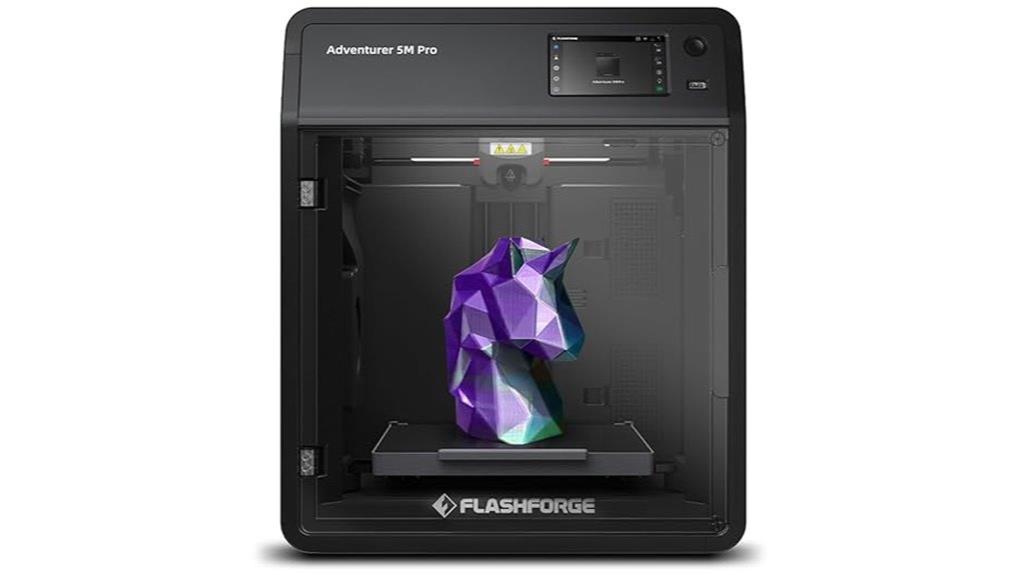
The FlashForge AD5M Pro stands out as an excellent choice for hobbyists and educators who need high-speed, precise 3D printing without breaking the bank. Its enclosed design, durable metal frame, and full auto-calibration guarantee stability and ease of use. The printer supports a variety of filaments, including TPU, ABS, and PETG, thanks to its high-temperature direct drive extruder and quick-detachable nozzles. With speeds up to 600mm/sec, most prints finish in under an hour, maintaining sharp edges and smooth surfaces. The intuitive touchscreen, Wi-Fi connectivity, and dual filtration system make it safe, reliable, and perfect for indoor use.
Best For: hobbyists, educators, and home users seeking high-speed, precise 3D printing with minimal setup and excellent safety features.
Pros:
- Supports a wide range of filaments including TPU, ABS, and PETG, thanks to high-temperature direct drive extruder.
- Rapid printing speeds up to 600mm/sec enable quick project completion, often under an hour.
- Fully enclosed chamber with dual HEPA13 and activated carbon filters ensures safe indoor operation with minimal odors and noise.
Cons:
- Touchscreen responsiveness may require gentle poking and can sometimes be inconsistent.
- Fans and certain components can generate noticeable noise during operation.
- Compatibility with macOS may be limited, potentially requiring workarounds or specific software versions.
ANYCUBIC Photon Mono 4 Resin 3D Printer

For hobbyists and small-scale professionals seeking high-resolution prints without breaking the bank, the ANYCUBIC Photon Mono 4 Resin 3D Printer stands out with its stunning 7.10K mono LCD screen. It delivers a resolution of 9024×5120, offering 105% higher precision than its predecessor, with each pixel measuring just 17×17μm. The printer features a stable LightTurbo matrix light source for ultra-smooth surfaces and maximum detail. Its sizable build volume of 6.04 x 3.42 x 6.49 inches, combined with an easy 4-point leveling system and print resumption after power loss, makes it user-friendly and reliable. However, it lacks app support for remote control.
Best For: hobbyists and small-scale professionals seeking high-resolution, detailed resin 3D prints with easy setup and reliable performance.
Pros:
- Features a stunning 7.10K mono LCD screen with ultra-high resolution of 9024×5120 for detailed models.
- Equipped with a stable LightTurbo matrix light source to ensure smooth surface finishes and maximum detail.
- User-friendly design with a 4-point leveling system and print resumption after power loss for convenience and reliability.
Cons:
- Lacks support for the Anycubic APP, limiting remote control and monitoring capabilities.
- The large resolution may require higher processing power and careful handling to maximize detail.
- No mention of advanced features like multi-material printing or multi-color options.
Portable 3D Printer with Removable Build Plate and PLA & TPU Compatibility
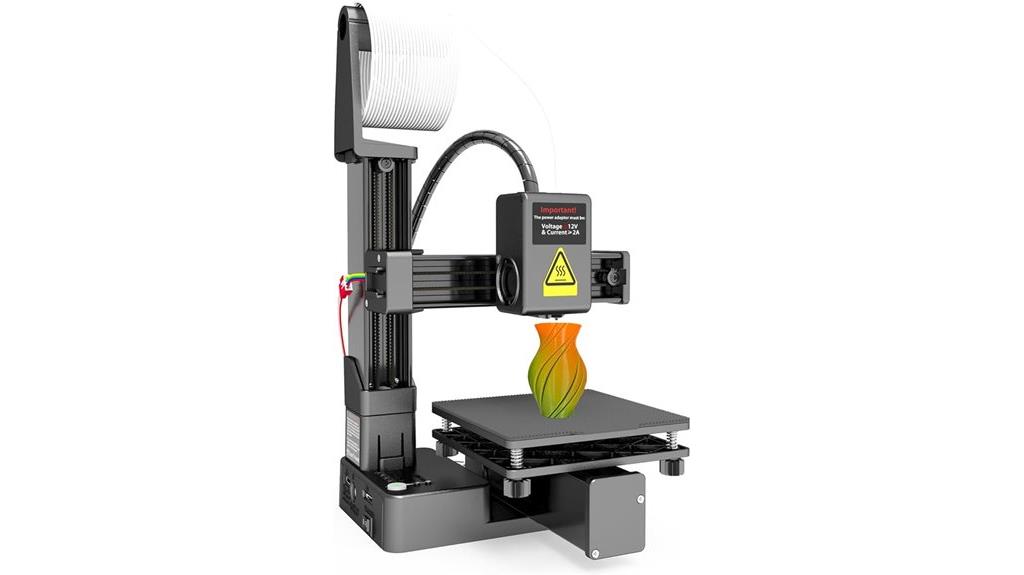
A portable 3D printer with a removable build plate and compatibility with PLA and TPU filaments is perfect for beginners, students, and hobbyists seeking flexibility and ease of use. Its compact size (155x175x210mm) makes it ideal for small spaces, and the removable build plate simplifies print removal. Supporting 1.75mm PLA and TPU filaments, it offers detailed, smooth prints with a 0.4mm nozzle and adjustable layer thickness. Despite some limitations like small build volume and slower speeds, its sturdy hybrid frame, easy bed leveling, and portable design make it a great choice for small projects and quick setups on the go.
Best For: hobbyists, students, and beginners seeking a portable, easy-to-use 3D printer for small projects and quick setups.
Pros:
- Compact and lightweight design ideal for small spaces and portability
- Removable build plate simplifies print removal and maintenance
- Supports PLA and TPU filaments for versatile printing options
Cons:
- Small build volume limits larger or more complex projects
- Absence of auto-leveling may require manual bed calibration
- Limited spool capacity and potential filament management challenges
ELEGOO Neptune 3 Pro 3D Printer
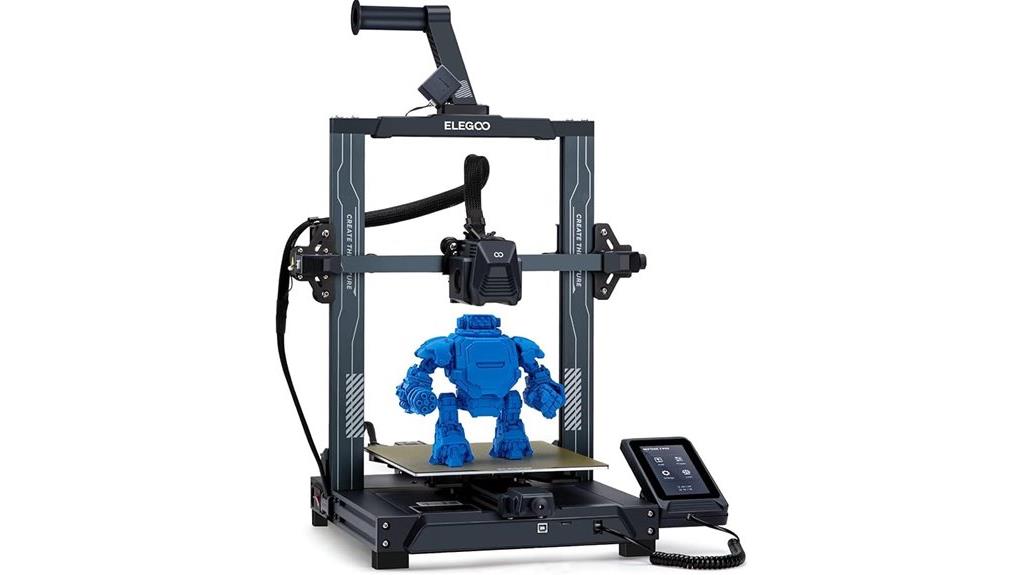
If you’re looking for a reliable 3D printer that balances quality with affordability, the ELEGOO Neptune 3 Pro stands out thanks to its 36-point auto bed leveling system, which makes setup quick and easy. Its 225x225x280 mm build volume is perfect for daily projects. The dual lead screws and dual motors provide precise Z-axis movement, ensuring stable, accurate layers. The direct drive extruder supports various filaments like PLA, TPU, PETG, and ABS. Features like filament runout detection, power-loss resume, quiet operation at 47dB, and a removable touchscreen make it user-friendly and dependable for both beginners and experienced makers.
Best For: hobbyists, educators, and small-scale professionals seeking a reliable, easy-to-use 3D printer with a good build volume and advanced features.
Pros:
- Equipped with 36-point auto bed leveling for quick and accurate setup
- Quiet operation at just 47dB, suitable for shared or home environments
- Supports multiple filament types including PLA, TPU, PETG, and ABS with a robust direct drive extruder
Cons:
- Limited build volume compared to larger industrial printers
- The pre-assembled design offers less customization for experienced modders
- Slightly higher price point for entry-level users compared to basic models
Creality K1 SE 3D Printer with Auto Leveling

The Creality K1 SE stands out as an excellent choice for beginners and young makers, thanks to its auto-leveling feature that simplifies setup. It arrives fully assembled, so you can start printing in just minutes. Its all-metal Core XY frame provides stability, and the large 250x220x220mm build volume offers plenty of room for creative projects. With a top speed of 600mm/s and active input shaping, it delivers high-quality prints quickly and reliably. The hotend heats up to 300°C in 75 seconds, supporting various filaments like PLA, PETG, and TPU. Overall, it’s a user-friendly, fast, and dependable 3D printer perfect for newcomers.
Best For: beginners, kids, and hobbyists seeking a reliable, easy-to-use 3D printer with auto-leveling and high-speed capabilities.
Pros:
- Fully assembled and ready to print within minutes, ideal for newcomers.
- Auto-leveling feature simplifies setup, eliminating manual bed calibration.
- High-speed printing up to 600mm/s with consistent quality and reliable adhesion.
Cons:
- Limited options for alternative build plates and modifications due to less open-source design.
- Some users report hardware issues such as Wi-Fi connectivity failures over time.
- Slightly higher price point compared to basic entry-level printers like Ender 3.
TINA2Plus 3D Printer, Fully Open Source, Auto Leveling, WiFi Cloud Printing
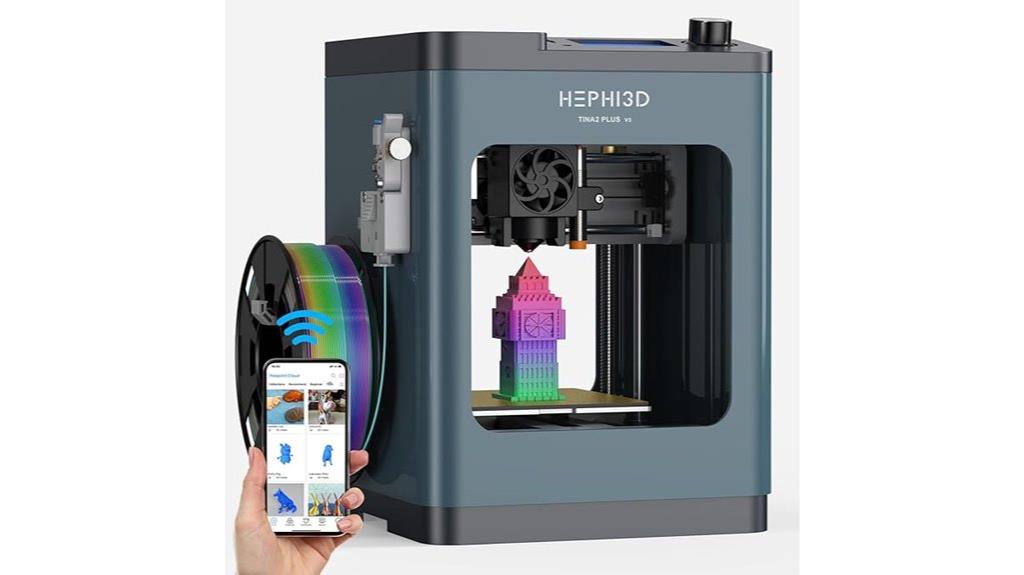
With auto bed leveling and WiFi cloud printing, the TINA2Plus 3D Printer stands out as an ideal choice for beginners and educators seeking a hassle-free, connected 3D printing experience. Its fully assembled design makes setup quick and straightforward, while features like high-speed printing up to 250mm/s and a heated bed up to 80°C save time and improve print quality. The printer supports wireless printing via its Poloprint Cloud app, allowing easy model uploads from phones or tablets. Fully open source, it’s compatible with popular slicing software, giving users flexibility for customization. Compact and lightweight, it’s perfect for small projects in homes, classrooms, or offices.
Best For: beginners, educators, and small offices seeking an affordable, easy-to-use 3D printer with wireless connectivity and quick setup.
Pros:
- Fully assembled and user-friendly, ideal for quick setup and beginners
- Supports WiFi cloud printing and is compatible with popular slicing software for customization
- High-speed printing capabilities up to 250mm/s with auto bed leveling for improved print quality
Cons:
- Limited build volume (100x100x100mm), restricting larger projects
- WiFi connectivity and app interface can be less intuitive and challenging for some users
- Noise levels are audible upstairs and may be disruptive in quiet environments
FLASHFORGE AD5M 3D Printer with Auto-Calibration and High-Speed Printing
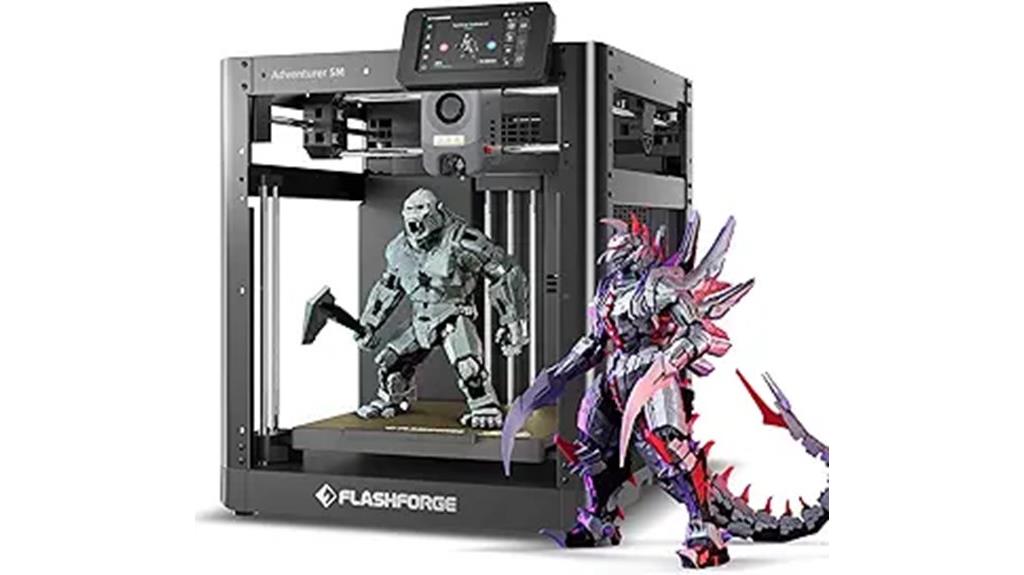
Designed for users who prioritize speed and ease of setup, the FLASHFORGE AD5M 3D printer stands out with its remarkable 600mm/s printing speed and 1-Click Auto-Calibration. It offers high precision with CoreXY technology and a sizable 220x220x220mm build volume. The quick-swap nozzle and customizable enclosure make filament changes and temperature control simple, especially for materials like ABS and Nylon. Users praise its straightforward assembly, reliable print quality, and fast operation, making it ideal for hobbyists and beginners alike. While it’s a bit noisy, the AD5M’s speed and ease of use make it a compelling choice under $500.
Best For: hobbyists and beginners seeking a fast, easy-to-setup 3D printer with high-quality output and minimal calibration effort.
Pros:
- Rapid printing speeds up to 600mm/s for quick project completion
- 1-Click Full-Auto Calibration simplifies setup and reduces user error
- Enclosed build area enhances temperature stability and filament compatibility
Cons:
- Noisy operation due to loud motors and fans may be disruptive
- Cost of replacement nozzles (~$35) can add up over time
- Firmware limitations and potential loading issues could require third-party upgrades
3D Printer for Kids with 8 PLA Filament Set and App Control
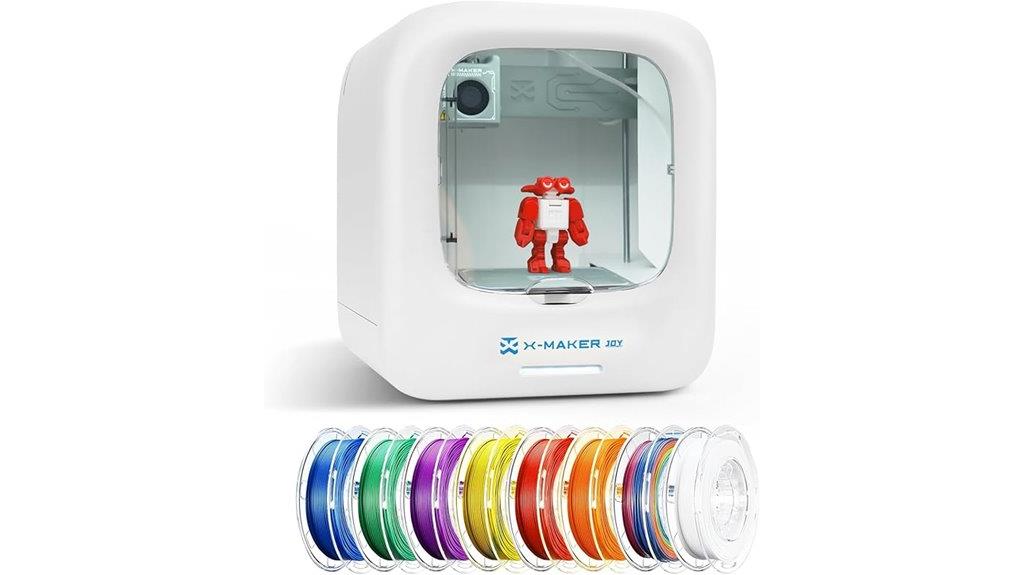
If you’re looking to introduce kids to 3D printing, this compact and easy-to-use printer stands out because of its app control and included filament set. It measures just over 15 inches and weighs around 14 pounds, making it perfect for home use. The smart app works with iOS, Android, and Windows, allowing kids to select, slice, and print models easily, often with voice commands. Comes with 8 PLA filaments, tools, and a library of over 1,500 designs, encouraging creativity. Its fully enclosed design, quiet operation, and no-leveling platform make it safe and user-friendly, ideal for young beginners wanting to explore 3D printing without hassle.
Best For: beginner kids and families seeking a safe, compact, and easy-to-use 3D printer to foster creativity and STEM learning at home.
Pros:
- User-friendly app control compatible with iOS, Android, and Windows, enabling easy operation and customization.
- Fully enclosed, safe design with no-leveling platform and quiet operation, ideal for young beginners.
- Comes with a comprehensive kit including filaments, tools, and a large digital library to jumpstart creative projects.
Cons:
- Software can be buggy and may require frequent resets, impacting the printing experience.
- Limited build volume restricts printing larger models or complex projects.
- Compatibility with third-party filaments can be inconsistent, leading to jams or print quality issues.
Factors to Consider When Choosing 3D Printers Under $500
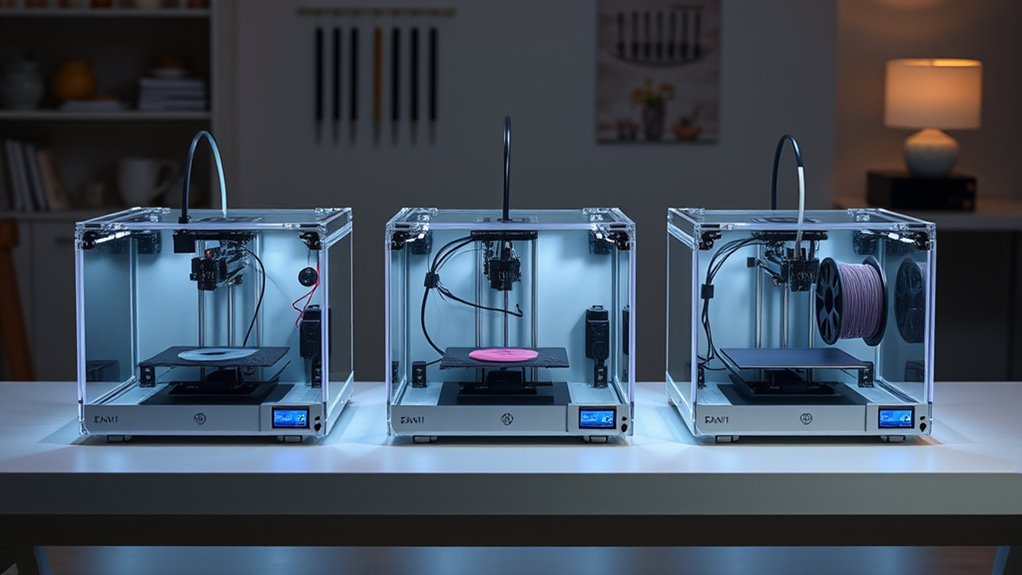
When selecting a 3D printer under $500, I consider factors like the printing volume size to guarantee it fits my projects, as well as material compatibility for versatility. Ease of setup and print speed are also important to me, along with how simple calibration and maintenance are to keep everything running smoothly. These points help me find a machine that balances performance and convenience for my needs.
Printing Volume Size
The printing volume size is a key factor that directly impacts what you can create with a 3D printer under $500. It determines the maximum dimensions of your printed objects, shaping the scope of your projects. Most budget-friendly printers offer build volumes from around 100x100x100 mm up to 250x220x280 mm. If you need to print larger models or multiple items at once, a bigger build area is ideal, but keep in mind it may increase print times and costs. Conversely, smaller print beds are perfect for detailed miniatures, prototypes, or educational projects, providing better resolution and easier handling. When selecting a printer, consider your typical project sizes and whether the build volume matches your creative or functional needs.
Material Compatibility Range
Choosing a 3D printer under $500 with a broad material compatibility range can considerably expand your creative options. Many budget models support various filaments like PLA, ABS, PETG, TPU, and even composite materials such as carbon fiber or nylon, making them versatile for different projects. Some printers feature high-temperature hotends reaching 250°C or more, allowing the use of more advanced, durable filaments. A heated bed is also common in this price range, improving adhesion and reducing warping for materials like ABS and PETG. However, support for specialty filaments like flexible TPU or abrasive composites depends on the extruder design, including features like a direct drive system or hardened nozzles. Always verify filament compatibility to guarantee your chosen printer meets your specific material needs.
Ease of Setup
Selecting a 3D printer under $500 that’s easy to set up can save you time and frustration, especially if you’re new to 3D printing. Look for models with fully assembled designs, which eliminate the need for complex assembly and reduce calibration hassle. Auto bed leveling features are a game-changer, often completing setup in under 15 minutes, making calibration quick and straightforward. User-friendly touchscreens and intuitive interfaces let you navigate settings effortlessly and make adjustments without confusion. Clear, step-by-step instructions and minimal assembly requirements help beginners get started without technical expertise. Pre-calibrated printers or those with automatic calibration tools *substantially* cut down on setup time, allowing you to *explore* into printing faster and with confidence.
Print Speed Capabilities
Print speed is a crucial factor to contemplate when shopping for a budget 3D printer, as it directly impacts how quickly I can complete projects. Some models can reach speeds up to 600mm/s, ideal for rapid prototyping, but faster speeds may sacrifice print quality or layer resolution if not managed properly. Many affordable printers balance speed with accuracy by incorporating features like direct drive extruders and high-performance controllers. However, higher speeds demand robust hardware, such as powerful stepper motors and rigid frames, to prevent vibrations and misalignments. I also keep in mind that increasing print speed can lead to more noise and mechanical wear over time. Finding the right balance between speed and quality ensures efficient, reliable printing without compromising detail.
Calibration and Maintenance
Since proper calibration and regular maintenance are essential for consistent print quality, I always prioritize ease of setup and ongoing upkeep when evaluating budget 3D printers. Many affordable models include auto-leveling sensors, which make bed leveling straightforward and reduce manual adjustments. Routine tasks like belt tensioning, nozzle cleaning, and bed leveling are crucial to prevent print failures and minimize filament waste. Keeping the print bed clean and properly leveled ensures better adhesion and fewer warping issues. I also recommend periodic hardware checks, inspecting belts, motors, and wiring, to avoid unexpected malfunctions during printing. These maintenance practices are simple but vital for reliable performance, especially on budget printers. Investing time in calibration and upkeep ensures consistent quality without breaking the bank.
User Interface Simplicity
A user-friendly interface can make or break your experience with a budget 3D printer. I’ve found that intuitive controls markedly reduce the learning curve, especially for beginners. Touchscreen displays with clear menus and minimal options make setup straightforward and help avoid errors. Firmware that’s easy to navigate, with pre-set printing modes, simplifies troubleshooting and enhances overall usability. Compatibility with simple slicing and control software is also essential, particularly if you’re new to 3D printing, as it streamlines the entire process. Additionally, clear indicator lights and straightforward calibration prompts ensure you can operate and maintain the printer effectively without confusion. A simple, well-designed interface makes 3D printing more accessible and enjoyable, even for those just starting out.
Support and Resources
When choosing a budget 3D printer, strong support and resources can make all the difference in your experience. Having access to detailed manuals, troubleshooting guides, and online tutorials helps you quickly resolve common issues and access your printer’s full potential. Active user communities and forums are invaluable for peer advice, shared modifications, and real-world tips that can improve performance and ease troubleshooting. Responsive customer service from manufacturers ensures you get prompt help with hardware problems, firmware updates, or technical questions, saving you time and frustration. Additionally, availability of replacement parts and upgrade options can extend your printer’s lifespan and functionality. Compatibility with popular slicing software and easy firmware updates also support ongoing improvements and seamless integration into your workflow.
Overall Value
Choosing a 3D printer under $500 means finding the right balance between quality, speed, and features that deliver true value. I look for models that offer solid print quality, fast print times, and useful features like auto bed leveling or multi-material support without breaking the bank. Durability and ease of maintenance are critical, ensuring the printer remains reliable over time. I also consider build volume and filament compatibility, which increase versatility and cost-effectiveness. Long-term value depends on upgradeability of key components such as hotends and extruders, as well as strong customer support and active user communities. A well-rounded printer that balances these factors provides the best overall value, giving me confidence that my investment will serve me well for many projects.
Frequently Asked Questions
Can These Printers Handle Large-Scale Projects Effectively?
Yes, many affordable 3D printers under $500 can handle large-scale projects, but with some limitations. I’ve found that printers with bigger build volumes, like the Creality Ender 3 V2 or the Longer LK5 Pro, are quite capable for larger prints. However, I recommend planning for longer print times and ensuring your printer’s stability and reliability, as these factors are vital for successful large projects on budget-friendly models.
What Are the Most Common Maintenance Issues for Budget 3D Printers?
They say “an ounce of prevention is worth a pound of cure,” and that’s true for budget 3D printers. Common issues include bed leveling problems, filament jams, and extruder clogging. I’ve learned regular bed calibration, keeping the filament clean, and cleaning the nozzle avert most headaches. Staying proactive with maintenance helps ensure smooth prints and saves time and money in the long run.
Are Replacement Parts Readily Available for These Models?
Yes, replacement parts are generally easy to find for these budget-friendly 3D printers. I’ve found that many popular models have a strong online community, making it simple to locate spare components like nozzles, belts, and extruders. Manufacturers often sell parts directly, and third-party vendors offer compatible options. This availability helps me keep my printer running smoothly without much hassle or extra cost.
How User-Friendly Are These Printers for Beginners?
Imagine unboxing a friendly robot ready to craft your ideas—these printers are surprisingly beginner-friendly. I found most models come with straightforward interfaces, clear instructions, and helpful online communities, making the learning curve smoother than I expected. While some setup is necessary, they often have auto-leveling beds and simple controls, turning the formidable into manageable. If you’re new, these printers feel like a welcoming workshop, not a labyrinth.
Do These Printers Support Multi-Material or Multi-Color Printing?
Most affordable 3D printers under $500 typically don’t support multi-material or multi-color printing out of the box. However, some models can be upgraded or modified with additional extruders or multi-material modules, allowing for more complex prints. I’ve found that if multi-color or multi-material printing is essential for you, it’s worth checking specific model features or considering budget-friendly upgrades to enhance your printer’s capabilities.
Conclusion
Choosing the right 3D printer under $500 is like selecting a reliable compass for your creative journey. Each model offers unique features to navigate your ideas into reality, whether it’s auto-calibration or WiFi connectivity. As you chart your course, remember that the best tool is the one that aligns with your vision and skills. With these options, you’ll be well-equipped to explore new horizons and bring your imagination to life.