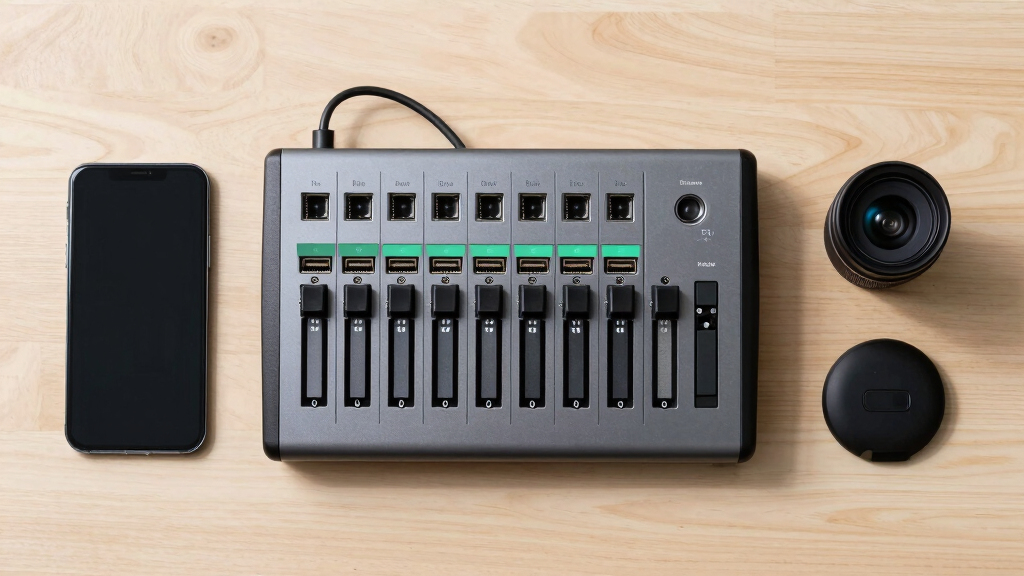

Choosing the best video switcher for multi-camera streaming depends on factors like ease of use, input options, and production quality. The Osee GoStream Duet Kit stands out as the overall top pick thanks to its all-in-one design and built-in monitor, making it ideal for versatile setups. For those prioritizing high-quality 4K output, the Tenveo 4K60FPS HDMI Video Switcher offers impressive performance, though it comes with a steeper learning curve. Meanwhile, the RGBlink Mini V3 excels in customization and cloud integration, suited for advanced users. The main tradeoffs involve balancing complexity, affordability, and feature set, which can overwhelm beginners or limit professional workflows. Continue reading for the full breakdown of these options and how to choose the right fit for your streaming needs.

Get the latest gadgets delivered free — and shop member deals
- Fast, free delivery on millions of items
- Access to Prime Big Deal Days deals on October 6–7
- Prime Video, Amazon Music and more included
Key Takeaways
- The top picks balance ease of use with professional features, with the Osee GoStream Duet Kit standing out for all-in-one convenience.
- Higher-end models like Tenveo and FoMaKo KC800 prioritize 4K quality and advanced controls but come with increased complexity and cost.
- Customization and cloud integration, as seen with RGBlink Mini V3, are increasingly important for streamers wanting scalable solutions.
- Input flexibility varies widely, with some models offering SDI and HDMI, catering to different camera setups and workflows.
- Ease of setup and user interface remain key differentiators, with simpler options favored by beginners and complex controls preferred by pros.


More Details on Our Top Picks
Osee GoStream Duet Multiple Camera SDI and HDMI Live Stream Video Mixer Switcher
This model stands out for its extensive input options, combining 4 SDI, 4 HDMI, USB-C, NDI HX source, and SD/SSD playback, making it highly adaptable for various live streaming setups. Compared to the RGBlink Mini V3, it offers more raw input flexibility, especially with SDI support, but this comes with a tradeoff in complexity and size. Its control options—GUI, software, and Bitfocus Companion—cater well to users seeking flexible control methods. Rich key effects and transition choices also elevate its professional feel. However, the interface may be overwhelming for beginners, and setup can be time-consuming. This pick makes the most sense for streamers needing a multi-source, multi-format solution at an affordable price, who are comfortable with a more complex interface.
Pros:- Supports unlimited inputs including SDI, HDMI, USB-C, and NDI HX sources
- Multiple control methods including GUI, software, and Bitfocus Companion
- Rich collection of key effects and transition options
Cons:- Complex interface may be daunting for first-time users
- Larger form factor can be less portable
Best for: Professional streamers and production teams needing multiple input formats and flexible control options.
Not ideal for: Beginners or those preferring simple plug-and-play devices due to its complex setup and interface.
- Inputs:4 SDI, 4 HDMI, USB-C, NDI HX, SD/SSD playback
- Outputs:Multiple, including HDMI and SDI
- Control Methods:GUI, software, Bitfocus Companion
- Transitions:MIX, DIP, WIPE, T-Bar
- Key Effects:Chroma, Pattern, PIP, DSK
- Streaming Support:Up to 3 platforms simultaneously
Bottom line: This switcher is ideal for experienced professionals who need maximum input versatility and control flexibility.
Osee GoStream Duet Kit All in One Pro Live Streaming Multi-Camera Video Mixer Switcher Recorder Player Kit 4 HDMI&SDI in USB-C I/O with 14 Inch Monitor Built-in DC-to-Type C Cable NDI(Free Activated)
This kit makes a compelling choice for on-the-go production, with its compact 5kg design and all-in-one package including a 14-inch monitor, multiple connection ports, and flexible power options (AC, DC, USB power bank). Unlike the Tenveo PC500, which offers extensive control panel features, this kit emphasizes portability and ease of setup. Its 4 HDMI and SDI inputs support high-quality multi-camera setups, and the dual USB ports facilitate direct connection to streaming software like OBS or Zoom. The included accessories—cheese plates and mounting options—add to its versatility. However, its smaller size limits advanced control features and may lack some professional-level effects. It is best suited for mobile live streaming, small events, or educational purposes.
Pros:- Lightweight and portable at around 5kg
- Includes built-in monitor and multiple connection ports
- Supports three power modes for flexible deployment
Cons:- Limited advanced control features compared to larger switchers
- Less suitable for complex multi-layer graphics or effects
Best for: Event organizers, educators, or content creators who need a portable, all-in-one streaming setup.
Not ideal for: Large-scale productions or users seeking deep control over transitions and effects, due to its simplified interface.
- Inputs:4 HDMI, 4 SDI
- Outputs:2 HDMI, USB-C
- Weight:5kg
- Monitor:14 inch
- Power:AC, DC, USB
- Additional:Cheese plates, mounting options
Bottom line: This kit is perfect for mobile users needing a complete, portable streaming setup without sacrificing core functionality.
Osee GoStream Deck HDMI Pro Live Streaming Multi Camera Video Mixer Switcher with NDI Updatable
This switcher excels with its rich connection ports—4 HDMI inputs, 2 outputs, 2 Type-C, Ethernet, audio inputs, and SD card support—making it highly suitable for broadcast-style productions. It offers professional audio controls and the ability to record PGM streams directly to SD or USB SSD, unlike most compact switchers like the RGBlink Mini. Its built-in control panel with PVW/PGM, T-Bar, and macros enables intuitive operation without a PC. The support for graphic overlays, chroma key, and transitions makes it ideal for complex live shows. However, its feature set and size may be overkill for small or casual streamers. This device is best for professional broadcast environments or high-end content creation.
Pros:- Multiple HDMI, Type-C, Ethernet, and audio inputs/outputs
- Supports recording and playback with SD/USB SSD
- Advanced effects including chroma key and graphic overlays
Cons:- Higher complexity and cost compared to entry-level switchers
- Size and feature set may be unnecessary for simple streams
Best for: Broadcast professionals and high-end live streamers needing comprehensive control and seamless NDI integration.
Not ideal for: Beginners or casual streamers who prefer straightforward devices with minimal setup.
- Inputs:4 HDMI, 2 Type-C
- Outputs:2 HDMI, Ethernet
- Recording:SD/USB SSD
- Effects:Chroma, overlays, transitions
- Control:Physical panel with PVW/PGM
- Streaming:Multiple platforms via Ethernet
Bottom line: Ideal for professional broadcasters requiring extensive connectivity, control, and high-quality output options.
Tenveo 4K60FPS HDMI Video Switcher Mixer, 4*SDI & 4*HDMI Input, 5CH Live Streaming Switcher, 5.5’’ FHD Screen, 1080P60FPS Output, USB Video Recording, Support PTZ Camera and Controller, NDI Included
This switcher makes a strong case for multi-camera productions with its 4 HDMI and 4 SDI inputs and 5-channel live streaming capability. Its 5.5-inch FHD display provides real-time monitoring and control, similar to the Tenveo PC500, but with added PTZ camera support and NDI compatibility. The inclusion of USB recording and USB3.0 output simplifies content saving and streaming. Its advanced multi-camera control—including presets, cruise tracks, and AI tracking—caters to high-end live broadcasts. On the downside, its larger size and complex features could be overwhelming for casual users. This device suits professional live production, church broadcasts, and event streaming.
Pros:- Supports 4 HDMI and 4 SDI inputs for diverse camera types
- 5-channel live streaming with PTZ and NDI support
- Built-in 5.5″ FHD monitor for real-time control
Cons:- Bulkier and more complex to operate than entry-level models
- Premium feature set comes with higher cost
Best for: Content creators and broadcasters needing robust multi-camera control with professional-grade features.
Not ideal for: Small-scale streamers or hobbyists looking for a simple plug-and-play device.
- Inputs:4 SDI, 4 HDMI
- Outputs:HDMI, USB
- Resolution:4K60FPS
- Display:5.5 inch FHD
- Streaming:Multi-platform, NDI
- PTZ Control:Supported
Bottom line: This switcher is perfect for demanding multi-camera productions requiring high control and broadcast-quality features.
RGBlink Mini V3 Video Switcher with Customizable Features via TAO Cloud – 4K HDMI Switcher, 2.1″ Touch Screen, Multi-Cam Live Streaming, Dual HDMI Output, Recording & PTZ Control
This compact switcher features a 2.1-inch touch screen and supports 4K HDMI inputs, making it suitable for emerging content creators. Its dual HDMI outputs allow for program and preview monitoring, while the UVC webcam mode simplifies live streaming directly from a connected camera or computer. The device’s TAO Cloud activation unlocks features like PTZ control, recording, and logo overlays—offering customization at a reasonable cost. Compared to the Osee Duet, it provides more advanced functionality in a smaller package, but may lack some professional effects and extensive input options. It’s best for small studios, online educators, or hobbyists starting their live streaming journey.
Pros:- Compact 4K HDMI support with dual outputs
- 2.1″ touch screen for easy operation
- Supports cloud activation for PTZ, recording, and overlays
Cons:- Limited number of inputs and effects compared to high-end models
- Requires cloud activation for full features, adding complexity
Best for: Beginner streamers and small content creators seeking cloud-based customization and easy controls.
Not ideal for: Large or complex productions that require extensive input options or advanced graphics.
- Inputs:4 HDMI
- Outputs:2 HDMI
- Resolution:4K
- Screen:2.1 inch touch
- PTZ Control:Supported via TAO Cloud
- Recording:USB
Bottom line: This device is ideal for entry-level users wanting a customizable, small-footprint switcher with cloud features.
HDMI Video Switcher 4HDMI Input 2HDMI Output 4K Multi Camera Live Streaming Seamless Switch with 2MIC/LINE in/LINE Out Audio Mixer,RS232 USB-C3.0 Capture Support PGM PVW PIP OSD 1080P HD Output etc
This HDMI switcher excels in integrating multiple sources with 4 HDMI inputs and dual outputs, making it ideal for multi-camera setups. Its support for 4K@30Hz input and 1080P@60Hz output ensures high-definition visuals, comparable to premium options like the FoMaKo KC800, but with a more straightforward interface focused on live streaming. The built-in audio mixer with MIC and LINE IN/OUT offers versatile sound management, though setup complexity can be a hurdle for beginners. Unlike the RGBlink Mini, which emphasizes portability and software control, this switcher prioritizes hardware features and stability for professional broadcasts. The inclusion of PIP, fade transitions, and OSD info enhances live production, yet the serial port control and power-off save features add layers of reliability. Its size and comprehensive controls make it suitable for professional studios but less so for simple or portable setups.
Pros:- Supports 4K@30Hz input and stable 1080P@60Hz output for high-quality visuals
- Built-in audio mixer with multiple input options enhances sound control
- Features PIP, fade transitions, and OSD info for dynamic live production
Cons:- Relatively complex setup may challenge beginners
- Lacks wireless or remote control capabilities for flexible operation
- Larger footprint less portable than compact switchers like RGBlink Mini
Best for: Media professionals and broadcasters needing a robust, all-in-one hardware solution for multi-camera streaming.
Not ideal for: Casual streamers or small-scale content creators seeking a lightweight, easy-to-use device with minimal setup.
- HDMI Inputs:4
- HDMI Outputs:2
- Input Resolution:4K@30Hz
- Output Resolution:1080P@60Hz
- Audio Mixer:MIC/LINE in/OUT
- Additional Features:PIP, Fade transitions, OSD, RS232
Bottom line: A solid choice for professional broadcasters and studios seeking a feature-rich, hardware-focused multi-camera switcher.
RGBlink Mini Video Mixer Switcher with 4 x HDMI Inputs 2K Input/Output Real Time Live Streaming, Support Output 6 Pictures PVW and PGM, for Facebook, YouTube, Instagram, Tiktok, RTMPS
This compact switcher stands out for its 4 HDMI inputs and 2K support, making it ideal for solo streamers or small production teams. Its user-friendly interface includes 14 transition effects and 9 PIP layouts, offering professional versatility without complexity. Compared to larger units like the FoMaKo KC800, it sacrifices some advanced features but gains portability and ease of use, perfect for mobile or small studio setups. Its USB 3.0 output acts as a webcam, simplifying integration with popular streaming platforms like OBS or vMix. While it excels in simplicity and multi-view control, it does have limitations in advanced audio processing and control options, which are more comprehensive in high-end models. Its size and straightforward controls make it the top choice for on-the-go content creators who need reliable multi-camera switching.
Pros:- Lightweight, portable design ideal for mobile use
- Supports 4 HDMI inputs with 2K resolution and multiple PIP/layout options
- USB 3.0 as webcam out simplifies streaming setup
Cons:- Limited advanced audio mixing capabilities
- No built-in recording or multi-platform streaming controls
- Fewer transition effects compared to higher-end models
Best for: Solo streamers, small content creators, and mobile broadcasters needing a portable yet capable multi-camera switcher.
Not ideal for: Large-scale studios or professional broadcasters requiring extensive audio and control features.
- HDMI Inputs:4
- Input Resolution:2K
- Outputs:USB-C (webcam)
- Transition Effects:14
- PIP Layouts:9
- Size:Lightweight and portable
Bottom line: Perfect for solo streamers and small productions prioritizing portability and ease of use.
FoMaKo KC800 4k HDMI Multi-Camera Streaming Video Mixer Switcher, Integrated 4D Joystick PTZ Camera Controller, 5.5″ LCD Screen, Pro XLR Audio and USB/SD Recording,4K 60FPS Input, 1080p 60FPS Output
The FoMaKo KC800 is designed for users who need advanced control over multiple cameras, with integrated PTZ capabilities via its 4D joystick and support for 4K@60FPS inputs. Its 5.5″ LCD provides real-time monitoring, making it suitable for complex productions such as live events or church services. Compared to the RGBlink Mini, it offers more precise PTZ control and professional audio inputs like XLR, making it ideal for professional broadcasters. The onboard USB/SD recording supports high-quality content capture, though the setup can be more intricate. Its robust build and comprehensive features make it less suitable for casual or portable use but excellent for dedicated studios requiring detailed camera and audio management. The inclusion of a built-in PTZ controller simplifies multi-camera operation, a feature absent in most compact units.
Pros:- Supports 4K@60FPS inputs for ultra-smooth visuals
- Integrated PTZ controller with 4D joystick for precise camera movement
- Built-in LCD monitor for real-time status and control
Cons:- Complex setup with a steeper learning curve
- Larger, less portable design suited for fixed installations
- Higher price point reflecting its professional features
Best for: Professional videographers, broadcasters, and institutional users needing detailed camera control and high-quality audio integration.
Not ideal for: Casual streamers or small-scale content creators with limited technical experience or portable needs.
- HDMI Inputs:4
- Input Resolution:4K@60FPS
- PTZ Control:Built-in 4D joystick
- Display:5.5″ LCD
- Audio Inputs:XLR, MIC/Line
- Recording:USB/SD
Bottom line: A top-tier choice for professional multi-camera control and high-end production environments.
Osee GoStream Deck All in One Pro Live Streaming Multi Camera Video Mixer Switcher Recorder Player Kit 4 HDMI in USB-C I/O with 14 Inch Monitor Built-in DC-to-Type C Cable NDI(Optional) Upgradable
The Osee GoStream Deck offers a comprehensive portable solution, combining 4 HDMI inputs, a large 14″ monitor, and multiple I/O options, making it ideal for on-the-go streaming setups. Its lightweight design and multiple power options—including USB power bank—favor mobility without sacrificing core features. Compared to bulkier units like the FoMaKo KC800, this kit emphasizes ease of transport and quick deployment, suitable for live events, field reporting, or small remote studios. Its expandable design with optional NDI support and built-in recorder enhances versatility, although advanced camera controls are limited. The multiple connection ports and included accessories make it a flexible, all-in-one solution for portable professional streaming, but it’s less suited to highly complex multi-camera studio productions that demand detailed PTZ control or extensive audio mixing.
Pros:- Portable, lightweight design with a large 14″ monitor
- Supports 4 HDMI inputs with upgradable NDI support
- Flexible power options including USB-C and DC-in
Cons:- Limited advanced camera controls compared to dedicated PTZ controllers
- Potentially limited in high-end studio features
- Requires additional setup for complex multi-camera workflows
Best for: Event videographers, remote broadcasters, and mobile content creators needing a compact, all-in-one multi-camera streaming setup.
Not ideal for: Large production studios or high-end broadcasters requiring extensive camera control and professional audio features.
- HDMI Inputs:4
- Monitor Size:14 inches
- Control:USB-C, NDI (optional)
- Recording:Built-in recorder
- Power:USB-C / DC
- Upgradability:Supports NDI
Bottom line: Ideal for mobile, remote, or event streaming where portability and quick setup are priorities.
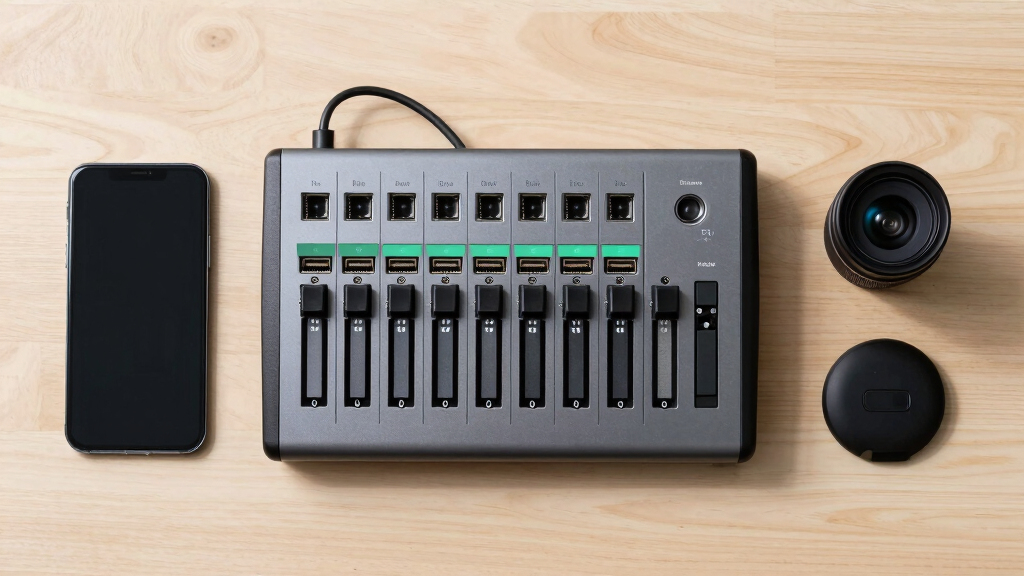
How We Picked
These products were evaluated based on performance, input/output versatility, ease of use, build quality, and value for money. Priority was given to models that support multiple input types, including HDMI and SDI, to accommodate a variety of cameras. Usability, such as interface design and setup complexity, was also critical, ensuring that both beginners and advanced users can operate them effectively. We ranked products considering their feature set relative to price, making sure each offers a clear advantage for specific user needs and budgets. Our goal was to highlight options that excel in different categories while maintaining reliability and quality for multi-camera streaming workflows.Factors to Consider When Choosing Best Video Switchers For Multi-camera Streaming
When selecting a video switcher for multi-camera streaming, it’s important to consider several key factors that impact your workflow and production quality. Understanding these factors helps prevent common mistakes, such as choosing an overly complex device or one lacking necessary inputs. The right switcher should match your technical expertise, camera setup, and streaming platform, ensuring smooth operation and professional results. Here are the main considerations to keep in mind:Input and Output Compatibility
Ensure the switcher supports all your camera outputs, whether HDMI or SDI. Some models offer a mix of both, which is ideal if you have different types of cameras. Check the number of inputs you need now and possible future expansion. Compatibility with your streaming platform and recorder options also matters, especially if you plan to record locally or stream directly from the device.
Ease of Use and Interface
A user-friendly interface reduces setup time and minimizes mistakes during live production. Touch screens, clear button layouts, and intuitive controls matter, especially if you plan to operate the switcher solo or with minimal additional crew. More complex interfaces offer advanced features but can introduce a learning curve; weigh your technical comfort level accordingly.
Build Quality and Reliability
A durable build ensures your switcher withstands frequent use and transportation. Reliability during live streams is non-negotiable, so look for reputable brands with good customer support. Features like hot-swappable inputs, stable power supplies, and quality connectors help prevent disruptions during your broadcast.
Additional Features and Scalability
Features like built-in streaming, recording capabilities, and remote control options add value, especially for multi-camera setups. Cloud integration and software control expand your options for managing and scaling your production over time. Consider whether you need features like chroma key, PIP overlays, or PTZ camera control, and whether the device supports future upgrades.
Price and Value
Balancing cost with features is key. High-end models offer extensive capabilities but may be unnecessary for simple productions. Conversely, budget options might lack vital inputs or advanced controls. Identify your core needs and choose a device that offers the best feature set within your budget, avoiding over-investment or underpowered solutions.
Frequently Asked Questions
Can I use a video switcher with both HDMI and SDI cameras?
Yes, many switchers support both HDMI and SDI inputs, providing flexibility to connect different camera types. This is especially useful if you have older SDI cameras alongside newer HDMI models. Check the device specifications to ensure it supports your specific input and output combinations, and consider models with multiple input types for future expansion.
Is it better to buy a switcher with built-in streaming capabilities?
A switcher with integrated streaming simplifies your setup by combining switching and streaming into one device, reducing hardware clutter. However, dedicated streaming hardware or software might offer more advanced features or better quality control. For most small to medium productions, an all-in-one switcher can streamline workflows, but larger setups may benefit from separating switching and streaming functions for greater flexibility.
What should I prioritize if I’m a beginner?
Beginners should prioritize intuitive interfaces, straightforward controls, and reliable performance. Devices with preset configurations, simple connectivity, and minimal setup complexity help reduce frustration. Investing in a model with good customer support and tutorials can also shorten the learning curve, making live streaming less stressful.
How important is 4K support in a video switcher?
4K support is increasingly relevant as cameras and streaming platforms move toward higher resolutions. If you plan to produce content in 4K or want future-proofing, choosing a switcher with 4K capabilities makes sense. For basic streaming or lower resolution cameras, Full HD (1080p) models are sufficient and often more affordable, but 4K support offers more flexibility for high-quality productions.
Should I pay more for a switcher with PTZ camera control?
If you use PTZ cameras, having a switcher with built-in PTZ control can save you time and improve coordination during live shoots. It allows remote adjustments without extra hardware, streamlining your workflow. However, if you don’t plan to use PTZ cameras, this feature may be unnecessary, and you can allocate your budget toward other priorities like input capacity or output quality.
Conclusion
If you need a straightforward, all-in-one solution for multi-camera streaming, the Osee GoStream Duet Kit offers excellent value and ease of use. For users demanding high-resolution output and advanced controls, the Tenveo 4K60FPS HDMI Video Switcher is a compelling choice, though it requires more technical skill. Beginners should consider models with simplified interfaces, like the RGBlink Mini V3, while professionals focused on scalability and control might prefer the FoMaKo KC800 or Osee GoStream Deck. Ultimately, your choice depends on your technical comfort, production needs, and budget, but this guide aims to match each user type with the best fit.
Fall Picks
fall essentials
As an affiliate, we earn on qualifying purchases.