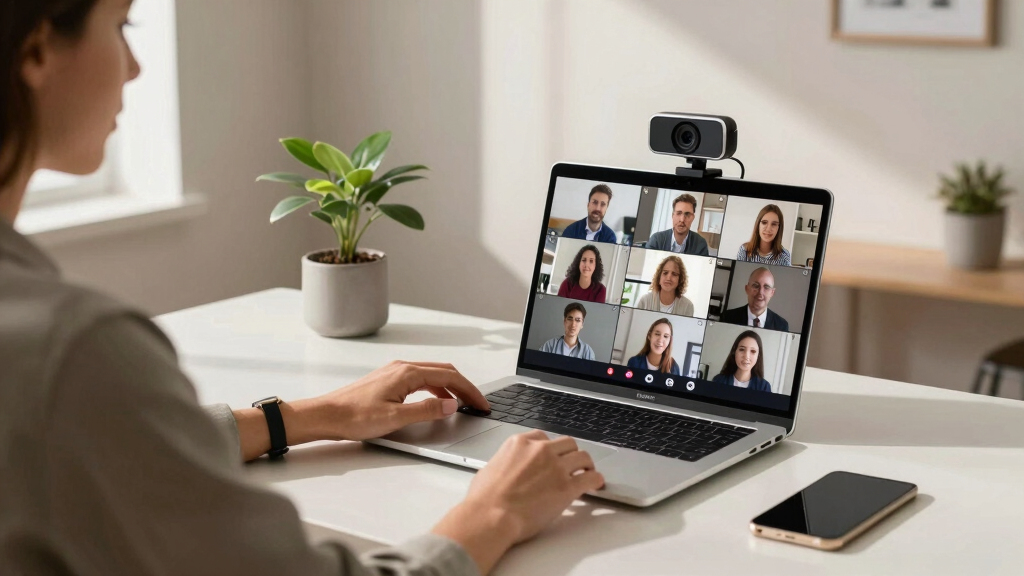
Choosing the best conference webcam for meetings involves balancing video quality, field of view, ease of use, and compatibility. The Yealink 4K USB Conference Camera stands out for its 120° wide angle and auto-framing, making it ideal for larger rooms. Meanwhile, the Logitech MeetUp offers a compact design with ultra HD resolution and a wide field of view, perfect for small to medium spaces. A key challenge is finding a camera that balances high-quality video with straightforward setup and reliable performance. Continue reading for a detailed breakdown of the top options to suit different needs and budgets.
Open a free Amazon Business account
Business pricing, bulk buying and tax-exempt orders.
Create a free accountAs an affiliate, we earn on qualifying purchases.
Key Takeaways
- Wide-angle lenses and auto-framing features significantly enhance meeting engagement by capturing all participants clearly.
- The top models combine high resolution (4K or 1080p) with smart tracking and adjustable views, balancing quality and usability.
- Compatibility with leading video conferencing platforms like Zoom, Teams, and Google Meet is a common feature among the best options.
- More advanced features like AI auto-tracking and speaker focus are mostly found in premium models, which can increase cost.
- Size and installation complexity vary—compact webcams suit small desks, while larger systems are better for conference rooms.


More Details on Our Top Picks
Yealink 4K USB Video Conference Camera – 120° Wide Angle, Microphone, Speaker, Auto Framing, for PC Meetings, Microsoft Teams & Zoom
This model stands out for combining a 4K webcam with integrated microphones, speakers, and AI features like auto framing, making it an excellent choice for those who want a straightforward, all-in-one solution for mid-sized meeting rooms. Compared with the Logitech MeetUp, the Yealink offers native AI face enhancement and better low-light optimization, which can improve video clarity in varied lighting conditions. However, it trades some flexibility for simplicity, as its fixed 120° wide-angle lens reduces manual zoom options. The plug-and-play USB connection and native Microsoft Teams and Zoom certification make setup quick and reliable, ideal for teams prioritizing ease of deployment. The main tradeoff is that the integrated audio components, while high fidelity, may not match the clarity of dedicated audio systems for larger rooms. This pick makes the most sense for small to medium conference rooms where ease of use and integrated hardware are key.
Pros:- 4K resolution with 30FPS for sharp, smooth video
- AI auto-framing and face enhancement improve participant visibility
- Integrated high-fidelity speakers and microphones simplify setup
Cons:- Fixed 120° wide-angle lens limits manual zoom and framing control
- Lack of optional expansion microphones or additional audio peripherals
Best for: Small to medium-sized teams seeking a compact all-in-one conferencing solution with minimal setup fuss.
Not ideal for: Large conference rooms or those requiring extensive audio customization, as the built-in microphone array may be insufficient for bigger spaces.
- Video Resolution:4K 30FPS
- Field of View:120° wide-angle
- Microphones:8-microphone array
- Speakers:5W high-fidelity speakers
- Connection:USB-A
- Compatibility:Microsoft Teams & Zoom certified
- Weight:1620 grams
- Mounting:Compact, aesthetic design
Bottom line: Ideal for teams wanting a sleek, all-in-one conference camera with smart AI features for small to medium rooms.
TONGVEO 3-in-1 4K Webcam with Microphones and Speaker, AI Auto-Tracking 5X Digital Zoom Webcam 4K Adjustable Field of View Remote Control Works with Microsoft Teams, Zoom, Google Meet, PC Mac Laptop
This pick excels for its advanced AI auto-framing and voice-tracking capabilities, making it suitable for larger conference rooms or dynamic presentations. Unlike the Logitech MX Brio, the Tongveo provides automatic full-room coverage with AI auto-tracking that follows speakers and adjusts framing on the fly, which is particularly useful for sessions with multiple speakers or movement. Its remote control and 5x digital zoom give users quick control over views, unlike most webcams that lack such features. The 4K resolution ensures crisp video quality, and integrated dual microphones and speakers support clear audio without external gear. The tradeoff is that its complexity may introduce a slight learning curve, and firmware updates or app permissions might be needed for optimal operation. This makes it a good choice for teams needing adaptable room coverage and mobility in their video calls.
Pros:- AI auto-tracking and auto-framing for dynamic room coverage
- 3840*2160 4K resolution delivers sharp, detailed video
- Remote control with 5x digital zoom for quick view adjustments
- Built-in dual microphones and speaker for integrated audio
Cons:- Firmware updates may be necessary for full functionality
- Potential complexity in setup for less tech-savvy users
Best for: Teams in large or versatile meeting rooms requiring automatic room-wide tracking and flexible framing.
Not ideal for: Small rooms or users seeking a simple plug-and-play setup, as the advanced AI features and remote controls add complexity.
- Video Resolution:4K UHD
- Field of View:Adjustable 88°-118°
- AI Features:Auto-framing, voice tracking
- Zoom:5x digital zoom
- Microphones:Dual microphones
- Connection:USB-C
- Weight:unknown
- Compatibility:Windows, Mac, all major conferencing apps
Bottom line: Best suited for larger or flexible rooms where active tracking and dynamic framing improve meeting engagement.
Logitech MeetUp Video Conferencing System, Ultra HD 4K/1080p/720p, 3 Microphones/Adjustable Speakers, Wide Field of View 120°, PC/Mac/Laptop/MacBook/Tablet – Black
This system makes a strong case for small conference and huddle rooms, thanks to its ultra-wide 120° field of view, which allows everyone around the table to be seen clearly without multiple cameras. Compared to the Yealink UVC34, the Logitech MeetUp offers more flexible mounting options, including wall and credenza mounting, making it adaptable to various room layouts. Its motorized pan and tilt extend the field of view up to 170°, providing dynamic framing for larger small rooms. While the 4K video quality is excellent, it requires a mini PC or Logitech RoomMate for deployment in room solutions, which adds to the setup complexity and cost. Its built-in three microphones and adjustable speakers support clear audio but may be limiting for larger rooms. This makes it ideal for small spaces where flexible mounting and wider coverage are priorities.
Pros:- Ultra-wide 120° field of view covers entire room
- Motorized pan/tilt extends view to 170°
- Flexible wall or credenza mounting options
- 4K resolution for sharp video quality
Cons:- Requires additional room system hardware for deployment
- Built-in audio may be insufficient for larger spaces
Best for: Small conference rooms needing flexible mounting and wide coverage for up to 8 participants.
Not ideal for: Large rooms or setups requiring extensive audio systems, as it relies on its integrated microphones and speakers for sound.
- Video Resolution:4K UHD
- Field of View:120° wide, 170° with pan/tilt
- Microphones:3 beamforming
- Speakers:Adjustable
- Mounting:Wall and credenza
- Connectivity:USB
- Weight:unknown
- Compatibility:Windows, macOS, all major apps
Bottom line: Perfect for small rooms that need flexible mounting options and wide-angle coverage for up to 8 participants.
Logitech MX Brio Ultra HD 4K Webcam for Collaboration and Streaming, 1080p 60 FPS, Show Mode, Works with Microsoft Teams, Zoom, Google Meet, Nintendo Switch 2, Graphite
This webcam excels for individual users or small teams wanting premium video quality with flexible controls, including 4K resolution at 30FPS or 1080p at 60FPS, and advanced image tweaking options. Compared to the Yealink UVC34, the MX Brio offers more detailed image customization, such as ISO, shutter speed, and white balance, making it ideal for professional streaming or personal meetings. Its AI-enhanced face visibility and noise-reducing microphones ensure clarity even in challenging lighting. The Show Mode feature allows tilting the camera downward for sharing notes, which is a unique benefit. A potential drawback is that it focuses on single-user quality rather than room coverage, and it requires a USB-C connection, which may be less convenient for some setups. This makes it perfect for remote workers or small conference tables needing high-resolution, adjustable video.
Pros:- Ultra HD 4K at 30FPS or 1080p at 60FPS for crisp video
- Fine image controls for exposure, white balance, and more
- AI face visibility enhancement and noise reduction microphones
- Show Mode for sharing notes by tilting the camera
Cons:- Designed primarily for individual use, not room coverage
- Requires USB-C connection, which may limit compatibility
Best for: Remote professionals and small team users seeking high-resolution, customizable video quality with advanced controls.
Not ideal for: Larger conference rooms or those needing room-wide coverage, as it is optimized for individual or small group use.
- Video Resolution:4K at 30FPS / 1080p at 60FPS
- Field of View:90°
- Image Controls:ISO, white balance, shutter speed
- Microphones:Noise-cancelling dual mics
- Connection:USB-C
- Weight:12.64 ounces
- Compatibility:Windows, Mac, Zoom, Teams, Google Meet
- Special Features:Show Mode, adjustable white balance
Bottom line: Excellent for remote workers or small teams wanting premium, customizable video quality and control.
Logitech Brio 4K Webcam, Video Calling, Noise-Cancelling mic, HD Auto Light Correction, Wide Field of View, Windows Hello Works with Microsoft Teams, Zoom, Google Meet, PC/Mac/Laptop/MacBook/Tablet
The Logitech Brio 4K delivers outstanding resolution and color accuracy, making it ideal for professionals who need crisp, detailed video for meetings or streaming. Compared with the Logitech Brio PRO X, it offers higher frame rates and a more advanced sensor, ensuring smoother video quality, especially in dynamic scenarios. Its RightLight 3 technology adjusts automatically to lighting conditions, which is vital for remote workers in variable environments. The dual noise-canceling mics capture voices clearly from up to 1.2 meters, reducing background noise effectively, essential for quiet, professional communication. The wide field of view options (65°, 78°, 90°) provide flexibility to frame yourself or include more of your room, useful for demos or presentations. Its seamless compatibility with Windows Hello allows for quick login, streamlining workflow. The plug-and-play setup works effortlessly across Windows, Mac, and tablets, saving time and minimizing tech headaches. However, its premium price might be prohibitive for budget-conscious buyers, and the device can get warm after prolonged use, which could be slightly distracting.
Best for: executives and content creators needing top-tier video quality.
NotIdealFor: casual users or those on a tight budget seeking basic webcam functionality.
Pros: 4K UHD resolution with high frame rate, excellent auto light correction, noise-canceling dual mics, flexible field of view options.
Cons: Higher price point, can heat up after extended use, slightly bulkier than standard webcams.
Specs: 4K Ultra HD, 5x digital zoom, dual omnidirectional mics, Windows Hello support, auto light correction, adjustable FOV, 1-year warranty, USB-C & USB-A compatibility.Pros:- Ultra 4K resolution with high dynamic range
- Multiple field of view presets for versatile framing
- Integrated noise-canceling microphones for clear audio
- Supports Windows Hello for quick login
Cons:- Premium price may be out of reach for some users
- Device can become warm during extended sessions
- Slightly larger form factor than basic webcams
Best for: High-end remote professionals, streamers, and those needing professional-quality video.
Not ideal for: Users seeking budget-friendly webcams or simple video calls.
- Resolution:4K Ultra HD
- Frame Rate:30 fps at 4K, 60 fps at 1080p
- Microphones:Dual noise-canceling omnidirectional
- Field of View:65°, 78°, 90° preset
- Light Correction:Yes, RightLight 3
- Compatibility:Windows, Mac, ChromeOS, Tablets
- Warranty:1 year
- Connectivity:USB-C & USB-A
Bottom line: This webcam is best suited for professionals who prioritize top-tier video quality and seamless platform integration.
Logitech C920x HD Pro PC Webcam, Full HD 1080p/30fps Video, Clear Audio, HD Light Correction, Works with Microsoft Teams, Google Meet, Zoom, Nintendo Switch 2’s new GameChat Mode, Mac/Tablet- Black
The Logitech C920x HD Pro offers reliable, crisp 1080p video with smooth 30fps, making it a solid choice for everyday meetings, streaming, and content creation. It surpasses basic webcams like the Logitech Brio 101 in affordability while still providing excellent image quality, especially in well-lit conditions. The built-in HD Light Correction ensures clear visuals in varying lighting, a key feature for remote workers with inconsistent lighting setups. The dual omnidirectional mics produce clear, natural audio, suitable for professional calls and casual streaming alike. Its compatibility with major platforms such as Zoom and Microsoft Teams makes it a plug-and-play solution for most users. The sturdy clip and tripod thread add versatile mounting options. A notable drawback is that it lacks 4K resolution or advanced autofocus, which might be limiting for high-end content needs.
Best for: professionals and streamers who want dependable quality at a reasonable price.
NotIdealFor: high-end video production or advanced streaming requiring 4K quality.
Pros: Full HD 1080p, automatic light correction, dual stereo mics, easy mounting options.
Cons: No 4K support, lacks advanced autofocus, limited to 30fps at 1080p.
Specs: 1080p at 30fps, dual omnidirectional mics, HD light correction, USB 2.0, tripod thread, 1-year warranty, compatible with Windows, Mac, ChromeOS.Pros:- Reliable 1080p HD video at 30fps
- Effective HD light correction in variable lighting
- Dual stereo microphones for clear audio
- Sturdy clip with tripod compatibility
Cons:- No 4K or higher resolution support
- Limited to 30fps at full HD
- Basic autofocus system
Best for: Business users, educators, and streamers who need dependable, high-quality 1080p video.
Not ideal for: Content creators seeking 4K resolution or ultra-smooth streaming at higher frame rates.
- Resolution:1080p Full HD
- Frame Rate:30 fps
- Microphones:Dual omnidirectional
- Light Correction:Yes, HD Light Correction
- Connectivity:USB 2.0
- Mounting:Sturdy clip, tripod thread
- Warranty:1 year
- Compatibility:Windows, Mac, ChromeOS
Bottom line: A dependable webcam that balances affordability with solid HD video quality for everyday meetings and streaming.
Logitech MX Brio Ultra HD 4K Webcam for Collaboration and Streaming, 1080p 60 FPS, Show Mode, Works with Microsoft Teams, Zoom, Google Meet, Nintendo Switch 2, Graphite
The Logitech MX Brio offers a versatile, high-performance option with 4K Ultra HD resolution and impressive 60fps at 1080p, making it ideal for content creators and streamers who demand exceptional clarity. Its Show Mode allows seamless switching between different camera views, perfect for engaging presentations or live streams. The advanced RightLight 3 technology adjusts automatically to lighting changes, ensuring you look professional regardless of environment. With dual noise-canceling microphones, it captures clear audio, reducing background noise effectively—great for high-quality streaming or professional conferencing. The adjustable field of view (65°, 78°, 90°) adapts to various scenarios, from solo meetings to group collaborations. Compatibility with Windows, Mac, and ChromeOS platforms guarantees broad usability. Its premium build and features come at a higher price, and the device may be overkill for simple video calls.
Best for: streamers, content creators, and professionals needing high-quality 4K video and flexible framing.
NotIdealFor: casual users or those on tight budgets who only need basic HD video.
Pros: 4K Ultra HD, 60 fps at 1080p, Show Mode for multiple views, auto light correction, dual noise-canceling mics, multiple FOV presets.
Cons: Higher cost, larger size, over-spec for basic meetings.
Specs: 4K Ultra HD, 60 fps at 1080p, adjustable FOV, dual noise-canceling mics, Show Mode, USB-C & USB-A, 1-year warranty, compatible with Windows, Mac, ChromeOS.Pros:- Ultra HD 4K resolution with 60 fps at 1080p
- Multiple field of view options
- Show Mode with multiple camera views
- Advanced auto light correction
Cons:- Premium price point
- Larger footprint than standard webcams
- Overkill for simple video conferencing
Best for: Professional streamers, digital content creators, and high-end remote presenters.
Not ideal for: Basic users or those seeking budget-friendly, simple HD webcams.
- Resolution:4K Ultra HD
- Frame Rate:60 fps at 1080p
- Field of View:65°, 78°, 90°
- Auto Light Correction:Yes
- Microphones:Dual noise-canceling
- Special Features:Show Mode, auto focus
- Connectivity:USB-C & USB-A
- Warranty:1 year
Bottom line: This webcam is tailored for high-quality streaming and creative work but may be excessive for everyday meetings.
Logitech Brio 101 Full HD 1080p Webcam for Meetings, Streaming, Desktop, Laptop, PC – Built-in Mic, Shutter, Works with Zoom, Microsoft Teams, Nintendo Switch 2’s new GameChat Mode, USB-A,-Black
This webcam stands out for offering solid 1080p video quality combined with features like RightLight auto-brightness boost and a privacy shutter, making it a dependable choice for everyday meetings. Unlike the Logitech MX Brio Ultra HD 4K, which targets streamers and high-end users, the Brio 101 emphasizes simplicity and affordability, but it sacrifices some advanced features like 4K resolution. Its plug-and-play design ensures compatibility with platforms like Zoom and Microsoft Teams, making setup straightforward for home office environments. The built-in mic offers surprisingly clear audio, though it won’t match dedicated external mics for larger rooms. Made with at least 77% post-consumer recycled plastic, it also appeals to eco-conscious buyers. Tradeoffs include lower resolution compared to premium models and limited zoom capabilities, which might matter for larger rooms or more dynamic presentations.
Pros:- 1080p clear video quality suitable for most meetings
- Auto-light adjustment for consistent image brightness
- Built-in privacy shutter for peace of mind
- Plug-and-play with major platforms
Cons:- Limited to 1080p resolution, less sharp than 4K models
- Basic zoom and framing controls, not ideal for large rooms
Best for: Professionals needing a reliable, high-quality webcam for daily meetings in a home or small office setting.
Not ideal for: Streamers or content creators who require 4K video and advanced customization options.
- Video Resolution:1080p Full HD
- Connectivity:USB-A
- Built-in Microphone:Yes
- Privacy Shutter:Yes
- Auto Light Adjustment:Yes
- Lens Focus:Fixed
- Color Options:Multiple colors available
- Made with Recycled Plastic:77% post-consumer
- Compatibility:Windows, macOS, Chrome OS
Bottom line: This webcam makes the most sense for users who need a dependable, straightforward HD camera for regular virtual meetings.
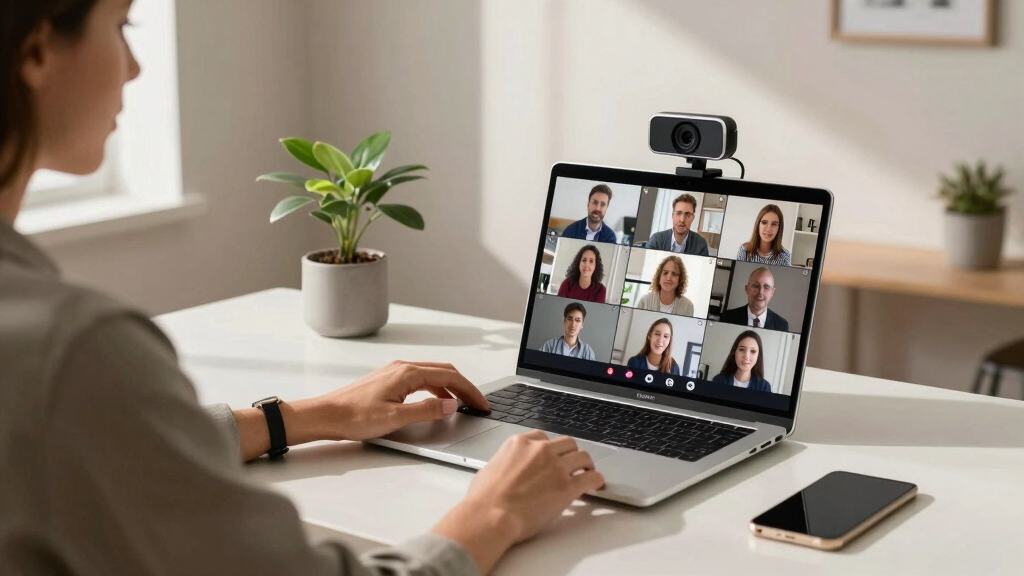
How We Picked
The products in this roundup were selected based on a combination of video quality, ease of setup, field of view, compatibility, and build quality. I prioritized models that offer reliable performance across popular conferencing platforms, with features that genuinely enhance meeting experiences, such as auto-tracking or wide-angle lenses. Cost was also a factor, aiming to include options for different budgets without sacrificing core functionality. The ranking reflects how well each webcam balances these criteria for typical meeting scenarios, from small team calls to larger conference rooms.Factors to Consider When Choosing Best Conference Webcams For Meetings
When choosing a conference webcam, it’s important to consider several key factors that impact meeting quality and usability. Beyond raw resolution, think about the field of view and auto-framing capabilities, especially for larger or dynamic groups. Compatibility with your preferred conferencing software ensures seamless integration, while build quality and ease of setup influence long-term satisfaction. Considering these broader aspects helps avoid common mistakes, like choosing a camera with excellent specs but poor user experience or limited platform support.Video Resolution and Quality
High resolution, such as 4K or 1080p, ensures clear images, which are vital for professional meetings. However, higher resolution often demands more bandwidth and processing power. For smaller meetings or casual use, 1080p may suffice, while larger or more formal settings benefit from 4K clarity. It’s also worth checking if the camera offers HDR or light correction features to improve visibility in various lighting conditions.
Field of View and Auto-Framing
The field of view determines how many participants or what area the camera captures. Wide-angle lenses (120° or more) are ideal for conference rooms where multiple people sit around a table. Auto-framing and AI tracking further enhance this by keeping the speaker centered and adjusting as people move, reducing the need for manual camera control. Be aware that ultra-wide views can sometimes cause distortion, so balance field of view with image realism.
Compatibility and Platform Support
Ensure the webcam works seamlessly with your preferred platforms like Zoom, Teams, or Google Meet. Most modern webcams support these via plug-and-play USB connections, but some may have specific driver requirements or software overlays. Confirming compatibility before purchase prevents frustration and ensures your camera integrates smoothly into your existing setup. Also, consider if the device supports multiple OS, like Windows and Mac, for greater flexibility.
Ease of Use and Setup
User-friendly design features—like remote controls, simple mounting options, and plug-and-play setup—make a noticeable difference in daily use. Cameras with auto-focus, auto-light correction, and minimal configuration save time and reduce technical issues. Be wary of models that require complex setup procedures or proprietary software, as these can hinder quick deployment or troubleshooting.
Size, Design, and Price
Size and aesthetics matter depending on your space; a compact webcam is unobtrusive, while larger models often include more features. Durability and build quality influence long-term reliability, especially in shared or busy environments. Price varies widely—premium models with advanced features cost more but offer better performance, while budget options provide decent quality for smaller or less formal meetings. Balance your needs and budget to select the best fit.
Frequently Asked Questions
Is 4K resolution necessary for conference webcams?
While 4K resolution offers sharper images and more detail, it isn’t always essential for effective meetings. 1080p webcams can deliver clear video quality suitable for most professional settings, especially if bandwidth or hardware limits exist. Consider your room size and the importance of image clarity; if you frequently present or share detailed visuals, a 4K camera might be worth the investment. Otherwise, 1080p often strikes a good balance between quality and performance.
Should I prioritize auto-tracking features in my webcam?
Auto-tracking can significantly improve dynamic meetings by keeping the speaker in frame automatically, which is especially useful in larger rooms or when multiple people speak. However, these features tend to increase the cost and sometimes introduce latency or tracking errors. If your meetings mostly involve a fixed setup or small groups, a standard wide-angle or fixed lens webcam may suffice. Auto-tracking is a valuable feature for more active or presentation-style sessions.
How important is compatibility with different platforms?
Compatibility is critical to avoid technical hiccups during meetings. Most modern webcams support platforms like Zoom, Teams, and Google Meet via USB plug-and-play, but some may have limitations or require additional drivers. Ensuring your chosen webcam is certified or tested for your preferred platform reduces setup time and technical issues. Also, check if it supports multiple operating systems, especially if you switch between Windows and Mac frequently.
What should I look for in a webcam for a small home office?
For a home office, compact size, ease of setup, and good lighting correction are key features. A 1080p webcam with a narrower field of view can provide sharp images without overwhelming your desk space. Auto-focus and built-in microphones can streamline your setup, while features like privacy covers add security. Budget-friendly options often deliver excellent results for smaller, less demanding environments, but investing in a slightly better model can improve overall meeting quality.
Is a microphone necessary in a conference webcam?
Many webcams include built-in microphones, which can be sufficient for small meetings or casual calls. However, for larger rooms or when audio quality is critical, an external microphone or dedicated speakerphone often provides clearer, more consistent sound. Some webcams with dual noise-canceling mics can improve voice pickup, but they rarely match the quality of purpose-built audio equipment. Consider your room size and audio needs when choosing your setup.
Conclusion
For most professional settings, the Yealink 4K USB Conference Camera offers an excellent balance of wide coverage and auto-framing, making it the best overall choice. Small teams or budget-conscious buyers may prefer the Logitech C920x HD Pro for its affordability and reliable 1080p quality. Those seeking premium features like auto-tracking and 4K resolution should consider the WYRESTORM 4K AI Tracking Conference Webcam. Beginners or occasional users will find simple plug-and-play models like the Logitech Brio 101 straightforward, while larger conference rooms benefit from systems like the Logitech MeetUp. Tailor your choice to your meeting size, budget, and desired features for the best experience.
NFL season / tailgating Picks
team gear
As an affiliate, we earn on qualifying purchases.