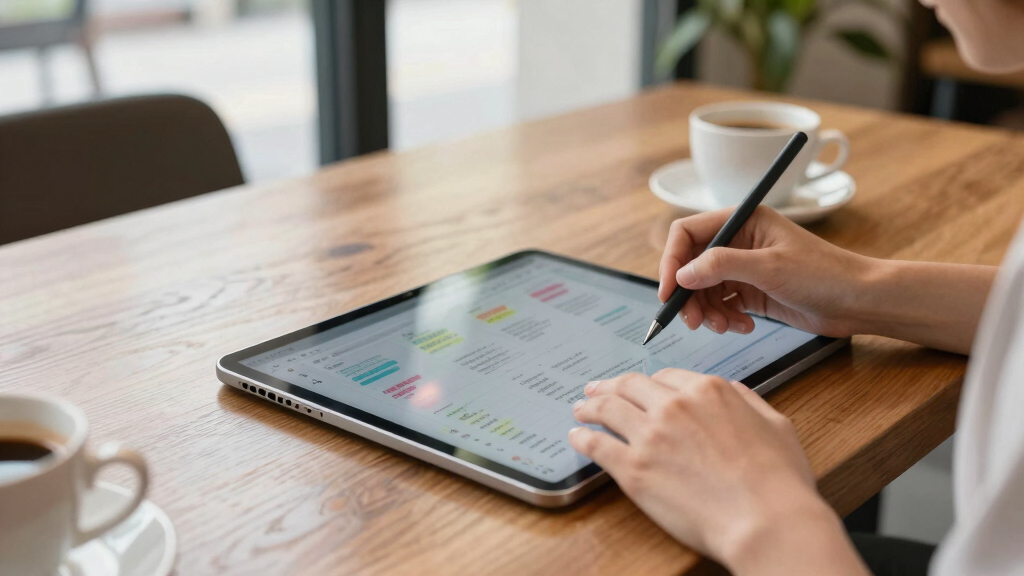

When choosing the best tablets for note taking, the key factors are screen quality, stylus responsiveness, and overall usability for writing. The Samsung Galaxy Tab S10 Lite stands out for its excellent S Pen and long battery life, making it a versatile choice for most users. The reMarkable Paper Pro offers a paper-like experience ideal for focused writing, while the Kindle Scribe combines reading and note-taking seamlessly. Each option balances tradeoffs like price, versatility, and ease of use. Keep reading for a detailed breakdown to find the best fit for your note-taking needs.
Key Takeaways
- The best tablets for note taking balance screen clarity with stylus responsiveness for a natural writing experience.
- Some options excel in dedicated note-taking features, while others offer broader multimedia capabilities.
- Higher-priced premium models tend to provide more paper-like writing feel and advanced AI features.
- Budget-friendly choices often have less refined stylus support but still deliver solid note-taking functionality.
- Battery life and portability are critical for users who want to take notes on the go without interruptions.


More Details on Our Top Picks
Lenovo Idea Tab – College Tablet – 11″ 2.5K IPS Touchscreen Display – 90Hz – MediaTek Dimensity 6300-4 GB Memory – 128 GB Storage – Integrated Arm Mali-G57 MC2 – Tab Pen and Folio Case
This Lenovo Idea Tab stands out for its combination of a high-resolution 11″ display with a smooth 90Hz refresh rate, making writing, drawing, and viewing comfortably fluid. Compared to the reMarkable Paper Pro, it offers more versatile app support and multimedia features, though it sacrifices some of the paper-like feel for flexibility. The included stylus and folio case enhance productivity on the go, while the AI-powered apps like Lenovo AI Note streamline note organization. Its 12-hour battery life and crisp quad Dolby Atmos speakers make it equally suitable for study and entertainment. However, the MediaTek processor, while sufficient for multitasking, isn’t as powerful as flagship chips, and 4GB RAM may limit heavy multitasking. This pick makes the most sense for students who want a balanced device for note-taking, media, and light productivity without breaking the bank.Pros:- Vivid 11″ 2.5K display with 90Hz refresh rate for smooth writing and media viewing
- Includes a stylus and folio case for versatile use and portability
- Good battery life with up to 12 hours of use
Cons:- Limited 4GB RAM may hinder heavy multitasking or large app use
- Processor not as powerful as flagship chips, affecting intensive tasks
Best for: College students needing a responsive, multimedia-capable device for note-taking, streaming, and light creative work.
Not ideal for: Professional artists seeking advanced drawing tools or those requiring high-end processing for complex tasks.
- Display Size:11 inches
- Display Resolution:2560 x 1600 pixels
- Refresh Rate:90Hz
- Memory:4 GB RAM
- Storage:128 GB
- Processor:MediaTek Dimensity 6300
- Battery Life:12 hours
Bottom line: This tablet is ideal for students who want a well-rounded device for note-taking, streaming, and light work.
XPPen 3 in 1 Color Digital Notebook 10.95” Paper Note Taking Tablet with 16384 Pressure Levels Battey-Free X3 Pro Pencil 2 Magnetic Folio 6+128GB Magic Note Pad for Writing/Reading/Meeting/Study
The XPPen Magic Note Pad excels in offering a natural, paper-like writing experience on its 10.95-inch AG nano-etched LCD with TCL NXTpaper 3.0 technology, making it perfect for artists and detailed note-takers. Unlike the reMarkable Paper Pro, which emphasizes a pure paper feel, this device supports vibrant color modes and a high refresh rate of 90Hz for smooth annotation and sketching. Its 16K pressure sensitivity and upgraded X3 Pro Pencil enable precise control, ideal for detailed illustrations and handwriting. The native XPPen Notes app supports converting handwriting to text, PDF markup, and cloud integration, boosting productivity. The device’s 4-hour battery life is a tradeoff, especially compared to the week-long battery of the Kindle Scribe. Best suited for users who want a versatile, color-capable digital notebook for creative work and detailed notes.Pros:- Color display with 16.7 million colors for vibrant sketches and notes
- High 90Hz refresh rate ensures smooth drawing and writing
- Supports converting handwriting to text and cloud storage
Cons:- Battery life limited to around 4 hours of active use
- Larger size and weight may reduce portability for some users
Best for: Artists, designers, and students who need a color-enabled device for precise sketches and detailed notes.
Not ideal for: Users seeking long battery life for extended note sessions or minimal color features.
- Display Size:10.95 inches
- Display Resolution:Full HD 1920×1080
- Refresh Rate:90Hz
- Pressure Levels:16,384
- Battery Life:4 hours
- Storage:6GB RAM / 128GB
Bottom line: This device is perfect for creative professionals and students who prioritize color and precision in their digital notes and sketches.
Amazon Kindle Scribe (64GB) – Your notes, documents and books, all in one place. With built-in AI notebook summarization. Includes Premium Pen – Tungsten
The Kindle Scribe offers a large, glare-free 10.2″ E Ink display designed for comfortable reading and basic note-taking, making it a good choice for those who prefer paper-like writing without distractions. Unlike the colorful XPPen or Lenovo tablets, it uses E Ink technology to reduce eye strain during long reading or writing sessions, and its AI tools can summarize notes and convert handwriting to text. Compared to the reMarkable Paper Pro, it doesn’t support color, but its months-long battery life and integration with Kindle’s library make it ideal for book lovers and casual note-takers. Its pen experience, with no charging needed, is smooth but less precise than styluses on LCD screens. Not suitable for detailed sketches or multimedia use, but excellent for focused reading and simple annotations.Pros:- Large 10.2″ glare-free E Ink display for comfortable reading and writing
- Long battery life lasting up to months on a single charge
- Seamless integration with Kindle library and documents
Cons:- Limited to black-and-white display, not suitable for color sketches
- Less responsive pen experience compared to LCD tablets
- Basic note-taking features without advanced drawing tools
Best for: Avid readers and casual note-takers who want a dedicated, long-lasting device for reading and basic handwritten notes.
Not ideal for: Creative professionals or students needing color sketches or multimedia annotations.
- Display Size:10.2 inches
- Display Technology:E Ink
- Resolution:300 ppi
- Battery Life:Months
- Storage:64GB
- Pen Type:Premium Tungsten Pen
Bottom line: This Kindle is ideal for readers and casual note-takers prioritizing eye comfort and long battery life over color and multimedia features.
reMarkable Paper Pro Bundle – Includes 11.8” reRemarkable Paper Tablet, and Marker Plus Pen with Eraser
The reMarkable Paper Pro offers an 11.8-inch Canvas Color display with a paper-like friction that appeals to writers and artists seeking a natural feel, standing out from LCD-based tablets like Lenovo or XPPen. Its low-glare, ultra-slim design makes it comfortable for long reading and writing sessions, with the added benefit of adjustable lighting. The included Marker Plus provides precise control and a natural writing experience, perfect for detailed sketches and handwritten notes. Unlike the Lenovo or Kindle, it emphasizes the tactile experience, but it sacrifices multimedia versatility and color richness. The device’s cloud features and handwriting conversion make it highly organized. Battery life is around several days of typical use, not weeks, which is a tradeoff for its advanced paper-like feel. Best suited for users who value authenticity in handwriting and sketching over multimedia capabilities.Pros:- Ultra-slim, portable design with 11.8” color display
- Natural, paper-like friction for authentic writing and drawing
- Supports handwriting-to-text conversion and document markup
Cons:- Battery lasts only a few days of intensive use
- Limited multimedia features compared to LCD tablets
- Higher price point for premium feel and features
Best for: Writers, illustrators, and note-takers who want a realistic paper-like experience with color support.
Not ideal for: Users needing a device for multimedia, gaming, or long battery life over extended days.
- Display Size:11.8 inches
- Display Technology:Canvas Color
- Resolution:300 ppi
- Battery Life:Days
- Included Pen:Marker Plus
- Weight:Approx. 400 grams
Bottom line: This device is perfect for creatives and writers who prioritize a natural, paper-like experience with color capabilities.
iflytek AINOTE Air 2 Bundle – Stylus Pen & Folio Case, 8.2″ AI Note Taking Tablet,Digital Notebook for Note Taking,Writing Paper Tablets for Meeting,Ideal for Work & Study
The iflytek AINOTE Air 2 is a compact 8.2″ device featuring a paper-like e-ink display, designed for note-taking, meetings, and multilingual environments. Compared to larger LCD tablets like Lenovo or XPPen, its smaller size and e-ink screen provide comfortable, eye-friendly reading and writing, especially for those who value lightweight portability. Its standout feature is the real-time voice-to-text with support for 17 languages, making it ideal for meetings and multilingual users. The stylus offers low latency and handwriting recognition, but the smaller screen limits detailed sketches or extensive note organization. Battery life extends up to a week, unlike LCD devices, and cloud integration ensures notes are never lost. It’s best for professionals and students who want a dedicated, voice-enabled device for quick notes and language translation, not for multimedia or artistic work.Pros:- Lightweight and compact, ideal for portability
- Real-time voice-to-text in 17 languages for meeting notes
- Long battery life up to 7 days
Cons:- Limited screen size restricts detailed sketches
- E-ink display not suitable for vibrant color work or videos
- Lacks advanced multimedia features
Best for: Business professionals and students needing a portable, voice-enabled device for meetings and multilingual notes.
Not ideal for: Creative users seeking detailed sketches or multimedia features in a larger display.
- Display Size:8.2 inches
- Display Type:E Ink
- Resolution:1440×1920
- Battery Life:7 days
- Storage:32GB
- Stylus Support:Yes
Bottom line: This device is perfect for on-the-go professionals and students who prioritize voice transcription and multilingual support for quick notes.
TCL NXTPAPER 11 Gen 2 Android Tablet, 11″ Drawing Pad & Digital Notebook, Stylus & Flip Case Included, NXTPAPER 4.0 Display, Android 15, AI Tools, 6+6GB RAM, 64GB Storage, 8000mAh Battery, Gray
This TCL NXTPAPER 11 Gen 2 stands out for its versatile display modes, especially the ink and color paper modes, which mimic real paper and are excellent for note-taking, reading, and creative work. Compared to the Galaxy Tab S10 Lite, it offers a more distraction-free reading experience with its anti-reflective, flicker-free NXTPAPER screen, making it ideal for long study or work sessions. However, the tradeoff is that the display resolution isn’t as sharp as the Galaxy’s, and the LCD’s color accuracy is less vibrant. The stylus support and the AI-powered tools enhance productivity, especially for those who value handwriting or voice-to-text features. The large 8000mAh battery supports all-day use, but the device’s weight and the flimsy case may hinder extended one-handed use or portability. Its limited OS updates and mediocre speaker quality are notable drawbacks for media consumers. Overall, this is best for users seeking a comfortable, paper-like experience for reading and note-taking, especially in eyestrain-sensitive environments.
Pros:- Unique NXTPAPER display modes for distraction-free reading and creative work
- Excellent eye comfort features, reducing fatigue during long sessions
- Reasonably responsive stylus with 4096 pressure levels
Cons:- Limited OS update commitments; may not receive Android 16 or later updates
- Display resolution is lower compared to high-end tablets like the Galaxy Tab S10 Lite
- Speakers are only adequate, not suitable for high-quality media playback
Best for: Students, digital artists, or professionals needing a paper-like display for extended reading and handwriting without requiring high color accuracy.
Not ideal for: Users who prioritize sharp visuals for high-quality media or gaming, or those seeking frequent OS updates and premium build quality.
- Display Size:11 inches
- Display Resolution:1920 x 1200 pixels
- Processor:MediaTek Helio G80
- RAM:6GB
- Storage:64GB
- Battery Capacity:8000mAh
- Operating System:Android 15
- Weight:1.1 lbs
Bottom line: Ideal for those who need a comfortable, paper-like display for reading and note-taking but can accept moderate hardware limitations.
Samsung Galaxy Tab S10 Lite, 6GB RAM, 128GB, 2TB Expand, Long Battery Life, 10.9” LCD, S Pen for Note-Taking, Exynos 1380, Circle to Search, AI Tools, Gray
The Galaxy Tab S10 Lite makes a compelling case for users who want a versatile, high-performance tablet with a large, vibrant display. Its 10.9-inch LCD with a 90Hz refresh rate delivers crisp visuals, ideal for note-taking, media, or casual creative tasks. Compared to the TCL NXTPAPER, it offers sharper resolution and more accurate color reproduction, which benefits media consumption and detailed note work. The included S Pen provides natural writing and drawing experiences, while the 6GB RAM and Exynos 1380 processor support smooth multitasking and AI-driven features like Circle to Search and smart translation. Storage is flexible, with 128GB onboard and a 2TB microSD expansion, suitable for users with extensive files or media. Its long 16-hour battery life and quick charging make it reliable for all-day use. Downsides include a slightly higher weight and the absence of a dedicated e-ink-like mode, which may not suit those seeking paper-like reading experiences. This tablet suits users seeking a well-rounded device for note-taking, media, and casual productivity.
Pros:- Vivid 10.9-inch LCD with 90Hz refresh rate for smooth visuals
- Responsive S Pen included for precise handwriting and drawing
- Ample storage options with 128GB onboard and 2TB microSD expansion
- Long-lasting 16-hour battery with fast charging
Cons:- Heavier than some compact tablets, may be less comfortable for prolonged handheld use
- No dedicated e-ink mode for distraction-free reading
- Limited to Android 13, with uncertain update roadmap
Best for: Students, professionals, or creatives who want a reliable, high-quality display with a responsive stylus for note-taking and multimedia use.
Not ideal for: Those prioritizing a paper-like display or minimal weight for extensive handheld use, or users who need the absolute best in color accuracy for professional design work.
- Display Size:10.9 inches
- Display Resolution:2112 x 1320 pixels
- Processor:Exynos 1380
- RAM:6GB
- Internal Storage:128GB
- MicroSD Expansion:Up to 2TB
- Battery Capacity:8000mAh
- Operating System:Android 13
Bottom line: Best suited for users wanting a balanced mix of performance, display quality, and stylus support for note-taking and media consumption.

How We Picked
The products in this roundup were selected based on their overall performance in note-taking tasks, usability of the stylus, screen quality, and build quality. We prioritized devices that offer fluid writing experiences, low latency stylus input, and durable design. Value for money was also a key factor, with a focus on features that enhance note accuracy and ease of use. The ranking reflects a balance between dedicated note-taking features and versatility for other tasks, helping buyers find options suited to different needs and budgets.Factors to Consider When Choosing Best Tablets For Note Taking
Choosing the best tablet for note taking involves more than just screen size and stylus support. Consider how the device’s display quality impacts your writing clarity, and whether the stylus feels natural and precise. Battery life matters if you plan to use the tablet throughout the day without frequent charging. Compatibility with your existing workflow, such as cloud storage or note organization apps, can streamline your experience. Lastly, evaluate the device’s durability and portability, especially if you often work on the move. These factors help ensure you select a tablet that truly enhances your note-taking process.Display Quality and Size
A clear, high-resolution display makes a significant difference when writing and reading notes. Larger screens provide more space for detailed sketches or extensive notes, but can be less portable. Conversely, smaller tablets are easier to carry but may feel cramped for lengthy writing sessions. Look for screens with at least 1080p resolution for sharp text and vibrant colors, especially if you plan to use the device for reading or multimedia as well.
Stylus Responsiveness and Feel
The precision and latency of the stylus directly impact your writing experience. A stylus with low latency and high pressure sensitivity mimics real pen behavior, reducing fatigue and improving accuracy. Some tablets include advanced features like tilt sensitivity and programmable buttons, which can streamline your workflow. Testing the stylus feel before buying is ideal, as a comfortable, natural writing experience encourages consistent note-taking.
Battery Life and Portability
If you often take notes in meetings or classes, a long-lasting battery can prevent interruptions. Devices with at least 8-10 hours of battery life support all-day use without frequent charging. Portability also involves weight and size; lighter tablets are easier to carry around, but might sacrifice screen size or battery capacity. Consider your typical use case and choose a device that balances these factors appropriately.
Software Ecosystem and Compatibility
Effective note-taking depends heavily on the software and apps supported by the device. Devices that integrate seamlessly with cloud services like Google Drive, OneDrive, or Evernote can streamline your workflow. Some tablets come with proprietary note apps optimized for stylus input, improving handwriting recognition and organization. Compatibility with third-party stylus accessories or software updates can also extend the device’s usability over time.
Price and Value
Price varies widely among note-taking tablets, often reflecting advanced features like paper-like screens or AI-driven summarization. While premium devices offer a more natural writing feel, budget options can still serve well for casual note-taking if they support a responsive stylus and clear display. Consider what features are essential for your needs and avoid paying extra for capabilities you won’t use. Sometimes, investing in a higher-quality stylus or larger display yields better long-term value.
Frequently Asked Questions
Can I use any stylus with these tablets?
Most tablets in this list support their specific stylus or a compatible one designed for that device. For example, the Samsung Galaxy Tab S10 Lite uses the S Pen, which offers low latency and pressure sensitivity, but it’s not compatible with other styluses. Using a stylus designed for your tablet guarantees better responsiveness and features like tilt support. Always verify stylus compatibility before making a purchase to ensure seamless note-taking experience.
Is screen size more important than stylus quality?
While larger screens provide more space for writing and viewing notes, the quality and responsiveness of the stylus are equally important. A high-quality stylus with low latency and high pressure sensitivity can significantly enhance your writing experience, even on smaller screens. Conversely, a larger but less responsive stylus can lead to frustration and less natural handwriting. Both factors should be balanced based on your specific needs and preferences.
Do I really need a dedicated note-taking tablet, or can I use a regular tablet?
You can use a regular tablet for note-taking, but dedicated devices often provide a more paper-like feel, better stylus support, and specialized features like handwriting recognition. Devices like the reMarkable or Kindle Scribe are optimized for writing, offering less distraction and more natural pen-on-paper experience. If note-taking is a primary activity, investing in a dedicated device can make a noticeable difference in comfort and productivity.
How important is battery life for note-taking tablets?
Battery life is vital if you plan to take notes throughout the day without access to charging. Devices with longer battery life allow for uninterrupted sessions, especially during meetings, classes, or travel. A battery life of 8 hours or more ensures that your device won’t die mid-session. Keep in mind that using features like backlit screens and high screen brightness can drain power faster, so consider your typical usage when evaluating battery capacity.
Should I prioritize software features over hardware specs?
Both hardware and software are important, but software features can often make a bigger difference in day-to-day note-taking. Features like handwriting recognition, cloud integration, and note organization tools enhance usability and efficiency. Hardware specs like screen resolution and stylus support are foundational, but a well-designed software ecosystem ensures your notes are easy to access and manage. Prioritize devices with software that matches your workflow for the best experience.
Conclusion
The best overall choice for most users is the Samsung Galaxy Tab S10 Lite, thanks to its balance of performance, stylus support, and affordability. If budget is a concern, the Amazon Kindle Scribe offers a versatile reading and note-taking experience at a lower price point. For those seeking a true paper-like experience, the reMarkable Paper Pro makes sense, especially for focused writing. Beginners will appreciate the simplicity of the Lenovo Idea Tab, while professionals needing advanced features might prefer the iFlytek AINOTE Air 2. Ultimately, your choice depends on how you prioritize portability, writing feel, and ecosystem compatibility.