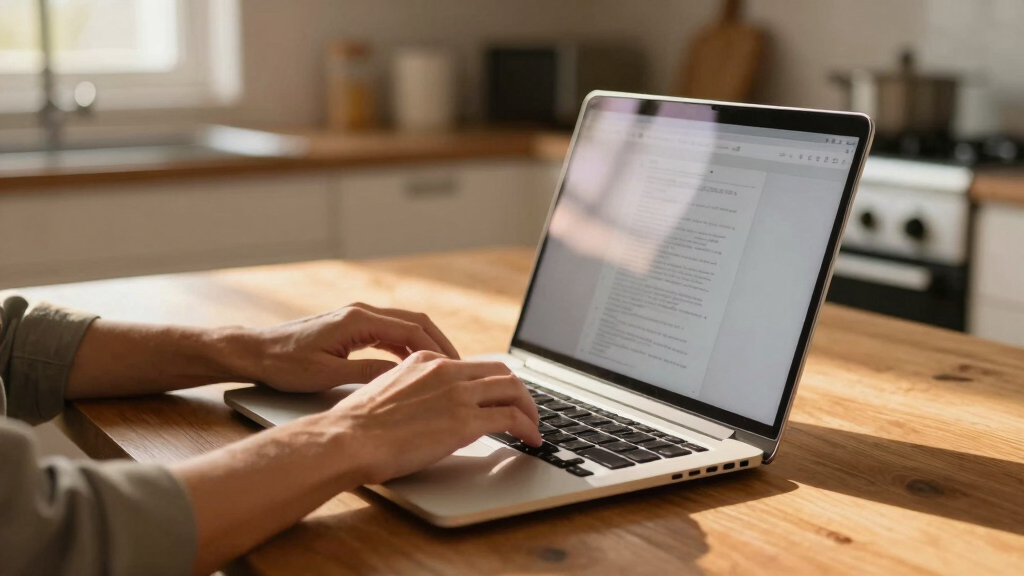

Finding the best laptops for remote work in 2026 involves balancing performance, portability, and affordability. The Dell 15 Laptop stands out as the best overall choice for its solid performance and reliable build. For those prioritizing portability, the HP 14 Laptop offers a lightweight design at a budget-friendly price. If you need a larger screen for multitasking or creative tasks, the HP 17.3″ Laptop for Home provides a spacious display and powerful features. The main tradeoffs in this category often involve balancing power against price and weight. Continue reading for a detailed breakdown of these options and what suits your specific needs.
Key Takeaways
- The top picks balance performance and portability, with the Dell 15 providing overall strength and the HP 14 excelling in mobility.
- Budget options like the HP 14 and Stream 14 offer decent performance but may lack power for demanding tasks.
- Larger screens, such as the HP 17.3″ models, enhance multitasking and media consumption but tend to be heavier and more expensive.
- RAM and storage configurations vary significantly; prioritize these based on your multitasking and file management needs.
- Build quality and warranty support are key differentiators, especially for those relying on their laptop for daily remote work.




More Details on Our Top Picks
Dell 15 Laptop DC15250-15.6-inch FHD 120Hz Display, Intel Core 3 Processor 100U, 8GB DDR4 RAM, 512GB SSD, Intel UHD Graphics, Windows 11 Home, Onsite Service – Carbon Black
This Dell 15 strikes a solid balance between performance and affordability, making it a versatile choice for remote workers. Compared with the HP Pavilion, it offers a larger screen and a dedicated numeric keypad, which can boost productivity for data entry or spreadsheets. Its 8GB RAM ensures smoother multitasking, but the Intel Core 3 processor limits heavy-duty tasks or intensive multitasking, making it less ideal for demanding workloads. The 512GB SSD provides ample storage and quick access to files, though the short battery life and basic webcam are notable drawbacks for on-the-go use. Its ergonomic design and extensive port selection support a comfortable setup, especially with its lifted hinge for typing. However, some users may find the processor sluggish for advanced software or creative tasks. Overall, this model is perfect for professionals needing a reliable, all-rounder device for everyday remote work, with tradeoffs in high-performance tasks.
Pros:- Large 15.6-inch FHD display with 120Hz refresh rate for smooth visuals
- Dedicated numeric keypad and ergonomic keyboard for productivity
- Ample storage with 512GB SSD and multiple ports for peripherals
Cons:- Processor is limited to basic tasks, not suited for demanding workloads
- Short battery life reduces portability for on-the-go use
- Webcam quality is average, less ideal for video conferencing
Best for: Remote workers who need a reliable, full-size laptop with good port selection and a numeric keypad for productivity tasks.
Not ideal for: Power users or creative professionals requiring high processing power and long battery life, as the Core 3 limits heavy multitasking.
- Display Size:15.6 inches
- Resolution:1920 x 1080 pixels
- Processor:Intel Core 3 100U
- RAM:8 GB DDR4
- Storage:512 GB SSD
- Graphics:Intel UHD Graphics
- Operating System:Windows 11 Home
- Weight:4.2 pounds
Bottom line: Ideal for remote workers seeking a dependable all-round laptop for daily tasks, accepting some performance constraints.
HP 14 Laptop, Intel Celeron N4020, 4 GB RAM, 64 GB Storage, 14-inch Micro-edge HD Display, Windows 11 Home, Thin & Portable, 4K Graphics, One Year of Microsoft 365 (14-dq0040nr, Snowflake White)
This HP 14 offers exceptional portability and affordability, perfect for users who mainly perform basic tasks like browsing and document editing. Unlike the more powerful Dell, it features a modest Celeron N4020 processor and only 4GB RAM, which can slow down multitasking or more intensive web applications. Its 14-inch HD display is compact, with a micro-edge design that maximizes screen space, yet the low resolution limits visual clarity for detailed work. The 64GB eMMC storage is minimal, making it necessary to rely on cloud services or external drives for larger files. While it’s lightweight at just over 3 pounds, its limited battery life and basic webcam restrict usability for extended remote sessions or video calls. This model is best suited for students or casual users who prioritize portability and cost, with performance as a secondary concern.
Pros:- Extremely portable with a lightweight, slim design
- Affordable price point for budget-conscious buyers
- Decent screen-to-body ratio for a compact device
Cons:- Limited processing power and only 4GB RAM hinder multitasking
- Very small 64GB storage restricts file storage and software installation
- Low resolution HD display is less sharp for detailed work
Best for: Students or casual users needing a compact, lightweight device for basic tasks and occasional remote work.
Not ideal for: Power users or professionals requiring multitasking capabilities and larger storage for demanding applications.
- Display Size:14 inches
- Resolution:1366 x 768 pixels
- Processor:Intel Celeron N4020
- RAM:4 GB DDR4
- Storage:64 GB eMMC
- Graphics:Intel UHD Graphics
- Operating System:Windows 11 Home
- Weight:3.2 pounds
Bottom line: A good budget-friendly choice for basic on-the-go tasks, but not suitable for heavy multitasking or storage-heavy applications.
HP Pavilion Laptop 2026 Notebook for Students & Remote Work, Intel N150, 8GB RAM, 128GB Storage, 500GB External HDD, Lightweight, Long Battery Life, Wi-Fi 6, 1 Year Office 365, Win 11 Home S, Pink
This HP Pavilion model is designed with students and remote learners in mind, offering a balance of performance and portability. Its 8GB RAM supports multitasking with multiple browser tabs, documents, and video calls, outperforming the HP 14’s limited memory. The Intel N150 processor, while not suited for intensive tasks, handles daily educational and remote work tasks efficiently. Its 14-inch HD display is bright and anti-glare, ideal for extended screen time, and the long battery life makes it perfect for all-day use away from power sources. The inclusion of Wi-Fi 6 and Bluetooth 5.3 ensures reliable connectivity, even in crowded networks. The 128GB SSD provides speedy boot times, complemented by a 500GB external HDD for additional storage. Compared to the Dell, it’s more lightweight and optimized for mobility, making it excellent for students or remote workers on the move. However, its processor is limited for demanding software or creative tasks.
Pros:- Long battery life and Wi-Fi 6 for stable, fast connectivity
- 8GB RAM supports multitasking smoothly
- Lightweight at around 3.24 pounds for easy portability
Cons:- Processor is basic and not suitable for demanding applications
- Limited to 128GB SSD storage, requiring external drives for large files
- HD display resolution limits visual clarity for detailed tasks
Best for: Students or remote learners needing a lightweight, long-lasting device capable of multitasking and working in various environments.
Not ideal for: Power users or creative professionals who need high processing power or significant local storage for media projects.
- Display Size:14 inches
- Resolution:1366 x 768 pixels
- Processor:Intel N150
- RAM:8 GB DDR4
- Storage:128 GB SSD
- Graphics:Intel UHD Graphics
- Operating System:Windows 11 Home S
- Weight:3.24 pounds
Bottom line: A strong choice for students and remote learners prioritizing portability and battery life over heavy processing needs.
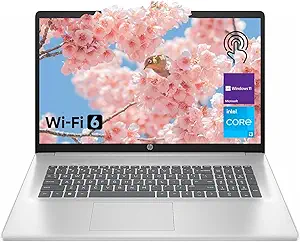
HP 17.3″ Laptop for Home, Students, Business, Lifetime Office 365 for The Web, 17.3″ Touchscreen, 8-Cores Intel CPU, w/Copilot, 8GB RAM, 128GB eMMC + 512GB PCIe, Camera Privacy Shutter, Win11 Pro
This HP 17.3-inch laptop excels in providing a large display for multitasking, multimedia, and remote work. Its 8-core Intel CPU and 8GB RAM make it suitable for general productivity, but the eMMC storage is limited for large files, though the 512GB PCIe SSD helps with faster access. The expansive touchscreen offers a more immersive experience, especially useful for editing documents or viewing media, compared with smaller screens like the Dell or HP 14. The device’s long battery life and Wi-Fi 6 support enable reliable remote work in various settings. Its design is optimized for multimedia consumption and productivity, but the heavier weight and lower resolution (1600×900) might hinder portability and detailed visual work. This model is ideal for users who prioritize a broad display and multimedia capabilities over ultra-lightweight design or high-end processing.
Pros:- Large 17.3-inch touchscreen with vibrant visuals
- 8-core Intel CPU with 8GB RAM for smooth multitasking
- Includes PCIe SSD for faster storage access
Cons:- Heavier and less portable than smaller laptops
- Lower display resolution limits sharpness for detailed visual tasks
- Limited eMMC storage may require external drives for large files
Best for: Remote workers or students who need a large screen for multitasking, media, and productivity in a stationary or semi-portable setup.
Not ideal for: Frequent travelers or those needing ultra-lightweight devices, due to its size and weight, and users requiring high-resolution screens for detailed visual work.
- Display Size:17.3 inches
- Resolution:1600 x 900 pixels
- Processor:Intel Core i3-N305
- RAM:8 GB DDR4
- Storage:128 GB eMMC + 512 GB PCIe SSD
- Graphics:Intel UHD Graphics
- Operating System:Windows 11 Pro
- Weight:5.78 pounds
Bottom line: Best suited for users who favor a spacious display for multimedia and multitasking over portability.
HP 17.3″ Laptop for Home, Students, Business, Lifetime Office 365 for The Web, 17.3″ Touchscreen, 8-Cores Intel CPU, w/Copilot, 8GB RAM, 128GB eMMC + 512GB PCIe, Camera Privacy Shutter, Win11 Pro
This HP 17.3-inch model combines a powerful 8-core processor with substantial storage options, making it suitable for multitasking, media, and remote work. Its 8GB RAM supports running multiple applications smoothly, and the 512GB PCIe SSD ensures quick access and file management. The 17.3″ touchscreen delivers an immersive experience for editing documents, media consumption, or multitasking with multiple windows, outperforming smaller screens like the Dell or HP 14. The device supports Wi-Fi 6 and Bluetooth 5.4, ensuring reliable connectivity across different environments. The inclusion of a privacy camera shutter and Windows 11 Pro enhances security and productivity for business or personal use. The main tradeoff is its size and weight, which limit portability, but for stationary or semi-portable use, it offers excellent performance and display size.
Pros:- Large 17.3-inch touch display with high-quality visuals
- 8-core Intel CPU with 8GB RAM for multitasking
- 512GB PCIe SSD for rapid storage and access
Cons:- Heavy and less convenient for frequent travel
- Lower resolution (1600×900) limits sharpness for detailed work
- Limited eMMC storage requires external drives for large files
Best for: Remote professionals or students who need a large, powerful device for multitasking, multimedia, and productivity in a semi-stationary setting.
Not ideal for: Frequent travelers or those who prioritize ultra-lightweight design, due to its bulk and weight, or users needing a highly portable device for casual use.
- Display Size:17.3 inches
- Resolution:1600 x 900 pixels
- Processor:Intel Core i3-N305
- RAM:8 GB DDR4
- Storage:128 GB eMMC + 512 GB PCIe SSD
- Graphics:Intel UHD Graphics
- Operating System:Windows 11 Pro
- Weight:6.0 pounds
Bottom line: Best for users who want a large, powerful screen for multitasking and multimedia, accepting reduced portability.
HP Stream 14″ HD BrightView Laptop, Intel Processor N150, 16GB RAM, 416GB Storage (128GB eMMC + 288GB Docking Station Set), Intel UHD Graphics, 720p Camera, Wi-Fi, 1 Year Office 365, Win 11 S, Gold
This HP Stream 14″ offers a compelling mix of affordability and sufficient performance for those new to remote work or with light computing needs. Its 14-inch HD BrightView display provides decent clarity, making it easy to handle daily tasks without straining the eyes. Compared to the Dell 15 with a FHD screen, the HP’s lower resolution might be a tradeoff for budget-conscious buyers, but it still delivers vibrant visuals for streaming and document work. The standout feature here is the 16GB RAM, which ensures smooth multitasking even if the processor is entry-level. However, the 128GB eMMC storage is quite limited for large files, requiring reliance on external drives or the docking station set included—adding bulk. The device’s Intel UHD Graphics are suitable for basic visual tasks but fall short for any graphics-intensive work. Its lightweight build (just over 3 pounds) makes it ideal for frequent travelers or those with limited desk space. The 720p camera suffices for virtual meetings, but the image quality isn’t sharp. Overall, this pick makes the most sense for beginners or those prioritizing cost over high-end specs.
Pros:- Affordable price point for budget-conscious buyers
- 16GB RAM enables smooth multitasking
- Lightweight and portable for on-the-go use
- Includes a docking station set for expanded connectivity
Cons:- Limited 128GB eMMC storage could quickly become insufficient
- HD (1366×768) display is less sharp than FHD options
- Processor performance may lag with resource-heavy applications
Best for: Remote workers who are just starting out or only need basic multitasking capabilities without heavy multimedia requirements.
Not ideal for: Power users or creative professionals who need FHD or higher resolution screens and more robust processing power.
- Display Size:14 inches
- Resolution:1366 x 768 pixels
- Processor:Intel Celeron N150, 1.1 GHz
- RAM:16GB DDR4
- Storage:128GB eMMC + 288GB docking station
- Graphics:Intel UHD Graphics
- Weight:3.24 lbs
- Battery Life:Up to 10 hours
- Operating System:Windows 11 S Mode
Bottom line: This laptop is ideal for beginners or light-duty remote workers who prioritize cost, portability, and basic performance.
How We Picked
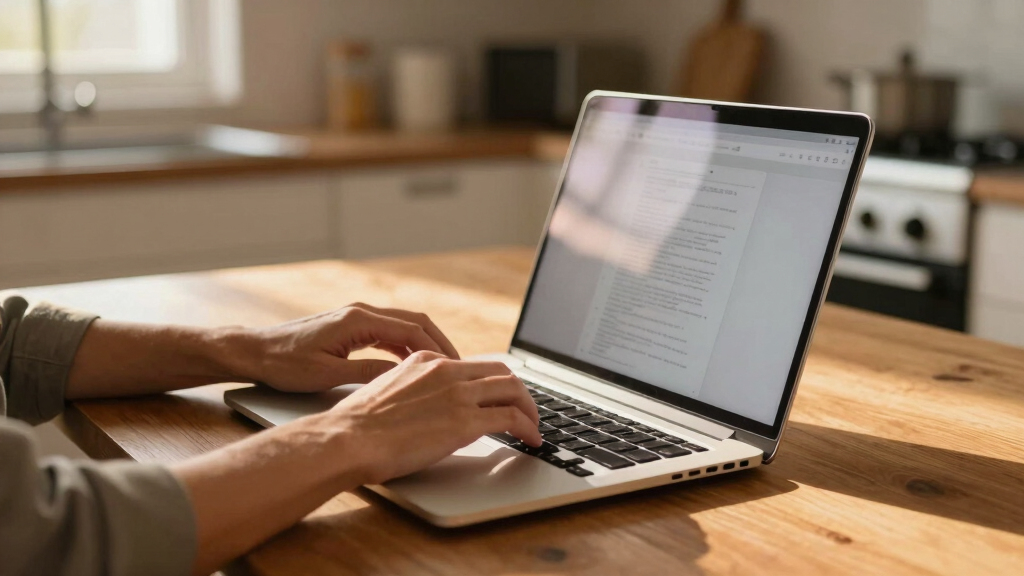
To determine the best laptops for remote work, I evaluated each model based on core performance metrics such as processor speed, RAM, and storage capacity. Usability factors like portability, battery life, and display quality were also crucial, since remote workers need reliable, easy-to-carry devices with clear screens. Build quality, warranty support, and overall value further influenced rankings, as these impact long-term satisfaction and cost-effectiveness. Each laptop was compared against these criteria to identify how well it meets the typical demands of remote work, balancing power with affordability and ease of use.Factors to Consider When Choosing Best Laptops For Remote Work
Choosing the right laptop for remote work involves more than just specs. Here are key factors to consider to ensure your device matches your work style and environment:Performance and Processing Power
For remote work, a capable processor and sufficient RAM are essential for multitasking, video conferencing, and running productivity apps smoothly. A laptop with at least an Intel Core i3 or equivalent and 8GB of RAM is a good starting point, but those handling demanding tasks or multitasking heavily may benefit from an i5 or higher with 16GB RAM. Cheaper models with lower specs can struggle with multiple applications and slow down over time, so investing in better performance can save frustration down the line.
Portability and Size
Since remote work often involves moving between locations or working in different spaces, portability is key. Lighter laptops under 3 pounds and with compact dimensions are easier to carry, but they sometimes sacrifice screen size or ports. Larger screens, like 17-inch models, offer more workspace but tend to be heavier and less convenient to transport. Consider your typical workspace and whether portability or screen real estate matters more for your productivity.
Battery Life
Long-lasting battery life ensures you can work unplugged during commutes, coffee shop sessions, or power outages. Look for models with at least 8 hours of real-world battery life, especially if you often work away from power outlets. Keep in mind that screen size, processor, and usage patterns affect actual battery performance, so reading reviews about real-world endurance can help avoid disappointments.
Display Quality and Size
A clear, bright display reduces eye strain and improves productivity. For extended working hours, an IPS panel with at least Full HD resolution is recommended. Larger screens boost multitasking, but if portability is a priority, a 13- or 14-inch model may strike the right balance. Touchscreens can be helpful for annotations or creative tasks, but they often add weight and cost.
Build Quality and Support
A well-built laptop with durable materials can withstand daily commuting and frequent setup changes. Additionally, good warranty support and customer service provide peace of mind, especially if your work depends on a reliable device. Investing in a reputable brand often yields better longevity and easier repairs, which can be more cost-effective in the long run.
Value and Price
While it can be tempting to buy the cheapest option, consider the value you get for your money. Mid-range laptops often strike the best balance between cost and features, offering enough power and durability without overspending. Premium models provide top-tier performance and build quality but may not be necessary for light users. Always weigh your specific needs against the price to avoid paying for unnecessary features.
Frequently Asked Questions
How much RAM do I need for remote work?
For most remote workers, 8GB of RAM provides a smooth experience when running multiple applications or browser tabs. If your work involves heavy multitasking, video editing, or using demanding software, 16GB of RAM can significantly improve responsiveness. Budget models with less RAM may slow down quickly once you open several programs, so choosing at least 8GB is advisable for future-proofing your setup.
Is a larger screen always better for remote work?
A larger screen enhances multitasking and reduces eye strain, making it ideal for those who handle multiple windows or detailed tasks. However, bigger displays usually mean heavier laptops, which can be less portable. If you frequently work on the go, a 14-inch or 15-inch model might offer a better balance, while a 17-inch screen is best suited for dedicated home setups where portability is less critical.
Should I prioritize battery life over processing power?
It depends on your typical work environment. If you often work in locations without easy access to power outlets, prioritizing battery life makes sense. However, if your work involves demanding applications, sacrificing some battery endurance for better performance might be necessary. Look for models with a good balance—long battery life with enough processing power to handle your tasks efficiently.
Are touchscreen laptops worth considering for remote work?
Touchscreens can boost productivity if you frequently annotate documents, sketch, or navigate intuitively. They add versatility but often increase weight and cost. For most remote workers, a traditional keyboard and mouse setup may be more practical, but if you value flexibility and creative input, a touchscreen can be a worthwhile feature.
How important is build quality for a remote work laptop?
Build quality impacts durability and longevity, especially if you travel often or switch workspaces frequently. A sturdy chassis, quality materials, and reliable hinges help prevent damage over time. Good build quality also often correlates with better heat management and overall device stability, making it a worthwhile consideration for those relying heavily on their laptop for daily remote work.
Conclusion
For the majority of remote workers, the Dell 15 Laptop offers a well-rounded balance of performance, portability, and support, making it the best overall choice. Budget-conscious users will find the HP 14 Laptop a compelling option for light tasks and mobility. Those seeking a premium experience with larger screens and faster processors should consider the HP 17.3″ Laptop for Home. Beginners or casual users will appreciate the simplicity and affordability of the Stream 14. Ultimately, your decision should align with your work style, budget, and whether portability or screen size takes priority.