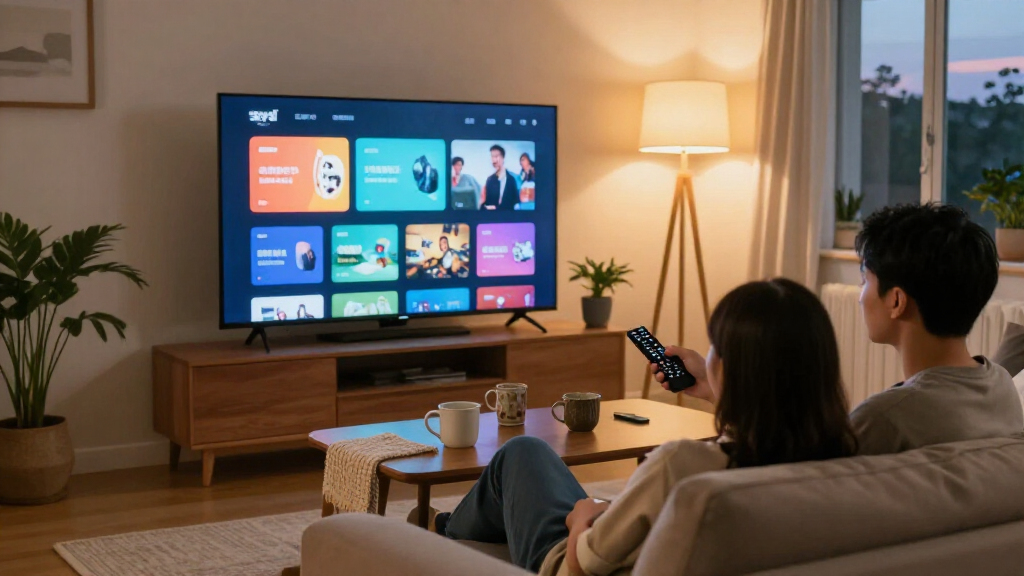
For most viewers, I’d start with the TCL 55-Inch S4: its 4K picture, Dolby Vision support, and Google TV make it a well-rounded choice for streaming. The Roku Select Series 55-Inch 4K QLED is a strong alternative for viewers who want Roku’s straightforward app-focused interface, while the Roku Plus Series 65-Inch suits buyers who want a larger, more advanced screen. The main tradeoffs are screen size, picture quality, app-platform preferences, and how much complexity you want from your TV. A compact Full HD model may be plenty for a bedroom, while a living room can benefit from 4K and a larger display. Read on for the full comparison, buying advice, and picks for different needs.

Get the latest gadgets delivered free with Prime
- Fast, free delivery on millions of items
- Prime Video, Amazon Music and more included
- Member-only deals all year
Complete the kit



Key Takeaways
- The TCL 55-Inch S4 is the most balanced choice: it combines a 55-inch 4K screen, Google TV, Dolby Vision, and Atmos support without focusing on just one specialty.
- Roku models stand out for simple streaming access: the 40-inch Select options suit smaller rooms, the 55-inch QLED Select adds a bigger 4K screen, and the 65-inch Plus is the premium Roku choice.
- Screen size alone does not determine picture suitability: several 32- and 40-inch picks are Full HD or HD, while the 43-inch Toshiba and larger Insignia, TCL, and Roku options offer 4K.
- Fire TV is the recurring choice for Alexa-oriented homes: Amazon Ember, Toshiba, and several Insignia models put Amazon’s streaming interface at the center, but their screen sizes and resolutions differ.
- Platform preference can matter more than brand: this lineup spans Fire TV, Roku, Google TV, Samsung’s smart platform, and a VIZIO model with AirPlay and Chromecast; buyers should match the interface to their devices and habits.
| Amazon Ember 2-Series 40-Inch Full HD Smart TV with Fire TV |  | Best Overall for Fire TV Features | Screen size: 40 inches | Resolution: 1920 × 1080 (Full HD) | HDR formats: HDR10, HLG | VIEW LATEST PRICE | See Our Full Breakdown |
| Insignia 40-Inch F40 Series Full HD Smart Fire TV | 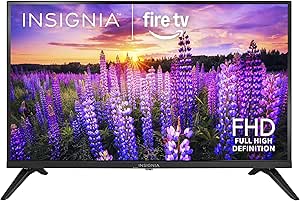 | Best for Parental Controls | Screen size: 40 inches | Resolution: 1080p Full HD | Display technology: LED | VIEW LATEST PRICE | See Our Full Breakdown |
| Toshiba 43-Inch Class C350 Series LED 4K UHD Smart Fire TV with Alexa Voice Remote, Free & Live TV | 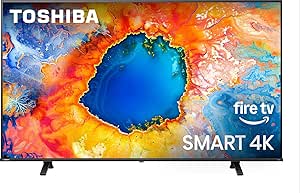 | Best for 4K Streaming | Screen size: 43 inches | Resolution: 4K UHD | Refresh rate: 60 Hz | VIEW LATEST PRICE | See Our Full Breakdown |
| Insignia 55-Inch F50 Series 4K UHD Smart Fire TV |  | Best Large-Screen Fire TV | Screen size: 55 inches | Resolution: 4K UHD (2160p) | HDR: HDR10 | VIEW LATEST PRICE | See Our Full Breakdown |
| VIZIO D-Series 32-Inch Full HD Smart TV with Apple AirPlay and Chromecast Built-In (D32f-G61, 2020) |  | Best Compact TV for Casting | Screen size: 32 inches (31.50-inch diagonal) | Resolution: 1080p Full HD | Backlighting: Full-array LED | VIEW LATEST PRICE | See Our Full Breakdown |
| Insignia 40-inch F20 Series Full HD Smart Fire TV with Alexa Voice Remote (NS40-FEFL26) |  | Best for Fire TV Households | Screen size: 40 inches | Display: LED | Resolution: 1080p Full HD | VIEW LATEST PRICE | See Our Full Breakdown |
| Hisense 40-Inch QD4SR Series Hi-QLED Full HD Smart Roku TV (2026 Model) |  | Best for Vivid Color and Roku Simplicity | Screen size: 40 inches | Display technology: Hi-QLED, LCD, LED | Resolution: 1080p Full HD | VIEW LATEST PRICE | See Our Full Breakdown |
| Roku 40-Inch Select Series 1080p Full HD Smart LED TV Bundle |  | Best for a Ready-to-Connect Bundle | Screen size: 40 inches | Display technology: LED | Resolution: 1920 × 1080 (1080p Full HD) | VIEW LATEST PRICE | See Our Full Breakdown |
| Samsung 40-Inch F6000 Full HD Smart TV (2025) | 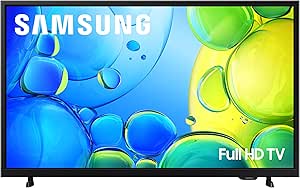 | Best for Samsung Features and Picture Extras | Screen size: 40 inches | Display technology: LED | Resolution: 1080p Full HD | VIEW LATEST PRICE | See Our Full Breakdown |
| Sony 32-Inch W830K HD LED Smart Google TV |  | Best Compact Streaming TV | Screen size: 32 inches | Display technology: LED | Resolution: 720p HD | VIEW LATEST PRICE | See Our Full Breakdown |
| Roku Select Series 55-Inch 4K QLED Smart TV |  | Best for Straightforward 4K Streaming | Screen size: 55 inches | Resolution: 4K UHD | Display technology: QLED, LED | VIEW LATEST PRICE | See Our Full Breakdown |
| Roku 65-Inch Plus Series 4K QLED Mini-LED Smart TV |  | Best Premium Roku Streaming Experience | Screen size: 65 inches | Resolution: 4K UHD | Display technology: QLED, Mini-LED | VIEW LATEST PRICE | See Our Full Breakdown |
| Roku 40-Inch Select Series 1080p Full HD Smart TV |  | Best Compact Roku TV | Screen size: 40 inches | Resolution: 1080p Full HD | Display technology: LED | VIEW LATEST PRICE | See Our Full Breakdown |
| TCL 55-Inch S4 4K LED Smart TV with Google TV |  | Best for Google TV and Dolby Vision | Screen size: 55 inches | Resolution: 4K Ultra HD (3840 x 2160) | Refresh rate: 60 Hz | VIEW LATEST PRICE | See Our Full Breakdown |
| Insignia 32-Inch F20 Series HD Smart Fire TV with Alexa Voice Remote | 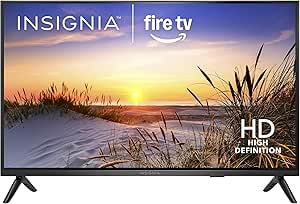 | Best Small Fire TV for Alexa Users | Screen size: 32 inches | Resolution: 720p | Display technology: LED | VIEW LATEST PRICE | See Our Full Breakdown |
| smart TVs with streaming app | Screen size | Resolution | Refresh rate | HDMI ports |
|---|---|---|---|---|
| Amazon Ember 2-Series 40-Inch | 40 inches | 1920 × 1080 (Full HD) | 60 Hz | 1 HDMI 2.0, 1 HDMI 2.1 with eARC |
| Insignia 40-Inch F40 Series Fu | 40 inches | 1080p Full HD | 60 Hz | 2 |
| Toshiba 43-Inch Class C350 Ser | 43 inches | 4K UHD | 60 Hz | 3 |
| Insignia 55-Inch F50 Series 4K | 55 inches | 4K UHD (2160p) | — | 3 |
| VIZIO D-Series 32-Inch Full HD | 32 inches (31.50-inch diagonal) | 1080p Full HD | 60 Hz | 2 |
| Insignia 40-inch F20 Series Fu | 40 inches | 1080p Full HD | 60 Hz | — |
| Hisense 40-Inch QD4SR Series H | 40 inches | 1080p Full HD | 60 Hz | — |
| Roku 40-Inch Select Series 108 | 40 inches | 1920 × 1080 (1080p Full HD) | 60 Hz | — |
| Samsung 40-Inch F6000 Full HD | 40 inches | 1080p Full HD | 60 Hz | — |
| Sony 32-Inch W830K HD LED Smar | 32 inches | 720p HD | 60 Hz | — |
| Roku Select Series 55-Inch 4K | 55 inches | 4K UHD | 60 Hz | 4 |
| Roku 65-Inch Plus Series 4K QL | 65 inches | 4K UHD | 60 Hz | 4 |
| Roku 40-Inch Select Series 108 | 40 inches | 1080p Full HD | 60 Hz | 3 |
| TCL 55-Inch S4 4K LED Smart TV | 55 inches | 4K Ultra HD (3840 x 2160) | 60 Hz | 3, including one with eARC |
| Insignia 32-Inch F20 Series HD | 32 inches | 720p | 60 Hz | 2 |
More Details on Our Top Picks
Amazon Ember 2-Series 40-Inch Full HD Smart TV with Fire TV
The Ember 2-Series is my strongest all-around pick for viewers who want a straightforward streaming hub without moving up to a larger screen. Its Fire TV interface brings streaming apps and Alexa voice search together, while Wi-Fi 6 is a useful advantage for homes with compatible routers and busy wireless networks. Compared with the Insignia 40-Inch F40, the Ember adds Wi-Fi 6 and AirPlay support, giving it more flexibility for wireless streaming from Apple devices. Both stay at 1080p and 60 Hz, so neither is the choice for viewers seeking 4K detail or advanced motion features. HDR10 and HLG broaden format support, but they do not change the basic resolution ceiling. I’d choose this for a connected bedroom or secondary room; app subscriptions may still be needed, and it has only two HDMI inputs.
Pros:- Fire TV puts streaming apps and Alexa voice search in one interface.
- Wi-Fi 6 can help support responsive streaming on compatible home networks.
- AirPlay adds a convenient way to send compatible content from Apple devices.
- HDR10 and HLG support cover two common HDR formats.
Cons:- Full HD resolution lacks the extra detail of the Toshiba C350’s 4K screen.
- Two HDMI ports may be limiting for multiple consoles and home theater devices.
- Some streaming content requires separate subscriptions.
Best for: Viewers who want a 40-inch Fire TV with Alexa, Wi-Fi 6, and AirPlay for everyday streaming in a bedroom or smaller living room.
Not ideal for: Buyers who want 4K detail, a high-refresh gaming screen, or several wired devices connected at once.
- Screen size:40 inches
- Resolution:1920 × 1080 (Full HD)
- HDR formats:HDR10, HLG
- Refresh rate:60 Hz
- Operating system:Fire OS
- Connectivity:Wi-Fi 6, Ethernet
- HDMI ports:1 HDMI 2.0, 1 HDMI 2.1 with eARC
- Audio:Dolby Digital Plus
Our verdict“Choose the Ember for a feature-rich 40-inch Fire TV with AirPlay and Wi-Fi 6, but skip it if 4K is a priority.”
Insignia 40-Inch F40 Series Full HD Smart Fire TV
The Insignia F40 makes the most sense for households that want a familiar streaming setup and practical controls rather than extra picture technology. Fire TV and Alexa provide access to streaming apps and voice search, while parental controls help adults manage viewing in a shared family room. Compared with the Amazon Ember 2-Series, this model has Bluetooth 5 and DTS Virtual:X listed, but it lacks the Ember’s stated Wi-Fi 6 and AirPlay support. Its two HDMI ports suit a simple setup, though they leave less room for a console, cable box, and sound system at the same time. The 1080p, 60 Hz display is appropriate for everyday shows, but it cannot match the finer detail of the Toshiba C350’s 4K panel. I’d favor it for family streaming, not for a premium home theater.
Pros:- Fire TV provides access to streaming apps and Alexa voice control.
- Parental controls suit households that want settings for children’s viewing.
- Bluetooth 5 supports compatible wireless accessories.
- DTS Virtual:X and HDMI ARC add audio flexibility for a basic setup.
Cons:- 1080p resolution offers less detail than the 4K Toshiba C350 and Insignia F50.
- Two HDMI ports can restrict a multi-device setup.
- The 60 Hz refresh rate is not aimed at high-frame-rate gaming.
Best for: Families who want a 40-inch Fire TV with Alexa, parental controls, and Bluetooth for a simple shared viewing setup.
Not ideal for: Viewers who want a 4K picture, Wi-Fi 6, AirPlay, or more than two HDMI-connected devices.
- Screen size:40 inches
- Resolution:1080p Full HD
- Display technology:LED
- Refresh rate:60 Hz
- Smart TV platform:Fire TV
- Connectivity:Wi-Fi, Bluetooth 5, HDMI, USB, Ethernet, infrared
- HDMI ports:2
- USB ports:1
Our verdict“Pick the Insignia F40 for family-friendly Fire TV features and parental controls, rather than for 4K viewing or extensive connectivity.”
Toshiba 43-Inch Class C350 Series LED 4K UHD Smart Fire TV with Alexa Voice Remote, Free & Live TV
For viewers who want streaming apps on a screen with more detail, the Toshiba C350 is the clearest step up in this group. Its 4K UHD panel, Dolby Vision support, and AI 4K upscaling give compatible content and lower-resolution sources more room to show fine detail than the 1080p Amazon Ember 2-Series or Insignia F40. Fire TV keeps apps, live channels, and Alexa voice control in the same interface, while three HDMI ports leave more room for external devices than those two 40-inch models. Game and Sports modes add flexibility for fast-moving content, but the refresh rate is still 60 Hz, so the motion spec does not make this a high-refresh gaming display. It also lacks Ethernet in the supplied connectivity details, which may disappoint buyers who prefer a wired network connection.
Pros:- 4K UHD resolution provides finer detail than the Full HD options in this group.
- Dolby Vision, HDR10+, and HLG support a broad range of HDR formats.
- Fire TV combines streaming apps, live channels, and Alexa voice control.
- Three HDMI ports offer more device connections than the two 40-inch Fire TV models.
Cons:- No Ethernet port is listed for wired network connections.
- The 60 Hz refresh rate falls short of high-refresh gaming displays.
- Three HDMI inputs may still be limiting for a setup with many devices.
Best for: Streaming viewers who want a 43-inch 4K screen, Dolby Vision support, and Fire TV access in one set.
Not ideal for: Buyers who need Ethernet, a refresh rate above 60 Hz, or a smaller Full HD television for a secondary room.
- Screen size:43 inches
- Resolution:4K UHD
- Refresh rate:60 Hz
- HDR formats:Dolby Vision, HDR10+, HLG
- Smart TV platform:Fire TV
- Picture processing:REGZA Engine ZR, AI 4K Upscaler, Super Contrast Booster
- HDMI ports:3
- USB ports:2
Our verdict“Choose the Toshiba C350 if 4K streaming and broad HDR support matter more than wired networking or a higher refresh rate.”
Insignia 55-Inch F50 Series 4K UHD Smart Fire TV
The Insignia F50 is the lineup’s straightforward choice for buyers who want a 55-inch 4K screen and streaming apps without paying for a more elaborate feature set. Fire TV and the included Alexa voice remote keep app discovery and voice search accessible, while HDR10 and picture upscaling support everyday streaming from both 4K and lower-resolution sources. Compared with the 43-inch Toshiba C350, the F50 gives you a larger viewing area, but the listed HDR support is narrower: the Toshiba includes Dolby Vision and HDR10+ as well. The F50’s three HDMI ports and ARC/eARC connections help with consoles and external audio, though the supplied specifications do not identify a refresh rate or wireless details. I’d select it for a larger living room where screen size comes first; it is less suited to shoppers prioritizing documented picture-processing or HDR options.
Pros:- 55-inch 4K UHD display provides a larger viewing area than the 40- and 43-inch options here.
- Fire TV offers access to streaming apps through a familiar smart TV platform.
- Alexa voice remote supports voice control and content searches.
- Three HDMI ports and ARC/eARC support connections to external devices and audio equipment.
Cons:- HDR support is listed as HDR10 only, unlike the Toshiba C350’s broader HDR format support.
- Refresh rate and connectivity details are not specified in the supplied product data.
- Streaming services may require separate subscriptions.
Best for: Households seeking a 55-inch 4K Fire TV for streaming shows and films in a larger living room.
Not ideal for: Buyers who want Dolby Vision or HDR10+, detailed motion specifications, or a compact secondary-room television.
- Screen size:55 inches
- Resolution:4K UHD (2160p)
- HDR:HDR10
- Smart TV platform:Fire TV
- Voice assistant:Alexa
- Audio:DTS Virtual:X
- HDMI ports:3
- Mounting pattern:VESA 300 × 300
Our verdict“Choose the Insignia F50 for a large 4K Fire TV screen, but favor the Toshiba C350 if broader HDR format support matters more.”
VIZIO D-Series 32-Inch Full HD Smart TV with Apple AirPlay and Chromecast Built-In (D32f-G61, 2020)
The VIZIO D-Series earns its place as the compact streaming and casting pick. At 32 inches, it fits bedrooms, desks, and smaller spaces more easily than the 40-inch Amazon Ember or Insignia F40, while AirPlay 2 and Chromecast built-in make it convenient to send compatible video from Apple and Google devices. Its SmartCast platform also includes access to free channels, so viewers have options beyond subscription apps. The tradeoff is age and resolution: this is a 2020 model with a 1080p, 60 Hz screen, not a current 4K choice like the Toshiba C350. Voice control works through compatible Siri, Google Assistant, or Alexa-enabled devices, rather than the dedicated Fire TV experience offered by the other three products here. I’d choose it for casting and small-room fit, not for a newer platform or maximum picture detail.
Pros:- AirPlay 2 and Chromecast built-in support casting from compatible Apple and Google devices.
- Compact 32-inch size suits smaller rooms and desktop viewing.
- SmartCast includes access to over 150 free channels, according to the product description.
- Ethernet, Wi-Fi, HDMI, and USB provide wired and wireless connection options.
Cons:- 1080p Full HD resolution has less detail than the 4K Toshiba C350 and Insignia F50.
- The 60 Hz refresh rate is suited to standard viewing rather than high-refresh gaming.
- It is a 2020 model, so buyers seeking a newer product generation may prefer another option.
Best for: People furnishing a bedroom, desk area, or compact room who regularly cast video from Apple or Google devices.
Not ideal for: Viewers seeking a current 4K television, a larger screen, or the integrated Fire TV app experience of the other picks.
- Screen size:32 inches (31.50-inch diagonal)
- Resolution:1080p Full HD
- Backlighting:Full-array LED
- Refresh rate:60 Hz
- Smart TV platform:VIZIO SmartCast
- Screen mirroring:Apple AirPlay 2, Chromecast built-in
- HDMI ports:2
- Voice assistants:Siri, Google Assistant, Amazon Alexa-enabled devices
Our verdict“Choose the VIZIO D-Series for compact viewing and flexible casting, but pick a 4K Fire TV if screen detail and an integrated app hub come first.”
Insignia 40-inch F20 Series Full HD Smart Fire TV with Alexa Voice Remote (NS40-FEFL26)
The Insignia F20 suits viewers who want a straightforward 40-inch screen with Fire TV and Alexa voice control at the center of the experience. Its Full HD resolution fits everyday streaming and broadcast viewing, while access to apps such as Netflix, Prime Video, and Disney+ keeps familiar services easy to reach. Apple AirPlay adds a useful path for sending compatible content from Apple devices, a feature not listed for the Roku-based Hisense 40QD4SR.
The tradeoff is a basic 60 Hz, 1080p picture rather than the Hisense’s Hi-QLED color approach or the Samsung F6000’s HDR10+ support. Two HDMI ports also leave less room for a console, cable box, and other gear at once. I’d rank this above the more accessory-focused Roku bundle for buyers already committed to Fire TV, but not for those seeking richer picture technology.
Pros:- Fire TV provides access to major streaming apps, including Netflix, Prime Video, and Disney+
- Alexa voice control can simplify finding shows and controlling compatible devices
- Apple AirPlay, Wi-Fi, and Bluetooth support flexible connections
- VESA-compatible mounting supports wall installation
Cons:- 1080p resolution lacks the detail of the roundup’s 4K options
- Two HDMI ports limit room for multiple connected devices
- The 60 Hz refresh rate is a basic fit for motion-heavy viewing
Best for: Viewers who want a 40-inch TV built around Fire TV, Alexa voice search, and Apple device streaming.
Not ideal for: Buyers connecting several HDMI devices or seeking 4K resolution, a high refresh rate, or a more advanced picture system.
- Screen size:40 inches
- Display:LED
- Resolution:1080p Full HD
- Refresh rate:60 Hz
- Smart platform:Fire OS
- Connectivity:Wi-Fi, Bluetooth, Apple AirPlay
- HDMI / USB:2 HDMI ports / 1 USB port
- VESA mount:200 × 200 mm
Our verdict“Choose the Insignia F20 if Fire TV, Alexa, and AirPlay matter more to you than extra HDMI ports or advanced picture features.”
Hisense 40-Inch QD4SR Series Hi-QLED Full HD Smart Roku TV (2026 Model)
The Hisense 40QD4SR stands apart from the other 40-inch Full HD picks by pairing Hi-QLED color with Roku’s streamlined app interface. Its wide color gamut is aimed at making compatible content look more vivid, while Roku OS brings streaming apps and free content together without making the TV’s smart features feel complicated. Three HDMI ports also give it more connection flexibility than the Insignia F20, which has two.
That advantage is about color and convenience, not resolution: this remains a 1080p, 60 Hz TV. The Samsung F6000 adds HDR10+ support and screen mirroring, while the Hisense leans on Roku’s app experience and Dolby Audio. Buyers seeking a 4K set should look elsewhere in the roundup; those choosing a compact streaming screen may prefer this model’s interface and port count, provided Wi-Fi is enough for their setup.
Pros:- Hi-QLED display and wide color gamut target more vivid color than a basic LED screen
- Roku OS provides access to streaming apps and free content
- Three HDMI ports offer more device connections than the Insignia F20
- Dolby Audio is included for built-in sound
Cons:- 1080p resolution falls short of the roundup’s 4K televisions
- 60 Hz refresh rate is not aimed at high-frame-rate gaming
- Listed wireless connectivity is Wi-Fi, with no Ethernet connection specified
Best for: Viewers who want Roku’s easy-to-use streaming interface, vivid color, and three HDMI connections in a 40-inch TV.
Not ideal for: Buyers who need 4K detail, a refresh rate above 60 Hz, or wired Ethernet connectivity.
- Screen size:40 inches
- Display technology:Hi-QLED, LCD, LED
- Resolution:1080p Full HD
- Refresh rate:60 Hz
- Smart platform:Roku OS
- Backlight:Direct LED
- Audio:Dolby Audio
- HDMI / USB:3 HDMI ports / 1 USB port
Our verdict“Pick the Hisense if Roku’s simple app access, vivid color, and extra HDMI port matter more than 4K resolution.”
Roku 40-Inch Select Series 1080p Full HD Smart LED TV Bundle
This Roku Select Series bundle is the practical choice for a buyer who wants a 40-inch streaming TV and a few setup extras in the same package. The TV offers 1080p Full HD, built-in Wi-Fi, Roku OS, and multiple HDMI inputs; the bundle adds an HDMI cable, streaming accessories, and a 12-month CPS protection plan. Roku’s interface makes app access the main attraction, much as it does on the Hisense 40QD4SR, though the Hisense lists Hi-QLED color and Dolby Audio rather than bundled extras.
The added items come with a qualification: the protection plan and accessories are third-party additions with separate terms, so the bundle is less straightforward than buying a TV alone. Its 60 Hz, 1080p display also won’t match the roundup’s 4K options for fine detail. I’d choose it over the Insignia F20 when Roku and included setup items are the priority, but not for buyers who value a specified picture upgrade over accessories.
Pros:- Roku OS brings streaming apps into a familiar interface
- Full HD resolution suits everyday viewing on a 40-inch screen
- Multiple HDMI inputs support connected devices
- Bundle includes an HDMI cable and a 12-month CPS protection plan
Cons:- 1080p resolution offers less detail than the roundup’s 4K models
- Included protection and streaming accessories are third-party additions with separate terms
- The 60 Hz refresh rate is a standard rather than high-motion specification
Best for: Roku users setting up a 40-inch TV who want an HDMI cable and third-party protection-plan extras included.
Not ideal for: Buyers who want 4K resolution, a clearly specified manufacturer-only package, or a TV with detailed picture enhancements.
- Screen size:40 inches
- Display technology:LED
- Resolution:1920 × 1080 (1080p Full HD)
- Refresh rate:60 Hz
- Smart platform:Roku OS
- Connectivity:Built-in Wi-Fi, multiple HDMI inputs
- Voice control:Roku voice remote; compatible with Alexa and Google Assistant
- Included items:HDMI cable, streaming bundle, 12-month CPS protection plan
Our verdict“Choose this Roku bundle if you want an easy-to-use streaming TV with setup extras and accept the separate terms attached to third-party items.”
Samsung 40-Inch F6000 Full HD Smart TV (2025)
The Samsung F6000 is the feature-focused pick among these 40-inch Full HD TVs. Its HDR10+ support and PurColor give it a different picture emphasis from the Roku Select bundle, while Samsung Tizen offers streaming apps and free channels. Screen mirroring is useful for sharing compatible phone content, and Knox Security adds a layer of protection for apps and connected IoT devices—extras absent from the core feature lists for the Insignia F20 and Hisense 40QD4SR.
Its 60 Hz refresh rate and 1080p resolution still place it in everyday-TV territory rather than the roundup’s 4K class. The two-channel, 20 W maximum audio output may suit ordinary viewing, but Q-Symphony features require a compatible soundbar. I’d favor this Samsung over the bundle when built-in platform and security features matter more than included accessories, while Roku remains the simpler choice for viewers who mainly want direct app access.
Pros:- HDR10+ support and PurColor add picture features beyond basic Full HD
- Tizen provides streaming apps and access to free channels
- Screen mirroring helps share compatible mobile content
- Knox Security safeguards apps and connected IoT devices
Cons:- 1080p resolution is below the detail offered by 4K models in the roundup
- 60 Hz refresh rate limits its appeal for high-frame-rate gaming
- Q-Symphony features require a compatible soundbar
Best for: Samsung households that want Tizen streaming, HDR10+ support, phone mirroring, and added device-security features.
Not ideal for: Viewers seeking 4K resolution, a refresh rate above 60 Hz, or Q-Symphony sound without buying a compatible soundbar.
- Screen size:40 inches
- Display technology:LED
- Resolution:1080p Full HD
- Refresh rate:60 Hz
- HDR format:HDR10+
- Smart platform:Samsung Tizen
- Audio:2-channel speakers, 20 W maximum output
- Dimensions and weight:6.2 × 35.7 × 21.5 inches (D × W × H); 13 pounds
Our verdict“Choose the Samsung F6000 if you value Tizen, HDR10+, mirroring, and security features more than 4K resolution or bundled accessories.”
Sony 32-Inch W830K HD LED Smart Google TV
The Sony W830K earns its place by being the only 32-inch option in this batch, making it easier to fit in a bedroom, office, or other space where the 40-inch Insignia F20 or Hisense 40QD4SR may feel too large. Google TV brings popular streaming apps together, while built-in Chromecast and Google Assistant support casting and voice control. Three HDMI ports and two USB ports also provide more listed wired connections than the Insignia F20.
The size advantage comes with a clear picture compromise: this Sony is 720p HD, below the 1080p resolution of every 40-inch alternative here. HDR support is listed, but it does not change that resolution difference. Its HDMI cable and 12-month CPS warranty are bundle additions, with terms tied to the third party. I’d pick it for a compact room and Google casting, not as the main screen for buyers who can accommodate a larger Full HD TV.
Pros:- 32-inch size suits compact rooms and limited viewing spaces
- Google TV provides access to popular streaming apps
- Built-in Chromecast and Google Assistant support casting and voice control
- Three HDMI ports and two USB ports offer flexible wired connections
Cons:- 720p resolution is lower than the 1080p screens on the other TVs in this batch
- The HDMI cable and 12-month CPS warranty are bundle additions with third-party terms
- 60 Hz refresh rate is a basic fit for standard viewing
Best for: People furnishing a bedroom, office, or small room who want Google TV, Chromecast, and voice control in a compact screen.
Not ideal for: Buyers who can fit a 40-inch TV and want Full HD resolution, or who prefer a manufacturer-only bundle without third-party extras.
- Screen size:32 inches
- Display technology:LED
- Resolution:720p HD
- HDR support:Yes
- Refresh rate:60 Hz
- Smart platform:Google TV
- HDMI / USB:3 HDMI ports / 2 USB ports
- Wireless connectivity:Wi-Fi, Bluetooth
- Included extras:High-speed HDMI cable, streaming bundle, 12-month CPS warranty
Our verdict“Choose the Sony W830K when compact size and Google casting matter more than the Full HD resolution offered by the 40-inch alternatives.”
Roku Select Series 55-Inch 4K QLED Smart TV
I’d put this Roku near the top for viewers who want a large 4K screen and a simple route to streaming apps. Its Roku home screen brings subscription services and free live TV together, while AirPlay and voice control add useful ways to send or find content. The 55-inch QLED panel gives it a more color-focused pitch than the smaller Roku 40-Inch Select Series, which is better suited to bedrooms and tighter spaces.
The tradeoff is picture performance: 250-nit brightness and a 60 Hz refresh rate limit its appeal in bright rooms or for fast-action gaming. The Roku 65-Inch Plus Series adds Mini-LED backlighting, Dolby Vision, and a built-in subwoofer, making this Select a simpler, less feature-rich choice. I’d favor it when app access and an uncomplicated interface matter more than premium picture or sound.
Pros:- Roku interface combines streaming apps with free live TV access.
- 4K QLED display supports HDR10, HDR10+, and HLG.
- AirPlay, voice control, and Bluetooth headphone mode add flexible listening and casting.
- Voice remote includes a lost remote finder.
Cons:- 250-nit maximum brightness can limit picture punch in brightly lit rooms.
- 60 Hz refresh rate is less suited to fast gaming than higher-refresh TVs.
- Lacks the Mini-LED backlighting and Dolby Vision offered by the Roku 65-Inch Plus Series.
Best for: Viewers seeking a 55-inch 4K TV with easy Roku app access, free live TV, and AirPlay for sharing content from Apple devices.
Not ideal for: Bright-room viewers and competitive gamers who want higher brightness or a faster refresh rate.
- Screen size:55 inches
- Resolution:4K UHD
- Display technology:QLED, LED
- Refresh rate:60 Hz
- HDR formats:HDR10, HDR10+, HLG
- Maximum brightness:250 nits
- HDMI ports:4
- Wireless connectivity:Wi-Fi, Bluetooth 5.2
Our verdict“Choose this Roku for an accessible 55-inch 4K streaming setup, but look to the Plus Series for stronger picture and audio features.”
Roku 65-Inch Plus Series 4K QLED Mini-LED Smart TV
This is the most feature-rich Roku choice in this group, pairing a 65-inch 4K QLED screen with Mini-LED backlighting and Dolby Vision. That combination gives viewers a stronger case for movie nights than the Roku Select Series 55-Inch, which keeps the same familiar app-first approach but omits Mini-LED and Dolby Vision. Roku’s personalized recommendations and free live TV also make it easy to move between services without treating every app as a separate destination.
There’s more here than a bigger display: Dolby Atmos and a built-in subwoofer give the sound system more presence than a basic TV setup, and four HDMI ports leave room for other devices. The tradeoffs are its 60 Hz refresh rate and listed 39.7-pound weight, which call for a suitable stand or careful mounting. I’d pick it for a spacious room and an all-in-one Roku setup, not for high-refresh gaming.
Pros:- Mini-LED backlighting and QLED color pair with Dolby Vision support.
- Roku offers streaming apps, personalized recommendations, and free live TV.
- Dolby Atmos and a built-in subwoofer provide more substantial onboard sound.
- Four HDMI ports, AirPlay, and voice assistant support suit a multi-device setup.
Cons:- 60 Hz refresh rate does not suit buyers seeking high-refresh gaming.
- Listed weight of 39.7 pounds requires a stable stand or appropriately rated mount.
- Its 65-inch size is a poor fit for small rooms or narrow furniture.
Best for: Households wanting a large Roku TV for streaming films and shows, with upgraded backlighting, built-in bass, and room for several HDMI devices.
Not ideal for: Competitive gamers seeking a refresh rate above 60 Hz, or buyers who need a lightweight, compact television.
- Screen size:65 inches
- Resolution:4K UHD
- Display technology:QLED, Mini-LED
- Refresh rate:60 Hz
- HDR formats:Dolby Vision, HDR10+, HLG
- Audio features:Dolby Atmos, built-in subwoofer
- HDMI ports:4
- Connectivity:Wi-Fi, Bluetooth, Ethernet, USB-C
Our verdict“Choose the Plus Series if you want Roku’s broad app selection on a large screen with stronger picture and built-in audio features.”
Roku 40-Inch Select Series 1080p Full HD Smart TV
I’d choose this 40-inch Select when a bedroom, dorm, or secondary room needs a straightforward screen for streaming apps rather than a 4K centerpiece. Its Roku interface, voice remote, and free live TV access keep the setup approachable, while AirPlay 2 and Miracast offer ways to mirror content from compatible devices. Compared with the Roku Select Series 55-Inch, this model gives up 4K resolution and QLED in exchange for a smaller footprint that is easier to place.
The 1080p Full HD picture is a sensible match for its size, but buyers wanting sharper detail or richer HDR formats should look at the 55-inch Roku or the TCL 55-Inch S4. This set is limited to HDR10, has no motion enhancement, and offers only one USB port. I see it as a practical streaming hub for everyday viewing, not a choice for sports fans chasing smoother motion or a large-screen cinema feel.
Pros:- Roku home screen offers a simple path to streaming apps and free live TV.
- 40-inch Full HD format fits many bedrooms and smaller living spaces.
- AirPlay 2 and Miracast support screen mirroring from compatible devices.
- Voice remote, Bluetooth headphone mode, and voice assistant compatibility add convenience.
Cons:- 1080p resolution lacks the detail of the 4K Roku Select Series 55-Inch.
- No motion enhancement for smoothing fast-moving content.
- One USB port limits connected accessories.
Best for: Apartment dwellers, students, and families furnishing a bedroom or secondary room who want Roku apps and easy screen mirroring.
Not ideal for: Buyers wanting 4K detail, multiple USB connections, or motion enhancement for fast-moving sports.
- Screen size:40 inches
- Resolution:1080p Full HD
- Display technology:LED
- Refresh rate:60 Hz
- HDR format:HDR10
- Maximum brightness:250 nits
- HDMI ports:3
- Screen mirroring:AirPlay 2, Miracast
Our verdict“Pick this compact Roku for simple Full HD streaming in a smaller room, but choose the 55-inch Select if 4K is a priority.”
TCL 55-Inch S4 4K LED Smart TV with Google TV
The TCL S4 is the natural alternative for viewers who want 4K streaming but prefer Google TV to Roku’s interface. Google Assistant is built into the voice remote, and Chromecast lets compatible phones and tablets send content to the screen. Its 55-inch 4K panel supports Dolby Vision, HDR10, and HLG, giving it a broader HDR format list than the Roku Select Series 55-Inch, which supports HDR10, HDR10+, and HLG but not Dolby Vision.
Dolby Atmos and DTS Virtual:X add audio processing for a more spacious presentation, while three HDMI inputs include an eARC connection for a soundbar. The stated Motion Rate 240 MEMC may appeal to viewers focused on motion, but the actual refresh rate remains 60 Hz, so it is not a high-refresh gaming set. One USB port also leaves limited room for accessories. I’d choose it over the Roku when Google services and Dolby Vision matter more than Roku’s free-TV-centered experience.
Pros:- Google TV brings streaming apps together with built-in Google Assistant voice control.
- Dolby Vision, HDR10, and HLG support a range of HDR content.
- Chromecast built-in makes casting from compatible devices convenient.
- Dolby Atmos and DTS Virtual:X support audio features, with eARC for a compatible soundbar.
Cons:- 60 Hz refresh rate falls short of high-refresh gaming displays.
- One USB port restricts peripheral connections.
- Three HDMI ports are fewer than the four on both Roku QLED models.
Best for: Google TV users who want a 55-inch 4K screen with Dolby Vision, Chromecast, and a voice remote for app and content searches.
Not ideal for: Buyers who want four HDMI inputs, multiple USB ports, or a refresh rate above 60 Hz for gaming.
- Screen size:55 inches
- Resolution:4K Ultra HD (3840 x 2160)
- Refresh rate:60 Hz
- HDR formats:Dolby Vision, HDR10, HLG
- Operating system:Google TV
- Audio technologies:Dolby Atmos, DTS Virtual:X
- HDMI ports:3, including one with eARC
- Bluetooth:Version 5.0
Our verdict“Choose the TCL S4 if you prefer Google TV, Dolby Vision, and Chromecast over Roku’s interface and free live TV emphasis.”
Insignia 32-Inch F20 Series HD Smart Fire TV with Alexa Voice Remote
This Insignia is a compact choice for viewers who want Fire TV apps and Alexa voice search on a 32-inch screen. The included remote makes it easy to find shows or control playback by voice, a useful advantage in a bedroom or kitchen where the TV is mainly for casual viewing. Unlike the Roku 40-Inch Select Series, it runs Fire TV and uses a smaller 720p display; the Roku offers Full HD and AirPlay 2, while this set is a better match for buyers already using Alexa and Amazon’s streaming interface.
DTS Virtual:X adds an audio feature that is not universal at this size, and HDMI ARC can simplify connection to compatible audio equipment. Still, 720p resolution is a clear step below Full HD, and two HDMI ports leave less room for devices than the larger Roku models. I’d treat it as a secondary-room streaming TV, not a main-screen pick for detailed viewing.
Pros:- Fire TV provides access to streaming apps, channels, and live TV.
- Included Alexa Voice Remote supports voice search and playback control.
- DTS Virtual:X provides an audio enhancement feature.
- HDMI ARC supports connection to compatible audio equipment.
Cons:- 720p resolution is lower than the Full HD Roku 40-Inch Select Series.
- Two HDMI ports restrict connections for consoles and other devices.
- Small 32-inch screen is less suited to a main living-room viewing setup.
Best for: Alexa-using households looking for a small Fire TV for a bedroom, kitchen, or other secondary viewing space.
Not ideal for: Main-room viewers who want Full HD or 4K detail, or households connecting several HDMI devices.
- Screen size:32 inches
- Resolution:720p
- Display technology:LED
- Refresh rate:60 Hz
- HDR format:HDR10
- Audio:DTS Virtual:X
- HDMI ports:2
- USB ports:1
Our verdict“Choose this Insignia for Alexa-led Fire TV streaming in a small room, but step up to a Full HD model for more picture detail.”

How We Picked
I ranked these smart TVs with streaming apps by how well their screen, resolution, and built-in platform serve everyday streaming. I gave more weight to a useful balance of screen size and picture features than to size alone, while noting when a compact HD or Full HD model makes better sense for a bedroom, kitchen, or secondary room. App access and interface choice also mattered: Fire TV, Roku, Google TV, Samsung’s platform, and VIZIO’s AirPlay and Chromecast support suit different households.
The ranking favors models that combine a strong streaming experience with a screen suited to common viewing needs, then gives distinct places to smaller, simpler, and more specialized options. I treated features such as 4K, QLED, Mini-LED, Dolby Vision, and voice remotes as useful only when they create a meaningful reason to choose one set over another. Since model details and app availability can vary by region and software updates, buyers should confirm the exact listing and supported services before purchasing. Every pick has a tradeoff: a lower-resolution screen, a narrower fit, an older model year, or a platform that may not suit every viewer.
| smart TVs with streaming app | Display technology |
|---|---|
| Amazon Ember 2-Series 40-Inch | — |
| Insignia 40-Inch F40 Series Fu | LED |
| Toshiba 43-Inch Class C350 Ser | — |
| Insignia 55-Inch F50 Series 4K | — |
| VIZIO D-Series 32-Inch Full HD | — |
| Insignia 40-inch F20 Series Fu | — |
| Hisense 40-Inch QD4SR Series H | Hi-QLED, LCD, LED |
| Roku 40-Inch Select Series 108 | LED |
| Samsung 40-Inch F6000 Full HD | LED |
| Sony 32-Inch W830K HD LED Smar | LED |
| Roku Select Series 55-Inch 4K | QLED, LED |
| Roku 65-Inch Plus Series 4K QL | QLED, Mini-LED |
| Roku 40-Inch Select Series 108 | LED |
| TCL 55-Inch S4 4K LED Smart TV | — |
| Insignia 32-Inch F20 Series HD | LED |
Factors to Consider When Choosing Smart TVs With Streaming Apps
Choosing a streaming TV is not only about counting apps. I’d start by matching the display to the room and viewing distance, then check that the operating system, connections, and picture features fit how the TV will actually be used.
Match Resolution and Screen Size to the Room
A larger screen can make films and sports more engaging, but it also makes resolution and viewing distance more noticeable. For a bedroom or small office, a 32- or 40-inch HD or Full HD TV may be a sensible fit if viewers sit farther away or mostly watch casual programs. In a main living room, 4K gives more detail on larger screens and leaves more room to sit closer without the picture looking as soft. A common mistake is choosing a screen by diagonal measurement alone; measure the available width and think about where seating will go. If you are choosing between a larger Full HD set and a smaller 4K model, prioritize the one that suits the room rather than assuming bigger always wins.
Choose a Streaming Platform That Fits Your Household
Built-in platforms shape the daily experience: how quickly viewers find an app, switch profiles, search, or use voice controls. Roku, Fire TV, and Google TV each organize streaming differently, so familiarity can be more valuable than a long feature list. Check that the services your household uses are available on the exact model and in your region, especially if the TV is an older release. Families with Alexa devices may prefer a Fire TV set, while households already using Google services may find Google TV more natural. Avoid assuming that two TVs from the same brand share identical software or app support; model year and software updates can change what is available.
Pay for Picture Features You Can Actually Use
4K, QLED, Mini-LED, and HDR formats can improve viewing, but the benefit depends on the content, screen size, and room. QLED and Mini-LED are more relevant if you watch a lot of bright, colorful content or want a more ambitious living-room display than if the TV mainly shows news in a spare room. Dolby Vision support can help compatible films and shows deliver their intended HDR presentation, but it does not make every program look different. Buyers often overvalue a feature name without checking whether their favorite services and content use it. When choosing between a simpler set and a feature-rich one, weigh picture upgrades against screen size, platform usability, and the kind of programs you watch.
Check Connections Before Replacing a TV
Streaming apps may be the priority, yet connections determine whether the TV works smoothly with a soundbar, game console, antenna, or older device. Count the HDMI inputs you need and check whether a preferred audio connection is supported before ordering. AirPlay or Chromecast support can make it easier to send content from phones, but compatibility differs across devices and apps. A common oversight is planning for current equipment only; a new console or soundbar can quickly use the last available port. If the built-in platform lacks an app you need, an external streaming device may solve that problem, but it adds another box, remote, and connection to manage.
Decide When a Premium Screen Is Worth It
Paying for a larger, more advanced screen makes the most sense when the TV is used often in a main room and viewers can appreciate the extra picture detail. A 65-inch Mini-LED model has a different purpose from a compact Full HD set: it is aimed at a more immersive, feature-rich viewing setup, not simply basic app access. For occasional viewing or a secondary room, a simpler television can cover streaming needs without paying for picture features that may go unnoticed. Consider room brightness, viewing distance, and how many people watch together before moving up in size. If those factors do not support a larger or more advanced display, prioritize a clear interface and suitable screen dimensions instead.
Treat Older Model Years as a Compatibility Check
A TV from an earlier model year can still meet a basic streaming need, but software support and app availability deserve extra attention. Confirm that the named apps run on the exact model, and check whether the seller’s listing describes the same year and model code you intend to buy. This matters especially when a product name is shared across generations or when connectivity features are central to your setup. An external streamer can extend app access, though it cannot upgrade the TV’s panel resolution or picture hardware. If you expect the TV to serve as a long-term primary screen, a newer model with the resolution and platform you want may be a safer fit than relying on later workarounds.
Frequently Asked Questions
Should I choose Roku, Fire TV, or Google TV for streaming?
I’d choose based on the interface your household already understands and the services it uses most. Roku is a good fit for viewers who want a direct path to streaming apps, while Fire TV makes sense for households that use Alexa and Amazon services. Google TV can suit people who rely on Google accounts or prefer its content discovery and voice features. App availability can vary by model, region, and software version, so verify the exact set rather than assuming every television on a platform supports the same services. You can also use an external streaming player later if your preferred app is missing.
Is a 4K TV worth choosing over Full HD for streaming?
For a larger main-room screen, 4K is often the more flexible choice, especially when viewers sit relatively close or stream high-resolution films and shows. Full HD can still be a practical match for a compact bedroom or secondary TV where the screen is smaller and viewing is more casual. Not every title or service streams in 4K, and a compatible subscription and reliable internet connection may be needed. I would compare the screen size and viewing distance alongside resolution instead of treating 4K as an automatic upgrade. If you mostly watch standard-resolution broadcasts on a small set, Full HD may be enough.
Can a smart TV replace a separate streaming device?
Often, yes: a built-in platform can handle popular streaming apps without another box or remote. The catch is that app support and software longevity vary by exact model, and a TV may not offer every service or interface feature you want. If an app is missing, an external streaming device can add it without replacing the television. That workaround will not improve the panel’s resolution or picture characteristics, though. Before buying, check the apps you use most and decide whether a simple all-in-one setup matters more than the option to add a separate player.
How do I choose between a 40-inch TV and a 55-inch TV?
Start with the room and seating distance, then measure how much wall or stand space is available. A 40-inch TV is easier to place in a bedroom, office, or compact apartment, while a 55-inch set is better suited to a shared living area where a larger picture will be useful. Resolution matters too: on a larger screen, 4K can show more detail than Full HD when the content supports it. Consider who watches and from where, since a larger set may be less comfortable in a cramped space. I would not choose the bigger screen just because it is available if it overwhelms the room.
Should I buy an older smart TV model if it has the apps I need now?
It can be a reasonable choice if the screen size and picture quality suit your needs, but verify the exact model year, app support, and software status before buying. An app that works today may depend on ongoing updates or service support, and older hardware may offer fewer modern picture or connection features. Check the model code on the listing and confirm that the streaming services you rely on are supported in your region. An external streaming player can add current apps, though it will not change the TV’s display capabilities. For a primary television you plan to keep for years, newer hardware may offer a more dependable path.
Conclusion
Best overall: I’d choose the TCL 55-Inch S4 for a balanced mix of 4K, Google TV, and useful HDR and audio support. Best value and best for beginners: the Roku Select Series models are the straightforward picks for viewers who want an easy route to streaming, with the 40-inch version for smaller rooms and the 55-inch 4K QLED for a larger screen. Best premium: the Roku Plus Series 65-Inch is the standout for buyers seeking a larger QLED Mini-LED display. Best for Alexa households: consider the Amazon Ember, Toshiba, or an Insignia Fire TV according to the size and resolution your room needs. For a compact secondary TV, compare the 32-inch and 40-inch options; for a phone-casting setup, the VIZIO’s AirPlay and Chromecast support gives it a distinct role. My final advice: choose the platform first, then match screen size and resolution to the room rather than paying for features you will rarely use.
Fall Picks
fall essentials
As an affiliate, we earn on qualifying purchases.