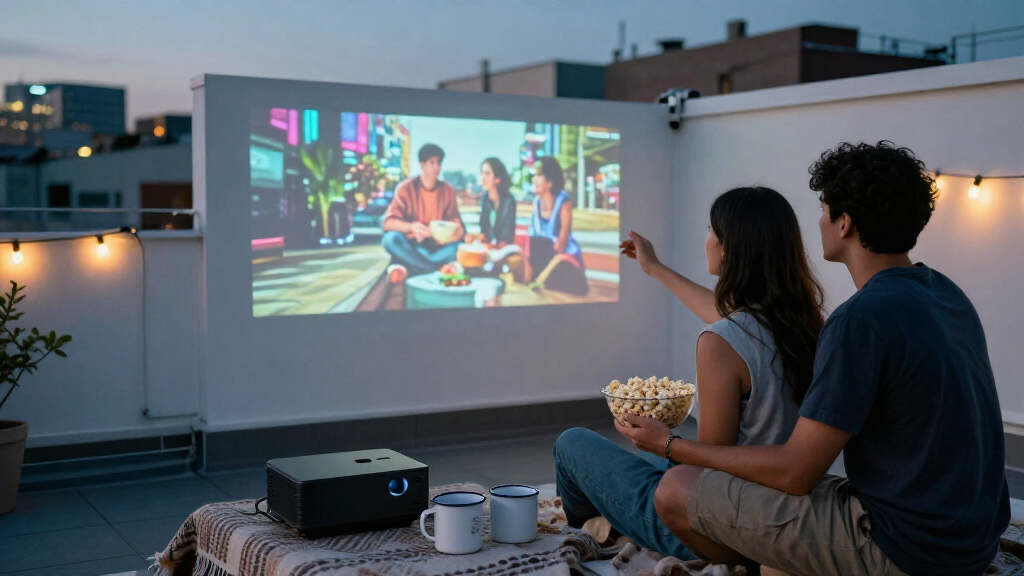

For portable mini projectors, I’d start with the Aurzen Roku TV E1R as the best overall pick because its Roku TV interface makes streaming straightforward without relying on a separate stick. The Kodak Ultra Mini stands out for pocketable, rechargeable viewing, while the HAPPRUN Native 1080P is a stronger fit for buyers who prioritize native resolution over a built-in smart platform. The main tradeoff is between easy streaming and true portability: compact models can be convenient, but small bodies and built-in speakers bring limits, while larger projectors can offer a more practical home setup. Also, “4K support” does not mean a projector displays a native 4K image. Continue reading for the full breakdown of all 15 options and the features that matter most.

Get the latest gadgets delivered free with Prime
- Fast, free delivery on millions of items
- Prime Video, Amazon Music and more included
- Member-only deals all year
Complete the kit



Key Takeaways
- Smart TV access separates the Roku picks: the Aurzen Roku TV E1R and HAPPRUN Roku TV model are aimed at viewers who want streaming built into the projector, rather than depending on a phone or external device.
- Native resolution matters more than a 4K-support label: the HAPPRUN Native 1080P and TMY Native 1080P advertise native 1080p, while several other models list 4K support without claiming native 4K resolution.
- The Kodak Ultra Mini is the portability outlier: its rechargeable pico design and small form factor suit mobile use better than the larger smart-oriented models, but its compact size involves compromises in sound and viewing setup.
- Rotation and auto keystone favor flexible placement: the Magcubic HY300-family models and the rotatable Wi-Fi 6 projector can adapt to unusual projection angles, though automatic correction cannot replace a well-placed projector.
- Built-in apps, connectivity, and image claims are not interchangeable: buyers should distinguish an included smart interface from wireless phone casting, and check actual resolution and power needs against their intended room and use.


| portable mini projector | Native resolution | Brightness | Connectivity | Weight |
|---|---|---|---|---|
| Mini Portable Projector with W | 1280 × 720 | 500 lm | HDMI, USB, Wi-Fi, Bluetooth | 0.77 lb |
| Aurzen Roku TV E1R Smart Porta | 1280 × 720 | 160 lm | Wi-Fi, Bluetooth, HDMI, USB | Under 1 lb |
| Mini Projector with WiFi and B | 1280 × 720 | 200 lumens | Wireless, HDMI, USB, audio output | — |
| Magcubic Mini Projector with W | 1280 × 720 | 200 lumens | Bluetooth, Wi-Fi, USB, HDMI | 0.88 lb |
| Mini Projector with Wi-Fi and | — | 300 ANSI lumens | — | — |
| Mini Projector | 1280 x 720 | — | — | — |
| Mini Projector with WiFi and B | 1280 x 720 | 200 lumens | — | 0.77 pounds |
| Mini Projector Portable Projec | — | — | — | Under 1 pound |
| Kodak Ultra Mini Portable Proj | 640 x 360 | 35 lumens | HDMI, USB, MicroSD, 3.5mm jack | 6.35 ounces |
| HAPPRUN Roku TV Smart Mini Pro | — | — | — | — |
| Magcubic 2026 Upgraded HY300PR | 1280 x 720 | 200 lumens | WiFi, Bluetooth, HDMI, USB | 0.8 kg |
| HAPPRUN Native 1080P Bluetooth | 1920×1080 | — | 3.5mm jack, Bluetooth, HDMI, IR, USB | — |
| HOMPOW Mini Projector | 1280 x 720 | 200 lumens | HDMI, USB 2.0, Bluetooth 5.1, 3.5mm jack | 0.7 kg |
| Wireless Mini Projector with W | 1920 x 1080 | — | AV, USB, WiFi, Bluetooth | — |
| TMY Native 1080P Mini Portable | 1920×1080 (Full HD) | 300 ANSI lumens | — | — |
More Details on Our Top Picks
Mini Portable Projector with WiFi, Bluetooth, and Built-in Apps
At just 0.77 lb, this projector is an easy carry for a bedroom, campsite, or casual movie night, and its 180° rotation gives it more placement freedom than the fixed setup of the Aurzen Roku TV E1R. Auto focus and vertical keystone correction can also cut down on manual picture adjustments when moving between surfaces. Built-in YouTube and Prime Video mean some viewing does not require a separate streaming stick, while HDMI and USB add options for other sources.
The tradeoff is its 720p native resolution: 4K support refers to playback compatibility, not a 4K projected image. Its 500-lumen rating is also not a promise of daylight-ready viewing, and the short 0.9:1 throw ratio suits smaller rooms better than long-distance setups. I’d choose it for flexible, portable viewing, not fine-detail home cinema.
Pros:- Light 0.77 lb design is easy to pack and reposition
- 180° rotation and auto focus simplify placement
- Built-in YouTube and Prime Video support direct viewing
- HDMI, USB, Wi-Fi, and Bluetooth cover common connection needs
Cons:- Native resolution is 1280 × 720 despite 4K playback support
- 0.9:1 throw ratio is better suited to smaller rooms
- Battery life is not specified, so portable use may still require power access
Best for: Travelers and bedroom viewers who want a very light projector with built-in apps and flexible aiming.
Not ideal for: Buyers seeking native 4K detail, bright-room viewing, or a large image from a long throw distance.
- Native resolution:1280 × 720
- Maximum playback resolution:3840 × 2160
- Brightness:500 lm
- Projection size:30–200 inches
- Throw ratio:0.9:1
- Weight:0.77 lb
- Connectivity:HDMI, USB, Wi-Fi, Bluetooth
- Focus and correction:Auto and manual focus; auto vertical keystone
- Built-in apps:YouTube, Prime Video
Our verdict“Choose this model for lightweight, adaptable viewing with a few built-in apps, but skip it if native 4K sharpness is your priority.”
Aurzen Roku TV E1R Smart Portable Mini Projector with WiFi and Bluetooth
The Aurzen Roku TV E1R is the clearest pick here for viewers who want a familiar streaming interface built in rather than another device to connect. Its Roku OS and included remote make it more straightforward for shared use than the AKIYO 2026, which is more dependent on wireless connections or external sources for some copyrighted streaming content. At under a pound, it also remains easy to carry from room to room, and the strap helps with transport.
The compromise is 160 lumens, the lowest stated brightness in this group, so it calls for a darkened room. Its 720p resolution and 120-inch image limit make it a casual entertainment option rather than a large-screen detail machine. I’d favor it for easy app-based viewing, but the Mini Portable Projector with WiFi, Bluetooth, and Built-in Apps offers a larger stated image range and more placement flexibility.
Pros:- Built-in Roku OS streams without a separate streaming device
- Remote control and app control offer familiar operation
- Under 1 lb with a strap for easier transport
- Wi-Fi, Bluetooth, HDMI, and USB support varied connections
Cons:- 160-lumen brightness calls for a dark viewing space
- Native 720p resolution is modest for fine detail
- Maximum image size is 120 inches
Best for: Viewers who want a portable projector with Roku streaming and a remote for uncomplicated movie nights in dim rooms.
Not ideal for: People who need bright-room viewing, a screen larger than 120 inches, or a high-resolution presentation setup.
- Native resolution:1280 × 720
- Display type:LCD
- Brightness:160 lm
- Maximum image size:120 inches
- Maximum throw distance:9.6 ft
- Light source life:30,000 hours
- Weight:Under 1 lb
- Connectivity:Wi-Fi, Bluetooth, HDMI, USB
- Controls:App control and remote control
Our verdict“Pick the E1R if built-in Roku convenience matters more than brightness or screen size.”
Mini Projector with WiFi and Bluetooth, AKIYO 2026 Upgraded 1080P
The AKIYO’s strongest differentiator is practical ownership support: a stated two-year warranty and 65,000-hour light-source life give it a more reassuring profile for buyers planning regular use than the Magcubic model, which lists a shorter 50,000-hour life. Wi-Fi 5G, Bluetooth 5.2, HDMI, USB, and audio output make it adaptable to phones, laptops, and game systems, while automatic keystone correction can simplify a quick setup. Its listed maximum image size of 300 inches is far beyond the Aurzen Roku TV E1R’s 120-inch limit, though that figure does not mean the modest brightness will suit every large-screen room.
There is a resolution caveat: the stated native resolution is 1280 × 720, despite claims of 1080p support and a 3840 × 2160 display-resolution figure. Buyers should not mistake compatibility for native detail. Its 200-lumen rating and streaming restrictions also favor dim rooms and external playback devices over bright, app-first viewing.
Pros:- Two-year warranty is stated in the product data
- 65,000-hour light-source life is the longest stated in this group
- Wi-Fi 5G, Bluetooth 5.2, HDMI, USB, and audio output support varied setups
- Automatic keystone correction helps with quick placement
Cons:- Native resolution is listed as 1280 × 720, making the 1080p claim ambiguous
- 200-lumen brightness is better suited to dim rooms
- Copyright-protected streaming may require an additional device
Best for: Frequent casual users who value a longer stated light-source life, a two-year warranty, and connections for several source devices.
Not ideal for: Buyers who need clearly specified native 1080p resolution, bright-room performance, or direct access to all protected streaming services.
- Native resolution:1280 × 720
- Listed display resolution:3840 × 2160 pixels
- Brightness:200 lumens
- Contrast ratio:2000:1
- Maximum image size:300 inches
- Maximum throw distance:13.12 ft
- Light source life:65,000 hours
- Connectivity:Wireless, HDMI, USB, audio output
- Warranty:2 years
Our verdict“Choose the AKIYO for its stated warranty and flexible source connections, but verify resolution expectations before buying.”
Magcubic Mini Projector with WiFi 6 and Bluetooth 5.4, Portable 4K Support, 5W Soundbase Speaker, Auto Vertical Keystone, 180° Rotatable, Smart Proyector for Home and Outdoor Use
The Magcubic’s case is built around placement flexibility: it weighs 0.88 lb, rotates 180°, and supports tabletop, ceiling, or tripod mounting. That combination makes it easier to aim at an unconventional wall or ceiling than the AKIYO 2026, whose listed mounting type is tabletop. Wi-Fi 6 and Bluetooth 5.4 offer current wireless connections, while the included 5W soundbase speaker avoids requiring separate audio for a simple movie night.
Its main limit is picture performance. The native image is 1280 × 720; 4K describes supported input, not projected detail. Brightness is listed at 200 lumens, so a dark space is the sensible setting, and the maximum projection size is 130 inches—less generous than the AKIYO’s listed 300 inches or the 200-inch range of the Mini Portable Projector with built-in apps. I’d pick it for flexible positioning, not for large, bright-room viewing.
Pros:- 0.88 lb body is easy to carry
- 180° rotation and tabletop, ceiling, and tripod mounting broaden placement options
- Built-in 5W soundbase speaker supports simple standalone viewing
- Wi-Fi 6 and Bluetooth 5.4 provide wireless connectivity
Cons:- Native resolution is 1280 × 720, not 4K
- 200-lumen brightness favors dark environments
- 130-inch maximum projection size is smaller than several alternatives listed here
Best for: Campers and home viewers who need a lightweight projector that can sit on a table, tripod, or ceiling mount and rotate toward the screen.
Not ideal for: People seeking native 1080p or 4K detail, bright-room viewing, or the largest stated projection size in this group.
- Native resolution:1280 × 720
- Maximum supported resolution:4096 × 2160 pixels
- Brightness:200 lumens
- Contrast ratio:2000:1
- Projection size:Up to 130 inches
- Throw distance:0.6–2.6 m
- Weight:0.88 lb
- Connectivity:Bluetooth, Wi-Fi, USB, HDMI
- Mounting and rotation:Tabletop, ceiling, or tripod; 180° rotation
Our verdict“Choose the Magcubic when mounting flexibility and an onboard speaker matter more than image resolution or brightness.”
Mini Projector with Wi-Fi and Bluetooth, Built-in Apps
This is the strongest app-first option in the group: its built-in selection lists Prime Video, YouTube, Hulu, and an app store, giving it more named streaming choices than the first Mini Portable Projector, which lists YouTube and Prime Video. The stated native 1080p resolution also gives it a clearer detail claim than the 720p-native Magcubic and Aurzen Roku TV E1R. Electric focus and a 210° adjustable stand make setup less hands-on and more adaptable when the projector has to aim at different surfaces.
Its 300 ANSI lumens are a useful stated measure, but still point toward dim-room viewing rather than a bright living room. Wireless phone mirroring requires Wi-Fi, and Bluetooth is limited to audio devices, so it is not a direct smartphone audio link. The three-year warranty is a plus for ownership, though buyers should remember that 4K compatibility does not change its native 1080p image.
Pros:- Native 1080p resolution is a stronger detail claim than the 720p-native alternatives
- Built-in Prime Video, YouTube, Hulu, and app store reduce reliance on extra devices
- Electric focus and 210° adjustable stand simplify setup and aiming
- Three-year warranty is stated in the product data
Cons:- 300 ANSI lumens still favors dim environments
- Bluetooth supports audio devices but not smartphones
- Wireless smartphone mirroring requires a Wi-Fi network
Best for: App-focused viewers who want native 1080p, several built-in streaming options, and a stand that can angle the image in varied setups.
Not ideal for: People who need bright-room projection, 4K native resolution, or direct Bluetooth pairing with a smartphone.
- Resolution:Native 1080p HD; 4K compatible
- Brightness:300 ANSI lumens
- Projection size:50–200 inches
- Wireless connectivity:Wi-Fi 6, Bluetooth 5.3
- Wired connectivity:HDMI, USB, 3.5 mm audio
- Focus:Electric focus
- Rotation:210° adjustable stand
- Built-in apps:Prime Video, YouTube, Hulu, app store
- Warranty:3 years
Our verdict“Pick this model for built-in app choice and native 1080p detail, provided you can watch in a dim room.”
Mini Projector, Portable Smart 4K WiFi 6 BT 5.4 with Built-in App
I’d choose this model for rooms where projector placement is awkward: its 180° rotation can aim the image toward a wall or ceiling without requiring a conventional mount. The built-in Android 11.0 and Netflix also make it more self-contained than the Kodak Ultra Mini, which relies on external sources for streaming. Its native resolution is 1280 x 720, though, so “4K” refers to supported content rather than a 4K image. That puts it in the same broad resolution class as the HAPPRUN Roku TV Smart Mini Projector, but the HAPPRUN offers Roku and Dolby Audio while this one emphasizes rotating placement and built-in Android. I’d favor this pick for casual viewing in a bedroom or flexible home setup, not for buyers seeking detailed large-screen images or clearly documented software support.
Pros:- 180° rotation gives more flexibility for aiming the picture
- Built-in Android 11.0 and Netflix reduce dependence on a separate streaming device
- Auto keystone correction helps simplify basic image alignment
- Supports H.264 and H.265 video encoding
Cons:- Native 1280 x 720 resolution is not 4K
- Maximum image size is 130 inches, which may feel limited in a large viewing space
- Software update support is not specified
Best for: Bedroom viewers who want built-in Netflix and the freedom to project onto a wall or ceiling.
Not ideal for: Buyers seeking native 4K detail, a very large image for a spacious room, or clear information about software updates.
- Native resolution:1280 x 720
- Display type:TFT LCD
- Contrast ratio:1500:1
- Maximum image size:130 inches
- Throw distance:0.5–3 meters
- Built-in software:Android 11.0 with Netflix
- Image adjustments:Auto keystone correction; 180° rotation
- Supported video encoding:H.264, H.265
Our verdict“Choose this projector for flexible placement and built-in Netflix, but skip it if native 4K detail matters more than setup versatility.”
Mini Projector with WiFi and Bluetooth, Portable 4K Support, Android 14, Auto Keystone, HY300Pro
At 0.77 pounds, the HY300Pro is a strong choice when portability matters more than a fully automated setup. Its 35–135-inch projection range and ceiling, tabletop, or tripod mounting options give it more placement flexibility than the palm-sized Kodak Ultra Mini, while its native 1280 x 720 resolution remains a step below true 1080p models. It supports 4K input, but the picture is still displayed at 720p. The stated 200 lumens points toward dim rooms rather than daylight or bright outdoor viewing, and manual focus means some hands-on adjustment after moving it. Compared with the first projector in this group, it lists Bluetooth 5.4 and several mounting choices, but its specs don’t list built-in apps. I’d pick it for a portable, simple viewing setup rather than a bright, hands-off home theater.
Pros:- Lightweight at 0.77 pounds for carrying between rooms or on trips
- 35–135-inch projection range suits small rooms and larger wall setups
- Ceiling, tabletop, and tripod mounting options support varied placement
- Wi-Fi 6 and Bluetooth 5.4 provide wireless connection options
Cons:- Native resolution is 1280 x 720 despite 4K input support
- Listed brightness of 200 lumens is better suited to darkened spaces
- Manual focus requires adjustment when the projector is moved
Best for: Travelers and bedroom viewers who want a sub-one-pound projector with multiple mounting options for dim-room use.
Not ideal for: Buyers who need bright outdoor viewing, native 1080p detail, or autofocus after repositioning.
- Native resolution:1280 x 720
- Maximum supported resolution:3840 x 2160
- Brightness:200 lumens
- Projection size:35–135 inches
- Throw distance:0.75–2.65 meters
- Weight:0.77 pounds
- Focus:Manual
- Connections:HDMI, USB, Wi-Fi, Bluetooth
Our verdict“Pick the HY300Pro for lightweight portability and flexible mounting in dim rooms, not for bright viewing or native 1080p sharpness.”
Mini Projector Portable Projectors with WiFi & Bluetooth for Outdoor and Indoor Use
This yellow mini projector stands out for its claimed 22–170-inch image range, the broadest maximum image listed among these five options. That extra size can suit a backyard movie setup or a roomy wall, though the listing doesn’t provide brightness figures to show how well it will hold up outside after dusk. Its under-one-pound body is also easier to carry than the HAPPRUN Roku TV Smart Mini Projector, which has a more defined streaming and audio package but is aimed at users who want Roku built in. Here, Wi-Fi and Bluetooth support wireless mirroring and audio, while HDMI and USB provide wired alternatives. The listing says it supports 1080p, but does not clarify native resolution. I’d treat it as a portable casual-entertainment option, not a presentation tool: the product notes it is not recommended for PowerPoint and its fan can be audible.
Pros:- Under-one-pound weight makes it easy to carry and reposition
- Stated image range extends from 22 to 170 inches
- Wi-Fi, Bluetooth, HDMI, and USB support different source devices
- Built-in speaker allows basic playback without external audio
Cons:- Brightness and native resolution are not specified, making image performance harder to judge
- Fan noise is listed at 30 dB and may be noticeable during quiet scenes
- Not recommended for PowerPoint or business presentations
Best for: Casual movie watchers who want a lightweight projector with a wide stated image-size range and wired or wireless connections.
Not ideal for: Presenters who need dependable PowerPoint use, quiet operation, or published brightness and native-resolution details.
- Dimensions:5.63 x 3.79 x 2.28 inches
- Weight:Under 1 pound
- Resolution support:1920 x 1080
- Image size:22–170 inches
- Projection distance:3.3–16 feet
- Connections:Bluetooth, HDMI, USB, Wi-Fi
- Built-in speaker:Yes
- Color:Yellow
Our verdict“Choose this model for casual, portable viewing and a large stated image range, but avoid it for presentations or noise-sensitive rooms.”
Kodak Ultra Mini Portable Projector – HD 1080p Support LED DLP Rechargeable Pico – 100″ Display, Built-in Speaker, HDMI, USB, Micro SD, Compatible with iPhone, iPad, Android Phones
The Kodak Ultra Mini is the portability specialist here: at just 6.35 ounces and 3.46 inches square, it is far easier to tuck into a bag than the HY300Pro, which weighs 0.77 pounds. That convenience comes with real picture limits. Its 640 x 360 native resolution and 35-lumen brightness call for a dark room and modest expectations, even though it can accept video up to 1080p. The rechargeable battery is rated for 1.5 hours, so a full-length movie may outlast it. HDMI, USB, MicroSD, and a 3.5mm jack provide useful source options, unlike app-focused models such as the first projector in this batch, but streaming requires a connected device or media. I’d choose it for occasional, short viewing where size matters most, not as a replacement for a brighter home projector.
Pros:- Compact 6.35-ounce body is the easiest in this group to carry
- HDMI, USB, MicroSD, and 3.5mm connections offer several playback options
- Built-in speaker supports basic audio without extra equipment
- Rechargeable battery allows use without a constant power connection
Cons:- Native 640 x 360 resolution lacks the detail of the 720p HY300Pro
- Brightness is only 35 lumens, limiting viewing to very dark settings
- Rated battery life of 1.5 hours may not cover a full movie
Best for: Travelers who want a genuinely pocket-sized projector for short clips or casual viewing in a dark space.
Not ideal for: Movie watchers who need a bright image, fine detail, long battery runtime, or a screen larger than 100 inches.
- Native resolution:640 x 360
- Supported display resolution:Up to 1920 x 1080
- Brightness:35 lumens
- Maximum screen size:100 inches
- Weight:6.35 ounces
- Dimensions:3.46 x 3.46 x 0.91 inches
- Battery life:1.5 hours
- Connectivity:HDMI, USB, MicroSD, 3.5mm jack
Our verdict“Choose the Kodak for pocket-sized portability and short, dark-room viewing, but not for sharp images or extended movies.”
HAPPRUN Roku TV Smart Mini Projector with WiFi and Bluetooth
The HAPPRUN makes the strongest case for buyers who want streaming ready on the projector: Roku Entertainment, Apple AirPlay, and instant iOS casting reduce reliance on a separate streaming stick or phone mirroring workaround. Its Dolby Audio and dual stereo speakers also give it a more complete living-room setup than the Kodak Ultra Mini, whose built-in speaker is a simpler convenience feature. The tradeoff is resolution: this is a 1280 x 720 LCD projector, not a native 1080p or 4K model. Its 120-inch maximum image is also smaller than the 170-inch claim for the yellow Wi-Fi-and-Bluetooth projector in this group. Roku streaming needs internet, and listed regional support is limited to the U.S., Canada, and Mexico. I’d choose this for straightforward streaming at home, not for buyers focused on maximum sharpness or broad regional availability.
Pros:- Built-in Roku provides direct access to streaming apps and channels
- Apple AirPlay and instant iOS casting support compatible Apple devices
- Dolby Audio and dual stereo speakers make it a more self-contained viewing setup
- Multiple mounting options support tabletop, tripod, ceiling, wall, or floor placement
Cons:- 1280 x 720 display resolution falls short of native 1080p and 4K
- Streaming features require an internet connection
- Roku features are listed as supported only in the U.S., Canada, and Mexico
Best for: Households in the U.S., Canada, or Mexico that want Roku streaming, iOS casting, and built-in stereo audio in one portable unit.
Not ideal for: Buyers outside Roku-supported regions, those without reliable internet, or viewers who want native 1080p or 4K resolution.
- Display resolution:1280 x 720
- Display type:LCD
- Contrast ratio:1800:1
- Maximum image size:120 inches
- Throw distance:3.28–17.43 feet
- Streaming and casting:Roku Entertainment, Apple AirPlay, instant iOS casting
- Audio:Dolby Audio, dual stereo speakers
- Connections:3.5mm jack, Bluetooth 5.2, dual-band Wi-Fi, HDMI with ARC, USB 2.0
Our verdict“Choose the HAPPRUN for built-in Roku and fuller onboard audio, but look elsewhere if resolution or regional streaming access is your priority.”
Magcubic 2026 Upgraded HY300PRO Mini Projector with WiFi and Bluetooth, Portable 4K Support, Auto Keystone, 180° Rotation
The HY300PRO is the pick I’d favor when easy repositioning matters more than sharp detail. At just 0.8 kg, it is lighter than the HAPPRUN Native 1080P, and its 180° rotation helps aim the picture at a wall or ceiling without relying on a conventional stand. WiFi, Bluetooth, HDMI, and USB also give it more setup options than a projector limited to wired sources.
The tradeoff is its native 720P resolution: 4K support means it can accept that content, not display it at 4K detail. Its 200-lumen brightness is best suited to a dark room or evening outdoor viewing, rather than daytime use. I’d choose the HAPPRUN for Full HD image detail, but this Magcubic makes more sense for a compact, adaptable setup.
Pros:- Lightweight 0.8 kg body is easy to move between rooms or pack for trips.
- 180° rotation gives more placement flexibility, including ceiling projection.
- WiFi, Bluetooth, HDMI, and USB support wireless and wired sources.
- Auto vertical correction can simplify basic setup.
Cons:- Native 720P resolution is less detailed than the HAPPRUN Native 1080P’s Full HD image.
- 200 lumens limits viewing to dim environments.
- 4K support does not mean native 4K projection.
Best for: Travelers and casual viewers who want a lightweight projector that can be aimed at different surfaces and used in a dark room.
Not ideal for: Buyers who want native Full HD detail or need a bright image for daytime viewing.
- Native resolution:1280 x 720
- Maximum supported resolution:3840 x 2160
- Brightness:200 lumens
- Projection size:30 to 130 inches
- Throw distance:0.6 to 2.6 meters
- Connectivity:WiFi, Bluetooth, HDMI, USB
- Weight:0.8 kg
- Setup features:Auto vertical correction, manual focus, 180° rotation
Our verdict“Choose the HY300PRO for a light, rotatable projector in dark settings, but pick a native 1080P model if image detail is your priority.”
HAPPRUN Native 1080P Bluetooth Projector
I’d put the HAPPRUN H1 on the shortlist for buyers who want native 1080P and room to project a large image. Its stated maximum of 200 inches exceeds the TMY’s 220-inch maximum only by less than the TMY’s range suggests? Actually, the TMY reaches 220 inches, so the HAPPRUN is better framed as a Full HD option with a large stated image, not the lineup’s largest. Compared with the Magcubic HY300PRO, it offers substantially more native resolution, which helps fine details look clearer when the screen grows.
Bluetooth 5.3 is for wireless audio, not video casting, and streaming apps require a TV stick or HDMI adapter. Its 1.2-meter minimum throw also calls for more space than the Magcubic’s 0.6-meter minimum. I’d choose it over lower-resolution mini models for movie detail, but skip it if you need an all-in-one streaming setup or a projector for a bright room.
Pros:- Native 1920×1080 resolution delivers more detail than 720P models such as the Magcubic HY300PRO.
- Supports image sizes up to 200 inches for large-room viewing.
- Bluetooth 5.3 allows wireless connection to audio devices.
- HDMI, USB, and 3.5mm connections support a range of playback and sound setups.
Cons:- Streaming apps require a separate TV stick or HDMI adapter.
- Bluetooth handles audio only, not video casting.
- The 1.2-meter minimum throw needs more setup space than the Magcubic HY300PRO.
Best for: Movie fans and console players who want native Full HD detail and have space to set up a larger screen.
Not ideal for: Buyers seeking built-in streaming apps, short-throw placement, or clear viewing in a brightly lit room.
- Native resolution:1920×1080
- Display type:LCD
- Contrast ratio:10000:1
- Maximum image size:200 inches
- Throw distance:1.2 to 7 meters
- Connectivity:3.5mm jack, Bluetooth, HDMI, IR, USB
- Audio:Built-in speakers; Bluetooth 5.3 audio
- Light source operating life:100,000 hours
Our verdict“Choose the HAPPRUN H1 if native Full HD clarity matters more than built-in streaming or a very short throw.”
HOMPOW Mini Projector, 1080P Supported Portable Bluetooth Projector
The HOMPOW earns a place for buyers who want a small, lightweight projector with both Bluetooth and familiar wired ports. At 0.7 kg, it is the lightest of these five, edging out the Magcubic HY300PRO for packing and moving around. Its HDMI, USB 2.0, and 3.5mm jack also make it easier to connect a range of sources than a wireless-only setup, while Bluetooth 5.1 can help route audio to a separate speaker.
Despite the 1080P-supported label, its native resolution is 720P, like the Magcubic, so it is not the choice for sharp Full HD playback. Brightness is listed at 200 lumens, limiting it to dim rooms, and its maximum 120-inch image is smaller than the HAPPRUN’s stated 200 inches. I’d choose the HOMPOW for low-weight portability, not for large-screen or bright-room viewing.
Pros:- At 0.7 kg, it is lighter than the Magcubic HY300PRO.
- HDMI, USB 2.0, Bluetooth 5.1, and a 3.5mm jack offer flexible connections.
- H.264 and H.265 video encoding support is listed.
- Maximum image size of 120 inches suits modest home or outdoor setups.
Cons:- Native 720P resolution falls short of the HAPPRUN’s native 1080P detail.
- 200-lumen brightness is poorly suited to ambient light.
- Maximum image size is smaller than the HAPPRUN’s stated 200 inches.
Best for: People who carry a projector between locations and want a lightweight body with HDMI, USB, and Bluetooth.
Not ideal for: Viewers seeking native 1080P detail, a very large image, or use in a well-lit space.
- Native resolution:1280 x 720
- Supported resolution:1080P
- Brightness:200 lumens
- Maximum image size:120 inches
- Throw distance:3.49 to 7.26 feet
- Connectivity:HDMI, USB 2.0, Bluetooth 5.1, 3.5mm jack
- Weight:0.7 kg
- Supported video encoding:H.264, H.265
Our verdict“Pick the HOMPOW if low weight and varied connections matter most, and accept its 720P native resolution and dim-room limits.”
Wireless Mini Projector with WiFi 6, Bluetooth, 4K Support, and 1080P Resolution – Portable, 180° Rotatable, 17-130 Inch Screen
This projector is the strongest fit here for combining native 1080P with flexible positioning. Unlike the Magcubic HY300PRO and HOMPOW, which have native 720P panels despite supporting higher-resolution content, this model lists 1920 x 1080 as its native resolution. Its 180° rotatable design gives it some of the same aiming convenience as the Magcubic, while WiFi, Bluetooth, AV, and USB provide several ways to connect.
The compromises are less impressive on paper: its 1500:1 contrast ratio is well below the HAPPRUN’s 10000:1, and no brightness figure is supplied, so I can’t recommend it specifically for bright-room use. It reaches 130 inches, short of the HAPPRUN’s 200-inch maximum, and some streaming apps may block screen mirroring. I’d favor it for Full HD and adaptable placement, not for the biggest image or guaranteed app casting.
Pros:- Native 1920 x 1080 resolution provides Full HD detail.
- 180° rotation gives more placement flexibility than a fixed-body design.
- WiFi 6, Bluetooth, AV, and USB offer multiple connection paths.
- 17- to 130-inch projection range covers compact and moderate screen setups.
Cons:- 1500:1 contrast ratio is lower than the HAPPRUN’s stated 10000:1.
- Some streaming apps may block screen mirroring because of HDCP restrictions.
- Maximum 130-inch image is smaller than the HAPPRUN’s stated 200 inches.
Best for: Viewers who want native Full HD resolution, wireless connections, and the option to angle projection toward different surfaces.
Not ideal for: Buyers who need a verified brightness figure, a screen larger than 130 inches, or reliable mirroring from every streaming app.
- Native resolution:1920 x 1080
- Display type:LCD
- Contrast ratio:1500:1
- Projection size:17 to 130 inches
- Throw distance:0.4 to 6 meters
- Connectivity:AV, USB, WiFi, Bluetooth
- Light source lifespan:45,000 hours
- Additional features:180° rotation, built-in speaker, cooling system
Our verdict“Choose this model for native Full HD and rotatable placement, but not if you need a very large image or dependable app mirroring.”
TMY Native 1080P Mini Portable Projector with 80-inch Screen and Bluetooth
The TMY stands out as the most ready-to-set-up package here: it pairs native 1080P with an included 80-inch foldable screen. That screen is a practical advantage over the HAPPRUN Native 1080P, which lists a large maximum image but does not include one in the supplied details. Its 300 ANSI lumens are also a specific brightness rating, unlike the other models in this batch, though I’d still plan to use it in a dim setting rather than assume it will suit daylight.
The stated projection range extends from 32 to 220 inches, giving more size flexibility than the Magcubic HY300PRO’s 30-to-130-inch range. The tradeoff is a 10,000-hour lamp life, shorter than the listed lifespans for the other products here, and Bluetooth carries audio, not video. Phone connections may need adapters that are not included, and some streaming apps restrict mirroring. I’d choose it for a portable movie kit, not for hassle-free phone streaming.
Pros:- Native 1080P resolution offers more detail than the Magcubic HY300PRO’s native 720P.
- Included 80-inch foldable screen makes it easier to start a projection setup.
- 300 ANSI lumens provides a stated brightness measure.
- Projection size range extends from 32 to 220 inches.
Cons:- Listed lamp life of 10,000 hours is shorter than the other models’ stated lifespans.
- Bluetooth transmits audio, not video.
- Phone adapters are not included, and some streaming apps restrict screen mirroring.
Best for: Movie watchers who want native Full HD and an included foldable screen for a portable indoor or outdoor setup.
Not ideal for: People who expect wireless video casting from any phone app or prioritize a long listed lamp life.
- Native resolution:1920×1080 (Full HD)
- Supported resolution:4K
- Brightness:300 ANSI lumens
- Projection size:32 to 220 inches
- Projection distance:1.5 to 6 meters
- Contrast ratio:10000:1
- Lamp lifetime:10,000 hours
- Included screen:80-inch foldable screen
Our verdict“Choose the TMY for native Full HD and an included screen in one portable package, but plan for adapters if you want to connect a phone.”

How We Picked
I compared these 15 portable mini projectors by the practical questions buyers face: how easily each can be set up, what its resolution claims actually say, whether streaming is built in, how it connects to other devices, and how well its stated form factor suits travel or home use. I gave weight to features that reduce setup friction, such as Roku TV, built-in apps, auto keystone, rotation, battery power, and straightforward HDMI or USB connections. I also separated native 1080p claims from “4K support,” since those labels describe different things.
The ranking favors options with a clear strength and a plausible everyday use, not the longest feature list. The Roku models rank well for simple streaming, the Kodak for unusually compact rechargeable use, and the native-1080p models for buyers focused on image detail. Models with overlapping generic smart, Wi-Fi, and 4K-support claims rank lower when the listed details provide less evidence of a distinct advantage. Since the supplied product information does not include brightness figures, verified battery runtimes, or measured sound performance for most models, I avoid treating those as established strengths.
Factors to Consider When Choosing Portable Mini Projectors
Choosing among portable mini projectors is less about collecting the most features and more about matching the projector to the place and source you’ll actually use. I’d settle the viewing setup first, then compare image claims, streaming options, power, and sound.
Separate Native Resolution From Supported Formats
A projector that accepts a 4K input may still display at a lower native resolution, so those labels should not be treated as equivalents. If clear text, subtitles, or fine image detail matter, favor an explicit native-resolution claim and check the model’s listed output resolution. The HAPPRUN Native 1080P and TMY Native 1080P make that distinction clearer than listings that say only “4K support.” Resolution is only one part of perceived image quality, though; brightness, screen size, viewing distance, and room light also shape the result. A common mistake is to buy based on a maximum screen-size claim alone, since a larger image can look dimmer and less detailed. Match the projector to a realistic screen size and a room you can darken.
Choose Built-In Streaming or Bring Your Own Source
Built-in Roku TV or other apps can make a projector feel more like a self-contained television, which is helpful when you want to stream without connecting a laptop. Wireless casting is different: it may mirror a phone, but app restrictions, network setup, or protected video can get in the way. An HDMI input gives you another route through a streaming stick, laptop, or console, though it adds a device and sometimes extra power needs. Before buying, check the exact apps you use and the connection options the listing names. Don’t assume that Wi-Fi automatically means a full streaming interface. If you already own a dependable streaming device, paying extra for duplicated apps may not help.
Treat Portability as a Power and Setup Question
Small dimensions do not always mean a projector is ready for use anywhere. The Kodak Ultra Mini lists rechargeable operation, which directly supports mobile viewing, while many other models are described as portable without battery details in the supplied information. For travel, check battery runtime, charging method, weight, and whether a usable surface and stand are part of your setup. For backyard use, think about access to power, speaker placement, and how you’ll keep the projector steady. A rotating body can help aim an image at a wall or ceiling, but it does not make every mounting position stable or suitable. If power is available at your usual viewing spot, a larger model may be a better trade than a battery-focused design.
Plan for Light, Distance, and Image Geometry
Projectors work best when the room and placement support them; a darkened room generally gives the image more presence than a brightly lit one. Check the throw distance and recommended screen range rather than assuming a “large screen” claim will fit a small bedroom or campsite. Keystone correction can square an image when the projector sits off-center, but heavy correction may reduce usable image detail and should not replace careful placement. Rotation and auto-keystone features, found on several Magcubic-style models and other compact picks here, address setup flexibility rather than brightness. If you plan to use a projector in changing locations, prioritize easy alignment and a stable surface. For a fixed room, placement and a suitable screen can matter more than extra automatic adjustments.
Decide Whether Built-In Sound Is Enough
A built-in speaker can make a compact projector easier to carry and quicker to set up, but small enclosures usually leave less room for full, room-filling sound. The Kodak lists a built-in speaker, and the Magcubic listing names a 5W soundbase speaker; these details help describe the setup, but they do not guarantee performance in a noisy outdoor setting. Bluetooth can connect a separate speaker or headphones, while HDMI source devices may offer other audio routes. Check whether the projector can send audio to your preferred speaker and whether that connection is compatible with your source. For movie nights with a group, budget space and power for external audio. If you mainly watch alone in a quiet room, built-in sound may be a convenient compromise.
Pay for a Specific Advantage, Not a Longer Feature List
Many listings in this roundup repeat Wi-Fi, Bluetooth, auto-keystone, and 4K-support language, so a longer feature list does not automatically make one model a better buy. Look for a concrete difference that suits your use: Roku for familiar streaming, native 1080p for a clearly stated image resolution, or a rechargeable pico form for travel. Wi-Fi generation and Bluetooth version can matter for compatibility, but they do not replace details about brightness, battery life, or native resolution. If those missing specifications matter to you, verify them with the manufacturer before choosing. Avoid paying extra for a feature you will not use, especially when a separate streaming device or speaker already covers that need. The strongest choice is the one whose stated advantage solves a real part of your setup.
Frequently Asked Questions
Does “4K support” mean a portable mini projector shows native 4K?
No. “4K support” often means the projector can accept a 4K signal, not that its imaging hardware displays 4K resolution. In this roundup, the HAPPRUN Native 1080P and TMY Native 1080P explicitly claim native 1080p, which is a different and more specific statement. Check both the supported input format and the native resolution before comparing image detail. If a listing does not state native resolution clearly, ask the manufacturer rather than inferring it from the headline.
Can I stream shows without connecting a phone or streaming stick?
The Roku TV models and projectors listing built-in apps are designed to provide streaming access on the projector itself, subject to their app selection and network setup. A projector with Wi-Fi alone may only connect to a network or support casting; that does not guarantee a full smart-TV interface. The Aurzen Roku TV E1R and HAPPRUN Roku TV model are the clearest options here for buyers seeking a familiar streaming platform. Check that your preferred apps are supported and that the projector can connect to your home network before relying on it as your only source.
Which type is most practical for camping or travel?
For travel, check power and setup before focusing on the smallest-looking product. The Kodak Ultra Mini is the clearest mobile-use option in this lineup because its listing specifies rechargeable pico operation. For the other models, the supplied descriptions do not establish battery power or runtime, so “portable” should not be read as “works without an outlet.” Also account for a screen or suitable wall, audio, and a stable place to set the projector. If you will have reliable power, a non-rechargeable model may offer a more useful balance of features.
Will a mini projector work well in a living room with lights on?
Room light can wash out a projected image, and none of the listed product details here provide comparable measured brightness figures. That makes a darkened room a safer expectation than daytime or fully lit living-room viewing. A smaller screen and shorter viewing distance may help the image appear more usable, but they cannot replace adequate brightness. Before buying, look for independently stated brightness specifications and check how they were measured. If you need a screen that stays vivid with lights on, compare a television or a brighter projector rather than relying on portability claims.
Should I choose auto keystone and rotation over native 1080p?
That depends on whether setup flexibility or image detail is the bigger issue in your space. Auto keystone and rotation can make it easier to aim a projector when the available surface or placement is awkward, but they do not raise native resolution. Native 1080p claims, such as those on the HAPPRUN Native 1080P and TMY Native 1080P, speak more directly to displayed detail. If you can place the unit near the center of the screen, native resolution may matter more; if you move it between rooms, flexible placement may save time. Ideally, compare both features alongside the brightness and connection details you need.
Conclusion
For the broadest mix of simple streaming and portable use, I’d choose the Aurzen Roku TV E1R as the best overall option, with the HAPPRUN Roku TV as the alternative for buyers who prefer its Roku-based setup. My best pick for a clearly stated image-resolution target is the HAPPRUN Native 1080P; the TMY Native 1080P is another option to compare if its included screen suits your setup. For travel where rechargeable operation is the priority, the Kodak Ultra Mini is the most specific fit, though buyers should accept its compact-audio tradeoff. Beginners who want familiar streaming should start with a Roku model, while buyers who already own a streaming device can focus on resolution, placement, and connections instead. The Magcubic HY300-family models make the most sense for viewers who value rotation and flexible aiming, but I’d choose any model only after confirming its native resolution, power needs, and brightness against the room where it will be used.