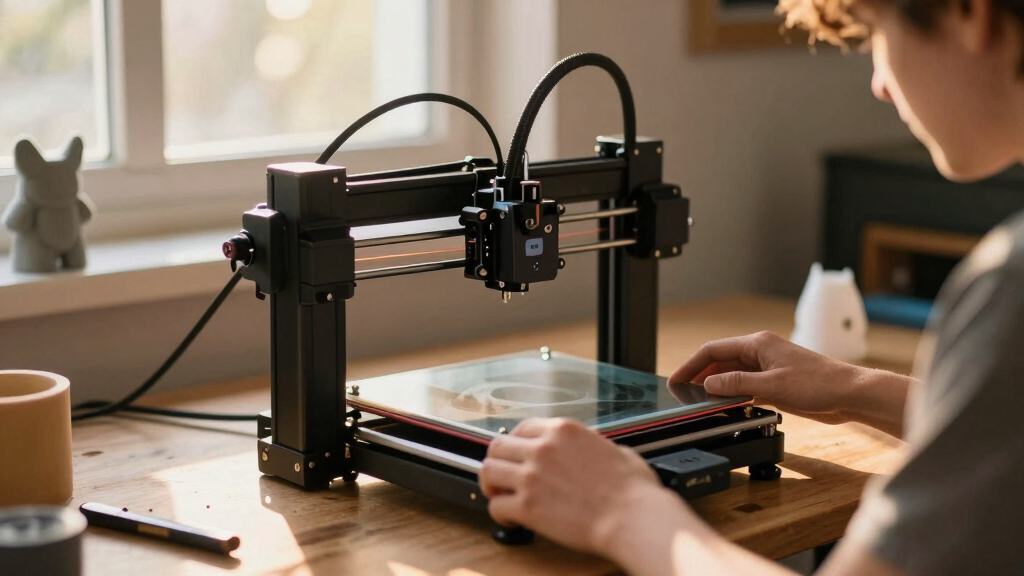

If you’re new to 3D printing, choosing the right machine can feel overwhelming. The best 3D printers for beginners combine ease of use, reliable performance, and affordability. The FlashForge Adventurer 5M stands out as the overall top pick thanks to its auto-leveling and fast printing capabilities. The Bambu Lab P1S offers a ready-to-use experience perfect for newcomers, while the Creality Ender 3 V3 SE provides excellent value for those willing to tinker. The main tradeoffs often involve balancing print quality, ease of setup, and price. Keep reading for a detailed breakdown of these options and what to consider before buying.

Get the latest gadgets delivered free — and shop member deals
- Fast, free delivery on millions of items
- Access to Prime Big Deal Days deals on October 6–7
- Prime Video, Amazon Music and more included
Complete the kit


Key Takeaways
- Auto-leveling features significantly reduce setup time and improve print success rates for beginners.
- Look for machines with straightforward interfaces and minimal calibration requirements to avoid frustration.
- Higher speeds and multi-material support often come with increased complexity and cost, so prioritize based on your goals.
- Entry-level price points can vary widely; understanding what features justify higher prices helps avoid overspending.
- Many top beginner models now include safety features and quiet operation, making them suitable for home use.
| FLASHFORGE Adventurer 5M 3D Printer with Auto Leveling and High-Speed Printing |  | Best Overall for Speed and Versatility | Print Size: 220x220x220mm | Max Speed: 600mm/s | Extruder Temperature: 280°C | VIEW LATEST PRICE | See Our Full Breakdown |
| Bambu Lab A1 3D Printer, Ready-to-Use FDM 3D Printer for Beginners and Kids |  | Best for Ease of Use and Multi-Color Creativity | Acceleration: 10,000 mm/s² | Color Printing: Multi-color with AMS lite | Calibration: Full-auto | VIEW LATEST PRICE | See Our Full Breakdown |
| ANYCUBIC Kobra X 3D Printer with Native 4-Color and Expandable Up to 19 Colors |  | Best for Multi-Color and Large-Scale Projects | Build Volume: 260mm x 260mm x 260mm | Auto-Leveling: LeviQ 3.0 with 49-point mesh | Color Support: Native 4-color, expandable to 19 | VIEW LATEST PRICE | See Our Full Breakdown |
| Bambu Lab P1S 3D Printer, Ready-to-Use FDM 3D Printer |  | Best for Quiet, Multi-Material Printing with Speed | Color Capabilities: Up to 16 colors | Printing Speed: 500mm/s | Acceleration: 20000 mm/s² | VIEW LATEST PRICE | See Our Full Breakdown |
| Flashforge Adventurer 5M 3D Printer for Beginners, 600mm/s Fast Printing, Auto-Leveling, 8.7″x8.7″x8.7″ PEI Build Plate |  | Best for Rapid Prototyping and Educational Use | Build Volume: 8.7″ x 8.7″ x 8.7″ | Print Speed: 600mm/s | Max Nozzle Temperature: 280°C | VIEW LATEST PRICE | See Our Full Breakdown |
| TINA2S Fully Assembled Mini 3D Printer for Kids and Beginners, Starter Kit | 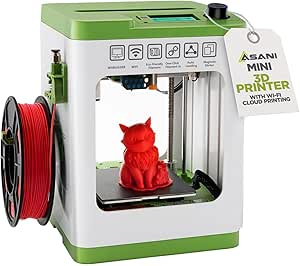 | Best for Kids and Compact Spaces | Product Dimensions: 8.3 x 8.3 x 11.4 inches | Item Weight: 6.4 pounds | Customer Ratings: 4.6/5 | VIEW LATEST PRICE | See Our Full Breakdown |
| Bambu Lab P2S 3D Printer, Ready-to-Use FDM 3D Printer for Beginners |  | Best for Speed and Precision | Print Speed: 600 mm/s | Setup Time: 15 minutes | Chamber Temperature: 50°C | VIEW LATEST PRICE | See Our Full Breakdown |
| FlashForge Adventurer 5M 3D Printer, Support Multi-Materials, High Precision |  | Best for Versatility and Speed | Max travel speed: 600mm/s | Heated bed: Yes | Nozzle options: Multiple | VIEW LATEST PRICE | See Our Full Breakdown |
| ANYCUBIC Kobra X Fast 3D Printer, Native 4-Color, High Speed, Auto Leveling |  | Best for Creative Multicolor Projects | Print Size: 260mm x 260mm x 260mm | Color Capabilities: Up to 4 colors | Max Speed: 600mm/s | VIEW LATEST PRICE | See Our Full Breakdown |
| FLASHFORGE Adventurer 5M 3D Printer, 600mm/s High-Speed, Fully Auto Leveling, Upgraded Direct Extruder, 280°C Nozzle, Dual-Sided PEI Coating Plate, 220x220x220mm Print Size |  | Best Overall for Versatile Speed and Large Volume | Print Size: 220x220x220mm | Max Speed: 600mm/s | Nozzle Temperature: 280°C | VIEW LATEST PRICE | See Our Full Breakdown |
| Bambu Lab A1 Mini 3D Printer + LED Lamp Kit |  | Best for Quiet, Creative Beginners with DIY Projects | Compatibility: LED Lamp Kit | Features: Automatic calibration, quiet operation, high-speed printing | Ecosystem: MakerWorld library, Bambu Handy app | VIEW LATEST PRICE | See Our Full Breakdown |
| Creality Ender 3 V3 SE Beginner-Friendly 3D Printer with Auto Leveling |  | Best Budget-Friendly Auto-Leveling for Beginners | Print Speed: 250mm/s | Auto Leveling: CR Touch | Extruder Type: Sprite Direct Drive | VIEW LATEST PRICE | See Our Full Breakdown |
More Details on Our Top Picks
FLASHFORGE Adventurer 5M 3D Printer with Auto Leveling and High-Speed Printing
This model stands out for its combination of rapid printing speeds up to 600mm/s and automatic bed leveling, making it ideal for those who want quick, reliable results. Compared to the Bambu Lab P1S, it offers a larger print size of 220x220x220mm, but its setup can be more complex, and noise levels tend to be higher. Its direct drive extruder supports diverse filament types, adding versatility. However, the higher speed can sometimes compromise print quality if not carefully calibrated. This pick is best for users who need fast prototyping and are comfortable with some initial setup effort.
Pros:- Automatic bed leveling simplifies setup
- High-speed printing cuts down production time
- Remote monitoring supports workflow management
- Versatile quick-change nozzle system
Cons:- Setup can be technically demanding
- Potentially loud during operation
- Limited to a 220x220x220mm build size
Best for: Hobbyists or educators who prioritize rapid turnaround times and flexible printing options
Not ideal for: Beginners seeking a quiet, plug-and-play experience or those with limited technical skills
- Print Size:220x220x220mm
- Max Speed:600mm/s
- Extruder Temperature:280°C
- Nozzle:3S Detachable Nozzle
- Structure:CoreXY All Metal
- Print Head:Direct Drive
Our verdict“Best suited for experienced users who need speed and versatility in their 3D printing workflow.”
Bambu Lab A1 3D Printer, Ready-to-Use FDM 3D Printer for Beginners and Kids
The Bambu Lab A1 excels at providing a straightforward, quiet printing experience with automatic calibration, making it especially appealing for beginners and younger users. Unlike the Flashforge Adventurer 5M, it emphasizes multi-color capabilities with optional AMS lite support, enabling creative projects with minimal fuss. Its touchscreen interface and quick-nozzle swap streamline operation, but the need for the optional AMS lite adds to the overall cost. The printer’s quiet operation and automatic calibration reduce setup time, making it perfect for educational environments or home use. However, it may have limited filament compatibility compared to more open systems.
Pros:- Automatic calibration simplifies setup
- Supports vibrant multi-color printing
- Quiet operation enhances workspace comfort
- Intuitive touchscreen controls
Cons:- Requires optional AMS lite for multi-color printing
- Higher initial cost for advanced features
- Limited filament compatibility info
Best for: Beginners and kids who want simple, multi-color printing with minimal setup
Not ideal for: Advanced users needing high-temperature or large-format printing without additional accessories
- Acceleration:10,000 mm/s²
- Color Printing:Multi-color with AMS lite
- Calibration:Full-auto
- Flow Rate Compensation:Active
- Nozzle:1-Clip quick swap
- Noise Level:Quiet
Our verdict“Ideal for beginners and families seeking easy multi-color projects with minimal fuss.”
ANYCUBIC Kobra X 3D Printer with Native 4-Color and Expandable Up to 19 Colors
The ANYCUBIC Kobra X stands out for its extensive color support, capable of native 4-color printing with expansion up to 19 colors, making it ideal for detailed multi-material work. Its auto-leveling system and large 260mm build volume are advantages for those interested in complex or high-volume projects. Compared with the Bambu Lab A1, it offers more advanced multi-color capabilities, but the setup is more technical and the machine is bulkier. It’s best suited for users with some technical experience who want to explore multi-color printing at a larger scale.
Pros:- Supports up to 19 colors with expansion
- Auto-leveling ensures first-layer accuracy
- Large build volume for complex models
- Real-time AI monitoring for efficient operation
Cons:- Setup can be complex and time-consuming
- Heavy and takes up significant space
- Higher price point
Best for: Small businesses or advanced hobbyists looking to produce multi-color or multi-material models
Not ideal for: Beginners or casual users who prioritize simplicity over advanced multi-color features
- Build Volume:260mm x 260mm x 260mm
- Auto-Leveling:LeviQ 3.0 with 49-point mesh
- Color Support:Native 4-color, expandable to 19
- Filament Waste Reduction:81.25%
- Connectivity:Smart management with AI camera
- Speed:Up to 50% faster
Our verdict“Best for experienced users aiming to create detailed, multi-colored large-scale projects.”
Bambu Lab P1S 3D Printer, Ready-to-Use FDM 3D Printer
The Bambu Lab P1S offers a high-speed, multi-material, and multi-color printing experience within an enclosed design that improves print consistency. Unlike the FLASHFORGE Adventurer 5M, it emphasizes quiet operation and multi-material versatility, making it suitable for multi-tasking environments. Its automatic bed leveling and quick setup are attractive for newcomers, but it’s less compatible with carbon or glass fiber filaments, limiting some advanced use cases. This printer works well for those who want a clean, quiet workspace with diverse material options, but it might fall short for users needing larger build volumes or specialty filaments.
Pros:- Vibrant multi-color/multi-material options
- High-speed printing reduces waiting time
- Automatic bed leveling simplifies setup
- Enclosed design improves print quality
Cons:- Limited support for carbon/glass fiber filaments
- Requires Bambu Lab AMS for multi-color capability
- Smaller build volume compared to some competitors
Best for: Home users or artists who value quiet operation and multi-material versatility
Not ideal for: Professionals requiring large build areas or specialized filament compatibility
- Color Capabilities:Up to 16 colors
- Printing Speed:500mm/s
- Acceleration:20000 mm/s²
- Design:Enclosed
- Setup Time:15 minutes
- Supported Filaments:PLA, PETG, TPU, PVA, PET, ABS, ASA
Our verdict“Great for users who prioritize quiet, multi-material, multi-color printing in a compact, enclosed setup.”
Flashforge Adventurer 5M 3D Printer for Beginners, 600mm/s Fast Printing, Auto-Leveling, 8.7″x8.7″x8.7″ PEI Build Plate
The Flashforge Adventurer 5M is designed to bring high-speed, reliable printing to beginners and educational settings. Its 600mm/s speed is impressive for rapid prototyping, and its auto bed leveling ensures quick, hassle-free setup. The removable PEI build plate simplifies print removal and maintenance. Compared to the FLASHFORGE Adventurer 5M with high speed, this model emphasizes ease of use and durability, making it ideal for classroom or startup environments. However, its high-speed operation can sometimes require careful calibration to maintain print quality, and some users report occasional connectivity issues. It’s best for those who need quick results with minimal technical fuss.
Pros:- Fast printing speeds for rapid prototyping
- Auto bed leveling for easy setup
- Removable PEI build plate simplifies print removal
- Modular design for maintenance
Cons:- High-speed printing can demand precise calibration
- Limited detailed specifications on material compatibility
- Some connectivity issues reported
Best for: Educators, students, and makers needing fast, reliable prototyping in a compact form
Not ideal for: Users requiring larger build volumes or advanced filament compatibility
- Build Volume:8.7″ x 8.7″ x 8.7″
- Print Speed:600mm/s
- Max Nozzle Temperature:280°C
- Auto Bed Leveling:Yes
- Build Plate Material:PEI
- Item Dimensions:15.75 x 14.29 x 17.64 inches
Our verdict“Ideal for educational or quick-turnaround prototyping environments that need speed and simplicity.”
TINA2S Fully Assembled Mini 3D Printer for Kids and Beginners, Starter Kit
The TINA2S shines as an easy-to-use, fully assembled option for beginners, especially those in home or classroom environments. Unlike larger models such as the ANYCUBIC Kobra X, it offers a smaller footprint and simpler setup, making it ideal for young users or first-timers. However, its limited build volume means bigger projects are out of reach, and WiFi setup can pose challenges for less tech-savvy users. Its auto-leveling feature and included starter kit provide convenience, but the small size and sensor requirements restrict versatility. This pick is perfect for beginners who prioritize simplicity and portability over large-scale printing.
Pros:- Fully assembled and ready to print out of the box
- Includes a comprehensive starter kit with filament and pre-loaded models
- Auto-leveling ensures quick setup and consistent results
- Lightweight and compact, fitting well in small spaces
Cons:- Limited build volume restricts larger project printing
- Requires compatible magnetic build plates for sensor function
- WiFi connection might be tricky for some users to configure
Best for: Beginners, kids, or educators seeking an easy, compact 3D printer for small projects and learning.
Not ideal for: Users aiming to print larger models or advanced hobbyists needing more build volume and customization.
- Product Dimensions:8.3 x 8.3 x 11.4 inches
- Item Weight:6.4 pounds
- Customer Ratings:4.6/5
- Auto-Leveling:Yes
- Build Volume:Small
- Connectivity:WiFi
Our verdict“A superb starter for young learners and small-space users who want a simple, ready-to-go 3D printer.”
Bambu Lab P2S 3D Printer, Ready-to-Use FDM 3D Printer for Beginners
The Bambu Lab P2S offers a compelling blend of high-speed printing and precise results, making it suitable for beginners who want quick, high-quality outputs. Compared to the FlashForge Adventurer 5M, which emphasizes ease and multi-material support, the P2S stands out with its remarkable 600 mm/s speed and automatic calibration, streamlining workflow for users eager to produce more complex projects rapidly. Nonetheless, it lacks support for multi-color printing in its standard form, requiring the optional AMS 2 Pro for multi-material capabilities, which adds to the cost. Its quick setup and high-speed operation cater to those who prioritize efficiency but may be overkill for absolute newcomers focused on simple prints.
Pros:- Impressive 600mm/s print speed for rapid production
- Automatic calibration simplifies setup
- Supports multi-material printing with optional AMS 2 Pro
- User-friendly interface speeds up learning curve
Cons:- Multi-color printing requires additional investment in AMS 2 Pro
- Price is higher compared to basic models
- Limited standard multi-material support
Best for: Beginners interested in fast, precise, and professional-looking prints without extensive tinkering.
Not ideal for: Complete novices seeking a more straightforward, multi-material capable printer with larger build volume.
- Print Speed:600 mm/s
- Setup Time:15 minutes
- Chamber Temperature:50°C
- Auto-Leveling:Yes
- Filament Support:Single/multi-material (optional AMS 2 Pro)
- Connectivity:Wi-Fi
Our verdict“Ideal for beginners wanting quick, high-precision printing with room to grow into multi-material projects.”
FlashForge Adventurer 5M 3D Printer, Support Multi-Materials, High Precision
The FlashForge Adventurer 5M combines high-speed capabilities with multi-material support and a reliable automatic leveling system, making it a well-rounded choice for beginners who want versatility. Its speed up to 600mm/s rivals more advanced printers like the ANYCUBIC Kobra X, but with an easier setup process and remote control via app for monitoring. Though the lack of a specified build volume can cause some uncertainty, its rapid heating and multi-filament support make it suitable for educational settings or home use where flexibility is valued. The complexity of its features could be intimidating to absolute beginners, but its speed and multi-material support balance that out for users ready to explore more.
Pros:- High-speed printing up to 600mm/s
- Automatic bed leveling simplifies setup
- Supports multiple filament types for diverse projects
- Remote app control for monitoring and adjustments
Cons:- Build volume details are not specified, which may affect planning
- Additional camera kit needed for remote features
- Features may be complex for absolute beginners
Best for: Home users and educators seeking a fast, multi-material capable printer with remote features.
Not ideal for: Beginners who prefer straightforward, plug-and-play units without complex features or setup.
- Max travel speed:600mm/s
- Heated bed:Yes
- Nozzle options:Multiple
- Connectivity:Remote app
- Build volume:Not specified
- Auto-Leveling:Yes
Our verdict“Best suited for enthusiastic beginners wanting multi-material options and remote operation, despite some initial complexity.”
ANYCUBIC Kobra X Fast 3D Printer, Native 4-Color, High Speed, Auto Leveling
The ANYCUBIC Kobra X stands out for its native 4-color printing and large build volume, making it an excellent choice for creative projects and multi-color experiments. Its auto-leveling with LeviQ 3.0 ensures easy setup, and its high-speed capabilities up to 600mm/s make it a versatile option for those ready to explore more advanced features. Compared with the Bambu Lab P2S, it offers more color options out of the box, though it may require more initial tuning. While it’s user-friendly for those with some experience, complete beginners might find its extensive features and larger size a bit overwhelming without prior knowledge. Still, it’s ideal for those wanting to expand beyond basic printing.
Pros:- Supports up to 4 colors for vibrant, multi-material prints
- Auto bed leveling simplifies setup process
- Large build volume for bigger projects
- High-speed printing up to 600mm/s
Cons:- Setup and calibration might be complex for complete novices
- Larger size requires more space and stability
- Filament not included, adding initial cost
Best for: Creative users and makers interested in multicolor and multi-material printing with larger projects.
Not ideal for: Absolute beginners seeking a straightforward, small-footprint printer with minimal setup.
- Print Size:260mm x 260mm x 260mm
- Color Capabilities:Up to 4 colors
- Max Speed:600mm/s
- Auto-Leveling:Yes
- Connectivity:Wi-Fi, LAN
- Build Volume:Large
Our verdict“A great choice for beginners ready to experiment with multicolor printing and larger models, despite the steeper learning curve.”
FLASHFORGE Adventurer 5M 3D Printer, 600mm/s High-Speed, Fully Auto Leveling, Upgraded Direct Extruder, 280°C Nozzle, Dual-Sided PEI Coating Plate, 220x220x220mm Print Size
The FLASHFORGE Adventurer 5M stands out for its impressive combination of high-speed printing—up to 600mm/s—and an automatic bed leveling system that simplifies setup for beginners. While it offers a large 220x220x220mm build volume, compared with the smaller-end Creality Ender 3 V3 SE, it provides more flexibility in print size without adding complexity. The upgraded direct extruder and wide filament support make it suitable for a variety of materials, including PETG and TPU, though the larger size and faster speed can generate more noise and require some calibration. Its ability to resume after power loss and quick heating time boosts reliability, especially for those planning to print more ambitious projects. However, the setup involves some assembly and calibration, and its noise level might be a concern for quiet environments.
Pros:- Automatic one-click bed leveling simplifies initial setup
- Exceptional high-speed printing for fast results
- Supports a wide range of filament types including PETG and TPU
- Resumes printing after power loss for reliability
Cons:- Relatively loud during operation, which may disturb surroundings
- Requires some assembly and calibration, not fully plug-and-play
Best for: Hobbyists and educators who want quick, reliable prints with a large build volume and versatile filament options.
Not ideal for: Small apartment dwellers or quiet office spaces, as the printer can be noisy during operation.
- Print Size:220x220x220mm
- Max Speed:600mm/s
- Nozzle Temperature:280°C
- Heating Time:35 seconds to 200°C
- Extruder:Upgraded direct extruder
- Plate Type:Dual-sided PEI coating
Our verdict“This model is ideal for users who prioritize speed and volume but don’t mind a bit of noise and setup time.”
Bambu Lab A1 Mini 3D Printer + LED Lamp Kit
The Bambu Lab A1 Mini makes this list for its straightforward, beginner-friendly features like automatic calibration and quiet operation, making it perfect for home use and small spaces. Unlike the faster, more complex FlashForge Adventurer 5M, the A1 Mini emphasizes ease of use, supported by its comprehensive ecosystem including the MakerWorld library and Bambu Handy app. The included LED Lamp Kit adds a creative twist, appealing to those interested in decorative or personalized projects. However, its compatibility is limited to specific lamp models, and complete newcomers may need some time to familiarize themselves with the app and calibration procedures. This printer’s quiet performance and reliable printing make it a strong choice for hobbyists and educators who want a simple, multi-purpose device.
Pros:- Automatic calibration simplifies setup
- Quiet operation suitable for home environments
- Includes LED Lamp Kit for creative projects
- Access to extensive model library and mobile app
Cons:- Limited to compatible lamp models, restricting creative flexibility
- May have a learning curve for absolute beginners unfamiliar with app-based controls
Best for: Beginners who want a quiet, easy-to-use printer and enjoy DIY light projects or home decor crafts.
Not ideal for: Those seeking large-volume or high-speed printing, as the focus here is on simplicity and quiet operation rather than speed or size.
- Compatibility:LED Lamp Kit
- Features:Automatic calibration, quiet operation, high-speed printing
- Ecosystem:MakerWorld library, Bambu Handy app
Our verdict“Perfect for beginners who value quiet, straightforward printing combined with creative DIY projects at home.”
Creality Ender 3 V3 SE Beginner-Friendly 3D Printer with Auto Leveling
The Creality Ender 3 V3 SE offers a compelling balance of affordability and features, making it especially attractive for newcomers who want a reliable, auto-leveling machine without a high price tag. Its CR Touch auto leveling system reduces the calibration hassle that often frustrates beginners, and the 250mm/s print speed allows for faster prototyping compared to slower models like the Bambu Lab A1 Mini. While its build volume details are not explicitly specified, it generally supports a good range of small to medium projects. The upgraded Sprite Direct Drive Extruder ensures versatile filament compatibility, and the quiet 32-bit mainboard minimizes noise during operation. Some users report calibration hiccups, and the absence of detailed build volume info might be a concern for those with specific size needs.
Pros:- Auto leveling with CR Touch reduces setup time
- Fast print speeds for efficient prototyping
- Reliable extrusion with upgraded direct drive extruder
- Quiet operation enhances user experience
Cons:- Build volume specifics are not detailed, which could limit larger projects
- Some calibration issues reported by users
Best for: Beginners seeking an affordable, auto-leveling printer that can handle a variety of filaments with quick setup.
Not ideal for: Advanced users or those needing large-scale printing, as the build volume specifics are not clearly outlined and calibration issues may arise.
- Print Speed:250mm/s
- Auto Leveling:CR Touch
- Extruder Type:Sprite Direct Drive
- Operation Noise:Quiet
- Item Dimensions:15 x 19.6 x 15 inches
- Customer Rating:4.1/5
Our verdict“This Ender 3 V3 SE is well-suited for newcomers wanting a budget-friendly, auto-leveling machine that’s quick to get working.”
How We Picked
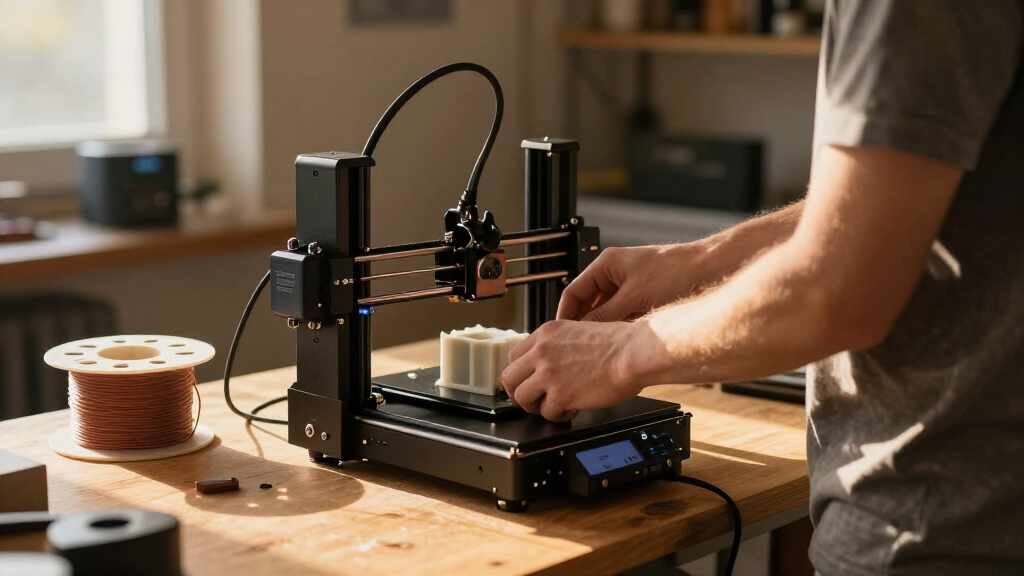
The products in this roundup were selected based on a combination of factors that matter most to beginners. We prioritized ease of use, including features like auto-leveling and simple interfaces, which reduce the learning curve. Reliability and build quality were key to ensuring consistent results without frequent maintenance. Value was also a consideration, weighing features against the price to find options that offer the best bang for your buck. Finally, versatility and safety features played a role, especially for those new to 3D printing or sharing spaces with family. The ranking reflects a balance between these factors, highlighting models that excel across multiple areas while remaining accessible to newcomers.Factors to Consider When Choosing Best 3D Printers For Beginners
Choosing the right 3D printer as a beginner involves more than just looking at specs. Understanding key factors can help you avoid common pitfalls and find a machine that grows with your skills. Consider how easy the setup is, what kind of printing technology it uses, and whether it supports the filament types you want to experiment with. Budgeting for ongoing costs like filament and maintenance is also important. The right choice depends on your specific needs, space, and patience for learning new tools—so weigh each factor carefully before making a decision.Ease of Use and Setup
For beginners, a machine that requires minimal calibration and has a straightforward interface is essential. Features like auto-leveling beds and touchscreen controls can drastically reduce setup time and frustration. Avoid models that demand extensive assembly or complex software configurations unless you’re interested in learning those skills. A user-friendly experience helps maintain motivation and confidence as you start printing your first projects.
Print Quality and Reliability
While beginners don’t need the same precision as professionals, consistent quality is key. Look for printers with reliable extrusion systems and good bed adhesion, which reduce failed prints. Features like enclosed chambers or heated beds can also improve success rates, especially with diverse filament types. Remember, higher quality often comes at a higher price, but sacrificing reliability can lead to frustration and wasted materials.
Price and Value
Budget is a common concern, but it’s important to consider what features you’re getting at each price point. Cheaper models may lack auto-leveling or have smaller build volumes, which can limit your projects. Conversely, spending more on a beginner-friendly machine with features like filament sensors and better support can save time and reduce headaches. Balance your budget with your expectations for print quality and ease of use.
Print Volume and Build Size
Assess your typical project size and choose a machine with an appropriate build volume. Smaller printers are more compact and often cheaper, but they limit the size of your prints. If you anticipate working on larger models, select a printer with a bigger build area, even if it costs a bit more or requires more space. Understanding your needs here prevents the frustration of having to upgrade too soon.
Support, Safety, and Community
Beginners benefit from strong manufacturer support and active user communities. Look for brands with accessible customer service and plenty of online tutorials. Safety features, such as enclosed chambers and automatic shutoff, are also worth considering, especially if the printer will be used in shared or family spaces. These factors can make your learning curve smoother and help you troubleshoot issues more effectively.
Frequently Asked Questions
How much should I expect to spend on a beginner 3D printer?
Entry-level 3D printers for beginners typically range from around $200 to $500. At this price point, you can find models with auto-leveling, decent print quality, and user-friendly interfaces. Spending closer to $300-$400 often yields better reliability and features like heated beds or multi-color support. However, avoid the very cheapest options, as they may lack essential features or have inconsistent performance, leading to frustration and wasted materials.
Is auto-leveling necessary for a beginner 3D printer?
Auto-leveling significantly simplifies the setup process, making it highly beneficial for beginners. It reduces the need for manual bed adjustments, which can be tricky and time-consuming if you’re new. Machines with auto-leveling tend to produce more successful prints right out of the box, helping you build confidence early on. While not strictly essential, it’s a feature worth prioritizing if you want an easier, more reliable printing experience.
Can I use any filament type with beginner 3D printers?
Most beginner models support common filaments like PLA, which is forgiving and easy to print. Some advanced or multi-material printers also handle PETG or TPU, but they often require more calibration and experience. Starting with PLA is recommended because it’s safe, inexpensive, and works well on most machines. As you gain experience, you can explore other materials, but initial simplicity favors models optimized for PLA use.
How important is build volume for a beginner?
Build volume determines the maximum size of your printed objects. For most beginners, a moderate size—around 150x150x150mm—is sufficient for a wide variety of projects. Larger volumes increase the machine’s footprint and cost but provide flexibility for bigger models. If your primary interest is small prototypes or functional parts, a smaller build area is often more practical and easier to manage. Overestimating your needs can lead to unnecessary expense and complexity.
What safety features should I look for in a beginner 3D printer?
Safety features such as enclosed chambers, automatic shutoff, and filament sensors help prevent accidents and protect your workspace. Enclosed designs reduce fumes and prevent accidental contact with hot components. Automatic shutoff systems can turn off the printer after a print completes or if an issue occurs, adding peace of mind. Prioritizing these features makes your 3D printing experience safer, especially if you plan to share your setup with others or use it in a household environment.
Conclusion
For newcomers, the FlashForge Adventurer 5M offers a balanced mix of ease of use, reliable performance, and safety features, making it the best overall choice. Budget-conscious beginners should consider the Creality Ender 3 V3 SE, which provides excellent value and upgrade potential. Those seeking a ready-to-use, straightforward experience will find the Bambu Lab P1S ideal. If you want a machine capable of larger projects or multi-material printing, investing in higher-end models like the ANYCUBIC Kobra X can pay off. Ultimately, your choice depends on your initial skill level, project scope, and whether you prioritize simplicity or expandability.
Fall Picks
fall essentials
As an affiliate, we earn on qualifying purchases.