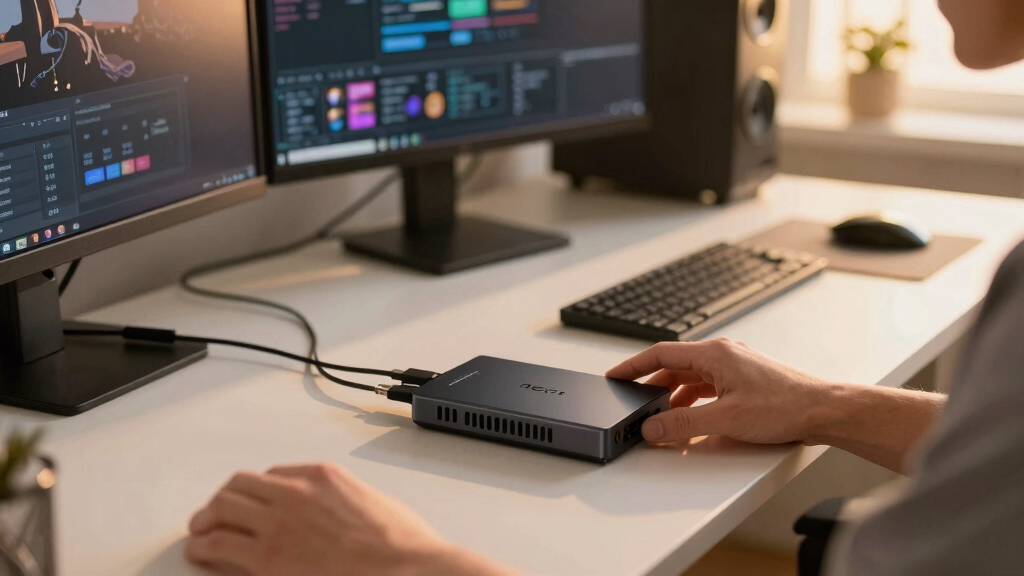

Choosing the right capture card for dual PC streaming involves balancing performance, compatibility, and budget. The Elgato 4K Pro stands out as the best overall for high-resolution, low-latency streaming, especially with advanced features like 8K passthrough. The NearStream 4K HDMI Capture Card offers excellent value with 1080P 60FPS recording and ultra-low latency, making it a strong choice for budget-conscious streamers. Meanwhile, the Elgato 4K X provides ultra-high resolution and frame rates, perfect for those seeking professional-quality streams. These options highlight key tradeoffs—higher specs often come with increased cost or complexity. Continue reading for a detailed breakdown of each product and what suits different streaming setups.
Key Takeaways
- High-resolution, low-latency capture is more accessible than ever, with premium options like Elgato 4K Pro and 4K X leading the pack.
- Compatibility with current consoles and PCs remains a priority, with most top picks supporting HDMI 2.1 and 4K passthrough.
- Budget options like NearStream and Newhope deliver solid performance but may lack advanced features or ultra-low latency for competitive gaming.
- Size and connectivity matter; external capture cards offer portability but may have slight latency tradeoffs compared to internal options.
- Future-proofing your setup involves considering 4K support, HDR, and VRR, which some premium models handle better than entry-level options.





More Details on Our Top Picks
Elgato 4K Pro Internal Capture Card, Black, HDMI, 8K60 Passthrough/4K60 HDR10, Ultra-Low Latency for PS5 Pro, Xbox Series S, Nintendo Switch 2, for Streaming & Recording, Single & Dual PC Setups
This Elgato 4K Pro Internal Capture Card is a powerful choice for streamers seeking top-tier quality and flexibility, particularly when paired with dual PC setups. Its support for 8K60 passthrough and 4K60 HDR10 ensures stunning visuals, while HDMI 2.1 in/out enables high frame rates up to 240fps at 1080p, surpassing most competitors like NearStream CCD10 in raw resolution and latency. However, its internal design and HDMI 2.1 requirements make it less accessible for beginners or those with existing external setups. Compared to external options, this card offers ultra-low latency and seamless sync, but at a higher cost and installation complexity. This pick is ideal for professional streamers and high-end gaming content creators who prioritize quality and dual PC configurations.
Pros:- Supports 8K60 passthrough for future-proofing
- Ultra-low latency for seamless streaming
- High frame rate support up to 240fps at 1080p
Cons:- Requires internal installation and HDMI 2.1 compatibility
- Higher price point compared to external options
- Less suitable for beginners or plug-and-play users
Best for: Streamers needing maximum quality, ultra-low latency, and dual PC support
Not ideal for: Casual streamers or users with existing external capture setups who prefer plug-and-play simplicity
- Capture Resolution:4K60 HDR10
- Passthrough Support:8K60
- Latency:Ultra-Low
- Frame Rate:Up to 240fps at 1080p
- Connectivity:HDMI 2.1 in/out
- Compatibility:PC, Mac, Dual PC setups
Bottom line: This capture card is best suited for experienced streamers demanding top performance and dual PC integration.
NearStream 4K HDMI Capture Card, USB 3.0 Video Capture Card for Live Streaming & Gaming, Record in 1080P 60FPS with Ultra-Low Latency, Compatible with PS5, PS4, Xbox, Switch, Windows/Mac/Linux (CCD10)
This NearStream CCD10 offers a compelling balance of affordability and performance, making it a solid choice for dual PC streamers on a budget. It supports 4K passthrough but captures only up to 1080P60, which is adequate for most streaming needs but falls short of the 4K quality of higher-end cards like Elgato 4K Pro. Compared to external cards, it provides ultra-low latency and easy plug-and-play operation without requiring driver setup, but its inconsistent performance at 60Hz can result in occasional dropped frames. Its USB 3.0 interface makes it compatible across multiple platforms, yet it’s less future-proof for 4K or higher frame rates. This makes it suitable for enthusiasts who prioritize cost-effectiveness and reliable 1080p streaming.
Pros:- Supports 4K passthrough for future compatibility
- Plug-and-play with no driver setup required
- Ultra-low latency for live streaming
Cons:- Captures only up to 1080P60, limiting 4K quality
- Inconsistent performance at 60Hz with occasional frame drops
- Limited future-proofing for higher resolutions or frame rates
Best for: Budget-conscious streamers using dual PCs who prioritize 1080P quality and ease of use
Not ideal for: Pro-level streamers or content creators needing 4K capture and high frame rate fidelity
- Capture Resolution:1080P60
- Passthrough Support:4K60
- Latency:Ultra-Low
- Interface:USB 3.0
- Platform Compatibility:Windows, Mac, Linux
- Streaming Support:OBS, YouTube, Twitch
Bottom line: This pick makes the most sense for streamers seeking reliable 1080p capture on a budget without sacrificing low latency.
Capture Card Nintendo Switch, 4K HDMI Video Capture Card, 1080P 60FPS, HDMI to USB 3.0 Capture Card for Streaming Work with Camera/Xbox/PS4/PS5/PC/OBS
The Guermok GM-29A is a versatile external capture solution optimized for console gamers, supporting 1080P60 capture and compatible with a wide range of devices like Switch, PS4/5, and Xbox. Its plug-and-play design simplifies setup, and the USB 3.0 interface ensures decent low latency for streaming, making it a practical choice for dual PC setups. Unlike internal cards like Elgato 4K Pro, it doesn’t support 4K capture or HDR, limiting visual fidelity for high-end content. It’s also less suitable for PC gamers or streamers requiring high frame rates or 4K resolution. For those focused on console gameplay and straightforward streaming, this is an accessible pick.
Pros:- Supports 1080P60 for smooth gameplay capture
- Plug-and-play with USB 3.0 interface
- Compatible with various consoles and devices
Cons:- Limited to 1080P, no 4K support
- No HDR or high frame rate beyond 60FPS
- External design may be less durable long-term
Best for: Console streamers prioritizing 1080P60 output and easy setup for dual PC configurations
Not ideal for: Content creators aiming for 4K capture or high fps gameplay from PC sources
- Capture Resolution:1080P60
- Passthrough Support:4K
- Interface:USB 3.0
- Compatibility:Switch, PS4/5, Xbox
- System Support:Windows, Mac
- Stream platforms:OBS, Twitch, YouTube
Bottom line: This capture card suits console-focused streamers wanting a simple, reliable 1080P solution for dual PC streaming.
Guermok Video Capture Card, 4K USB3.0 HDMI to USB C Capture Card for Streaming, 1080P 60FPS, Compatible with iPad Mac OS Windows, Quest 3, OBS, PS5/4, Switch2/1, Xbox, Camera (Silver)
The Guermok GM-29A USB-C Capture Card offers a compact, portable option for streamers looking to integrate multiple devices into a dual PC setup. It supports 4K passthrough but captures only up to 1080P60, making it suitable for most streaming needs without sacrificing portability. Its plug-and-play design and wide compatibility—including iPad, Mac, Windows, and consoles—make it a flexible choice for those who need a lightweight solution. Compared to bulkier internal cards like Elgato 4K Pro, it’s less suitable for high-end, high-frame-rate content but excels in ease of use and mobility. It’s ideal for outdoor streamers or those with limited space who need a versatile, external device.
Pros:- Compact and lightweight for portability
- Supports 4K passthrough and 1080P60 capture
- Wide device compatibility including iPad and Mac
Cons:- Limited to 1080P capture resolution
- No HDR or high fps support
- Potential signal loss with certain cables or adapters
Best for: Streamers needing a portable, versatile capture device for multiple platforms and dual PC setups
Not ideal for: High-end streamers requiring 4K60 capture from desktop sources or advanced HDR support
- Capture Resolution:1080P60
- Passthrough Support:4K
- Interface:USB-C
- Compatibility:Windows, Mac, iPad
- Support for:PS5/4, Switch, Xbox, Camera
- Portability:High
Bottom line: This external USB-C capture card is best for mobile or space-constrained streamers who need flexibility and ease of use.
Newhope HDMI Capture Card for Streaming, Full HD 1080P 60FPS Capture USB 3.0 Game Audio Video Capture Card,for Streaming Camera/Xbox/PS4/PS5/Switch/PC
The Newhope HDMI Capture Card provides an affordable entry point for dual PC streamers focusing on 1080P60 quality. Its plug-and-play design makes it accessible for beginners, and the USB 3.0 interface supports low latency streaming. While it does not support 4K or HDR, its compatibility with a variety of devices like PS4/5, Xbox, Switch, and cameras makes it versatile for standard streaming setups. Compared to higher-end cards like Elgato 4K Pro, it offers less resolution and fewer advanced features, but at a fraction of the cost, making it a good choice for budget-conscious users. It’s best suited for casual or beginner streamers with limited budgets.
Pros:- Affordable and easy to use
- Supports 1080P60 for smooth streaming
- Compatible with multiple gaming consoles and cameras
Cons:- Limited to 1080P resolution
- No HDR or high fps support
- Basic features without advanced passthrough
Best for: Beginners or budget-conscious dual PC streamers targeting 1080P60 quality
Not ideal for: High-end content creators or those needing 4K or HDR support
- Capture Resolution:1080P60
- Passthrough Support:Full HD 1080P
- Interface:USB 3.0
- Compatibility:PS4/5, Xbox, Switch, PC
- Platform Support:Windows, Mac, Linux
- Support for:Streaming, Video Recording
Bottom line: This budget-friendly capture card is ideal for newcomers or casual streamers focusing on reliable 1080P streaming without frills.
Acer USB 3.0 Video Capture Card, HDMI Capture Card for Streaming with 4K Loop-Out & USB A/C | 1080P 60Hz HD | Video Audio Game Capture for PS5/PS4/Switch2/Xbox/Camera/PC/Mac – Black
This capture card stands out for its straightforward plug-and-play setup, making it ideal for streamers who prioritize simplicity over the latest tech. Unlike the Elgato 4K X, which offers ultra-low latency and 4K144 support, this Acer model focuses on reliable 1080P@60Hz output with minimal fuss. Its 4K loop-out feature allows for seamless pass-through, supporting dual PC setups without complex configurations. The mic-in port is a bonus for streamers adding live commentary, and its compatibility with popular streaming apps like OBS and XSplit makes it versatile. However, it lacks the high frame rate options and advanced features of premium models like Elgato 4K X, making it less suitable for high-end gaming or professional broadcasts. The tradeoff is ease of use for slightly lower resolution and feature set, making it perfect for beginners or casual streamers. Compared to the Elgato, which demands more setup but offers higher resolution and lower latency, this model emphasizes convenience for on-the-go or entry-level dual PC setups.Pros:- Plug-and-play setup with no drivers required
- Supports 4K Loop-Out for seamless pass-through
- Compact, lightweight, and portable design
- Built-in mic-in for easy commentary
Cons:- Limited to 1080P@60Hz output, less suitable for high-res recording
- No support for 4K recording or ultra-low latency features
- Basic feature set compared to premium options like Elgato 4K X
Best for: Beginner streamers or content creators seeking a reliable, easy-to-use dual PC capture solution without complicated setup.
Not ideal for: Professional streamers or high-end gamers who need ultra-low latency, 4K support, or high frame rate capture for competitive gaming.
- Hardware Interface:HDMI, USB 3.0 Type A/C
- Video Capture Resolution:1080p, 720p
- Operating System:Linux, Windows, macOS
- AV Output:MJPEG, YUY2
- Compatible Devices:Gaming Console, PC, camera
- Minimum System Requirements:USB 3.0 port
Bottom line: Ideal for newcomers or casual streamers who want a straightforward dual PC capture device without fuss.
Elgato 4K X – Capture Up to 4K144 with Ultra-Low Latency on PS5|Pro, Xbox Series X|S, Nintendo Switch 2, OBS and More, HDMI 2.1, VRR, HDR10, USB 3.2 Gen 2, for Streaming & Recording, PC|Mac|iPad
The Elgato 4K X makes a compelling case for high-end content creators with its support for 4K144 and ultra-low latency, surpassing the Acer model in resolution and responsiveness. Unlike the Acer USB 3.0, which is limited to 1080P, the 4K X’s HDMI 2.1 interface enables stunning 4K capture at 144fps, perfect for professional streams or competitive gaming. Its VRR passthrough eliminates tearing, enhancing smooth gameplay during live broadcasts. The device’s compatibility with platforms like OBS, Streamlabs, and even iPadOS expands its versatility across devices. Nevertheless, its higher price point and more complex setup may be overkill for casual users or those with modest streaming needs. The tradeoff is advanced performance and resolution for a steeper learning curve and investment, making it best suited for serious streamers aiming for top-quality output. Compared to the USB 3.0 Acer, this model excels in resolution and responsiveness but requires a more powerful system and higher budget.Pros:- Supports 4K144 and 1080p240 high frame rates
- Ultra-low latency with HDMI 2.1 and USB 3.2 Gen 2
- VRR and HDR10 support for smooth, vivid visuals
- Compatible with PC, Mac, and iPad
Cons:- Higher cost and more complex setup process
- Requires a powerful system to handle 4K144
- Overkill for users only streaming in 1080P
Best for: Professional streamers and high-end content creators demanding 4K144 capture and ultra-low latency for dual PC setups.
Not ideal for: Beginners or casual streamers who prioritize simplicity or have limited budgets, as setup and hardware requirements are more demanding.
- Hardware Interface:HDMI 2.1, USB 3.2 Gen 2
- Video Capture Resolution:4K144, 1080p240
- Operating System:Windows, macOS, iPadOS
- AV Output:HDMI
- Compatible Devices:PS5, Xbox Series X, Switch 2, PC, Mac, iPad
- Additional Features:VRR, HDR10, ultra-low latency
Bottom line: Best suited for professionals or enthusiasts who seek top-tier 4K and high fps capture for dual PC streaming.
Elgato 4K S – External Capture Card for PS5, Xbox Series X/S, Switch 2, PC, Mac, iPad | 4K60, 1440p120, or 1080p240 Passthrough and Capture, HDR10, VRR, USB-C, Near-Zero Latency
The Elgato 4K S offers a flexible solution for users needing 4K60 or high frame rate capture, with a strong feature set that rivals the Elgato 4K X but with a more portable form factor. Unlike the Acer USB 3.0, which is limited to 1080P, the 4K S supports multiple high-quality passthrough and capture resolutions, making it suitable for both casual and semi-professional setups. Its USB-C interface ensures fast data transfer and compatibility with Mac, PC, and iPad, while VRR and HDR10 support improve visual fidelity during gameplay. On the downside, it does not support 4K recording at 144fps, which limits its use for the most demanding content. The device’s near-zero latency makes it ideal for live streaming and competitive gaming, though it may require a higher-end system to maximize performance. It’s a versatile pick for those who need high-quality capture without the bulk of larger devices.Pros:- Supports 4K60, 1440p120, and 1080p240 passthrough and capture
- Near-zero latency for smooth live streaming
- Compact and portable with USB-C connection
- HDR10 and VRR support for high-quality visuals
Cons:- Does not support 4K recording at 144fps
- Higher price point compared to basic models
- Requires a relatively powerful system for 4K60 capture
Best for: Content creators seeking a portable yet powerful capture device capable of 4K60 and high fps streaming on multiple platforms.
Not ideal for: Users needing 4K144 or 1080p240 capture, or those on a tight budget, since it focuses on versatility over absolute maximum resolution.
- Hardware Interface:USB-C
- Video Capture Resolution:4K60, 1440p120, 1080p240
- Operating System:Windows, macOS, iPadOS
- AV Output:HDMI
- Additional Features:HDR10, VRR, near-zero latency
- Dimensions:112 x 72 x 18 mm
Bottom line: Best for streamers who need flexible high-frame-rate capture with portability and high visual fidelity.
4K HDMI Capture Card USB 3.0 – 1080P 60FPS Gaming & Streaming Video Capture Card with HDMI Loop-Out, Plug & Play, Low-Latency Recording for PS5/PS4/Xbox/Switch/OBS/PC/Mac
This capture card offers a solid balance of affordability and performance, making it suitable for casual dual PC streamers who want reliable 1080P60 recording. Unlike the Elgato 4K S, which offers high-res and high fps options, this model focuses on 1080P at 60Hz with a simple plug-and-play design. Its HDMI loop-out feature allows for smooth pass-through while streaming, and the low-latency performance ensures minimal delay between gameplay and broadcast. Its compatibility with Windows, Mac, and popular streaming software keeps setup straightforward. However, it does not support higher resolutions or frame rates, limiting its appeal to more serious or professional streamers. The main tradeoff is a straightforward, budget-friendly design with fewer advanced features, making it ideal for beginners or those on a tighter budget seeking dual PC support.Pros:- Affordable price with reliable 1080P60 recording
- Plug-and-play setup with no drivers needed
- Supports HDMI loop-out for pass-through
- Low-latency for smooth streaming
Cons:- Limited to 1080P resolution, not suitable for 4K content
- No support for higher fps or HDR
- Basic feature set compared to premium options
Best for: Entry-level streamers or gamers who need dependable 1080P60 capture for dual PC setups without extra complexity.
Not ideal for: High-end streamers or those wanting 4K or higher fps capture, as it lacks advanced resolution support.
- Hardware Interface:USB 3.0
- Video Capture Resolution:1080p60
- Operating System:Windows, macOS
- AV Output:HDMI Loop-Out
- Additional Features:Plug-and-play, low latency
- Dimensions:4.02 x 2.72 x 0.49 inches
Bottom line: A reliable, budget-friendly choice for beginners or casual streamers focused on 1080P60 dual PC streaming.
Portta HDMI Video Capture Card, Stream and Record in 1080P60 with Ultra-Low Latency, 4K HDMI in/Loop Out, USB 3.0 to PC Compatible with Nintendo Switch 2/PS4/PS5/Xbox/OBS
The Portta HDMI Capture Card emphasizes simplicity and compatibility, supporting 1080P60 recording with ultra-low latency, making it a practical choice for dual PC configurations. Unlike the Elgato 4K S, which supports higher resolutions, this model concentrates on delivering dependable 1080P performance with 4K pass-through, ideal for streamers who focus on HD quality. Its plug-and-play design ensures quick setup with Windows, Mac, and Linux support, and the included cables add convenience. However, it does not support 4K recording or HDR, which limits its use for high-end content. Its straightforward approach makes it accessible for beginners or those who want reliable performance without extra bells and whistles. The tradeoff is a focus on core features at the expense of higher resolution or advanced streaming features, suitable for standard dual PC gaming streams.Pros:- Supports 1080P60 recording with ultra-low latency
- Supports 4K HDMI pass-through
- Plug-and-play with Windows, Mac, and Linux
- Includes HDMI and USB cables
Cons:- Limited to 1080P recording, no 4K capture
- No HDR support
- Basic feature set compared to higher-end cards
Best for: Streamers seeking a simple, reliable 1080P60 dual PC capture device with 4K pass-through on a budget.
Not ideal for: Producers or streamers requiring 4K recording or HDR support for professional broadcasts.
- Hardware Interface:USB 3.0
- Video Capture Resolution:1080p60
- Operating System:Windows, macOS, Linux
- AV Output:HDMI Loop-Out
- Additional Features:Plug-and-play, low latency
- Dimensions:4.02 x 2.72 x 0.49 inches
Bottom line: A solid, straightforward choice for dual PC streaming in HD with easy setup and pass-through support.
Elgato HD60 X – Stream and Record in 1080p60 HDR10 or 4K30 with Ultra-low Latency on PS5|Pro, PS4|Pro, Xbox Series X/S, Xbox One X|S, Nintendo Switch 2, in OBS and More, Works with PC and Mac
This pick stands out for its combination of high-quality 4K30 HDR10 passthrough and 1080p60 HDR10 capture, making it a versatile choice for dual PC streamers who want both gaming and streaming in one device. Compared with the NearStream 4K HDMI Capture Card, which is more budget-friendly but lacks HDR10 capture on Mac, the HD60 X offers broader compatibility and higher fidelity, albeit at a higher price. Its ultra-low latency under 100ms ensures synchronization between gameplay and stream, a crucial factor for professional setups. The plug-and-play setup simplifies installation, especially for streamers who prefer not to tinker with drivers. However, its HDR capture is currently only available on Windows, which limits Mac users. Additionally, while its compact size is convenient, the device’s reliance on USB 3.0 ports may restrict flexible placement on some systems. Overall, this device makes the most sense for serious dual PC streamers who need high-quality passthrough and broad platform compatibility without sacrificing ease of use.
Pros:- Supports stunning 4K30 HDR10 passthrough with VRR and 1440p120 options
- Ultra-low latency below 100ms for synchronized audio/video
- Driverless, plug-and-play setup on Windows and Mac
Cons:- HDR capture currently only available on Windows, limiting Mac compatibility
- Relies heavily on USB 3.0 ports, which may restrict placement or require additional adapters
Best for: Professional dual PC streamers seeking premium quality and wide platform support, especially on Windows.
Not ideal for: Casual streamers or Mac users who need HDR capture on macOS, as HDR is limited to Windows only.
- Capture Resolution:2160p30, 1440p60, 1080p60, HDR10
- Passthrough Resolution:4K60 HDR10, 1440p120, VRR
- Interface:USB 3.0
- Compatibility:Windows 10 (64-bit), macOS 10.13+
- Size:112 x 72 x 18 mm
- Weight:91 g
Bottom line: This device is ideal for serious dual PC streamers who prioritize high-quality passthrough, low latency, and broad platform support, especially on Windows.

How We Picked
In selecting these capture cards, I prioritized performance metrics such as resolution, frame rate, and latency—key factors for dual PC streaming. Compatibility across platforms, ease of setup, and build quality also played a role, ensuring the cards are reliable under prolonged use. Additionally, I evaluated value by comparing features relative to price, avoiding overly niche or limited-functionality models. The ranking reflects a balance between high-end features for demanding users and affordability for newcomers, aiming to cover a broad spectrum of streaming needs.Factors to Consider When Choosing Capture Cards For Dual Pc Streaming
When choosing a capture card for dual PC streaming, it’s essential to consider not just raw specs but how they align with your overall setup and goals. Factors like resolution, latency, and compatibility directly impact your streaming quality and experience. Equally important are usability features such as ease of installation and software support, which can save time and frustration. Making the right choice involves understanding these broader considerations and avoiding common pitfalls like overpaying for unnecessary features or selecting incompatible hardware.Resolution and Frame Rate
Matching your capture card’s resolution and frame rate to your streaming goals is vital. For full 4K streaming with HDR, you need a high-end card like the Elgato 4K X, which supports 4K at 144Hz and HDR10. If your setup targets 1080p at 60FPS, most budget and mid-tier cards will suffice, offering smoother performance and lower processing demands. Overspending on 4K capabilities when your output or content is primarily 1080p can lead to unnecessary costs, so assess your streaming quality needs carefully before choosing.
Latency and Pass-Through Features
Low latency is critical, especially for live interactions like gaming or real-time feedback. Internal capture cards like the Elgato 4K Pro provide near-zero latency, which is essential for competitive gaming. External options with HDMI pass-through, such as the Portta or Newhope, offer convenience but may introduce slight delays. Consider whether your workflow requires real-time responsiveness or if some latency is tolerable, as this influences the ideal choice for your setup.
Compatibility and Connectivity
Ensure the capture card supports your devices—whether it’s a PS5, Xbox Series X, or custom PC. HDMI 2.1 support provides future-proofing for higher resolutions and refresh rates. Connectivity options like USB 3.0, USB-C, or Thunderbolt can impact ease of use and transfer speeds. For dual PC streaming, internal PCIe cards might offer the most stable connection, but external USB options deliver portability and straightforward setup. Match your hardware interfaces to avoid bottlenecks or compatibility issues.
Ease of Use and Software Support
A user-friendly interface and reliable software are often overlooked but can significantly impact your experience. Top brands like Elgato offer well-designed software suites that integrate seamlessly with popular streaming platforms like OBS and Streamlabs. Cheaper or generic models might lack updates or feature-rich interfaces, leading to frustration or performance issues. Consider your comfort level with technical setup and whether a plug-and-play solution is preferable for your workflow.
Price and Future-Proofing
Balancing cost and longevity is key. Investing in a premium card like the Elgato 4K X may seem expensive initially but provides support for upcoming standards like 4K120, HDR, and VRR. Budget models, while more affordable, might lack these features and require replacement sooner as technology evolves. Think about your long-term streaming goals and whether the extra investment aligns with your ambitions for higher quality or more complex setups.
Frequently Asked Questions
Can I use a single capture card for dual PC streaming?
Yes, a single capable capture card can often handle dual PC setups, especially if it supports high resolutions and multiple inputs. However, most streamers prefer separate cards for each PC to avoid bandwidth congestion and reduce latency. When choosing, ensure the card supports the resolution and frame rate you plan to stream, as well as compatibility with your hardware. Multiple external cards can also be combined using software, but this adds complexity and potential points of failure.
Is an internal PCIe capture card better than an external USB option?
Internal PCIe cards typically offer lower latency and more stable connections due to direct motherboard integration, making them ideal for high-performance streaming. External USB options, however, provide greater portability and easier setup, which can be beneficial for on-the-go streaming or limited space. The best choice depends on your setup’s flexibility needs and whether you prioritize stability over convenience. For dual PC streaming, internal cards often deliver a slight edge in performance.
Do I need a 4K capture card if I only stream in 1080p?
Not necessarily. While 4K capture cards support higher resolutions, they can also handle 1080p streams without issue, often with better color accuracy and future-proofing. If you don’t plan to upgrade your content quality soon, a 1080p-focused card might be more cost-effective. However, investing in a 4K card now can allow for higher-quality streams later and better compatibility with new hardware and standards.
What should I look for in a capture card for console streaming?
Compatibility with your console’s output is key, so ensure the card supports HDMI 2.1 if you aim for 4K at high refresh rates. Low latency passthrough is also critical for gameplay, so look for cards with minimal delay. Additionally, consider the input/output options, whether internal or external, and the ease of integration with your streaming software. Clear documentation and good software support can save significant setup time.
Is it worth investing in a premium capture card for dual PC streaming?
Premium capture cards generally offer higher resolutions, lower latency, and better build quality, which can translate to more professional streams. They also tend to be more compatible with future hardware standards like HDMI 2.1 and HDR. If your streaming setup is a core part of your content creation or you aim for high-quality output, investing in a top-tier card like the Elgato 4K X makes sense. For casual streamers or those on a budget, mid-tier models can still deliver excellent results.