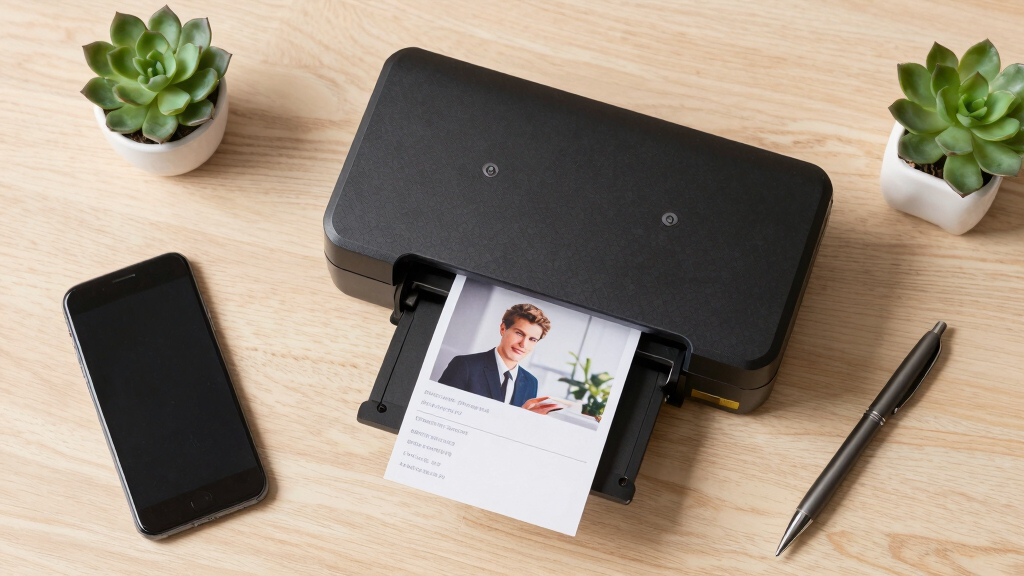
When choosing a desktop scanner for photos and receipts, the key considerations are speed, image quality, and ease of use. The Epson WorkForce ES-50 stands out for portability and quick scans, making it ideal for on-the-go needs. Meanwhile, the ScanSnap iX2500 offers high-speed, cloud-enabled scanning with a large touchscreen, perfect for busy offices. Readers face the tradeoff between compactness and advanced features; more affordable models may lack duplex scanning or high resolution. Continue reading for a detailed breakdown of the best options to match different scanning needs.

Get the latest gadgets delivered free — and shop member deals
- Fast, free delivery on millions of items
- Access to Prime Big Deal Days deals on October 6–7
- Prime Video, Amazon Music and more included
Key Takeaways
- The top scanners combine fast processing speeds with high-resolution image capture, essential for preserving photo quality.
- Auto document feeders significantly boost productivity, especially for receipts and multiple-page documents.
- Wireless connectivity and cloud integration are key features for users who want seamless workflow and file access.
- Portability varies widely; compact handheld scanners are best for mobile use, while larger models suit desktop setups.
- Price often correlates with feature set; more expensive picks usually offer duplex scanning, larger feeders, and better image adjustments.





More Details on Our Top Picks
Epson WorkForce ES-50 Portable Sheet-Fed Document Scanner for PC and Mac
This compact, lightweight scanner is ideal for users who need quick, mobile document scans without sacrificing speed. It stands out for its speed—scanning a page in as little as 5.5 seconds—making it suitable for busy environments. Compared to the ScanSnap iX1300, it’s less feature-rich, lacking large touchscreens or cloud integration, but it excels in portability and ease of use. The absence of a large feed tray and limited media handling means it’s best for single sheets, not bulk or photo scans. The included software supports OCR, creating searchable PDFs, and the device connects via USB without external power, adding to its convenience. However, it struggles with thicker or multi-page documents and offers lower image quality for graphics or photos. This pick is perfect for professionals who frequently scan receipts, IDs, or simple documents while traveling, but not for high-resolution photo archiving or large batch processing.
Pros:- Extremely portable and lightweight at under 10 ounces
- Fast scan speed of 5.5 seconds per page
- USB powered—no external power supply needed
- Supports OCR for searchable PDFs
Cons:- Limited media handling—only single sheets, ID cards, receipts
- Poor performance with thicker or multi-page documents
- Lower image quality not suitable for photos or graphics
Best for: Travelers or remote workers needing quick, single-sheet scans with minimal setup.
Not ideal for: Photographers or archivists requiring high-resolution image scans or bulk processing.
- Scanner Type:Sheet-fed, portable
- Connection Type:USB
- Resolution:1200 dpi
- Standard Sheet Capacity:1
- Weight:9.44 ounces
- Color Depth:16 bpp
Bottom line: This scanner is best for mobile professionals who need quick, simple scans of receipts and IDs on the go.
ScanSnap iX2500 Wireless or USB High-Speed Cloud Enabled Document, Photo & Receipt Scanner with Large 5″ Touchscreen and 100 Page Auto Document Feeder for Mac or PC, Black
The ScanSnap iX2500 is designed for users who handle large volumes of documents, receipts, or photos needing quick, reliable scans. Its standout feature is the large 5-inch touchscreen, simplifying operation and customization, surpassing the basic interface of the ScanSnap iX1300. With a 100-page auto feeder and 45 pages per minute duplex speed, it’s well-suited for busy offices or home use with heavy scanning needs. Its cloud connectivity and support for PC, Mac, and mobile devices make it highly versatile. However, this added functionality comes with a higher price point and bulkier footprint, which might be a drawback for small or space-constrained environments. The software’s automation features—like automatic naming and sorting—save time but can occasionally be glitchy. This model is best for high-volume environments where ease of use and speed are paramount, and space is less of a concern.
Pros:- Large 5-inch touchscreen for intuitive operation
- High-speed scanning at 45ppm duplex
- Automatic document feeder with 100-sheet capacity
- Supports cloud services and mobile device scanning
Cons:- Significantly larger and heavier than portable models
- Higher cost and more complex setup process
- Occasional software glitches can disrupt workflow
Best for: Small businesses or home offices with high scanning throughput and cloud integration needs.
Not ideal for: Minimalists or those with limited desk space seeking a compact, simple device.
- Scanner Type:Document, Photo, Receipt
- Connection Type:Wi-Fi, USB-C
- Resolution:600 dpi
- Standard Sheet Capacity:100
- Scanning Speed:45 ppm duplex
- Color Depth:24-bit
Bottom line: This scanner is ideal for users requiring fast, high-volume scans with easy interface and cloud connectivity.
ScanSnap iX1300 Compact Wireless or USB Double-Sided Color Document, Photo & Receipt Scanner with Auto Document Feeder and Manual Feeder for Mac or PC, White
The ScanSnap iX1300 makes a strong case for users who need a space-efficient scanner without sacrificing speed or versatility. Its compact footprint allows it to fit in tight spaces and stay out of the way, while still offering duplex scanning at up to 30 pages per minute. The device’s simplicity is its strength: it features an automatic document feeder, easy USB or Wi-Fi connection, and the all-in-one ScanSnap Home software for managing files. The single-touch operation and automatic de-skew, color optimization, and blank page removal make it accessible to users of all experience levels. Compared to larger units like the iX2500, it’s less suitable for high-volume environments but excels for home offices, personal use, or small business needs. The main tradeoff is its limited paper capacity and slightly slower speed, which may be insufficient for heavy daily workloads.
Pros:- Small, space-saving design perfect for tight spots
- Duplex scanning up to 30ppm with automatic de-skew and blank page removal
- Connects via Wi-Fi or USB, flexible for different setups
- User-friendly ScanSnap Home software
Cons:- Limited paper capacity at 20 sheets
- Slower than larger, high-volume models
- Not optimized for high-resolution photo archiving
Best for: Small office workers or home users seeking a space-saving, easy-to-use scanner for occasional or moderate use.
Not ideal for: High-volume users or professional photographers needing high-resolution photo scans.
- Scanner Type:Document, Receipt, Photo
- Connection Type:Wi-Fi, USB
- Resolution:1200 dpi
- Standard Sheet Capacity:20
- Scanning Speed:30 ppm duplex
- Color Depth:24-bit
Bottom line: This scanner suits users in small spaces who need reliable, fast document and receipt scans without high volume or photo quality demands.
ScanSnap iX1300 Compact Wireless or USB Double-Sided Color Document, Photo & Receipt Scanner with Auto Document Feeder and Manual Feeder for Mac or PC, Black
The ScanSnap iX1300 is a highly portable, space-efficient scanner designed for users who value simplicity and speed. Its footprint is minimal, making it perfect for small desks and mobile setups. It features duplex scanning at 30 pages per minute, with automatic de-skew, blank page removal, and color optimization—delivering high-quality results with minimal fuss. Its compatibility with Wi-Fi and USB allows flexible placement and easy connection to multiple devices, including cloud services. While it doesn’t match the high-volume throughput of the iX2500, it provides fast, reliable performance for moderate daily tasks. The main compromise involves its limited paper tray capacity and slower speed compared to larger, more feature-rich scanners. It’s ideal for users who need a dependable, space-saving device for receipts, documents, and occasional photos, but not for extensive bulk processing or high-res photo scanning.
Pros:- Extremely compact, fits in small spaces
- Fast duplex scanning at 30ppm
- Supports wireless and wired connections
- Intuitive ScanSnap Home software
Cons:- Limited to 20 sheets capacity per scan
- Slower throughput than high-volume scanners
- Less suitable for high-resolution photo archiving
Best for: Mobile professionals or home users needing a compact, reliable scanner for everyday documents and receipts.
Not ideal for: Heavy-duty office environments or professional photographers requiring high-resolution photo scans.
- Scanner Type:Document, Receipt, Photo
- Connection Type:Wi-Fi, USB
- Resolution:1200 dpi
- Standard Sheet Capacity:20
- Scanning Speed:30 ppm duplex
- Color Depth:24-bit
Bottom line: This model is best for users who need a space-efficient, easy-to-use scanner for moderate document and receipt scanning in small environments.
ScanSnap iX2500 Wireless or USB High-Speed Cloud Enabled Document, Photo & Receipt Scanner with Large 5″ Touchscreen and 100 Page Auto Document Feeder for Mac or PC, White
This model stands out for its combination of speed, connectivity, and user-friendly features, making it ideal for those who need reliable, high-volume scans with minimal fuss. Its 45ppm double-sided speed surpasses many in its class, and the large 5″ touchscreen offers intuitive control, similar to the ScanSnap iX2400 but with greater customization options. The 100-sheet feeder handles large batches effortlessly, and Wi-Fi 6 ensures fast, secure wireless transfers—perfect for busy offices or multi-device households. Compared with the iX2400, the iX2500’s larger touchscreen and cloud support provide a more flexible experience, though it comes at a higher price and increased size. The automatic file optimization, naming, and sorting reduce manual organization time, but the complex setup might challenge absolute beginners. Overall, this scanner is best suited for professionals or small teams needing fast, cloud-enabled document management without sacrificing ease of use.
Pros:- Impressive 45ppm double-sided speed for large batches
- Large 5″ touchscreen with customizable profiles
- Supports Wi-Fi 6 for fast, secure wireless operation
- Handles up to 100 sheets in the feeder
Cons:- Higher price point compared to simpler models like the iX2400
- Larger physical footprint may not suit small desks
- Setup and configuration can be complex for beginners
Best for: Small offices or power users who want fast, cloud-ready scanning with extensive customization.
Not ideal for: Casual home users with infrequent scanning needs or limited desk space, as it’s somewhat bulky and pricier.
- Scanner Type:Business Document & Photo
- Connection Type:Wi-Fi 6, USB-C
- Speed:45 pages per minute
- Sheet Capacity:100 sheets
- Resolution:600 dpi
- Color Depth:24 bits
Bottom line: Ideal for professionals seeking a fast, flexible, cloud-capable scanner that balances speed with touchscreen control.
ScanSnap iX2400 High-Speed Simple One-Touch Button Color Document, Photo & Receipt Scanner with 100 Page Auto Document Feeder for Mac or PC, Black
This pick makes the most sense for users new to scanning who value simplicity over advanced features. Its major strength is the one-touch operation, instantly scanning and organizing documents at speeds up to 45ppm, comparable to the iX2500 but without the touchscreen. The 100-sheet feeder is built for handling daily receipts, photos, and documents with minimal fuss, and the software integration via ScanSnap Home simplifies management for less tech-savvy users. Unlike the iX2500, it lacks wireless connectivity, relying solely on USB, which may be a drawback for those who prefer cord-free operation. Its straightforward operation and reliable performance make it an excellent choice for small business owners or home users who want quick, clean scans without the learning curve. However, it’s less suited for multi-user environments or those needing cloud support out of the box.
Pros:- One-touch scanning for quick operation
- Fast 45ppm duplex speed matches higher-end models
- Reliable with consistent, clean image quality
- Includes user-friendly ScanSnap Home software
Cons:- No Wi-Fi or wireless connectivity, relying on USB only
- Less customizable interface without a touchscreen
- Limited to basic features; lacks advanced cloud support
Best for: Home users or small business owners seeking a straightforward, reliable scanner with minimal setup.
Not ideal for: Tech enthusiasts or offices requiring wireless, cloud, or extensive customization features, as it’s focused on simplicity.
- Scanner Type:Color Document & Receipt
- Connection Type:USB
- Speed:45 pages per minute
- Sheet Capacity:100 sheets
- Resolution:600 dpi
- Color Depth:24 bits
Bottom line: Perfect for beginners or casual users who prioritize ease and speed in a straightforward device.
Portable Scanner, Photo Scanner for A4 Documents, Handheld Scanner for Business, Photo, Picture, Receipts, Books, JPG/PDF Format Selection, UP to 900 DPI, with 16G SD Car
This handheld scanner offers remarkable portability and high-resolution scanning up to 900 DPI, making it ideal for professionals or travelers who need quick captures of photos, receipts, or documents anywhere. Its lightweight, durable design and battery operation mean it can be used outside a traditional office, unlike bulkier desktop models like the Epson ES-400 II. Compared with larger scanners, it’s less suitable for batch processing—its manual operation means slower throughput for large jobs. The 16GB SD card allows for immediate storage and transfer via USB, but the lack of automated features or automatic document detection limits its efficiency. This device is best for quick, individual scans in the field, not for high-volume or professional archival purposes. It excels in portability and resolution but sacrifices speed and automation.
Pros:- Highly portable and lightweight for travel
- High resolution up to 900 DPI for detailed scans
- No software needed, plug-and-play operation
- Includes a 16GB SD card for immediate storage
Cons:- Manual operation results in slower throughput
- Limited automation or batch features
- No wireless connectivity or cloud support
Best for: Travelers, field workers, or professionals needing quick, portable photo and document scans.
Not ideal for: Office environments or users with large scanning volumes requiring automation and batch processing.
- Scanner Type:Handheld Photo & Document
- Connection Type:USB, SD Card
- Resolution:Up to 900 DPI
- Sheet Capacity:Manual, no automatic feeder
- Color Depth:900 bits
- Size:Compact, handheld
Bottom line: Best suited for mobile professionals needing high-res, on-the-spot scans with minimal equipment.
Canon imageFORMULA R10 – Portable Document Scanner, USB Powered, Duplex Scanning, Document Feeder, Easy Setup, Convenient, Perfect for Mobile Users, White
This scanner emphasizes portability and ease of use, making it ideal for mobile professionals or those with limited desk space. Its compact size and USB power mean it can be taken anywhere, similar to the Hczrc handheld but with the advantage of automatic duplex scanning and a 20-sheet feeder. The R10’s quick setup, in combination with its ability to handle various media types like receipts, reports, and business cards, makes it a versatile option. Compared to the Epson ES-400 II, it offers less sheet capacity but excels in lightweight design for on-the-go use. Its built-in software supports simple editing and organization, though it lacks advanced cloud features of larger desktop models. This makes it a good fit for users who need efficiency in a portable form factor, not high-volume batch processing.
Pros:- Small, lightweight, ideal for travel
- Duplex scanning with automatic document feeder
- Easy USB-powered setup, no external power needed
- Handles various media types including receipts and business cards
Cons:- Limited sheet capacity at 20 sheets
- No wireless or cloud support
- Less suitable for high-volume scanning
Best for: Frequent travelers or remote workers needing a compact, reliable portable scanner.
Not ideal for: Offices with large document loads or users requiring extensive cloud integration, as it’s designed for mobility and simplicity.
- Scanner Type:Portable Duplex Document
- Connection Type:USB
- Speed:Up to 12 pages per minute
- Sheet Capacity:20 sheets
- Resolution:600 dpi
- Power:USB powered
Bottom line: Best for mobile users needing a compact, efficient duplex scanner without the bulk of traditional office models.
Epson Workforce ES-400 II Color Duplex Desktop Document Scanner for PC and Mac with Auto Doc Feeder (ADF), Image Adjustment Tools
This scanner is tailored for busy offices or home workspaces requiring fast, high-volume scanning with advanced features. Its 50-sheet auto feeder and fast duplex speed make it capable of handling large stacks efficiently, outperforming the smaller Epson ES-50 and other portable options. The included Epson ScanSmart software provides extensive image adjustment, OCR, and easy file sharing to cloud services like Dropbox or Google Drive—features that surpass the basic management options of the ScanSnap iX2400 or the handheld Hczrc. The seamless TWAIN driver integration ensures compatibility with most document management workflows, and its robust build promises durability under heavy use. But, its size and power requirements make it less suitable for small desks or mobile use, and it’s more expensive than compact models. This is best for users with high scanning demands who need reliability and speed in a desktop form factor.
Pros:- Fast 50-sheet automatic document feeder
- High duplex speed for large batches
- Advanced image adjustment and OCR tools included
- Easy integration with cloud and office workflows
Cons:- Bulkier and less portable than handheld or compact models
- Higher cost and power consumption
- Requires dedicated space and power outlet
Best for: Offices or professionals handling large document batches daily, emphasizing speed and advanced image tools.
Not ideal for: Casual users or travelers who need lightweight, portable scanning solutions, as it’s designed for dedicated workspace use.
- Scanner Type:Color Duplex Desktop
- Connection Type:USB, Mac/PC compatible
- Speed:Up to 50 pages per minute
- Sheet Capacity:50 sheets
- Resolution:600 dpi
- Image Adjustment:Built-in tools for cleanup and OCR
Bottom line: Designed for high-volume, professional environments that need fast, reliable, and feature-rich document scanning.
Brother DS-640 Compact Mobile Document Scanner
The Brother DS-640 stands out for its incredible portability, fitting easily into a bag or pocket, making it perfect for travelers or field workers who need quick scans without bulky equipment. Unlike the larger ScanSnap models, it offers blazing speeds of up to 16ppm, providing rapid results even on the move. While it lacks the automatic document feeder found in more robust desktop scanners, its ability to scan directly via USB from anywhere is a major advantage. The inclusion of OCR and image enhancement software ensures clear, editable scans, though the smaller size means it’s less suited for high-volume office work. Compared with larger options like the Epson WorkForce ES-50, the DS-640 sacrifices some paper capacity for extreme mobility, which might be a drawback for heavy users. This pick makes the most sense for mobile professionals, students, or anyone who needs a reliable, compact scanner without sacrificing speed.
Pros:- Extremely compact and lightweight, ideal for travel
- Fast scanning speeds up to 16ppm for color and black-and-white documents
- Supports multiple OS including Windows, Mac, and Linux with versatile driver options
- Powered via USB, no external power source required
Cons:- Limited paper capacity, no automatic document feeder
- Small size may be inconvenient for scanning larger documents or multiple pages at once
- Requires a USB connection; not wireless
Best for: Travelers, field workers, or students needing instant, portable scanning solutions.
Not ideal for: Office-based users with high-volume scanning needs or those requiring automatic document feeders.
- Scan Speed:16 pages per minute
- Weight:1.5 pounds
- Dimensions:Less than 12 inches long
- Connectivity:Micro USB 3.0
- Supported OS:Windows, Mac, Linux
- Power:USB powered
- Features:Color detection, image correction, OCR software included
Bottom line: This scanner is best suited for mobile users who need quick, on-the-go scans without the bulk of traditional desktop models.

How We Picked
Our evaluation focused on performance, especially scan speed and image quality, as these are critical for photos and receipts. Usability was also vital—features like auto feeders, wireless connectivity, and touchscreen controls were prioritized for efficiency. Build quality and durability mattered for long-term reliability, while value was assessed based on features offered relative to price. We included a mix of portable and desktop models to cater to different user needs, ranking them based on how well they balance these factors in real-world scenarios.Factors to Consider When Choosing Desktop Scanners For Photos And Receipts
Choosing the right desktop scanner depends on your specific needs, workflow, and budget. While some users prioritize speed and high resolution, others may need portability or simple operation. The following factors highlight what to consider to find a model that best fits your scanning workload and environment.Scan Speed and Throughput
For handling large batches of receipts or multiple photos, a scanner with a high scan rate and an auto document feeder (ADF) is essential. Speed directly impacts productivity, especially if you process dozens of documents daily. However, be wary of models that sacrifice image quality for speed; find a balance that matches your volume and quality needs.
Image Quality and Resolution
Higher resolution scanners capture more detail, which is especially important for photos or detailed receipts. Look for models offering at least 300 DPI for clear images, but note that some premium models exceed 600 DPI for professional-quality scans. Remember, higher resolution can mean larger file sizes and longer processing times, so match this to your intended use.
Connectivity and Workflow Features
Wireless and cloud-connected scanners enable easier file management and sharing, reducing cable clutter. Features like touchscreen controls and direct-to-cloud uploads streamline daily tasks. Consider your workflow—if you need multi-device access or remote operation, prioritize these features, but be aware that they can increase the cost and complexity of the device.
Portability and Size
Portable handheld or compact desktop scanners are best if you need mobility or limited desk space. However, smaller models often lack automatic feeders or duplex scanning. Larger, dedicated desktop scanners provide more features and faster throughput but require more room. Choose based on how often and where you’ll be scanning.
Price and Long-Term Value
More expensive models tend to offer advanced features like duplex scanning, larger feeders, and better image adjustments, which pay off for frequent users. Budget options can serve light, occasional scanning needs but may lack speed or quality. Consider your ongoing volume and whether investing in a higher-end model will save time and improve results over time.
Frequently Asked Questions
Can I use a portable scanner for high-volume receipts?
Portable scanners are designed for convenience and mobility, making them ideal for occasional or on-the-go scanning. However, for high-volume receipt processing, a larger desktop model with an auto document feeder and faster scan speeds will be more efficient. Portable units often have smaller capacity and slower throughput, so consider your volume before opting solely for portability.
Is duplex scanning necessary for receipts and photos?
Duplex scanning allows both sides of a document to be captured simultaneously, which is a significant time-saver for double-sided receipts or photos with text on both sides. If most of your scanning involves single-sided items, duplex features may be less critical. However, for bulk processing or archival purposes, duplex capability is a valuable feature that can greatly improve workflow efficiency.
How important is resolution when scanning photos?
Resolution is crucial for maintaining photo quality, especially if you plan to print or enlarge images later. A minimum of 300 DPI is recommended for photos, but higher resolutions like 600 DPI or more provide sharper details and better color accuracy. Keep in mind that higher DPI settings increase file size and processing time, so balance quality needs with storage and speed considerations.
Should I prioritize wireless connectivity?
Wireless connectivity offers convenience, especially if you want to scan directly to cloud services or multiple devices without cables. It simplifies workflow in shared environments or when working remotely. However, wired models often provide more stable connections and may be faster. Consider your environment and how much mobility or flexibility you need when weighing this feature.
Are higher-priced scanners worth the investment?
Higher-priced scanners generally include features like faster speeds, duplex scanning, larger feeders, and higher resolutions, which can be worth the cost if you scan frequently or handle large volumes. For occasional use or light scanning, a budget model may suffice, but investing in a more capable device can save time and improve results over the long run, especially for professional or archival purposes.
Conclusion
For casual users or those with light scanning needs, a compact portable model like the Canon imageFORMULA R10 offers simplicity and convenience. Business users or households with high-volume receipts will benefit from a high-speed, duplex-capable scanner like the Epson Workforce ES-400 II. Photographers or archival enthusiasts should consider a high-resolution model such as the ScanSnap iX2500 for its excellent image quality. Budget-conscious buyers should look at entry-level options, while professionals may find value in investing in premium features for efficiency and reliability.
Fall Picks
fall essentials
As an affiliate, we earn on qualifying purchases.