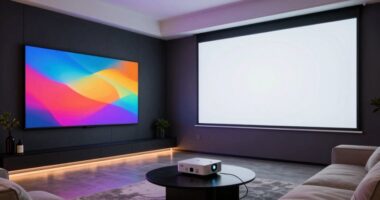
Start by planning your space, considering room size, shape, and ideal seating to guarantee comfort and clear sightlines. Next, select your equipment carefully, choosing the right display, audio components, and accessories, then install and arrange them for easy access and peak performance. Focus on acoustic treatments and lighting to create an immersive environment. Finally, test everything, fine-tune for perfect sound and visuals, and stay updated on upgrades to keep your home theater killer—more details follow.
Key Takeaways
- Plan the room layout, including size, shape, seating, and speaker placement for optimal acoustics and viewing angles.
- Select and install appropriate display, audio equipment, and accessories, ensuring compatibility and proper positioning.
- Implement acoustic treatment and soundproofing to enhance audio quality and minimize external noise.
- Test and fine-tune audio-visual settings, calibrate sound levels, and optimize lighting for an immersive experience.
- Schedule regular maintenance, updates, and upgrades to keep the home theater system performing at its best.
How to Plan Your Home Theater Space Effectively

Planning your home theater space carefully guarantees you get the best viewing experience without wasting money or space. Start with your room layout, considering the size and shape of the area. You want to position your screen for ideal sightlines, avoiding obstructions. The seating arrangement is equally important; place seats so everyone has a clear view without feeling cramped. Make certain there’s enough space between rows and the screen to prevent neck strain and improve immersion. Keep in mind the placement of speakers and other equipment, ensuring they don’t interfere with your seating. Also, plan for adequate lighting control and acoustic treatments to enhance sound and picture quality. Incorporating digital concepts such as proper projector placement and contrast ratio considerations can further optimize your space for the best possible experience. Thoughtful planning ensures your home theater feels comfortable, functional, and immersive, making every movie night a true cinematic experience.
Choosing the Best Equipment for Your Home Theater

Choosing the right equipment is key to creating an immersive home theater. You’ll need to select the best video display options, pick quality audio components, and stay within your budget. Making smart choices now guarantees your setup delivers stunning picture and sound without overspending.
Selecting Video Display Options
Selecting the right video display is essential to creating an immersive home theater experience, as it determines how vivid and sharp your images will appear. Focus on choosing a display size that fits your room and seating distance, ensuring comfort and visual impact. Screen resolution is equally important; higher resolutions like 4K or 8K offer sharper images with more detail. Consider your budget, room size, and viewing preferences when selecting the display. A larger screen provides an immersive feel, but it should complement your resolution for clarity. Use this table to compare options:
| Display Size | Screen Resolution |
|---|---|
| 55-65 inches | 1080p, 4K |
| 70-85 inches | 4K, 8K |
| 90+ inches | 8K |
| Small Room | 55-65 inches |
| Large Room | 70+ inches |
Choosing Audio Components
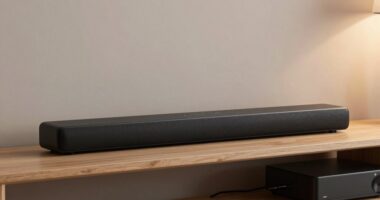
To create a truly immersive home theater experience, your audio components are just as important as your video display. Choose speakers that suit your room size and listening preferences, guaranteeing they deliver clear, balanced sound. Pay attention to speaker calibration, which fine-tunes your system for peak audio performance and helps eliminate unwanted distortions. Compatibility with various audio formats is essential, so verify that your receiver supports formats like Dolby Atmos and DTS:X for the best surround sound experience. Consider a matching set of speakers or a high-quality soundbar for simplicity. Investing in quality cables and connectors will also guarantee your components work seamlessly together. By focusing on speaker calibration and audio format compatibility, you’ll maximize your home theater’s audio potential.
Budgeting for Equipment
Budgeting for equipment is a key step in building your home theater, ensuring you get the best performance without overspending. Start with a clear cost estimation for each component—TV, speakers, receiver, and accessories. Consider financing options if you need flexibility, such as installment plans or credit offers. To help visualize your budget, here’s a simple breakdown:
| Component | Estimated Cost | Financing Options |
|---|---|---|
| Display (TV/projector) | $1,000–$3,000 | Pay over 6-12 months |
| Audio System | $500–$2,000 | Zero-interest credit |
| Receiver | $300–$1,000 | Financing plans available |
| Accessories | $200–$500 | Budget-friendly options |
This approach keeps your spending on track while ensuring you pick the best equipment within your budget.
Installing and Arranging Your Components for a Seamless Setup

To create a seamless home theater setup, you need to focus on ideal component placement and effective cable management. Arranging your speakers correctly enhances sound quality, while tidy cables prevent clutter and improve safety. Paying attention to these details ensures your system looks great and performs at its best.
Optimal Component Placement
Getting your components arranged correctly is essential for a seamless home theater experience. Start with speaker placement—position your front left, center, and right speakers at ear level, forming an equilateral triangle with your seating. Surround speakers should be placed slightly behind and to the sides, aimed toward the listening area. For equipment positioning, keep your AV receiver, Blu-ray player, and gaming consoles in a dedicated, ventilated space close to your main seating. Avoid clutter and ensure easy access for future updates or troubleshooting. Proper placement minimizes interference and maximizes sound quality, creating a more immersive experience. Remember, thoughtful component placement is the foundation for ideal performance and a clean, organized setup.
Cable Management Techniques
Once you’ve arranged your components, managing the cables effectively becomes essential for a clean, professional-looking setup. Start with proper cable routing by running cables along wall edges, behind furniture, or through cable conduits to keep them hidden and organized. Use cable clips or zip ties to secure cables and prevent tangling. Label each cable clearly with cable labeling tags or markers so you can easily identify connections later, especially during troubleshooting or upgrades. Avoid crossing cables unnecessarily, which can cause interference or clutter. Keep power cords separate from signal cables to reduce noise. Regularly check and adjust your cable routing to maintain a tidy setup. Good cable management not only improves aesthetics but also simplifies maintenance and enhances overall system reliability.
Speaker Arrangement Tips
After organizing your cables, the next step is to focus on speaker placement to guarantee ideal sound quality and a seamless setup. Position your front left, center, and right speakers at ear level, forming an arc around your seating area. For superior sound, perform speaker calibration to balance volume levels and ensure accurate audio reproduction. Consider soundproofing techniques, like adding acoustic panels or rugs, to minimize sound leakage and echoes that can distort audio clarity. Place surround speakers slightly behind and to the sides of your seating area, angled toward listeners. Keep cables hidden or secured to prevent clutter. Proper speaker arrangement enhances immersion, making calibration easier and delivering a consistent, high-quality sound experience throughout your home theater.
Optimizing Acoustics and Lighting for the Perfect Experience

Creating the ideal home theater experience starts with optimizing both acoustics and lighting, ensuring that sound and visuals work seamlessly together. To achieve this, focus on three key steps:
- Sound Absorption: Use acoustic panels, carpets, and curtains to reduce echo and improve sound clarity. Proper sound absorption minimizes unwanted reflections, creating a richer audio experience. Incorporating outdoor seating areas can also help manage sound reflections and improve acoustics in larger spaces. Additionally, understanding how home soundproofing techniques can prevent sound from escaping the room enhances overall audio quality. Implementing effective soundproofing techniques can further enhance the isolation and clarity of your home theater. Exploring regional flavors and pairings can also inspire creative acoustic treatments, such as using textiles and materials inspired by local traditions to enhance sound absorption.
- Ambient Lighting: Incorporate dimmable ambient lighting to prevent glare on the screen and set a comfortable mood. Proper lighting enhances visuals without washing out the display.
- Balancing Light and Sound: Position speakers and light sources carefully to avoid interference, ensuring sound absorption and lighting complement each other perfectly. This balance makes your theater immersive and enjoyable.
Testing and Fine-Tuning Your System for Peak Performance

Testing and fine-tuning your home theater system is vital to guarantee everything performs at its best. Proper calibration techniques ensure your audio and video are balanced, providing immersive sound and sharp visuals. Noise isolation plays an essential role in minimizing external disturbances, allowing you to experience true theater quality. Use a sound level meter to adjust speaker volumes accurately, and employ room calibration tools for ideal sound distribution. Consider the table below to guide your adjustments:
| Step | Action | Focus Area |
|---|---|---|
| 1 | Check speaker placement | Noise isolation |
| 2 | Adjust speaker levels | Calibration techniques |
| 3 | Test video settings | Visual clarity |
| 4 | Fine-tune audio balance | Peak performance |
| 5 | Isolate noise sources | Noise isolation |
Additionally, ensuring proper room acoustics can significantly improve sound quality. Incorporating soundproofing methods helps to further reduce external noise and enhances overall audio clarity. This process guarantees your system delivers peak performance every time.
Maintaining and Upgrading Your Home Theater Over Time

Ever wonder how to keep your home theater performing at its best over the years? Regular maintenance and upgrades are key. First, schedule remote maintenance checks to troubleshoot issues without hassle. This proactive approach can help prevent costly repairs and ensure your system stays reliable. Second, stay on top of software updates for your AV receiver, streaming devices, and smart home integrations. Updates improve performance, add new features, and fix security vulnerabilities. Finally, periodically assess your equipment for upgrades, such as better speakers or a higher-resolution projector, to enhance your experience. By staying proactive with remote maintenance, software updates, and hardware upgrades, you guarantee your home theater remains exceptional for years to come.
Frequently Asked Questions
How Much Should I Budget for a Home Theater Build?
You should budget around $5,000 to $15,000 for your home theater, but it varies based on your choices. Prioritize quality acoustic treatments and comfortable seating arrangements to enhance your experience. Allocate funds for a good projector or TV, sound system, and lighting. Keep in mind that investing in soundproofing and acoustic treatments can make a big difference. Your budget depends on your desired features and quality levels.
What Are Common Troubleshooting Issues During Setup?
During setup, you might encounter issues like uneven sound or poor image quality. To troubleshoot, focus on acoustic treatment to improve sound clarity and eliminate echo, and guarantee equipment calibration for peak audio and video performance. Double-check connections, speaker placement, and calibration settings. These steps help resolve common problems, creating a more immersive home theater experience. If issues persist, revisit calibration and acoustic adjustments for better results.
How Do I Ensure Safety During Installation?
To guarantee safety during installation, you should start by turning off power sources before working with electrical wiring, and use proper tools. Incorporate soundproofing techniques to prevent noise hazards, and install lighting control systems carefully, avoiding exposed wires. Always follow manufacturer instructions, wear protective gear, and keep a clear workspace. Regularly inspect equipment for damage, and consider hiring professionals for complex tasks to guarantee everything is secure and safe.
Can I Build a Home Theater in a Small Room?
Yes, you can definitely build a home theater in a small room. Think of it as transforming a cozy space into an immersive experience by carefully choosing acoustic treatments to prevent sound bouncing and optimizing seating arrangements to maximize comfort without clutter. With strategic planning, you’ll create a cinematic vibe that feels spacious and inviting, proving that size isn’t the only factor in crafting an incredible home theater.
What Are the Best Ways to Hide Cables and Wires?
To hide cables and wires effectively, focus on cable management and wire concealment strategies. Use cable raceways or conduits along walls to keep wires out of sight, and employ cord covers for floor cables. Velcro straps or cable clips help organize and secure cords, preventing clutter. Installing power outlets behind furniture or inside walls reduces visible wiring, creating a sleek, clean look. Proper wire concealment enhances your home theater’s aesthetics and safety.
Conclusion
Now that you’ve learned the steps to build your home theater, you might wonder if it’s truly worth the effort. Some say a perfect setup can transform your movie nights into a cinematic experience, blurring the line between reality and screen. While it takes effort, the investment pays off with immersive sound, stunning visuals, and cozy comfort. So, why not prove the theory true? Your ultimate home theater awaits—dive in and enjoy the show!